-
-
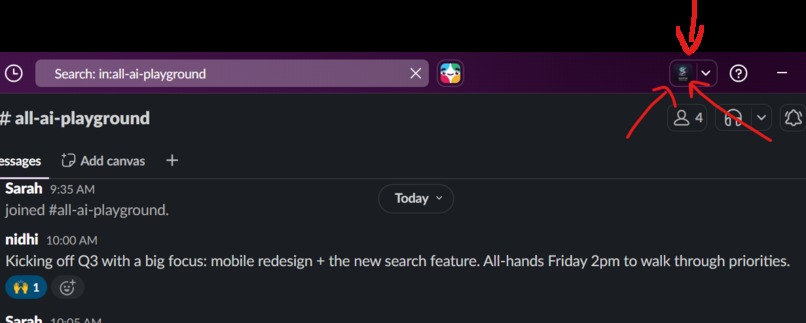
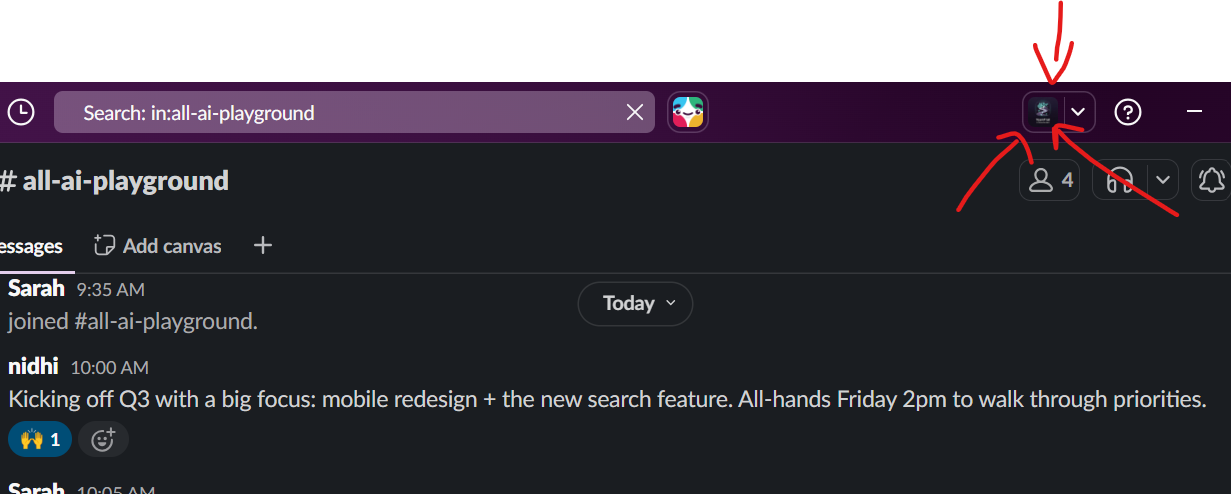
TeamTrail lives in Slack's top bar as a native AI app — not a slash command. One click opens a dedicated split-pane experience
-
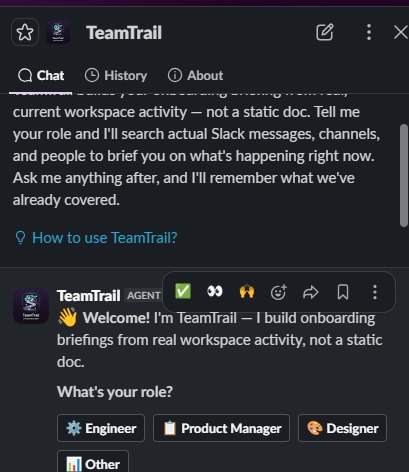
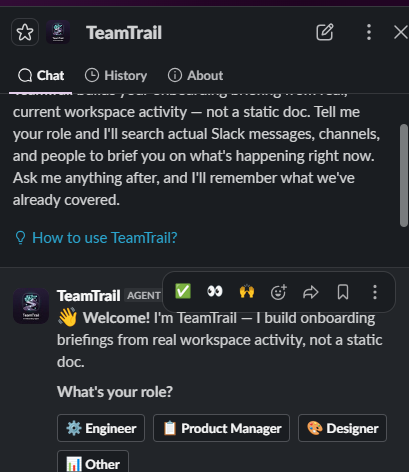
New members pick a role via button or suggested prompt. Engineer, PM, Designer, or Other — each maps to different search terms.
-
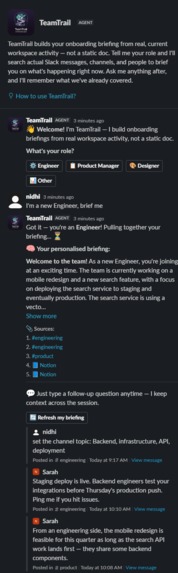
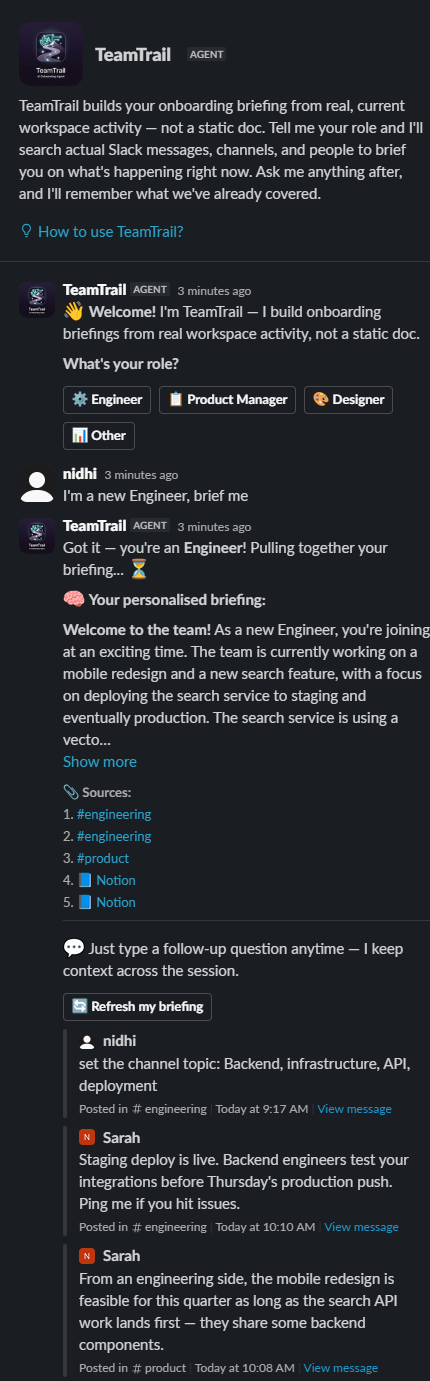
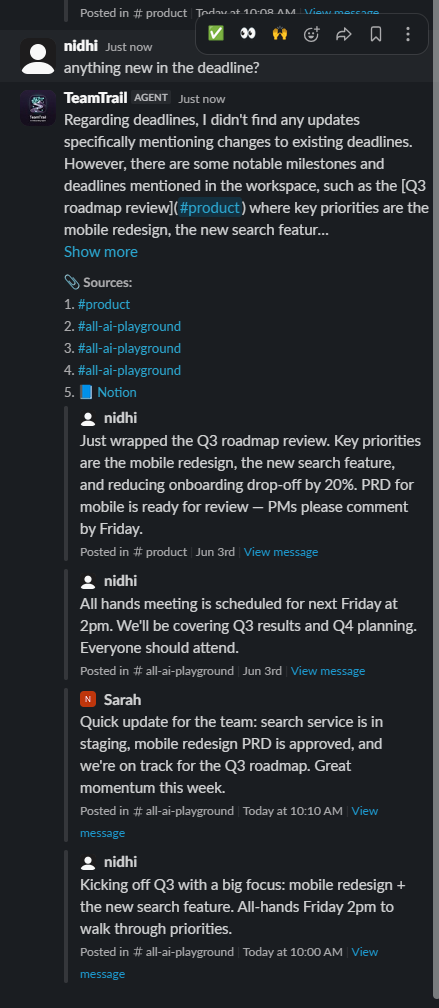
Every briefing is grounded in real Slack messages and Notion docs, with clickable source citations — nothing is hallucinated.
-
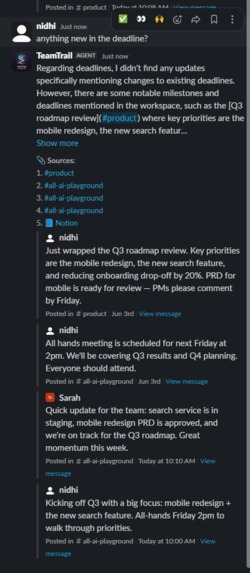
Ask follow-up questions anytime in the same pane. TeamTrail remembers what's already been covered and won't repeat itself.
-
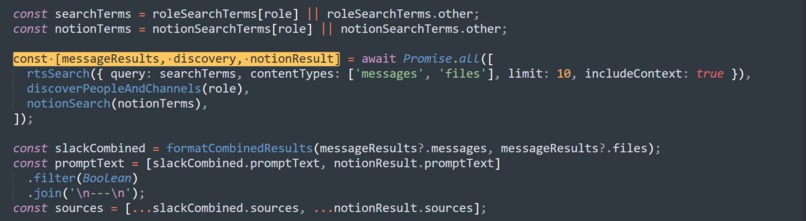
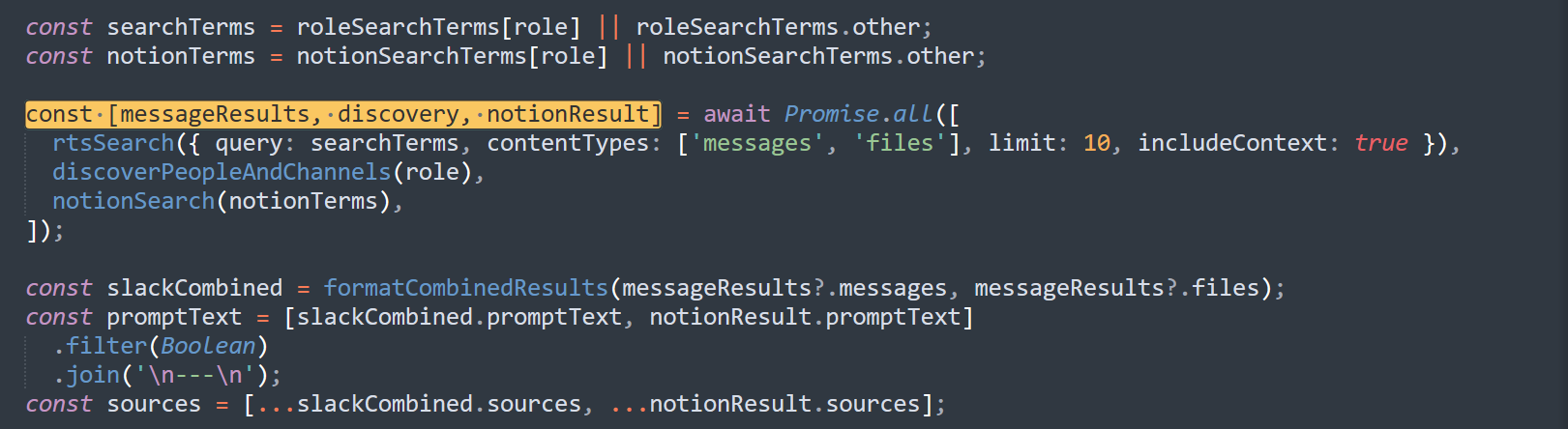
Slack's Real-Time Search API and a Notion MCP server run in parallel, merged into one grounded prompt for the LLM
What it does
TeamTrail is a Slack onboarding agent that lives in the top bar with its own split pane, not a slash command bolted onto a bot. Here's the flow:
- A new member opens TeamTrail and picks their role (Engineer, PM, Designer, or Other) via a button or suggested prompt
- It searches the real workspace using Slack's Real-Time Search API, so actual messages, files, real people, real channels, and pulls in relevant Notion pages through an MCP connection to a Notion MCP server
- It generates a briefing using LLaMA 3.3 70B via Groq, based on what's actually happening right now across Slack and Notion
- Every briefing comes with cited source permalinks, Slack and Notion both, so the new member can jump straight to the original thread or doc
- They can keep asking questions in the same pane after that, with full session context so it doesn't repeat itself
How I built it
- Slack Bolt for JavaScript, Socket Mode so no public URL needed, using the
Assistantclass for the native top bar / split pane experience - Slack's
assistant.search.context(RTS API): role-expanded OR queries across messages and files with thread context, plus user/channel discovery, plus semantic follow-up search - Model Context Protocol: a locally run Notion MCP server (
@notionhq/notion-mcp-server) connected as an MCP client, searching connected Notion pages and pulling page content so briefings are grounded in actual team docs, not just chat history - Semantic query rewriting: bare keyword queries get rewritten into natural-language questions before hitting RTS so it actually triggers semantic retrieval instead of keyword matching
- Groq API (LLaMA 3.3 70B Versatile) generates the briefings and answers, prompted with combined Slack + Notion results and told explicitly not to make up people, channels, or documents
- In-memory per-user context store tracks role, topics covered, and questions asked across a session
- I built standalone smoke-test scripts (
test_rts.sh,test_notion_mcp.js) first to check real API/MCP behavior before wiring up the full bot. That's how I caught that Notion's search tool returns a JSON string instead of prose, and that the tool is actually calledAPI-post-search, not some genericsearchname I assumed it would be
Challenges I ran into
app.use(assistant)vsapp.assistant(assistant): took forever to figure outapp.use()was wrong and it should've beenapp.assistant(). Bolt has a dedicated method that converts theAssistantinstance into valid middleware viagetMiddleware(), and usingapp.use()directly crashed every single incoming event with an error message that told me nothing useful.say()doesn't reliably hit the active assistant thread for block actions: button clicks inside the split pane sometimes posted to the App Home History tab instead of the live chat pane. Fixed it by posting explicitly withclient.chat.postMessageusing the action's own channel and thread timestamp.- Notion MCP auth has two separate tokens and nobody tells you this clearly: I spent way too long assuming
NOTION_TOKENwas the only thing involved. Turns out the integration token authenticates the server to Notion's API, but the local MCP server also spins up its own rotating bearer token just to protect its own HTTP endpoint. Different problem entirely, and I only found that out by reading the server's own startup logs closely - Notion's search tool only gives you metadata:
API-post-searchreturns a page title and URL, nothing else. Had to make a second call,API-retrieve-page-markdown, just to get actual content for the LLM to summarize. - Sources were getting silently dropped: I had a naive
slice(0, 5)on the combined Slack + Notion sources array, and Slack's own message results (often 5 or more by themselves) were crowding out Notion citations tacked on at the end, even when Notion content was clearly showing up in the briefing text. Fixed it by reserving dedicated slots for Notion sources instead of just truncating by array order. - RTS token auth: bot-token RTS calls need an
action_tokenthat's only available in button/shortcut events. A typed follow-up question in the assistant pane doesn't have one. Turns out a user token (xoxp-) is the actual correct approach here, not some workaround. - Sparse sandbox behavior: user/channel discovery via RTS genuinely comes back empty in workspaces without much history. Had to prompt the LLM to just say so honestly instead of making up names to fill the gap.
Accomplishments I'm proud of
- I got all three challenge technologies actually working together, not just sitting next to each other in the same repo. Agents & AI Apps, RTS, and Notion MCP all feed into one prompt
- The bot doesn't make stuff up. I kept catching myself wanting to let it fudge a name or a channel when search came back thin, and I didn't. Everything in a briefing traces back to an actual permalink
- It feels like a real Slack feature, not a bot wearing a Slack costume. Top bar, split pane, suggested prompts. No slash command
- I broke the Notion connection on purpose a few times just to check it wouldn't take the whole bot down with it, and it didn't. Briefings still go out fine on Slack alone
- No server to run, no ngrok tunnel, no public URL. Socket Mode plus a local MCP server and that's it
What I learned
- How the
Assistantlifecycle actually works under the hood, and how quietly Bolt's middleware breaks if you don't go throughapp.assistant()specifically. No warning, just a crash that doesn't tell you why - How to hook up to an MCP server from a plain headless Node script using a static token, instead of the OAuth dance most MCP examples assume you're doing in a browser
- RTS has a semantic mode and a keyword mode and they're not the same thing at all. You have to phrase the query right to get the one you want
include_context_messageswas the single highest-leverage flag in the whole RTS call. Turning it on made the briefings noticeably better instantly, isolated messages alone just aren't enough- The AI model was never the hard part. Keeping track of what a user already asked so the bot doesn't repeat itself mattered just as much, and I underestimated that going in
What's next for TeamTrail
- Persistent state: swap the in-memory store for Redis or SQLite so context survives restarts
- Slack's own MCP Server: there's a toggle for it sitting right there in the Agents & AI Apps settings. Haven't touched it since RTS already does the job, but worth poking at for send/schedule/canvas stuff RTS can't do
- Multi-workspace support: per-installation token storage so this could actually go on the Slack Marketplace
- Scheduled re-briefing: ping users after their first week with a "here's what changed while you were onboarding" update
- Manager view: a dashboard showing what each new hire was briefed on and what they asked

Log in or sign up for Devpost to join the conversation.