-
-
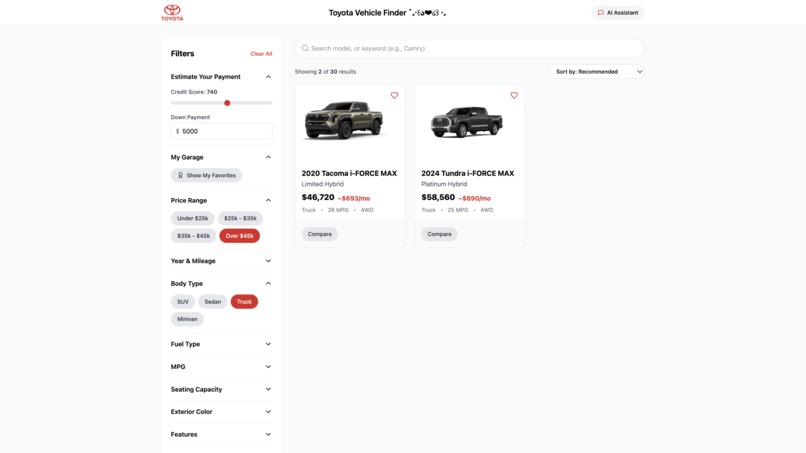
Selection
-
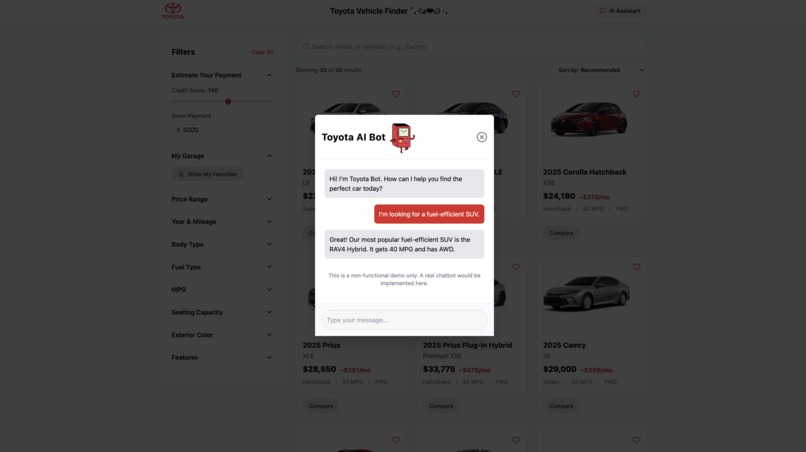
AI Bot (ToyoBot)
-
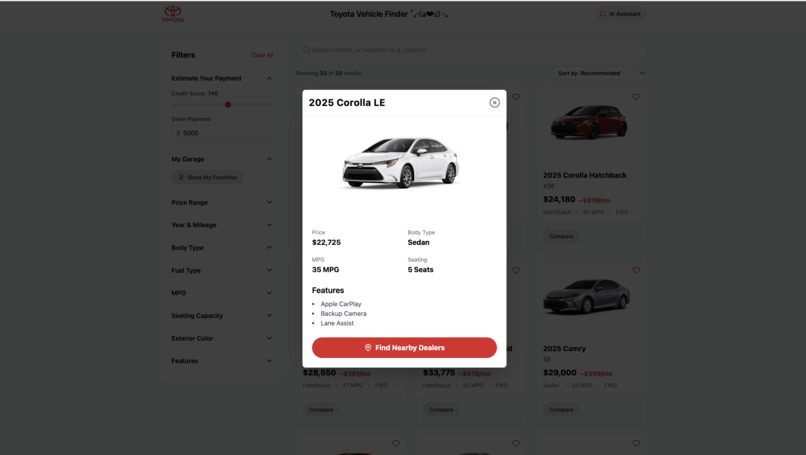
Car Show
-
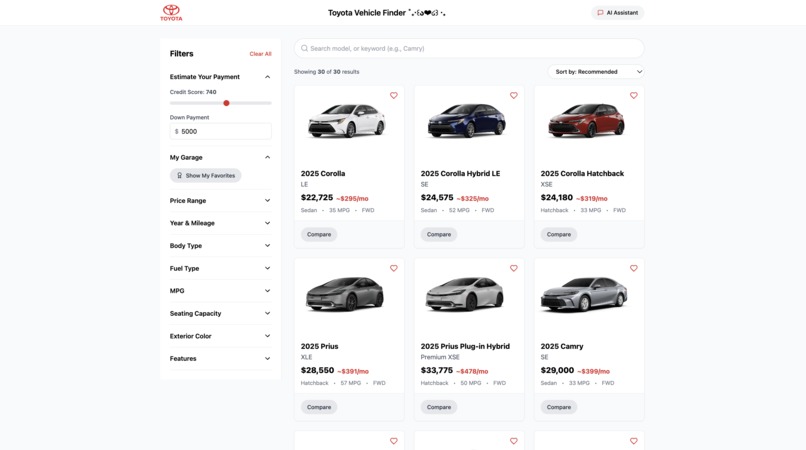
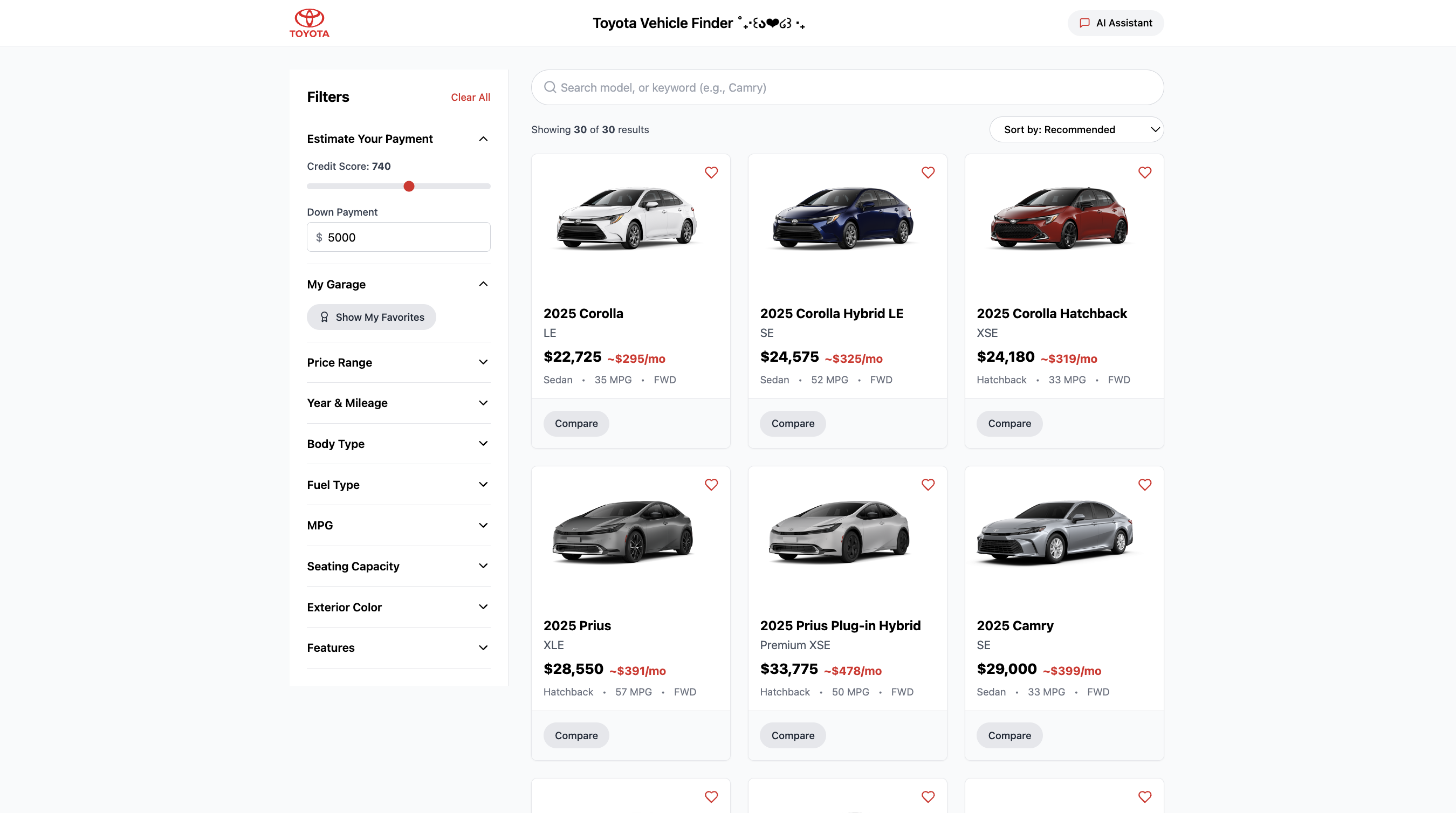
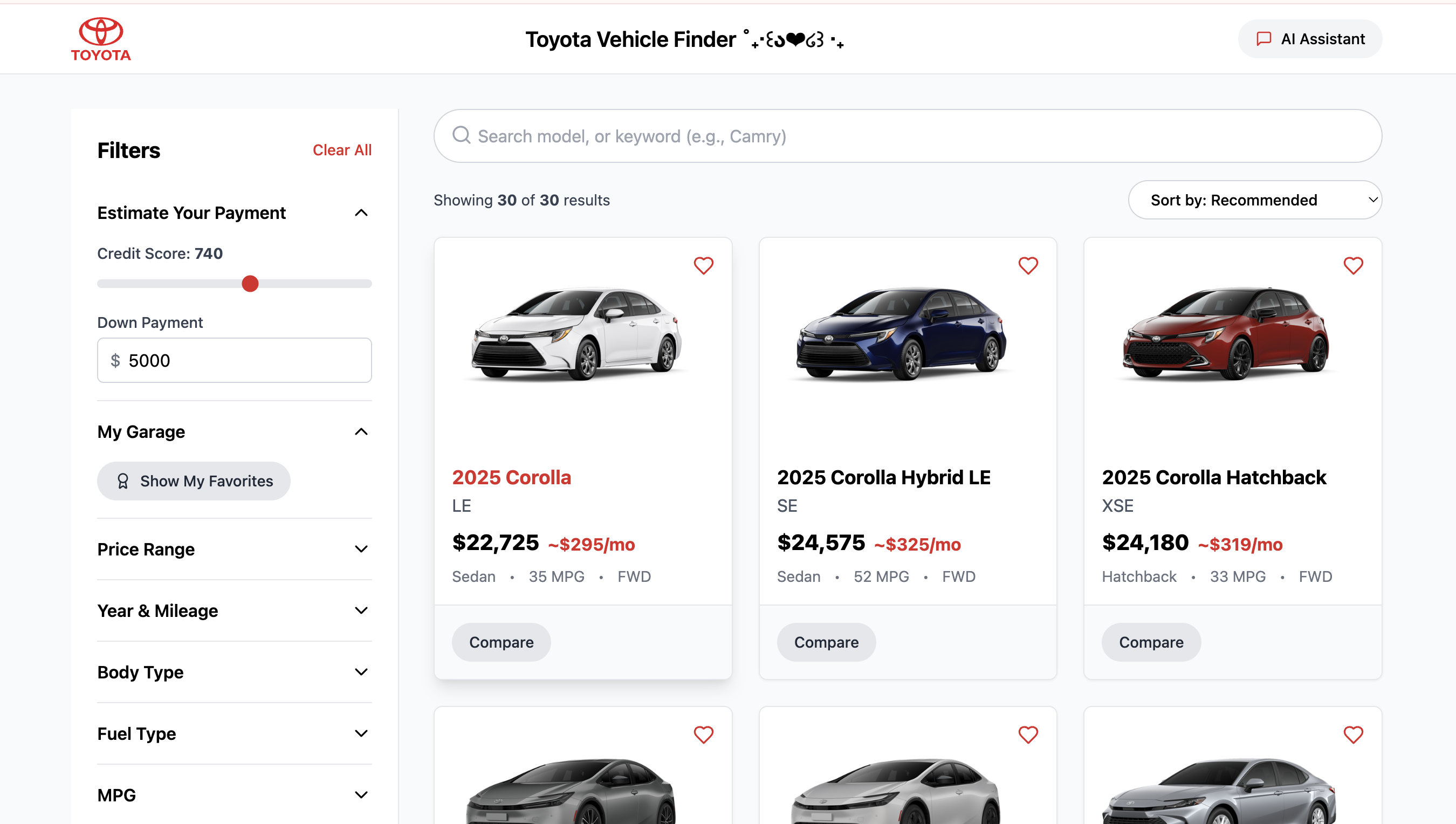
Cars Homepage w/ Filters
-
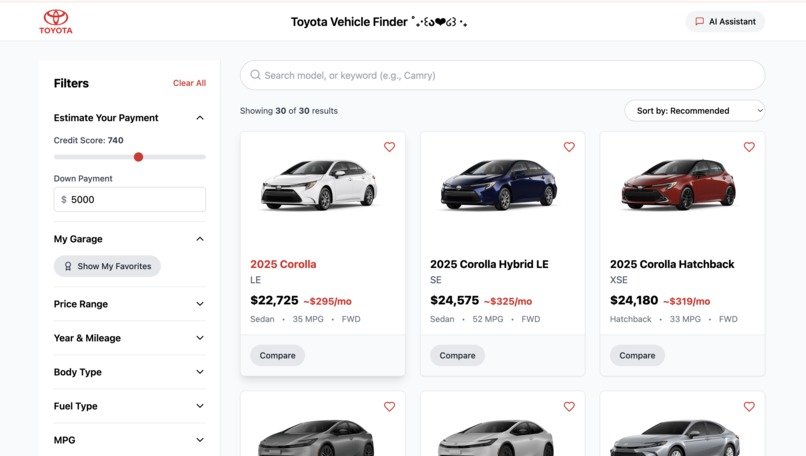
Cars Homepage
Inspiration
Our motivation originated from the lack of transparency and the aggravating elements accompanying the process of shopping for cars online. Most vehicle finder sites are cluttered with filters that lead to confusion and, more importantly, obfuscate the real price of the car. You never find out how much you will really owe on a monthly basis until the end of the process. With that in mind, we set out to construct a tool for Toyota that fixes this by prioritizing transparency on finances so that users are able to shop with a customized monthly payment that is accurate from the start.
What it does
Our React application for Toyota Vehicle Finder is built to provide clarity to users for a potentially complex process of buying a vehicle.
Real-time payment estimator. With a sidebar, users can adjust the credit score slider and provide a down payment to see a live estimation of the monthly payment for every vehicle on a car card thereby allowing users to check multiple cars at once.
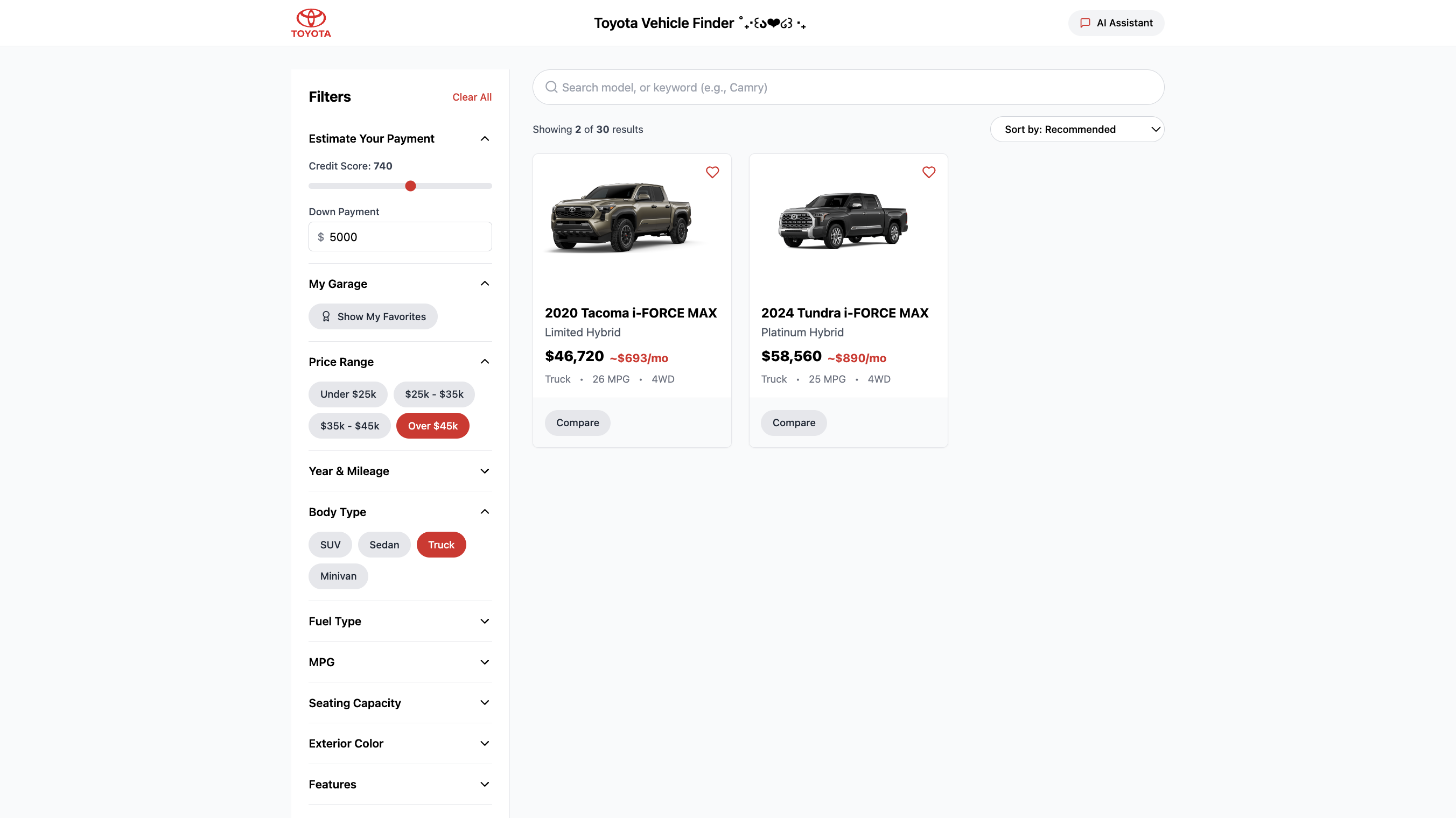
Advanced filtering and sorting. By a dozen criteria, users can check Toyota’s stock and filter by price, year, mileage, body type, fuel type, MPG, color, and seating capacity. The “Sort by” is fully functional either price or MPG for quick access.
User centric tools. The “My Garage” (which is saved on the browser) to “favorite” cars and the side-by-side “Compare” provide a streamlined process to help users finalize their choice.
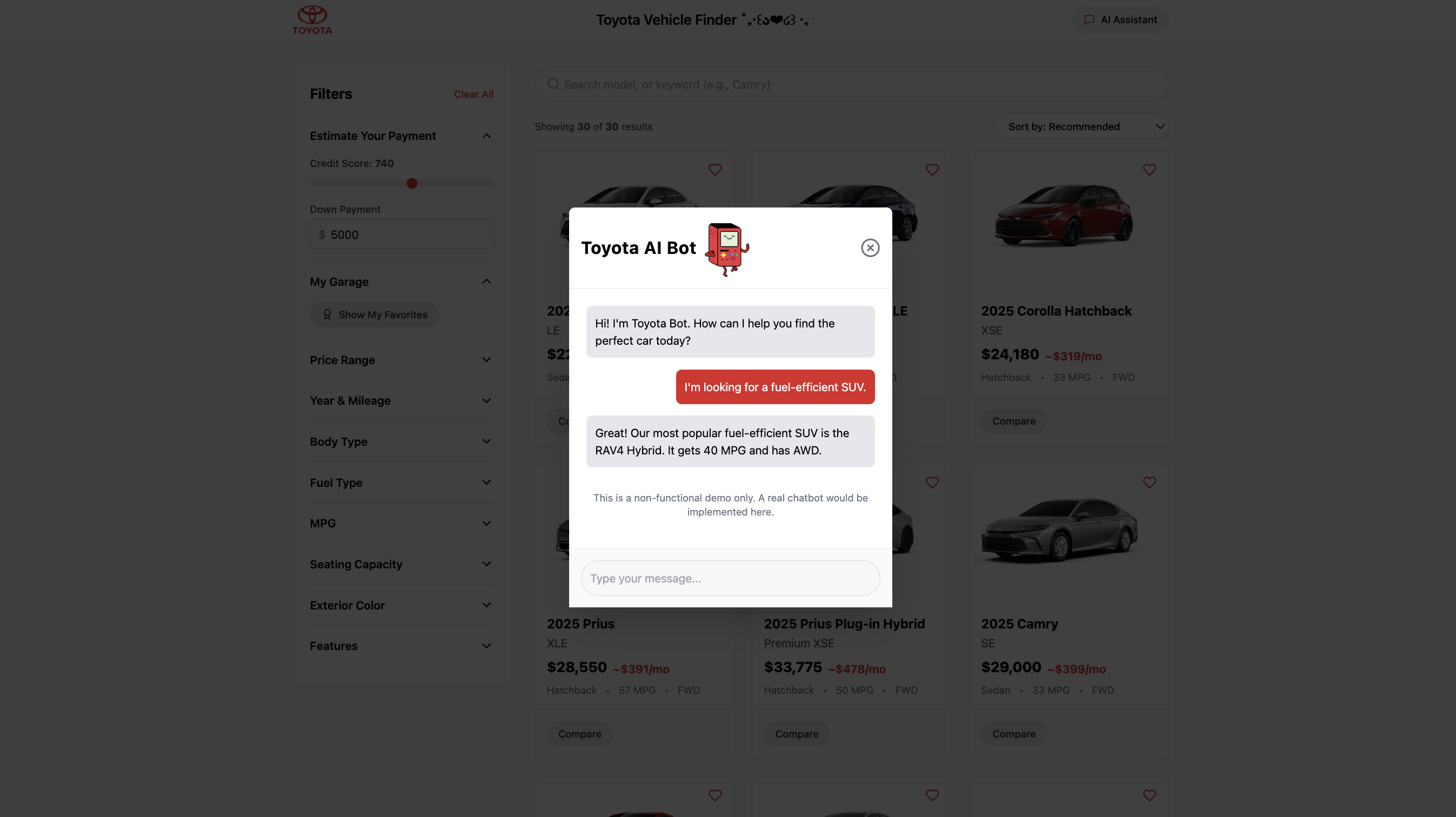
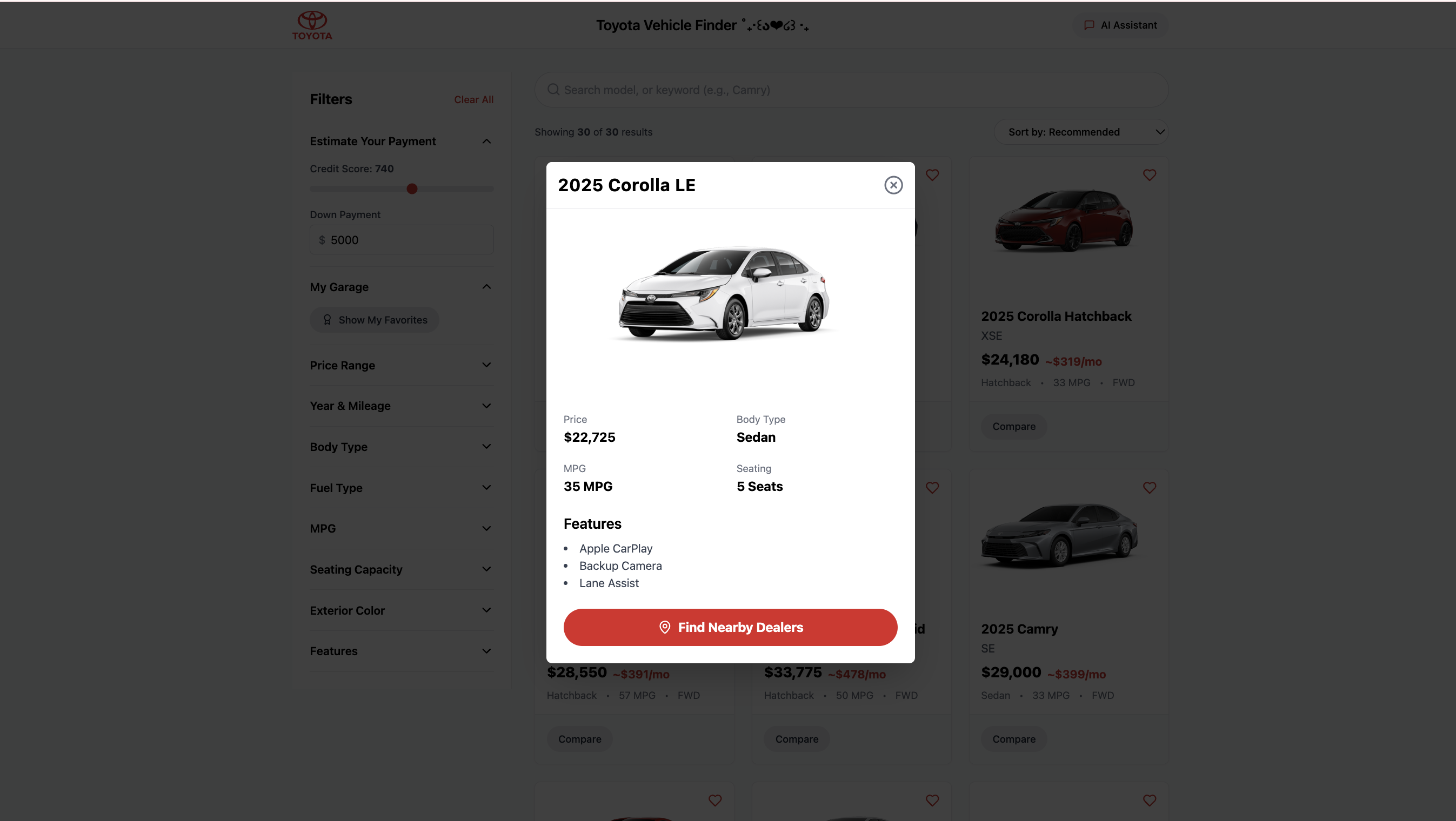
Future vision prototypes. We created hi-fi mockups of the “AI Assistant” and “Find Nearby Dealers” features to showcase the app's complete vision.
How we built it
Over the course of 12 hours, we developed this project as a single-page application (SPA) utilizing the latest React front-end technologies.
Core: We implemented React Functional Components and Hooks. We used
useStatefor all 10+ filter state controls, anduseMemowas pivotal for performance to ensure the heavy filtering and payment logic re-ran only when a filter had changed, and not unnecessarily.UI: The choice of UI framework was Tailwind CSS. Its utility-first approach afforded us the speed of crafting a custom branded, fully responsive UI from scratch and also meant we did not have to write traditional CSS.
Data & Logic: Data manipulation was done using ES6+ JavaScript and a mock JSON database through array methods (
.filter,.map,.sort), while the applicationlocalStoragefeature kept the user's "My Garage" favorites across sessions.
Challenges we ran into
Developing a truly effective state management system for our intricate filters was our toughest technical challenge. We were required to control more than 10 different co-dependent filter states (involving arrays, single values, and text inputs), all of which interacted with 2 active financial sliders and a sorting function in real time. An elementary approach would have led to drastic UI delays by re-filtering the entire inventory every time a single state changed. We resolved the challenge by placing all the filtering and sorting operations in a useMemo hook. Since the expensive calculations are “memoized,” the application only recalculates the visible car list when it needs to, based on the relevant dependencies. The result is a highly responsive user interface.
Accomplishments that we're proud of
Regarding performance, we take pride in the Real-Time Payment Estimator the most. This is because it employs the useMemo hook. The monthly payment is computed, and re-rendered for every car in the database when the paymentInputs state (credit score or down payment) changes. This allows instant and visually responsive payments. Avoiding any UI lag is critical for us. This is necessary for complete financial transparency.
We take pride in the seamless integration of the other core features of the system with this as well. This includes declarative, multi-dimensional filtering and sorting, which is also useMemo memoized, and persistent "My Garage" (where useState is connected to localStorage). There is also a dynamic state-driven "Compare" modal. This is the cohesive orchestration of several complex and interdependent React hooks, giving the system a finished and seamless single-page application feel.
What we learned
This project showcased the effectiveness of React Hooks in handling intricate, yet interconnected, and performant state management. We learned how to design components based on a "chain" of memoized calculations. The DB_CARS data was transformed to carsWithPayments based on some financial data, and then it was filtered again by the filteredCars logic that took more than 10 filter states and a sorting key. The UI was responsive and instantaneous partly because useMemo was implemented to mitigate costly re-renders on every interaction.
Using useState to handle multiple state types was another important learning milestone for us as we managed arrays for multi-select filters and individual values for radio buttons and numerical sliders. The use of useEffect to execute side effects like syncing user favorites to localStorage was a clever way to provide client-side data persistence. This project reinforced our learning on building a state-driven application and its high-performance components from scratch.
What's next for Toyota Vehicle Finder
Backend & Live Inventory: For user management and real-time inventory integration, connect to a Firebase or Supabase backend. Integrate a real-time inventory feed in SmartPath Toyota’s system.
Activate AI: Integrate Google Gemini API to turn on our "AI Assistant" and offer real conversational support.
Live Dealer Data: Use the Google Maps Places API to complete the "Find Nearby Dealers" functionality.


Log in or sign up for Devpost to join the conversation.