-
-
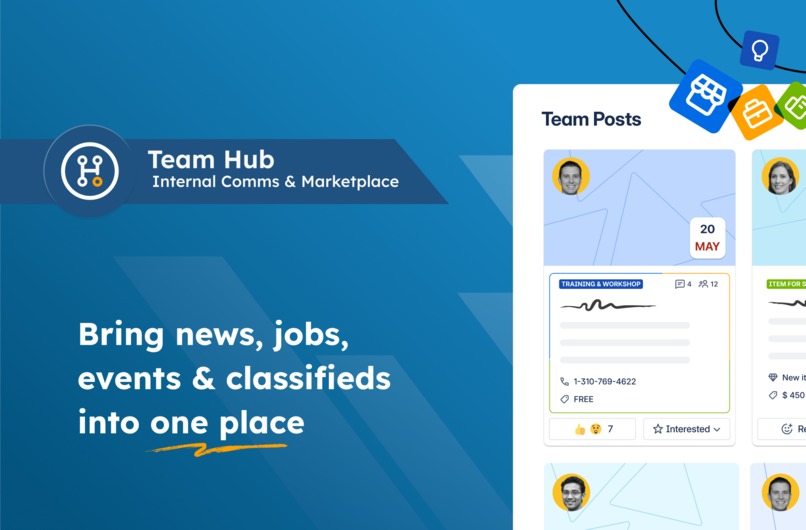
Team Hub for Confluence
-
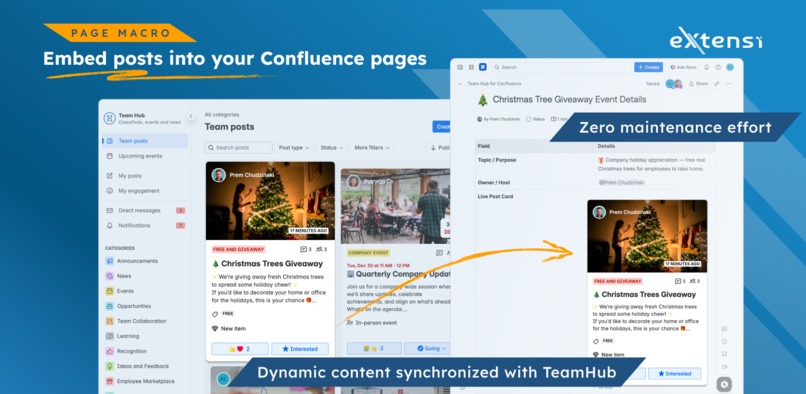
Dynamic content on any page
-
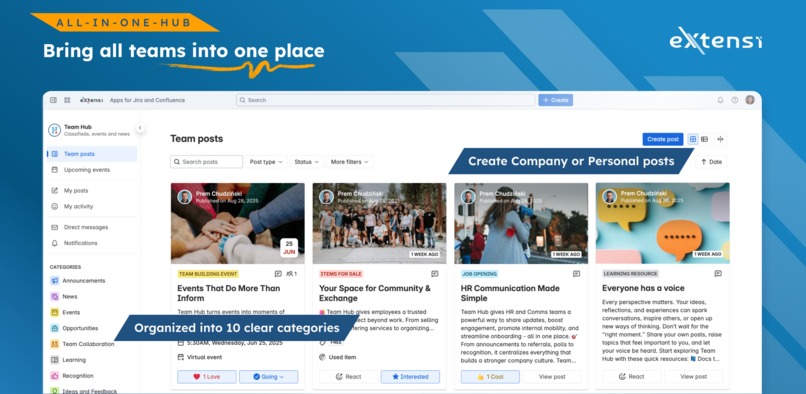
The hub with posts
-
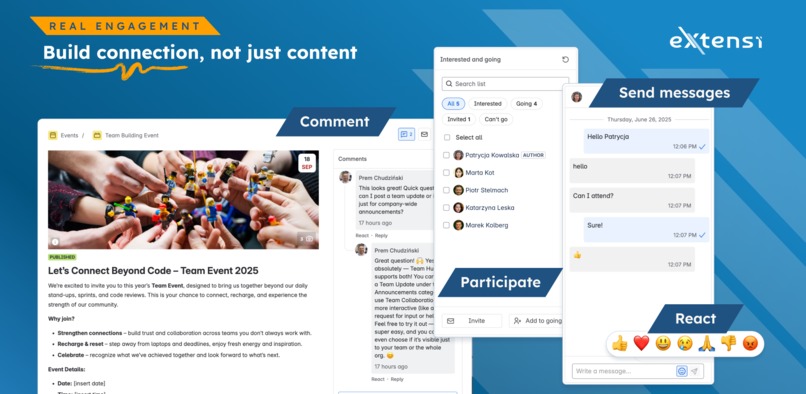
Engage
-
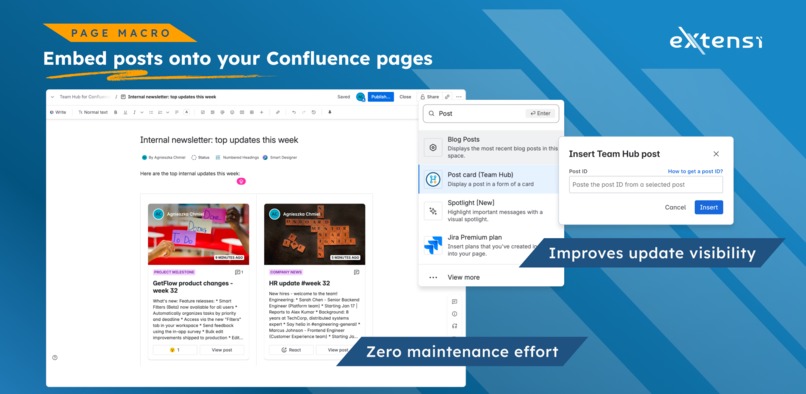
Embed on confluence pages
-
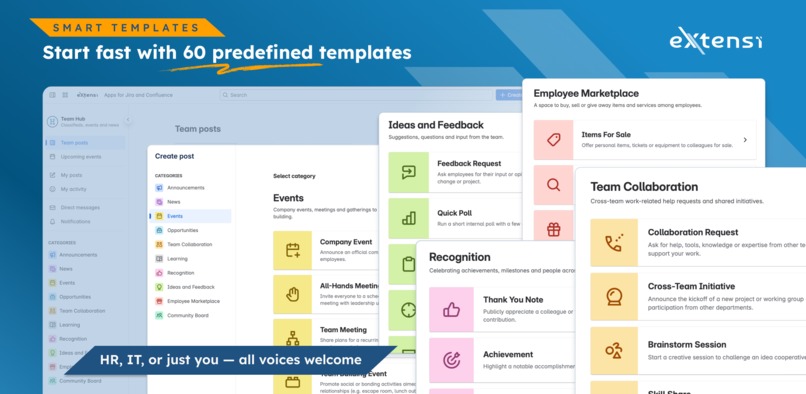
Select from over 60 templates
-
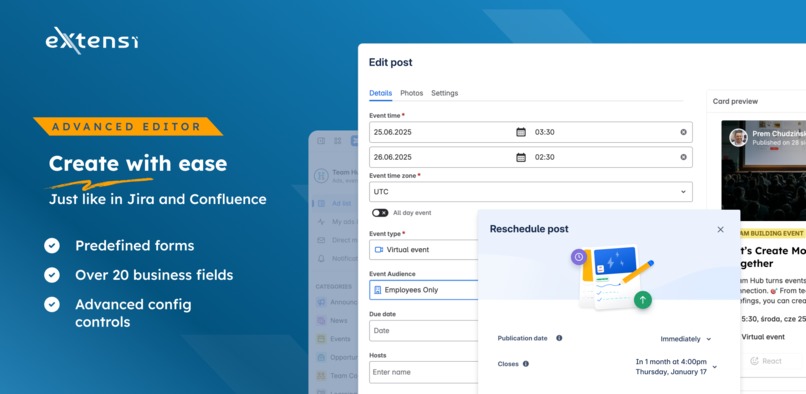
Edit and publish
-
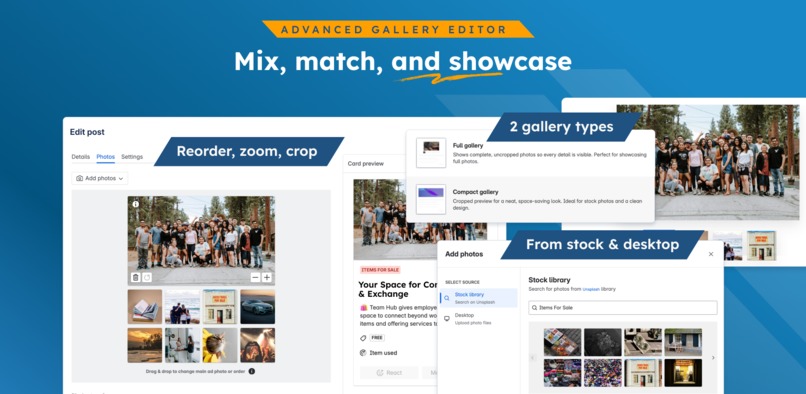
Advanced gallery editor
TL;DR
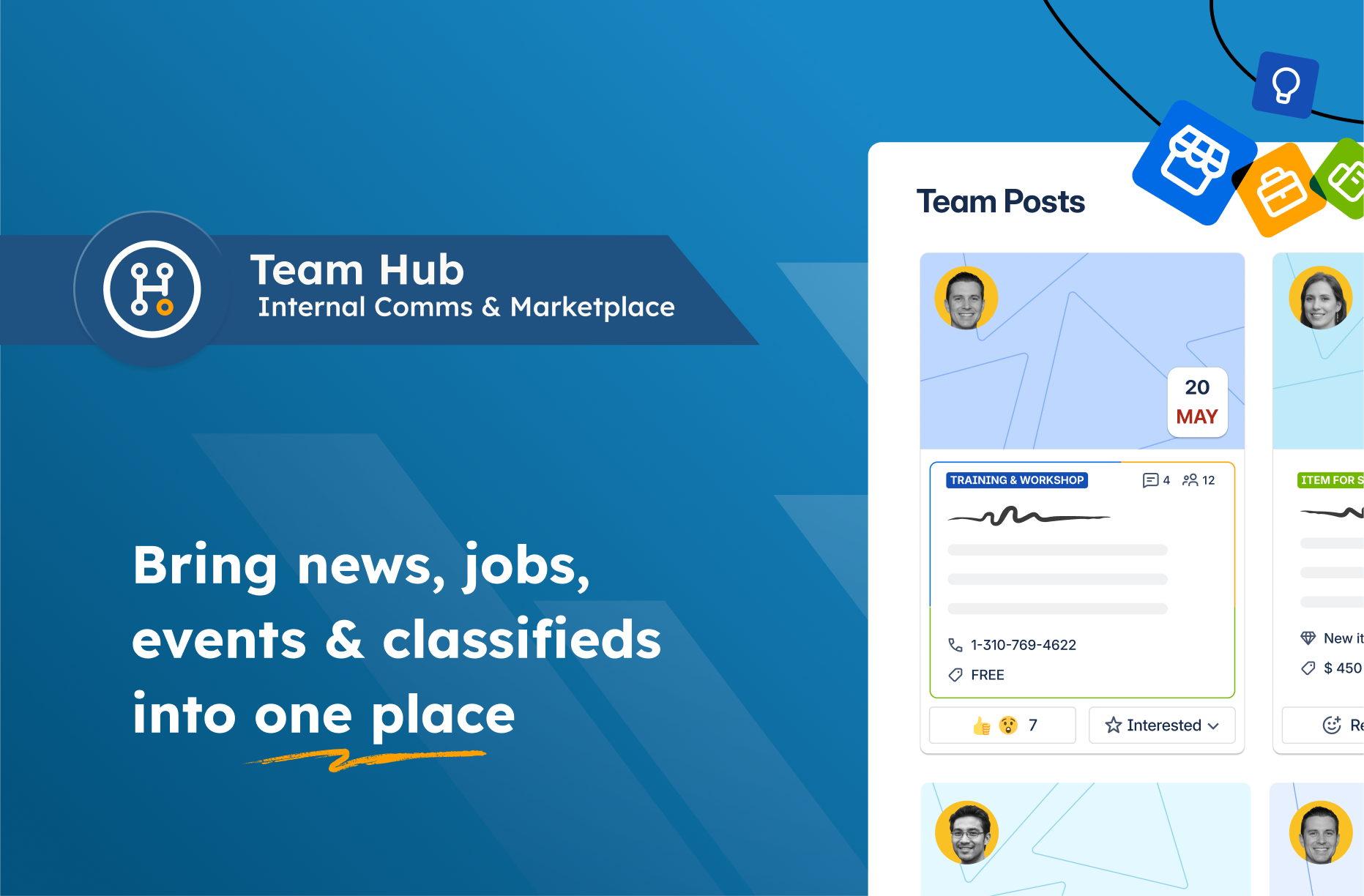
Team Hub is a structured post board for Confluence. It brings internal comms and an employee marketplace into one central hub using 60+ post templates.
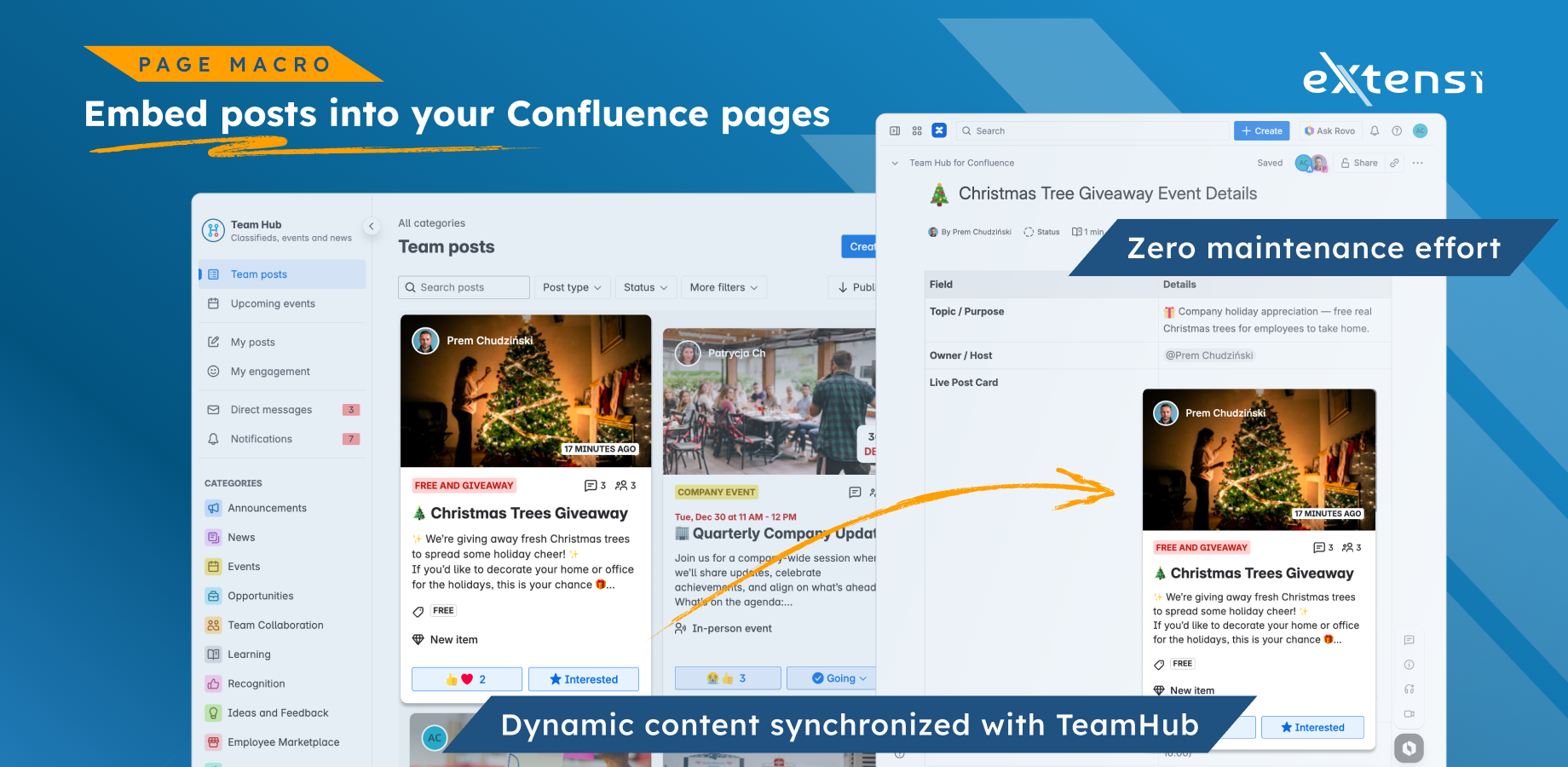
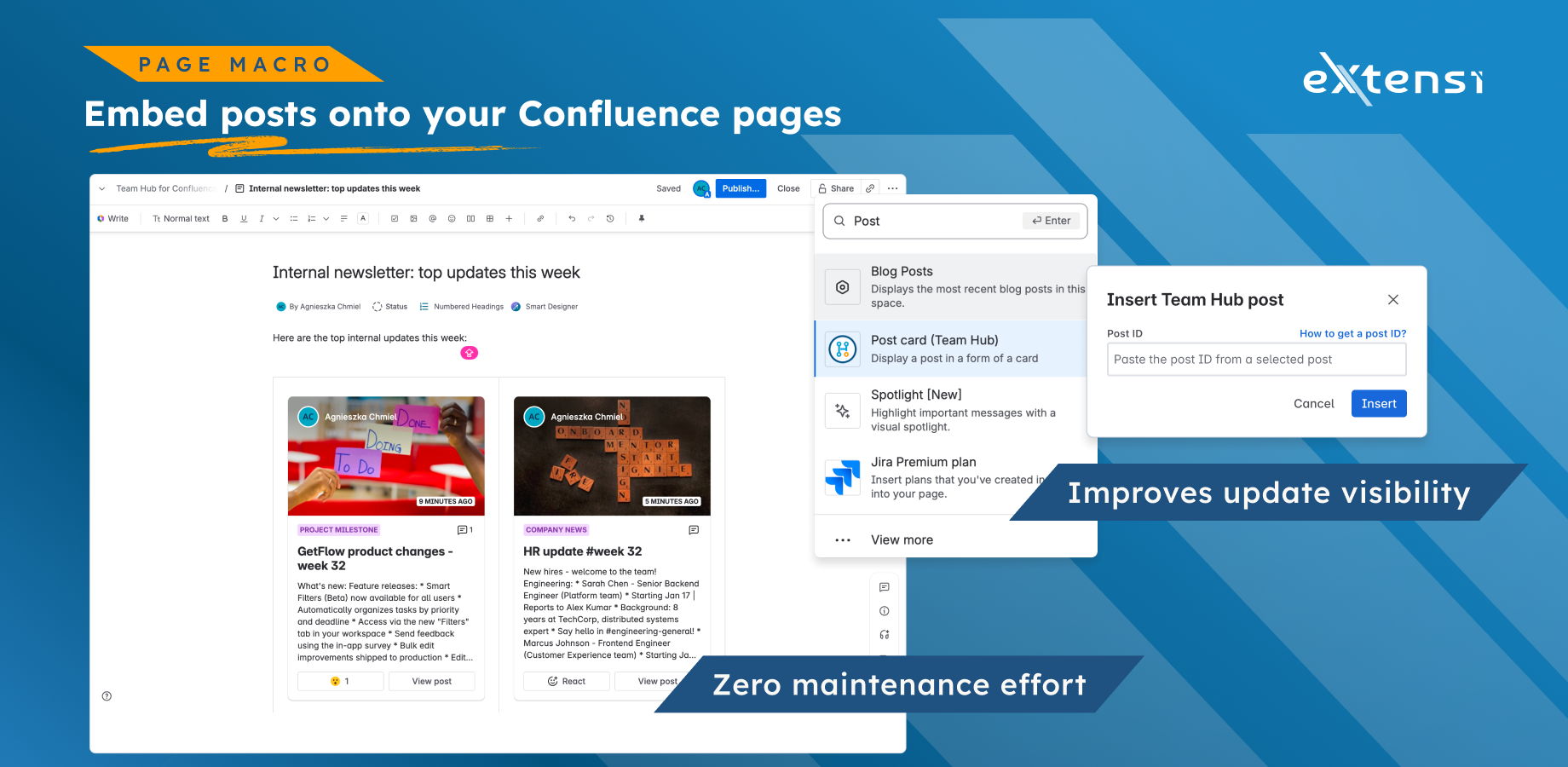
For Codegeist 2025, we built a Forge macro that embeds live Team Hub cards directly into Confluence pages.
Inspiration
Team Hub started with one very concrete use case: an internal employee marketplace.
We wanted something Amazon inspired for internal classifieds (sell items, give away stuff, request help), but designed for the place where teams already document and coordinate work, Confluence.
While building that marketplace, we learned two things:
- The same structured post model fits far more than classifieds (HR, internal opportunities, comms, community posts).
- Confluence page templates are powerful because they give people a ready to fill structure for content they would not create from a blank page.
So we borrowed the best part of Confluence templates (structured starting points) and applied it to posts. The result is a single hub board with typed posts, powered by templates.
We did not want to build another intranet. We wanted a lightweight hub that lives with the team, and can be embedded exactly where information already lives.
What it does
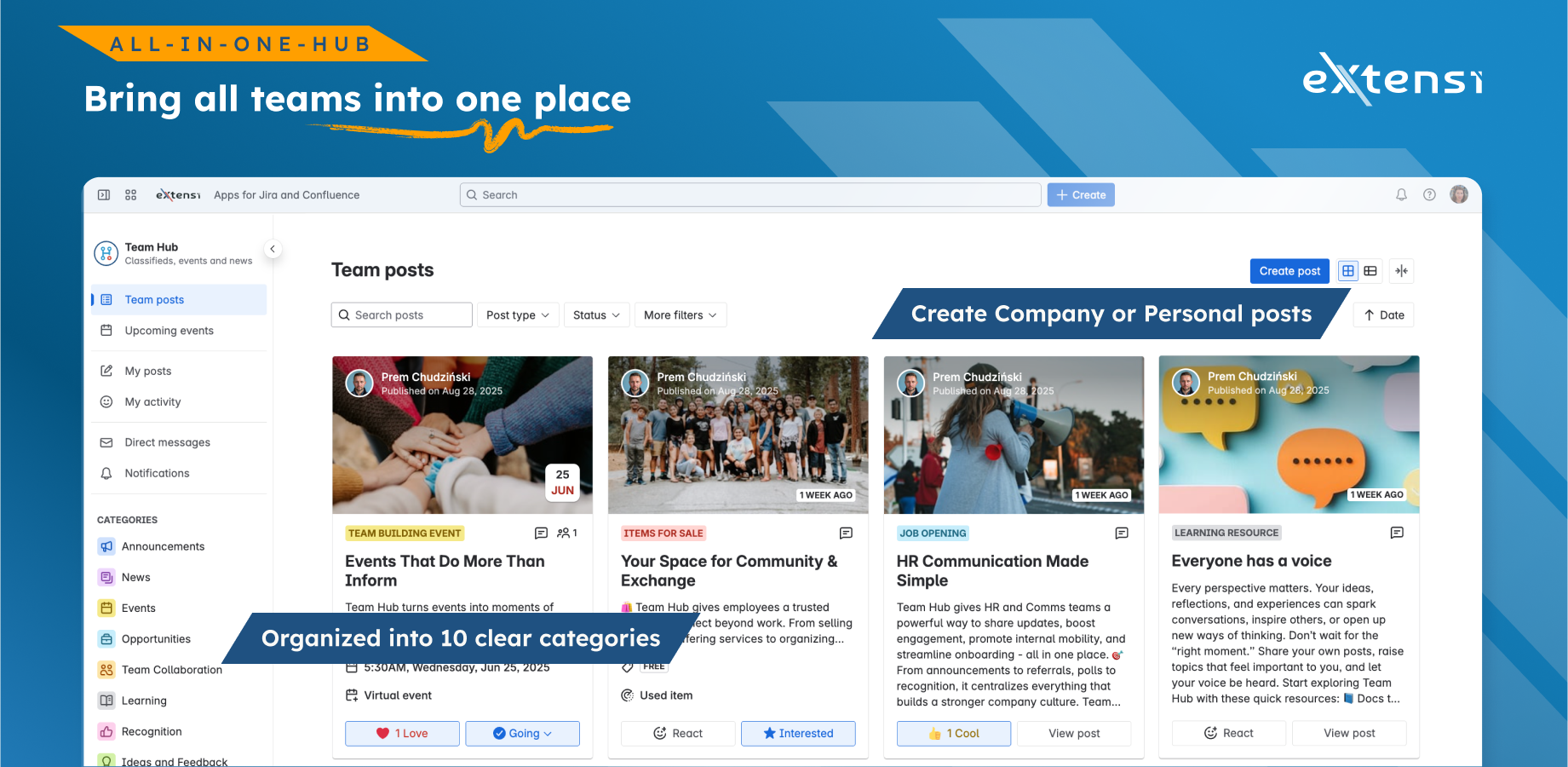
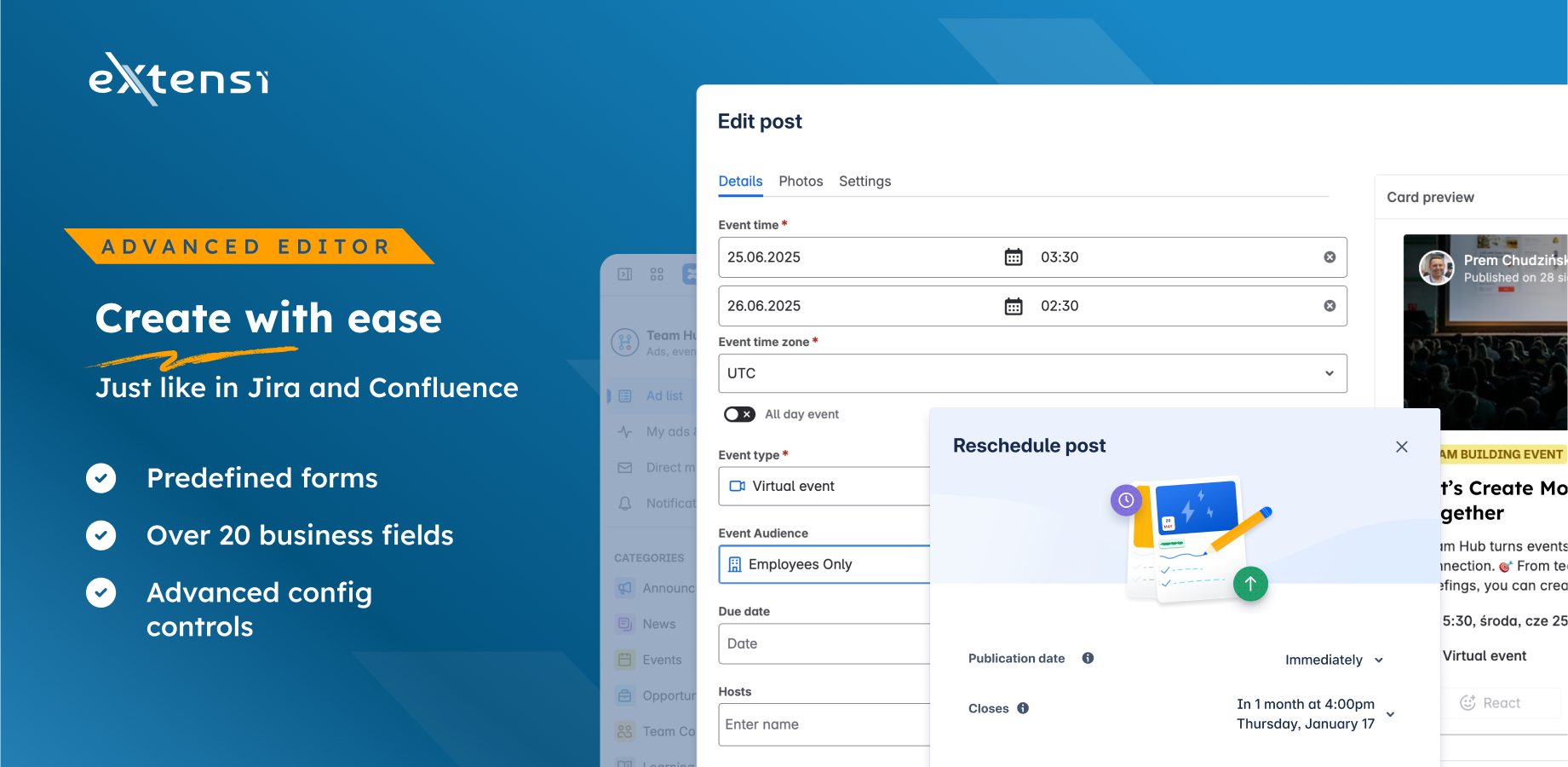
Team Hub provides one central Hub board with typed posts. Posts are not free form content. Each post is created from a template that defines:
- The fields (over 20 business fields across templates, for example price, location, dates, audience, attachments)
- The behavior (events support attendance, reactions can be enabled, participation lists, etc.)
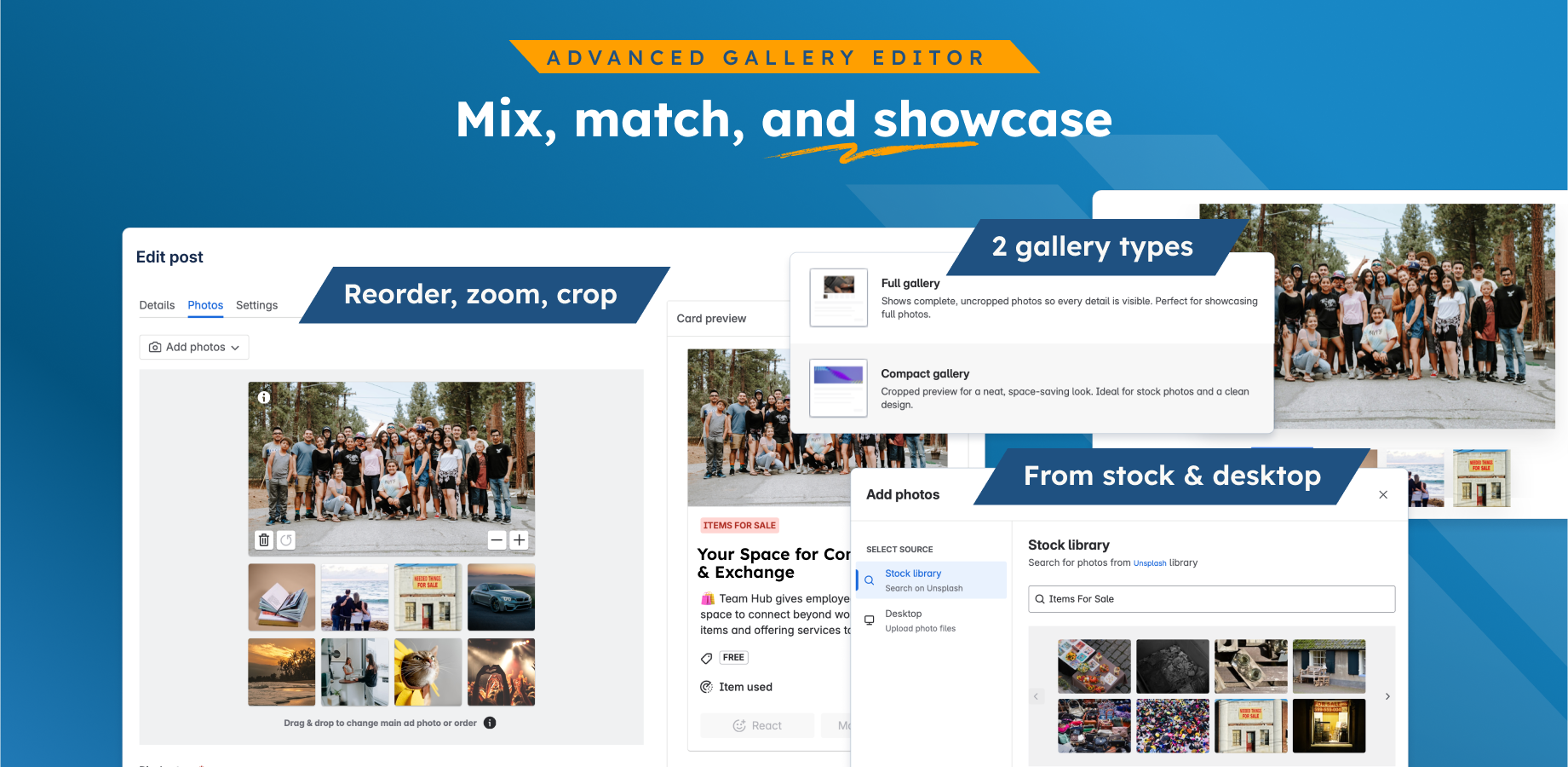
- The presentation (card layout, gallery mode, metadata)
Key parts:
- One Hub board to browse, filter, and discover posts across teams
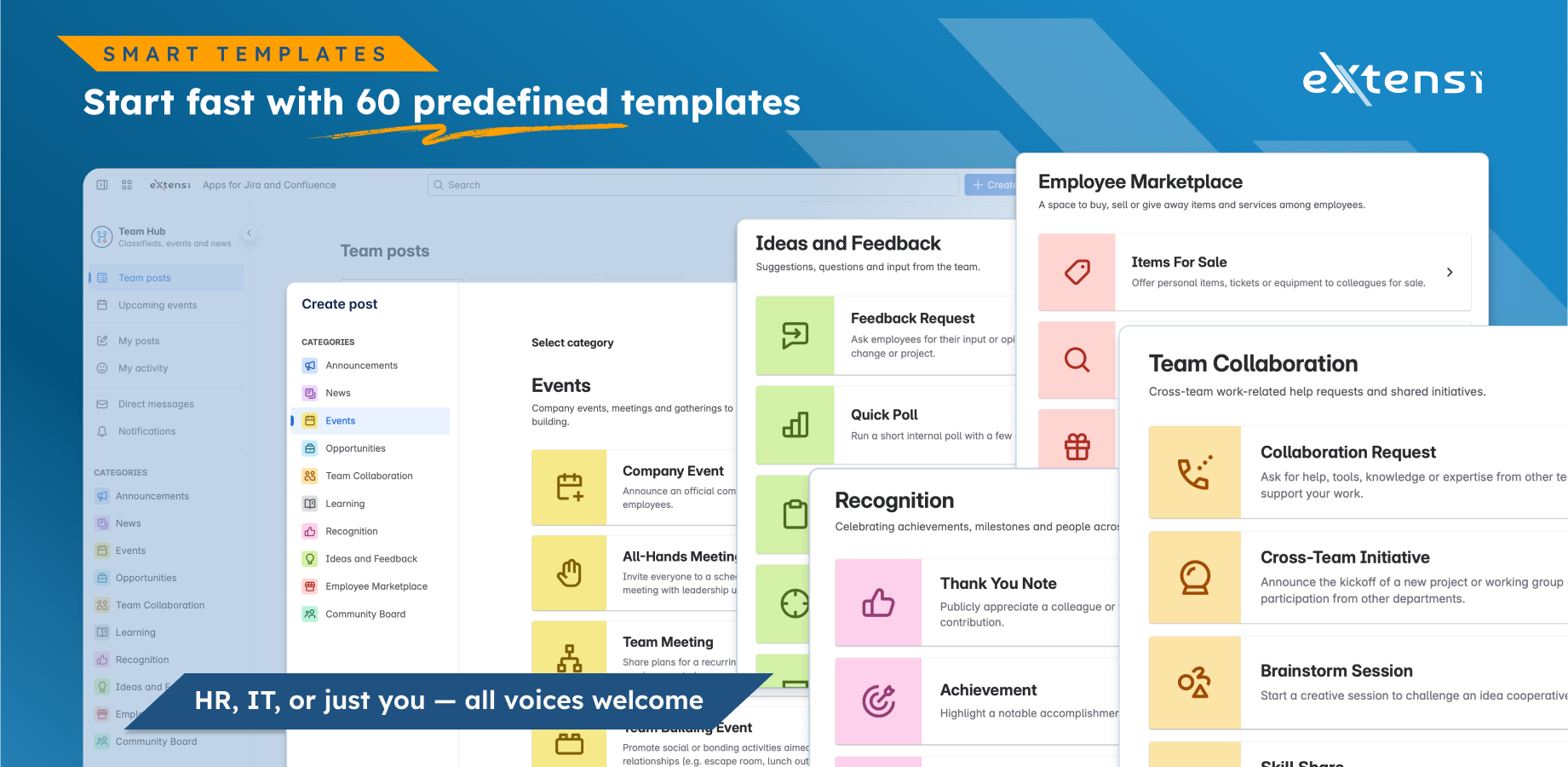
- 60+ post templates to help people publish consistent, structured content fast
- Internal marketplace plus comms in one place (items for sale, jobs, events, announcements, community posts)
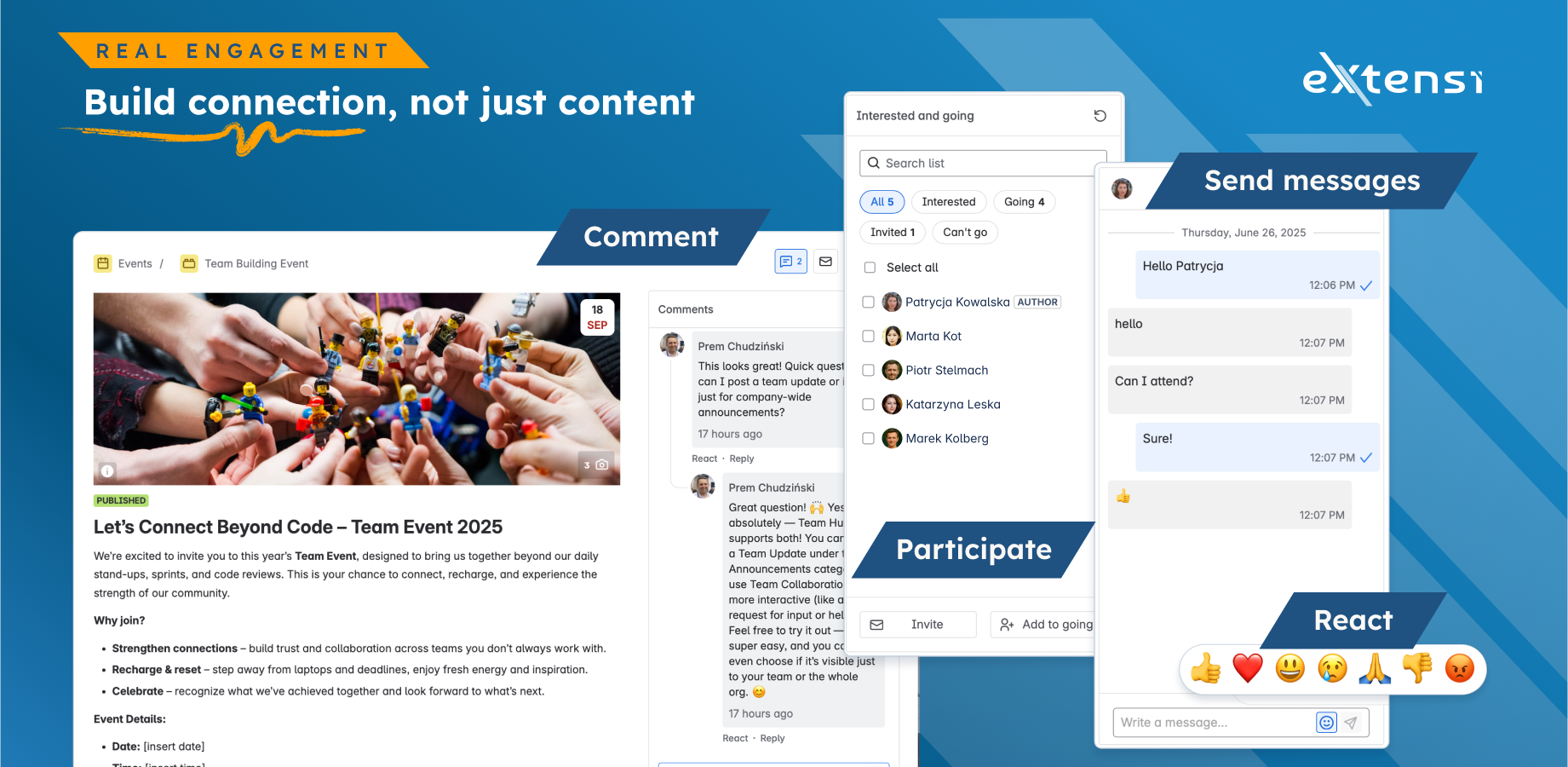
- Engagement features like comments, reactions, participation, and messaging
- Confluence page embedding through a Forge macro (see below)
Templates and post types
The original marketplace idea expanded naturally into multiple post types. Examples:
- Employee Marketplace (items for sale, giveaways, requests)
- HR and opportunities (job openings, internal roles, project opportunities)
- Communication teams (news, announcements, company updates)
- Events (team events, all hands, meetups)
- Community board (lost and found, local community posts, classifieds style sharing)
- Ideas and feedback (polls, requests, suggestions)
- Recognition (thank you notes, achievements)
The key is that each of these is a template, not a free form page. Templates reduce friction and increase consistency.
The Codegeist highlight: embed live Team Hub cards into Confluence pages
The Hub board is the primary experience, but Confluence pages are the natural distribution surface.
For Codegeist 2025, we built a Forge macro ( UI Kit 2 + custom UI) that allows a Confluence page to embed a live Team Hub card.
This keeps Confluence pages as entry points, while Team Hub remains the single source of truth. No duplicated content.
How we built it
We released the original Team Hub app just before Codegeist. Our Codegeist submission is not a repackaged Marketplace app.
During Codegeist 2025 we made a real Forge rebuild step:
- Implemented a Confluence Forge macro (built fully on Forge) that embeds a live Team Hub card inside a Confluence page
- Built the macro configuration and rendering flow so judges can install, configure, and test it in a real Confluence environment
- Migrated the app to Forge using the Connect on Forge bridge (Forge manifest, Forge runtime, incremental migration path)
- We kept the UI native to Atlassian. We intentionally built the user experience with Atlaskit and current Atlassian UI patterns, so Team Hub feels like part of Confluence instead of a separate tool.
The macro is the key because it turns Confluence pages into an entry point for live hub content, while keeping Team Hub as the single source of truth.
Why there is a custom backend today
Team Hub is template driven and performance sensitive. We currently use a custom backend mainly for data modeling and query performance across many post types and fields.
This is not a platform complaint. It is a pragmatic choice we made to keep the Hub fast while we continue the migration. Our goal is to move toward a fully Forge native architecture as platform capabilities evolve.
Challenges we ran into
- Designing the Forge macro so embedded cards stay live and always reflect the source of truth from the Hub
- Migrating a real product incrementally from Connect to Forge while keeping it stable for users
- Designing 60+ templates that stay consistent in UX while supporting very different use cases
- Keeping posts structured (typed) without making authoring feel heavy
- Embedding live content into Confluence pages without turning pages into duplicated storage
- Building a native feeling UI that blends into Atlassian products (harder than building a custom looking UI quickly)
- Making migration toward Forge incremental and real (shipping value with each step)
- Performance and data modeling tradeoffs when your hub board has to stay fast while templates keep growing
Accomplishments that we're proud of
- Shipping a Forge macro (built 100 percent on Forge) that embeds live Team Hub cards into Confluence pages
- Migrating the app from Connect to Forge using the Connect on Forge bridge as part of Codegeist
- A single hub board concept that works for marketplace, HR, comms, and community posts
- 60+ templates that turn internal communication into a repeatable, low friction workflow
- Engagement features that make posts interactive (not just static content)
- A UX that intentionally blends into the Atlassian ecosystem using Atlaskit
What we learned
- The best migration path is incremental: ship Forge value early (macros, modules), then move the rest step by step
- The marketplace was the spark, but templates are the engine. Structured starting points change adoption.
- Embedding into pages is a strong adoption path because teams can place posts where work already happens.
- Native UX is not polish, it is trust. If it feels foreign, people stop using it.
- A good migration path is a series of real product increments, not a rewrite.
What's next for Team Hub for Confluence
- Extend the Forge macro experience (more embedding options, more contexts)
- Continue the migration path toward Forge as platform capabilities evolve
- Add Rovo and LLM powered assistance so users can generate draft posts from intent and context, then review and publish
- Smarter discovery so relevant posts can be suggested for embedding based on page context
Built With
- ads
- ai
- atlaskit
- atlassian-rest-api
- codex+rovo
- compiled
- confluence
- connect-on-forge
- core-editor
- custom-ui
- eslint
- forge
- graphql
- jwt
- nestjs
- node.js
- playwright
- postgresql
- react
- redis
- stylelint
- typescript
- ui-kit-2
- vite
- vitest


Log in or sign up for Devpost to join the conversation.