-
-
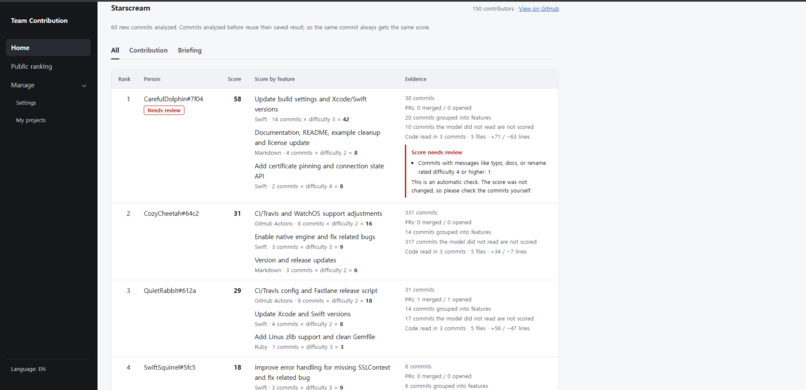
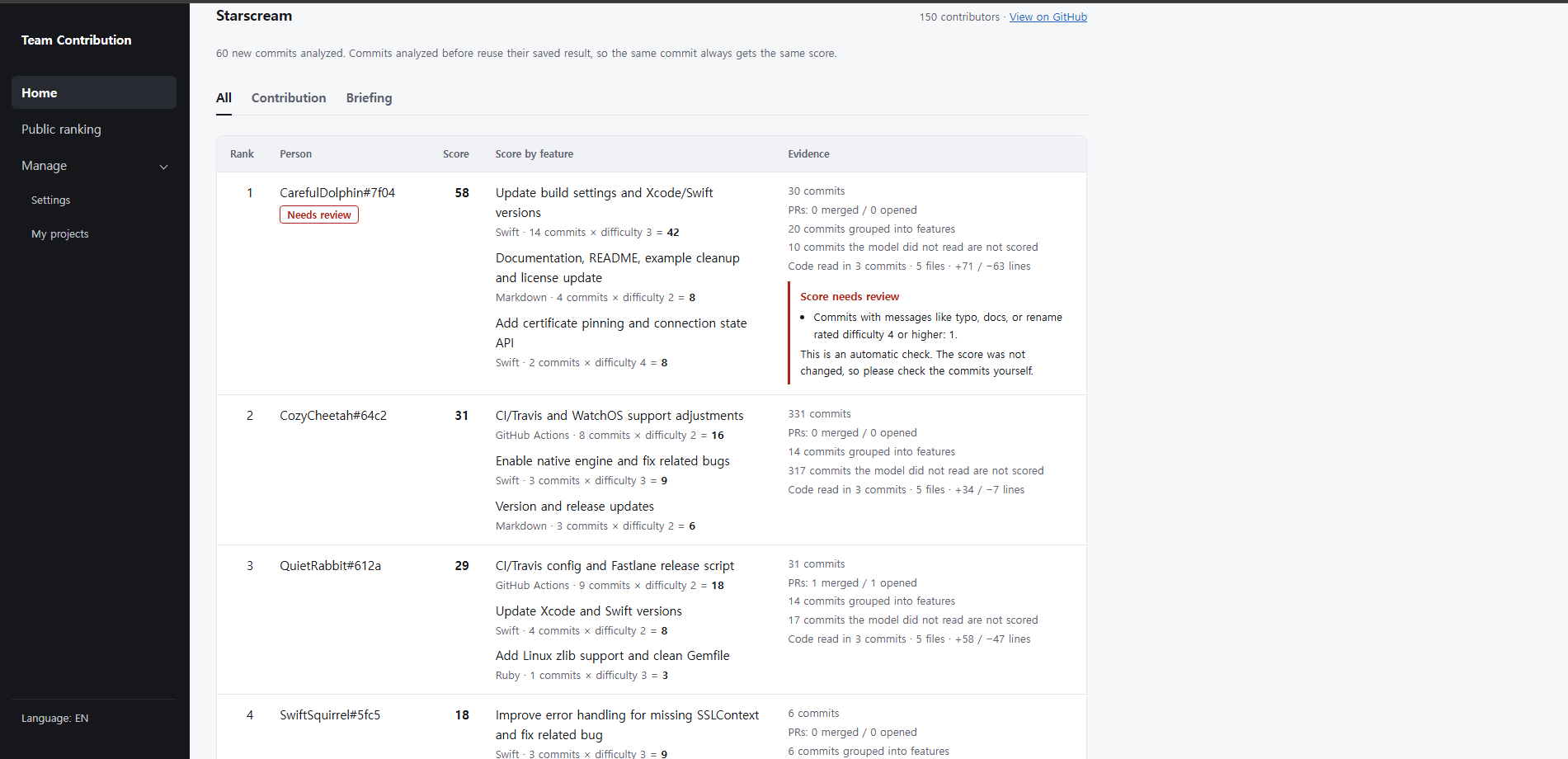
Per-person scores by feature, with evidence and an automatic "Needs review" check
-
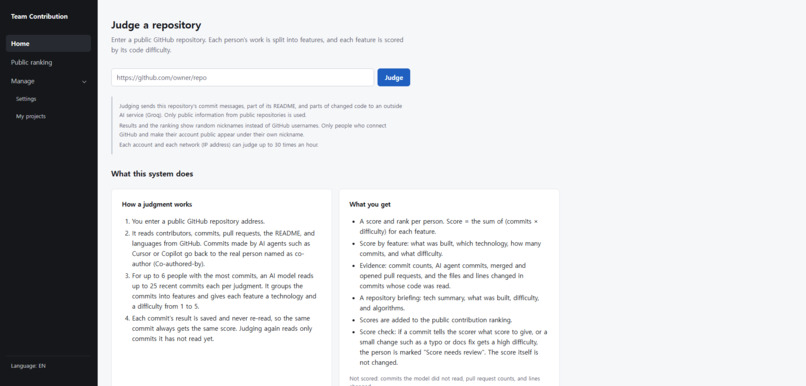
Paste a public GitHub URL to judge a repository
-
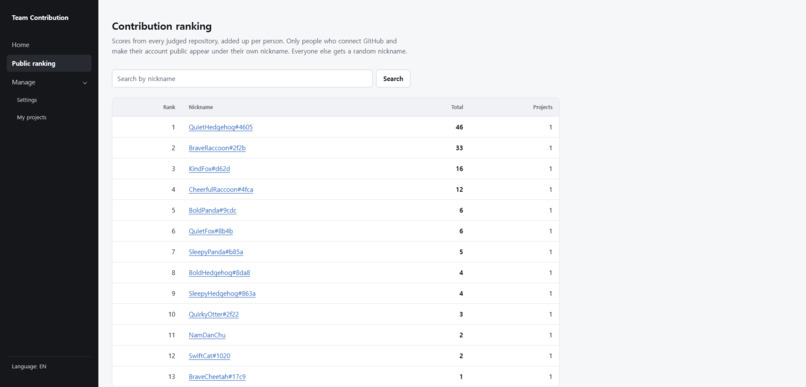
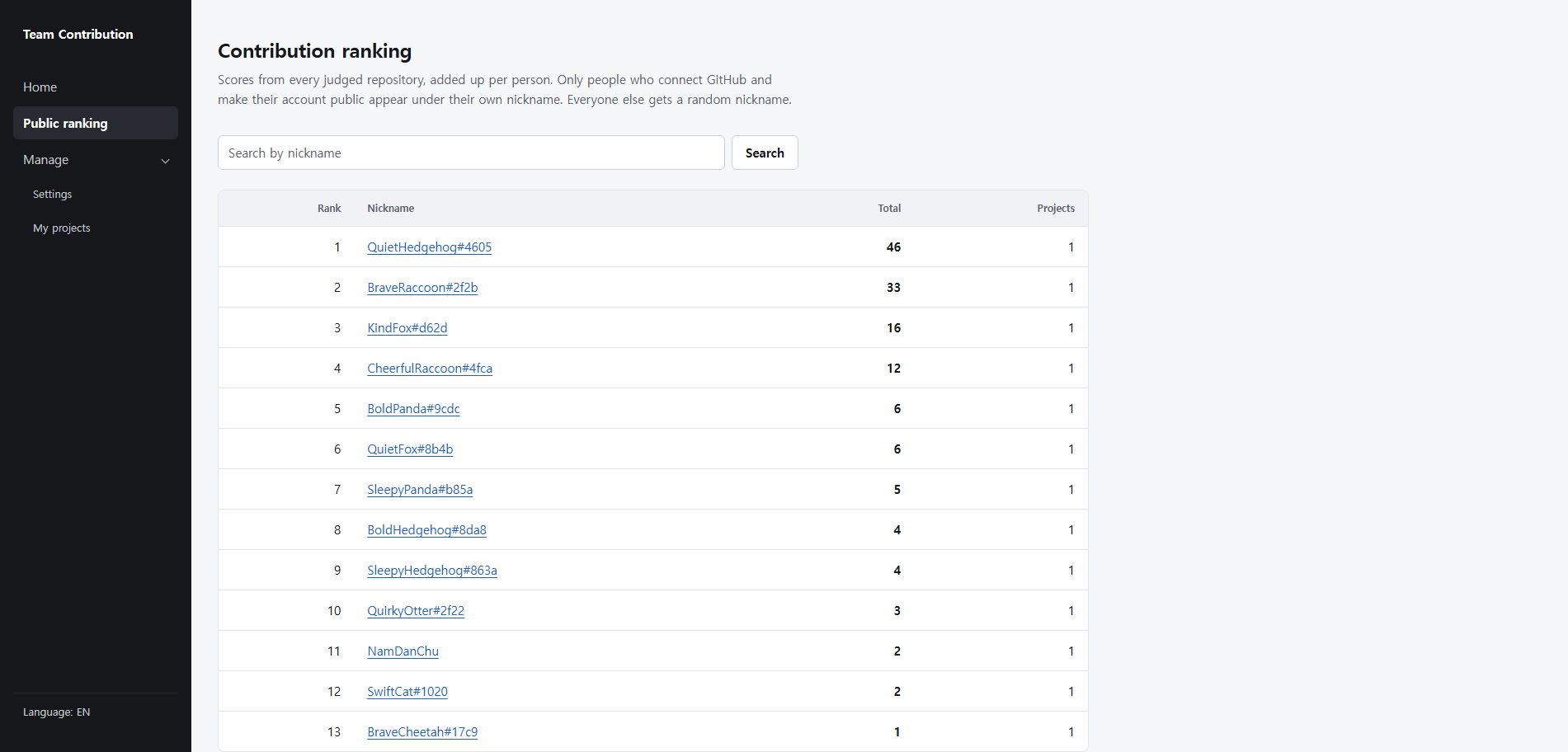
Public contribution ranking across all judged repositories, with random nicknames by default
-
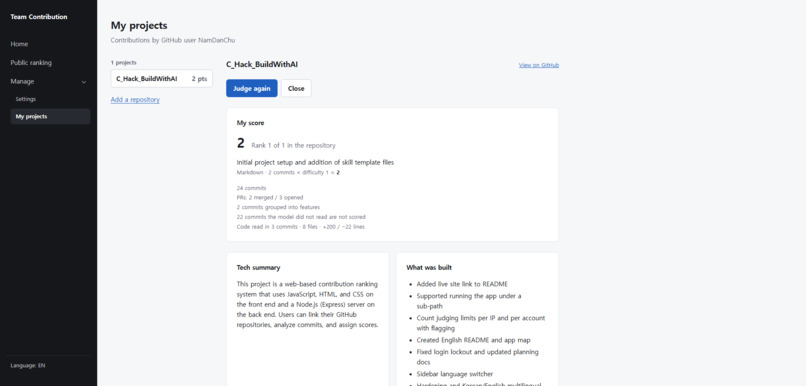
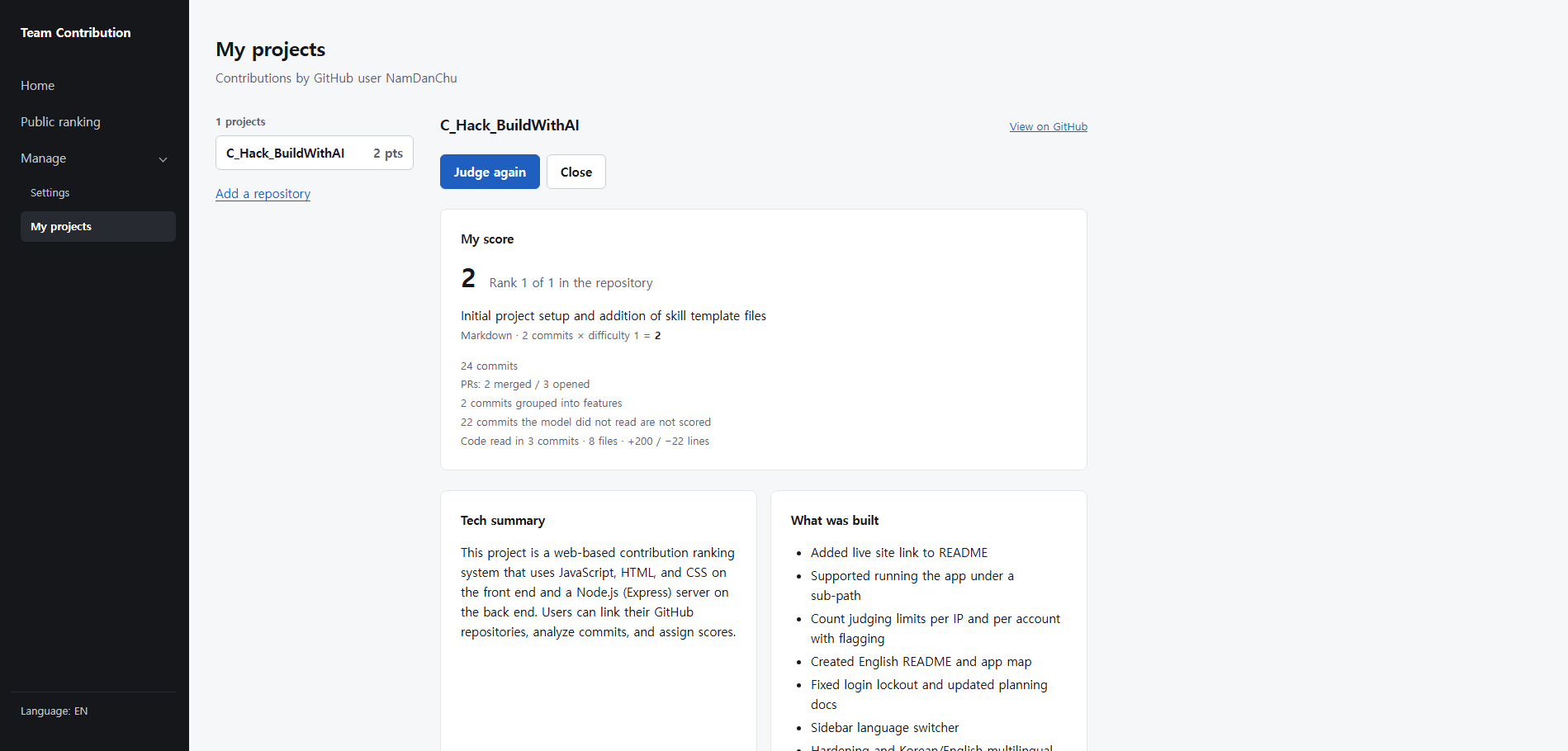
My projects: your own score, tech summary, and what was built
-
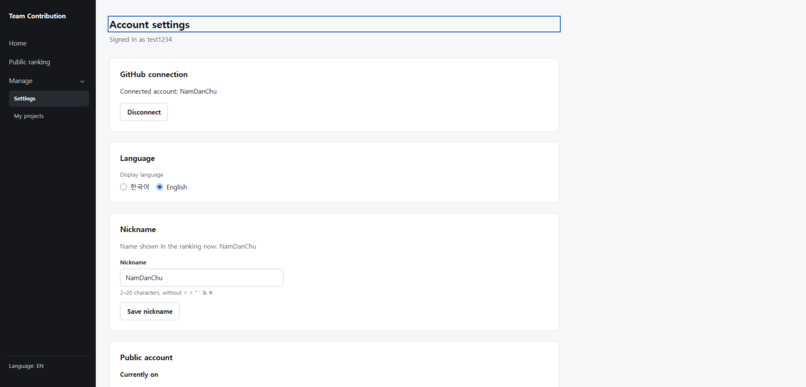
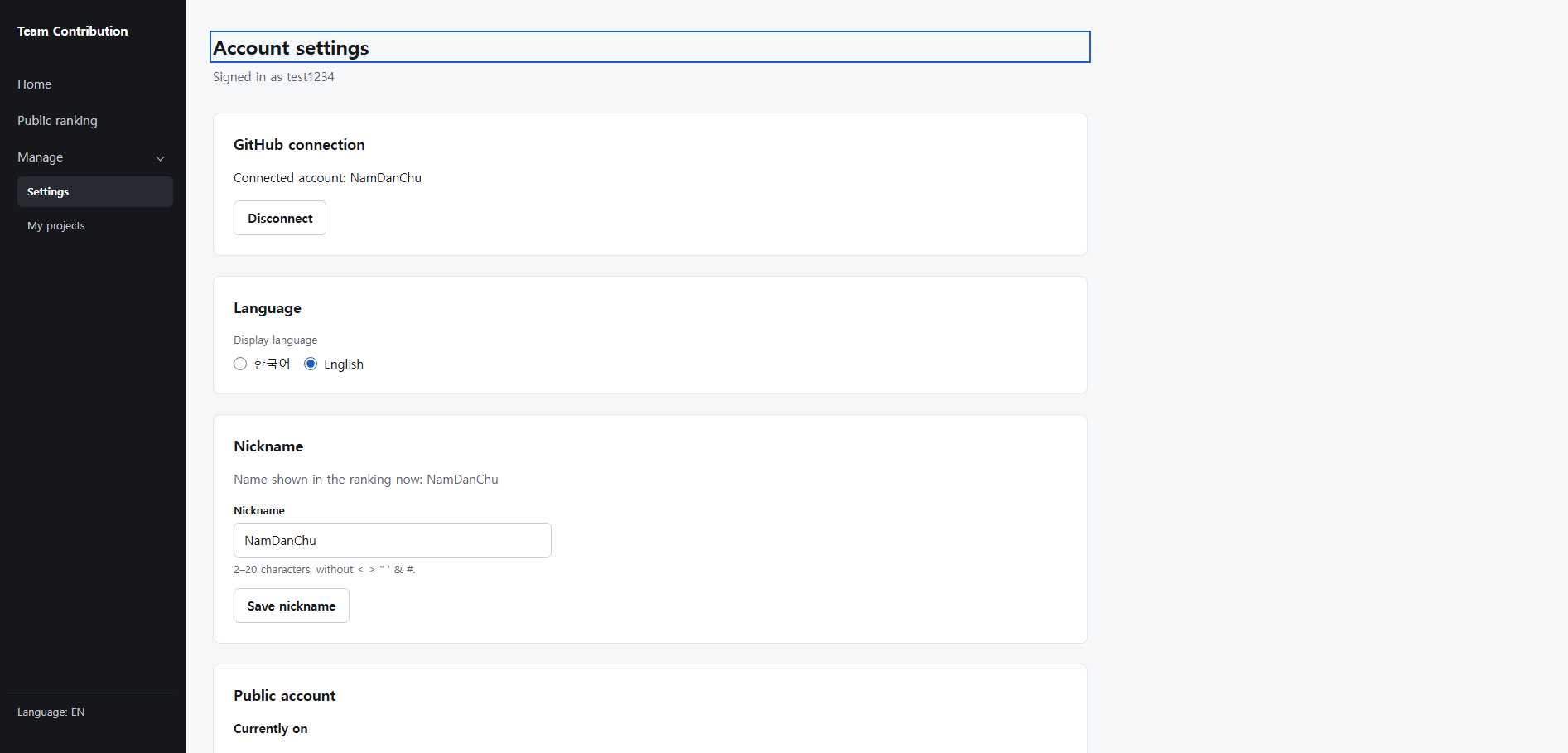
Account settings: GitHub connection, language, nickname, and public account

Inspiration
Team Contribution reads a public GitHub repository and shows who actually built what. It is made for university team projects, where one or two people often carry the work while others get the same grade.
What it does
- Judge a repository. Paste a public GitHub URL on the main page. The app reads contributors, commits, merged pull requests, the README, languages, and small samples of changed code.
- Score each person by feature. A language model reads each person's commits and assigns each commit a feature, a technology, and a difficulty from 1 to 5.
- A feature's points are the sum of its commits' difficulties, so a feature is worth roughly its commits times their difficulty.
- A person's score is the sum of their features.
- Commits the model did not read add zero points. The app does not guess missing scores.
- Read the project briefing. Beside the scores you see a tech summary, an overall difficulty with reasons, the algorithms used, and the features the project has.
- Browse the public ranking. Everyone with a score above zero is ranked across all judged repositories. You can search by nickname and open a person to see their projects and per-feature points.
- Manage your own projects. Sign in, connect GitHub, and add repositories from your own repository list. You only see your own contribution. Each project has a "Show in the public ranking" switch.
How we built it
I started from an empty folder and used the Devpost Skill Pack with a coding agent. I went through scope, PRD, and spec first, and only then built the app step by step.
- Frontend: HTML, CSS, and JavaScript
- Backend: Node.js server
- AI: Groq language model for reading commits and scoring
- Database: SQLite encrypted with SQLCipher
- Security: Argon2id password hashing and GitHub OAuth login
Challenges we ran into
- Handling AI agent commits: commits made by coding agents had to be credited back to the real person who worked with them.
- Splitting scores fairly: turning commits into per-feature, per-person points without over- or under-counting took many iterations.
- Server and API integration: connecting my server with the GitHub API and the Groq API, including rate limits and authentication, was harder than I expected.
Accomplishments that we're proud of
I actually deployed Team Contribution as a live website. Every feature shown in the demo, from judging a repository to the public ranking and account settings, works on the live site, not just on a local machine.
What we learned
Planning with an AI agent was much easier than I expected. When my planning documents missed small details, the agent asked me again carefully and helped me fill the gaps. Partway through, I also summarized my progress as an .html page, so I could see at a glance how far I could plan and how far I had already planned. In past projects, I often ran into unexpected problems and planning mistakes once I started building. This time, because I planned with the AI first, I made almost none of those mistakes.
What's next for Team Contribution
- Support for private repositories
- Automatic judging through webhooks
- Integration with GitLab and document tools such as Notion
- Splitting commits into finer pieces to improve how scores are calculated

Log in or sign up for Devpost to join the conversation.