-
-
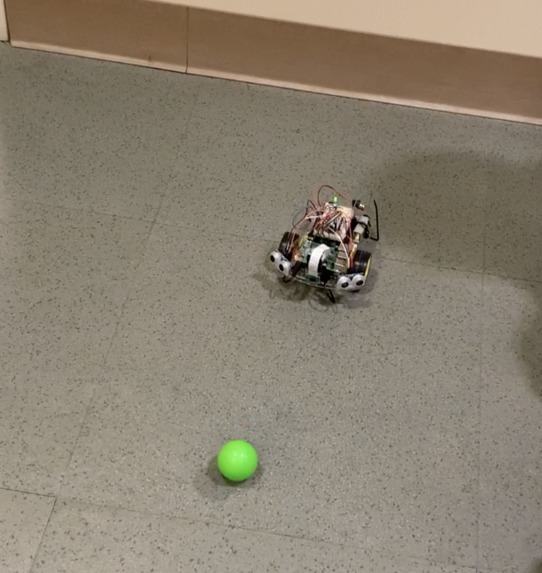
detecting green ball
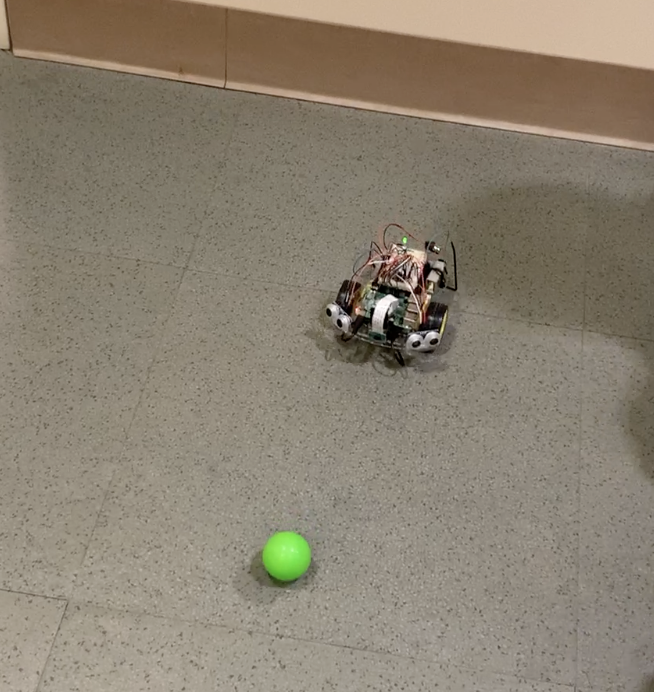
Inspiration
We were interested in foraying into the world of CV. Although none of us had prior experience with computer vision, we were eager to learn and ended up completing this project!
What it does
Our autonomous vehicle identifies and seeks out objects of a certain color. Using a lightweight ball, it is able to chase it around while tracking it.
How we built it
We learned about and utilized OpenCV, using it on a Raspberry Pi 4. Referencing a few online sources, we were able to build functional code that masks the color green (for example) from any background that the Picamera receives, calculate the area that is green to determine if it's significant (have we actually detected a ball & how far away we are from it), turn left/right depending on which area(left, middle, right) of the screen the color shows up on to keep the ball facing the center of the robot.
A 3d printed camera mount was used for the picamera. We also modified our hardware to be different from the one provided through the kit. Because our pi hat circuit board broke, we are using an improvised H bridge IC chip on a breadboard as a motor driver, along with external batteries to power the motors separately, giving the motors better endurance and power.
Challenges we ran into
Setting up openCV software for object detection was a challenge. The raspberry pi 4 comes with picamera2, a new library that has less documentations. But more specifically, our goal was to mask the color green/red using HSV color space, track the location of that color using the area within the frame, and finally have a control loop with the robot to respond accordingly. A lot of time was spent fine-tuning parameters so the robot stops with the picamera detects a ball, turns to the left/turns to the right with it depending on the location of the ball within the image, and approximate proximity to the ball depending on the size of the ball within the camera lens.
Accomplishments that we're proud of
It was an exciting moment when the camera was first able to track colored balls on the frames, and it was even more satisfying when we set up the control scheme and color masking so the robot moves in response to the ball location for the first time.
What we learned
Our robot was equipped with two ultrasonic sensors on each side, as you can see from the video and photos. However, in actuality, after sufficient testing, we realized that the camera is much more powerful than it seems. In the end, our robot uses the camera and software to track colored balls and predict distances to them. It's a great learning experience because we managed to simplify the approaches to solve the problem we envisioned. By utilizing the maximum potential out of one component like the camera through great software, we can instead allocate sensors in other locations to increase reliability, accuracy and safety, if time permits.
What's next for Team 19 - JD Hardware Hack
We would like to boost the features for the robot and involve some autonomous sensing to alert the users. For example, currently the robot chases after green balls and flashes its onboard green LED. We would like to make it so that the robot would keep an eye out for red balls and flash a red LED, as well as printing a prompt to the screen. As a proof of concept, red balls would simulate hazardous objects (whether it be dangerous objects or bad batch of fruits for agriculture and so on), and the robot would be fulfilling a hazard detection role, so human overseers could get alerted and intervene. Otherwise, the robot will "work" its role and collect green balls (we printed a claw and we hoped to incorporate an intake).
Built With
- opencv
- picamera2
- python
- raspberry-pi


Log in or sign up for Devpost to join the conversation.