-
-
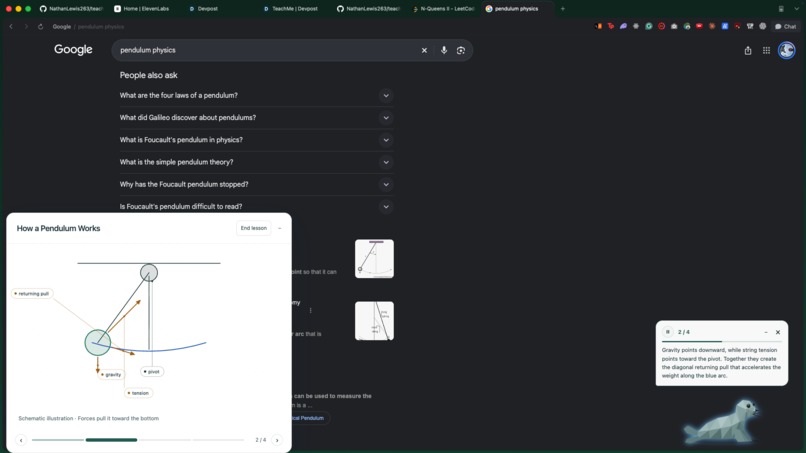
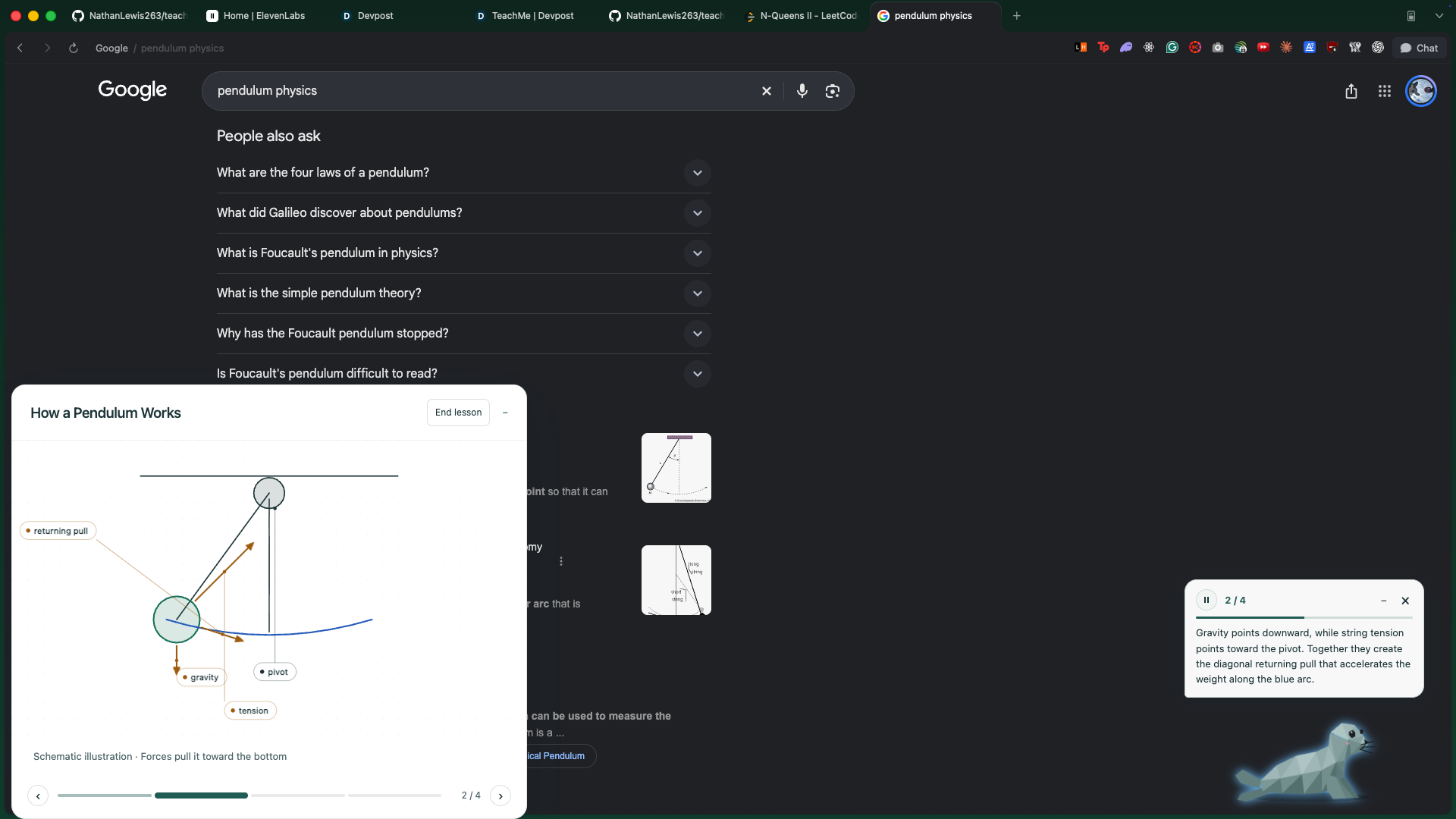
Hold Control + Shift, ask out loud, and the seal draws a labelled diagram on its whiteboard while it talks you through it.
-
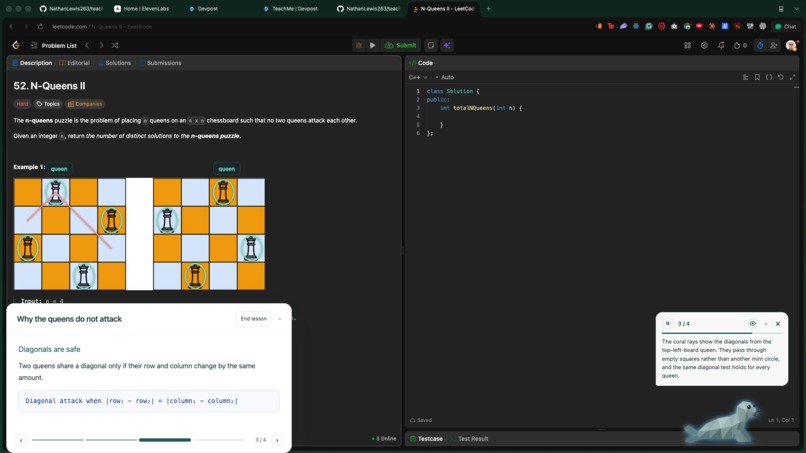
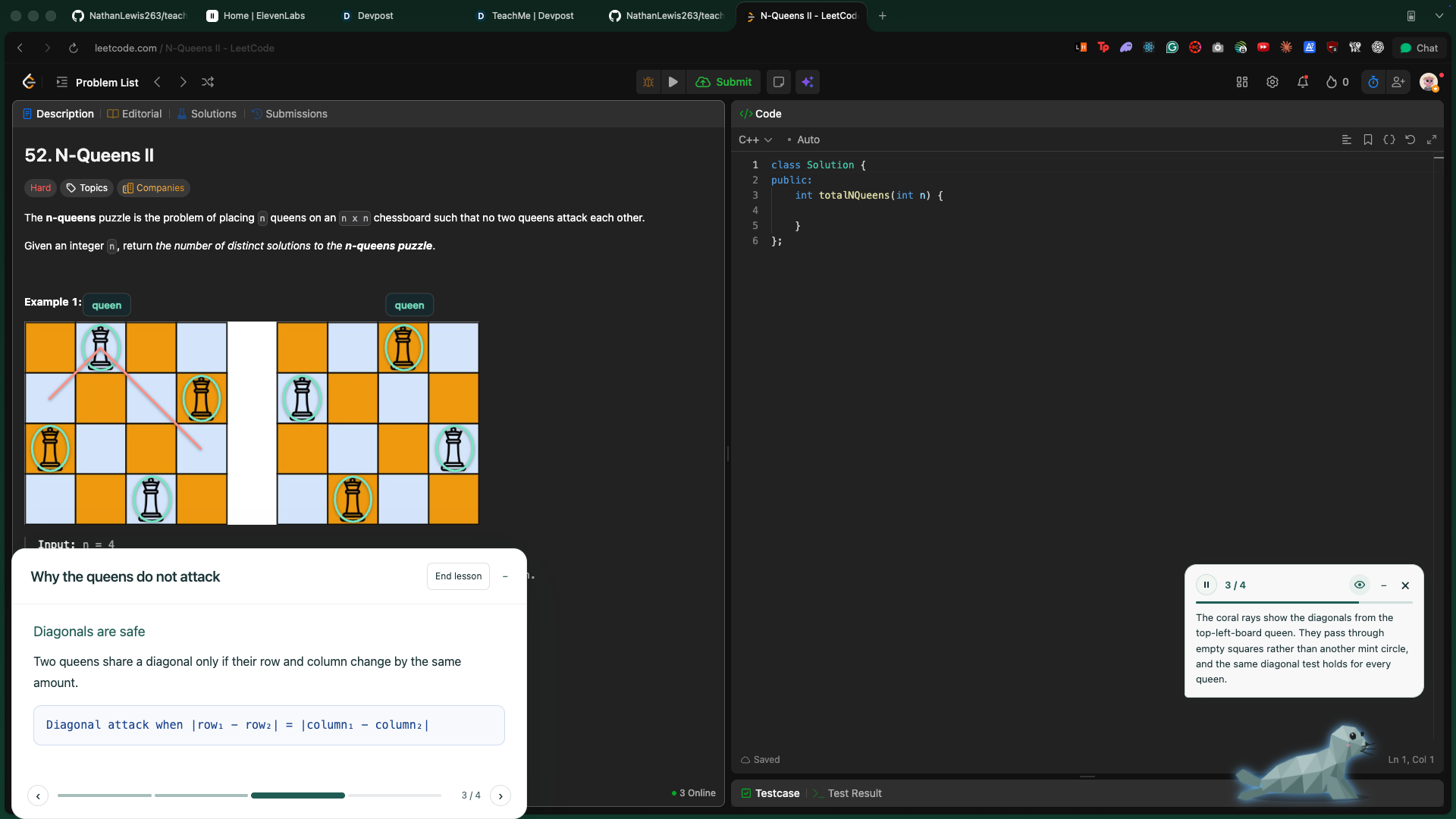
TeachMe reads your screen and draws on it. Here it circles each queen and traces diagonals to show why none attack each other.
-
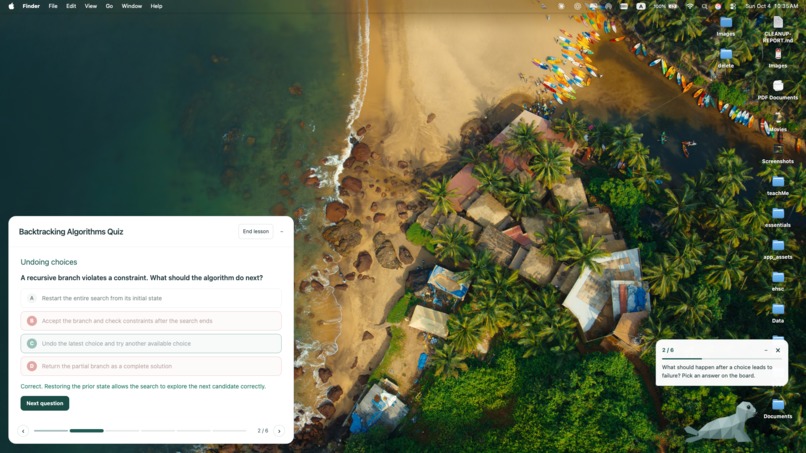
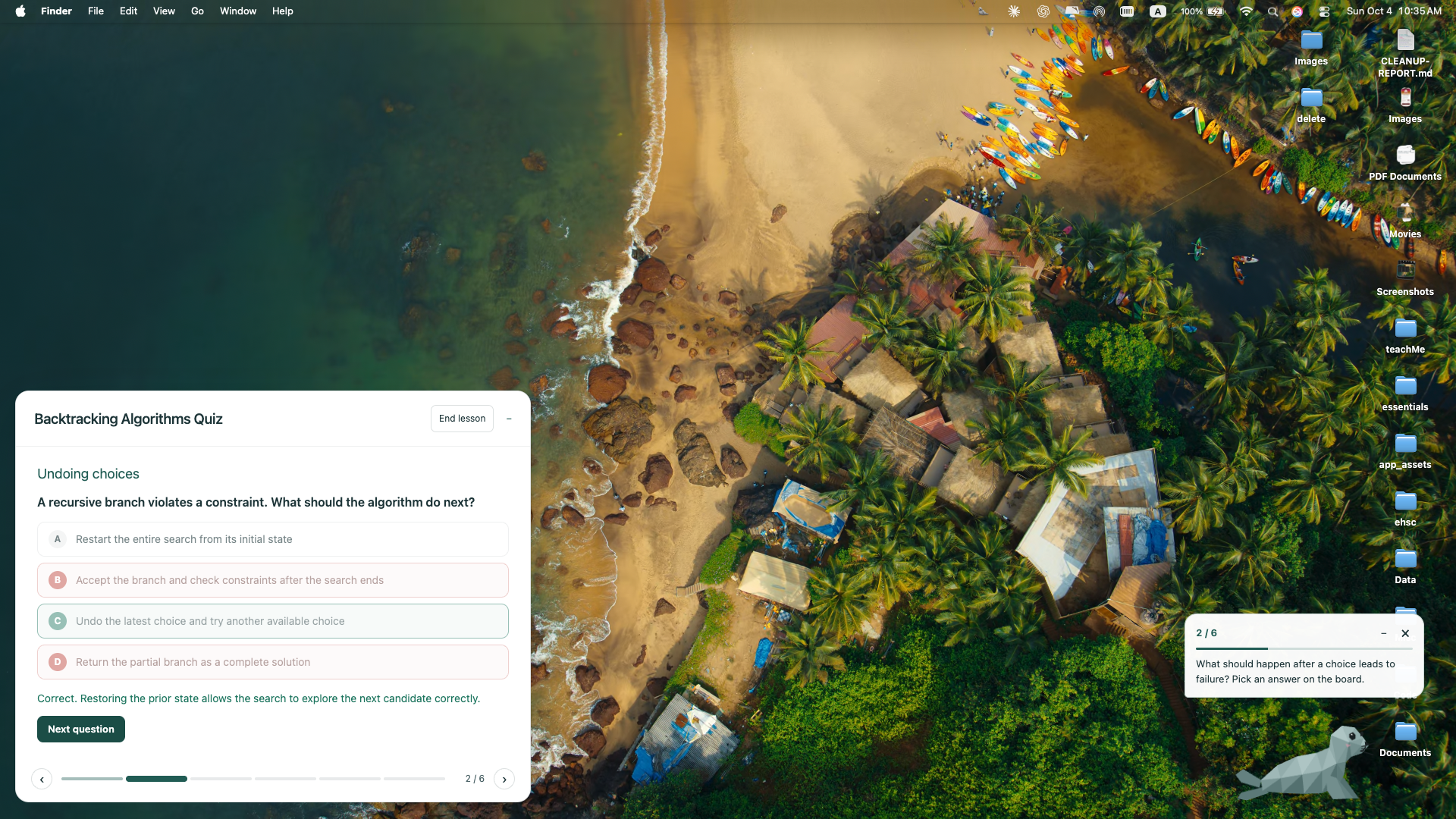
Ask to be quizzed and TeachMe builds clickable questions on its board, then explains why each answer is right or wrong.
Inspiration
I use AI a lot for uni, but sometimes I finish the work and realise I haven’t actually understood what I’ve done. Getting an answer is easy. Understanding it well enough to do it yourself is harder.
There’s also a lot of switching between lecture slides, tutorials, software and chat windows. Every time you ask for help, you have to explain what you’re looking at again, breaking your focus and pulling you out of your flow state.
We wanted to make learning feel more like having someone beside you who can explain an idea, draw it out and guide you through the next step. That became TeachMe, a little seal that lives on your desktop.
What it does
Hold a keyboard shortcut, ask a question and release it. TeachMe responds aloud and uses the explanation format that suits your question.
It can:
- Explain concepts with labelled diagrams, animations and worked examples on a whiteboard
- Use what’s on your screen as context for your question
- Draw arrows and highlights over your screen to guide you through unfamiliar software
- Wait for you to complete an action and check the visible result before continuing
- Search course files you’ve added to use relevant material and terminology
- Give you interactive quizzes with feedback and opportunities to try again
You could ask about a concept from a lecture, how a mechanism works or how to use a tool you’ve never opened before. The goal is to support learning across subjects and everyday tasks.
How it fits the theme
- Smarter: TeachMe connects explanations to the material you’re working with. Guided tasks and quizzes reinforce understanding through practice and feedback, giving you a chance to apply what was explained.
- Easier: It reduces context switching by bringing help directly into your current workflow. You can ask naturally instead of repeatedly moving information into a separate chat.
- More enjoyable: A friendly seal, spoken explanations, and interactive visuals make asking for help feel approachable. You can ask follow-up questions and work through the explanation at your own pace.
How we built it
We used Electron, React and TypeScript to build the desktop app. A transparent overlay displays the seal and screen annotations, with a movable whiteboard for diagrams and explanations.
Jev classifies the question to decide whether screen context is needed and where the explanation should appear. OpenAI generates structured lesson steps, searches indexed course files when relevant and checks screenshots during guided tasks. ElevenLabs handles speech recognition and streamed narration.
Each teaching step pairs narration with drawing instructions. The app reveals that step’s visuals when its audio starts and waits for playback to finish before moving on. Later steps can prepare in the background. For guided tasks, it also waits for the expected on-screen result before continuing.
Challenges we ran into
Synchronising narration, drawings and user actions was a big challenge. We had to handle interruptions, changing screen layouts and responses arriving at different times without showing the wrong diagram or continuing an old lesson.
Generating useful diagrams was another challenge. A drawing can look convincing without explaining the concept clearly. We worked on structured drawing instructions, validation and breaking explanations into smaller steps. Complex diagrams and response times still need improvement.
What we learned
The interaction around the AI matters as much as the answer it generates. Timing the visuals, knowing when to pause and making it easy to interrupt are important parts of a usable tutor.
We also learned to separate different decisions: whether the tutor needs to see the screen, where it should draw and whether the student needs to act before the explanation continues.
What’s next
We want to test teachMe with students and see whether they can repeat a task independently after using it. We haven’t measured learning gains yet. Our next priorities are improving diagram accuracy, reducing delays and making course-file management more reliable.
Use of AI during development
We used Codex and Claude to help scaffold the app, implement features, debug issues and review and refactor code. This helped us build and iterate fast during the hackathon.
Built With
- electron
- elevenlabs
- openai
- react
- typesafeai
- typescript


Log in or sign up for Devpost to join the conversation.