Inspiration
Students often think they understand a concept because they can recognize the right answer. But recognizing an answer is very different from being able to explain why it is correct.
TeachMap AI started from a simple question:
What if, instead of AI teaching the student first, the student had to teach the AI?
Most AI tutors answer first. TeachMap listens first.
What It Does
TeachMap AI turns studying around.
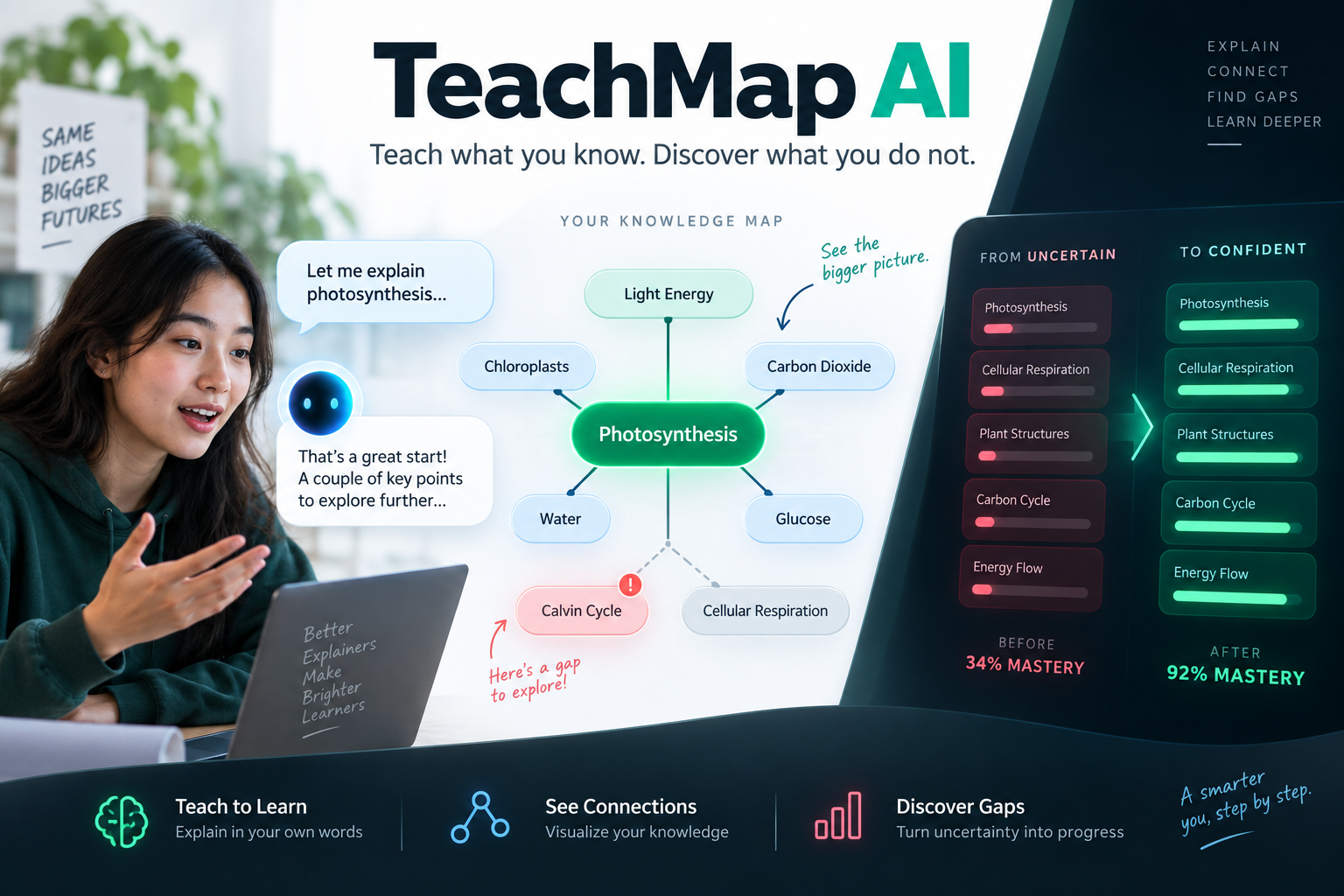
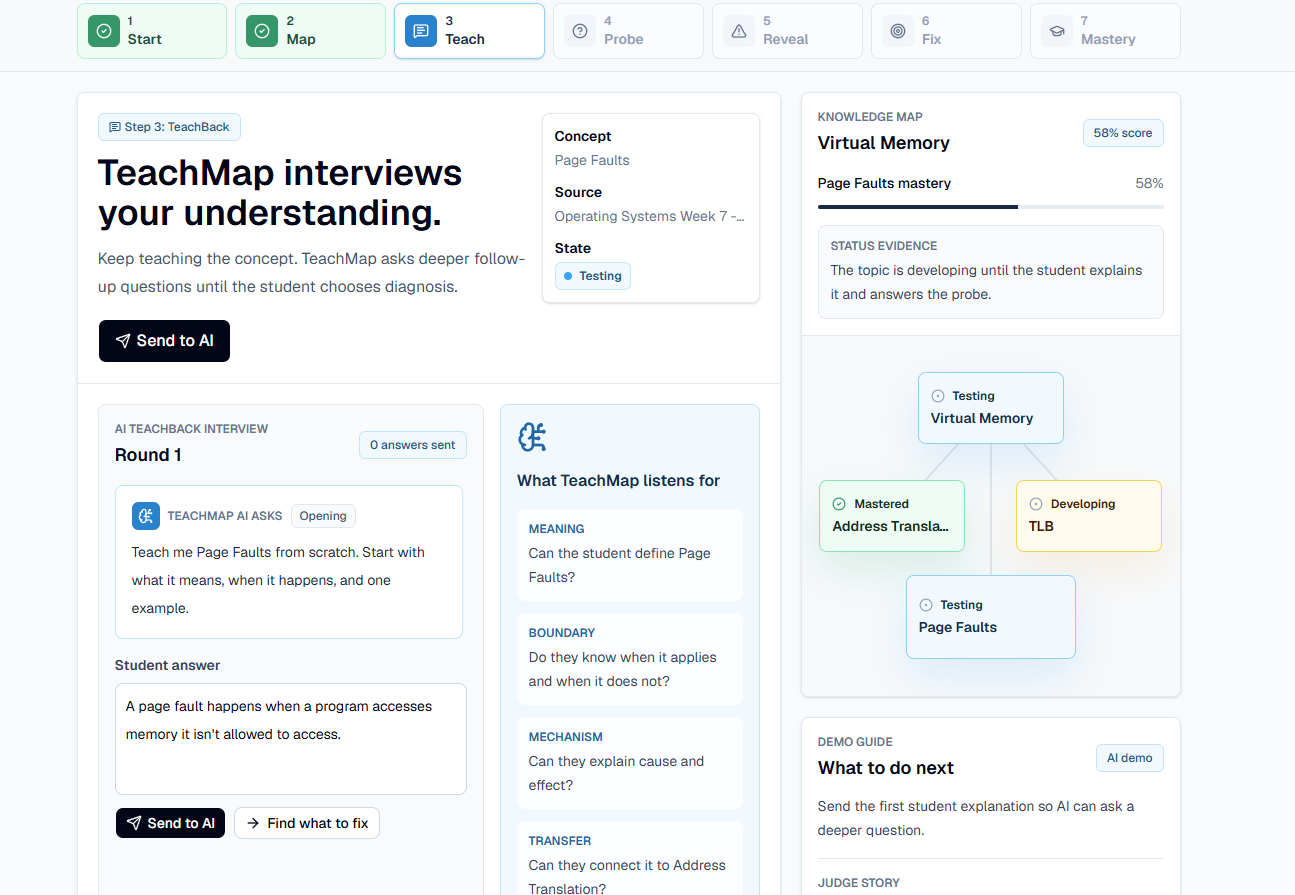
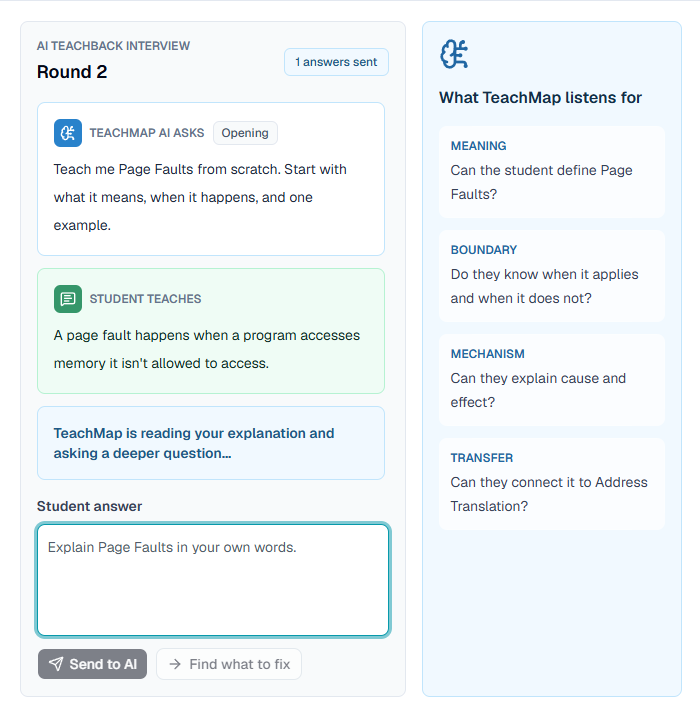
Instead of immediately explaining a topic, TeachMap asks students to teach the concept back to an AI learner. The AI reads their explanation, asks targeted follow-up questions, and looks for the missing idea underneath the mistake.
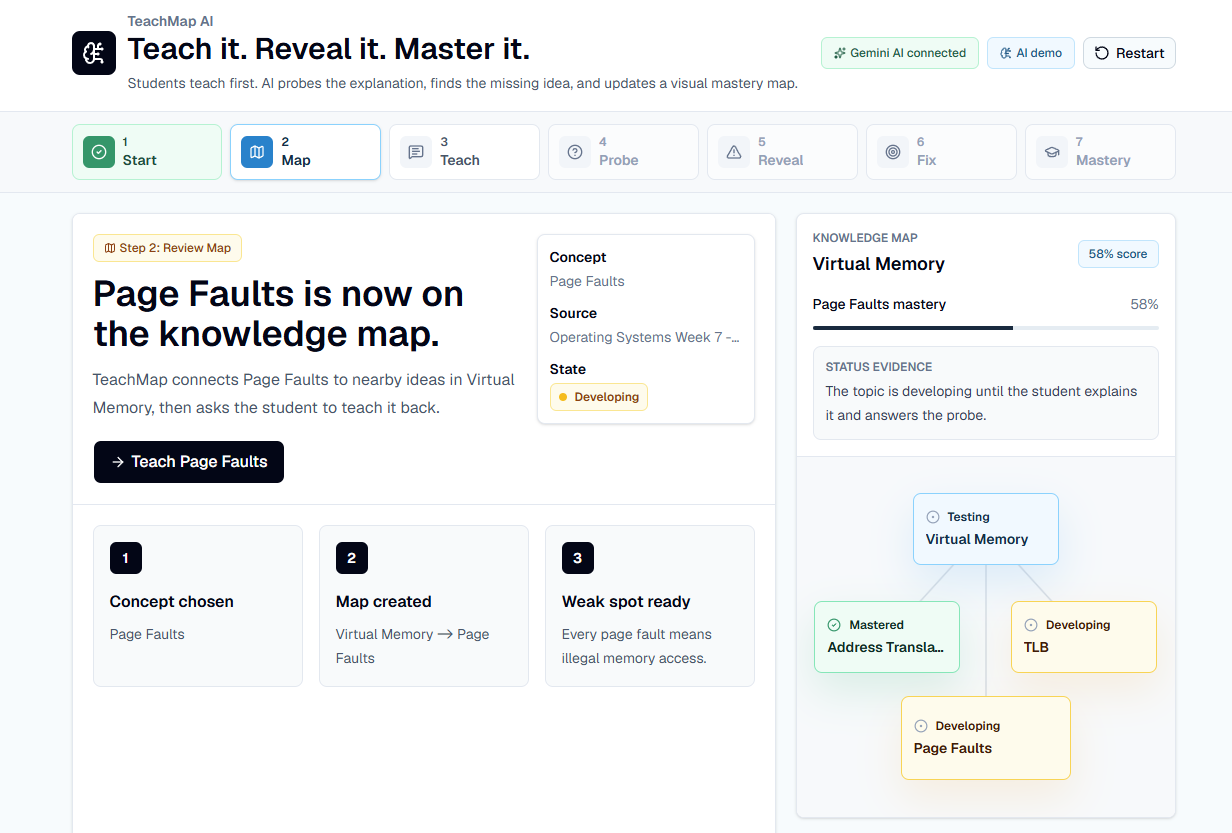
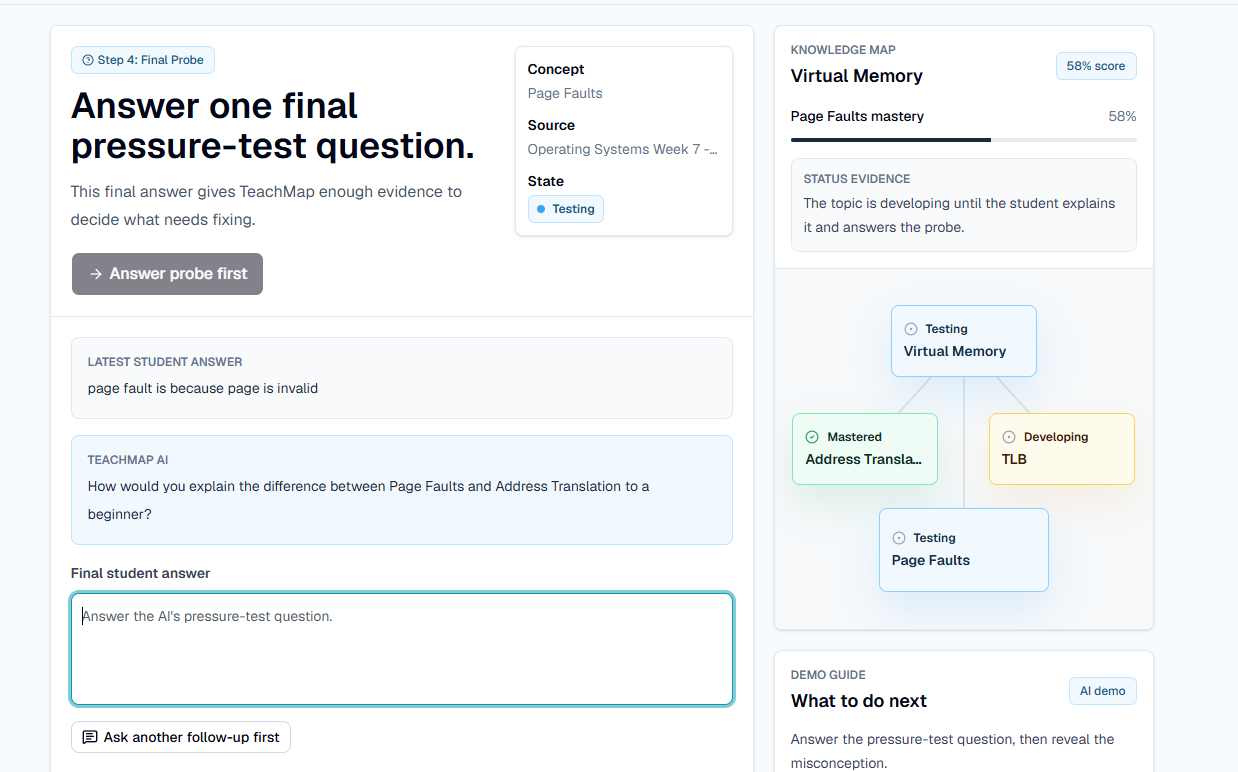
Those signals are visualized in an interactive Knowledge Map:
- Waiting
- Developing
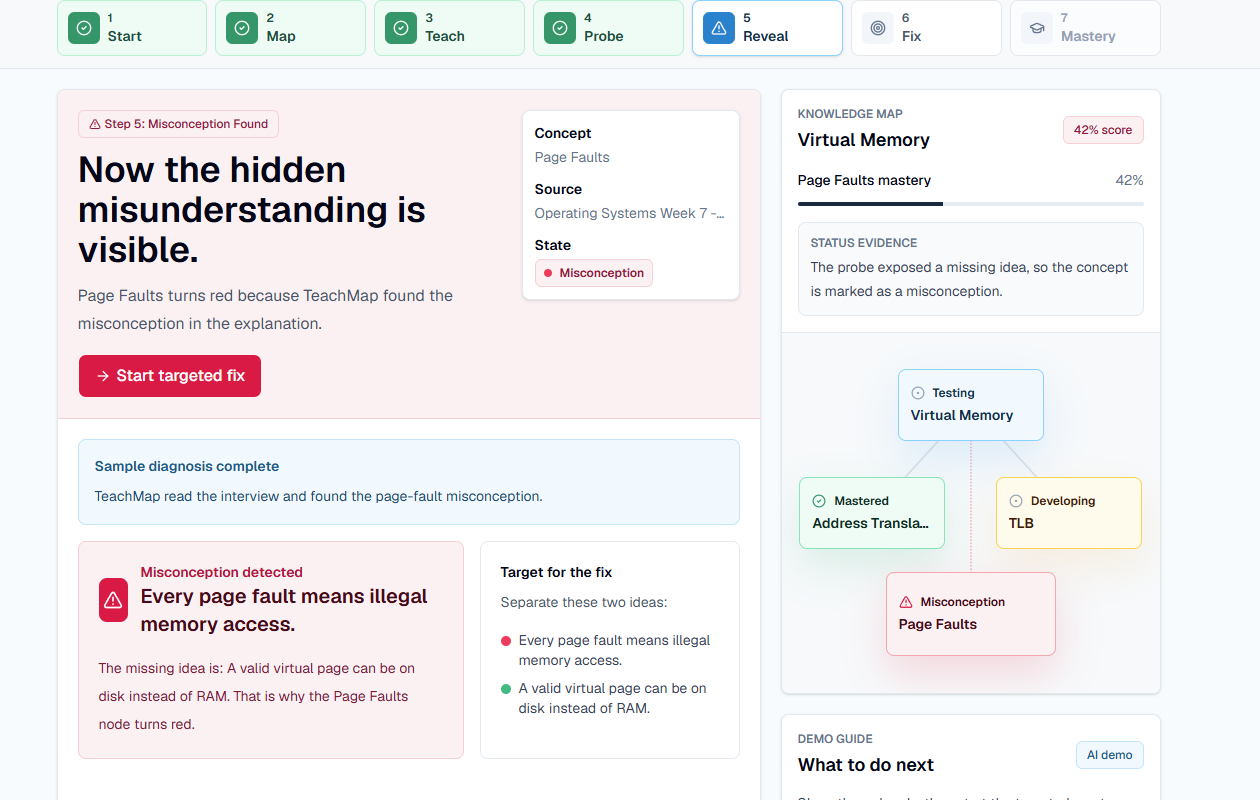
- Misconception detected
- Mastered
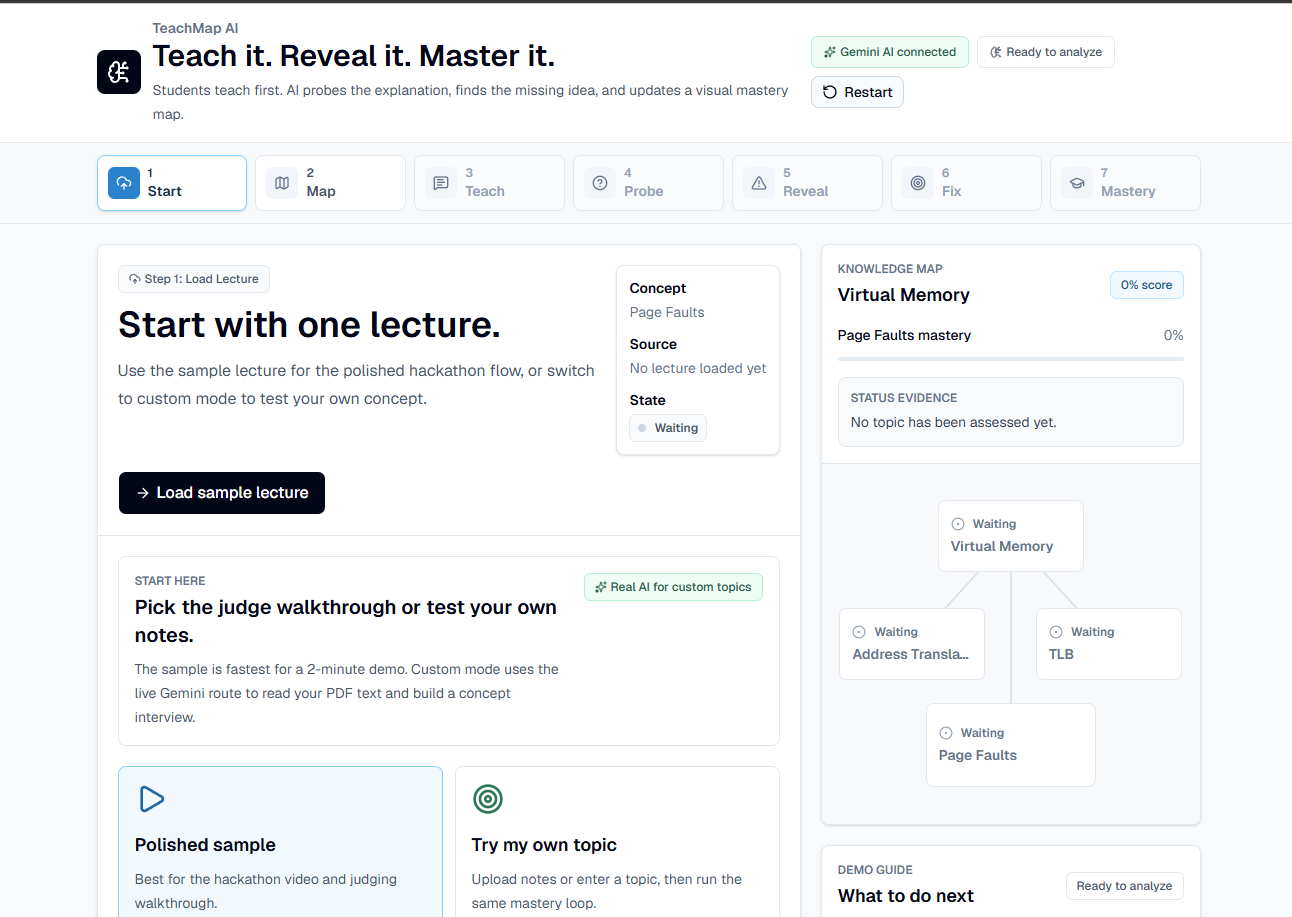
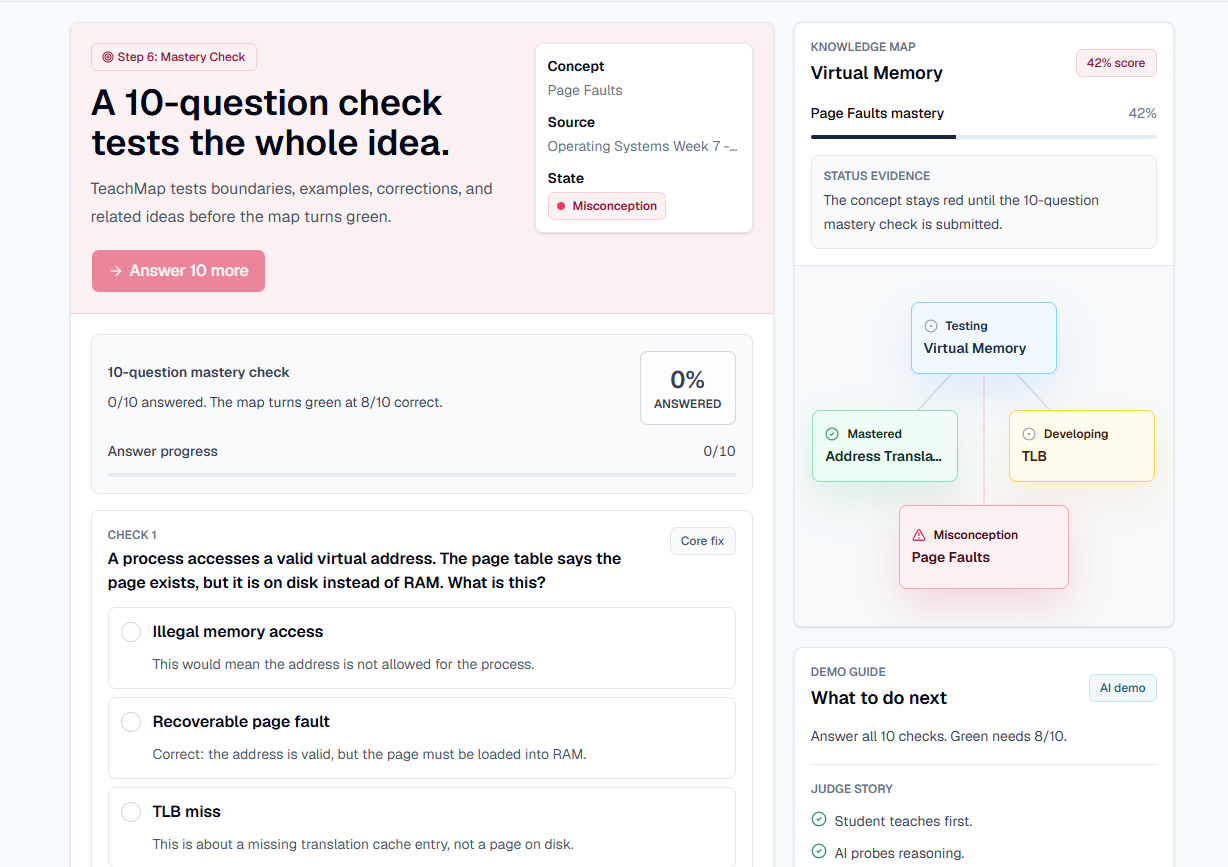
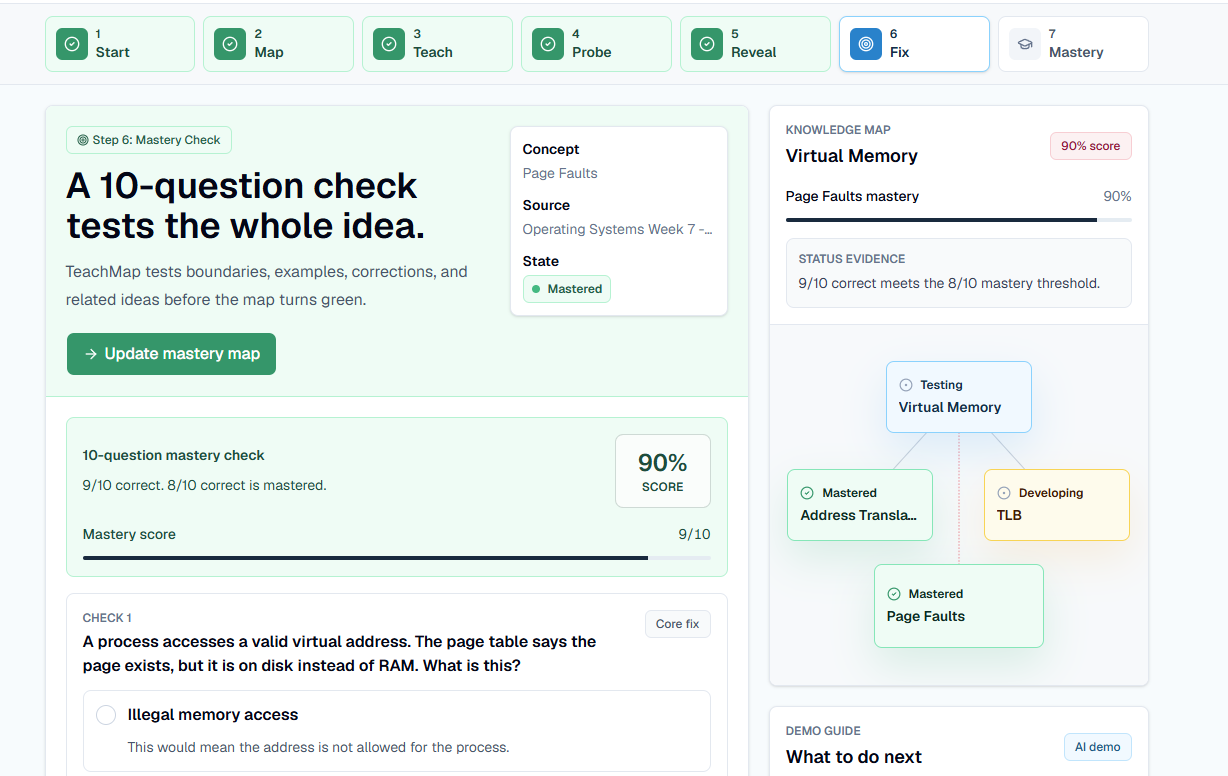
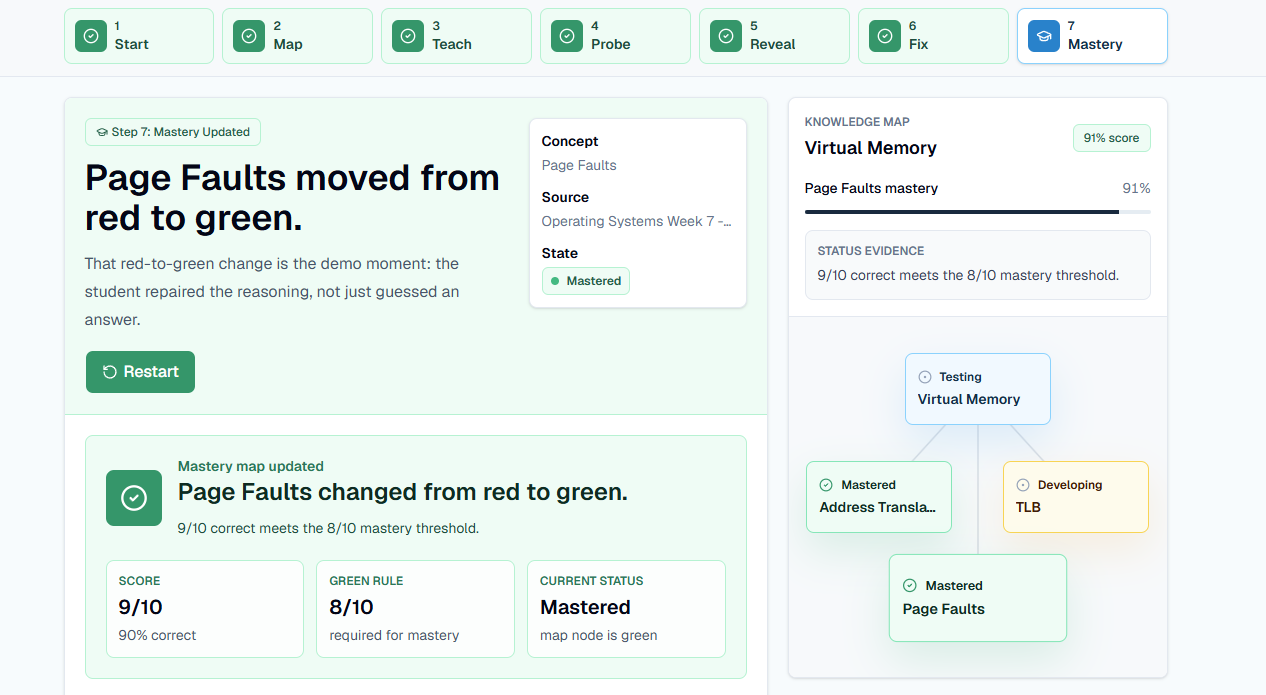
In the prepared demo, a student explains page faults as illegal memory access. TeachMap asks a deeper question about a valid page that is on disk instead of RAM, detects the misconception, marks Page Faults red on the map, and creates a 10-question mastery check. When the student repairs the reasoning and reaches the 8/10 evidence threshold, the node turns green.
The prototype also supports custom topics. A user can upload a text-based PDF or paste notes, and TeachMap reads the material, chooses a specific concept, creates a likely misconception, runs a multi-round AI teachback interview, diagnoses the transcript, and builds a targeted mastery check.
How We Built It
We built TeachMap AI as a polished web app with React, TypeScript, Vinext, Tailwind CSS, shadcn/ui, Lucide React, PDF.js, OpenAI Sites, and the Gemini API.
The app uses structured AI routes instead of a plain chatbot response:
/api/pdf-intakereads extracted PDF text and chooses a teachable concept./api/follow-upasks the next Socratic question during the TeachBack loop./api/analyzediagnoses the full transcript and returns structured evidence.
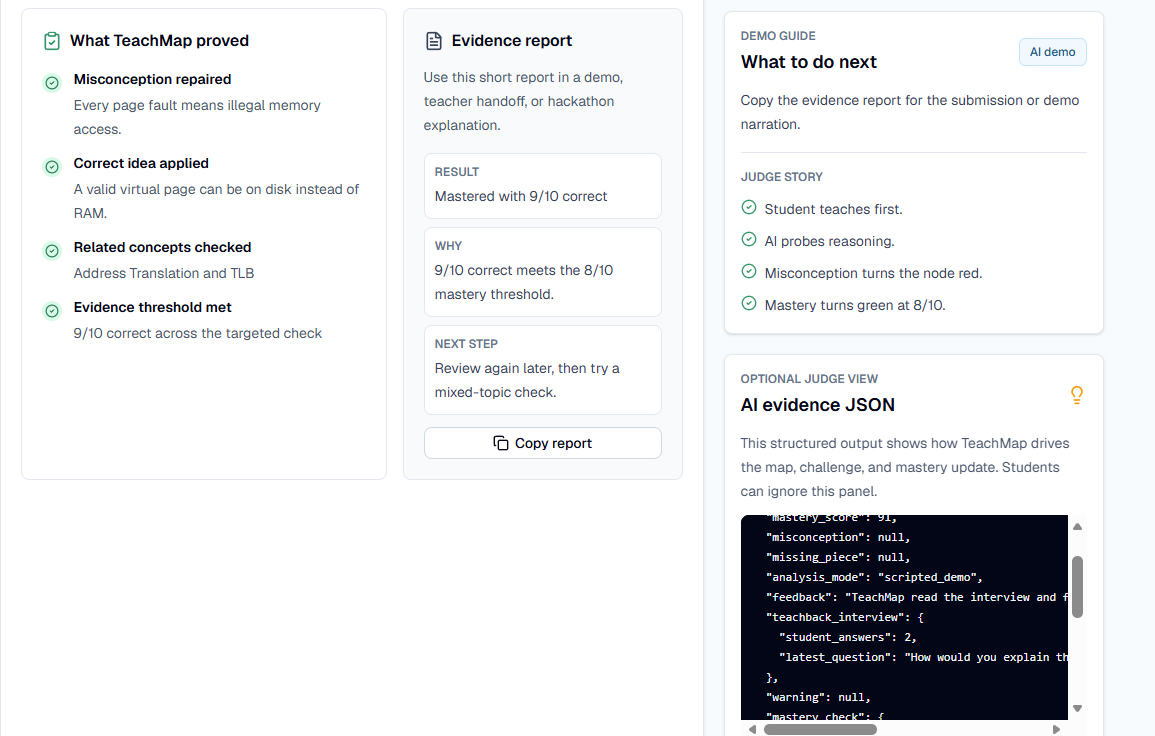
That structured output drives the map state, misconception reveal, targeted challenge, repair queue, mastery threshold, and final evidence report.
Challenges We Ran Into
The hardest design challenge was making misconception detection feel visual instead of hiding it inside a chat transcript. We solved that by making the map the center of the product. When the AI finds a misconception, the node visibly turns red. When the student proves repair, it turns green.
Another challenge was making the demo reliable while still using real AI. We kept a polished sample path for judges and added live Gemini-backed custom-topic routes so users can test their own material without paid OpenAI credits.
PDFs added another practical challenge. Text-based PDFs can be read directly in the browser with PDF.js. Scanned/image-only PDFs still need OCR, which is one of the next features we would add.
Accomplishments That We're Proud Of
- Built a complete end-to-end learning loop.
- Made the student's explanation the starting point instead of the AI answer.
- Added real AI follow-up questions for custom topics.
- Added PDF upload that reads lecture text and auto-fills the setup.
- Built a visual knowledge map that changes with student understanding.
- Added a 10-question mastery check with an 8/10 green threshold.
- Added a repair queue for missed focus areas.
- Added a copyable evidence report for teachers, students, or demo narration.
- Made the red-to-green mastery transformation the main product moment.
What We Learned
We learned that the most valuable tutoring interaction is not always another explanation. Sometimes the better move is to ask the student to explain first, then use their reasoning to find the exact place where understanding breaks.
We also learned that an AI education product becomes much clearer when the model returns structured evidence instead of just chat text. The structure lets the interface show why a concept is developing, why it is marked red, and what proof is required before it turns green.
What's Next For TeachMap AI
- OCR for scanned PDFs.
- Voice TeachBack, so students can explain out loud.
- Saved mastery maps per student.
- Classroom dashboards for teachers.
- Mixed-topic review sessions.
- More adaptive challenge types beyond multiple choice.
Built With
- cloudflare-workers
- css
- gemini-api
- pdf.js
- react
- shadcn/ui
- tailwind
- typescript
- vinext
