-
-
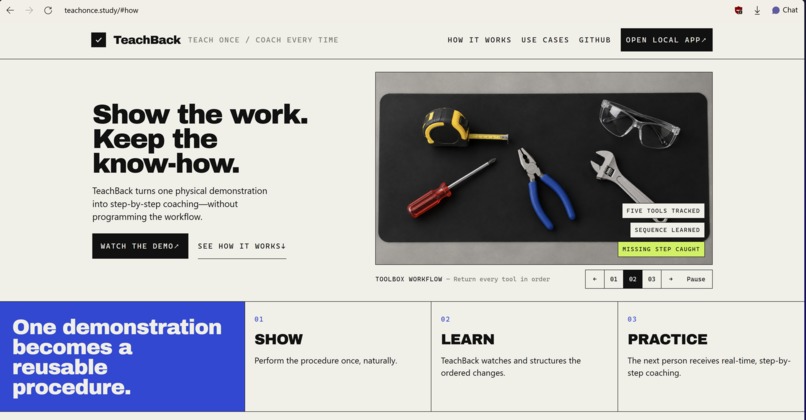
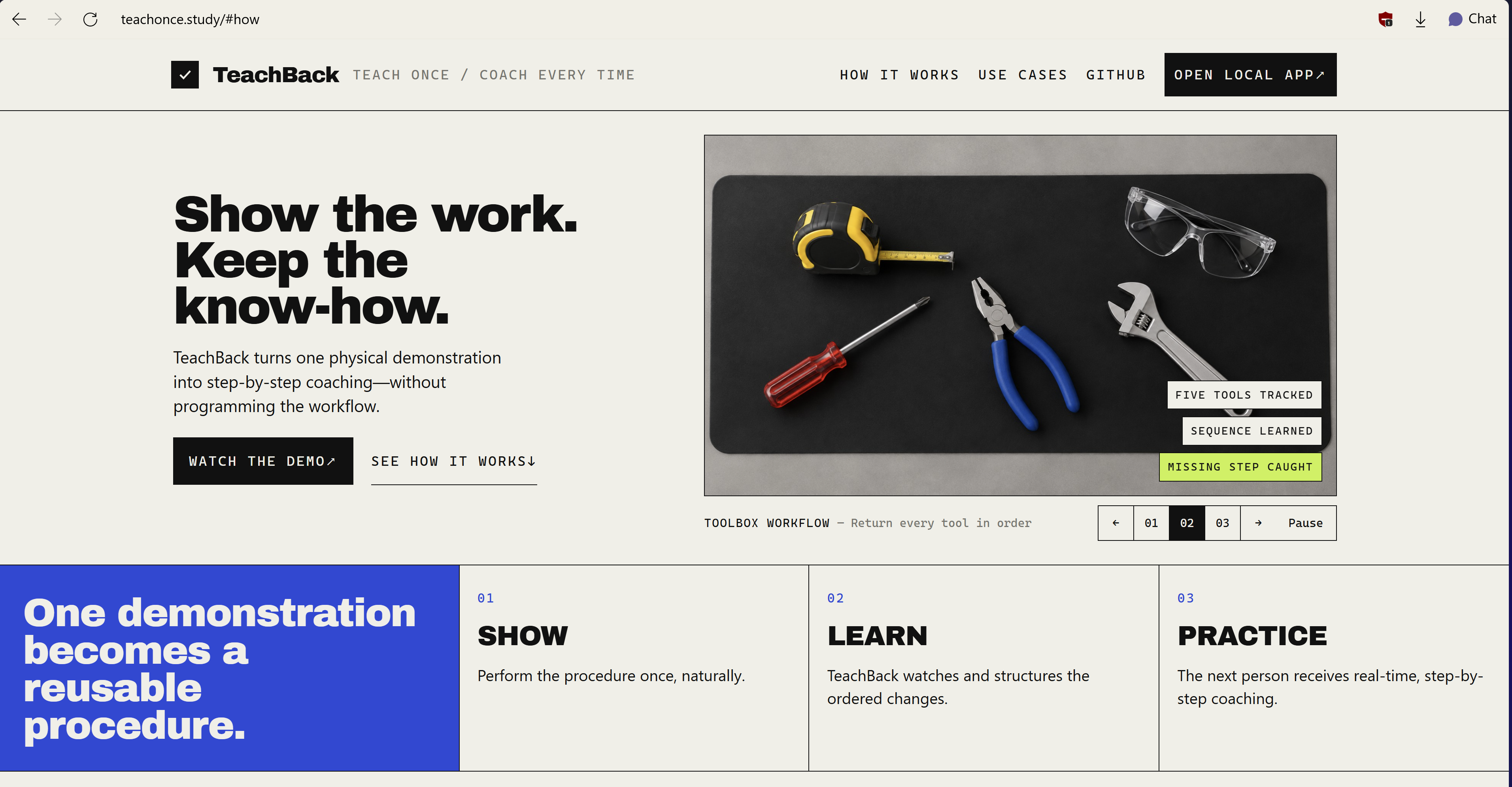
Website
-
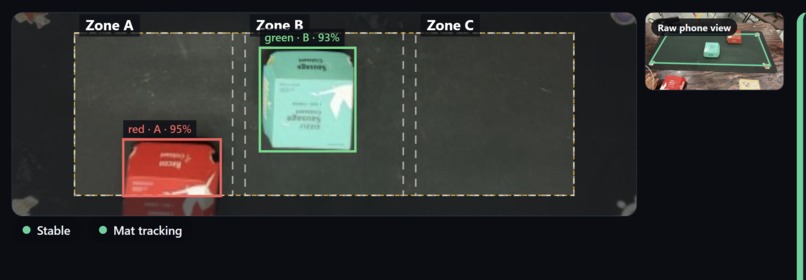
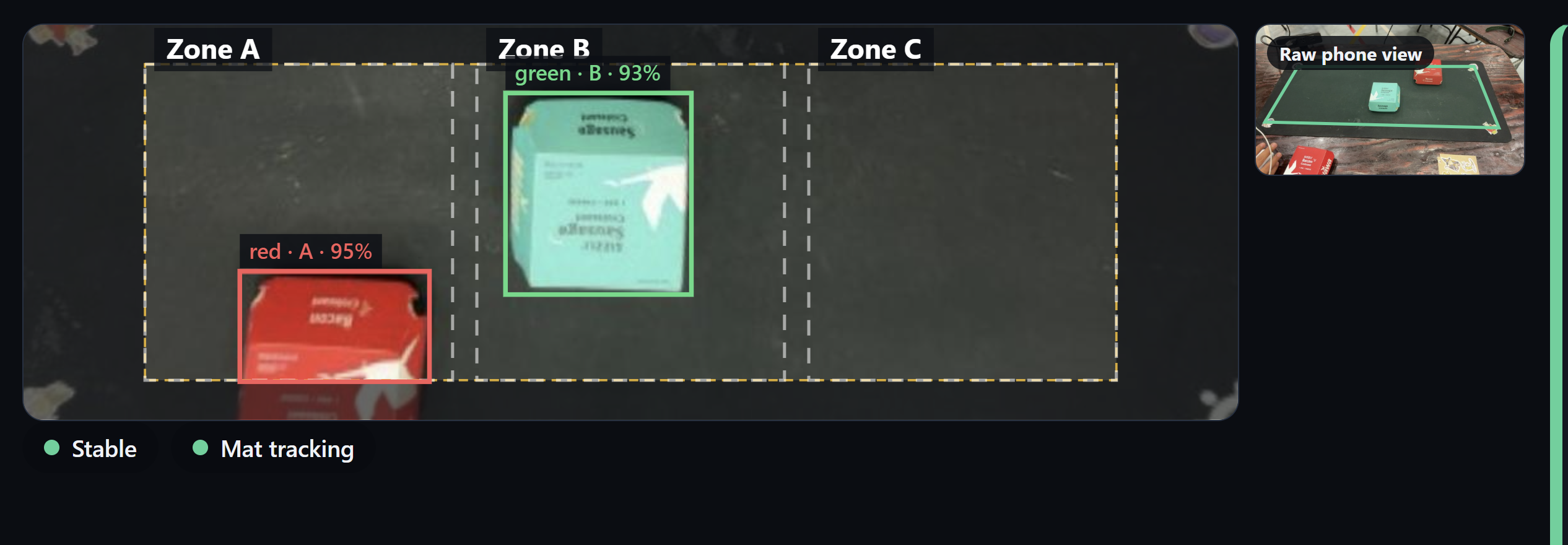
detection
Inspiration
When learning a hands-on task, one typically watches someone demonstrate the procedure and attempts to memorize every detail from the demonstration. A video can demonstrate the task but cannot recognize when one picks up the wrong object or misses a step, whereas a written checklist requires one to recognize their own mistakes.
We built TeachBack around a simple idea: show a new procedure once, and coach another person through it. We are interested in how a camera can make hands-on learning more interactive, with applications in lab onboarding, equipment setup, and assembly.
What it does
TeachBack turns a quick tabletop demonstration into a procedure another person can practice.
In Teach mode, a person moves objects between three work zones, which the system learns as a timeline of instructions and before-and-after images. The person's procedure stems from their own demonstration, and they can choose a new four-step sequence without us updating the code.
In Practice mode, TeachBack compares the practice session against the new four-step sequence, detecting skipped or out-of-order steps, incorrect object selection, and incorrect placement of objects. Its feedback highlights expectations and actual observations, and the learner can correct the error and continue.
Our default mode tracks four distinct colors and supports moves, stacking, and unstacking. An optional Semantic Objects beta lets a user manually scan common objects from provided descriptions.
We built Setup Check, which saves an expected workspace arrangement and ensures that common objects are present, are in the right zones, and are not unexpectedly present among the expected object descriptions. With Tiger Data configured, we record check history and summarize how often the setup was ready.
How we built it
Our frontend uses React + TypeScript + Vite and streams the camera as JPEG-over-WebSocket to a Python/FastAPI backend. Our dashboard shows the camera view, detected objects, learned step instructions, and coaching feedback.
Our default vision pipeline uses OpenCV + NumPy for color detection, zones, and approximate stacking relationships. A stability filter waits for the scene to settle for approximately 700 ms before recording a change.
Each learned step stores the objects' placements before and after the action. A deterministic sequence engine compares practice placements against those during learning and decides to advance when appropriate.
For common objects, we integrated a local, quantized NVIDIA LocateAnything model via a persistent CUDA worker running under WSL on Windows. This beta uses explicit scans after each move. Four landmark clicks let us track the mat and transform the camera image into a consistent top-down view.
We can save setups using local JSON or Tiger Data's PostgreSQL service. Setup-check events are stored in a time-series hypertable, with hourly summaries using time_bucket.
We implemented optional Gemini step-wording and ElevenLabs speech integrations, with deterministic text and browser speech as fallbacks. Their live API calls are unverified in our recorded testing, and neither integration controls correctness.
Challenges we ran into
Recognizing a finished action proved more difficult than recognizing an object. Hands entering the field of view and temporarily obscuring objects can appear as new steps. Motion detection, visibility checks, and the settling window help avoid these temporary states.
Stacking was ambiguous in a single camera view. Two touching objects can appear stacked. We disallow newly stacked objects if they were not moved since the previous settled state.
Common-object recognition required a narrower scope. Our broader benchmark localized 21 of 36 annotated instances correctly, below our adoption target. We retained color tracking and added a constrained manual-scan beta for separated, distinct objects.
Camera movement and delayed results could invalidate a check. We added mat tracking and discarded scans during scene changes, and we wrote database history in the background to avoid feedback latency.
Accomplishments that we're proud of
We built a complete teaching, practice, correction, and recovery workflow around a user-provided procedure. Feedback lets the learner take a specific action, and the learned procedure survives a server restart.
We built a simulator that passes synthetic tabletop images through our actual color-detection pipeline. Our recorded verification includes 225 passing backend tests, 15 passing frontend tests, and three successful scripted WebSocket demo runs.
In the constrained four-object size sweep, the model localized all requested labels across three evaluation photos, with a 0.874 s median warm scan time across 15 inferences at a 448 px maximum image edge. This is a limited benchmark rather than a claim of general object-recognition accuracy.
What we learned
The most useful representation of a demonstrated step was the change in the workspace: which object moved and where it ended up. This made it easier to correct mistakes and test the system.
We also learned to make uncertainty visible. Waiting for a clearer view of objects is more useful than presenting an unsupported verdict when tracking is lost or a scan is ambiguous. Deterministic checking provides a traceable decision, although its reliability is based on its object detections.
What's next for TeachBack
Our next priority is a full physical-camera rehearsal under venue lighting, including phone streaming and mat tracking. We want to expand the object-recognition evaluation to more layouts and users.
We want to support multiple saved procedures, richer actions such as rotations and open/close states, and learner progress tracking. We want to make a single demonstration useful as practical guidance for the next person.
Built With
- claude
- css
- cursor
- gemini
- openai
- python
- typescript

Log in or sign up for Devpost to join the conversation.