-
-
-
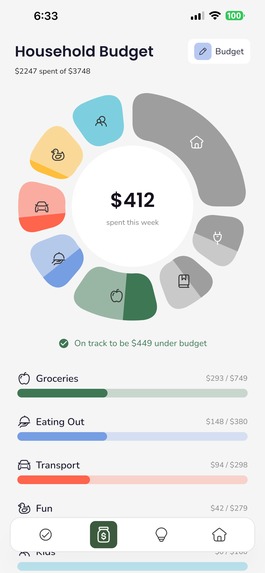
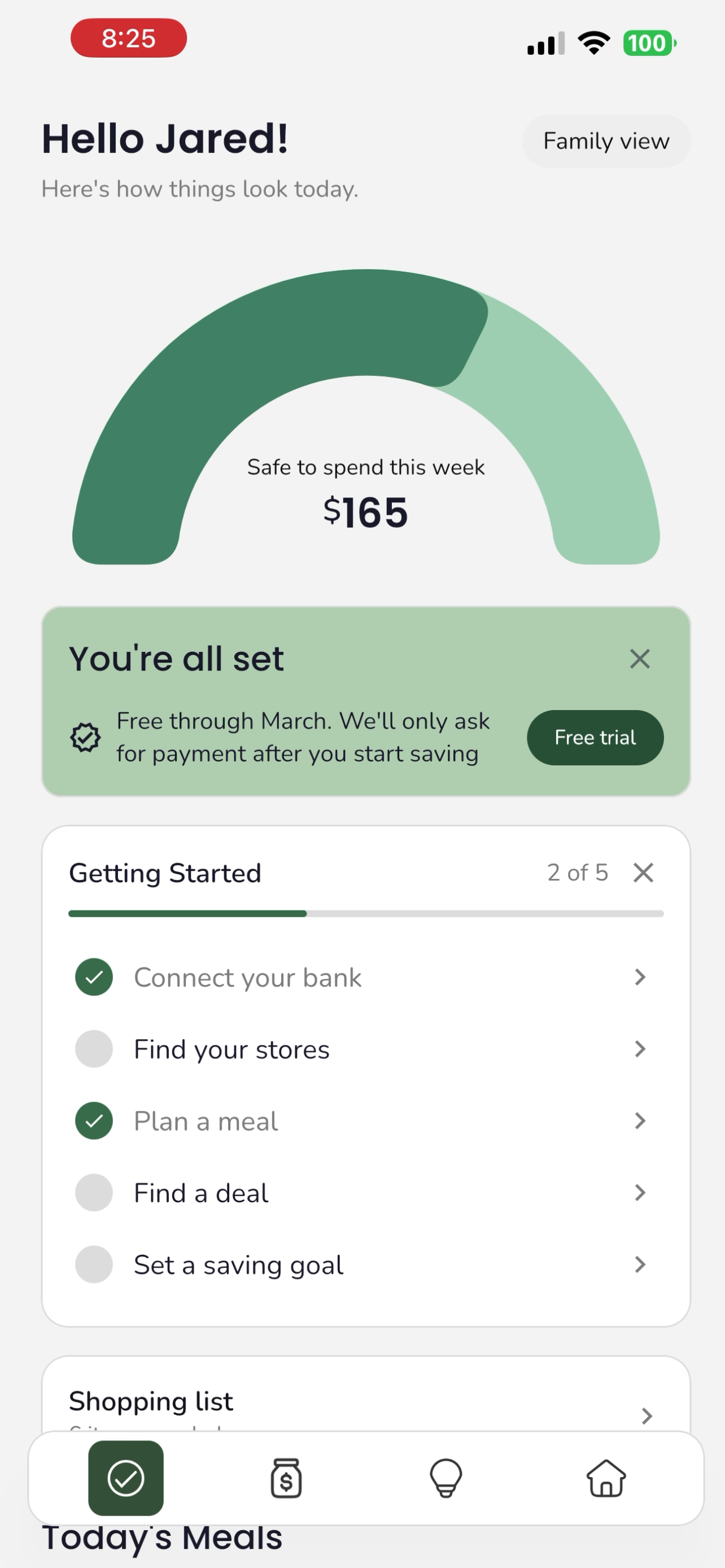
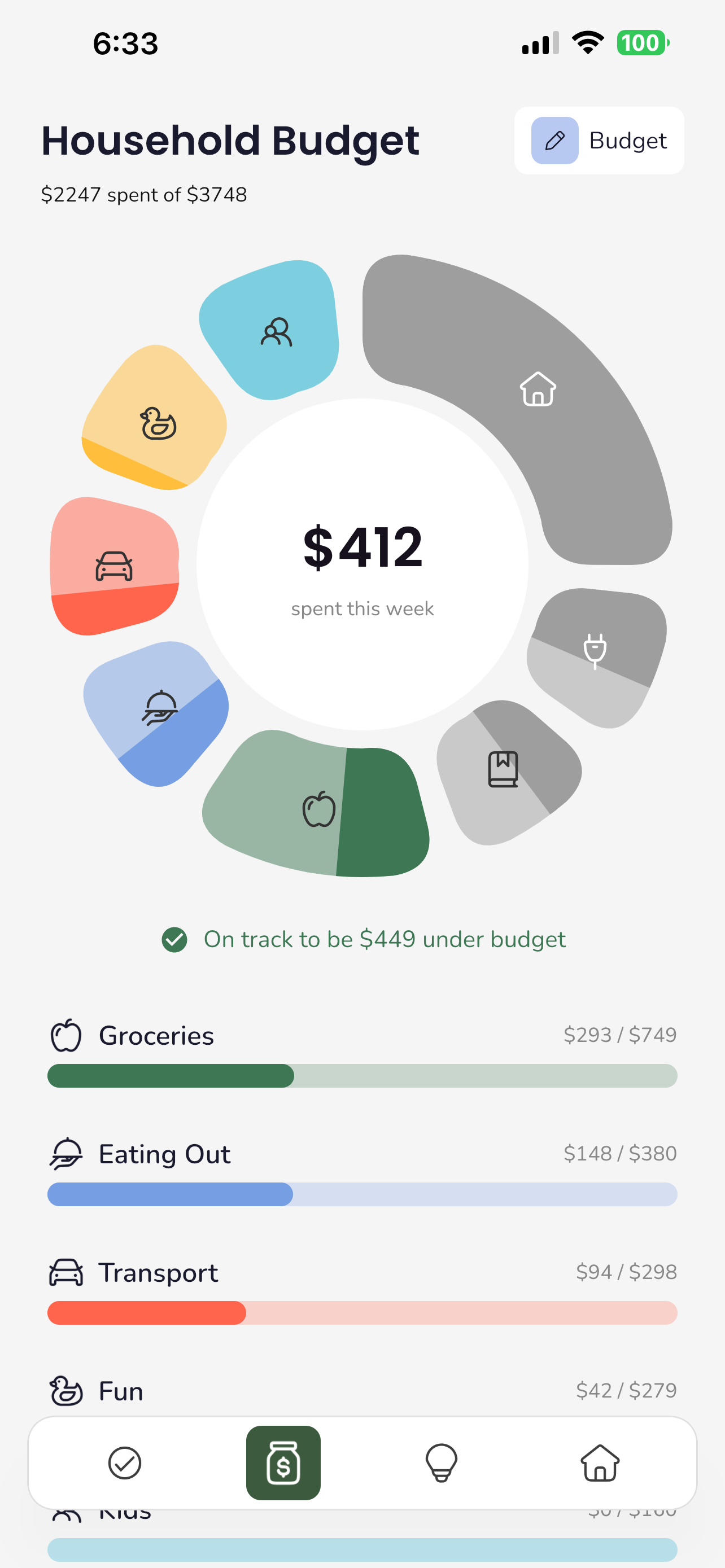
See your weekly budget
-
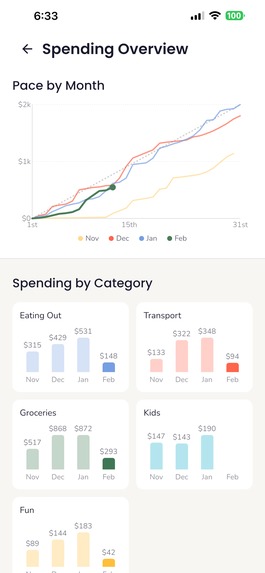
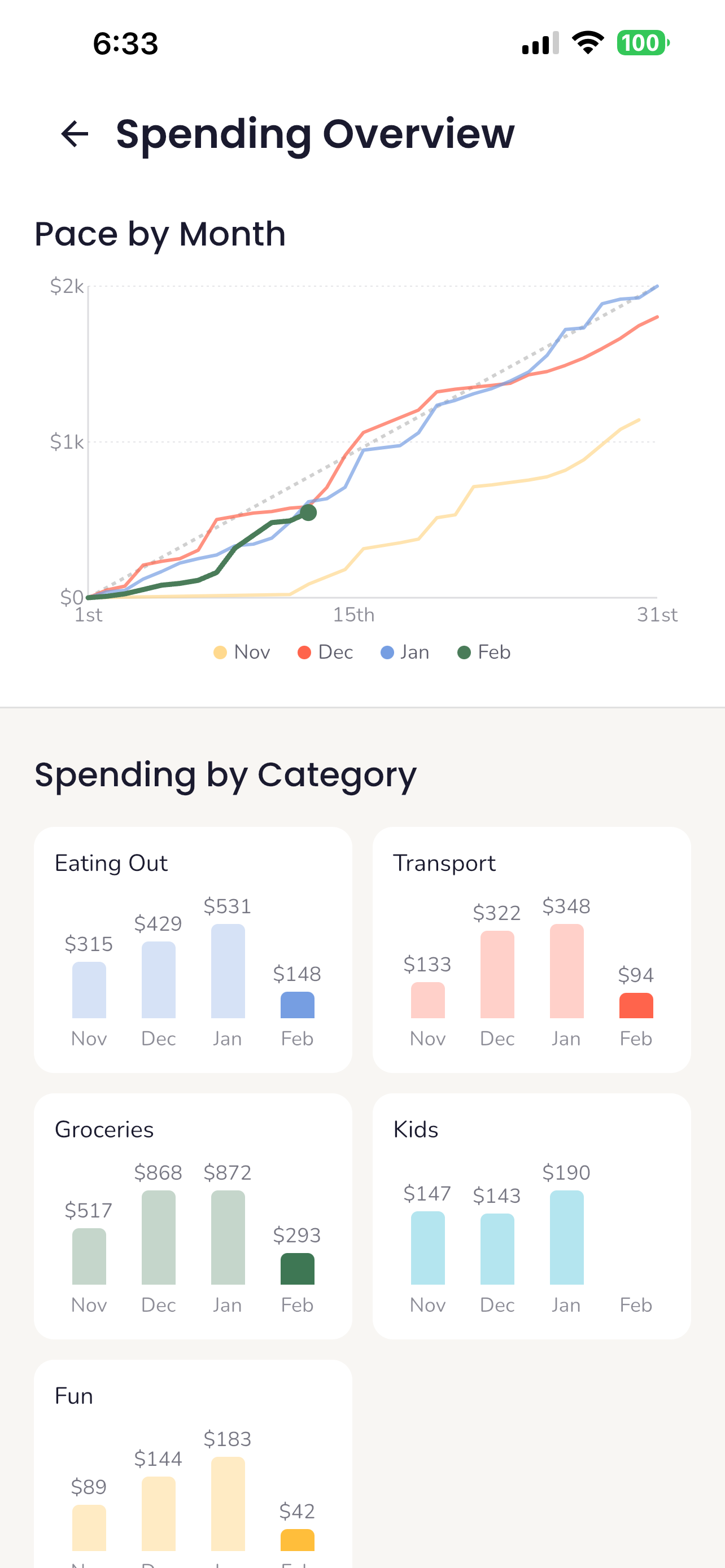
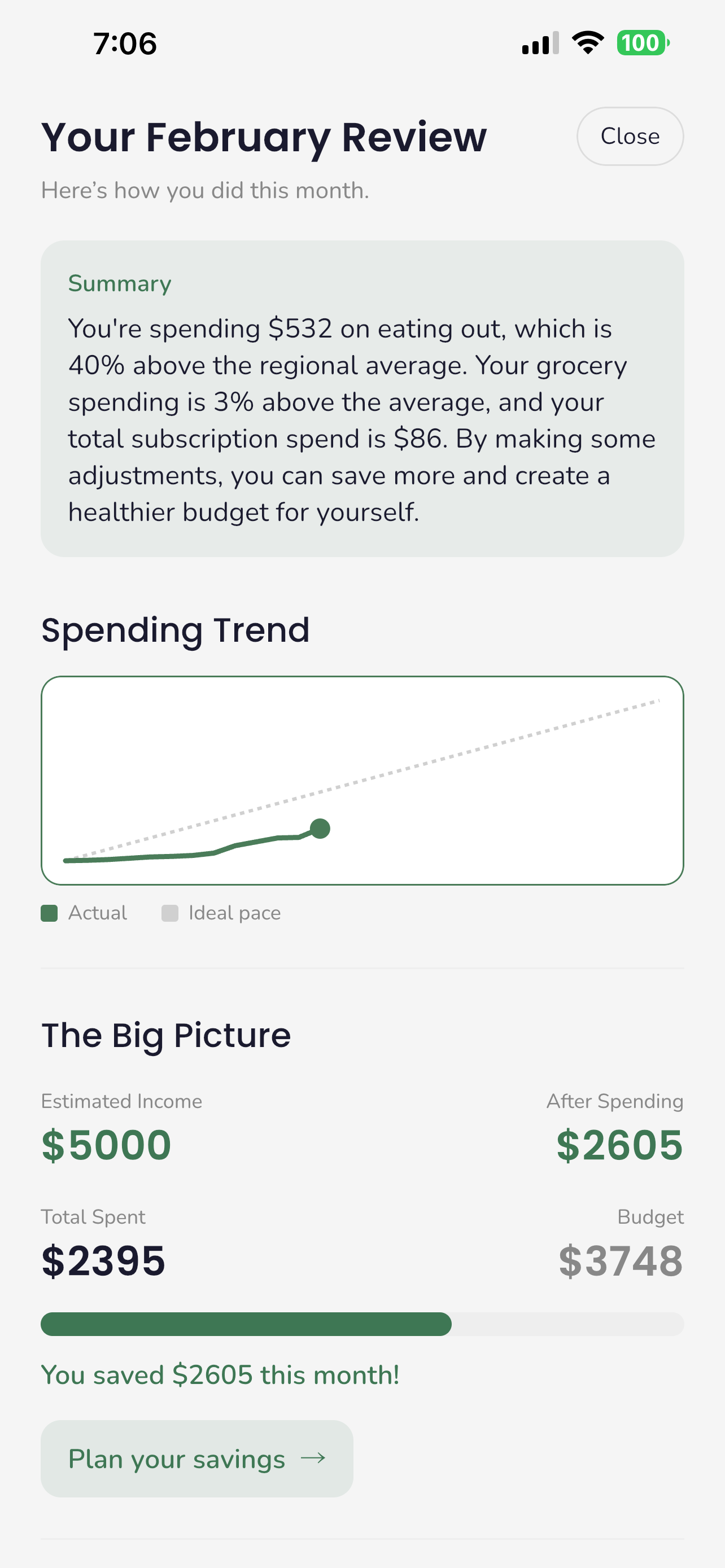
Track your spending by category over time
-
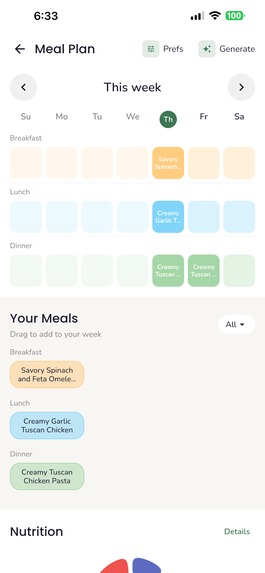
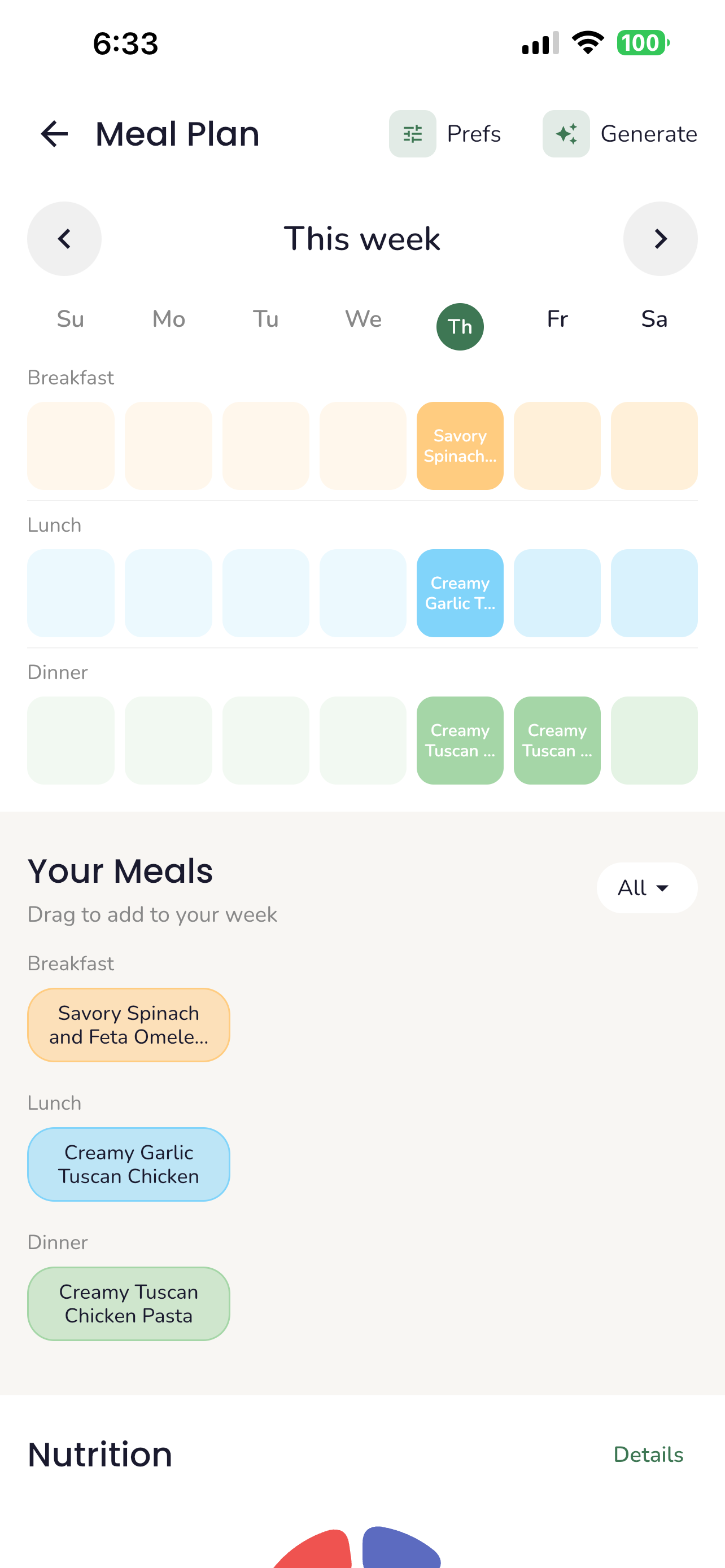
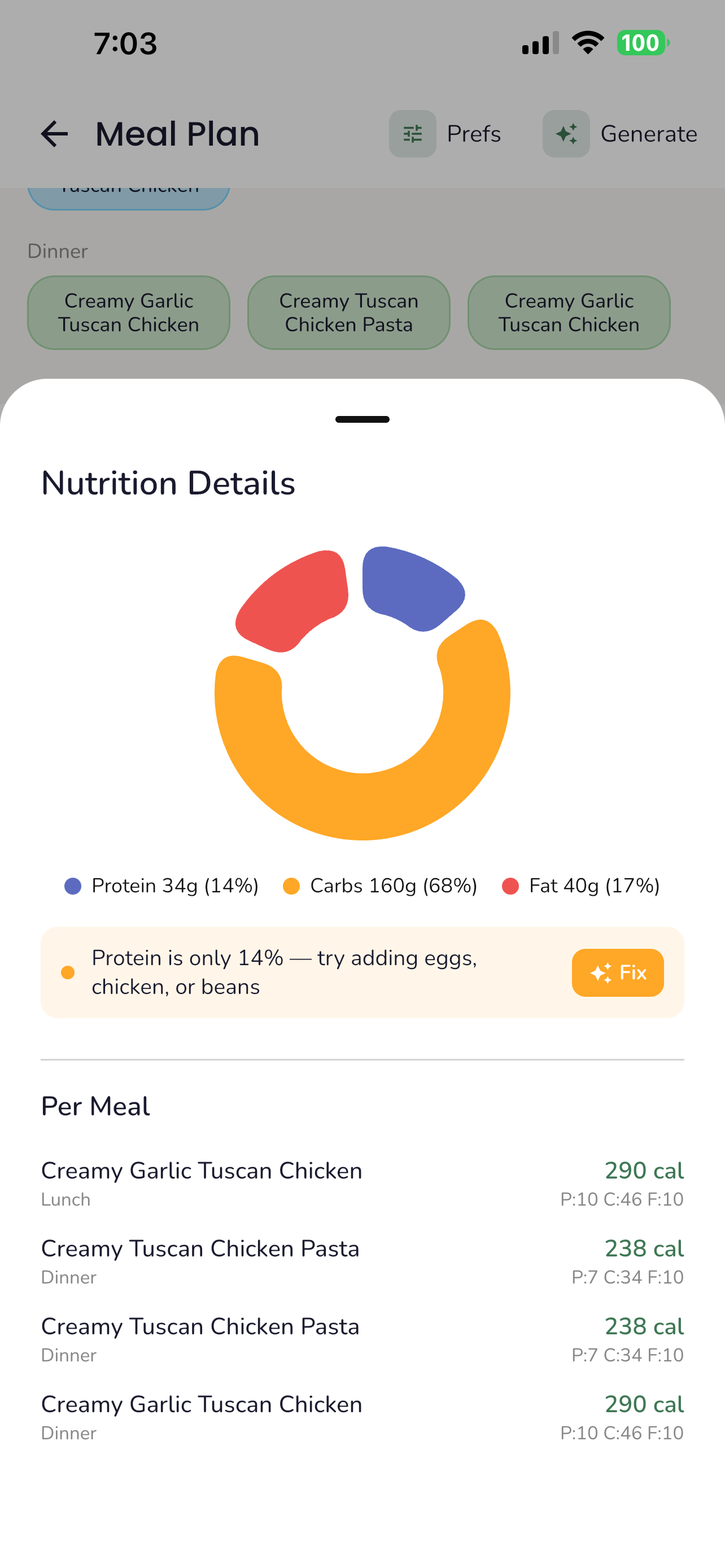
Plan your meals for the week
-
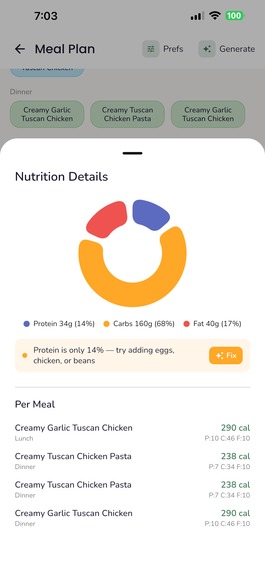
Ensure your family is healthy
-
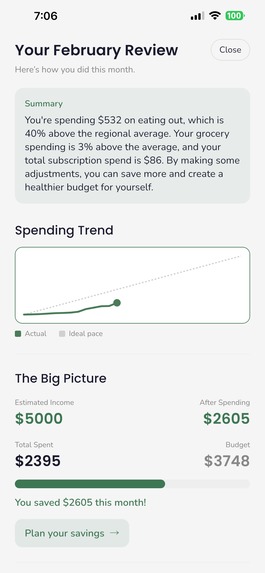
Receive insights at the end of every month
-
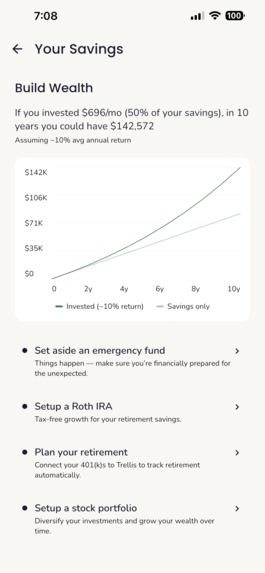
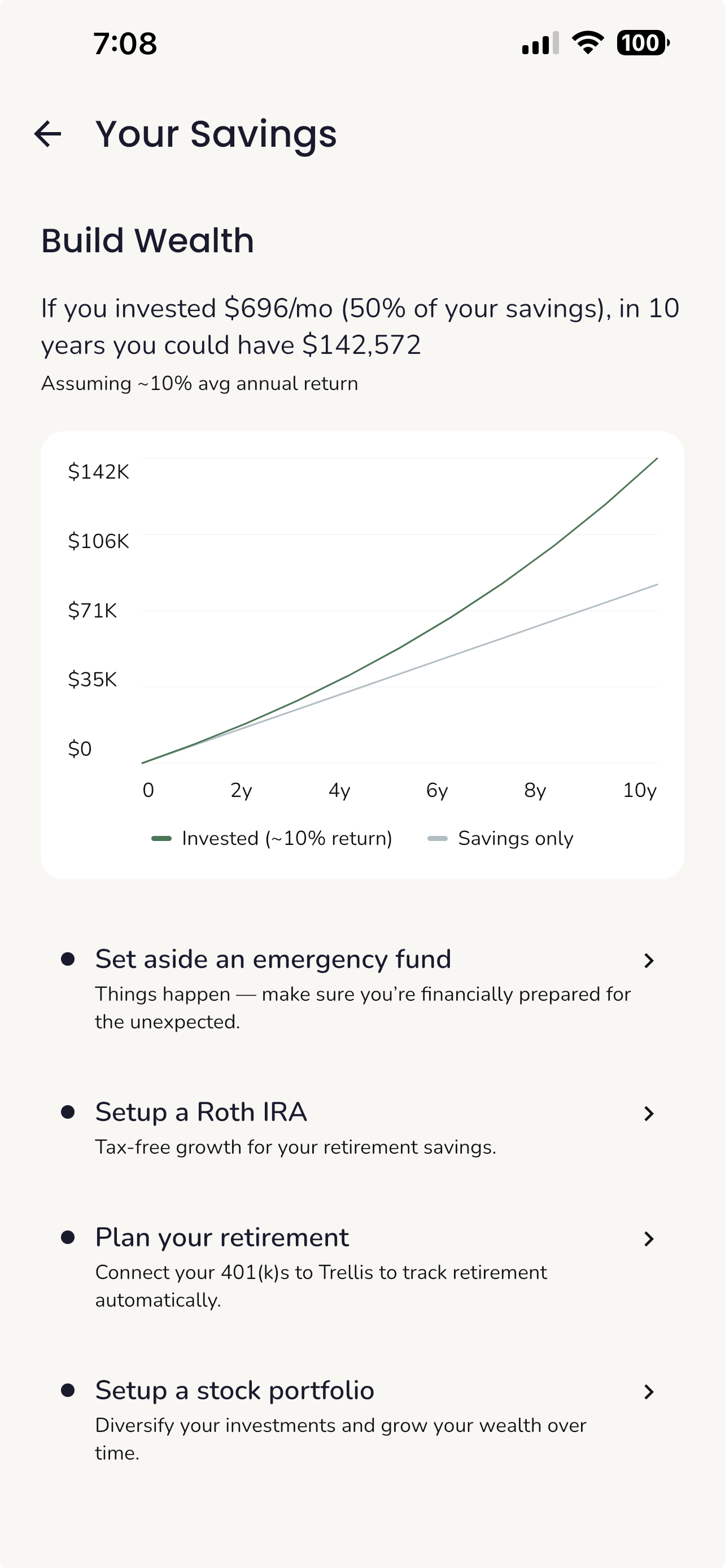
Learn how to plan for your future
-
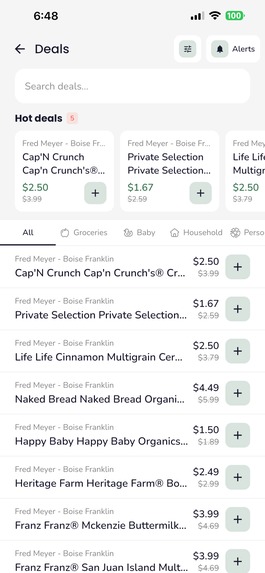
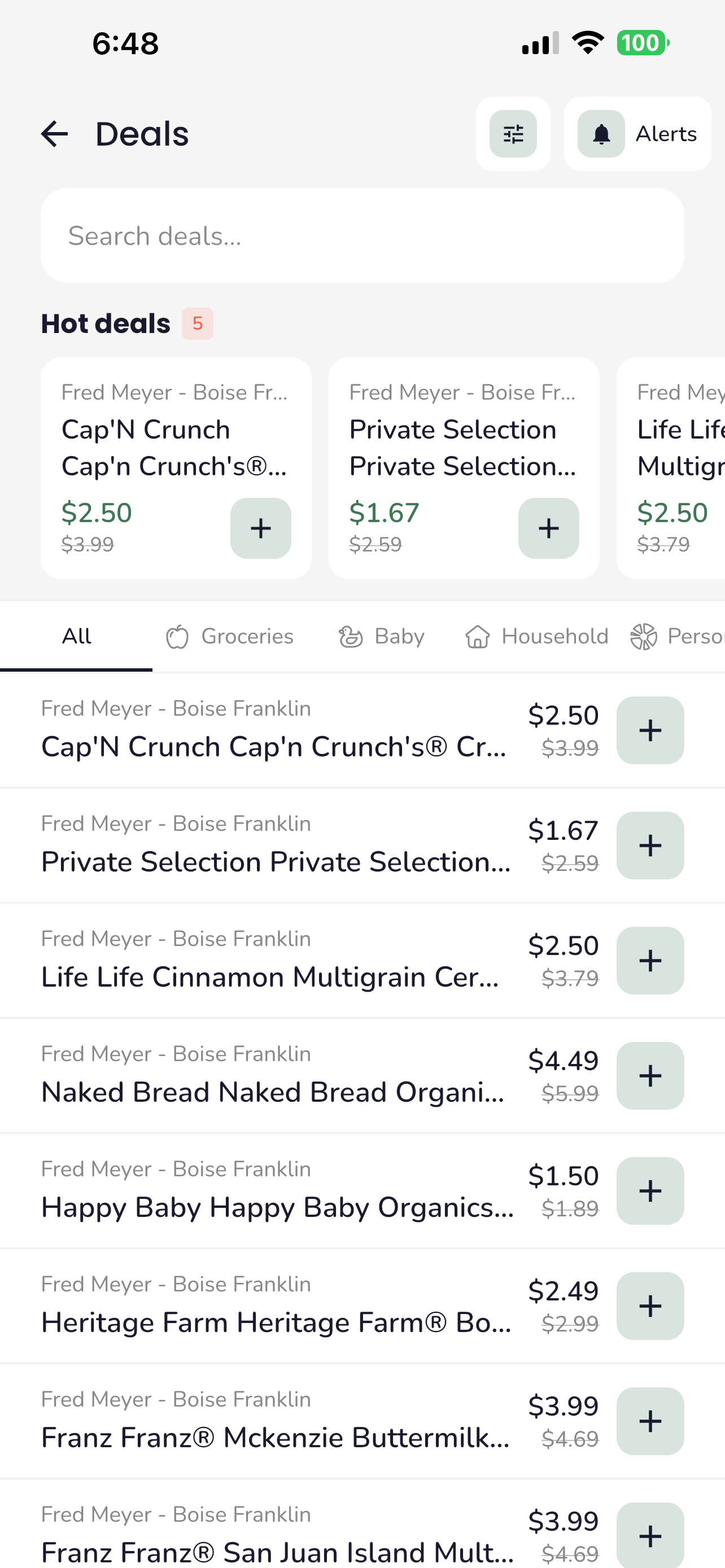
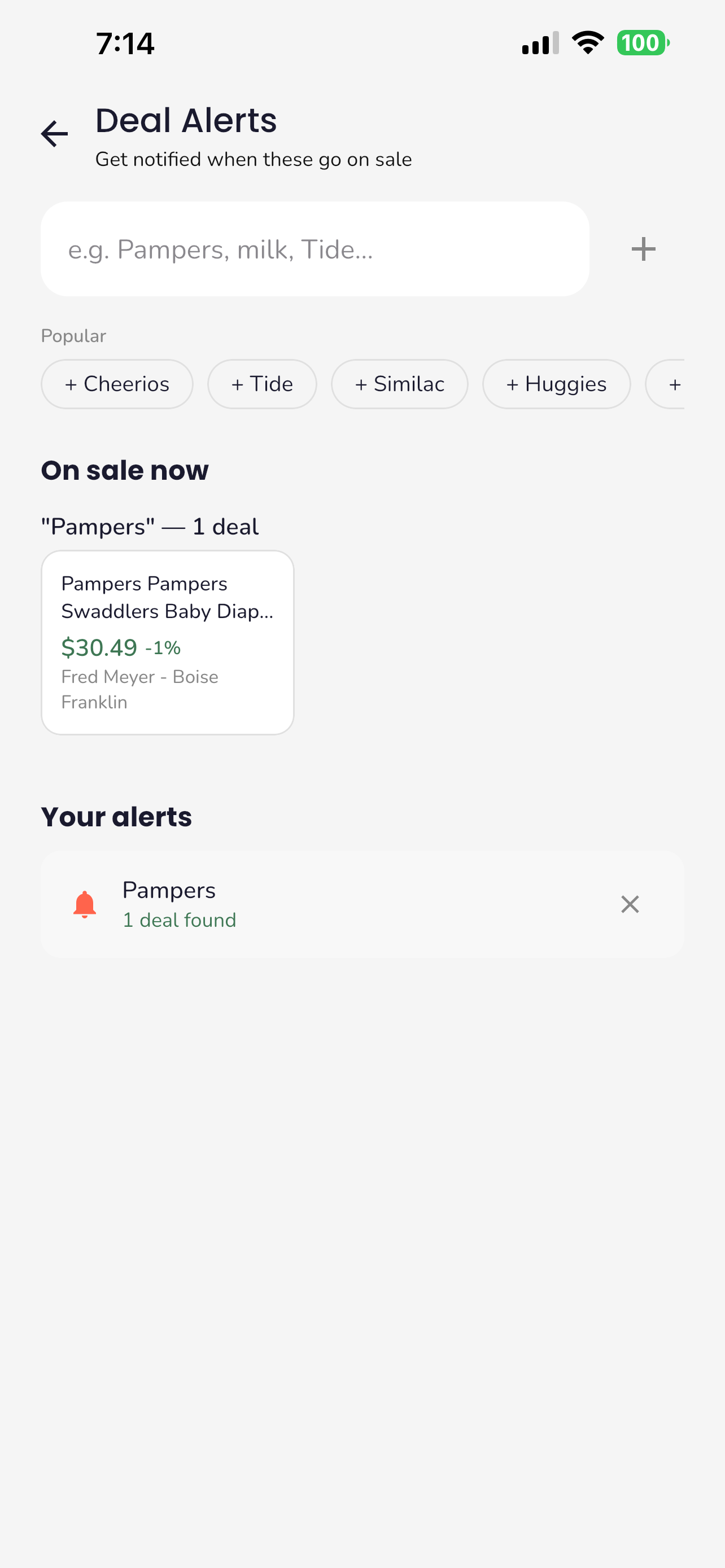
Find local deals
-
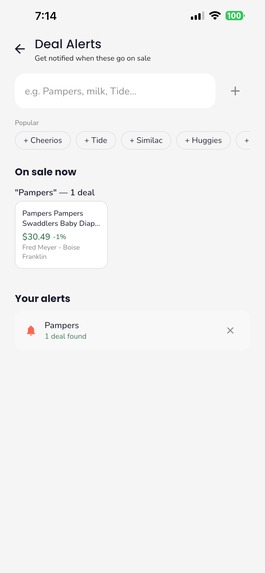
Get notified when things you need go on sale
-
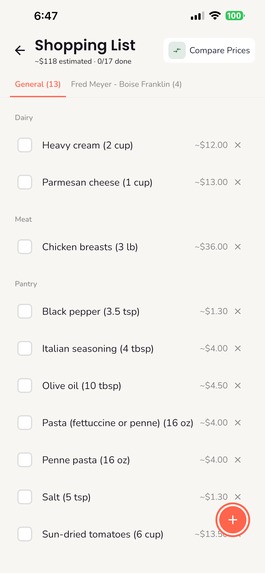
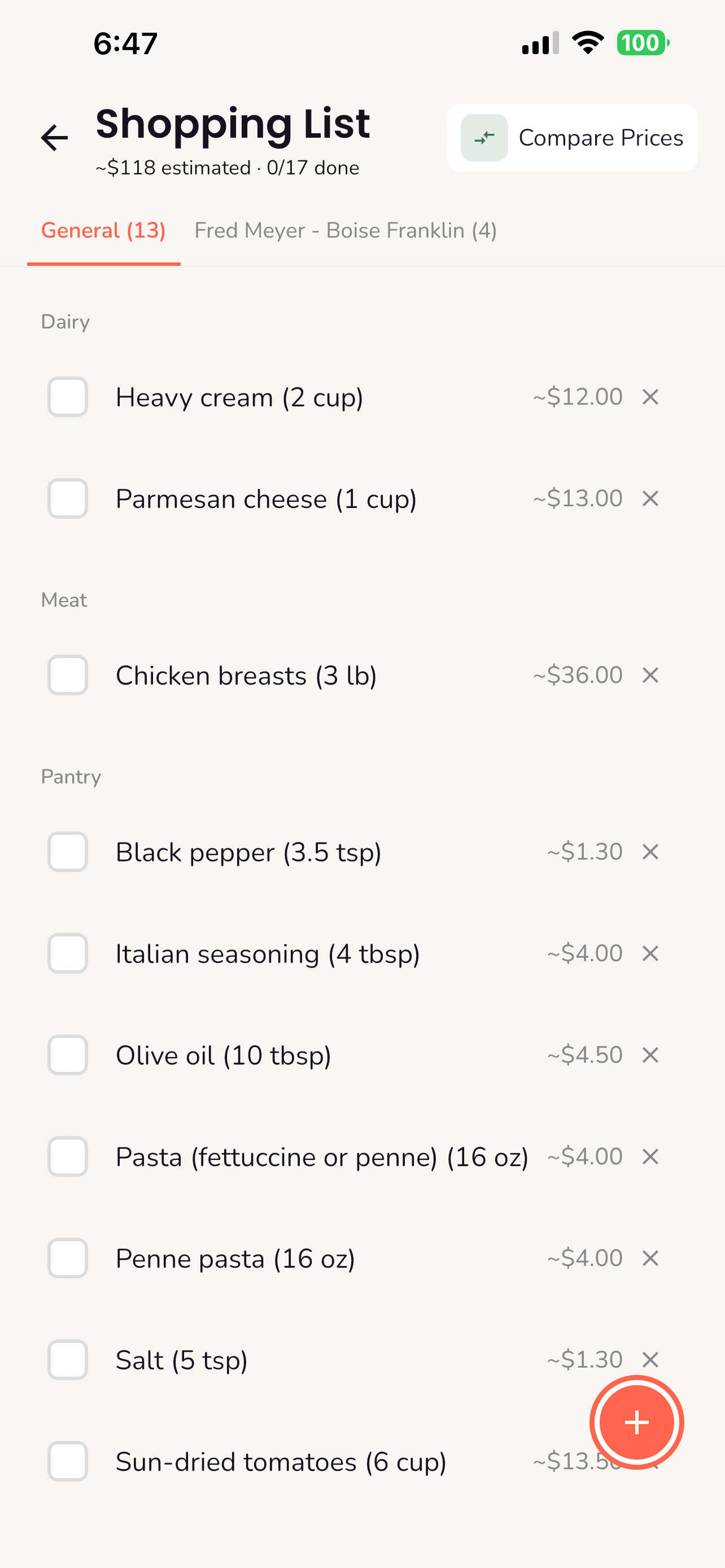
Build shopping lists automatically from meal plan and deals
-
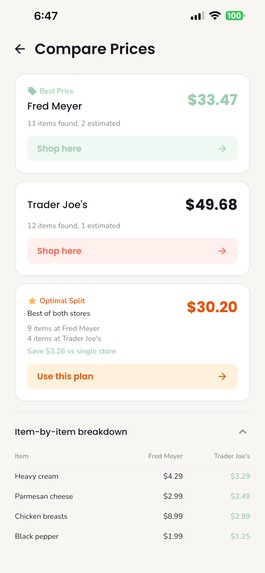
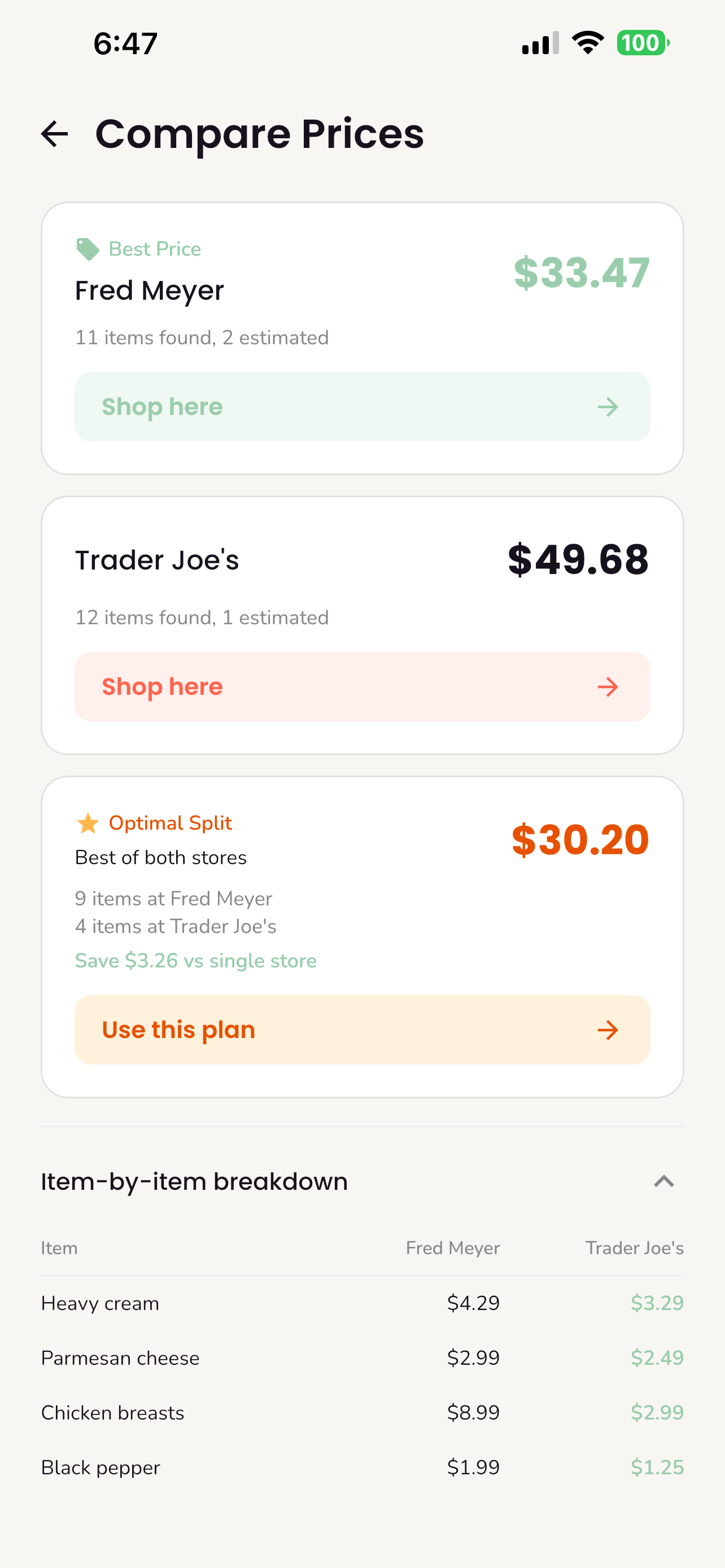
See where you should be shopping
-
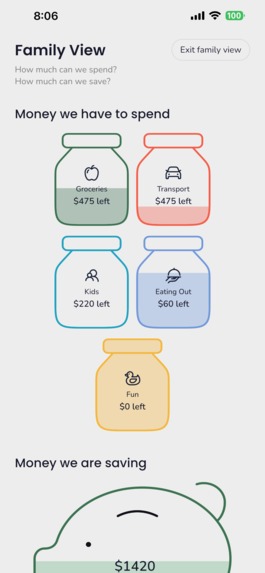
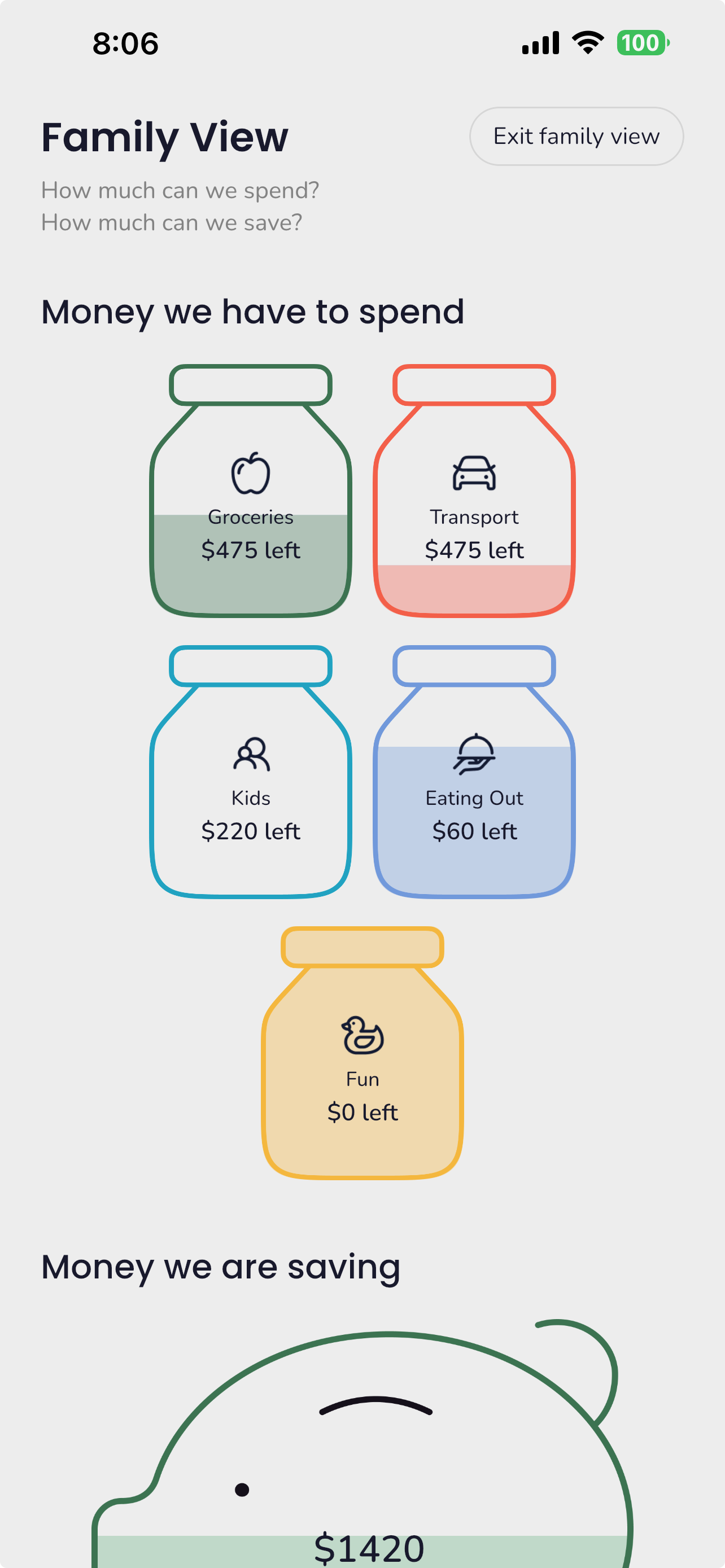
Help the kids understand household finances
Inspiration
When we saw Rebecca Louise's brief, the problem felt real. Family finances are genuinely overwhelming, and the tools out there are either too simple or too complex. Budget trackers tell you where your money went but don't help you keep more of it. Investment platforms assume you already have extra to spare, and most solutions add another decision to your already crowded to do list. There's a gap: Something that helps busy parents spend less each week and helps start building wealth long-term.
This idea didn’t just come from research. It came from watching our own mothers. The constant decisions, mental math in the grocery aisle, quick adjustments to a shopping list and the invisible pressure of effortlessly stretching a dollar.
Money conversations should feel normal at home. Kids should understand where a “no” in the grocery aisle comes from, and everyday habits should quietly build toward long term investments. Money starts in the home. The habits and the solutions should live there too.
We built Trellis because we see how much it would benefit our own families.
What it does
Trellis connects to your bank, understands your spending, and creates a personalized household budget. From there, it actively helps you save: weekly meal planning, shopping lists priced across stores near you, local deals with custom alerts, and pantry tracking to reduce food waste. Nutritional analysis breaks down every week and meal so you're not just saving money, you're eating better. Spending reports find where you can cut back without changing your lifestyle. For long-term growth, Trellis offers saving goals with progress tracking, custom workflows for retirement and college savings plans, personalized wealth advice, and an agent that can answer your money questions without judgment. Everything meets you where you are.
We’re not asking you to overhaul your life. We’re helping you use what’s already there. With a little extra guidance, you can stretch what you have, grow what you save, and build smarter habits around routines that already feel familiar. Trellis turns everyday household decisions into a system that saves you money now and builds wealth over time.
How we built it
Trellis is a cross-platform app built with Kotlin Multiplatform, running on both Android and iOS from a single codebase. The backend runs on Supabase with 26 edge functions handling everything from transaction categorization to meal suggestions. We integrated Plaid for bank connections, Kroger and Trader Joe's for real grocery pricing, and RevenueCat for subscription management. Firebase powers the push notifications including scheduled weekly and monthly status reports.
Design by Lianna Maley. Development by Jared Guttromson.
Challenges we ran into
The hardest part was making everything work together. Trellis isn't one feature, it's a dozen features that all depend on each other. Your meals need ingredients. Those ingredients become a shopping list. That shopping list needs real prices from real stores. Your pantry needs to know what you already have so you're not buying duplicates. And all of that needs to fit within your grocery budget, which comes from your overall household budget, which comes from your actual bank transactions.
Getting each piece to work on its own was straightforward. Getting them all to stay in sync and feel seamless was the real challenge.
The other big challenge was getting the messaging right. Everyone's financial situation is different, and the app needs to respond appropriately to all of them. Someone who's over budget halfway through the month needs different guidance than someone who's on track. Someone spending more than they earn needs a different tone than someone building their first emergency fund. During onboarding, two people can upload their bank statements and get completely different insights and plans. On the budget screen, we designed for six distinct spending states, each with its own messaging, recommendations, and next steps. The savings screen adapts based on whether someone is barely getting by or ready to start thinking about retirement. Getting all of that to feel personal and encouraging instead of generic or judgmental was a design challenge as much as a technical one.
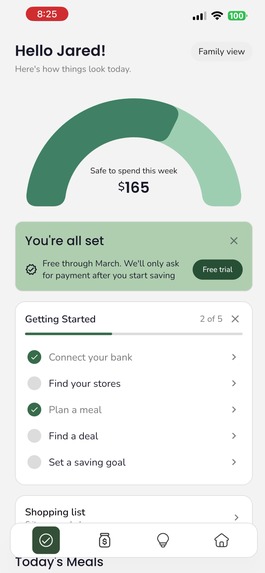
Monetization was its own puzzle. With this many features, figuring out what goes behind a paywall and what stays free is tricky. Put too much behind the paywall and free users don't see enough value to stick around. Put too little and there's no reason to upgrade. We made a deliberate choice to manage the free trial ourselves instead of using RevenueCat's built-in trial. When someone signs up, they get the rest of the current month plus the entire next month with full access. That gives the app time to actually prove its value. You need at least one full budget cycle to see the spending insights, the pace tracking, the monthly review. Asking someone to pay before they've experienced that feels wrong. From there, we designed subscription tiers that feel like a natural progression, where free users still get a genuinely useful app but premium users get the tools that make the biggest difference.
Accomplishments that we're proud of
The scale. Trellis isn't a budget tracker with a meal planning feature bolted on. Every part of the app feeds into every other part. Your bank transactions categorize into your budget. Your budget informs your meal plan. Your meal plan generates your shopping list. Your shopping list gets priced at real stores near you. Your deals match your alert keywords and drop straight into your cart. Your spending reports show where you can cut back without changing your lifestyle. Your savings goals track what you're building toward. It all works together, and it all runs cross-platform from one codebase.
Beyond the features themselves, we're proud of how the app feels. The budget screen responds to your spending with six different states, each with its own guidance. The spending wheel is fully interactive, animated, and designed to make your money feel tangible. The home screen tells you exactly what's safe to spend this week with a single glance. Tap into any number and the app explains what it means and what to do about it. Motion-based animations run throughout the app. Drag and drop for recipe management could easily feel clunky, but we pushed to get it right. We wanted Trellis to feel like it's on the creative edge of what a finance app can be. It doesn't just display data. It talks to you.
What we learned
Building an app where every feature depends on every other feature is exponentially harder than building features in isolation. Each new connection creates new edge cases, new states, and new ways things can break. We underestimated that at the start.
We also learned that design has to be a priority, not an afterthought. New AI models let us move fast on execution, but speed means nothing if you haven't thought through the different journeys your users are on. A first-time parent living paycheck to paycheck and a dual-income family starting to think about college savings need the same app to feel like it was built for them. That only happens when you slow down, map out those perspectives, and design for each one intentionally.
What's next for Trellis
- Receipt scanning to automatically stock your pantry
- Custom budget categories
- More retailer integrations beyond Kroger and Trader Joe's
- Investment and savings account connections through Plaid
- Support for multiple households
- Improving the family educational mode for kids
- Expanding the agent with deeper financial intelligence, tighter integration with your data and workflows, and the ability to read and write across the app with your permission, so it can actually help you take action, not just answer questions
The foundation is built. Now it's about making it smarter.
Built With
- firebase-cloud-messaging
- jetpack-compose
- kotlin-multiplatform
- kroger-api
- ktor
- openai
- plaid
- revenuecat
- supabase


Log in or sign up for Devpost to join the conversation.