-
-
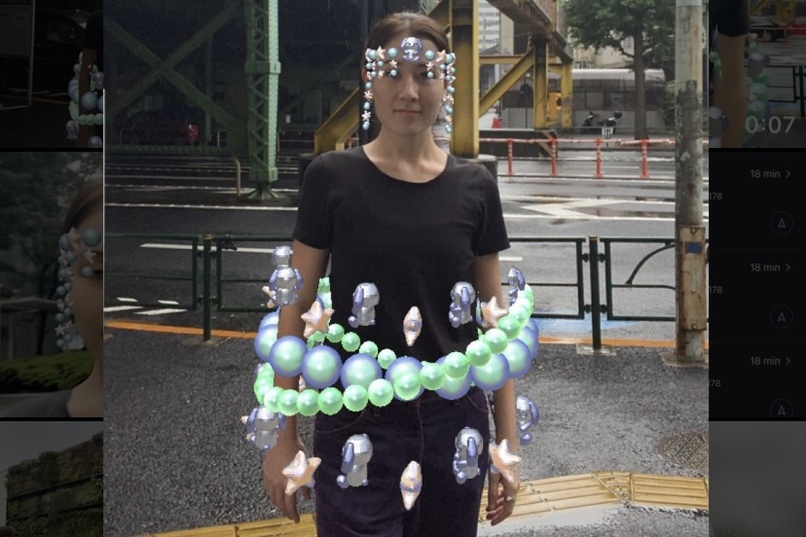
Elegance OxO
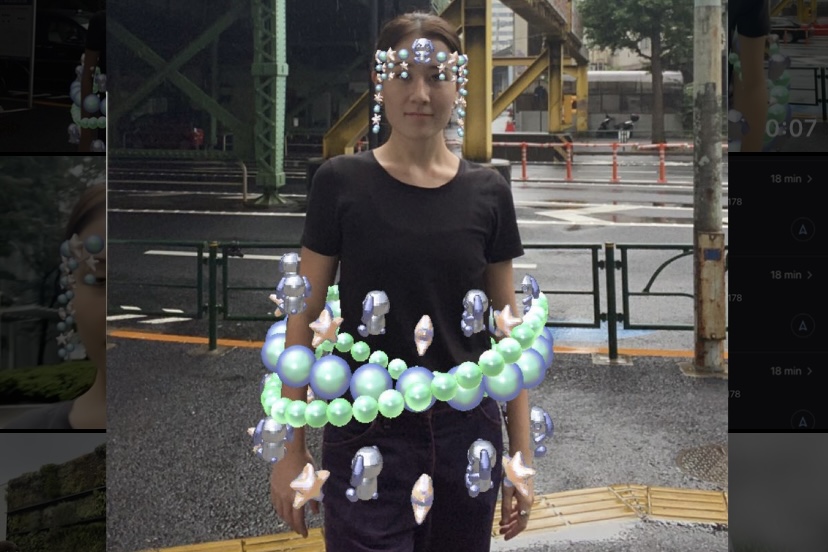
Inspiration
First, the placement and animation of the pearl belt was derived from a sketch by a friend, Isabella Ranci. After coming up with a base from her sketch, I mixed in my signature kawaii bunny character and stars to add a little bit of story into it. The idea behind the design is to create something fun and elegant, but also bringing into play my upbringing in Japan. Additionally, I decided to add a matching headpiece, so that this filter could also be enjoyed up close.
What it does
There is a animated pearl belt attached to the 3D body tracking. And there is a matching headpiece that uses the chain physics script to dangle and swing when the head moves, so that this filter could be enjoyed up close. Also all of the material was created in Lens Studio from the templates provided.
How we built it
After downloading the 3D Full Body Mesh from the Lens Studio website, I brought it into Blender, and played around with pearls beads and kawaii bunny placements, then added an animation to the look. Additionally, I decided to add a matching headpiece.
Challenges we ran into
The biggest challenge for this filter was keeping the file size small enough to publish. There was a lot of back and forth between Blender and Lens Studio, but in the end it worked out perfectly.
Accomplishments that we're proud of
I am proud of finishing the filter, despite the many upsetting moments when the file was too big to publish.
What we learned
It is easier to start small and keep adding, rather then trying to do too much at the start and get stuck with having to get rid of things.
What's next for Elegance OxO
My aim is to bridge AR filters with IRL fashion, so I will continue to create filters that can easily be paired with any outfit and enrich the user's experience through AR fashion.
Built With
- blender
- lensstudio
- nodes


Log in or sign up for Devpost to join the conversation.