
Inspiration
The inspiration for 'Tazama' came from the desire to empower blind and visually impaired users by providing them with an immersive sensory experience that simulates "having eyes." The goal was to bridge the accessibility gap by converting visual information into meaningful audio and tactile feedback, thus enabling users to perceive and interact with their environment in new, enriching ways.
What it does
- It handles simultaneous audio playback in Flutter using multiple
AudioPlayerinstances. - It shows the importance of accessibility design, including semantic labeling and audio feedback, to make apps usable by blind users.
- It uses the
animated_text_kitlibrary to create engaging text animations that complement audio cues. - It secures and manages API keys for reliable and safe connections to AI-powered services like the Gemini API.
- Overcomes limitations in computational infrastructure to deliver real-time video-to-sound translations.
How we built it
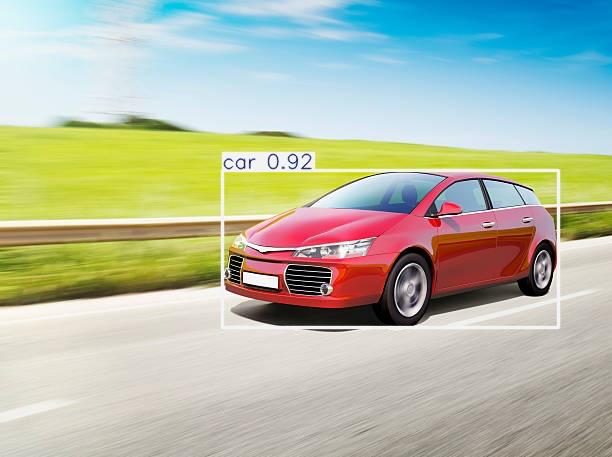
Object Detection: We used the YOLO (You Only Look Once) algorithm for real-time object detection. YOLO allows the system to identify objects in the camera feed quickly and accurately.
Audio Feedback: Detected objects are converted into speech using Python’s pyttsx3 library, providing immediate audio descriptions to the user.
Mobile Integration: The system was designed with a Flutter mobile app interface, allowing users to interact with the app via touch and audio. The interface includes a centralized home page, an upload button to capture images, and a text container for audio output. It has light and dark modes were implemented for better usability. Accessibility was prioritized through clear, centrally displayed text, semantic labels, and intuitive controls
Workflow: Users open the app and see a welcome screen. Upon pressing "Upload," the camera is activated. The image is analyzed in real-time by YOLO. Recognized objects are converted to audio and displayed as text in the app. Users can optionally translate the recognized text via an API. The app serves as a demonstration of how the system could be implemented in real-world optical wearable devices, despite limitations due to the unavailability of physical hardware components for full-scale deployment.
Challenges we ran into
- Inaccessible computational infrastructure limited the ability to process and interpret visual data in real time for some users.
- Translating video into meaningful sound cues required advanced algorithms and posed challenges in accuracy and latency.
- Lack of essential hardware among target users restricted deployment and testing, impacting reach and usability.
- Synchronizing multiple audio streams smoothly, avoiding delays or overlaps, was technically demanding.
- Balancing rich audio information without overwhelming users required careful UX design.
Accomplishments that we're proud of
- Successfully integrating the YOLO algorithm for real-time object detection in a mobile environment.
- Achieving real-time speech output using Python’s pyttsx3 library to provide accessible audio labels.
- Creating a seamless multisensory experience combining sound and animation to aid blind users.
- Secure and responsible use of Gemini API keys to augment capabilities.
- Demonstrating user-centric design focused on accessibility and independence.
What we learned
- The complexity of building accessible technology that effectively substitutes vision with audio.
- Technical challenges of combining computer vision, audio processing, and real-time feedback.
- Importance of solid API management and environment setup.
- Necessity of iterative testing with target users to optimize experience.
- The power of open-source tools like Flutter, YOLO, and pyttsx3 in assistive projects.
What's next for Untitled
- Enhancing the accuracy of video-to-audio translations using improved AI models.
- Expanding hardware compatibility to reach more users in diverse environments.
- Adding richer contextual descriptions to audio output.
- Incorporating haptic feedback to complement audio cues for deeper spatial awareness.
- Scaling the app for broader accessibility and multilingual support.


Log in or sign up for Devpost to join the conversation.