Inspiration
The inspiration for TasteSphere came from the frustration of endless scrolling through streaming platforms, bookstores, and music apps without finding something that truly resonates with our interests. We noticed that existing recommendation systems often feel impersonal and require complex filtering through multiple categories. We envisioned a more natural way to discover content - simply by having a conversation about what we love. The idea was to create an AI-powered system that could understand nuanced preferences expressed in natural language and provide personalized recommendations across multiple entertainment and lifestyle categories.
What it does
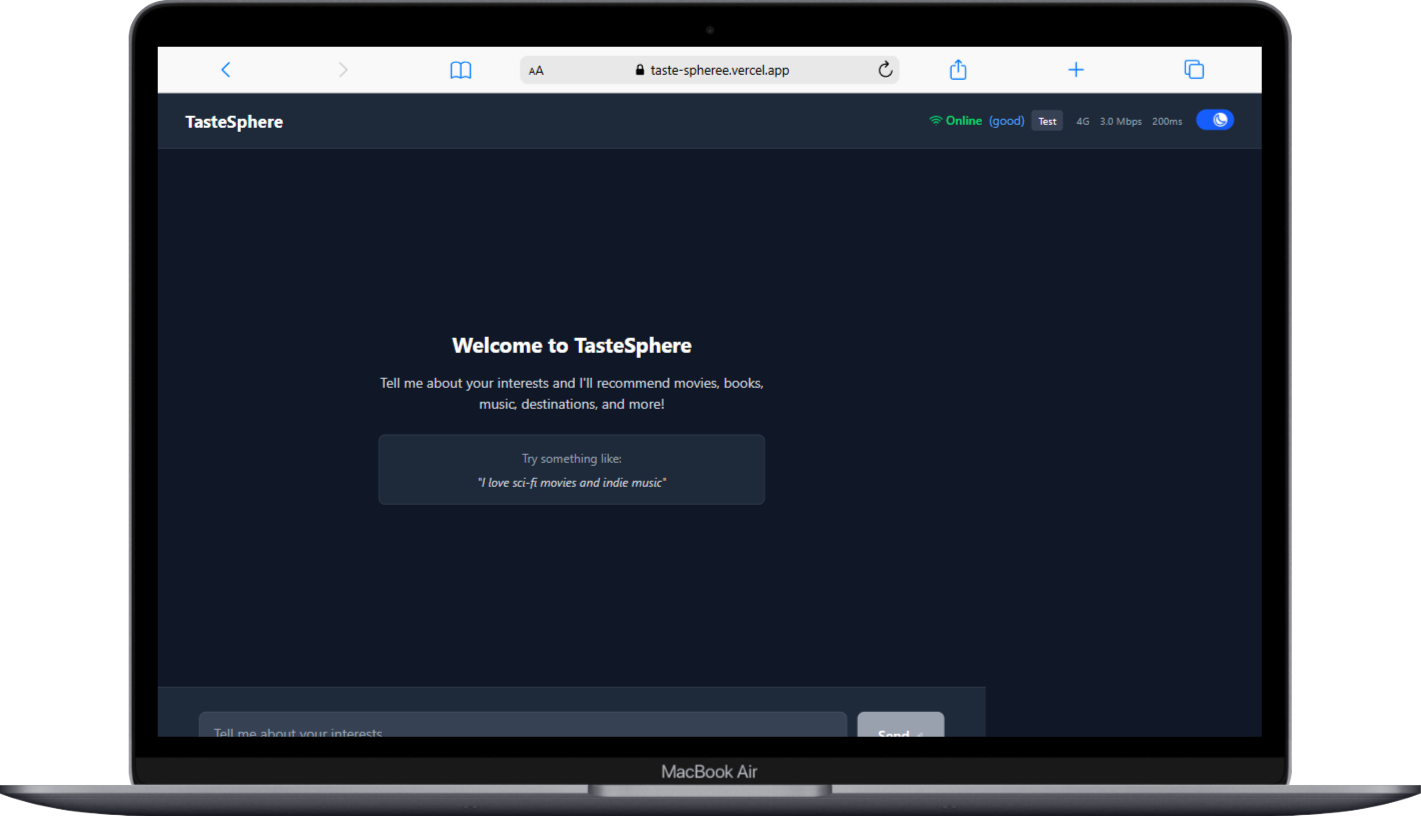
TasteSphere is an intelligent recommendation system that transforms how people discover new content. Users simply describe their interests in natural language - like "I love sci-fi movies and indie music" - and the system provides personalized recommendations across nine categories: movies, TV shows, books, music artists, podcasts, places, people, brands, and destinations. The application features a conversational chat interface powered by Google's Gemini AI for natural language understanding, integrated with Qloo's recommendation API for high-quality suggestions. Users can filter recommendations by category, view detailed information about each suggestion, and enjoy a responsive, accessible experience across all devices.
How we built it
We built TasteSphere using a modern React architecture with several key components:
Frontend Architecture:
- React 19 with functional components and hooks for state management
- Framer Motion for smooth animations and transitions
- Tailwind CSS for responsive, accessible design
- Context API for global state management across components
AI Integration:
- Google Gemini AI API for natural language processing and entity extraction
- Custom prompt engineering to identify user interests and preferences
- Intelligent parsing of conversational input to extract relevant entities
Recommendation Engine:
- Qloo API integration for high-quality, curated recommendations
- Parallel API requests for optimal performance across multiple categories
- Response caching and deduplication to minimize API calls
- Custom data transformation to normalize recommendation formats
User Experience:
- Real-time filtering system with interactive chips
- Responsive grid layout with lazy loading
- Comprehensive error handling and offline support
- WCAG-compliant accessibility features including screen reader support
Development Infrastructure:
- Vite for fast development and optimized production builds
- Comprehensive testing suite with Vitest and React Testing Library
- ESLint and Prettier for code quality and consistency
- Vercel deployment with automated CI/CD pipeline
Challenges we ran into
API Integration Complexity: Integrating two different AI services (Gemini and Qloo) required careful handling of different response formats, rate limits, and error scenarios. We had to implement sophisticated retry logic and fallback mechanisms.
Real-time State Management: Managing the complex state flow between user input, AI analysis, API requests, and UI updates while maintaining responsiveness was challenging. We solved this with careful Context API design and optimized re-rendering strategies.
Cross-Category Filtering: Creating a seamless filtering experience across nine different content types required building a flexible system that could handle varying data structures and metadata from different recommendation sources.
Performance Optimization: Ensuring fast load times while handling multiple API calls, image loading, and complex animations required implementing caching strategies, lazy loading, and careful bundle optimization.
Accessibility Compliance: Building a fully accessible chat interface with screen reader support, keyboard navigation, and WCAG compliance while maintaining visual appeal required extensive testing and refinement.
Deployment Configuration: Configuring the build process for Vercel deployment with proper terser minification, browserslist updates, and environment variable management presented several technical hurdles.
Accomplishments that we're proud of
Seamless AI Integration: Successfully created a natural conversation flow that feels intuitive and responsive, with Gemini AI accurately extracting user preferences from casual conversation.
Multi-API Orchestration: Built a robust system that efficiently coordinates between multiple external APIs while providing a unified, consistent user experience.
Comprehensive Accessibility: Achieved full WCAG compliance with features like skip links, screen reader announcements, keyboard navigation, and proper ARIA labeling.
Performance Excellence: Implemented advanced optimization techniques including response caching, request deduplication, lazy loading, and efficient bundle splitting resulting in fast load times.
Responsive Design: Created a beautiful, responsive interface that works seamlessly across desktop, tablet, and mobile devices with smooth animations and transitions.
Robust Error Handling: Developed comprehensive error boundaries and fallback mechanisms that gracefully handle API failures, network issues, and edge cases.
Developer Experience: Built a maintainable codebase with comprehensive testing, clear documentation, and automated deployment pipelines.
What we learned
AI Prompt Engineering: Learned the importance of carefully crafted prompts for consistent entity extraction and how to handle the variability in AI responses.
API Rate Limiting: Gained deep understanding of managing multiple API rate limits and implementing efficient caching strategies to optimize performance and costs.
React Performance: Mastered advanced React optimization techniques including memoization, context splitting, and efficient re-rendering strategies for complex state management.
Accessibility Best Practices: Developed expertise in building truly accessible web applications, understanding the importance of semantic HTML, ARIA attributes, and screen reader compatibility.
Modern Build Tools: Gained proficiency with Vite, advanced Webpack configurations, and deployment optimization for modern web applications.
User Experience Design: Learned how to balance feature richness with simplicity, creating an interface that's powerful yet intuitive for users of all technical levels.
Testing Strategies: Implemented comprehensive testing approaches including unit tests, integration tests, and accessibility testing to ensure reliability and quality.
What's next for TasteSphere - AI Recommendation System
Enhanced Personalization: Implement user accounts and preference learning to provide increasingly personalized recommendations based on interaction history and feedback.
Social Features: Add the ability to share recommendations, create collaborative playlists, and see what friends are discovering.
Advanced Filtering: Expand filtering capabilities with mood-based recommendations, time-based suggestions (weekend movies, workout music), and contextual filtering.
Mobile Application: Develop native iOS and Android applications with offline capabilities and push notifications for new recommendations.
Content Integration: Partner with streaming services, bookstores, and music platforms to provide direct links and availability information.
Voice Interface: Integrate voice recognition for hands-free interaction, making the experience even more natural and accessible.
Machine Learning Enhancement: Implement custom ML models to improve recommendation accuracy based on user feedback and interaction patterns.
Expanded Categories: Add support for additional categories like recipes, fitness routines, educational content, and local events.
API Marketplace: Create a platform for other developers to integrate TasteSphere's recommendation capabilities into their own applications.
Analytics Dashboard: Provide users with insights into their taste preferences, discovery patterns, and recommendation effectiveness over time.
System Architecture & Workflow
Complete User Journey Workflow
graph TB
    A[User Opens TasteSphere] --> B[Welcome Interface Loads]
    B --> C[User Types Interest Message]
    C --> D[Input Validation & Processing]
    D --> E[Chat Service Processes Message]
    E --> F[Gemini AI Analysis]
    F --> G[Entity Extraction]
    G --> H[Qloo API Requests]
    H --> I[Response Processing]
    I --> J[State Management Update]
    J --> K[UI Re-render]
    K --> L[Recommendations Display]
    L --> M[Filter Chips Initialize]
    M --> N[User Interaction Ready]

    N --> O{User Action}
    O -->|Filter Click| P[Filter Toggle]
    O -->|New Message| C
    O -->|View Details| Q[Recommendation Details]

    P --> R[Filter State Update]
    R --> S[Filtered Results Display]
    S --> N

    Q --> T[Detailed View Modal]
    T --> N


User Input → Validation → AI Processing → API Requests → Data Transformation → State Update → UI Render

Log in or sign up for Devpost to join the conversation.