-
-

TasteAI Studio
-
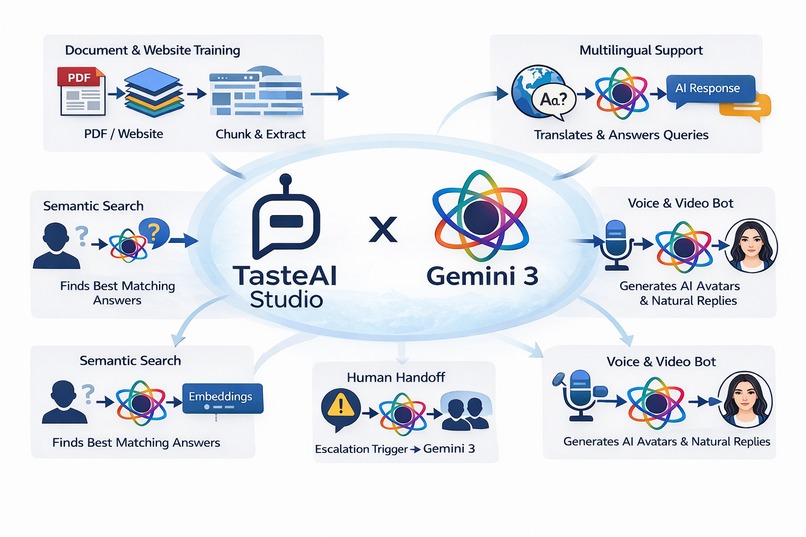
tasteAI Studio: Usage of Gemini 3
-
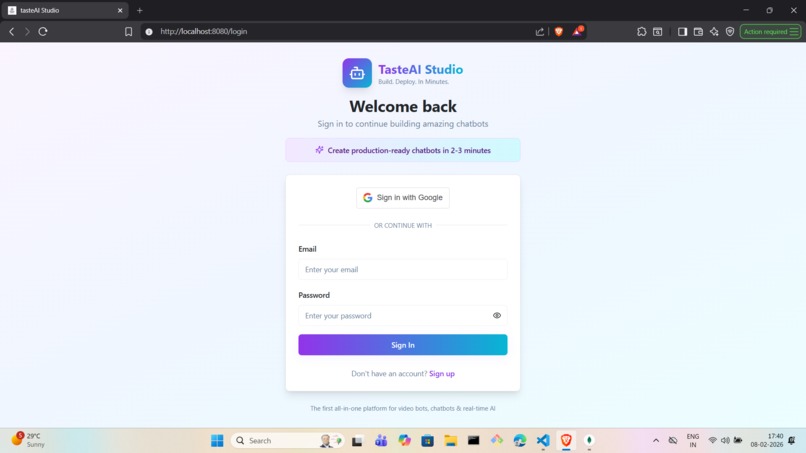
Login Page for Bot Builder
-
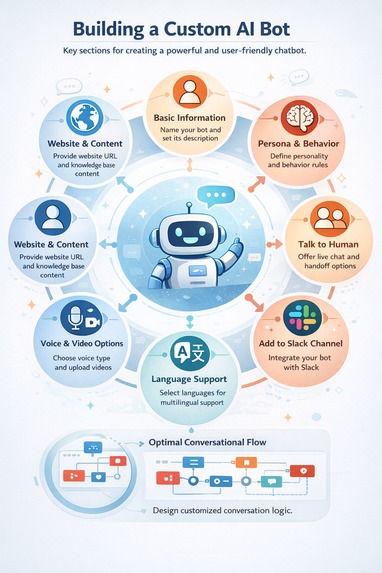
Steps to Create a Scalable and Production Ready Bots
-
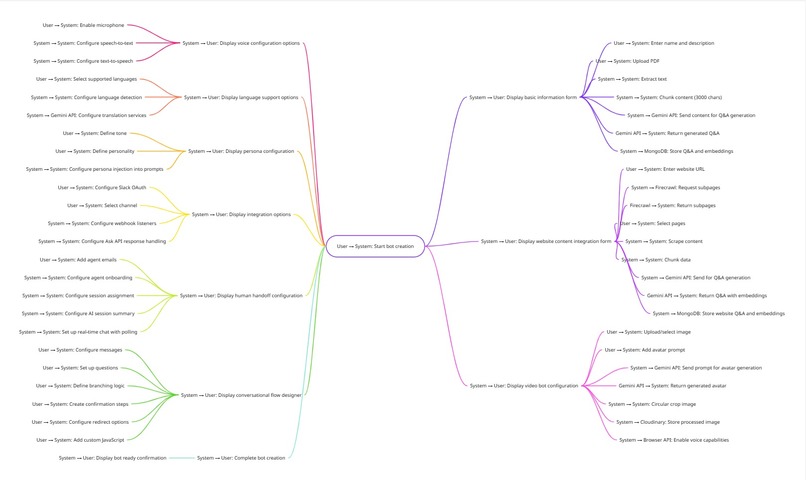
TasteAI Studio Mindmap - Bot Creation
-
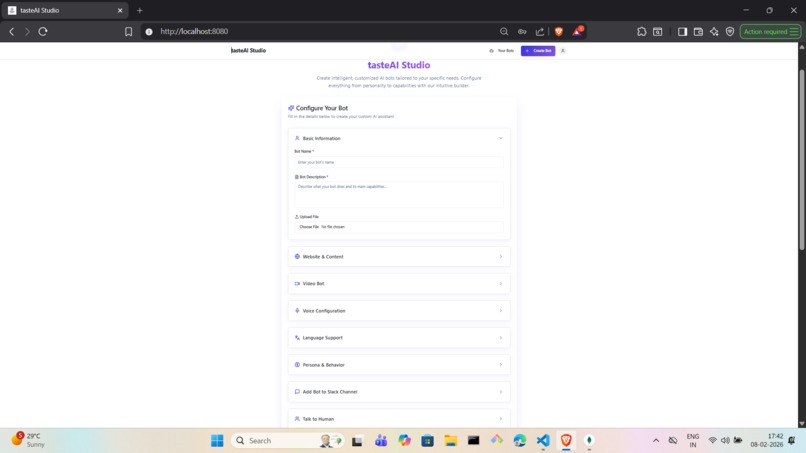
Form that User Fills for Bot Creation
-
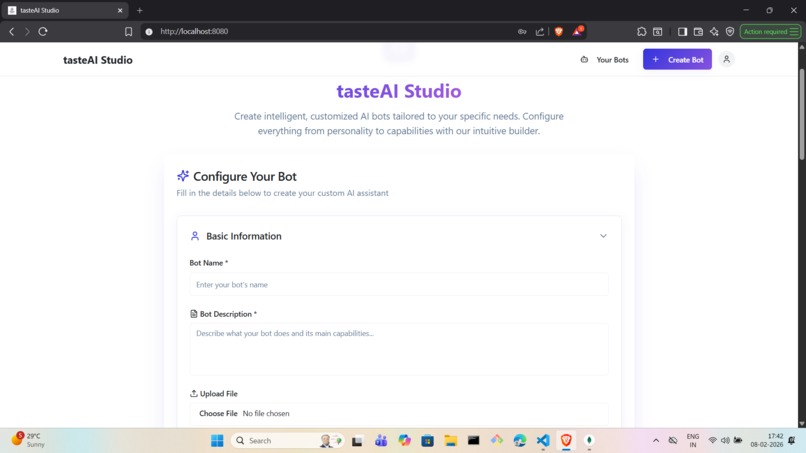
Basic Information About Bot
-
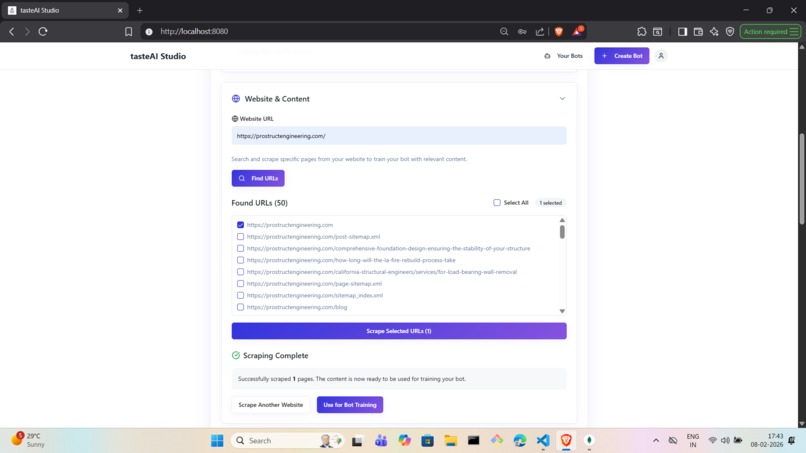
Website and Content: Turn your Website into Data Source for Bot Training - We fetch and Scrape
-
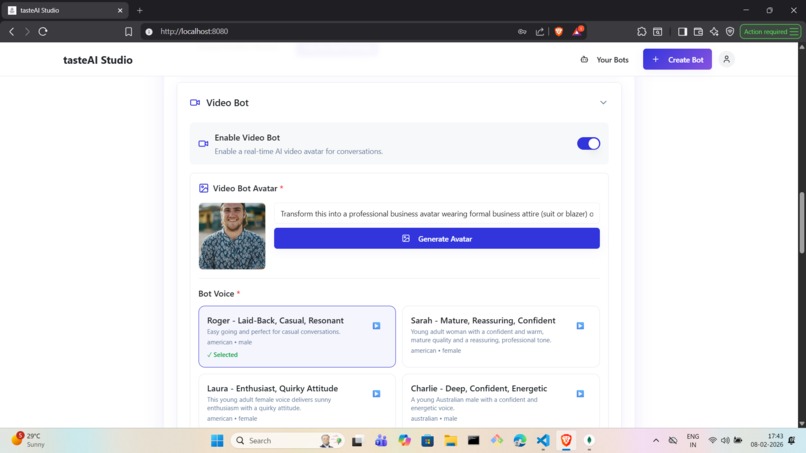
Video Bot: Turn your Bot into a Video Conversational Bot - Convert your image into an Avatar
-
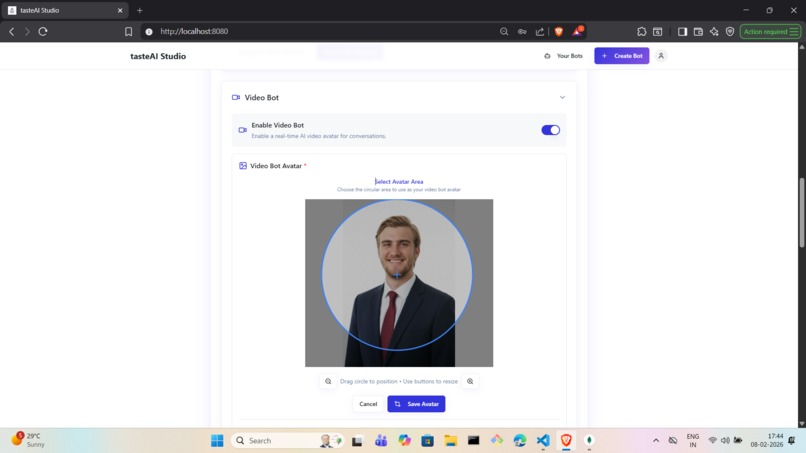
Video Bot: Crop the Area to appear on the Video Conversational Bot - Remove the noise image
-
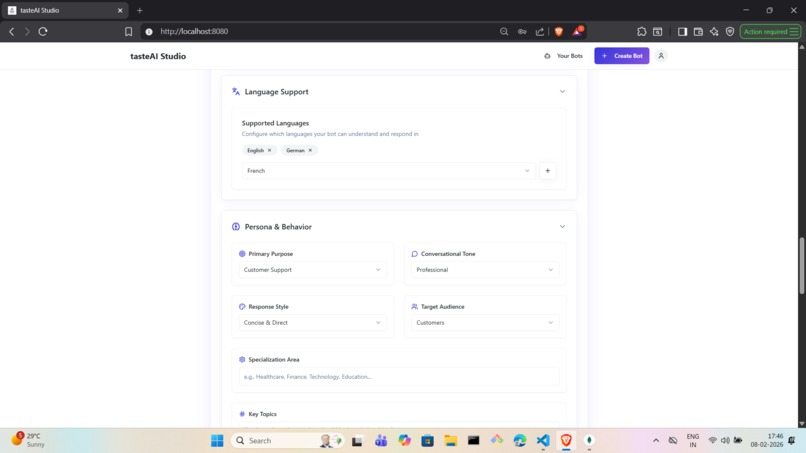
Language and Persona: Support Multi Languages and Personify the Bot - Turn your bot into a real Doctor, Engineer, Scientist
-
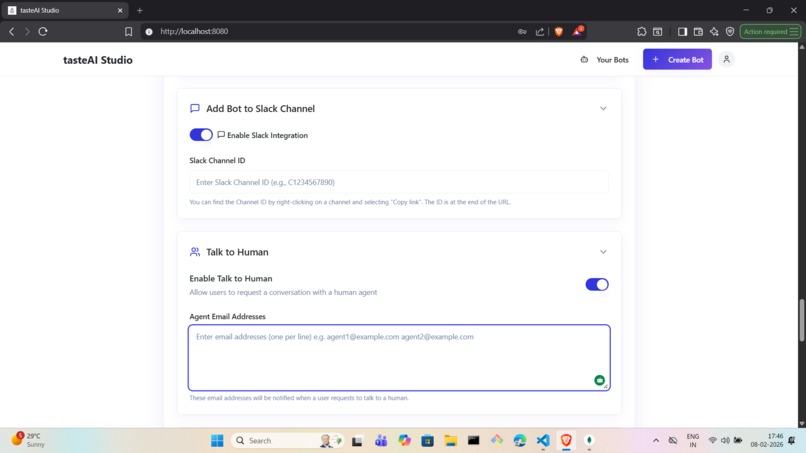
Internal Integration and Human handoff: Integrate your Bot with Slack and Enable human handoff
-
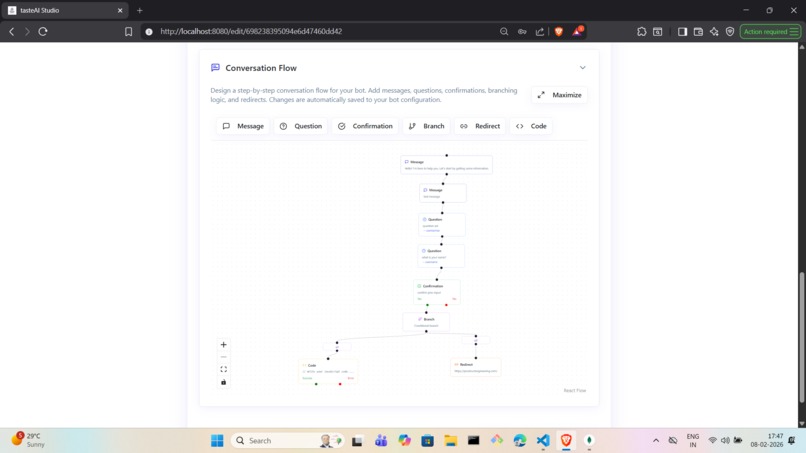
Conversational Flow: Add a Conversational Flow to your Bot and get necessary Information making it more User Centric
-
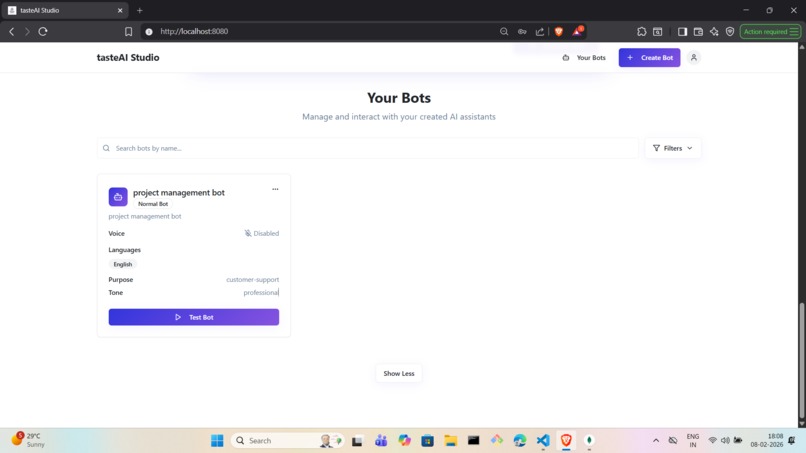
See your Bots
-
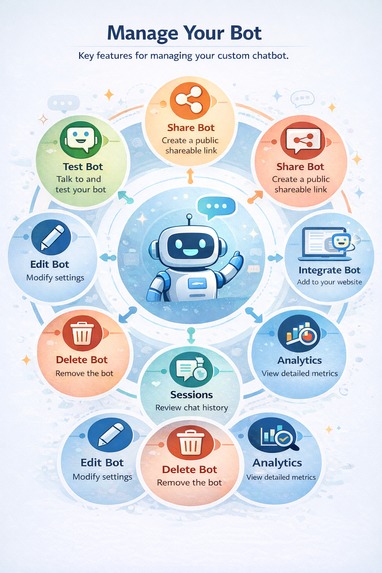
Features of a Bot
-
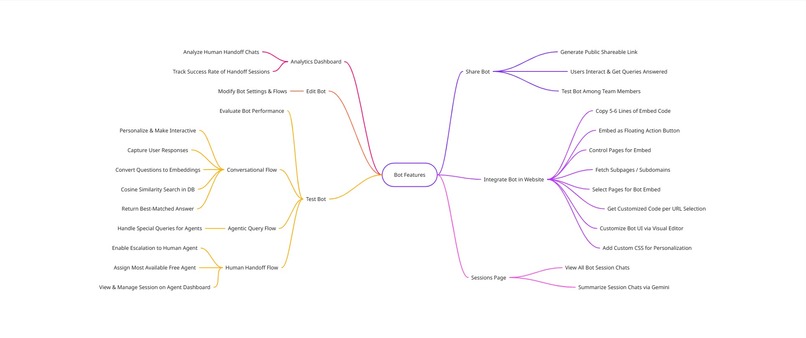
TasteAI Mindmap - Features of a Bot
-
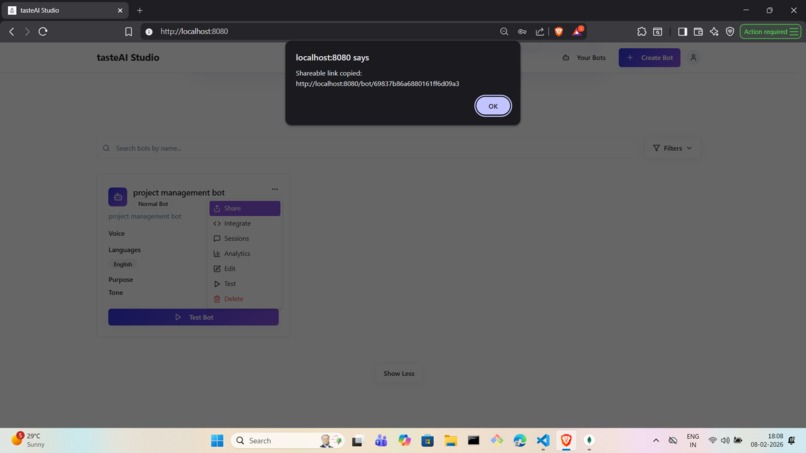
Share your Bot: Ask a team member to test the Bot
-
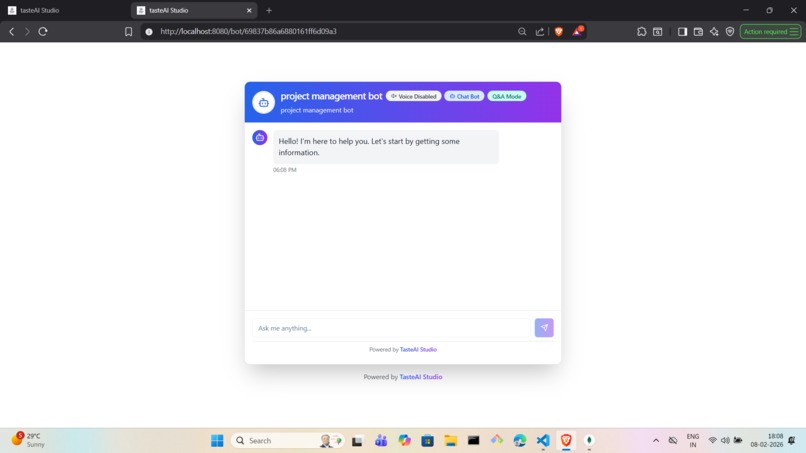
Public Chatbot via Sharable Link
-
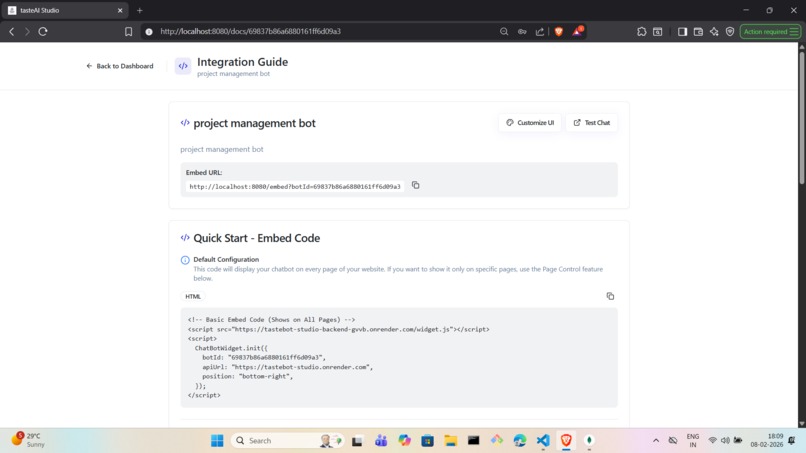
Integrate the Bot: Copy/Paste a 5-6 lines of code to index.html or GTM
-
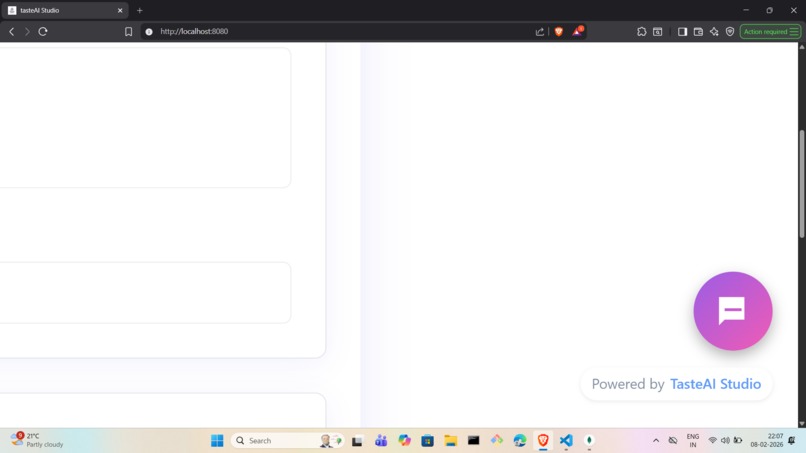
Floating Action: Embed the Chatbot on a Website
-
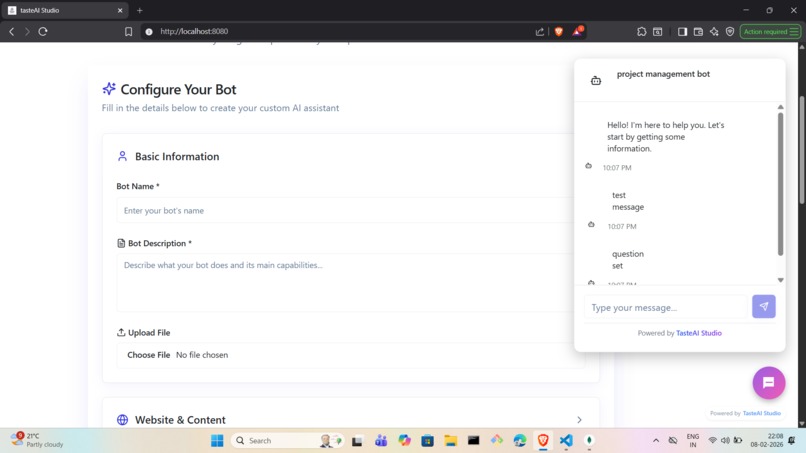
Chatbot on a website in 5 mins
-
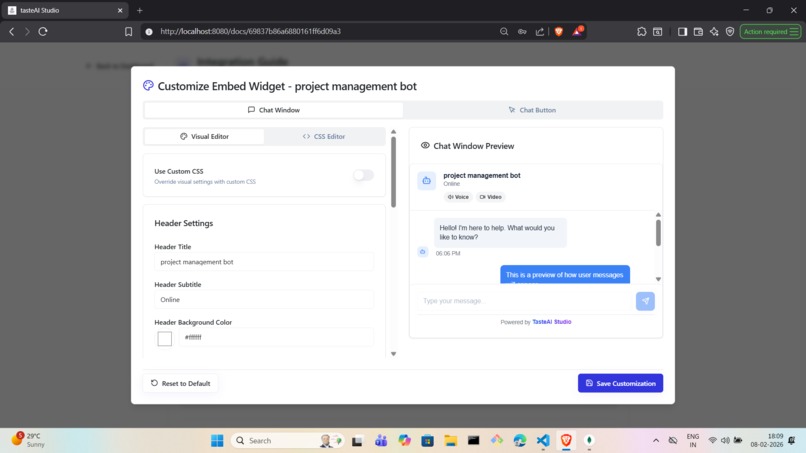
Customise the Embed Chatbot: Visual Editor
-
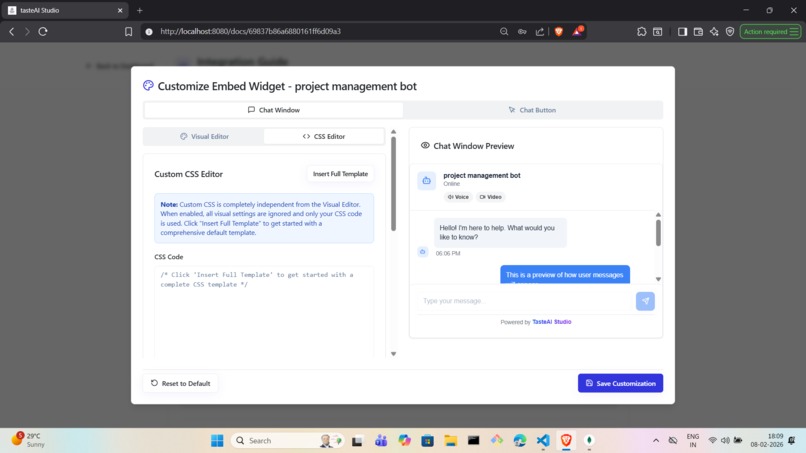
Customise the Embed Chatbot: Custom CSS Editor
-
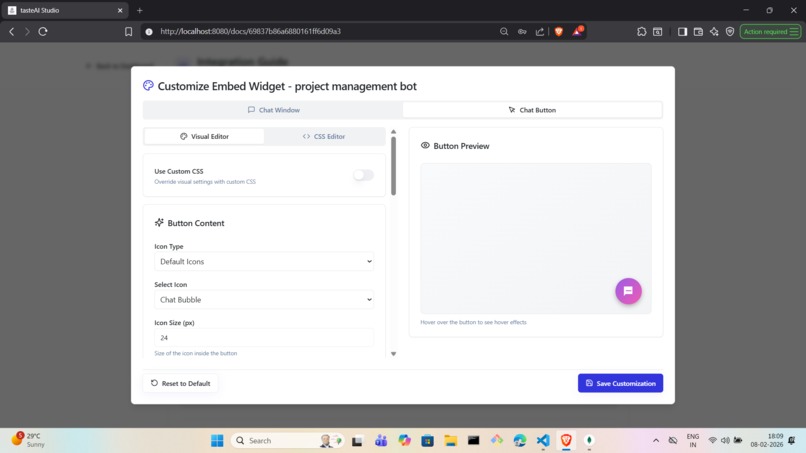
Customise the Floating Action Button: Visual Editor
-
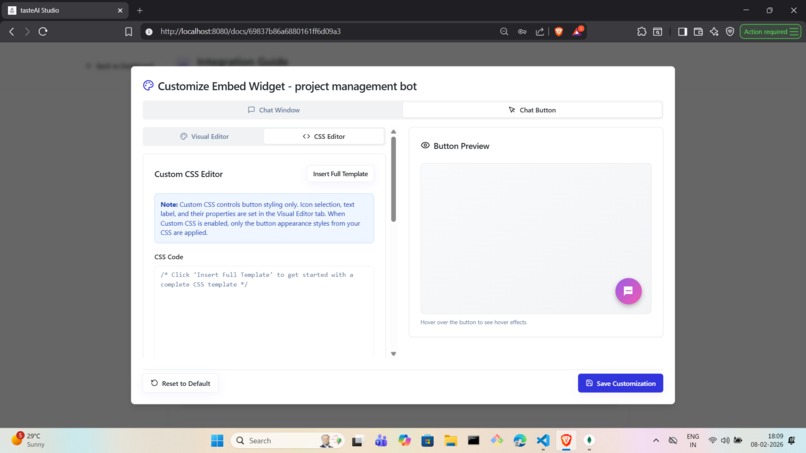
Customise the Floating Action Button: Custom CSS Editor
-
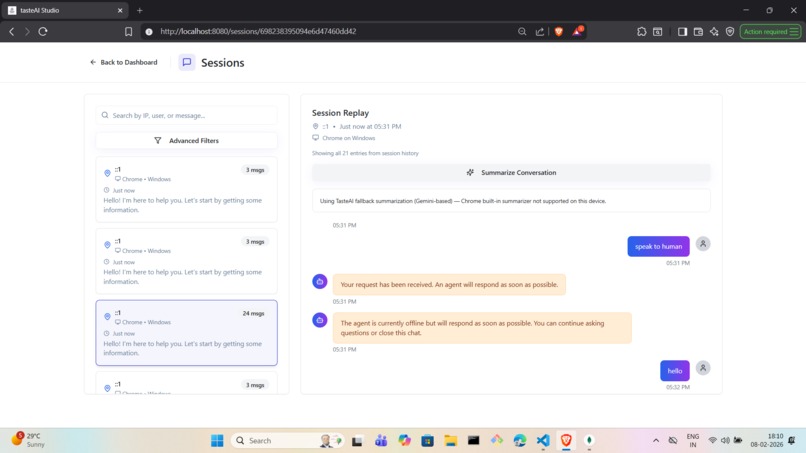
Sessions: See what users talked about and how did the Bot respond?
-
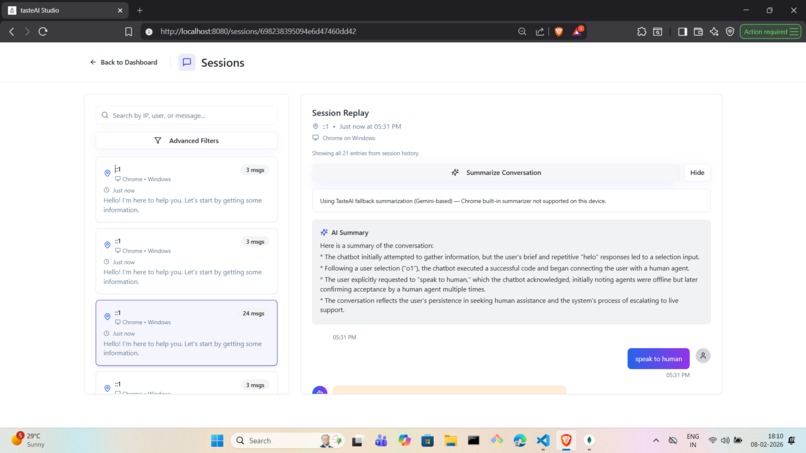
Summarise a Session
-
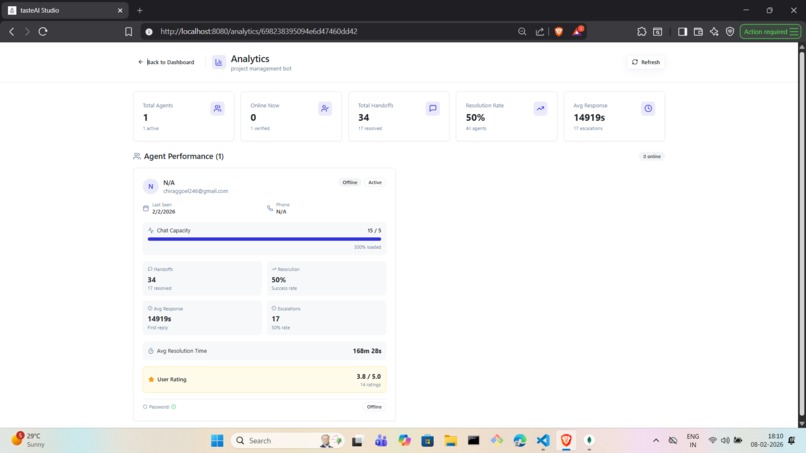
Analytics Dashboard: Analyse the human handoff agent performance
-
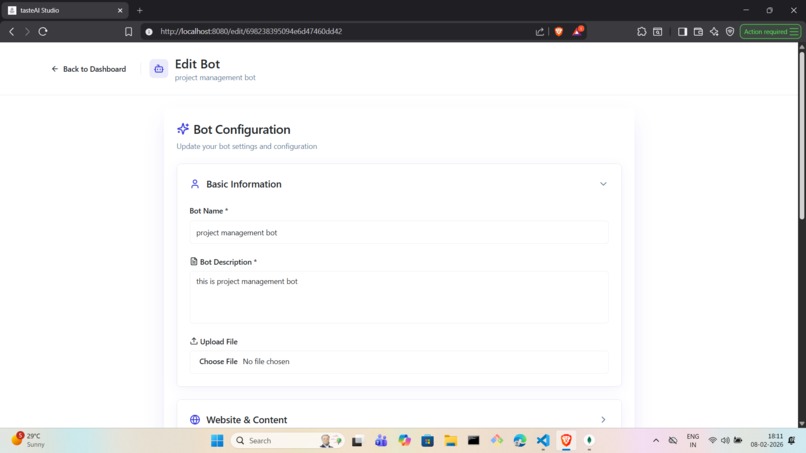
Edit the Bot
-
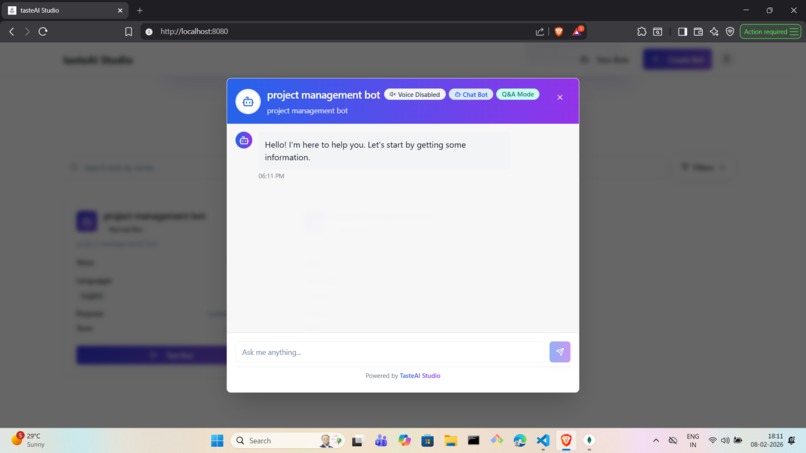
Test the Bot
-
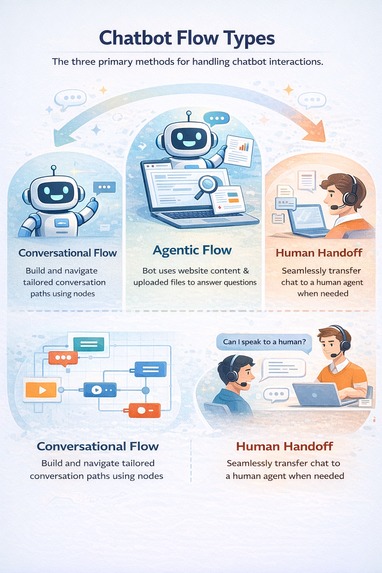
Conversational Flows in the Bot
-
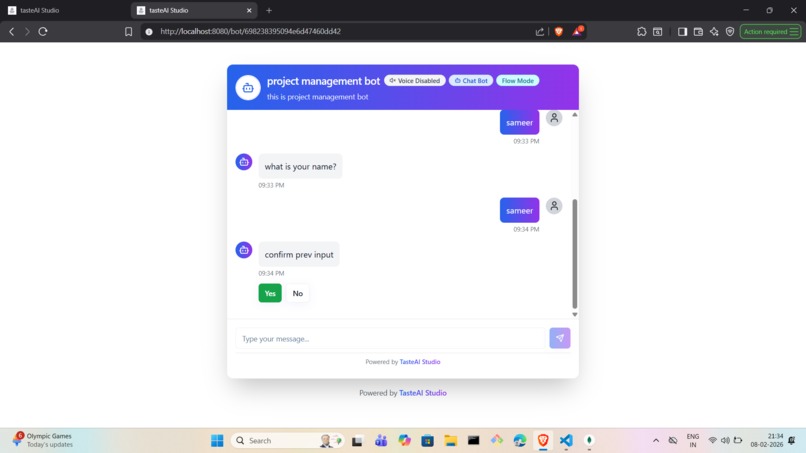
Flow Mode of a Bot via Conversational Flow setup while Creating the Bot
-
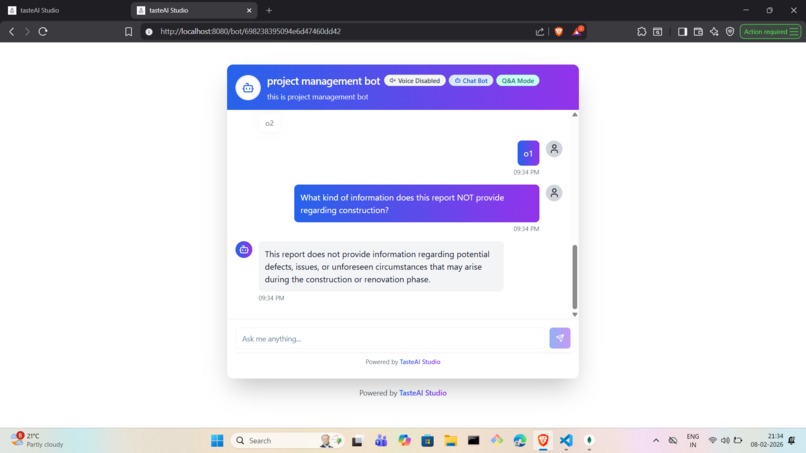
Q & A Mode of a Bot - Queries Answered by Training Data
-
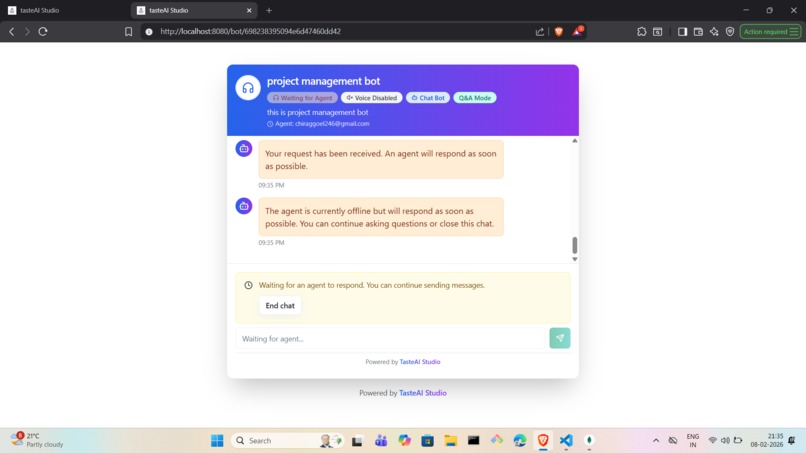
Human Agent Mode where a Human Agent is handoffed the User Queries
-
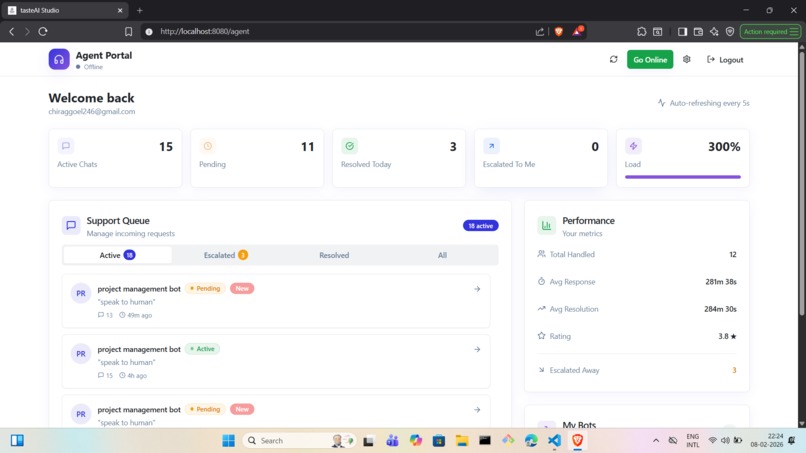
Human Agent Dashboard
-
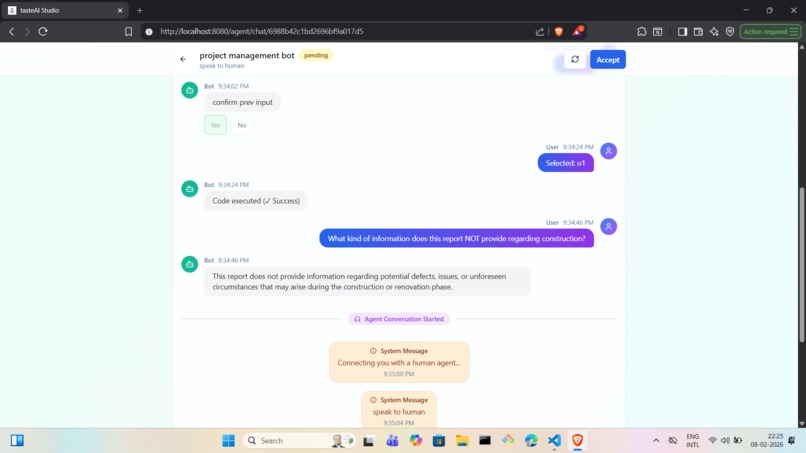
Human Agent Chat Window
-
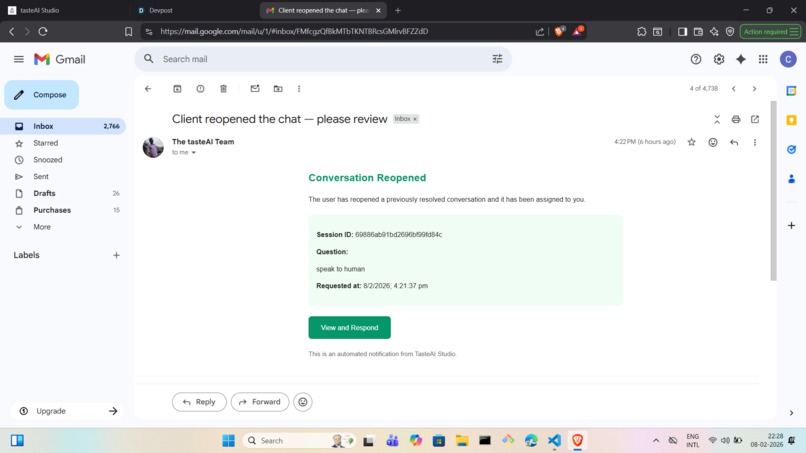
Chat Reopen Notification to the Human Agent
-
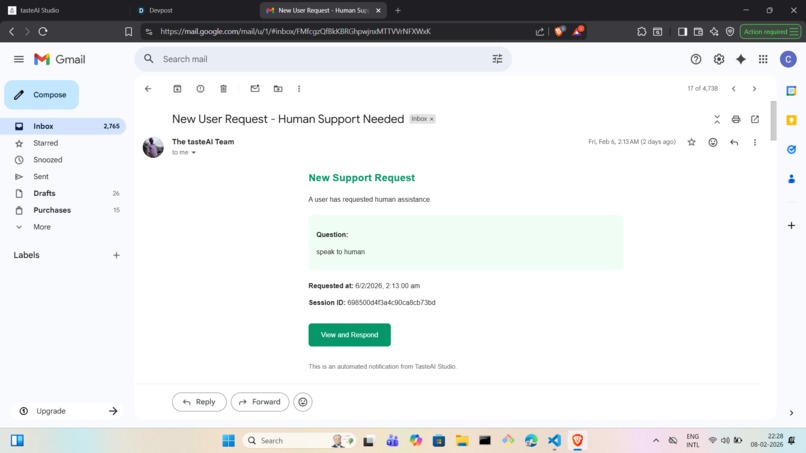
When Human Agent is Away, Notification to Human Agent


TasteAI Studio — Turn Traffic Into Conversations
TasteAI Studio is a production-grade conversational AI platform for building, deploying, and scaling intelligent bots on your website—think Botpress, but designed for real-world reliability, observability, and human-in-the-loop workflows from day one.
We focus on one simple idea:
👉 Bots should solve problems end-to-end, not break when things get complex.
Inspiration
🤖 When Bots Fail Quietly
Bots rarely fail with errors or crashes — they fail silently, right when users need them the most.
🍕 Food Delivery App: A Common Story
- User orders food after a long day
- Delivery arrives late and cold
- User opens customer support
- A chatbot appears
- User explains the issue
- Bot responds with scripted replies
- User asks for a human agent
- Bot refuses and keeps looping
- User feels unheard
- Trust drops
- User churns
Key problem:
When bots can’t understand intent or don’t know when to step aside, they stop helping and start blocking users.
⚕️ AI-Powered Medical App: When Escalation Matters
- User shares symptoms in an AI-powered medical app
- App responds using data, models, and probabilities
- Answers feel generic or incomplete
- User concern increases
- User asks to speak to a specialist
- No clear escalation path
- No button, no handoff
- Automated responses repeat
- User feels ignored and unsafe
Why this is critical:
In healthcare, the cost of being unheard is far higher than frustration.
❤️🩹 The Takeaway
AI that tries to handle everything
→ becomes a barrierAI that knows when to hand off to a human
→ becomes trustworthy support
The best AI isn’t the one that answers every question — it’s the one that knows when a human expert needs to take over.
TasteAI Studio was built to fix this.
We wanted a system where:
- Bots handle 80–90% of conversations
- Humans seamlessly step in when needed
- Teams can observe, analyze, and improve continuously
- Deployment is one copy-paste away
- Users can embed a chatbot on their website without technical knowledge in 5-6 minutes.
- Enabling human handoff intelligence seamlessly
What It Does
Bot Creation (No-Code + Pro-Level Control)

TasteAI Studio makes it easy to build production-ready AI bots using a no-code interface, while still offering deep control for advanced use cases.
Instead of overwhelming users with scattered settings, bot creation is organized into clear, purpose-driven sections. Each section contributes to building bots that are reliable, scalable, and safe for real users.
Core Configuration Sections
| Feature / Section | What Information User Adds | What This Section Does (Flow + Gemini Usage) |
|---|---|---|
| Basic Information | Bot name, description, PDF document | PDF → Text Extraction → Chunking (3000 chars) → Gemini generates Q&A → Embeddings created → Stored in MongoDB → Bot answers from document knowledge |
| Website & Knowledge Sources | Website URL, selected pages | URL → Firecrawl fetches subpages → User selects pages → Scraping → Chunking → Gemini Q&A generation → Embeddings stored → Bot answers from website content |
| Voice Bot | Enable voice, mic permission | User speaks → Browser Speech-to-Text → Query to Gemini → Gemini generates response → Browser Text-to-Speech → Voice reply to user |
| Video Bot (Avatar) | Image upload, avatar prompt | Image + Prompt → Gemini generates avatar → Circular crop → Stored in Cloudinary → Used as speaking avatar during conversations |
| Language Support | Supported languages | User query (any language) → Gemini detects language → Understands intent → Generates response → Translates back → User gets reply in same language |
| Persona & Behaviour | Tone, personality, rules, keywords | Persona config → Injected into Gemini prompt → Gemini responds consistently → Bot follows defined behavior always |
| Conversation Flow Builder | Messages, questions, branches, confirmations, custom JS | User input → Flow logic decides next step → Gemini used only where AI response is needed → Controlled + flexible conversations |
| Integrations (Slack) | Slack workspace, channel selection | Slack message → Webhook event → Ask API → Gemini answers → Response sent back to Slack channel |
| Human Handoff & Escalation | Agent emails, escalation rules | Escalation trigger → Session summary (Gemini) → Assign available agent → Real-time chat via polling |
Bot Capabilities (Post-Creation)
Each bot comes with powerful lifecycle tools:

| Feature | What info / config user adds | What happens & how Gemini 3 helps |
|---|---|---|
| Share the Bot | No extra setup. User generates a public sharable link. | Shareable link → User asks questions → Gemini 3 processes queries using trained knowledge → Answers returned. Helps teams quickly test and validate the bot. |
| Integrate Bot on Website | Website URL(s), page selection, UI preferences, visual/CSS customization. | URL added → Pages & subdomains fetched → User selects pages → Embed code generated → Bot appears as floating widget → Gemini 3 answers live user queries on the site using trained data. |
| UI Customization | Theme colors, fonts, layout via visual editor or custom CSS. | UI config applied → Embedded bot reflects brand design → Gemini 3 logic stays unchanged while UI adapts to organization branding. |
| Sessions Page | No manual input. Auto-tracks conversations. | Every chat stored as a session → User can click “Summarize” → Gemini 3 generates a concise session summary for quick understanding. |
| Analytics Dashboard | Date range, filters (handoff, success rate, agent stats). | Chat & handoff data analyzed → Gemini 3 assists in summarizing trends and outcomes → Stakeholders get insights on bot & human performance. |
| Edit Bot | Update data sources, persona, flows, integrations. | Changes saved → Data reprocessed if needed → Gemini 3 reuses updated knowledge and behavior instantly without rebuilding the bot. |
| Test the Bot | Select test flow: Conversational / Agentic / Human Handoff. | Test query → Gemini 3 embeds question → Cosine similarity with DB embeddings → Best answer returned → Flow behaves exactly like production. |
| Conversational Flow Testing | Predefined questions, confirmations, branches. | Flow triggers → Gemini 3 handles intent understanding + responses → User experiences guided, interactive conversation. |
| Agentic Query Flow | Knowledge sources (PDF, website, docs). | User query → Gemini 3 creates embeddings → Matches with stored embeddings → Retrieves best answer → Responds accurately. |
| Human Handoff Flow | Enable handoff, add agent emails. | User requests human → Session escalated → Most available agent assigned → Gemini 3 summarizes context for agent → Faster human response. |
The bot appears as a floating action widget on your website and can be fully customized to match your brand.
How We Use Gemini 3 in the System
Gemini 3 acts as the core intelligence layer across the entire bot lifecycle—from training to live conversations and human handoff. It is not just used for answering questions, but for understanding, structuring, reasoning, and enhancing user interactions.
| Feature | Where Used | How It Works | Benefit / Result |
|---|---|---|---|
| Knowledge Training | Bot creation & training | Extract PDFs/websites → Chunk content (~3000 chars) → Gemini 3 generates Q&A + embeddings | Rich, semantically accurate Q&A for better retrieval |
| Embedding & Semantic Search | Training & query time | Gemini 3 creates embeddings for questions & user queries → Semantic search in DB | Retrieves most relevant knowledge by meaning, not keywords |
| Live Question Answering | Every user interaction | Understands intent → Uses context (Q&A/chunks) → Applies persona → Generates response | Handles ambiguity & follow-ups; human-like answers |
| Multilingual Responses | Language support layer | Detects language → Understands intent → Generates & translates response | Truly multilingual bot, no separate translation needed |
| Voice Conversations | Voice query & response | Browser STT → Gemini 3 reasoning → Browser TTS | Conversational, spoken-friendly responses |
| Video Bot & Avatar Generation | Avatar creation | User uploads image & prompt → Gemini 3 generates avatar → Cropped & stored | Personalized AI avatars aligned with bot persona |
| Persona & Behavior Enforcement | Prompt-level control | Inject persona rules (tone, empathy, keywords) into prompts | Consistent tone, safe & brand-aligned responses |
| Conversation Flow Intelligence | AI reasoning in flows | Flow logic invokes Gemini 3 for open-ended questions → Branches/confirmations remain rule-based | Balance of control & AI flexibility |
| Human Handoff & Session Summarization | Escalation to agents | Conversation escalated → Gemini 3 summarizes intent, key questions, context | Agents quickly understand conversation & respond faster |
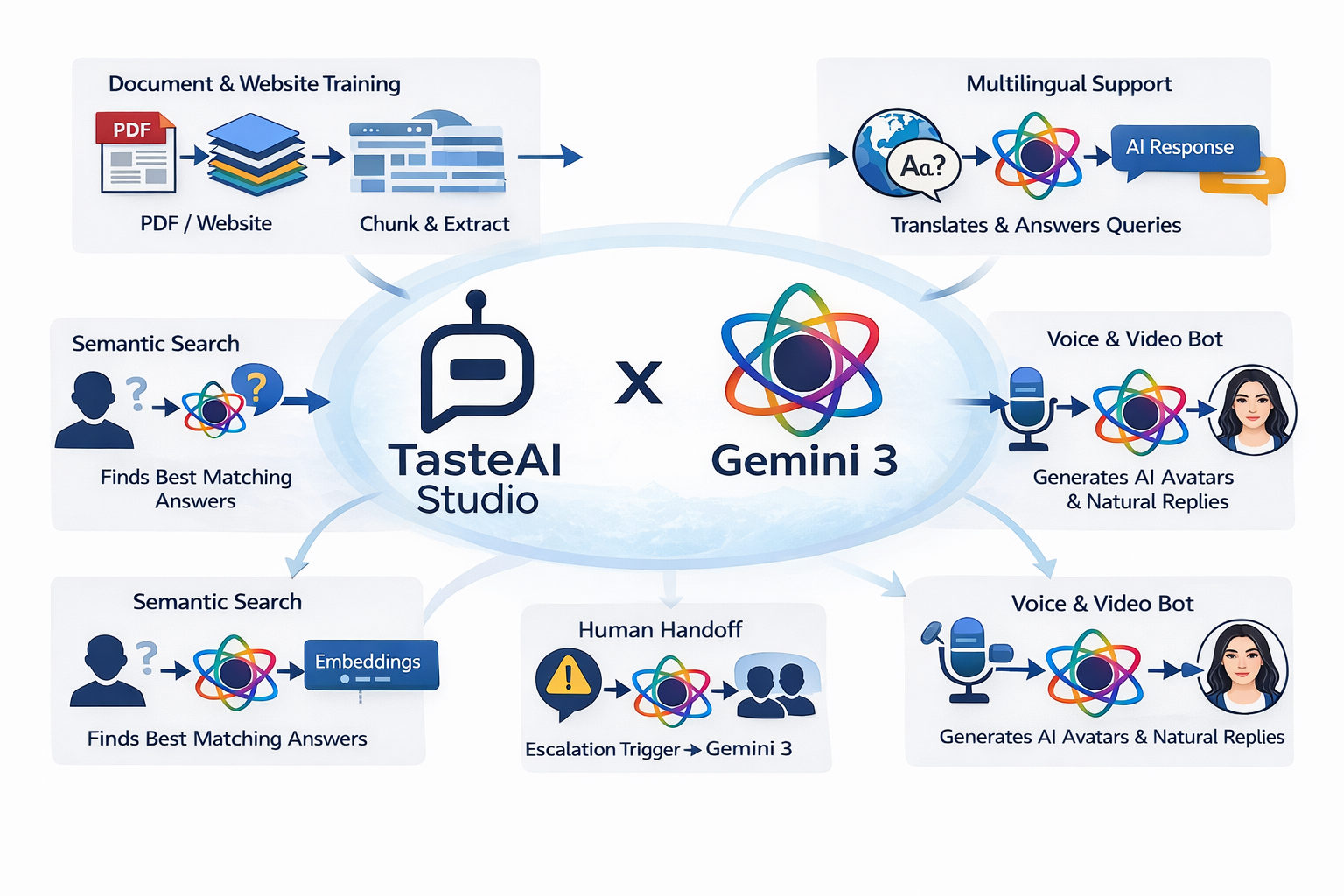
Real-World Example: Healthcare Bot 🏥
Use Case: Hospital Website Assistant
A hospital uses TasteAI Studio to deploy a healthcare assistant that:
- Answers FAQs about doctors, OPDs, and insurance
- Books appointments
- Explains lab reports in simple language
- Detects urgency in patient queries
Smart Human Handoff
When the bot detects:
- Medical emergencies
- Emotional distress
- Repeated failed answers
It automatically escalates the conversation.
Enhanced Escalation System
- Priority-based routing (Emergency > Billing > General)
- Auto-assignment to available agents
- Skill-based matching (doctor, nurse, admin)
- Real-time sync with Slack or dashboard
- Full conversation context passed to the human
💬 No “please repeat your issue” moments.
How We Built It
- Frontend: React + modern UI primitives for fast, clean UX
- Backend: Node.js + scalable APIs
- AI Layer: Multi-model support with structured prompting
- Conversation Engine: Hybrid flow-based + agentic reasoning
- Escalation Engine: Rule-based + AI confidence scoring
- Analytics: Session-level summaries and metrics
- Integrations: Slack, website embed, future CRM support
Everything is designed to be:
- Modular
- Observable
- Production-safe
Challenges We Ran Into
- Designing AI systems that fail gracefully
- Making human handoff feel invisible to users
- Balancing no-code simplicity with advanced control
- Preventing hallucinations in regulated industries
- Scaling real-time conversations reliably
Accomplishments We’re Proud Of
- Seamless AI → Human transitions
- Real-time escalation with context preservation
- Visual conversation flows + AI autonomy
- Website integration in under 5 minutes
- Analytics that actually help teams improve bots
What We Learned
- Bots shouldn’t replace humans—they should empower them
- Escalation is not a fallback, it’s a feature
- Production bots need observability, not just intelligence
- Trust is built when bots know their limits
What’s Next for TasteAI Studio
Upcoming features:
- CRM & ticketing integrations with Hubspot/JIRA
- Voice + video calling handoff by integrating with Google Meet and Zoom/ Creating a Novel Video/Voice Call System using WebRTC
- Auto-learning and training from resolved sessions
- Role-based agent dashboards
- Industry-specific bot templates (Healthcare, Finance, SaaS)
- Advanced policy-driven escalation workflows
Final Thought
TasteAI Studio isn’t just a chatbot builder.
It’s a conversation infrastructure for teams that care about users, reliability, and real outcomes.
Build bots that know when to talk—and when to listen.
Built With
- firecrawl
- gemini
- javascript
- mongodb
- node.js
- react
- render
- typescript
