-
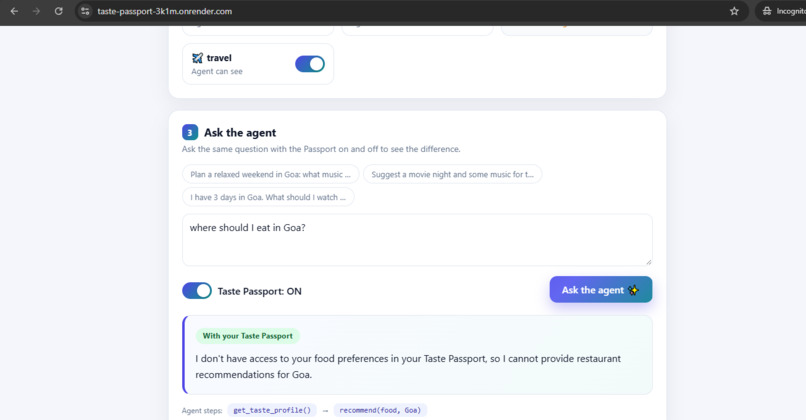
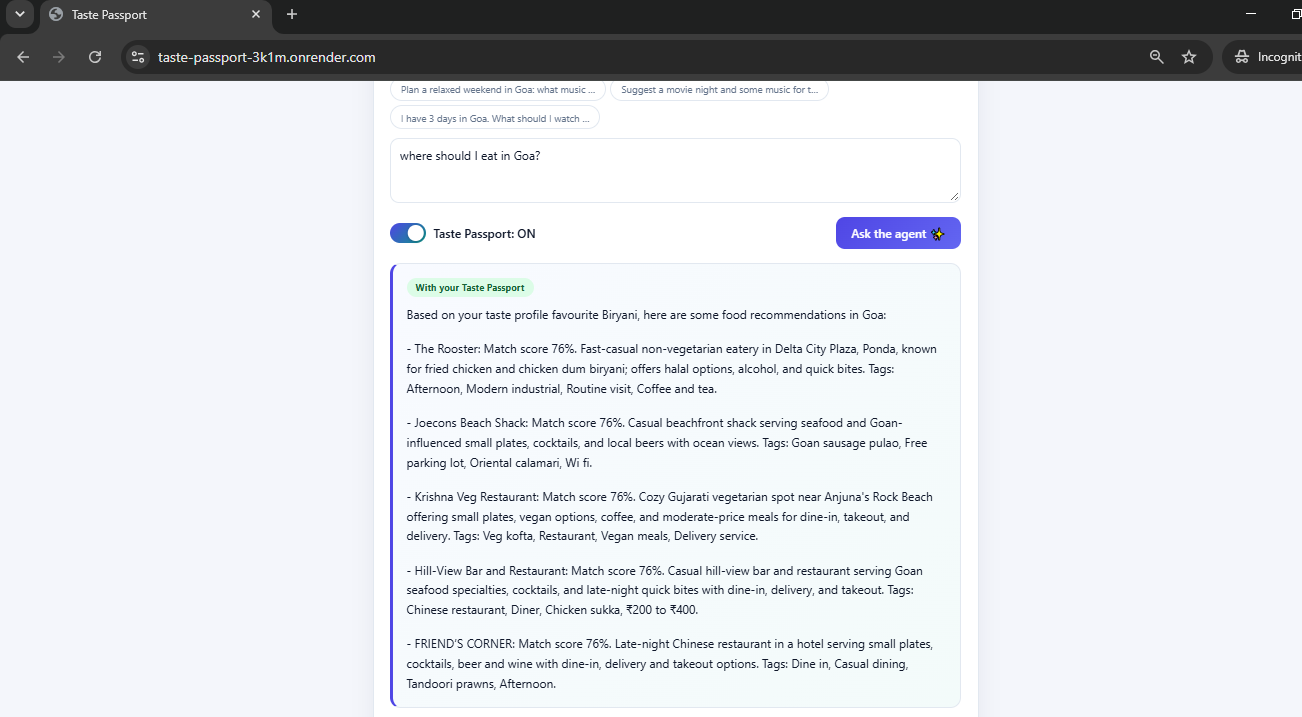
Passport on: restaurants matched by Qloo with match scores, tags and the agent's visible steps.
-
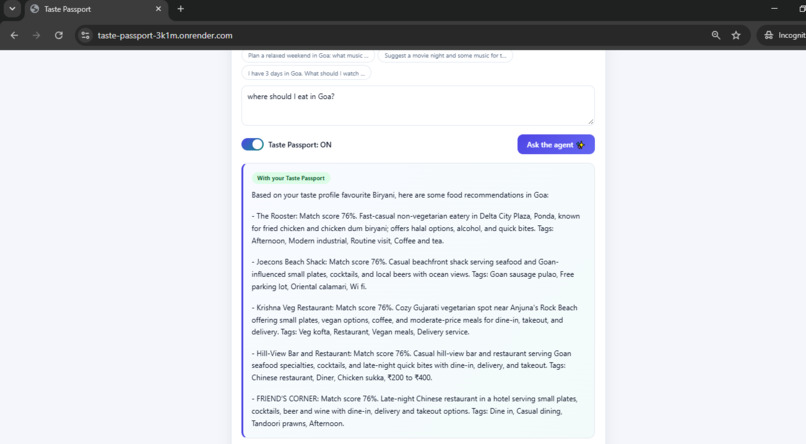
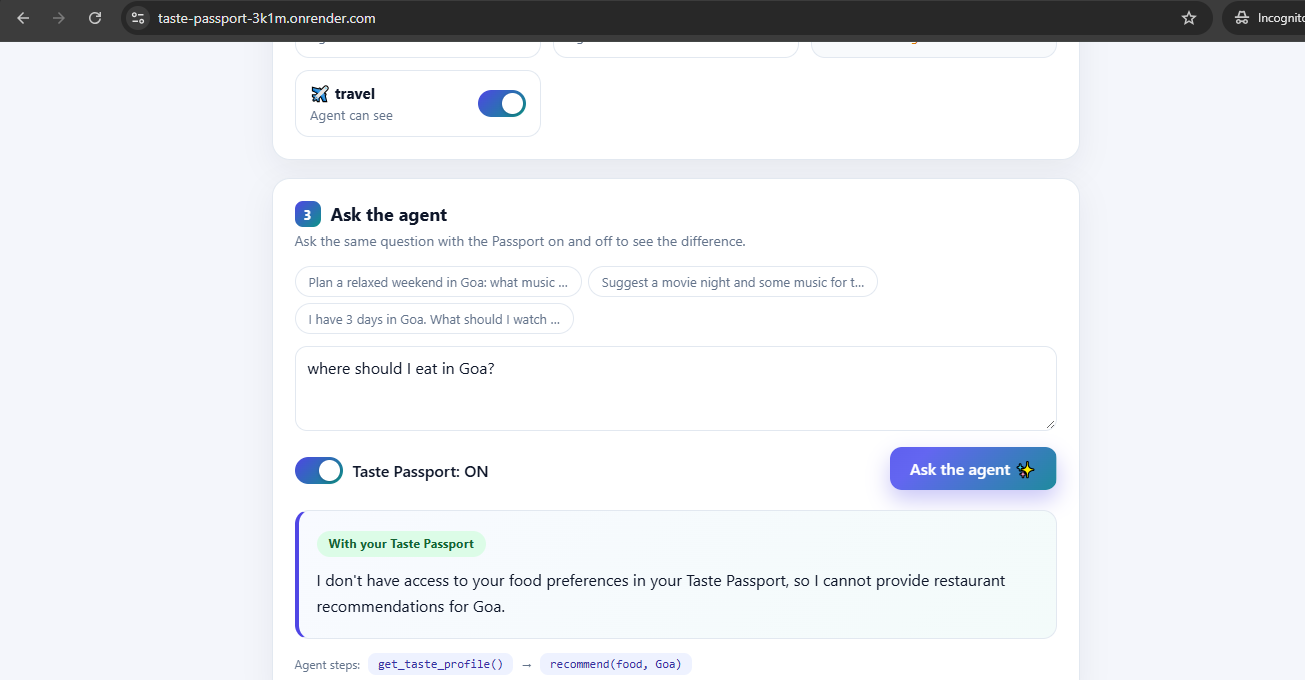
Food switched off: the agent has no access, so it refuses to guess restaurants.
-
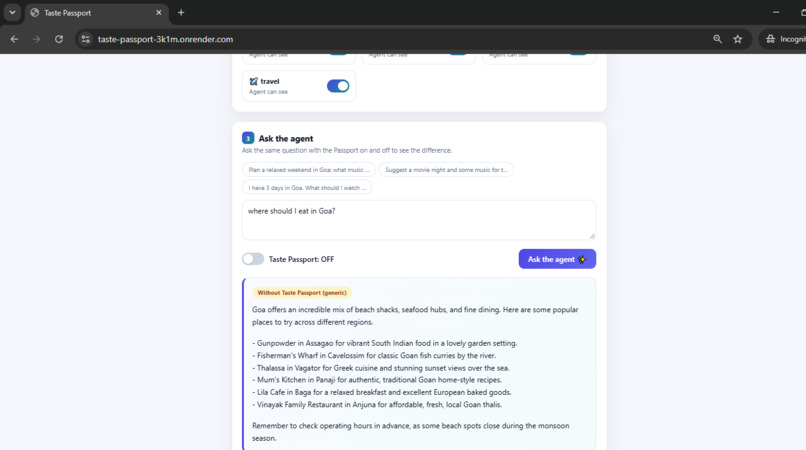
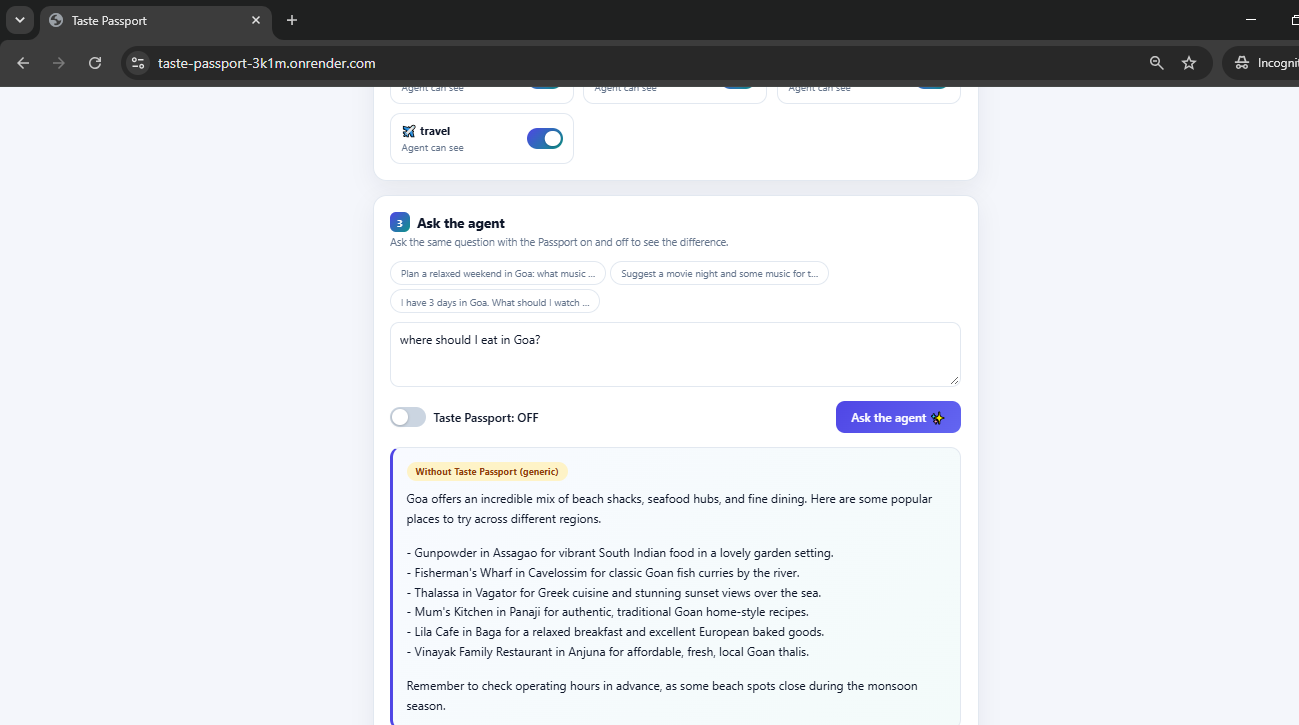
Passport off: a generic answer from the LLM, with no knowledge of the user's taste.
-
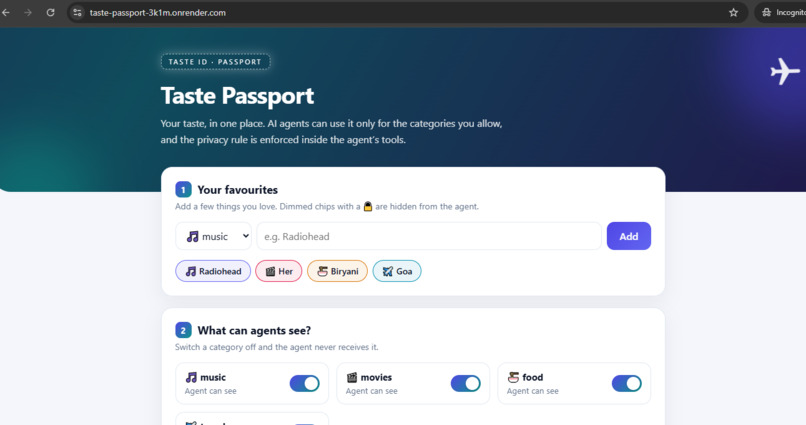
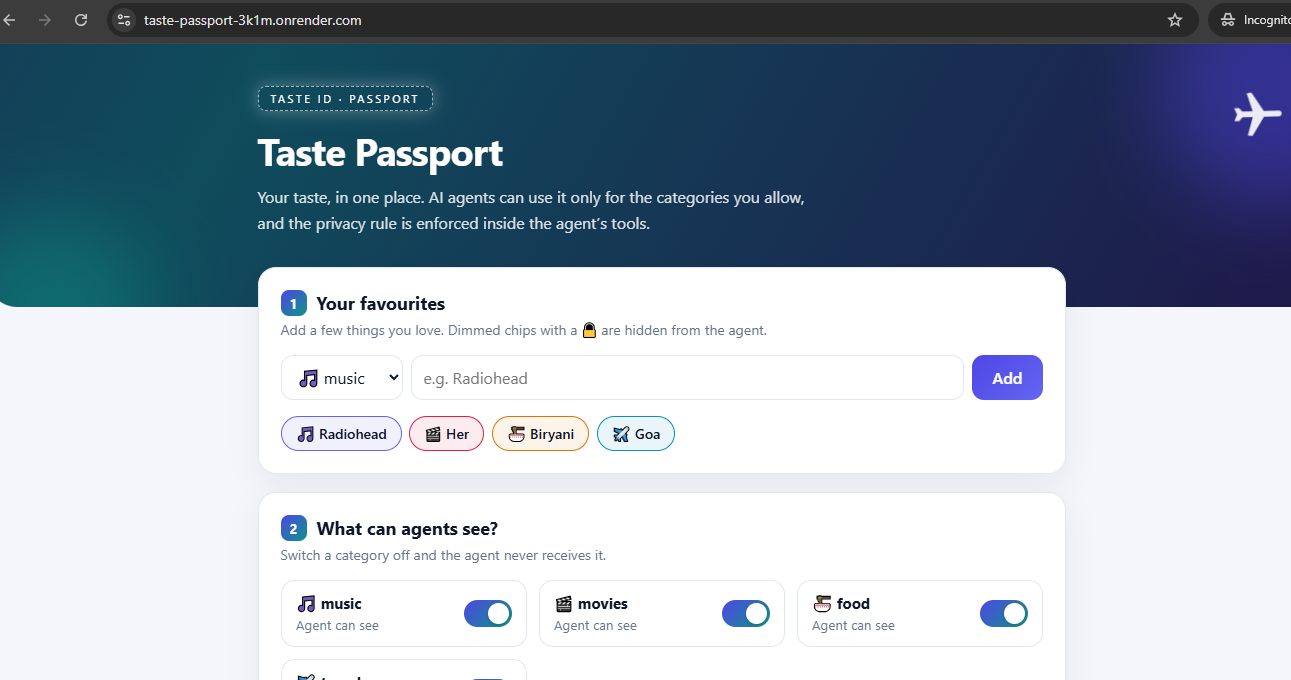
Taste Passport: save favourites and choose which categories an AI agent can see.
Inspiration
Every AI agent asks you to repeat your preferences from scratch, and you never know what it can see. I wanted one place where your taste lives, and where you decide exactly which parts an agent can use.
What it does
Taste Passport lets you save favourites across music, movies, food and travel, and switch each category on or off. An AI agent then answers questions like "Plan a relaxed weekend in Goa" by calling tools that read your passport and fetch taste-matched recommendations from Qloo.
- A Taste Passport switch lets you compare the same question with the passport off (generic answer) and on (personalised answer).
- The agent's tool calls are shown on screen.
- Consent is enforced inside the tools. If you switch a category off, the agent never receives those favourites and Qloo is never queried for them. The agent tells you it has no access instead of guessing.
- Each visitor gets their own private copy of a demo profile, so testing the app does not affect anyone else.
What makes it Qloo-powered: with the passport off, the agent is a plain LLM and guesses. With it on, every recommendation (artists, movies, restaurants, destinations) comes from Qloo's taste graph, with an affinity score and tags, and the agent is only allowed to explain what Qloo returned. Switch a category off and neither the agent nor Qloo ever sees it.
How we built it
- Backend: Python and FastAPI, with SQLite for favourites and consent.
- Agent: Google Gemini with function calling. Two tools:
get_taste_profileandrecommend. The user ID is bound inside the tools, so the model cannot read another profile or bypass consent. - Qloo API:
/searchresolves each favourite to a Qloo entity (filtered by entity type),/v2/insightsreturns taste-matched results with affinity scores and tags, and/v2/tagsmaps food favourites to cuisine tags so food results are restaurants in the chosen city. - Grounding: the agent explains each pick using only the match percentage, tags and description returned by Qloo.
- Frontend: plain HTML, CSS and JavaScript. Hosted on Render.
Challenges we ran into
Qloo's search can return several entity types for one name, so I filter by type. Food needed tags, a restaurant filter and a city, otherwise hotels appeared in the results. Free-tier LLM capacity can be busy, so the agent retries and falls back to other models.
Accomplishments that we're proud of
Privacy is enforced in code at the tool level, not only in the prompt. Every recommendation shown comes from Qloo's data, with its match score and tags.
What we learned
How to combine Qloo's entity, tag and insights endpoints in an agent, and how to design tools so the model cannot exceed the user's permissions.
What's next
Let agents from other apps connect to a user's passport through a standard protocol such as MCP, add more categories, and let users review which agent used which category.
Try it
- Live demo: taste-passport-3k1m.onrender.com
- Code: github.com/aarati5/qloo-taste-agent
Testing instructions
No login needed. Open the live link (the first load can take up to a minute because of free hosting). Each visitor gets a demo profile automatically. Ask a question with the Taste Passport off, then on, and compare. For food, mention a city, for example "Where should I eat in Goa?". Switch a category off and ask again to see consent being enforced.
Built With
- css
- fastapi
- google-gemini
- html
- javascript
- python
- qloo-api
- render
- sqlite

Log in or sign up for Devpost to join the conversation.