-
-
-
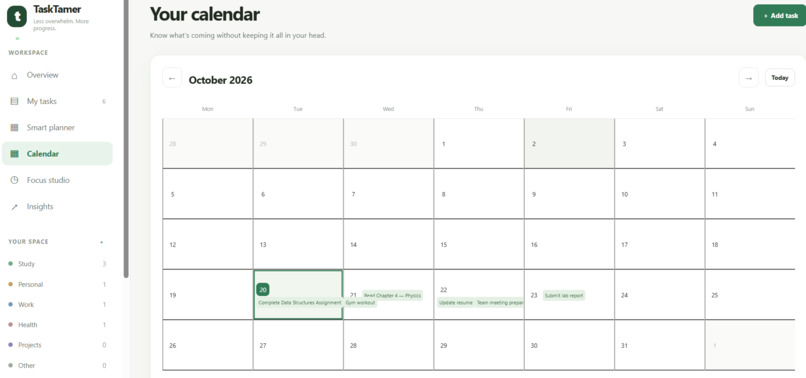
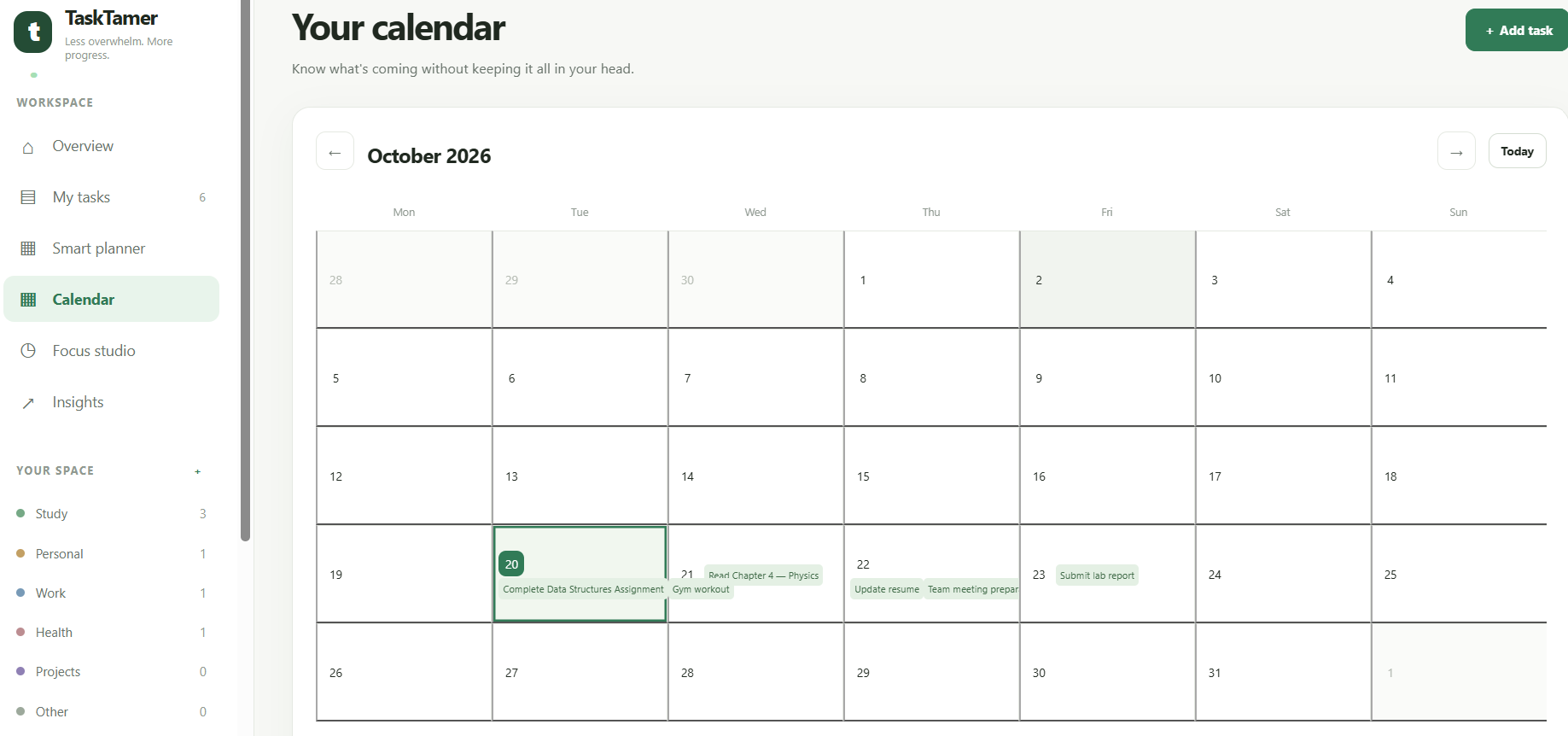
Calendar that we can assign the task into that
-
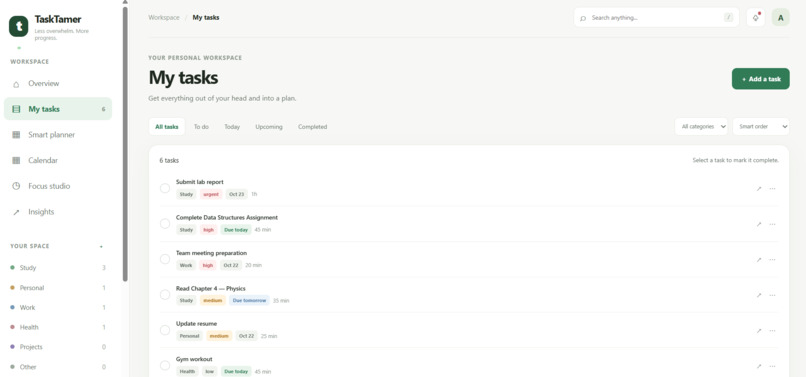
Task section
-
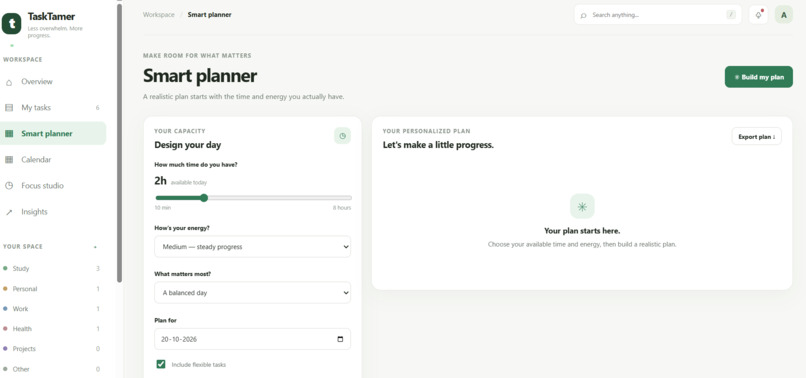
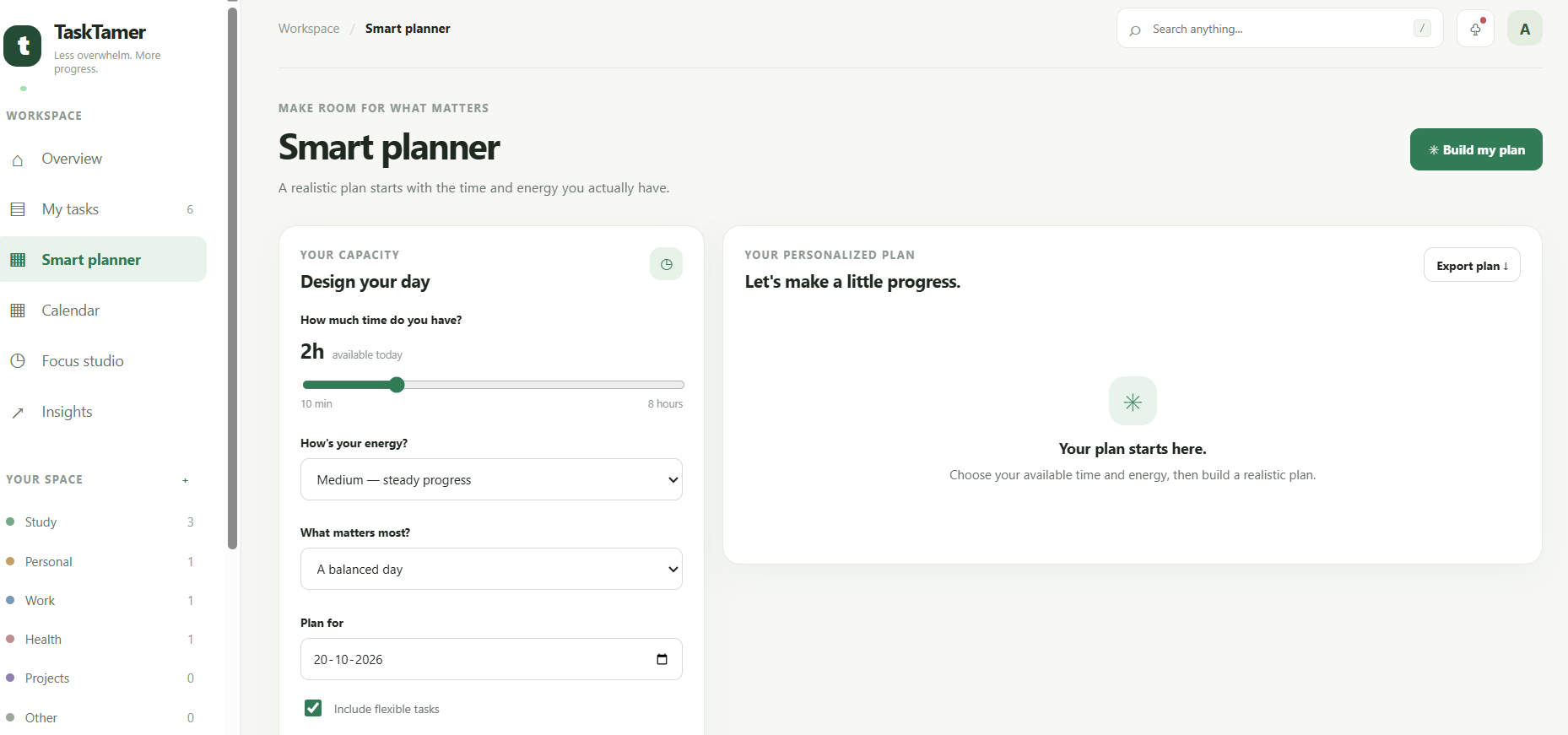
Planner
-
-
-
-
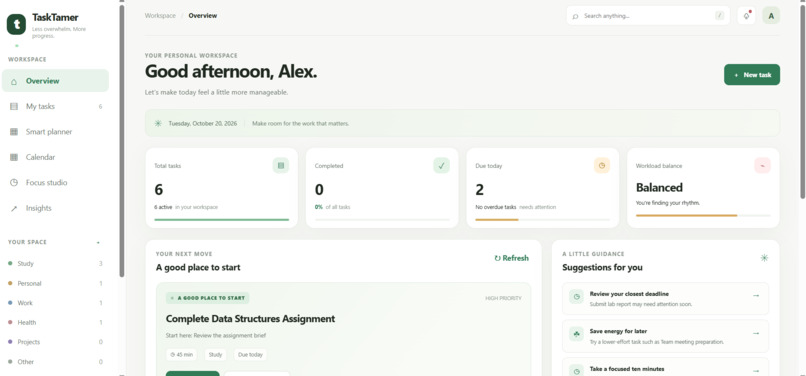
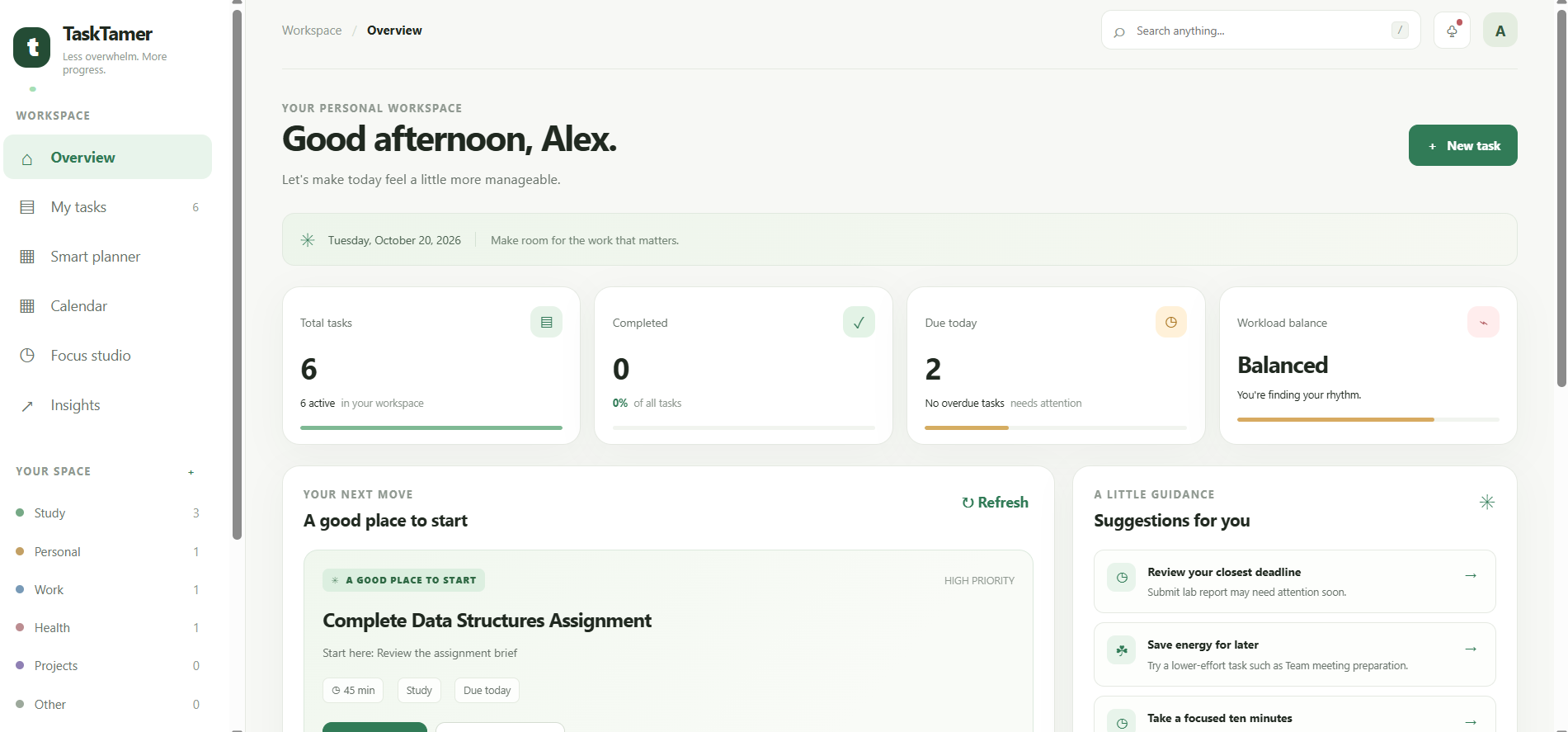
Home page
-
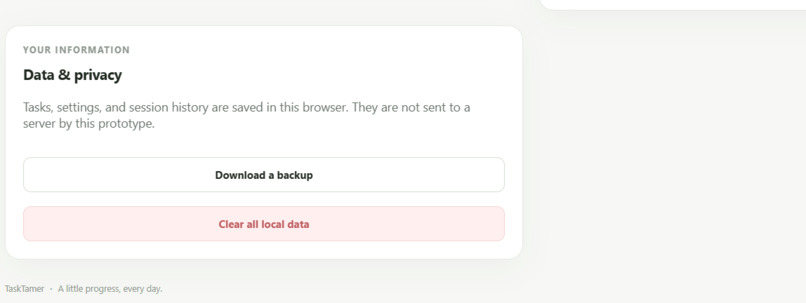
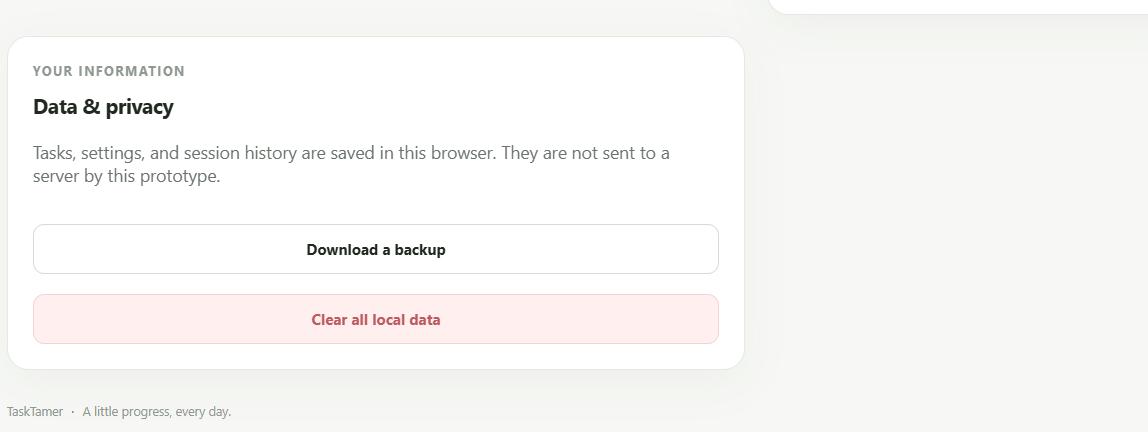
Clear every task
-
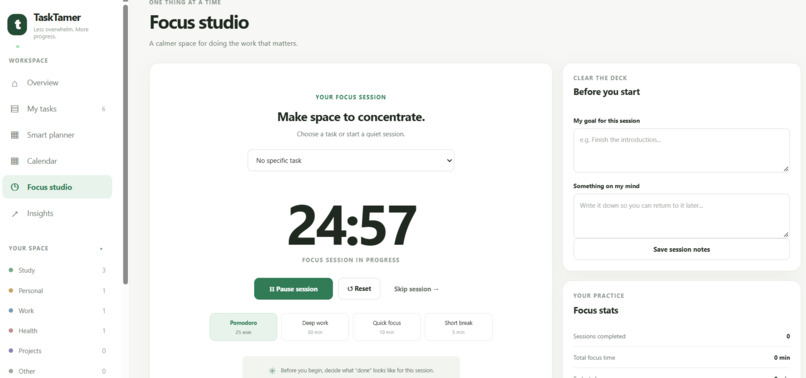
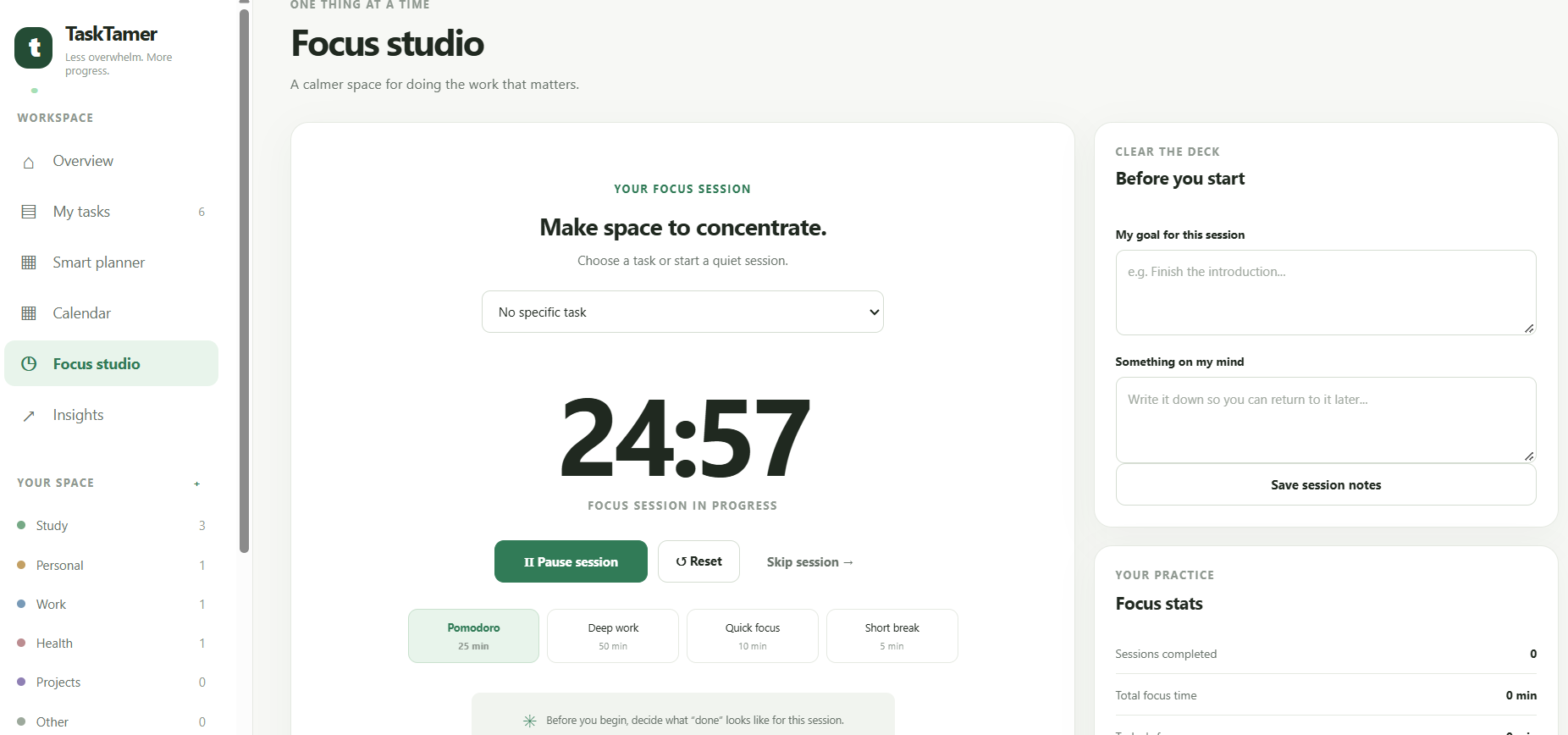
Timer
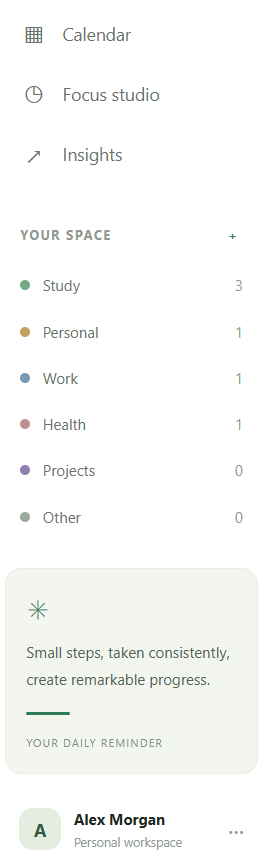
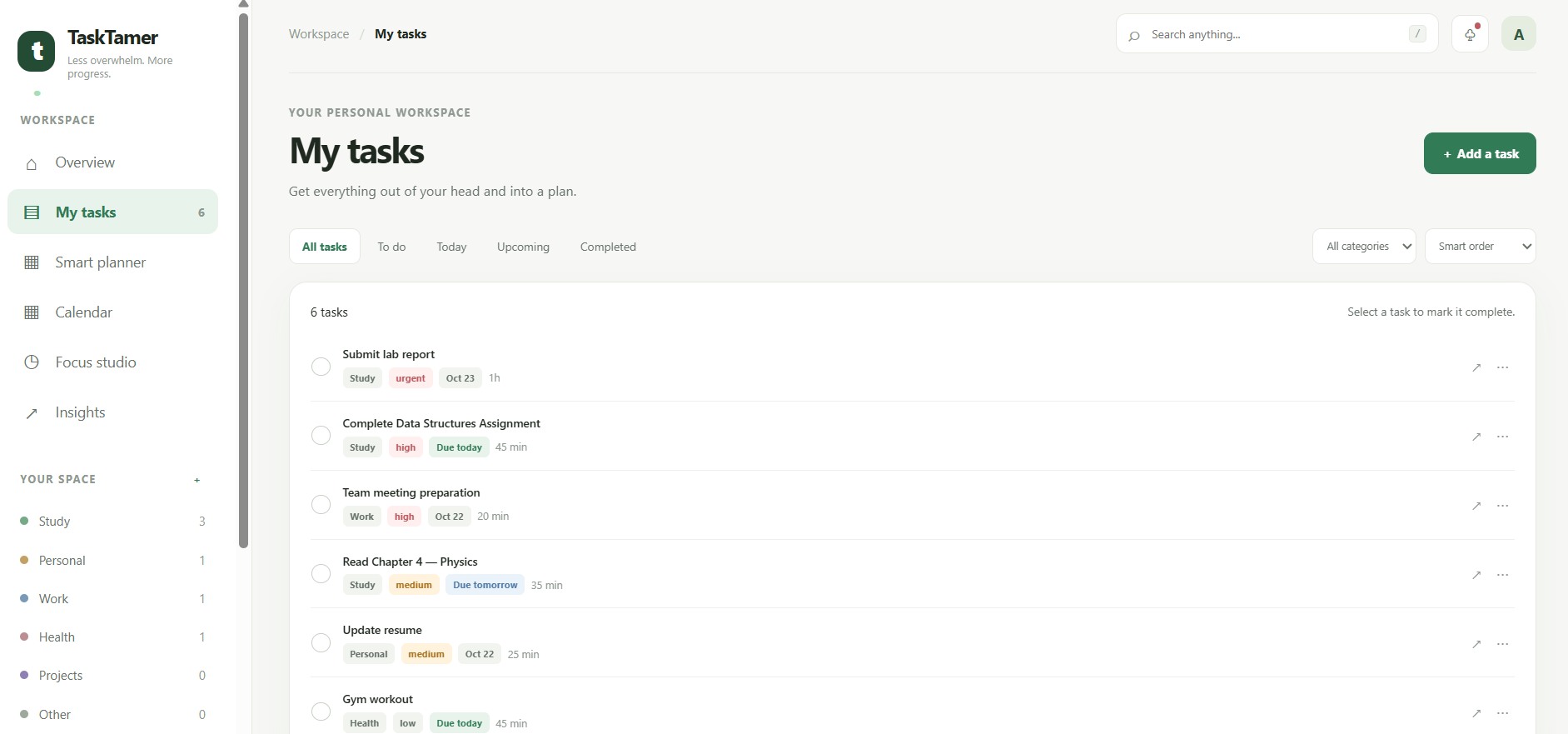
About TaskTamer The idea behind TaskTamer Most students do not struggle because they have nothing to do. They struggle because they have too many things to do at the same time. An assignment is due tomorrow, an exam is coming up, a project is still unfinished, and there are personal responsibilities waiting in the background. Everything feels important, and deciding where to start can sometimes become harder than doing the actual work. Even when we make a to do list, looking at a long list of unfinished tasks can make us feel more overwhelmed instead of helping us move forward.
That is the problem I wanted to solve with TaskTamer
TaskTamer is a productivity tool designed to turn overwhelming to-do lists into clear, manageable next steps. The idea is simple: instead of showing users a huge list of things they have not completed, TaskTamer helps them understand what matters, what they can realistically do with the time and energy they have, and what their next action should be. I wanted to approach productivity from a different perspective. Many productivity apps focus on adding more features, tracking more information, and helping users manage increasingly complicated lists. TaskTamer focuses on making the process feel simpler. The goal is not to make people work constantly or fill every minute of their day. It is to help them make progress without feeling like they have to do everything at once.
How TaskTamer works
The main idea behind TaskTamer is to turn a large, intimidating task list into a realistic plan that a person can actually follow.
Users can enter their assignments, projects, personal responsibilities, deadlines, estimated completion times, and available study or work hours. They can also indicate their current energy level, helping the application create a plan that considers not just the amount of work they have, but also the time and capacity they have available.
For example, imagine a student has twelve unfinished tasks, an assignment due tomorrow, and only thirty minutes available before their next class. A traditional to-do list might simply show all twelve tasks and leave the student to decide what to do. TaskTamer aims to identify a reasonable starting point, explain why it matters, and break the work into a small action that can be started immediately.
Instead of displaying a massive plan all at once, the application can guide the user through one next step at a time. Once that step is completed, the next one becomes available. This makes a large workload feel more approachable and helps users focus on making progress rather than worrying about everything that remains unfinished.
Key features
- Smart task planning
TaskTamer can prioritize tasks using their deadlines, importance, estimated duration, dependencies, available time, and energy requirements. The planning system can recommend what to work on first while keeping the user's actual schedule in mind.
A more advanced version can detect when a plan is unrealistic and suggest changes, such as moving flexible tasks, shortening a work session, or breaking a large assignment into smaller parts.
- Automatic task breakdown
Large assignments are often difficult to start because the first action is unclear. TaskTamer can help convert a task such as "Complete the science project" into smaller actions, such as reviewing the instructions, collecting reference material, preparing an outline, completing the first section, and reviewing the result. Each action can have an estimated duration, allowing users to make progress in short sessions instead of waiting until they have several uninterrupted hours.
- The 10-Minute Mode
Sometimes users have only a short break between classes or a few minutes before leaving home. The 10-Minute Mode is designed for those situations. The user selects the time available, and TaskTamer suggests a useful action that can reasonably fit into that window. This could mean reviewing five flashcards, writing the opening paragraph of an assignment, organizing research notes, or preparing the materials needed for a larger task. The aim is to make small amounts of available time useful without pretending that every task can be completed in ten minutes.
- The "I'm Stuck" button
Starting is not always the hardest part. Sometimes users begin a task and then get stuck because the next step is confusing, too large, or difficult to understand. The "I'm Stuck" feature can offer a smaller alternative, clarify the next action, or help divide the task into simpler steps. For example, instead of telling someone to finish an entire essay, it could suggest writing three rough bullet points for the introduction. This feature is particularly important because TaskTamer should help users recover when a plan stops working, rather than making them feel that they have failed.
- A visual overload meter
A schedule can look productive on paper while being impossible to complete in real life. The overload meter is designed to make that problem visible.
It can compare the estimated time required for planned tasks with the time actually available. It can also account for breaks and buffer time, and display whether the schedule appears manageable, demanding, or overloaded.
When the workload exceeds the available time, TaskTamer can recommend which tasks to prioritize, postpone, shorten, or divide into smaller sessions. The aim is to encourage realistic planning rather than simply adding more tasks to the schedule.
- Energy-aware planning
Not every hour feels the same. A task that requires deep concentration may be difficult after a long day, while a simple administrative task might still be manageable.
TaskTamer can let users indicate whether their energy is low, medium, or high. The planner can then prefer suitable tasks, while still respecting urgent deadlines. Over time, an optional personal productivity profile could help users understand when they tend to concentrate best.
This feature would not attempt to judge users or label them as productive or unproductive. It would simply help them plan around their own circumstances.
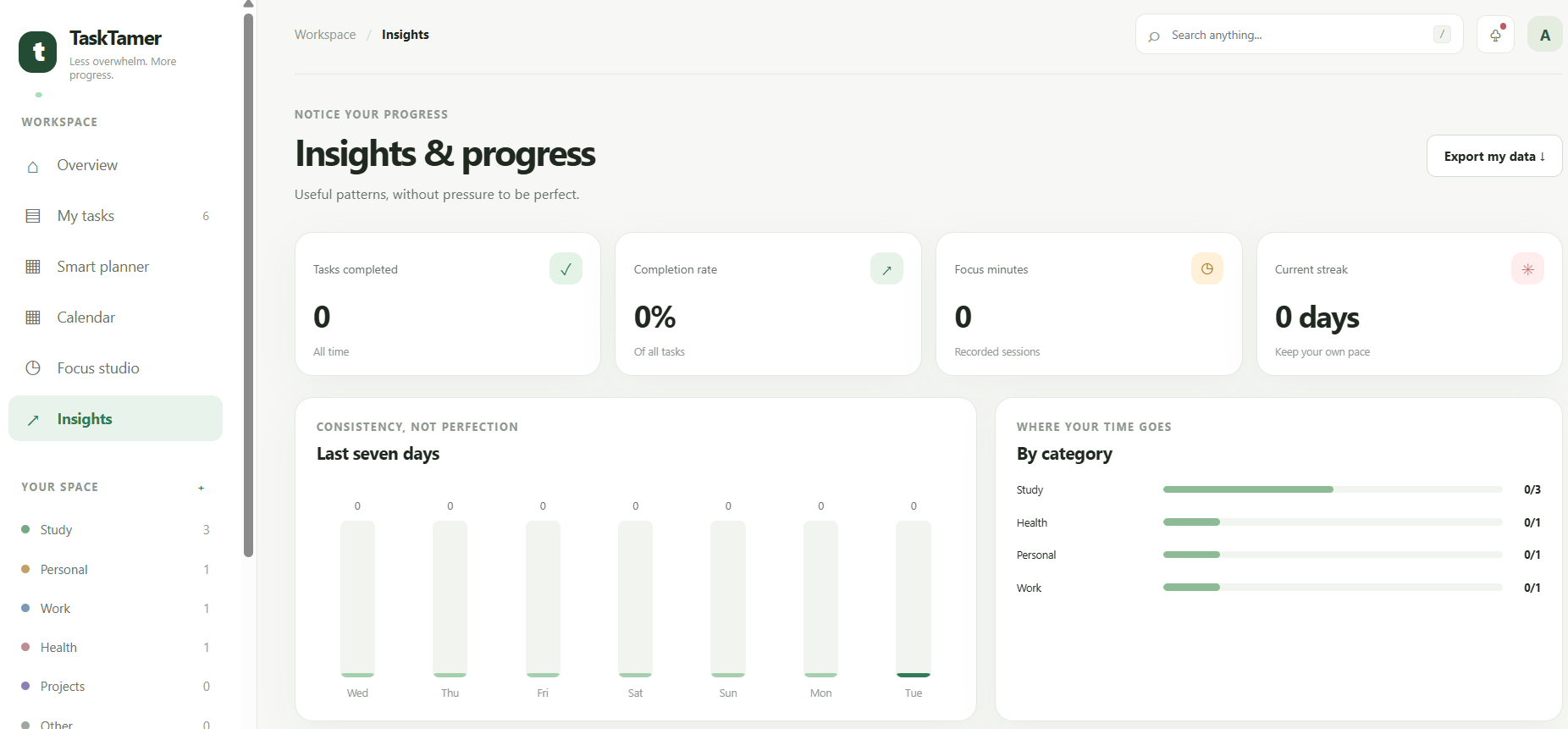
- Focus sessions and progress tracking
TaskTamer can include a focus timer, break reminders, and session history. Users can choose a work interval that suits them, pause when necessary, and record what they accomplished.
Rather than measuring success only through completed tasks or hours worked, the application can highlight progress such as tasks started, milestones reached, and assignments moved forward. This makes it easier to recognize small improvements that might otherwise go unnoticed.
Deadline and calendar management Users can organize assignments, exams, meetings, personal tasks, and project milestones in one place. A calendar view can show upcoming deadlines and identify days when too much work has been scheduled. A more advanced version could support calendar synchronization, reminders, recurring tasks, and automatic rescheduling when a user misses a planned session.
Accessibility and a calmer interface
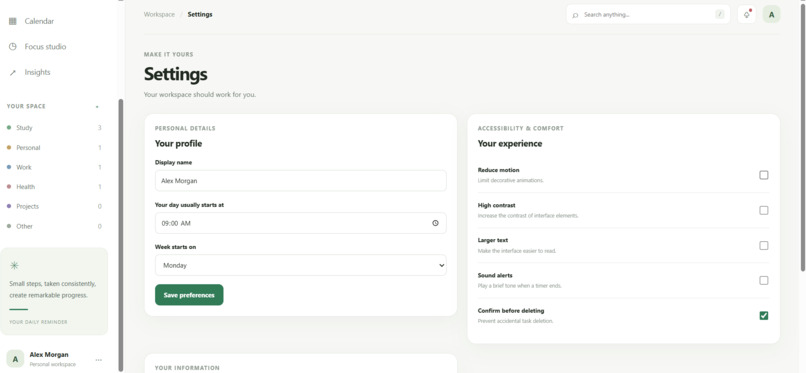
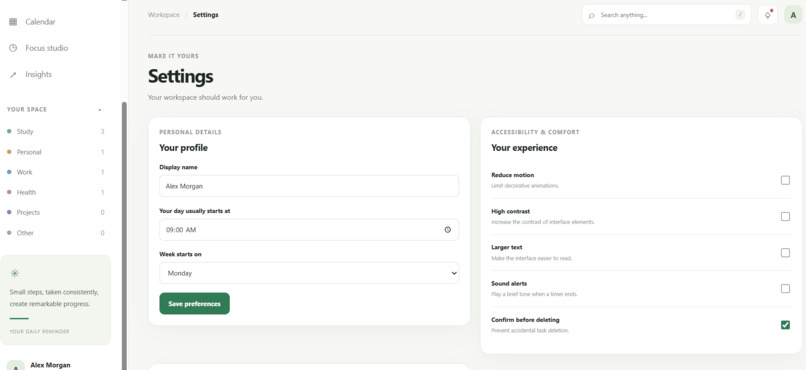
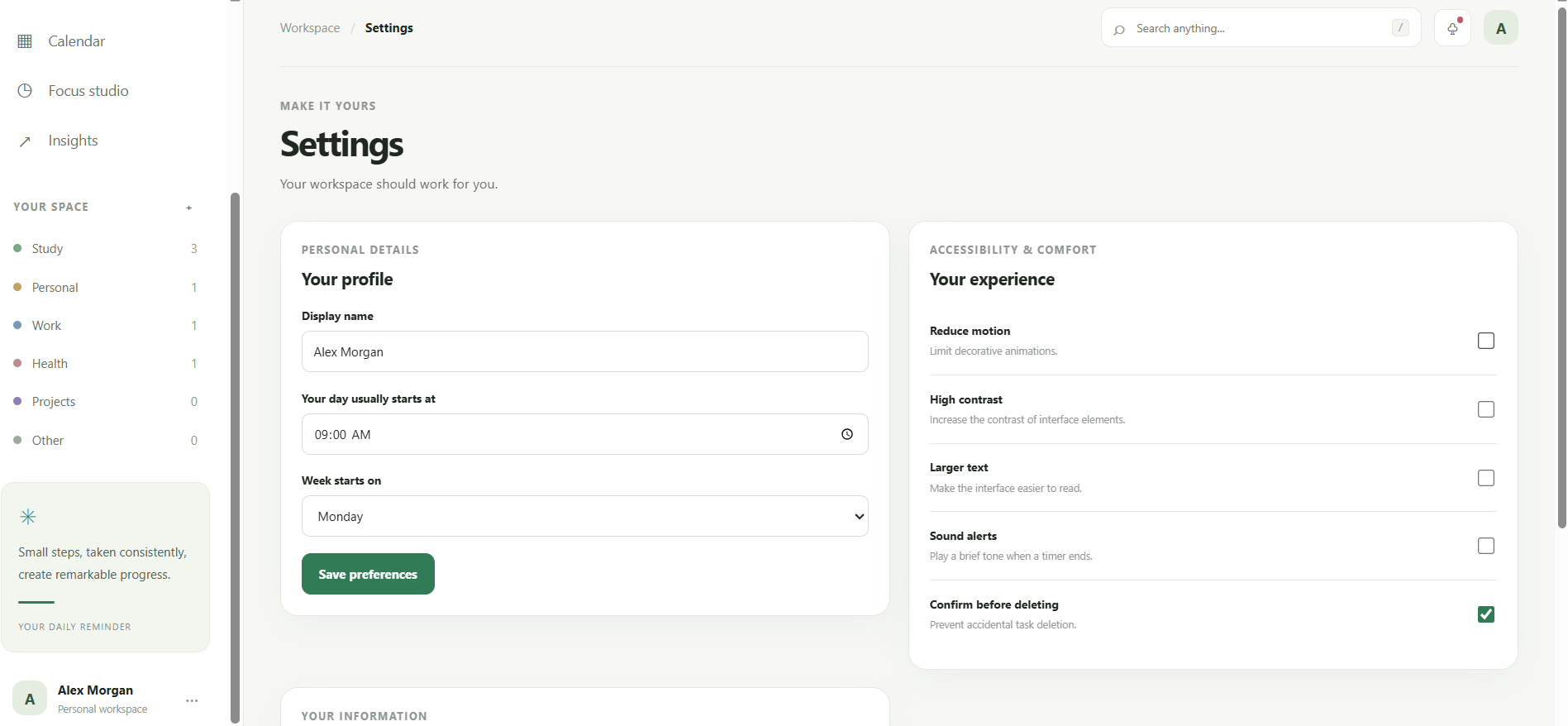
TaskTamer is intended to be useful to people with different working styles and accessibility needs. Features can include keyboard navigation, readable text, clear contrast, reduced-motion settings, visible focus indicators, and layouts that work on different screen sizes.
The interface should make the next action easy to find without forcing users to navigate through unnecessary menus. Accessibility should be part of the design from the beginning, not an extra feature added at the end.
What makes TaskTamer different?
I do not want TaskTamer to become another application that gives users an even longer list of things to manage. Its main purpose is to reduce the effort required to decide what to do next.
Three ideas guide the project.
First, "planning should reflect reality". A useful schedule needs to consider available time, task duration, deadlines, breaks, and personal capacity.
Second, "large tasks should have small beginnings". A user should be able to turn a difficult assignment into a first action that feels possible to start.
Third, "a plan should adapt when life changes". Missing a session, running out of time, or getting stuck should lead to a revised plan rather than an endless backlog of missed tasks.
Together, these principles can make TaskTamer more than a conventional checklist. They provide a foundation for a productivity assistant that helps people make decisions, recover from interruptions, and move forward at a sustainable pace.
How I approached building it
I approached TaskTamer by starting with the problem rather than with a long list of features. The first question was: what does someone need when they open a productivity app feeling overwhelmed?
The answer is not necessarily another dashboard full of numbers. They need clarity. They need to understand what deserves attention, how much time a task might take, and what they can do right now.
That led to the idea of a dashboard with a clear next action, a manageable daily plan, quick access to short work sessions, and a visual indication of workload. The design is intended to feel calm and organized while still giving users access to more detailed planning tools when they need them.
The project can be developed in stages. The initial version can use a straightforward web interface with HTML, CSS, and JavaScript, supported by local storage for saving tasks and preferences. Task prioritization, time estimates, task breakdown, focus sessions, and overload calculations can be implemented as separate modules.
As the project grows, it can use a backend database for accounts and synchronization, a scheduling engine for more advanced planning, and optional language-model integration for breaking down tasks described in natural language. Keeping these parts separate would make the application easier to test, improve, and expand.
The important part is that the core experience should remain useful even without an external AI service. Basic task management, time calculations, deadline prioritization, and overload detection can work through ordinary application logic. More advanced AI capabilities can enhance the experience rather than being required for every interaction.
Challenges I want to solve
One of the biggest challenges is deciding what "the best next task" actually means. A task with an urgent deadline may deserve priority, but a smaller task might be the only realistic option when someone has five minutes available. A task may also depend on another task being completed first.
TaskTamer therefore needs to balance urgency, importance, estimated effort, dependencies, and available time instead of relying on a single priority score. The recommendations should also be understandable so that users can see why a task was selected and override the suggestion when necessary.
Another challenge is estimating task duration. Two people may take very different amounts of time to complete the same assignment. A sensible solution is to begin with user-provided estimates and gradually offer optional estimates based on task type and previous sessions. These estimates should remain adjustable rather than being treated as exact predictions.
A third challenge is avoiding unnecessary complexity. A productivity application can easily become so feature heavy that managing the application becomes another task. The interface must therefore keep the main action simple, while placing advanced controls where users can access them when needed.
Finally, a good planning system needs to respond to unexpected changes. If a meeting runs late or an assignment takes longer than expected, the plan should be updated without forcing the user to start over. This is an important part of making the application practical outside a controlled demonstration.
These challenges are not reasons to make the project smaller. They are opportunities to build something more useful, provided each feature is introduced, tested, and improved carefully.
What I learned
Working on TaskTamer encouraged me to think beyond simply building an application that stores and displays tasks. A useful productivity tool needs to understand the problem it is trying to solve and make the user's next decision easier.
I learned to think about how interface design, scheduling logic, accessibility, and user feedback work together. A feature can be technically impressive and still be unhelpful if it makes the application harder to use. Similarly, a clean interface is not enough if the recommendations ignore real deadlines and time constraints.
The project also highlighted the importance of building in stages. Starting with a reliable task manager, adding transparent prioritization, and then introducing more advanced planning features creates a stronger foundation than trying to implement everything at once.
Most importantly, TaskTamer reinforced the idea that good productivity software should help people make progress, not make them feel guilty about what they have not finished.
Future potential
I see TaskTamer growing into a personal planning tool for students, independent learners, and eventually anyone managing several responsibilities at once.
Some of the more advanced features I would like to explore include:
Adaptive rescheduling. When a task is missed or takes longer than expected, the application could recalculate the rest of the day and offer a revised plan while protecting important deadlines.
Dependency aware planning. For complex assignments, TaskTamer could identify which steps must happen first and create a sequence that avoids scheduling work before its prerequisites are complete.
A natural-language task assistant. Users could enter something like "I have a mathematics assignment due Friday, an exam next week, and forty minutes free tonight." The system could extract the tasks, identify missing details, and propose a schedule for the user to review.
Personalized duration estimates. With user permission, the application could compare estimated and actual completion times to improve future suggestions. Users would be able to edit or disable these estimates.
What if planning.Users could explore questions such as what happens if they have only one hour available tomorrow, or which tasks would need to move if a new deadline appears. The application could compare alternative schedules before applying any changes.
Project planning for teams. A later version could support shared projects, task ownership, dependencies, progress updates, and deadline coordination, while keeping each person's workload visible.
Calendar and reminder integrations. Connecting supported calendars could help TaskTamer consider existing commitments when creating a daily plan.
Privacy-conscious personalization. Personal schedules and task histories can be sensitive. The application should collect only the information it needs, explain how data is used, and give users control over saving or deleting their information.
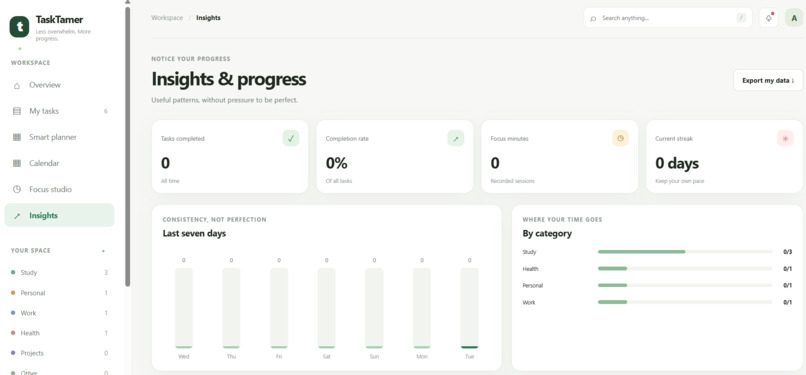
Progress insights. Instead of relying on simplistic productivity scores, TaskTamer could help users identify patterns in their planning, understand which tasks repeatedly take longer than expected, and make better estimates in the future.
These are planned directions, not features I would claim are already complete. Each would need to be implemented and tested before being presented as part of the finished product. The core idea, however, can begin with a practical and achievable web application and grow through user feedback.
Why TaskTamer matters to me
The most interesting part of this project is that its goal is not simply to help people do more work. It is to help them approach the work they already have with more clarity and less confusion.
A student should not need to spend twenty minutes organizing an application before being able to study for ten minutes. Someone who is stuck on a large assignment should not have to figure out the entire assignment before taking the first step.
I want TaskTamer to make that first step easier to find.
The long-term vision is to create a tool that combines practical scheduling, thoughtful interface design, accessible interactions, and adaptive planning in one place. It should be capable of handling complex workloads behind the scenes while keeping the experience in front of the user simple.
TaskTamer is built around one belief: you do not have to solve everything at once. You just need a clear next step.
Built With
- accessibility
- css3
- focus
- html5
- javascript
- localstorage
- productivity
- progress-tracking
- responsive-design
- scheduling-algorithm
- task-management
- web-app

Log in or sign up for Devpost to join the conversation.