-
-
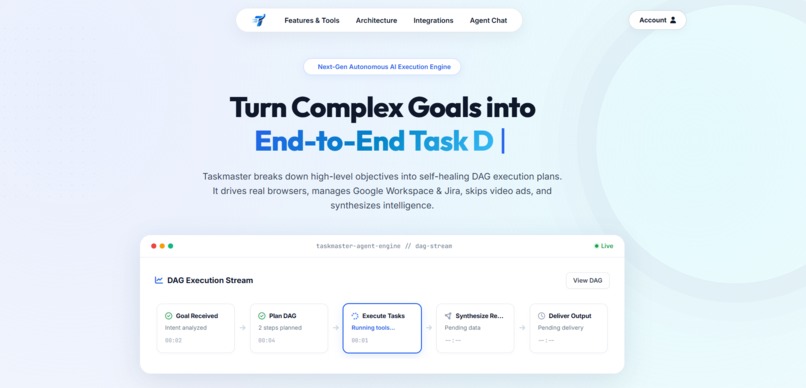
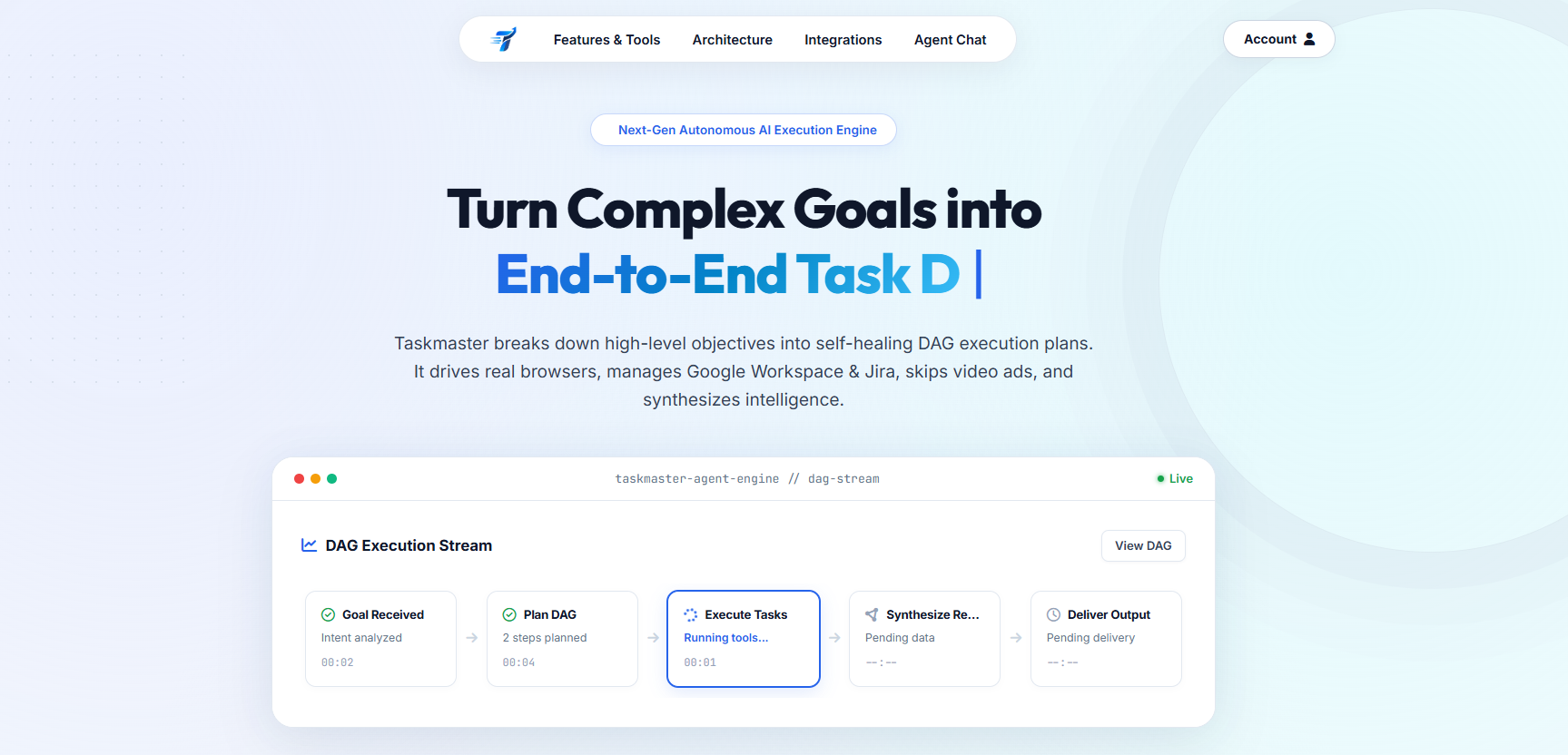
Taskmaster Portal — Decomposes complex goals into self-healing DAG execution graphs with live progress streaming.
-
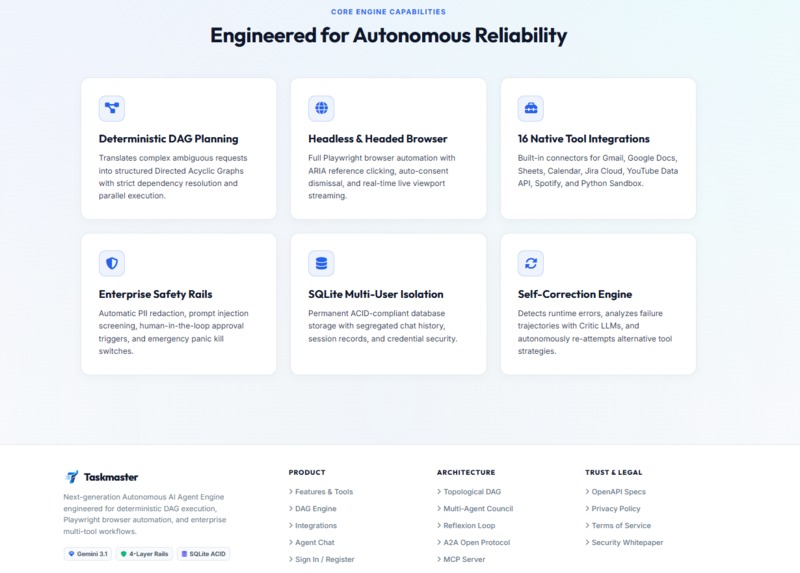
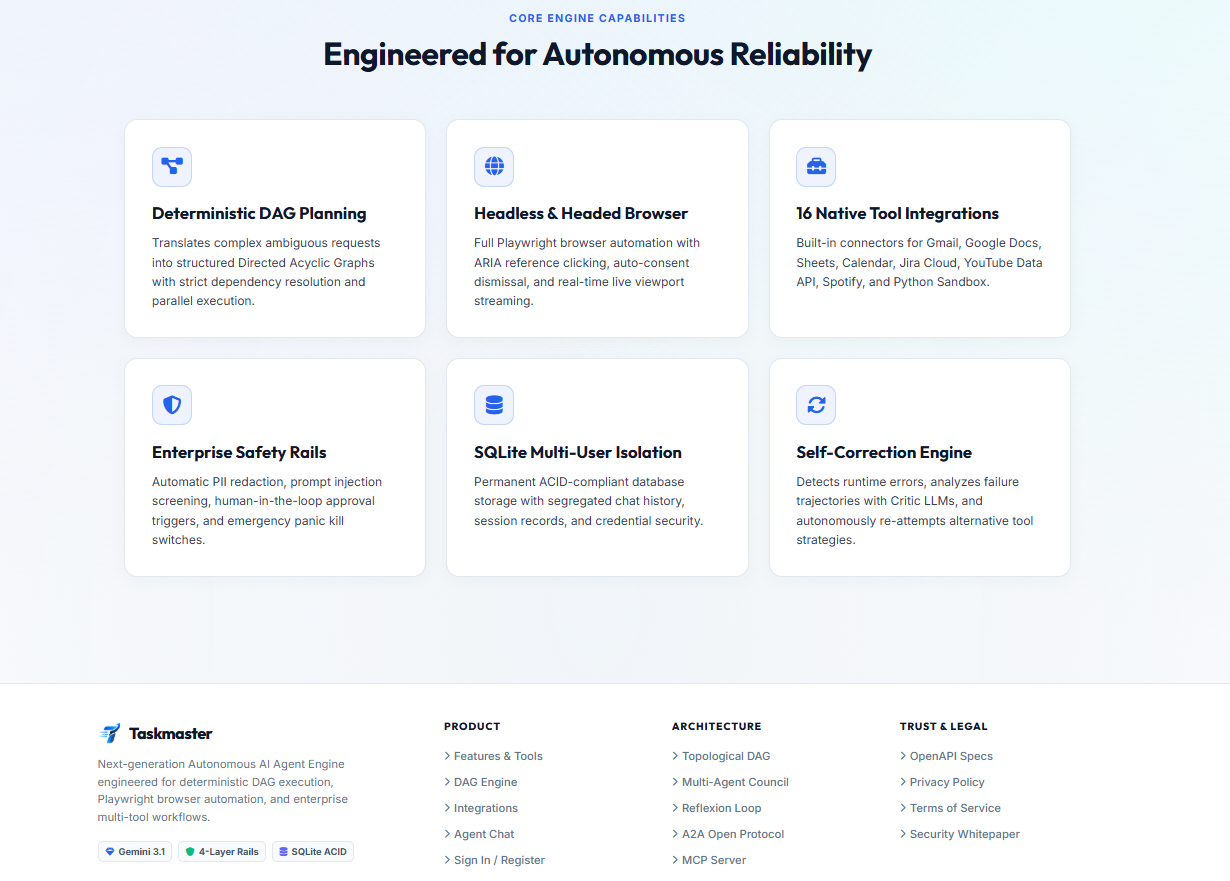
Engineered for Reliability — Deterministic DAGs, Playwright browser automation, 16 native tools, safety rails & self-healing.
-
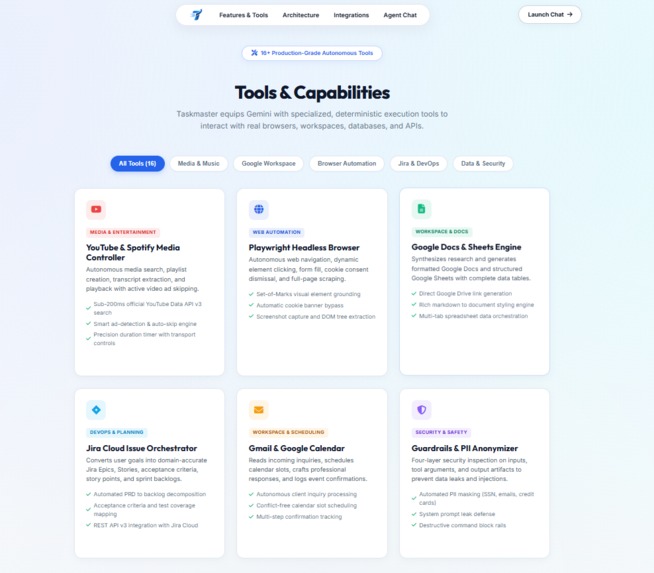
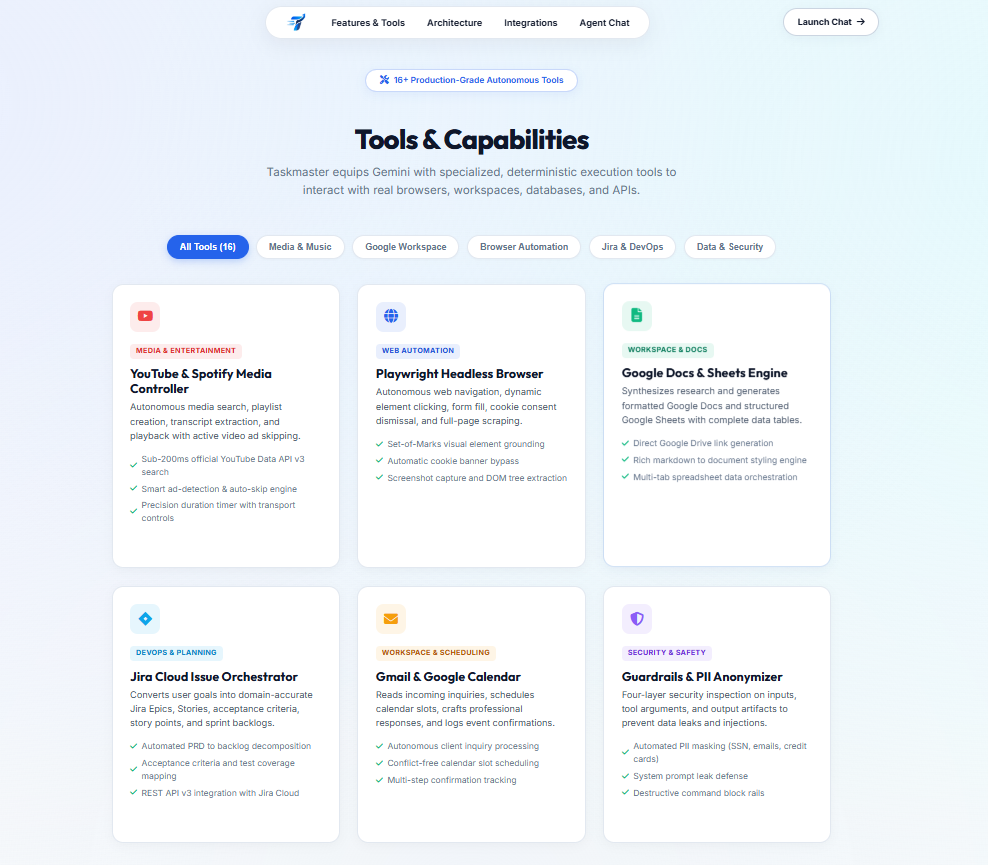
"Tools & Capabilities: 16+ Production-Grade Autonomous Tool Connectors for Google Workspace, Headless Browsers, DevOps & Enterprise APIs."
-
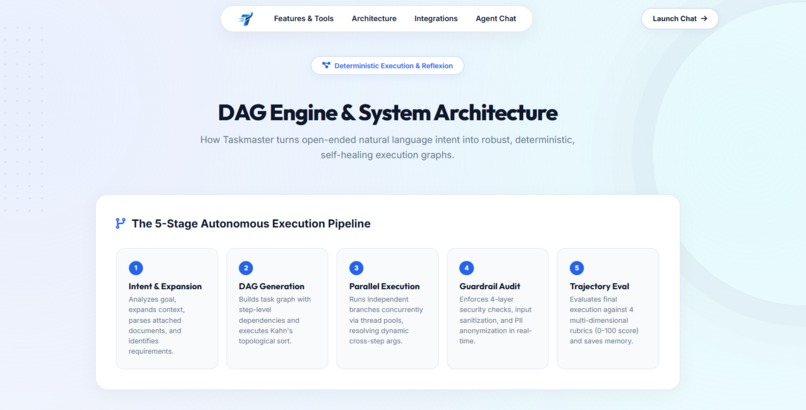
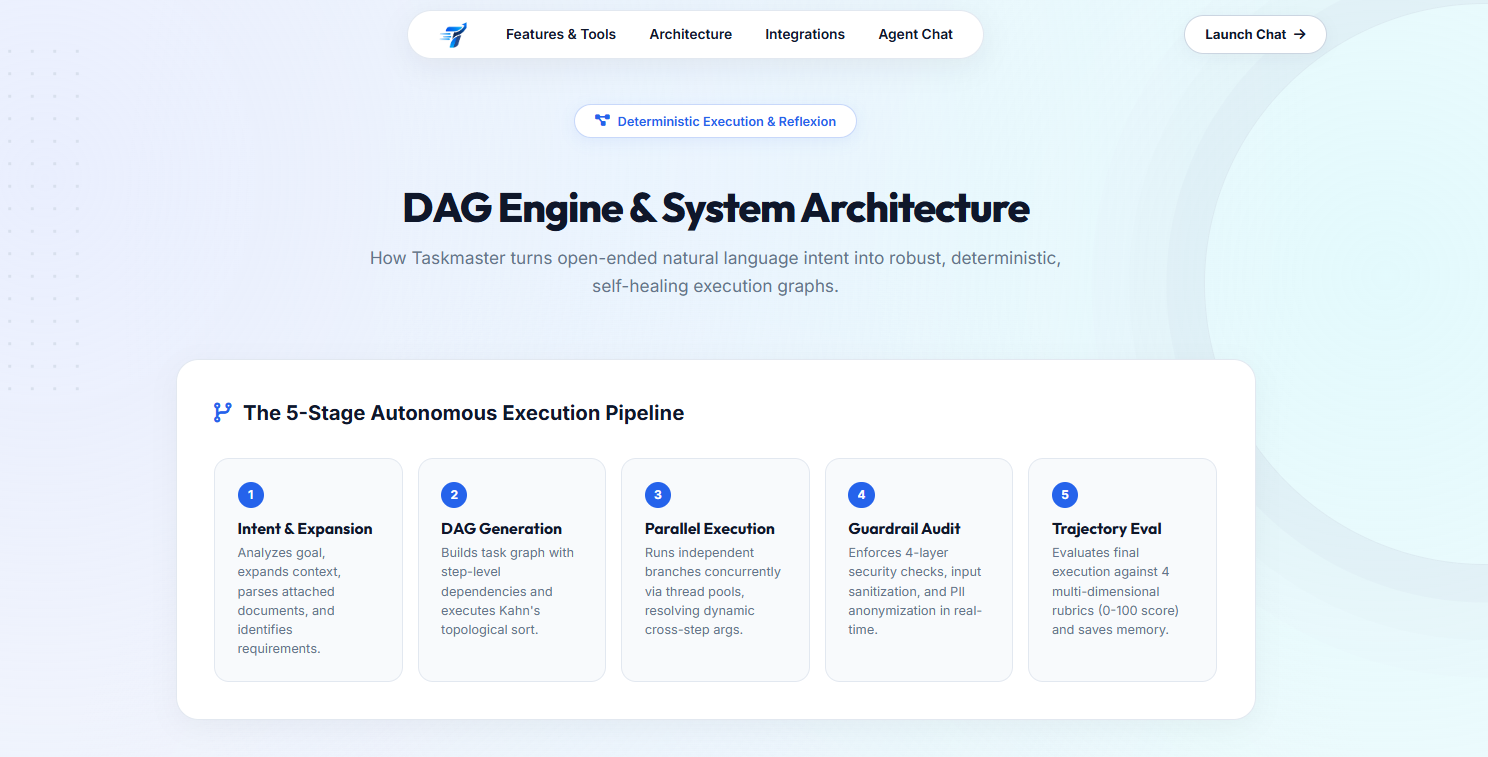
"DAG Engine & System Architecture: The 5-Stage Autonomous Execution Pipeline with Topological Scheduling & Trajectory Evaluation."
-
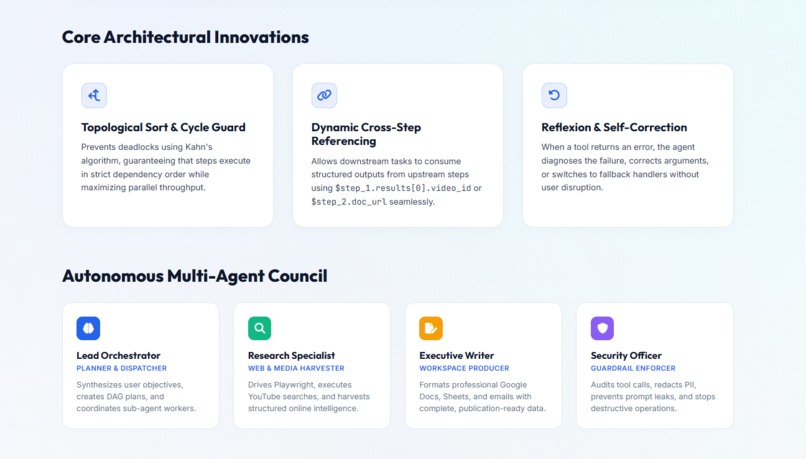
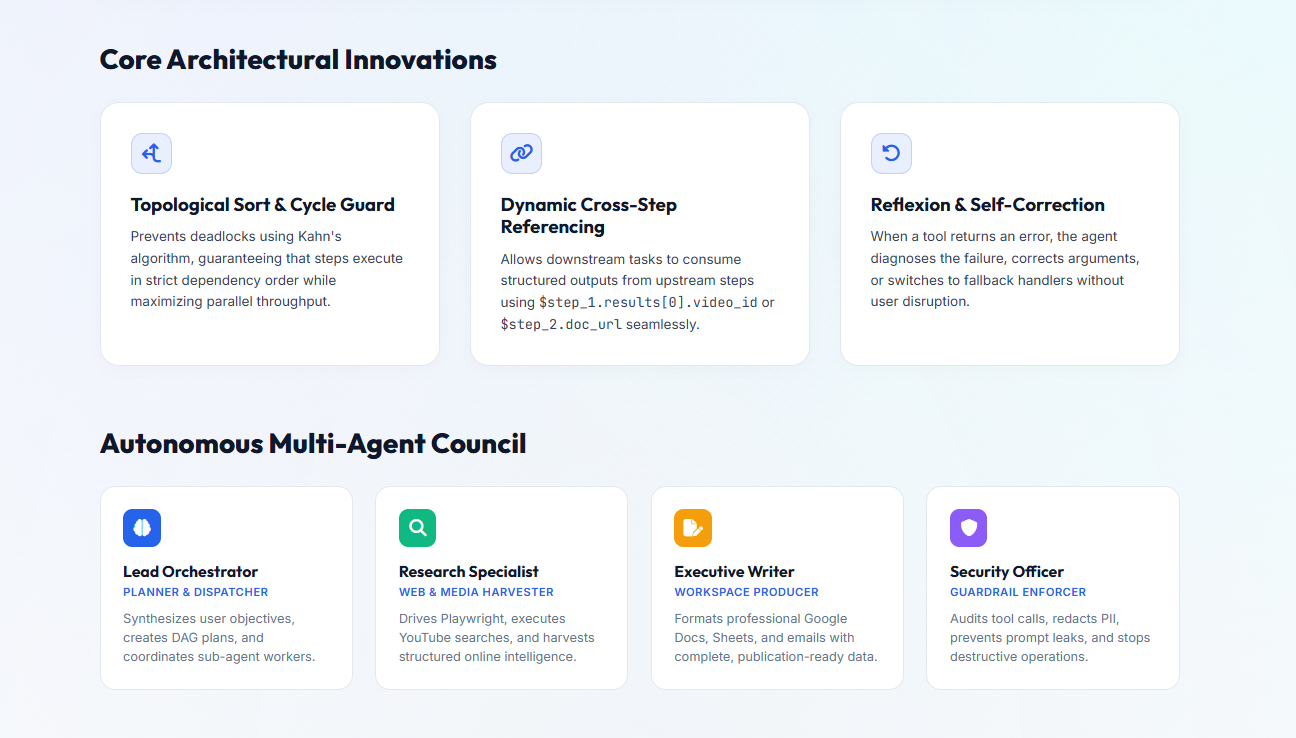
Multi-Agent Council & Innovations — Topological sorting, cross-step referencing, self-correction & specialized agent council personas.
-
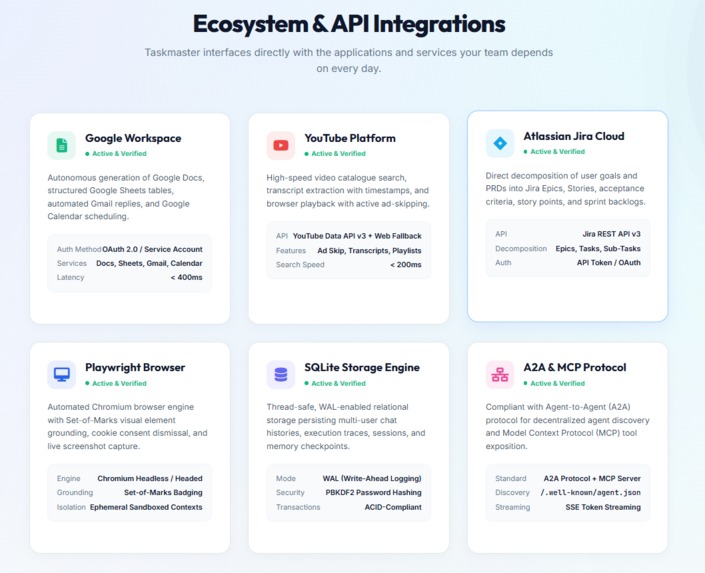
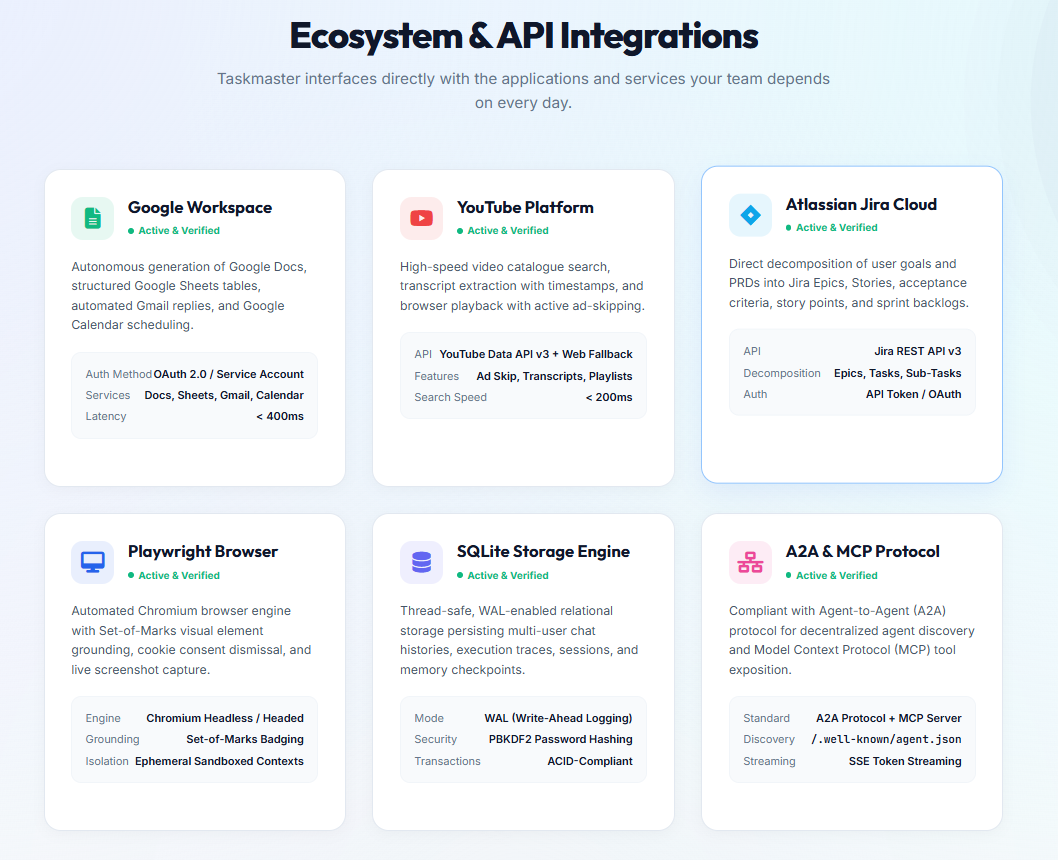
Ecosystem Integrations — Native Google Workspace, YouTube Data API, Jira Cloud, Playwright, SQLite & A2A/MCP open protocols.
-
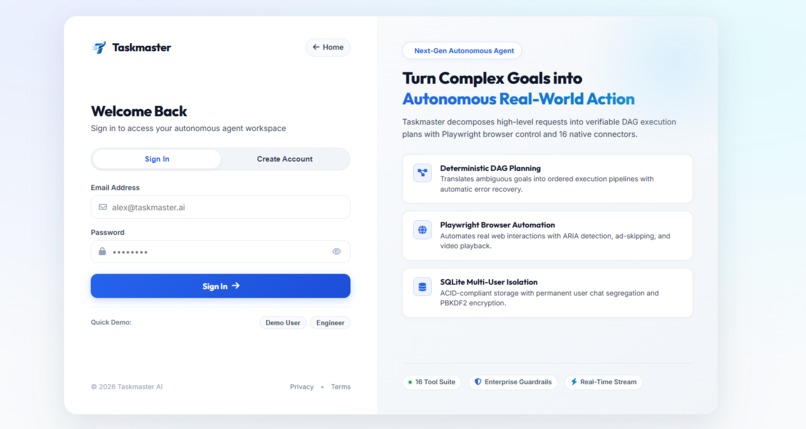
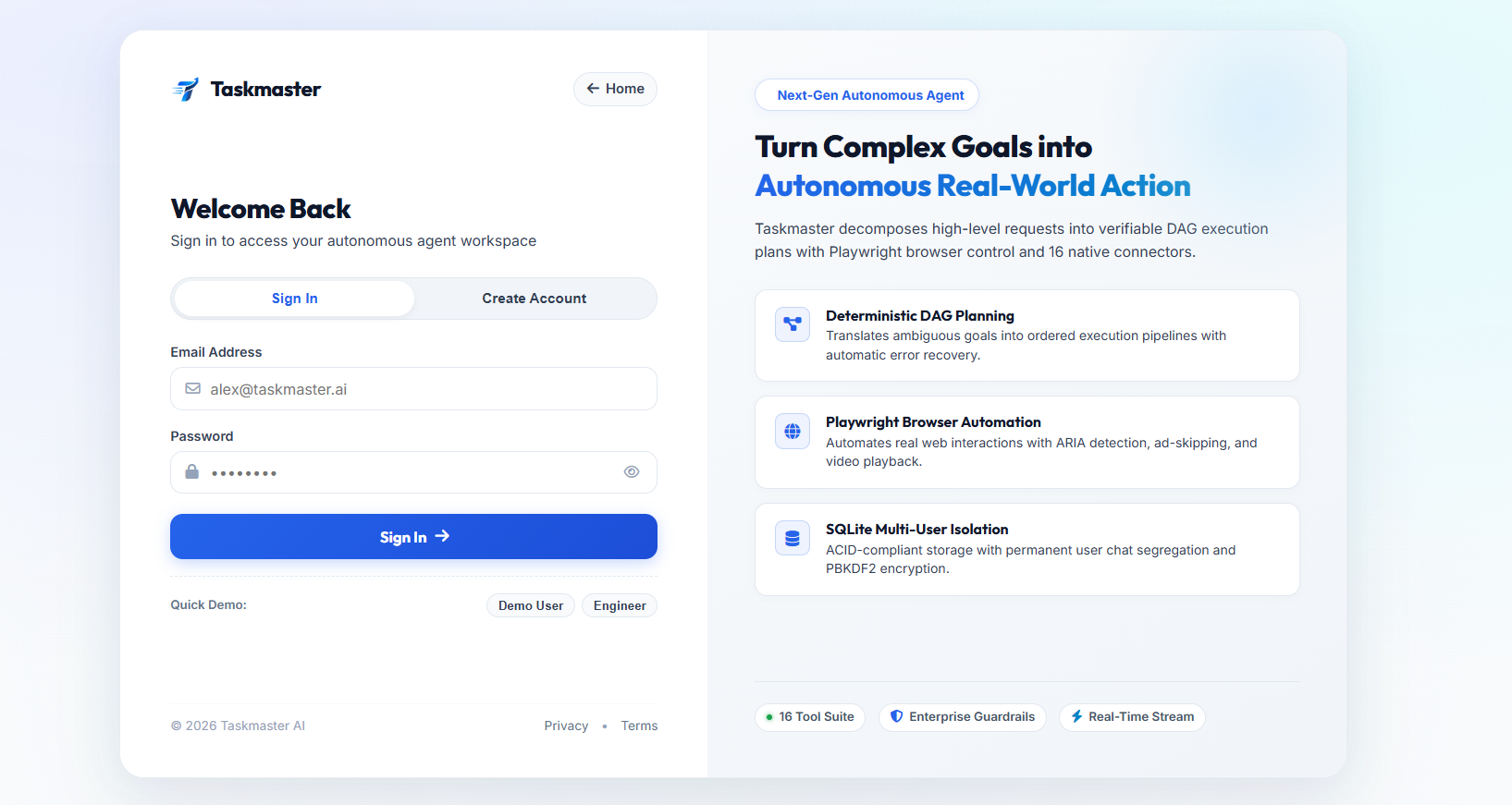
Authentication & Multi-User Hub — Secure login, PBKDF2 credential isolation, quick demo profiles & multi-tenant workspace protection.
-
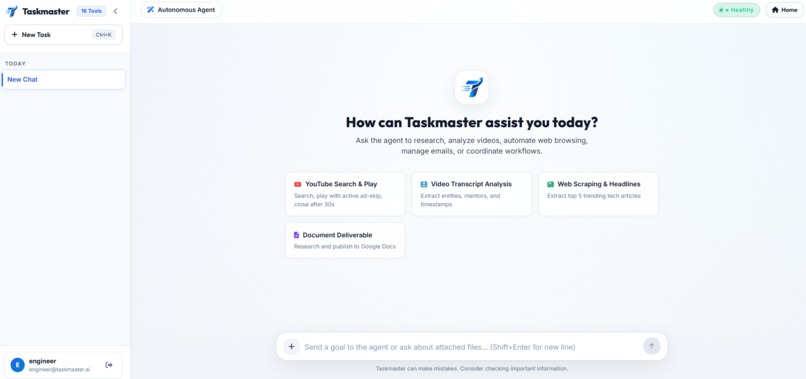
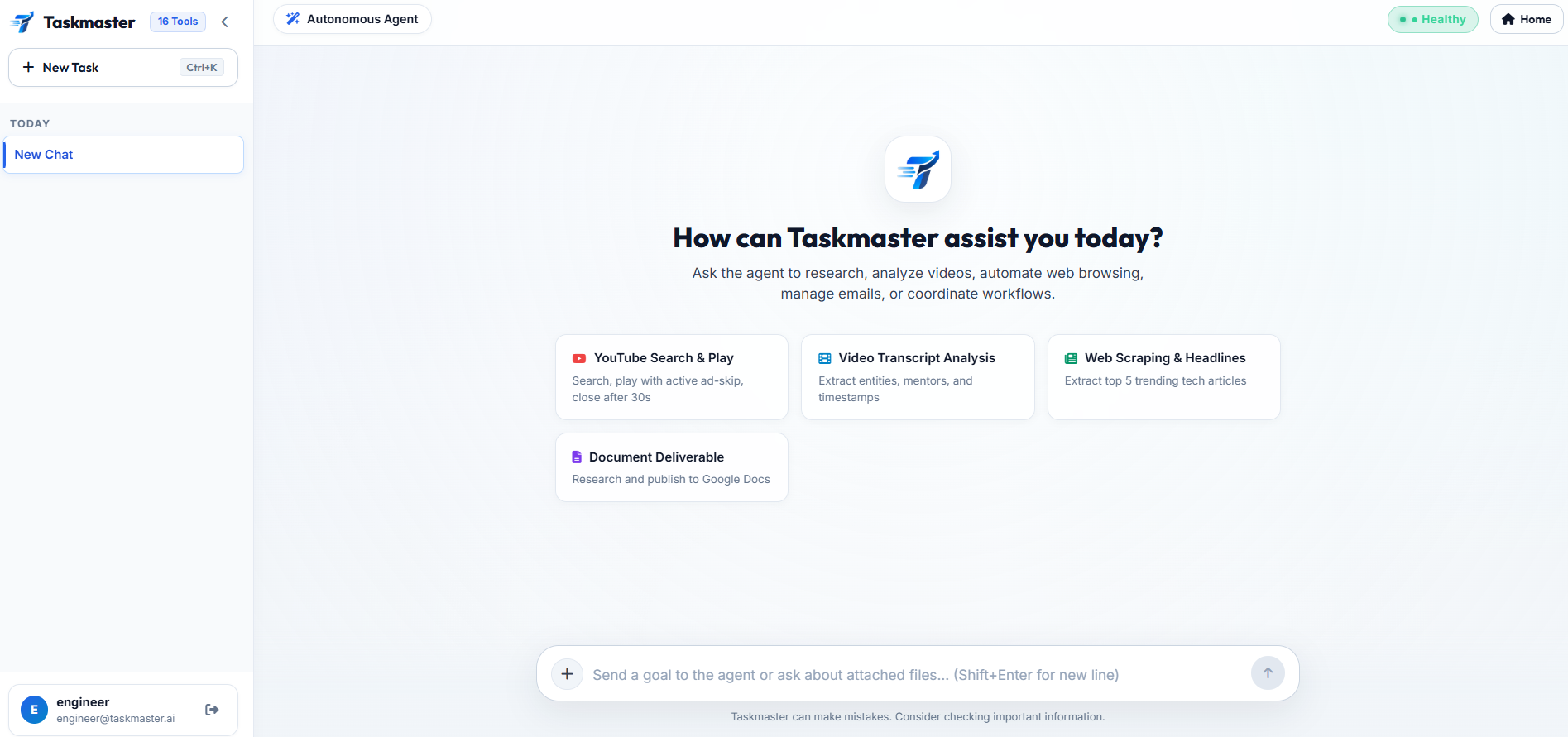
Live Agent Workspace — Interactive command center with one-click goal templates, real-time SSE streaming & autonomous tool execution.
Taskmaster — From Intent to Autonomous Action
AI has become very good at understanding what we say. But there is still a big difference between understanding a task and actually completing it.
Imagine telling an AI:
“Find a suitable time with my client next week, check my calendar, read our recent emails, schedule the meeting, create an agenda in Google Docs, and share it with everyone.”
A normal AI assistant can suggest the steps, but handling the entire process reliably is much harder. Real-world tasks involve multiple applications, dependencies between actions, authentication, changing web pages, failed APIs, and unexpected situations.
We wanted to solve this gap.
That is why we built Taskmaster, an autonomous AI system that takes a simple instruction and turns it into a complete workflow. It can plan the work, execute it across different tools, monitor what is happening, and recover when something goes wrong.
Instead of sending one large prompt to an AI and hoping everything works, Taskmaster first breaks the user's goal into smaller tasks. It then builds a Directed Acyclic Graph (DAG) that represents the dependencies between those tasks.
For example, if a user asks Taskmaster to organize a meeting, it can check emails and calendar availability independently, find a common time, schedule the meeting, create an agenda, and share it with the participants. Tasks that do not depend on each other can run in parallel, while dependent tasks wait for the information they need.
Multi-Agent Council
One of the core ideas behind Taskmaster is our Multi-Agent Council. Rather than asking one AI agent to handle everything, we give different responsibilities to four specialized agents.
Planner: Understands the user's objective and creates the initial workflow.
Critic: Reviews the plan, looks for missing steps or unsafe actions, and continues monitoring the workflow during execution.
Tool Master: Selects the appropriate APIs, browser actions, or other tools and carries out the actual work.
Synthesizer: Combines the results and produces the final response.
This separation of responsibilities gives the system more structure and makes it easier to identify and handle problems.
Self-Healing Workflows
Failures are especially important when building autonomous systems. An API can time out, a website can change, a browser element can disappear, or a tool can return unexpected information. In a simple automation script, any of these problems could stop the entire workflow.
Taskmaster is designed to recover instead.
When a workflow step fails, the Critic analyzes the failure and determines whether the step needs to be corrected or replanned. The workflow can then retry the corrected step and continue from there.
We also implemented checkpointing and time-travel debugging, which allows us to inspect previous workflow states and replay earlier points in an execution.
In simple terms:
Failure → Analyze → Correct → Retry → Continue
Real-World Tool Execution
Taskmaster is not limited to generating text. It can actually interact with real-world applications.
It currently integrates with:
- Gmail
- Google Calendar
- Google Docs
- Google Sheets
- Web applications
- Browser-based workflows
- MCP-compatible tools
For browser automation, we use Playwright and headless Chromium, along with ARIA-tree parsing and vision-based grounding. This allows the agent to work with dynamic web interfaces instead of relying only on fixed page structures.
Safety and Observability
Because Taskmaster can take real actions, safety was an important part of the design.
We implemented:
- Prompt-injection defenses
- Credential isolation
- Action validation
- OAuth authorization
- Audit logs
- Workflow checkpoints
- Execution traces
The goal is to make autonomous execution observable rather than a black box.
Users can see what Taskmaster planned, which actions were performed, and how the workflow responded when something went wrong.
Example
Consider a simple request:
“Organize a meeting with my project team next week, find a common time, create an agenda using our latest project emails, schedule the meeting, and put the agenda in Google Docs.”
From that single instruction, Taskmaster can:
- Understand the objective.
- Create and review a workflow.
- Read the relevant emails.
- Check calendar availability.
- Find a suitable time.
- Schedule the meeting.
- Create the agenda.
- Verify the results.
- Recover from failures when necessary.
The user gives one instruction. Taskmaster handles the workflow.
How We Built It
We built Taskmaster using:
- Python 3.12
- FastAPI
- Google Gemini models
- Google GenAI SDK
- SQLite
- Playwright / Chromium
- Google Workspace APIs
- Docker
- Google Cloud Run
Taskmaster is deployed on Google Cloud Run so that the system can scale when required and scale down when it is not being used.
We also designed the architecture to support A2A interoperability and MCP, making it easier to add new agents and tools in the future.
Challenges We Faced
One of the biggest challenges was Google OAuth in a cloud environment.
A cloud container cannot simply open a browser and wait for a user to complete authentication. We therefore built a token persistence and refresh mechanism that allows authorized Google APIs to be used securely in a headless environment.
Another challenge was handling unreliable websites and browser states. Pages can load differently, elements can disappear, and requests can fail. The Critic-based recovery mechanism was designed specifically to deal with these situations instead of letting one failed action terminate the entire workflow.
We also had to optimize our Docker environment because Playwright and Chromium can significantly increase container size. We used lightweight layers and build optimizations to make browser automation practical on Cloud Run.
Accomplishments
We successfully built a system capable of orchestrating 16+ real-world tools, with:
- Dynamic DAG execution
- Multi-agent planning and critique
- Self-correction
- Time-travel debugging
- Google Workspace automation
- Browser automation
- Real-time execution streaming
- Security controls
- Workflow visualization
- Cloud Run deployment
The system also provides a real-time interface where users can observe workflows as they execute, including task states, execution traces, and recovery events.
What We Learned
The biggest lesson for us was that building a reliable AI agent is not only about using a powerful model. The architecture around the model is just as important.
A Planner provides structure, a Critic provides another layer of reasoning, the Tool Master handles execution, and the DAG keeps the workflow organized. Checkpoints and recovery then make the whole system more resilient.
Together, these components allow Taskmaster to move beyond being another chatbot or automation script.
What's Next
Our long-term vision is to turn Taskmaster into a platform for autonomous digital work.
We want teams to be able to collaborate with agents through shared workspaces and memories. Taskmaster could also respond automatically to emails, Slack messages, Discord messages, and webhooks.
We also want to create a community-driven ecosystem where developers can publish their own MCP-compatible tools that Taskmaster can discover and use.
Our Vision
We believe the next generation of AI should not only be better at answering questions.
It should be better at getting things done.
Taskmaster bridges the gap between AI reasoning and real-world action.
You provide the goal.
Taskmaster plans the work, executes the actions, handles failures, and keeps moving toward the result.
Taskmaster — Tell AI what you want done. Let it handle the work.
Built With
- artifact-registry
- css3
- docker
- fastapi
- gemini-api
- gmail-api
- google-calendar-api
- google-cloud
- google-cloud-run
- google-docs-api
- google-genai
- google-sheets-api
- html5
- javascript
- mcp
- playwright
- pydantic
- python
- sqlite
- sse
- uvicorn
- youtube


Log in or sign up for Devpost to join the conversation.