TaskMaster https://github.com/jaco8060/TaskMaster/
Inspiration
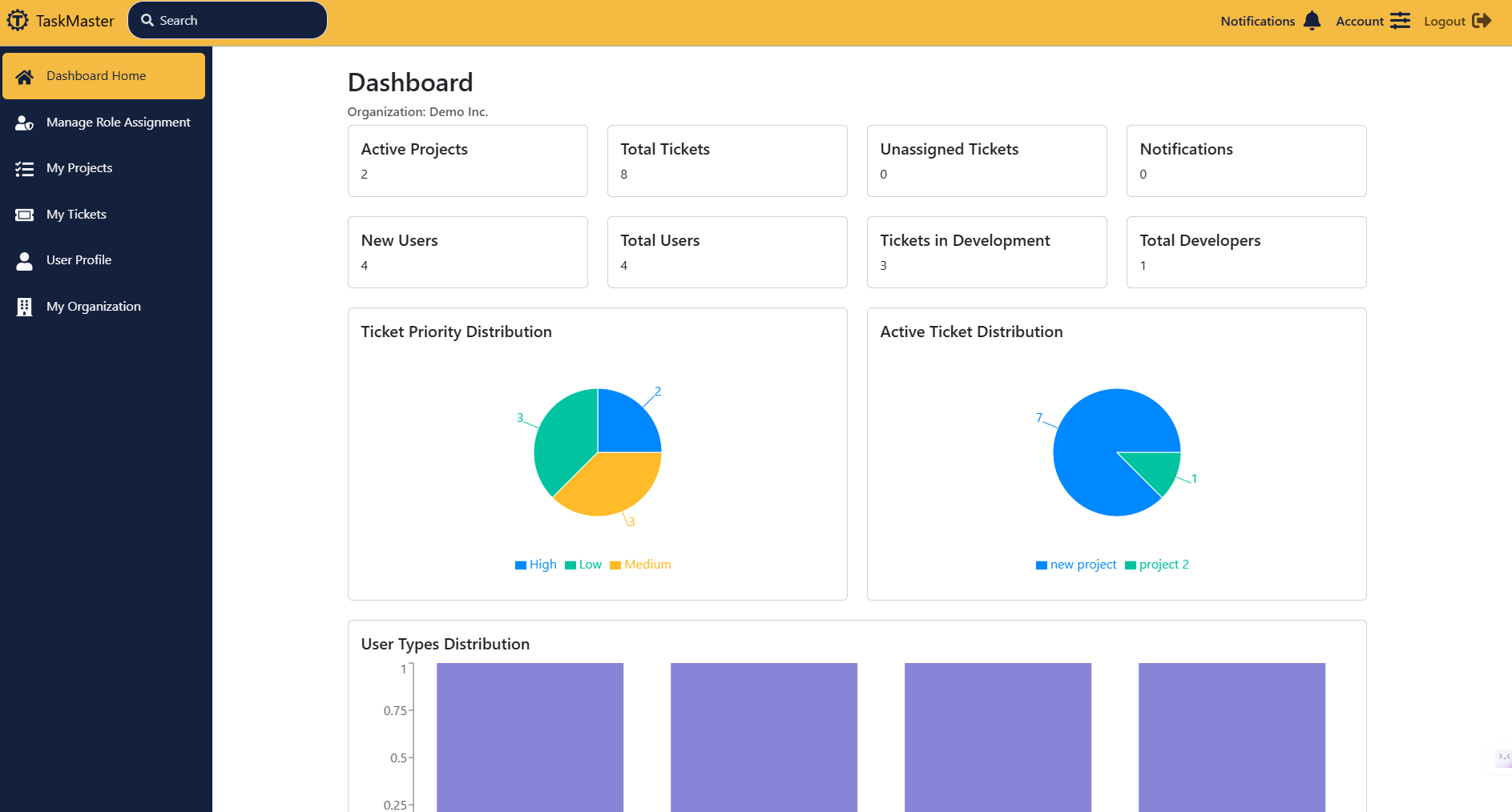
The idea for TaskMaster came from my own experiences working in software development teams where task management often felt chaotic—spreadsheets, endless email threads, and scattered tools that didn't talk to each other. I wanted to create a single, intuitive platform where teams could organize projects, track tickets, and collaborate seamlessly, inspired by the simplicity of tools like Trello but with more power tailored for developers, like integrated search and organization management.
What it does
TaskMaster is a web-based project management tool designed specifically for software development teams. It allows users to:
- Create and manage projects with detailed tracking of tasks (tickets)
- Assign team members to projects and tickets with role-based permissions (Admin, Manager, Developer, Submitter)
- Collaborate through comments, attachments, and real-time notifications
- Search across users, tickets, and projects with a fast, MeiliSearch-powered engine
- Manage organizations, including membership, join requests, and invite codes
- Deploy easily with options for Netlify frontend hosting or a full Linux server setup with Docker and SSL
It's hosted live at https://taskmastertracker.netlify.app/ and offers demo access for anyone to try it out.
How I built it
I built TaskMaster as a full-stack application with a modern tech stack:
Frontend
- React.js with TypeScript for a responsive UI
- Vite for fast builds
- Bootstrap for styling
- React Router for navigation
- React Context API for state management
- Recharts for visualizing project data
Backend
- Express.js powered by Node.js
- PostgreSQL database
- Passport.js and bcrypt for authentication
- pg_cron for scheduled tasks
Search
- MeiliSearch for lightning-fast searches
Deployment
- Frontend hosted on Netlify
- Backend runs in a Docker container with managed PostgreSQL
- Nginx with Let's Encrypt SSL and DuckDNS for dynamic IP management in local setups
The process involved setting up Docker Compose for development and production environments, configuring environment variables for security (like Gmail for password resets), and writing detailed documentation for deployment.
Challenges I ran into
- Search Integration: Getting MeiliSearch to work seamlessly with user permissions was tricky—ensuring users only see results they're authorized for required careful filtering on both the backend and search engine side.
- Cross-Domain Issues: Authentication on iOS Safari failed due to cookie restrictions. I had to tweak Netlify's redirect rules with the X-Forwarded-Host header to fix this.
- Docker Networking: Configuring Nginx to proxy requests to the backend container while maintaining SSL was a headache—port forwarding and certificate management took multiple iterations to get right.
- Organization Logic: Balancing the flexibility of joining organizations (via codes or requests) with security and admin control was complex, especially handling edge cases like expired invite codes.
Accomplishments that I'm proud of
- Live Deployment: Seeing TaskMaster go live on Netlify with a custom domain and SSL feels amazing—it's a real, usable tool now!
- Search Functionality: The MeiliSearch integration delivers instant, relevant results, which is a game-changer for usability.
- Demo Mode: Building a demo feature with predefined roles (Admin, Manager, etc.) lets anyone explore the app without committing, and it works flawlessly.
- Documentation: Writing a comprehensive README with step-by-step deployment instructions—I'm proud it's clear enough for others to set up their own instance.
What I learned
- Full-Stack Deployment: I deepened my understanding of Docker, Nginx, and SSL certificates, especially how to tie them together for a secure app.
- TypeScript: Using TypeScript with React taught me how to catch errors early and write more maintainable code.
- Search Optimization: Working with MeiliSearch showed me how to design efficient, permission-aware search systems.
- User Experience: Designing for both admins and regular users helped me prioritize intuitive workflows—like real-time validation during registration.
What's next for TaskMaster
- Mobile App: I'd love to build a companion mobile app using React Native for on-the-go task management.
- Advanced Analytics: Adding more detailed project and ticket analytics with Recharts—like burndown charts or team productivity metrics.
- API Enhancements: Exposing a public API so teams can integrate TaskMaster with other tools like Slack or GitHub.
- Real-Time Features: Implementing WebSockets for live updates on ticket changes and comments.
- Scalability: Optimizing the backend for larger teams, possibly with a switch to a microservices architecture.
Built With
- bootstrap
- docker
- meilisearch
- passport.js
- postgresql
- react
- typescript


Log in or sign up for Devpost to join the conversation.