

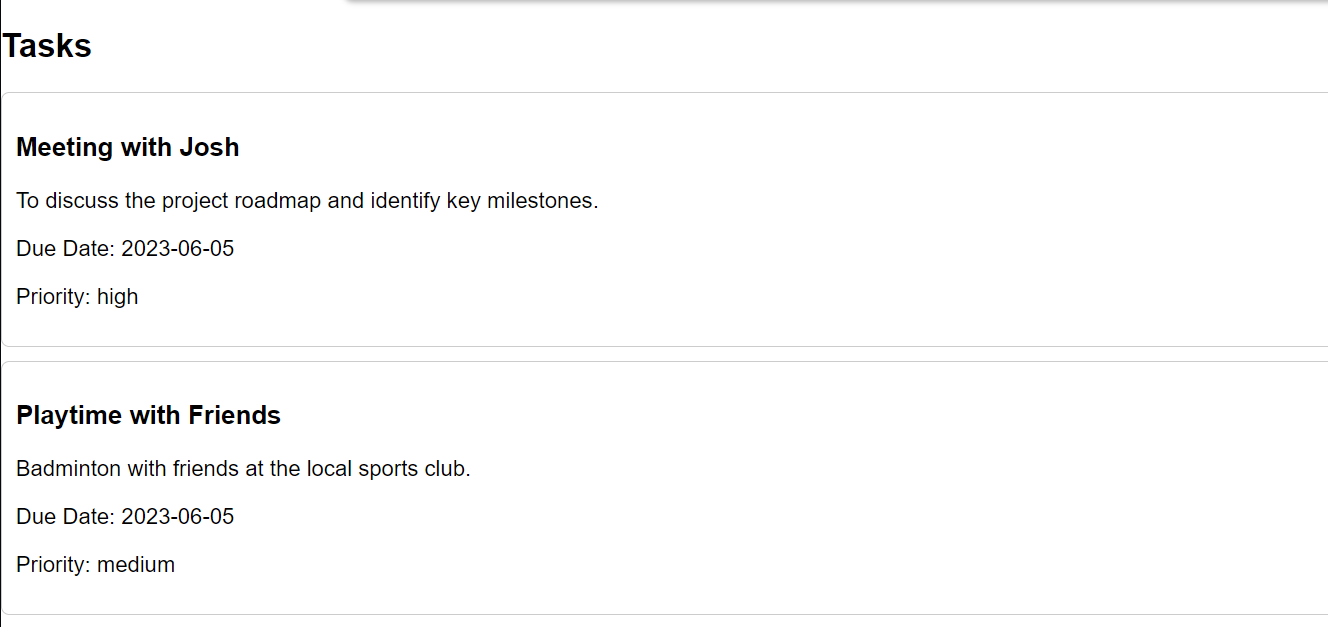
The Task Manager project is a web application designed to assist users in organizing and keeping track of their tasks. It was inspired by the need for a straightforward and efficient tool for managing both personal and professional tasks.
The primary motivation behind this project was the recognition that individuals often struggle to maintain organization while juggling numerous tasks. Traditional methods like using pen and paper or basic to-do lists sometimes prove to be ineffective. Hence, the goal was to create a digital task management solution that would be user-friendly, adaptable, and accessible from anywhere.
To accomplish this, the Task Manager project aimed to achieve several learning objectives:
Practicing web development skills: The project provided an opportunity to enhance proficiency in HTML, CSS, and JavaScript, which are fundamental web development technologies.
Creating a dynamic user interface: Understanding how to develop a dynamic user interface with event handling and DOM manipulation was a key aspect of the project's implementation.
Implementing data storage and retrieval: The project explored methods for storing and retrieving task data, including the use of local storage or server-side technologies.
Addressing form validation and user input handling: Challenges related to form validation and effectively managing user input were encountered and resolved during the project's development.
Developing responsive web design: The Task Manager project emphasized the importance of responsive design principles, ensuring optimal functionality and user experience across various screen sizes and devices.
The project was built using HTML, CSS, and JavaScript. HTML was employed to establish the structural foundation of the web page, including sections such as the welcome screen, dashboard, and task manager. CSS was utilized to style the elements, creating an attractive and visually appealing layout. JavaScript handled user interactions and implemented the desired functionality.
The development process followed a systematic approach:
The initial step involved constructing the basic HTML structure for the welcome screen, dashboard, and task manager sections.
CSS was applied to style the elements, providing an intuitive and visually pleasing design.
JavaScript code was written to manage user interactions, such as handling button clicks and form submissions.
Functionality was implemented to enable task creation, the ability to toggle task completion status, and the display of the task menu.
Event listeners were added to respond to user actions and dynamically update the user interface accordingly.
Thorough testing of the application was conducted to ensure it functioned as intended and provided a user-friendly experience.
Throughout the development process, a few challenges were encountered and addressed:
Handling form submission required careful consideration to validate user input accurately and process form data correctly to create tasks without errors.
Dynamic element creation posed challenges in efficiently managing the Document Object Model (DOM) and updating the user interface dynamically as tasks were added.
Responsive design necessitated careful attention to detail and extensive testing on different devices and screen sizes to ensure a seamless user experience.
Deciding on the appropriate data management method, whether local storage or server-side technologies, involved considerations of security, scalability, and ease of implementation.
In conclusion, the Task Manager project provided valuable hands-on experience in web development, user interface design, and JavaScript programming. It successfully achieved the goal of creating a functional and user-friendly task management tool. The challenges encountered during the development process contributed to personal growth and improved understanding of web technologies and best practices. Overall, the Task Manager project served as a stepping stone toward building more sophisticated web applications and refining web development skills.
Built With
- and-javascript-for-the-front-end
- css
- data
- html5
- i-utilized-html
- javascript
- replit

Log in or sign up for Devpost to join the conversation.