-
-
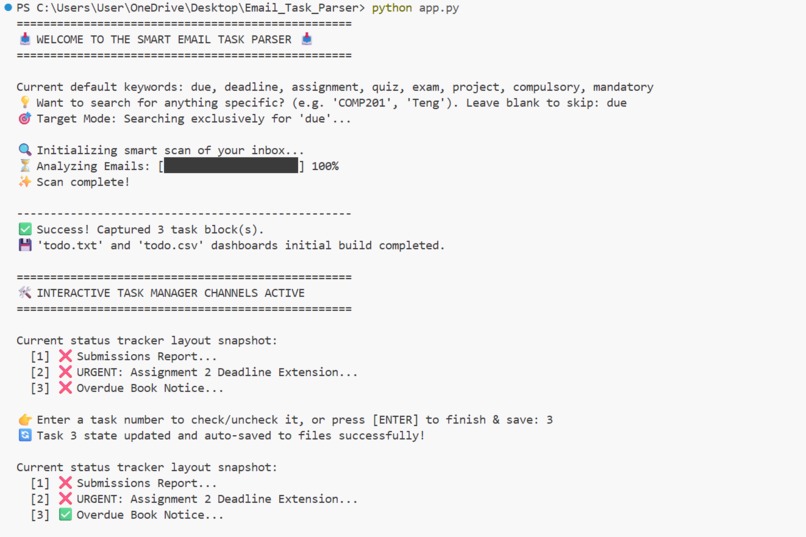
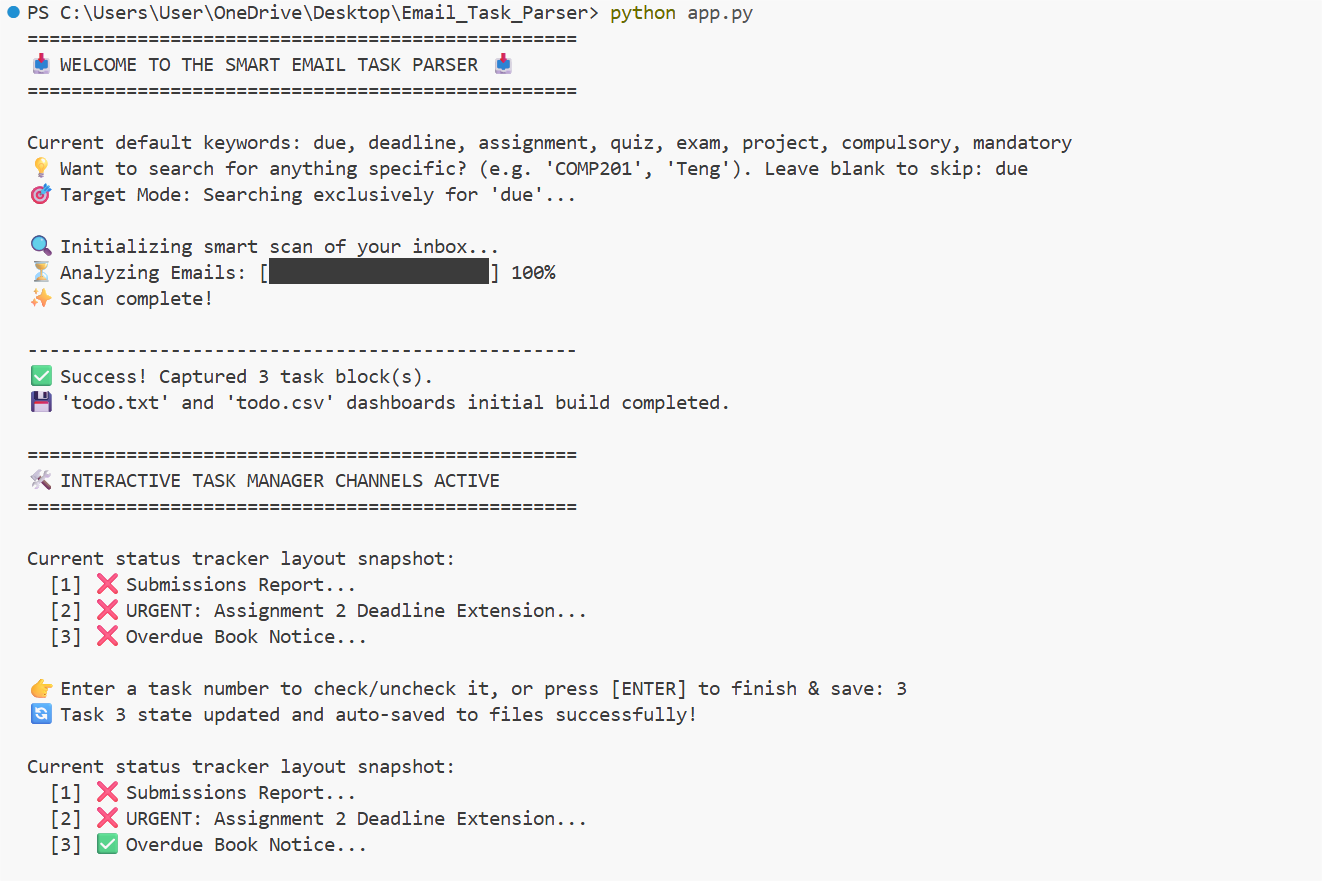
Interactive terminal interface running the email scanner and live task manager.
-
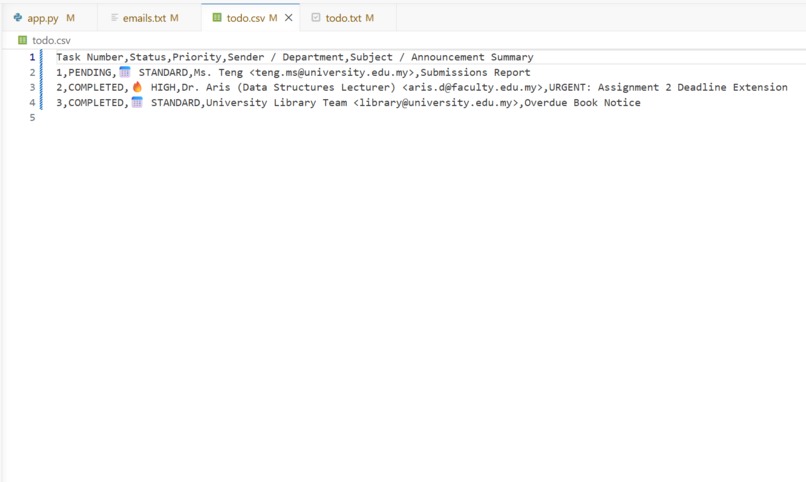
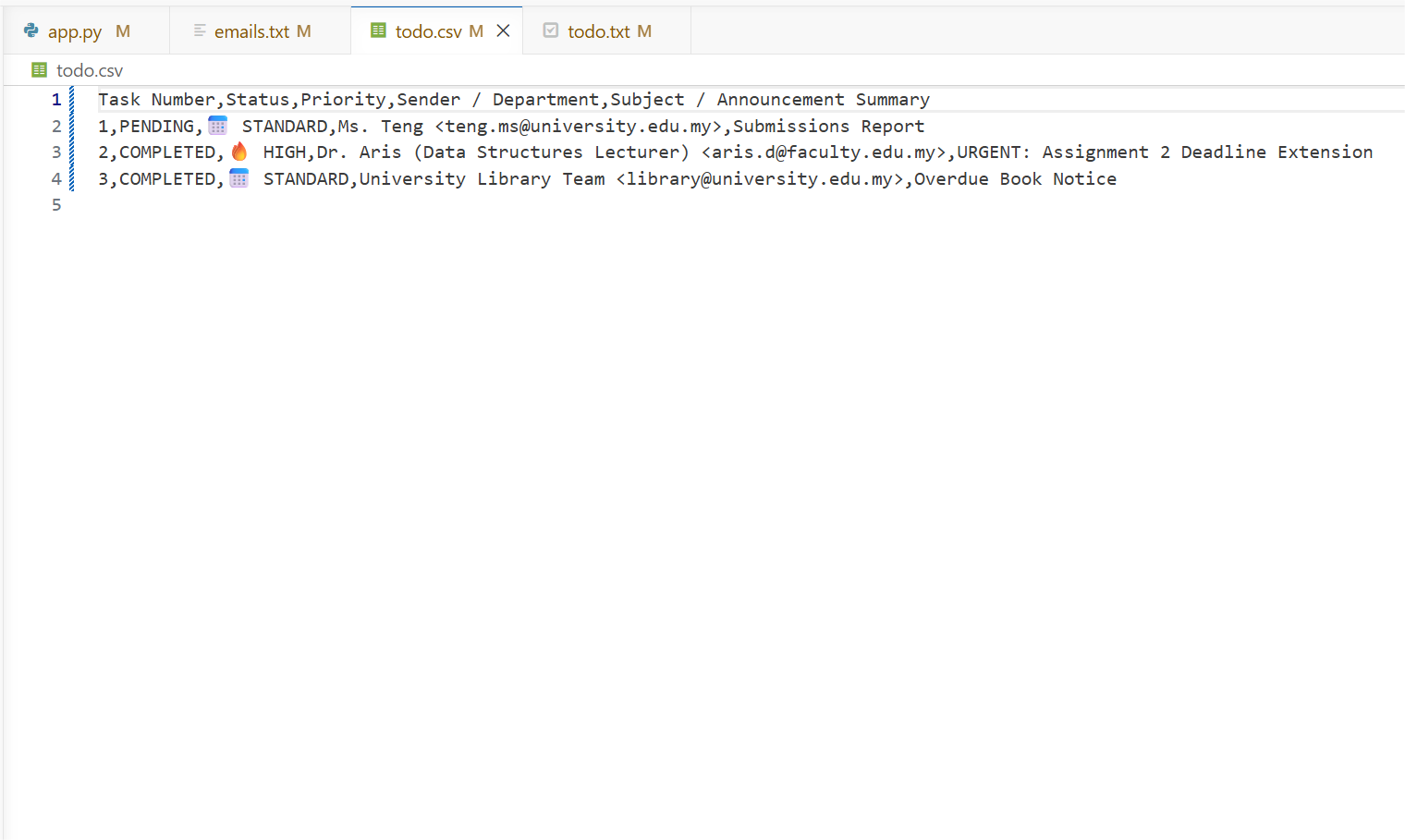
Structured spreadsheet export tracking task completion status for Excel.
-
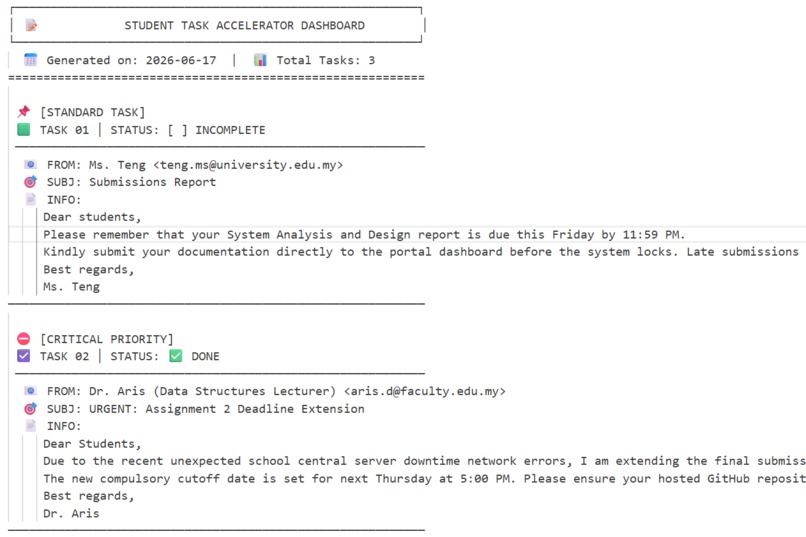
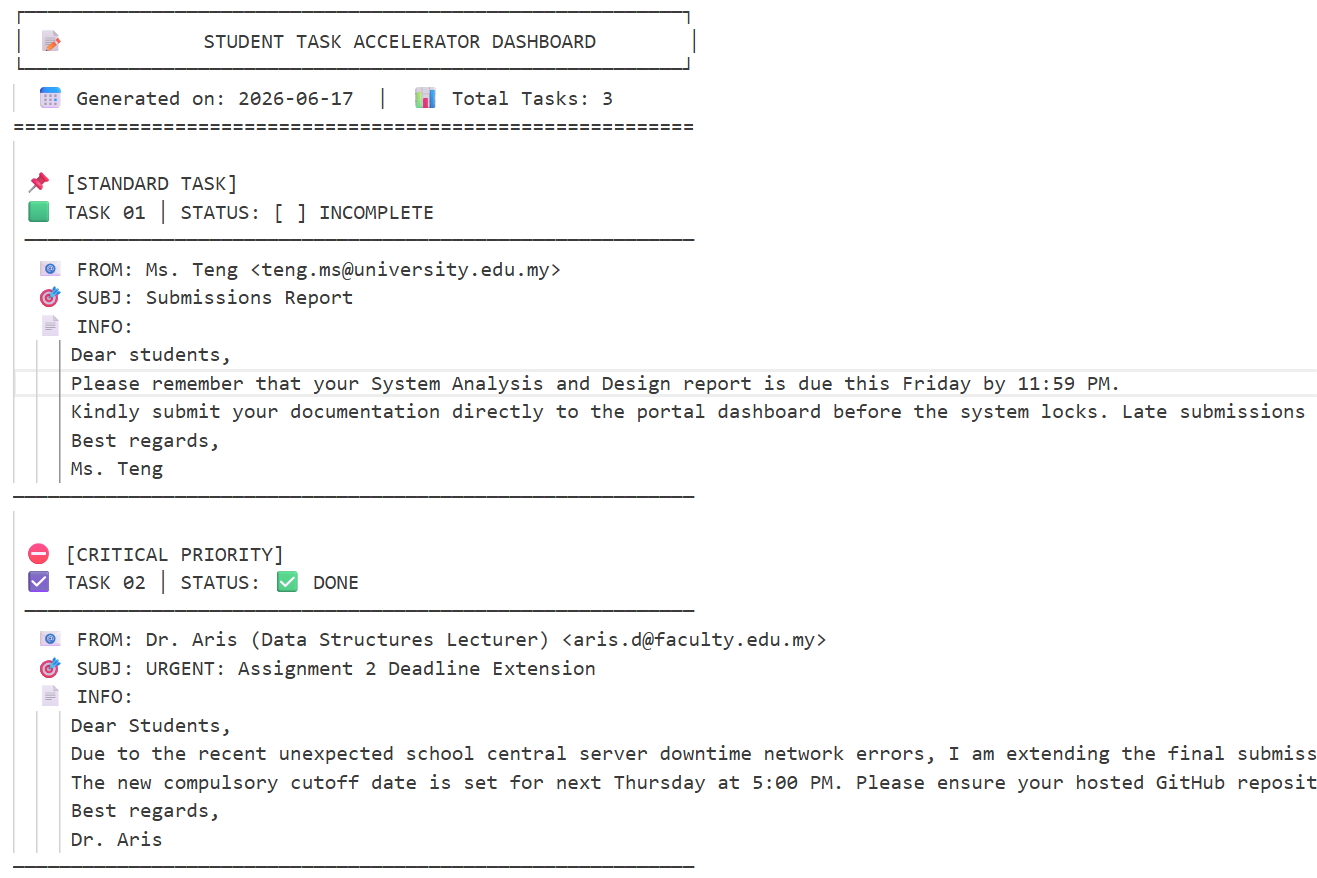
Clean, custom ASCII task dashboard with perfect alignment and checkboxes.
-
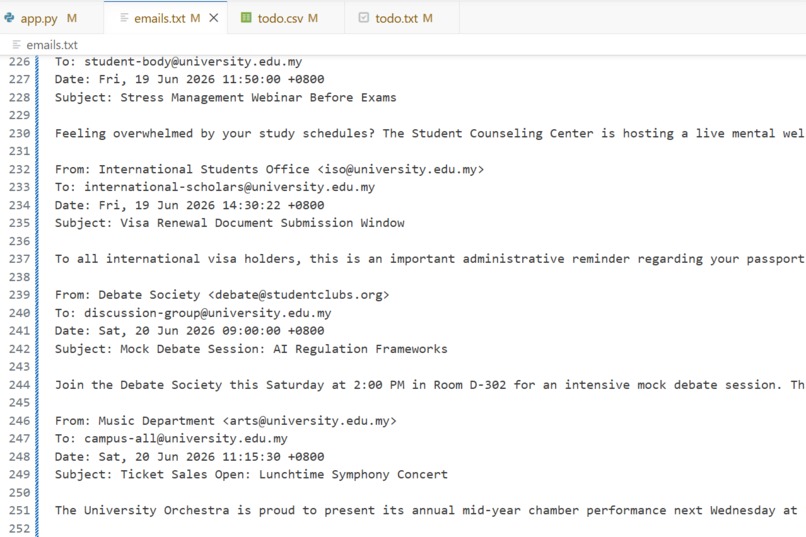
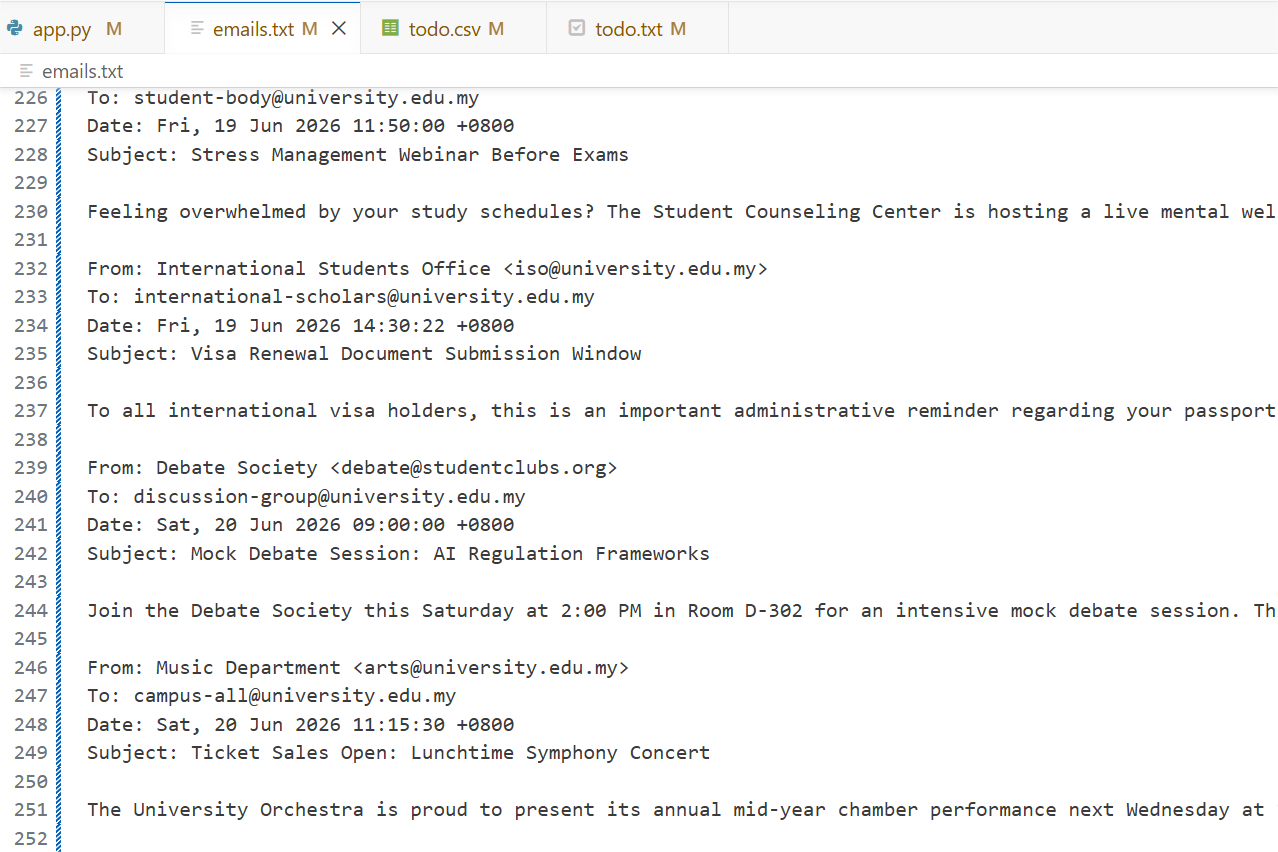
Raw email dataset with realistic headers and multi-line institutional text.
Inspiration
As university students, our inboxes are constantly overwhelmed. Critical assignment deadlines, project cutoffs, and exam notices easily get buried under a mountain of daily campus noise, club advertisements, lost-and-found alerts, and gym schedule updates. We spent too much time sifting through emails manually just to figure out what was due. We built this tool to instantly slice through the clutter and give students their time back.
What it does
Our application is an intelligent Inbox-to-Task Email Parser. It takes a raw, chaotic stream of unstructured email text files and instantly filters out the noise. It scans for custom target keywords or baseline academic triggers, categorizes tasks by urgency (Standard vs. Critical High Priority), and launches an interactive terminal loop session. From there, users can dynamically toggle tasks as "Done" or "Incomplete" with a keystroke. The app then instantly exports the synchronized data into two clean assets: a beautifully aligned visual ASCII dashboard (todo.txt) and a structured, Excel-ready spreadsheet (todo.csv).
How we built it
The core engine was engineered entirely from scratch using Python 3.x.
Data Stream Splitting: We utilized conditional string manipulation routines to slice raw text dynamically by standard email metadata headers (From:, To:, Date:, Subject:).
Terminal UI: We integrated a real-time, animated streaming progress bar using Python's sys.stdout buffer handlers.
Database Exporting: We implemented the native csv module with DictWriter arrays to safely format, structure, and dynamically overwrite data rows whenever a task state changes.
Challenges we ran into
We ran into two major platform-specific hurdles during development:
Encoding Crashes: When exporting our modern visual UI elements (like 🟩, 🔥, and ✅) on Windows machines, the script crashed with a terminal UnicodeEncodeError under default cp1252 encoding. We fixed this by explicitly updating our file streaming boundaries to enforce absolute global standard utf-8 protocols.
UI Real Estate & Layout Wrapping: Our original ASCII display utilized rigid side-by-side boundaries, which completely broke and misaligned whenever an email description wrapped on a user's screen. We solved this by refactoring Section 6 into a flexible, beautifully indented card structure that flows naturally regardless of screen scale.
Accomplishments that we're proud of
Interactive Task State Synchronization: We successfully engineered a live terminal event loop that auto-saves. When you check a box in the terminal, it rewrites both the .txt dashboard and the .csv spreadsheet instantaneously without corrupting existing logs.
True Noise Filtering: Our parser successfully isolates real academic threats from complex multi-paragraph emails while filtering out irrelevant club spam.
What we learned
We learned a massive amount about text parsing boundaries, streaming data state persistence, and managing character encoding layouts across different operating systems. We also realized how simple scripting automation can drastically improve everyday productivity hurdles.
What's next for Taskify
The next step for Taskify is shifting from a local text dump file to a direct API integration. We want to connect the script directly to the Gmail and Microsoft Outlook Graph APIs via OAuth2 secure tokens, allowing the script to scrape live student email streams directly from the cloud on a daily cron-job schedule!

Log in or sign up for Devpost to join the conversation.