-
-
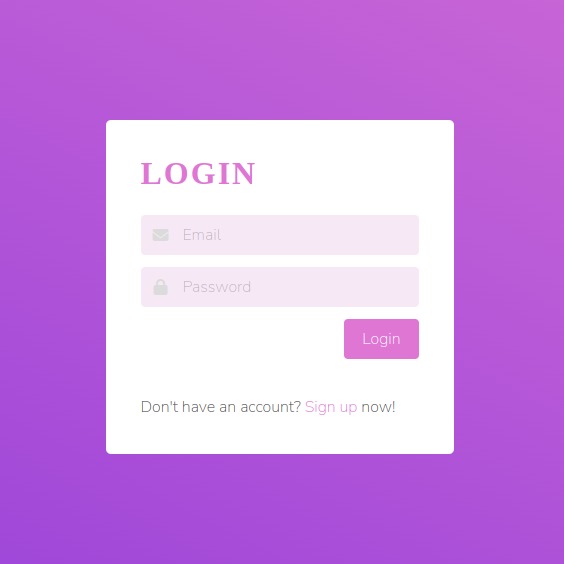
Login Page
-
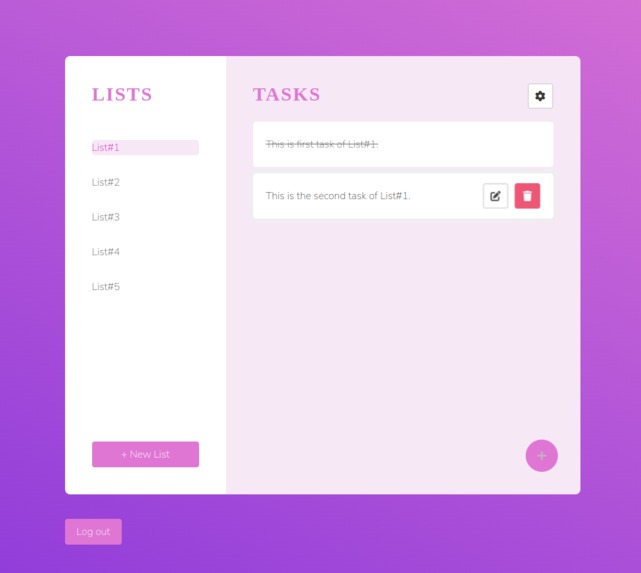
List page where user can perform CRUD operation over list/task.
Inspiration
I have been exploring the Angular framework and am eager to create a web application using Angular, a well-managed framework that follows the model-view-controller (MVC) architecture. As a college student, I aim to develop a solution for anyone to effectively manage their time by tracking their routine. for example in my case: I want to categorize these tasks into corresponding lists, addressing various aspects of my life such as academics, open-source contributions, and learning Data Structures and Algorithms (DSA) for problem-solving. This project stems from my desire to streamline and enhance my time management skills.
What it does
TaskGenie, a dynamic web app designed for anyone looking to manage their time effectively. The main idea is to help users organize their work by creating lists and adding tasks to each list. User can create, edit, or delete tasks and lists, essentially performing CRUD operations.
What makes this web app special is the use of JWT (JSON Web Token) for user authentication. Users can sign up or log in using their email and password, ensuring the security of their data. No one else can access or view their information without the right credentials. This means that user data in TaskGenie remains private. Upon logging in, users can see their previous data and make updates as needed. It's a user-friendly way to stay organized and keep personal information secure.
How I built it
I have developed TaskGenie using the MEAN Stack. For the frontend, I utilized Angular as the framework, while for the backend, I employed Express.js. I created API calls to handle CRUD operations and validated the backend using Postman. To enhance security, I implemented JSON Web Token (JWT) for authentication. Additionally, I incorporated a method to allow users to revoke sessions in case their device is lost and they need to terminate the session on that specific device.
Challenges I ran into
Connecting the backend to the frontend exposed various bugs and errors. Debugging and resolving these issues became an integral part of the learning process, significantly enhancing my problem-solving skills. I encountered a CORS error, which I successfully resolved by adding CORS middleware in the backend. Additionally, while implementing authentication features, I faced various errors, but I managed to overcome them by consulting documentation and seeking assistance on Stack Overflow.
Accomplishments that I'm proud of
Overall, this experience boosted my confidence in building web applications. I gained practical skills in server and database management, error handling, and frontend design, making me feel more comfortable and competent in web development.Building a task manager was a practical way to apply and reinforce these learnings, and it provided a solid foundation for future web development projects.
What I learned
Building this task manager taught me valuable insights into web development. Here are the key takeaways:
Understanding Server-Side Development: I better understood how the server-side of web applications works. I learned to set up server routes, handle requests and responses, and ensure the backend functions properly.
Testing with Postman: I learned to use tools like Postman to test the backend functionality, helping me verify that the server is working correctly and handling API requests as expected. Also while working at postman, I got the Postman Student Expert badge.
MongoDB for Data Storage: I explored how MongoDB handles data storage, including creating database collections, and performing CRUD (Create, Read, Update, Delete) operations.
Angular for Frontend: I discovered how to create a visually appealing and user-friendly web interface using Angular for the frontend. It allowed me to design a well-structured and interactive website.
What's next for TaskGenie
I want to integrate a two-step verification feature into TaskGenie for enhanced authentication and password recovery. This addition will provide an extra layer of security and improve the overall user experience. As the next step for TaskGenie, I plan to implement and refine this feature, ensuring a more robust authentication process and addressing forget password scenarios.


Log in or sign up for Devpost to join the conversation.