Inspiration
A close friend of mine, I'll call him Alex, has ADHD. For years I watched him sit down to do something simple, like starting a lab report or replying to one email, and get pulled sideways within about ninety seconds. Not because he didn't care. Not because he was lazy. His brain would just... jump. Halfway through opening a Word document, he'd remember he needed to move laundry to the dryer. Halfway through the laundry, he'd notice his desk was a mess and start organizing it. Three hours later the lab report still had a blank title page, and he'd be furious with himself, which made it even harder to sit back down and try again.
What struck me wasn't that he lacked willpower. It was that every task in his head was one giant, undifferentiated blob: "write the lab report" instead of "open the document, type the title, write one sentence." The blob was too big to hold attention long enough to get traction, so his attention slid off it and onto whatever was nearest and easiest, over and over.
There's actually a reasonably clean way to describe this. If we model motivation to stay on a given task as decaying over time,
$$ \frac{dM}{dt} = -\lambda M, \qquad M(t) = M_0 e^{-\lambda t} $$
then for someone with ADHD, $\lambda$ (the decay rate) is simply larger. Motivation crosses the "I'm switching to something else" threshold $M_{th}$ much faster:
$$ t_{switch} = \frac{1}{\lambda}\ln!\left(\frac{M_0}{M_{th}}\right) $$
A smaller $\lambda$ buys you a long, comfortable runway to finish a task. A larger $\lambda$ means you have maybe two or three minutes before your brain wants out. The task itself doesn't change size, but $t_{switch}$ does. So the only lever you actually have is making sure each step fits inside that shrunken window, not the whole task.
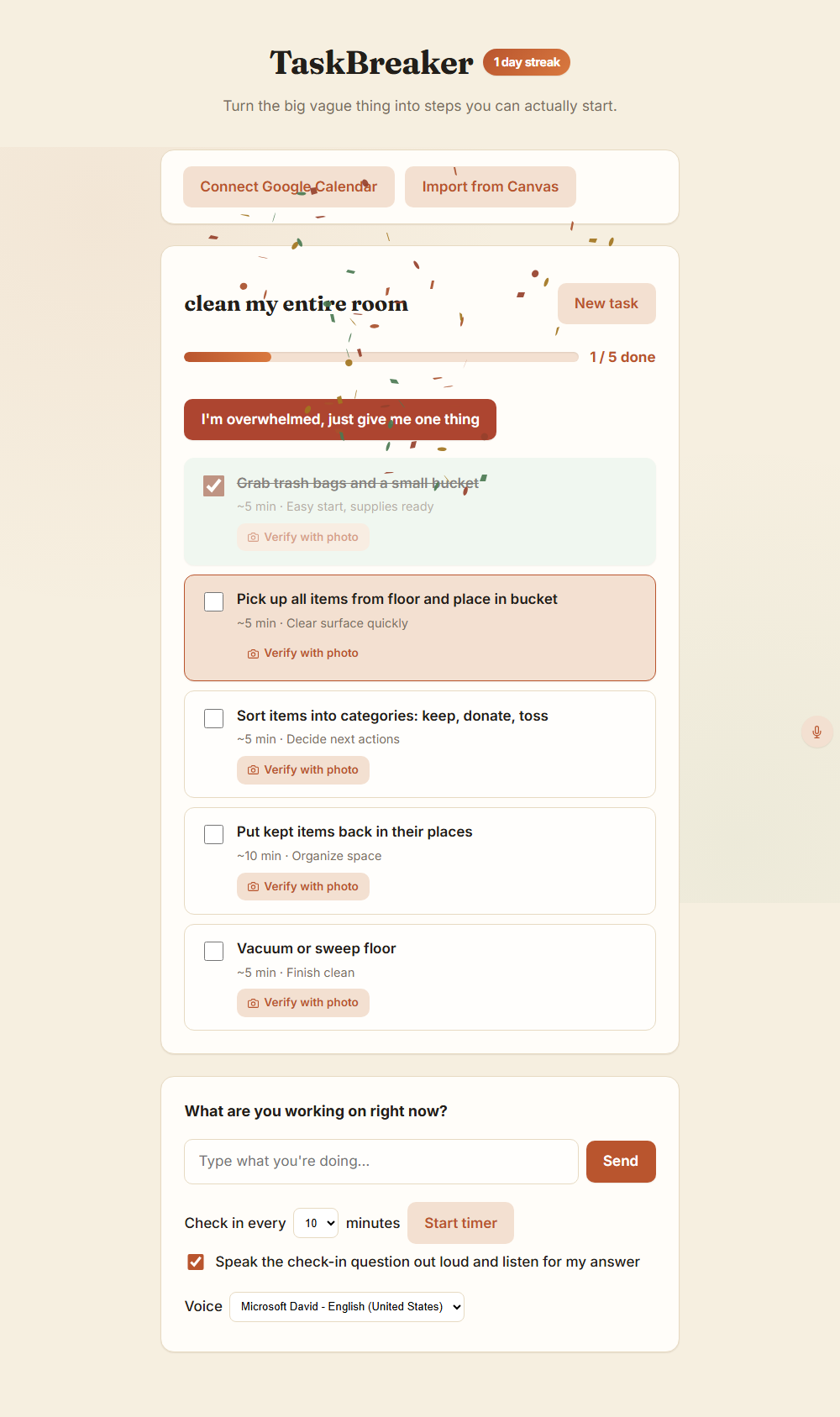
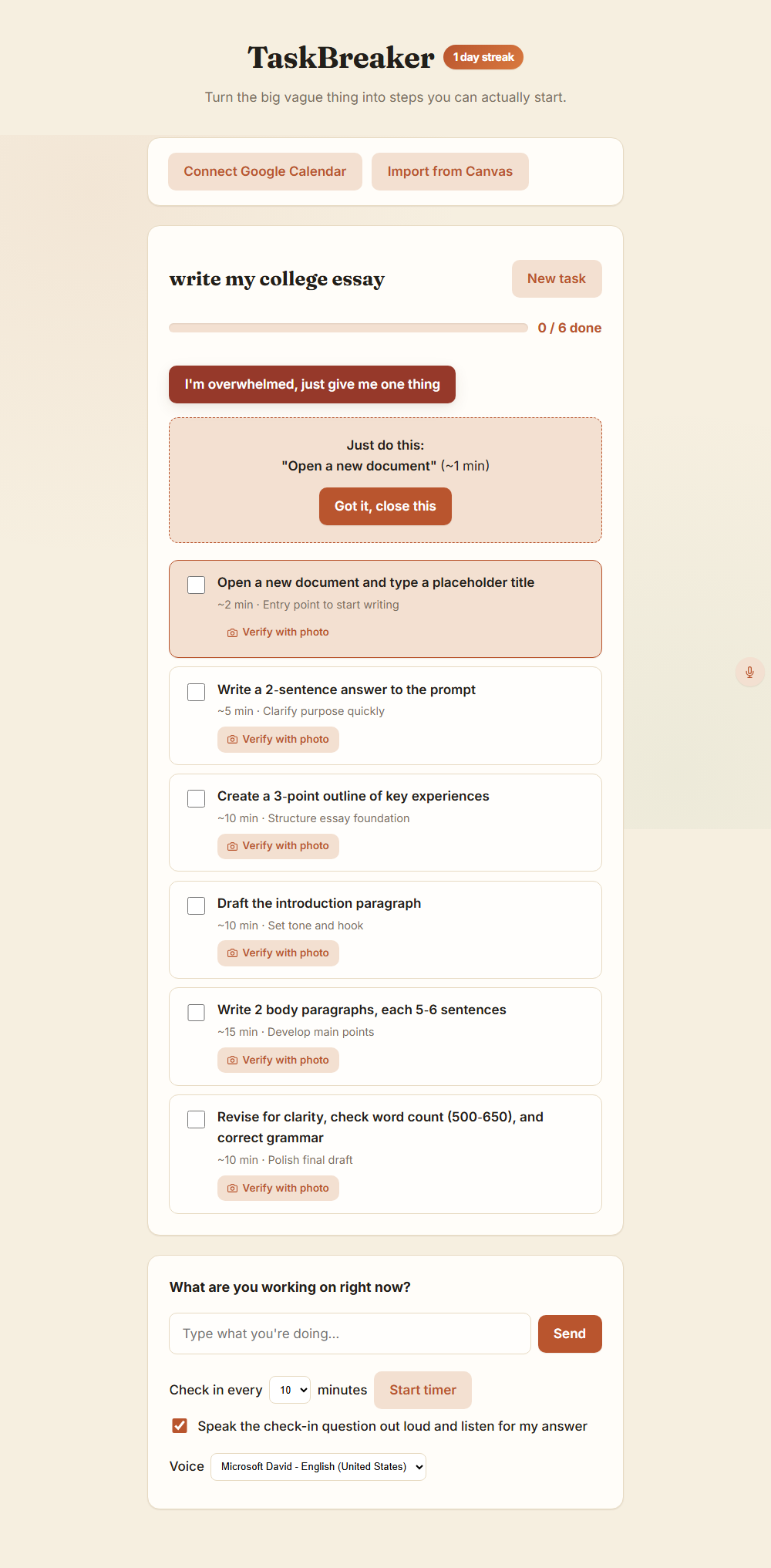
That's the whole idea behind TaskBreaker: instead of asking Alex's brain to hold "write the lab report" in working memory for the twenty minutes it would take, we hand it "open a new document and type the title" instead, something that fits comfortably inside $t_{switch}$ even on his worst day.
What we built
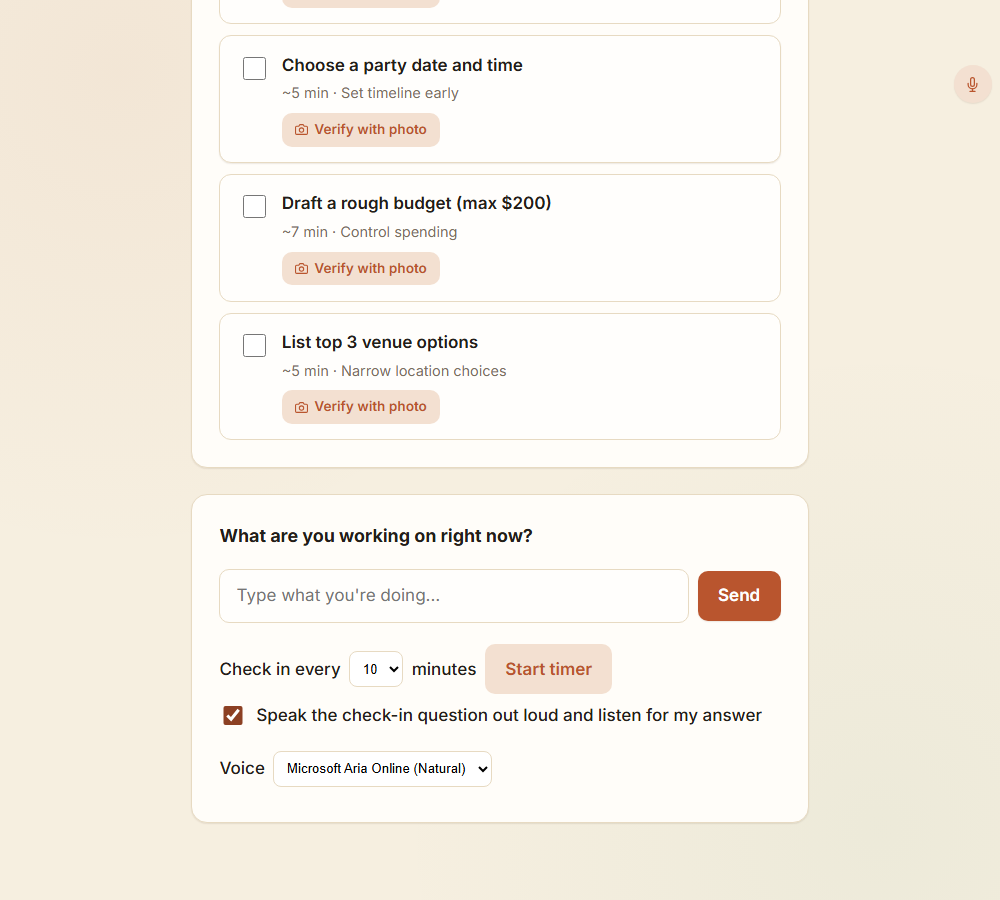
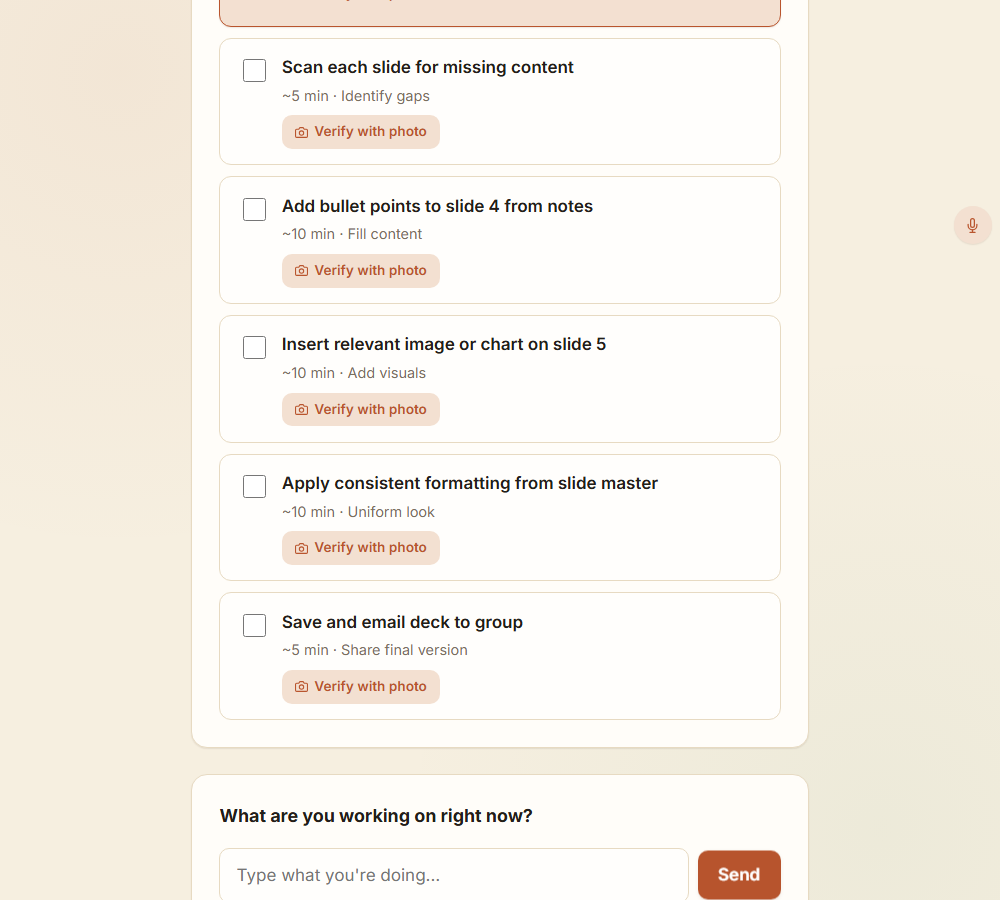
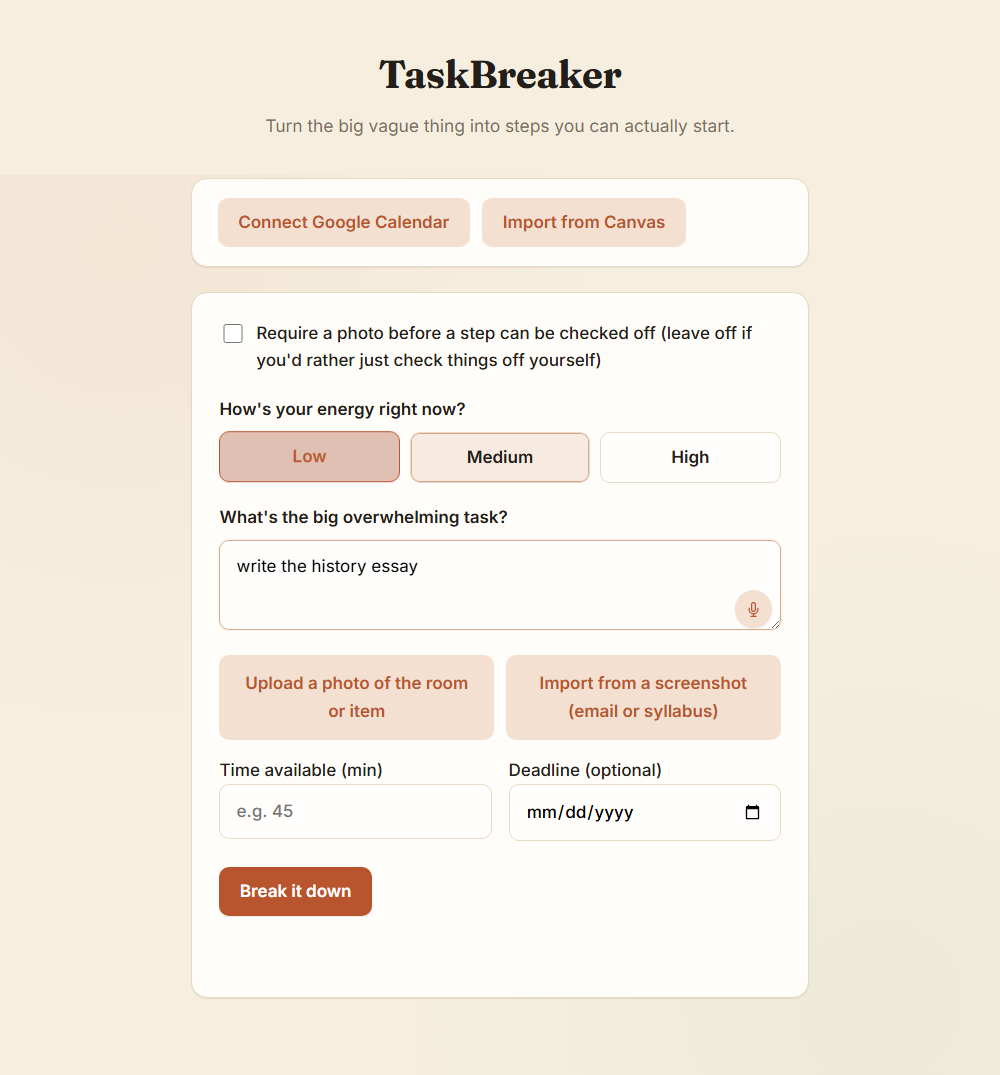
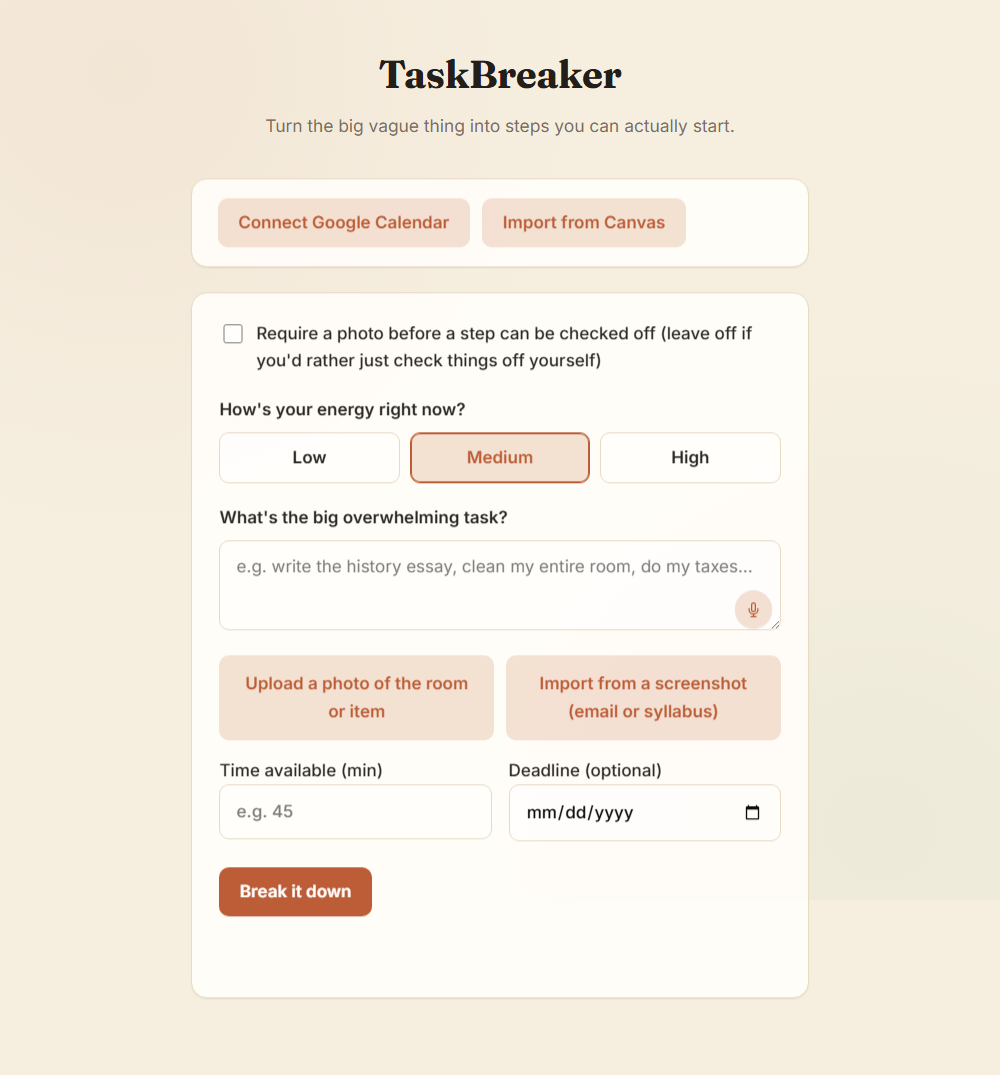
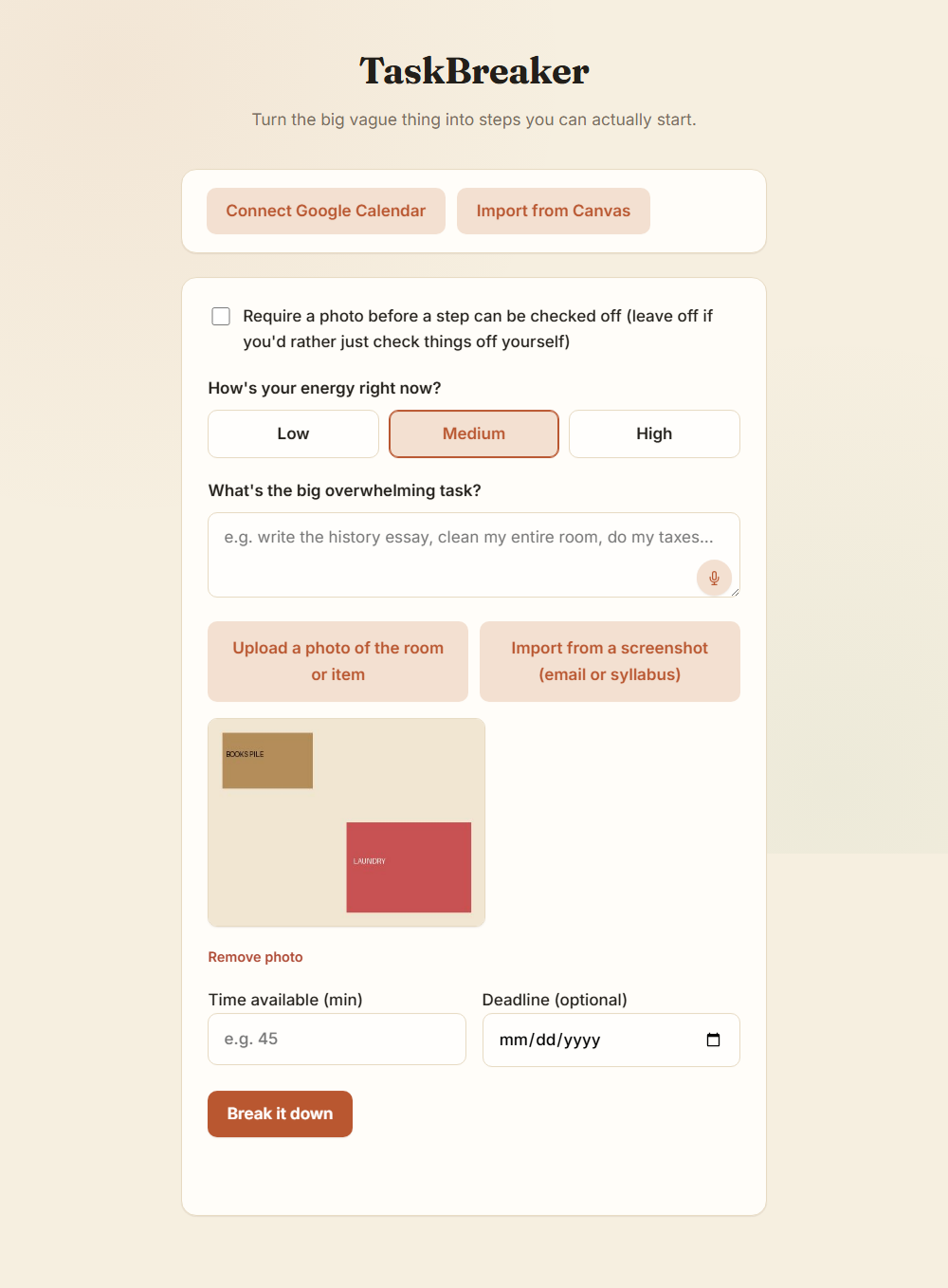
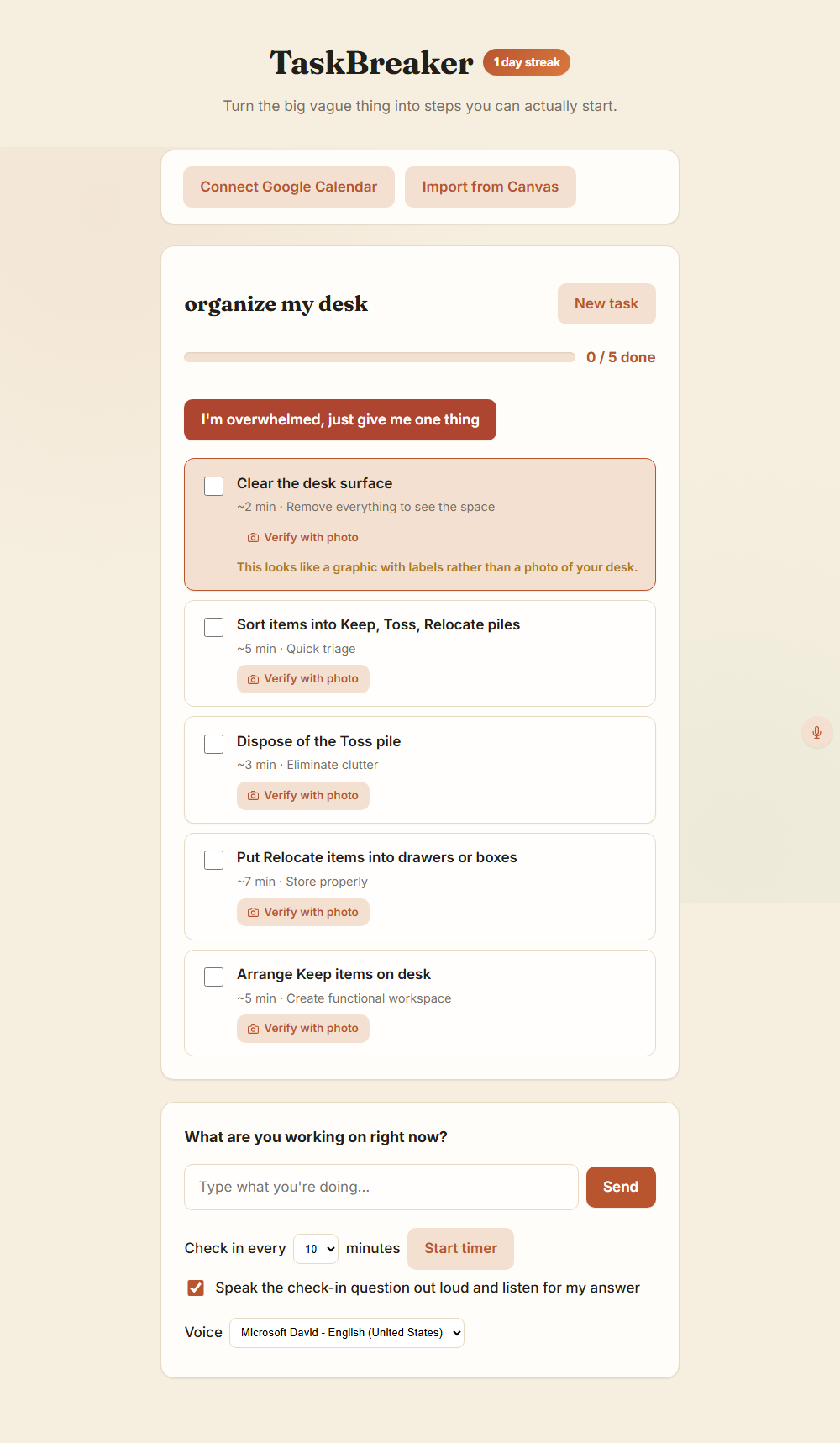
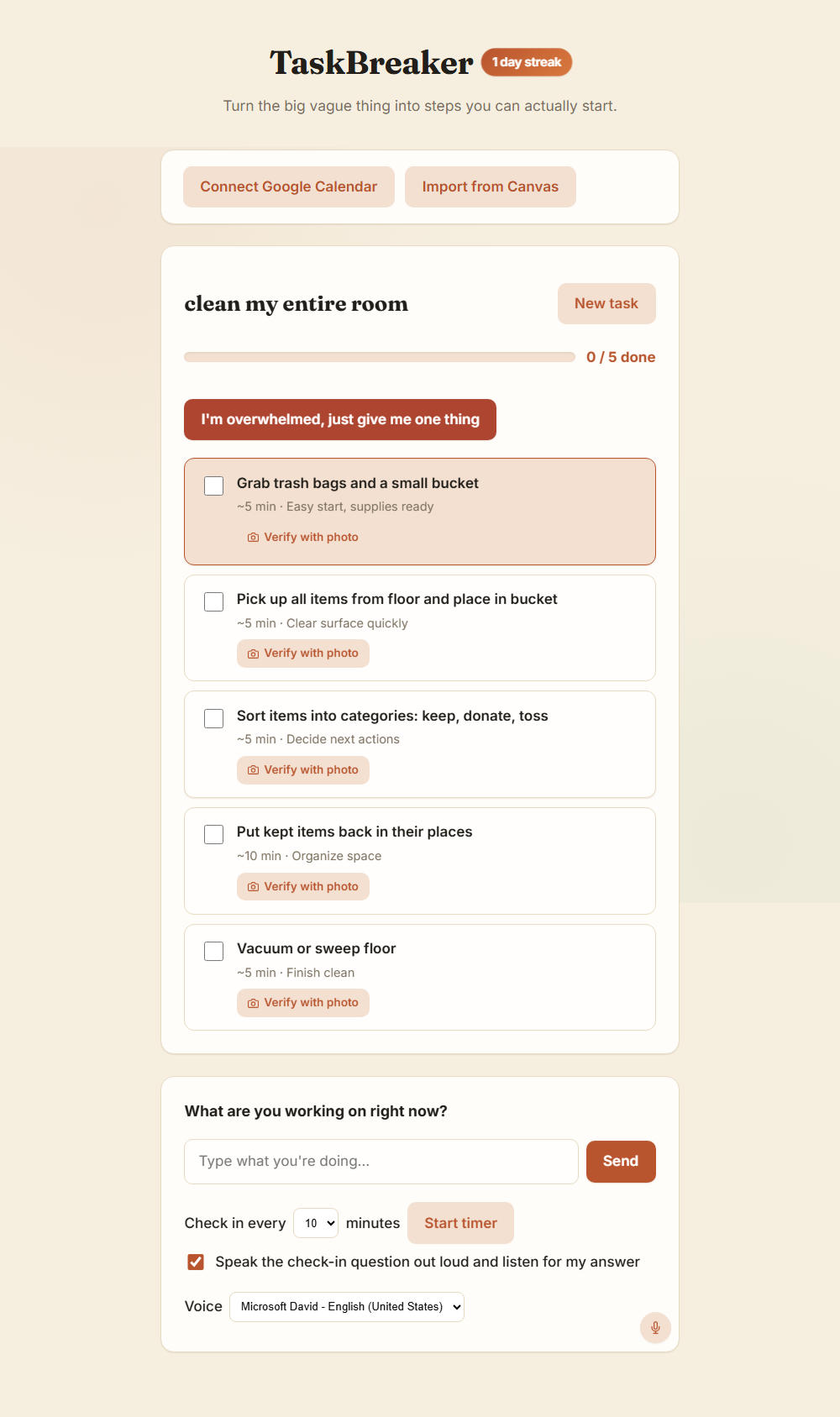
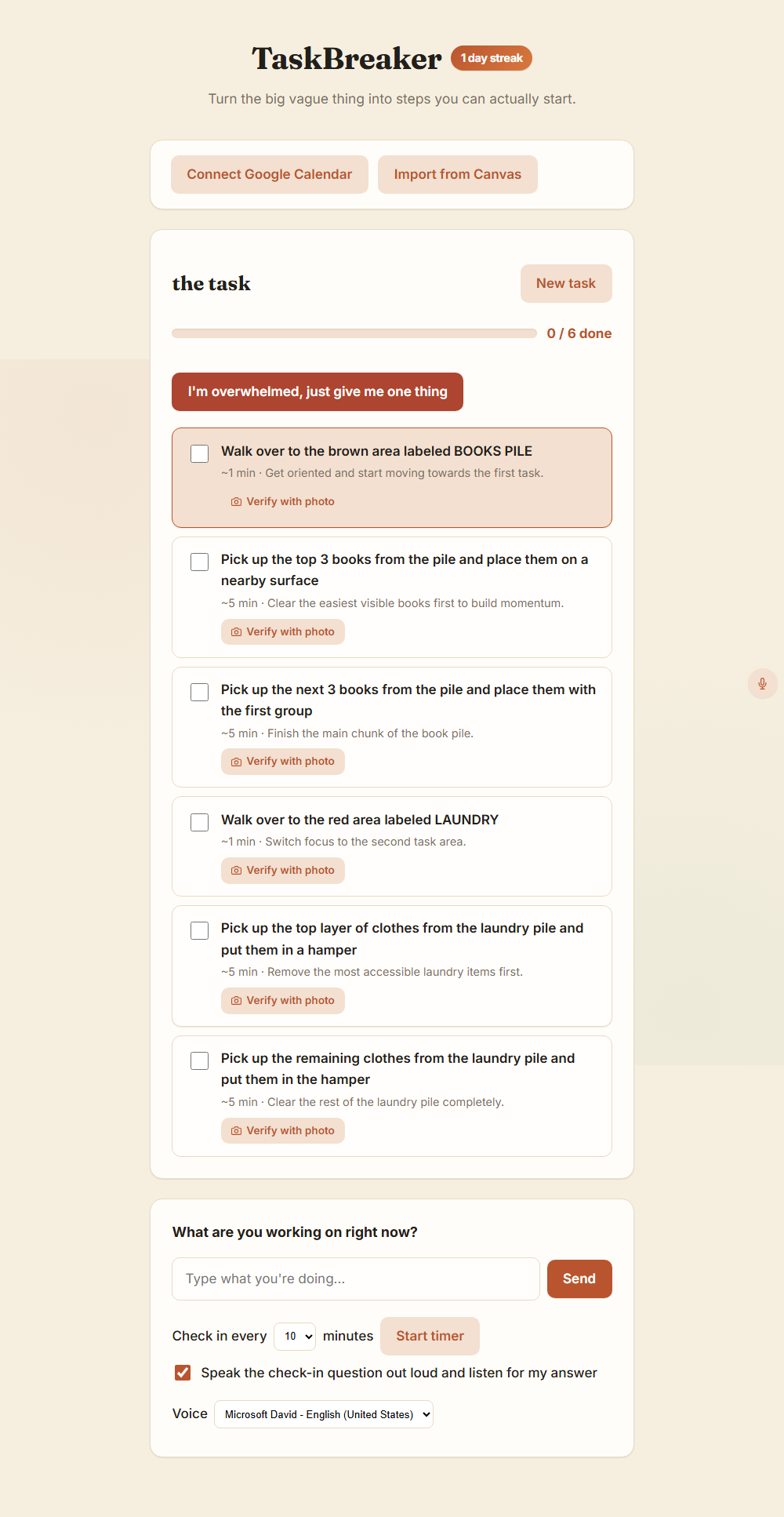
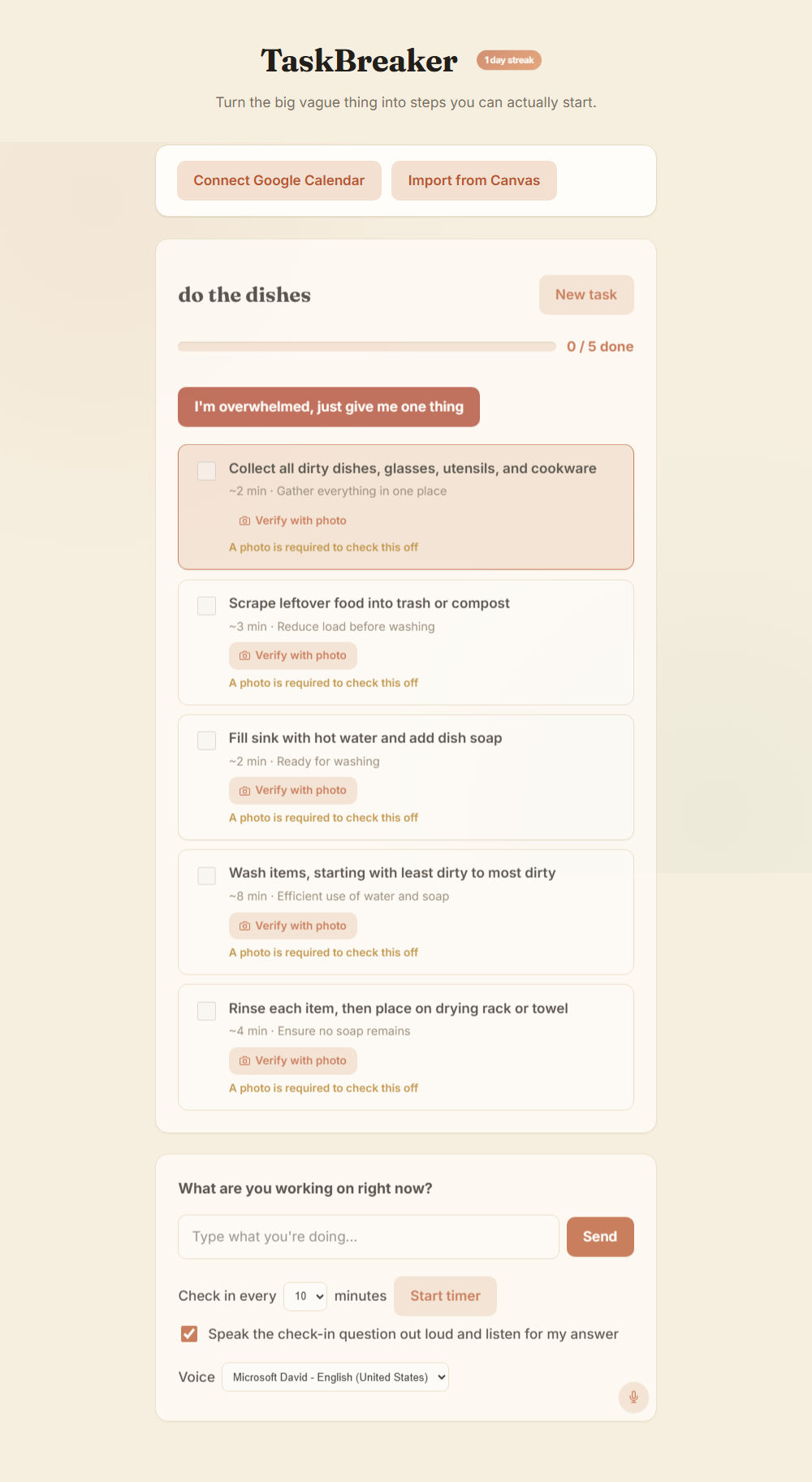
TaskBreaker takes a vague, overwhelming task (typed, spoken, or photographed) and breaks it into small, concrete steps sized to fit inside that attention window, then stays present through timed check-ins, photo verification, and a panic button that collapses everything down to a single two-minute action when the list itself becomes the overwhelming thing.
A few pieces we're proud of:
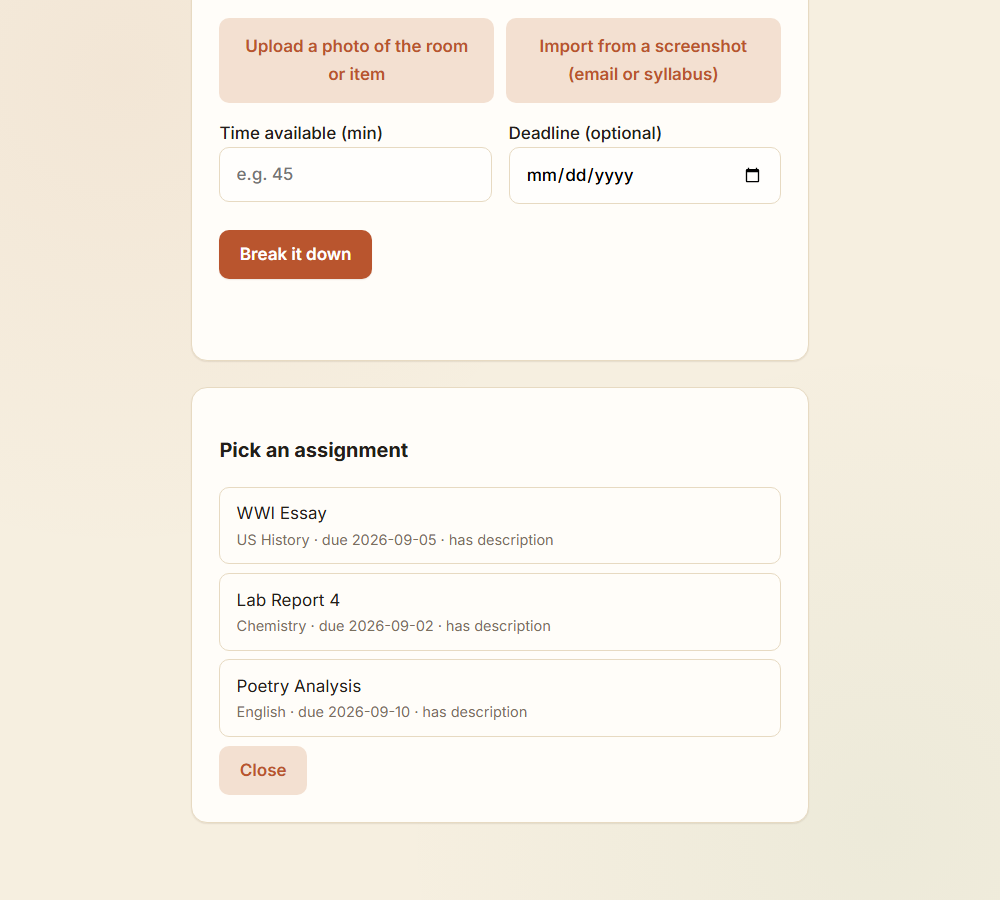
- Photo-grounded breakdowns. Upload a photo of an actual messy desk or room and the AI references what's really there ("the pile of clothes on the chair") instead of generic advice.
- Energy-aware sizing. Low energy shrinks every step further; high energy allows bigger chunks. - Photo-verified completion, optionally required rathstep only counts as done when there's real evidence.
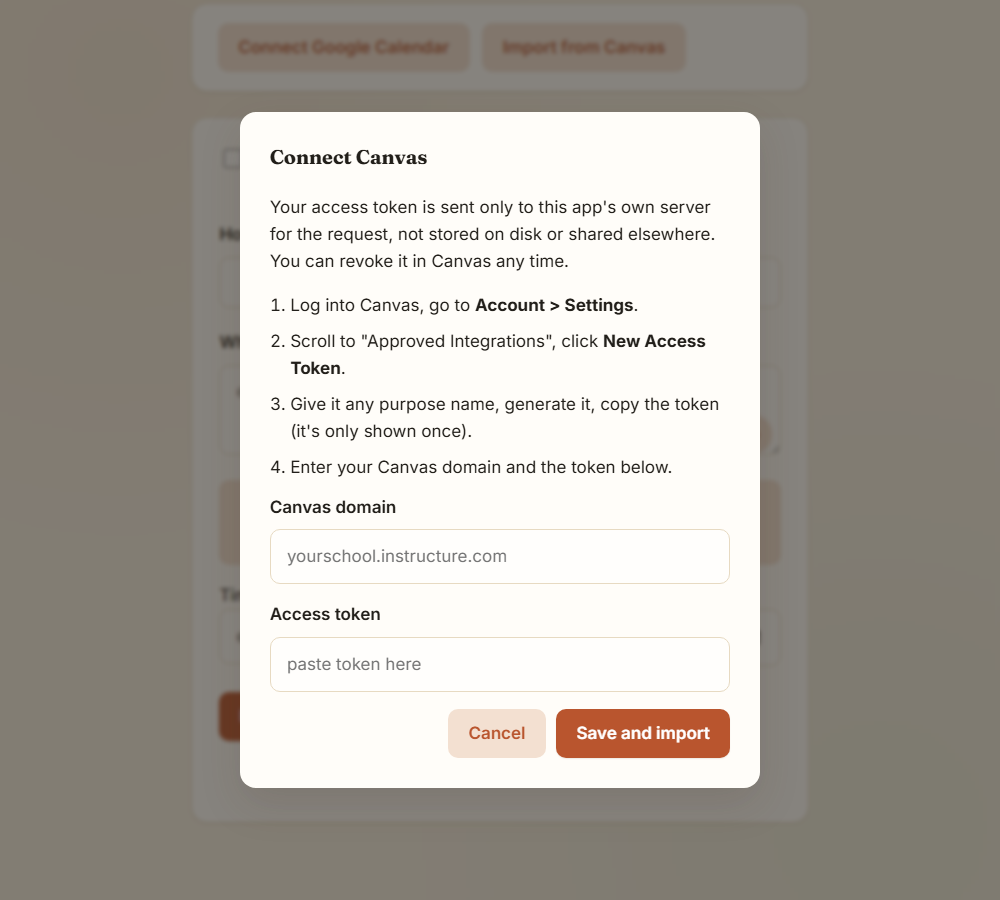
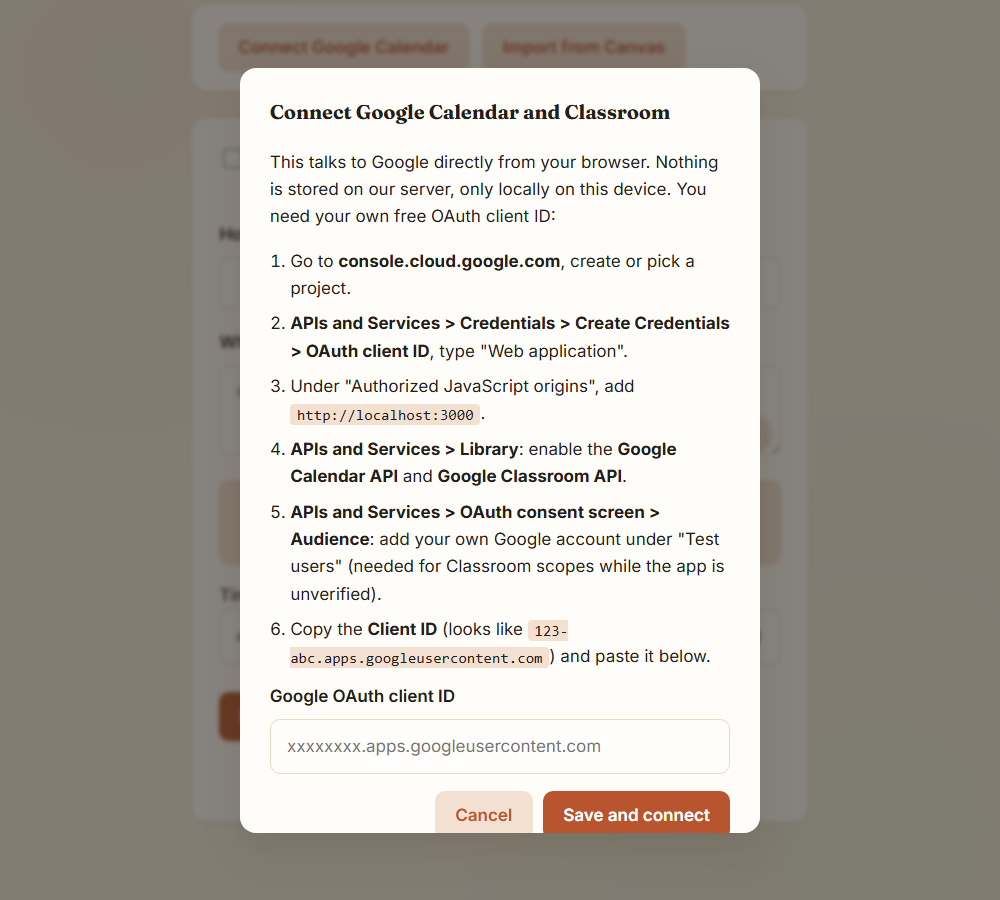
- Canvas and Google Classroom import, where the assignment's actual description (word count, citation style, required sections) shapes the generated steps instead of a generic "do the assignment."
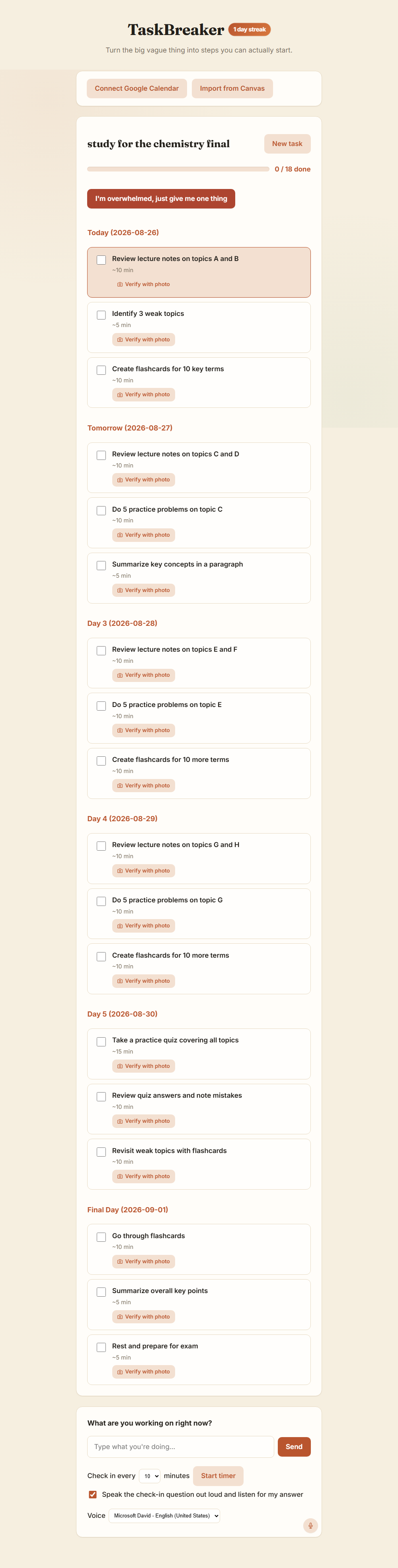
- Backward planning from a deadline, spreading the work across days instead of one dreaded sitting.
How we built it
The frontend is plain HTML, CSS, and vanilla JavaScript. No framework, because for a tool meant to reduce friction, we didn't want a build step slowing down our own iteration either. The backend is a small Node/Express server that proxies calls to Groq for two models: a fast text model for step breakdowns and check-ins, r photo grounding, photo verification, andscreenshot/assignment extraction. Voice input runs entirely client-side through the browser's Web Speech API, no server round trip needed. Google Calendar and Classroom connect directlle's OAuth token flow, and Canvas assignments comethrough a lightweight server-side proxy so the access token never has to live in the frontend.
Challenges we ran into
The biggest one was the vision model itself. It's a reasoning model, and by default it would "think out loud" before answering, sometimes for over a thousand tokens, occasionally gealternate plans that it ran out of its token budgetbefore ever producing the JSON we needed. The fix ended up being two-fold: explicitly telling it to keep its reasoning to a few sentences, and writing a parser that strips barkdown code fences rather than assuming a cleanresponse.
The second challenge was capacity. The vision model's free tier caps out at 8000 tokens per minute, and each photo call costs somewhere between 1800 and 2800 tokens once you count the image, the reasoning, and the JSON output:
$$ \frac{8000\ \text{tokens/min}}{\approx 2200\ \text{tot{calls per minute}
$$
That's not a lot of headroom for a live demo where someone might upload a photo, verify a step, and import a screenshot back to back. We added automatic retry-with-backoff that reads the "try again in Xs" hint straight out of the error message, so the app quietly waits and retries instead of just failing in front of a jud
The last real challenge was scope. Alex's actual problem is narrow: getting from "nothing started" to "something started." It was tempting to keep adding integrations, and we did end up building quite a few (Canvas, Classroom, Google Calendar, backward planning, panic mode), but every feature had to earn its place ller or that first two minutes easier, or it didn'tbelong.
What we learned
The most important thing we learned had nothing to do with code. It was that the "why" behind an ADHD-friendly tool can't be "add more structure." Alex has tried a dozen todo apps and planners over the years, and they all fail the same way: they demand he already knows how to break a task down, which is exactly the skill that's hardest for him to access in the moment he needs it. The thing that actually helps isn't more organization, it's someone (or something) doing the decomposition for him, in real time, tuned to how much gas is left in the tank that day.
On the technical side, we learned that reasoning models need very different handling than we expected: you can't just ask for JSON and trust it, you have to budget for the thinking, cap it, and parse defensively. And we learned that for a tool meant to reduce overwhelm, the interface itself has to avoid looking overwhelmin time cutting decorative emoji, gradients, and clutter once the feature list started outgrowing the design.
Closing thought
Alex hasn't used the finished version yet, but the moment I'm most looking forward to isn't a demo score. It's watching him upload a photo of his actual desk and get back four steps that reference the actual pile of laundry sitting on his actual chair, and watchingthat be small enough that he just... starts.
Built With
- canvas-confetti
- canvas-lms-api
- chromium
- css3
- dotenv
- express.js
- google-calendar-api
- google-classroom-api
- google-identity-services
- gpt-oss-20b
- groq
- html5
- javascript
- json
- localstorage
- node.js
- oauth-2.0
- playwright
- prompt-engineering
- qwen3.6-27b
- rest-apis
- speechrecognition
- speechsynthesis
- vision-ai
- web-speech-api

Log in or sign up for Devpost to join the conversation.