-
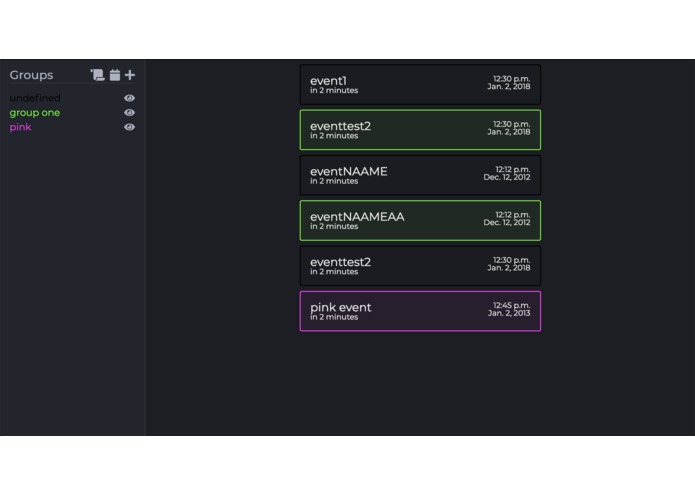
Screenshot of prototype

Inspiration
We were not satisfied typical calendar views, and wanted a viewer that shows the most relevant and high priority events and notifications
What it does
The app loads in any web browser, and calls on the server to fetch the list of groups and events from the database. Once loaded, the user can add and remove events or groups, or use the import function to import calendar events from their Google calendar.
How I built it
Backend: Python/Django
Frontend: HTML/CSS/JS
APIs: Google Calendar
Challenges I ran into
Typical backend/frontend communication bugs. One of the primary issues we ran into was sorting the events by date, as our original architecture we just used strings for the date, but realized further down the line that this made it harder to parse the date data in order to sort all the events. Going forward, we want to integrate a date object instead of a string, so we can more easily use one of the pieces of data that is important for our app.
Accomplishments that we are proud of
Making a really good UI
Using Google API on a self-built project for the first time
What we learned
The Google calendar API
Django
CSS Transitions
Advanced Javascript
What's next for task stack
Better date parsing
User login/register
Mobile optimization
Challenges Attempted
Beginner Hack
Best UI


Log in or sign up for Devpost to join the conversation.