-
-
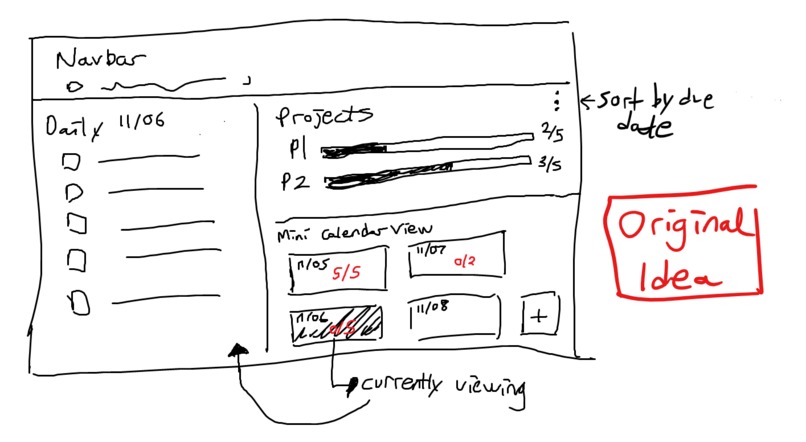
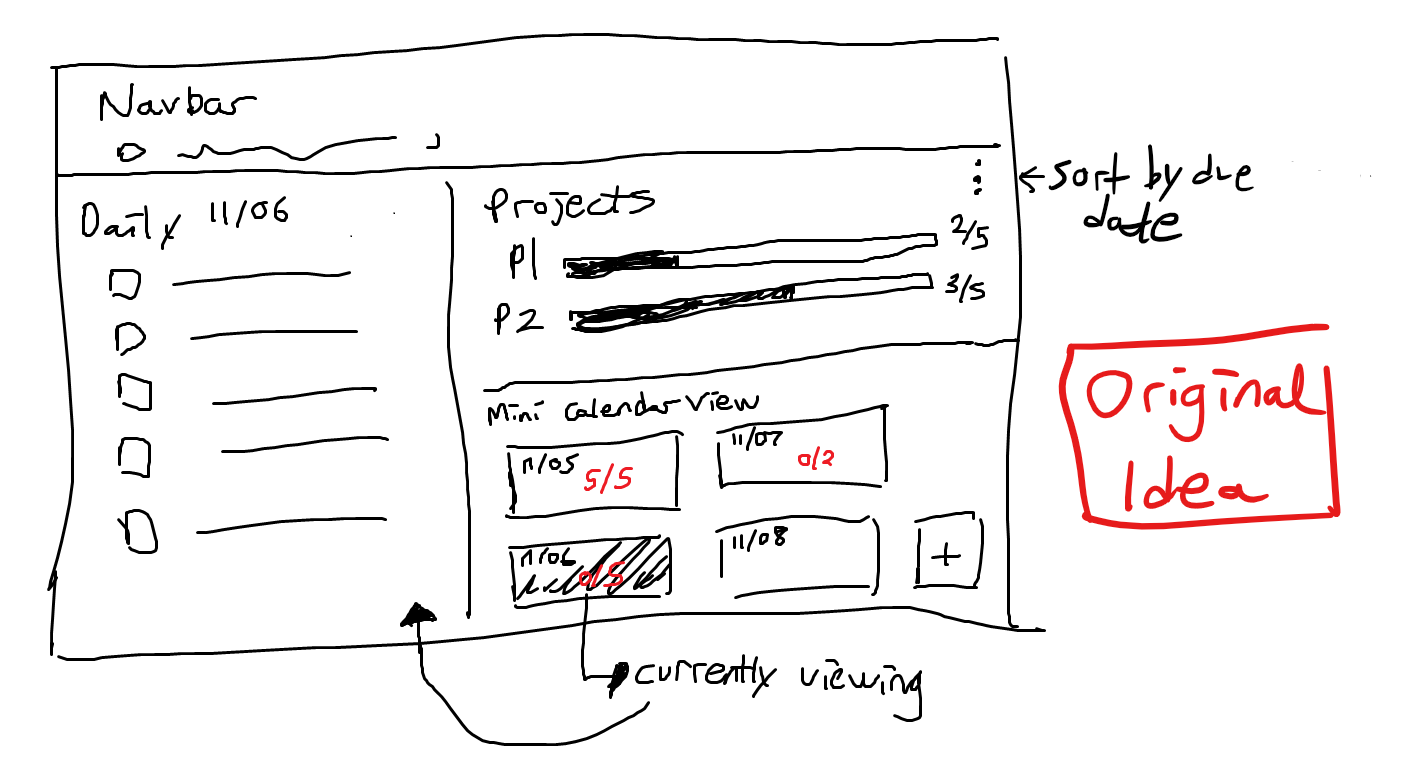
Initial Design
-
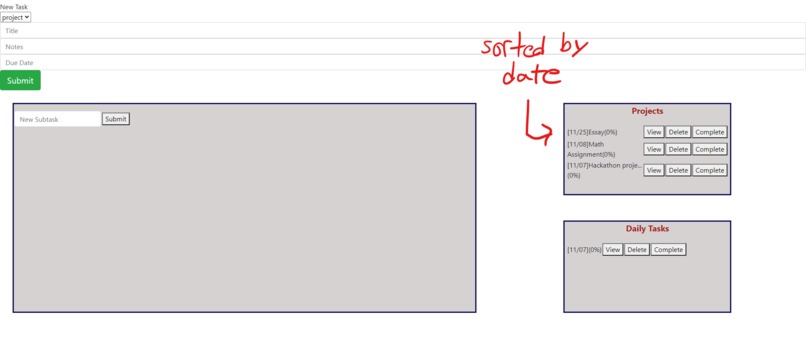
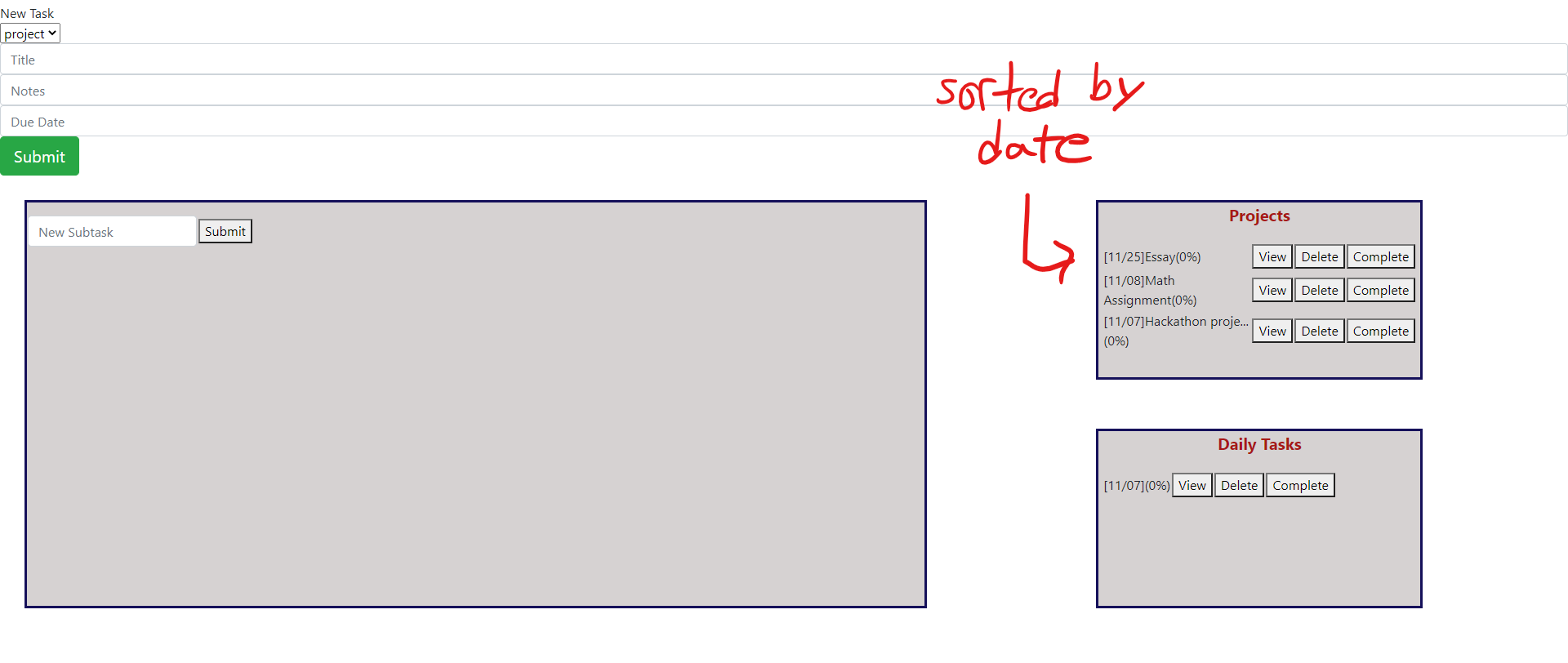
tasks are sorted in the sidebar
-
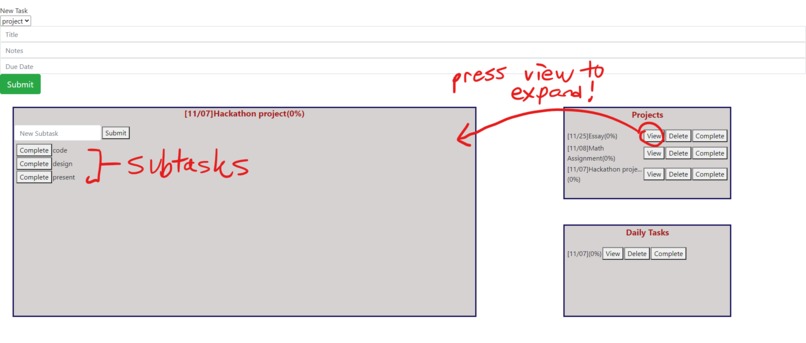
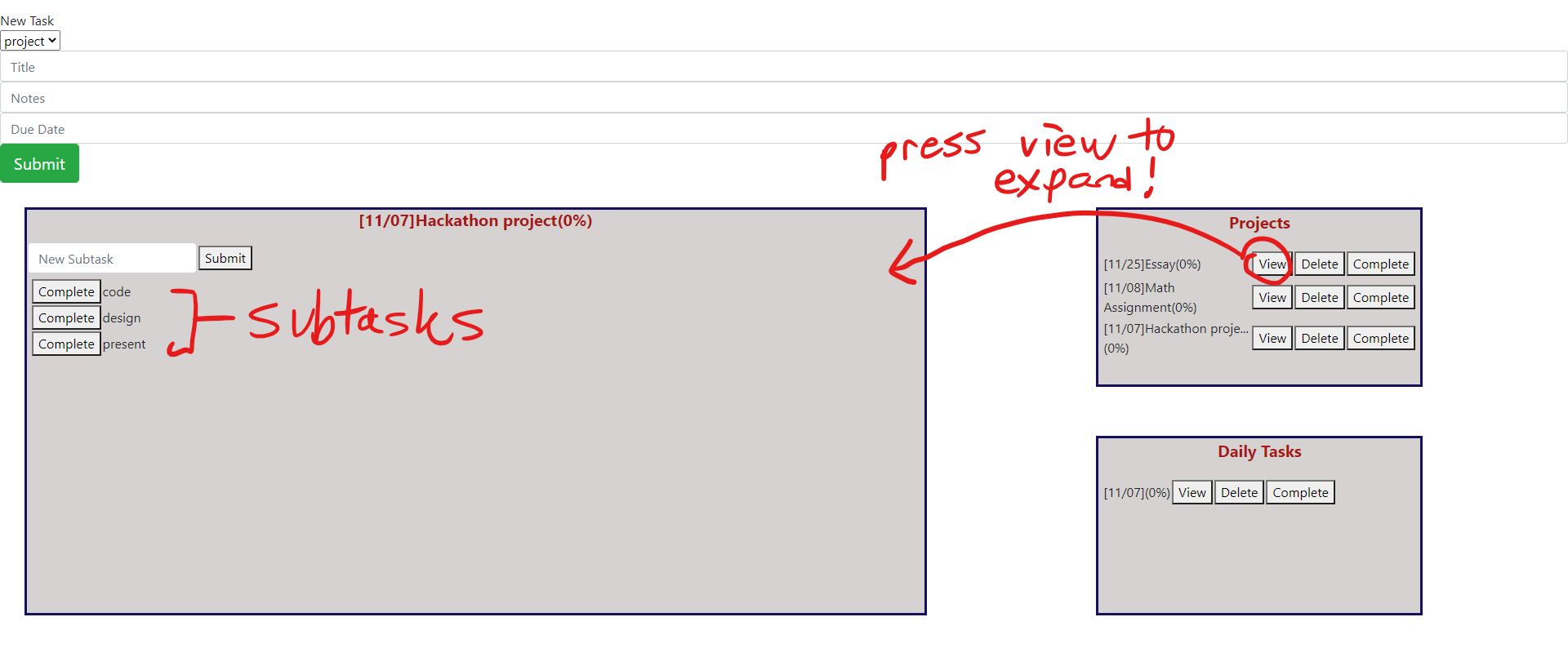
open a task to show subtasks
-
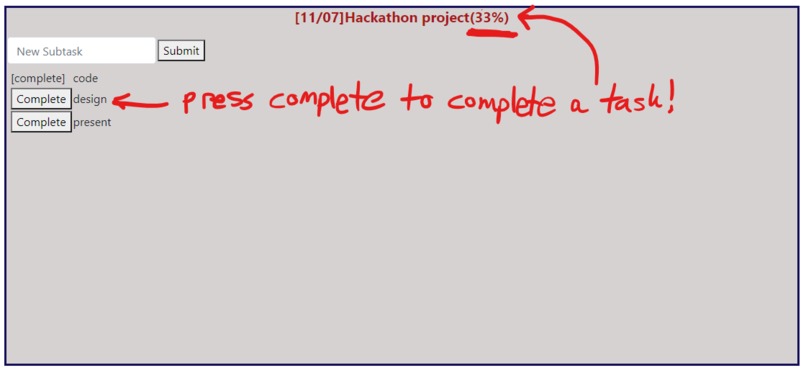
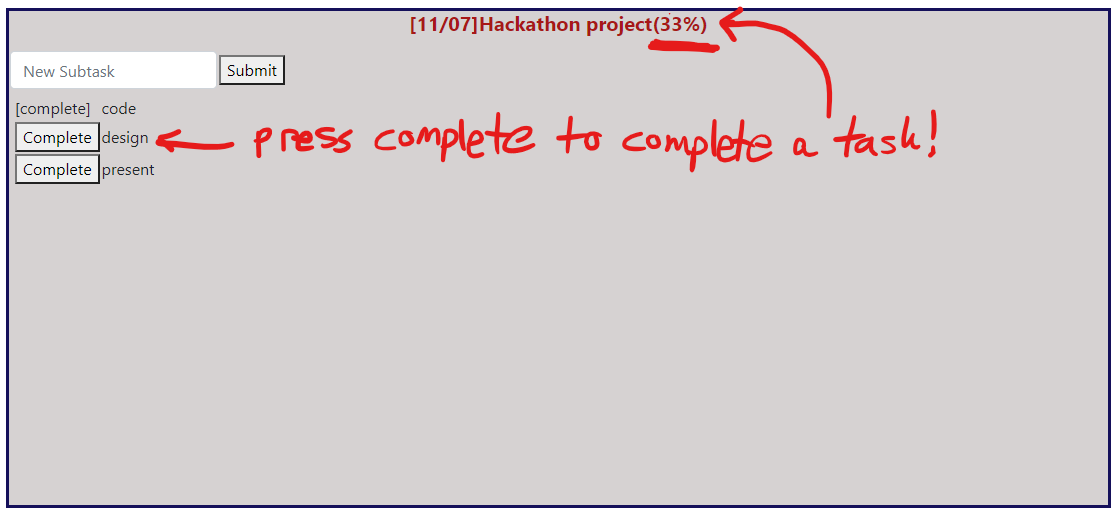
subtasks and progress
Overview
How are there people who are lazy as sh*t before a significant project is due, but still somehow pulls through.
For example, Kevin watched all 9 episodes of squid game the day before his CSC236 exam, and still scored 100.
That leads us to the project's inspiration:
Inspiration
In university, my(Kevin) method of time management is to break projects into smaller portions, and then do those portions every day. At the start of the day, I write out my daily tasks, and if I complete these tasks I can relax for the rest of the day.
Why is this good?
- Large projects due in the future are less intimidating. If you work on it everyday, you lower the amount of last-minute cramming that might be required
- Stress causes indecision. However, if you already know what you need to do on a certain day, you will always be decisive, and therefore have less stress.
- This method encourages working a bit on lots of different tasks per day, preventing burnout. Thus, you can take shorter breaks between tasks and get more work done overall!
Many people that I talk to at U of T seems to have an issue with cramming, and when I introduced my friend to this method he said that it was helpful in retaining more information AND feeling less stressed on his exams. This app basically just encourages the user to adopt this study method and break things down.
What it does
The program stores projects and daily tasks on a sidebar. You can click a project or daily task to open it, viewing subtasks. You can do many things such as complete a subtask, or add and delete tasks. Tasks display their completion progress and due date to give the user a better understanding of their situation.
How we built it
First, we built a backend that can track and store task objects, and make necessary modifications to them.
We then completed the backend in python using the flask library. We built a backend api with flask. Get requests to the server can execute commands in the backend.
Finally, we used flask to serve an html page to the browser, which uses flask's html templates to display necessary information about each task.
Thus, buttons on the frontend will execute commands in the backend, which then refreshes the page, updating its information.
Challenges we ran into
How do we design the project?
Kevin used some principles he learned from a software design course(which was in Java, so it didn't transition TOO well), which resulted in data getting where it needed to be without unwanted modifications.
How do we connect the frontend and backend?
We used html templates in flask. I wrote a documentation of the api I made so the creators of the frontend could better understand what requests needed to be sent to accomplish their goals.
Accomplishments that we're proud of
We actually finished our app! This was everyone's first hackathon, so we're glad that we finished.
We managed to learn flask basics in a week and apply it here. That was cool...
Otherwise, everyone's just kind of burnt out.
What we learned
Communication/documentation is key. Allowing the front-end team to know all they need to know about the backend is good.
Planning is key. Other team members can proceed with their tasks knowing that you will implement certain methods with certain functionalities before you even implement them.
What's next for this app
We regret the naming, but the next steps are to save to a database, and to allow different users to login and access their own data.
Another thing to improve on is the UI. this is self-explanatory to be quite honest
Last thing to improve is the architecture. It was ok at the start of the project, but as time pressure grew, we just started cobbling things together and so some refactoring needs to be done.
Other Information
Other important information about our inspiration, project design and coding process can be found here. Make sure to give it a watch!


Log in or sign up for Devpost to join the conversation.