-
-
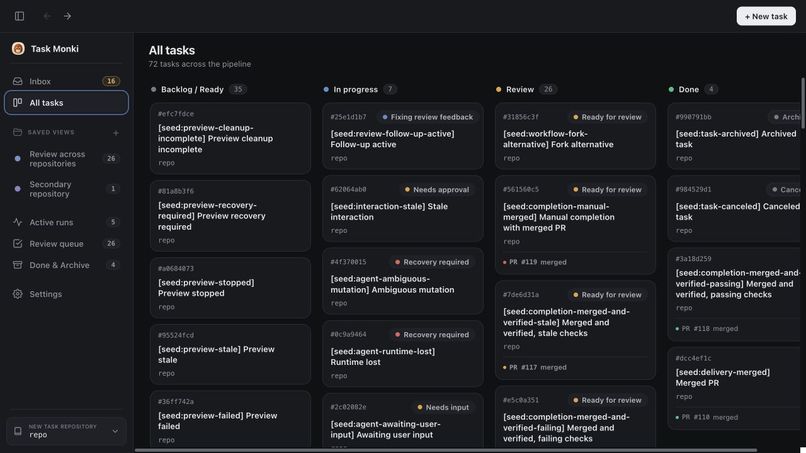
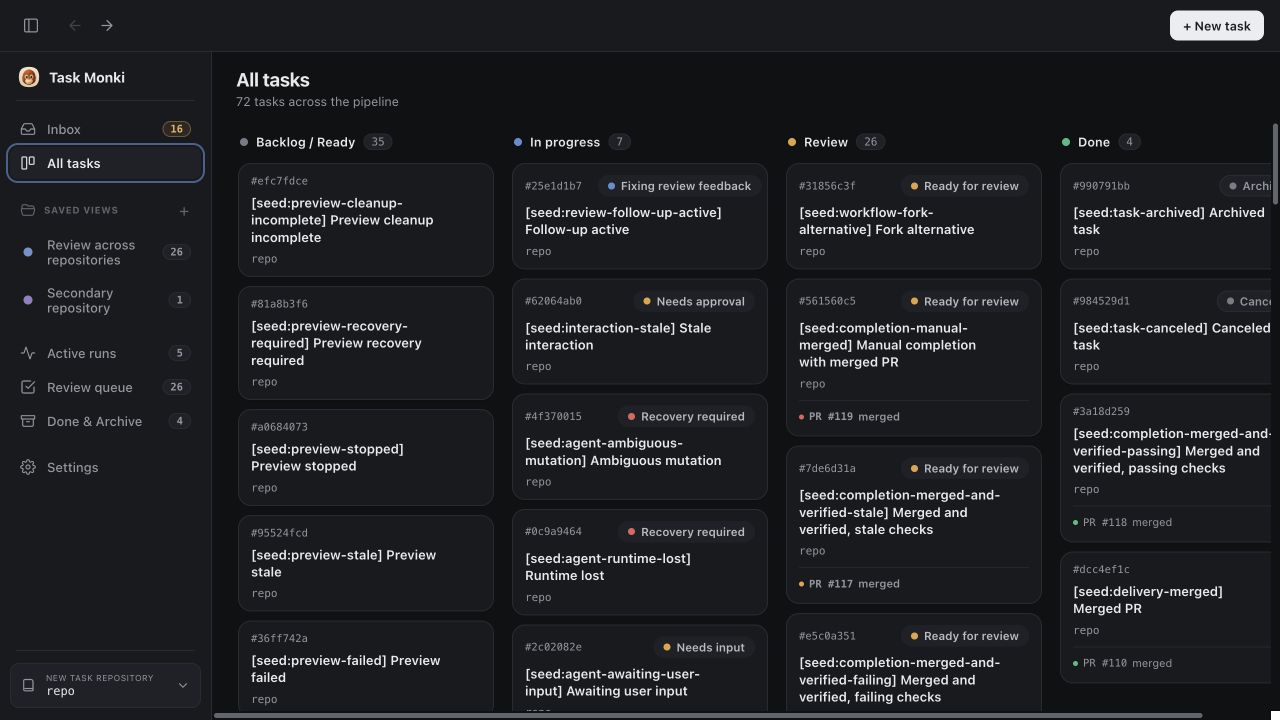
Board
-
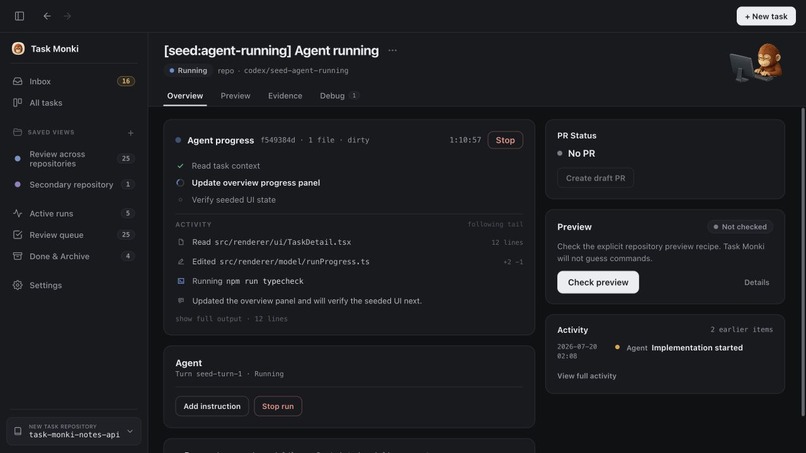
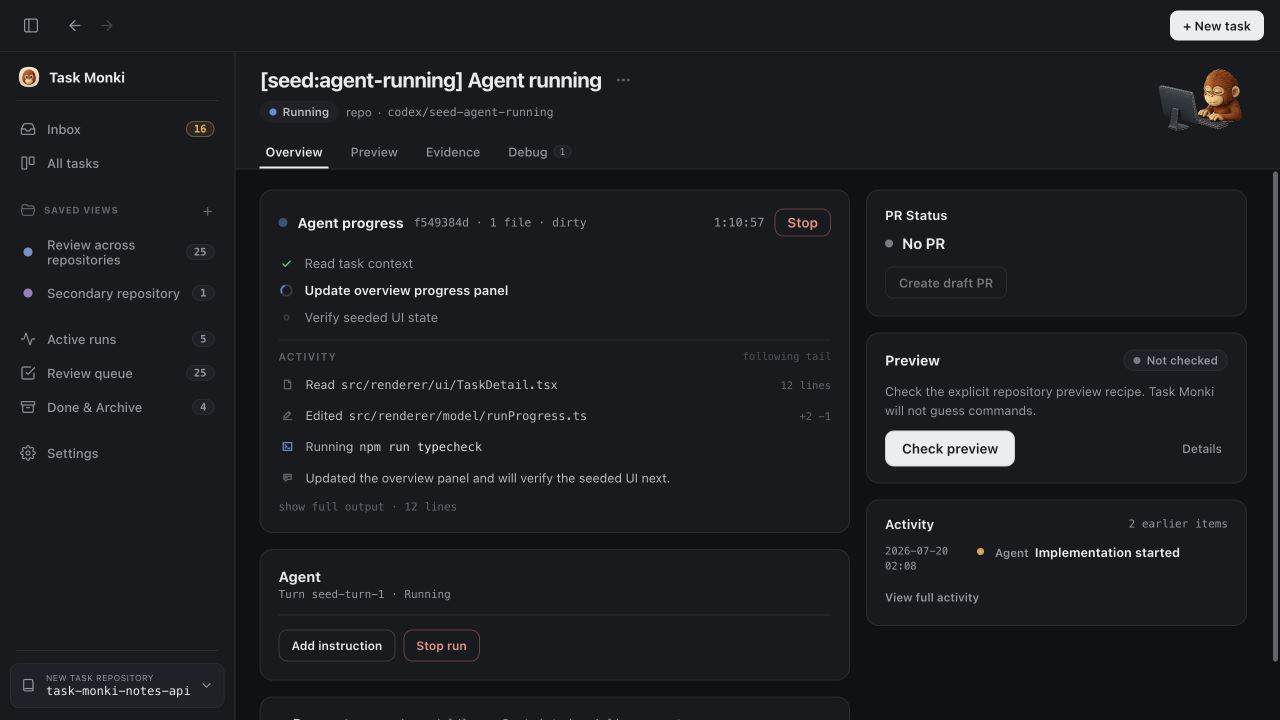
Agent Running
-
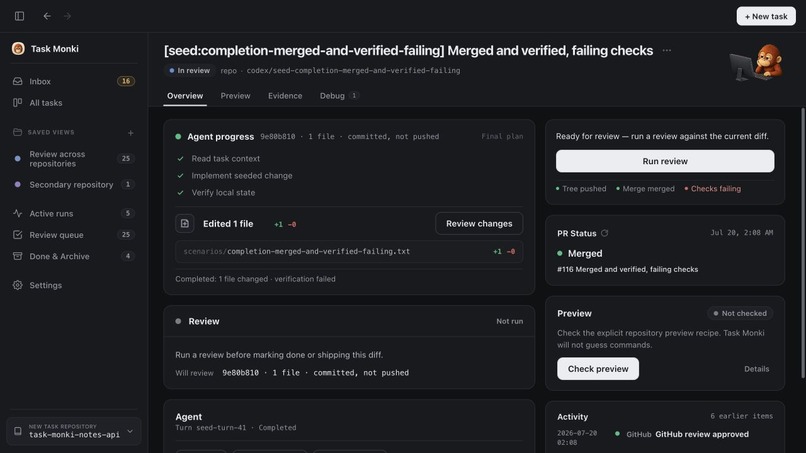
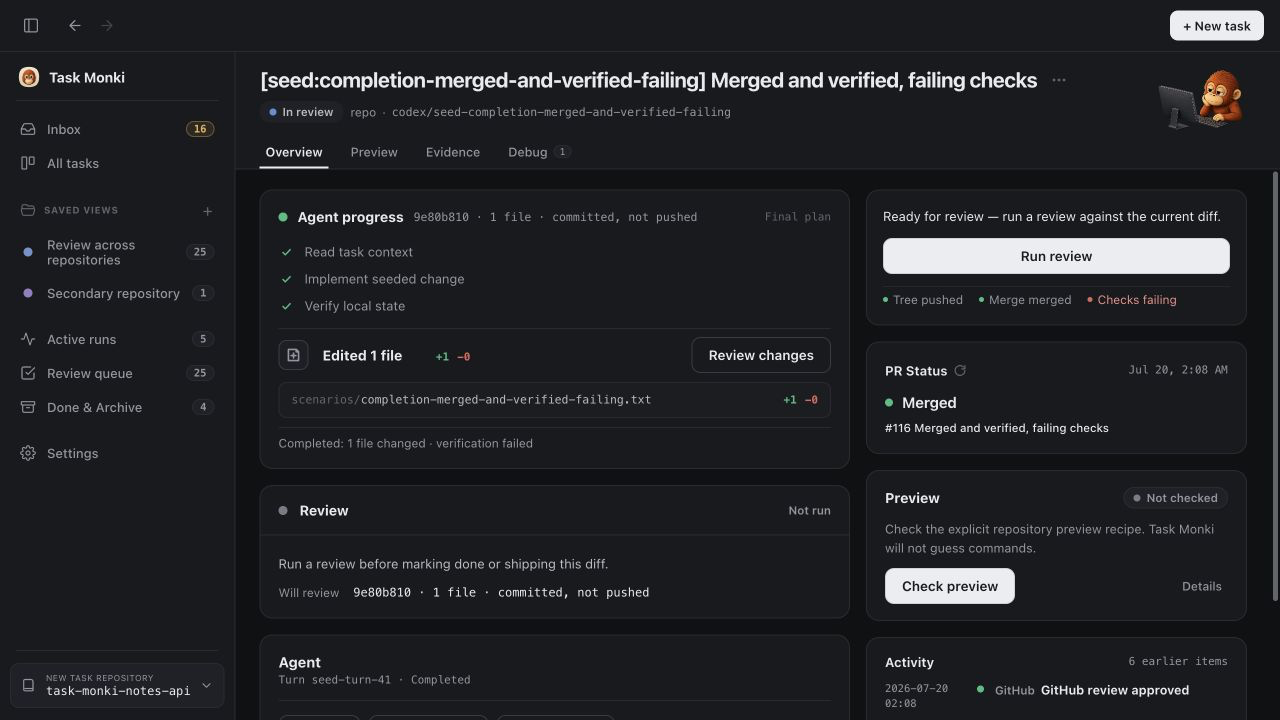
Agent Run Complete
-
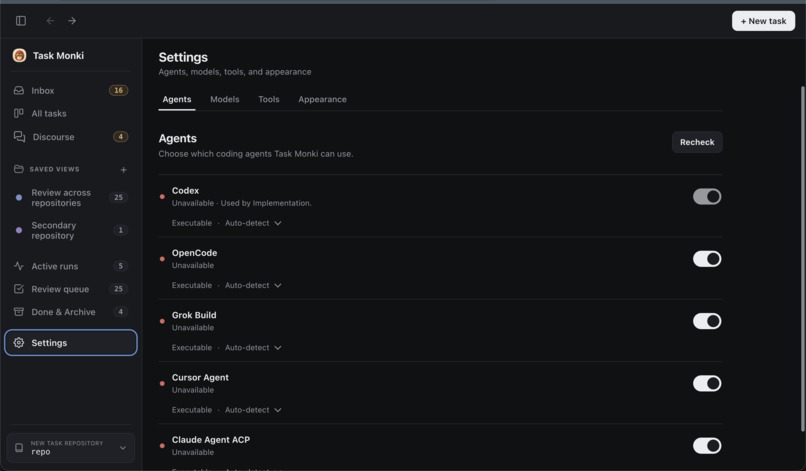
Inspiration
Task Monki started during the Codex Community Build and continued to grow during Codex Build Week.
The idea came from a problem I kept running into while working with coding agents. The agents could implement tasks quickly, but managing several of them at the same time was still very manual. I had to open each worktree separately, run the right commands, start local services and containers, check the result, review the changes, and follow the pull request status across different tools.
I wanted one place where agents could work on multiple tasks in parallel while I could see what each one was doing, preview every result separately, request a review, send issues back for correction, and follow the task all the way to the pull request.
What it does
You can create a task with a plain-language prompt, refine it with one click based on both the request and the repository, and choose the provider, model, and permission mode you want to use. Every task runs in its own Git worktree, so several agents can work on the same repository in parallel. Task Monki keeps all of these tasks visible in one Kanban-style workspace, where you can follow their plans, progress, tool activity, logs, and file changes without opening each worktree separately.
Once a worktree is ready, Task Monki can generate a .taskmonki/preview.yaml configuration for the repository and show it for approval before anything runs. It can install dependencies, apply migrations and seed data, start managed services such as PostgreSQL, run health checks, and launch each worktree as its own local preview. This lets you test several implementations independently without opening terminals, assigning ports, or creating containers for every task. After a new change, you can redeploy the preview quickly from the same interface.
From the same task, you can ask another agent to review the implementation, send its findings back to the original agent, and have the issues fixed without restarting the workflow. Task Monki also shows the Git diff, test and preview evidence, lower-level debug logs, pull request details, and GitHub checks. When a check fails or a new problem appears, you can send it directly back to the agent to fix.
Task Monki also includes Discourse, a space for asking questions in three different ways. Direct mode works like a standard agent chat. In Panel mode, several agents answer independently using the same context, so you can compare different approaches without the agents influencing one another. In Team mode, a Lead gives the initial answer, while Skeptic and Verifier agents challenge its assumptions and evidence. The Lead can then revise or defend the answer. This lowers the risk of accepting an agent’s first response too quickly and makes sure important decisions are questioned, discussed, and supported by evidence.
How I built it
Task Monki is a desktop application built with Electron, React, TypeScript, and Node.js. It runs locally and connects each task to its own Git worktree, agent session, preview environment, and Git state. The Codex App Server has first-class support, while other providers connect through the Agent Client Protocol.
The project started during the Codex Community Build, where I initially worked with GPT-5.5. I continued development during Codex Build Week with GPT-5.6 and used separate Codex worktrees to build and test larger features in parallel without mixing unrelated changes.
With GPT-5.6, I added multi-provider support, Git and GitHub integration, the local preview system, independent agent reviews, follow-up fixes, Discourse, and a major UI refactor. Since multi-provider support affected a large part of the codebase, I used GPT-5.6 Ultra for that implementation.
For highly complex tasks, I usually asked Codex to inspect the codebase and prepare a detailed plan first, then started a separate Goal run with that plan included in the prompt. I rarely used Plan mode directly because, after the plan was complete, there was no simple way to continue trigger it with Goal mode. The combination of a manually prepared plan + focused Goal run worked better for me.
I also used Browser Use and Playwright extensively to test the real application instead of relying only on unit tests or the agent’s own report. This helped verify complete flows such as task creation, agent execution, previews, reviews, follow-up fixes, and pull request status directly through the UI. Even the demo video was recorded with Codex Computer Use running Task Monki on a real repository. Codex also handled the video editing, and I added the voiceover afterward. The full workflow takes around ten minutes in real time.
Challenges I ran into
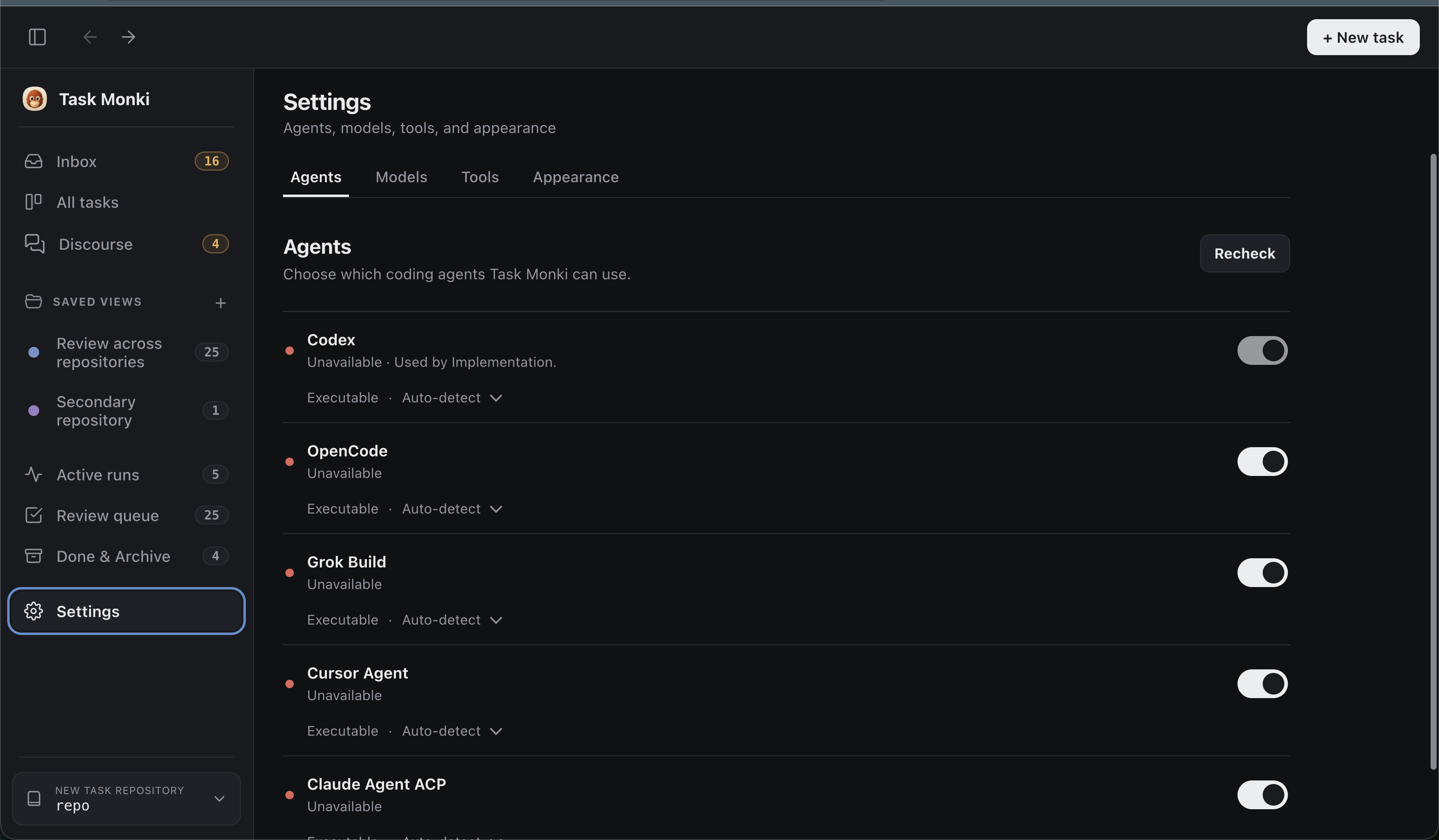
One of the hardest parts was adding multiple providers without flattening all of them into the same limited interface. Codex has first-class support, while Cursor, OpenCode, and Grok connect through ACP and each handles models, permissions, events, and capabilities differently. This work touched a large part of the app, so it needed careful planning and a lot of testing and iterations to make sure all of them are supported.
Another challenge was keeping Task Monki in sync with long-running agent sessions. An agent can stop, reconnect, wait for approval, send incomplete events, or report that a task is finished before the repository is actually ready.
The preview system also became much more complex than just running a command. Every worktree may need its own ports, processes, dependencies, database, migrations, seed data, health checks, and cleanup. New runs must reuse the correct resources without affecting another task, while failed or cancelled previews should not leave containers or processes behind. Making this work reliably across different types of projects required a lot of real testing.
Accomplishments that we're proud of
The biggest accomplishment is that Task Monki now covers the full development flow in one app.
I am especially proud of the preview system. Each worktree can have its own running version of the application and a fresh environment with its own database, seed data, and deps. This means several implementations can be tested at the same time without opening every worktree in a terminal, setting up containers manually, or managing several processes yourself.
Multi-provider support was another major achievement. Task Monki keeps first-class Codex support while also working with Cursor, OpenCode, and Grok through ACP. Each provider handles models, permissions, events, and capabilities differently, so supporting them properly required a major architectural change.
Discourse is also something I am proud of because it goes beyond asking a single agent for an answer. Direct, Panel, and Team modes let you get a quick response, compare independent answers, or have agents challenge each other before reaching a conclusion. The original answer, criticism, and correction remain visible, making it easier to understand how the final decision was reached.
Most importantly, Task Monki is no longer just a task board or a wrapper around coding agents. It manages the repetitive work around them and gives developers one place to control multiple tasks, see what is happening, test the actual results, and react quickly when something fails. These features came directly from problems I faced while working with coding agents, which is why I believe other developers can benefit from them too.
What I learned
The biggest thing I learned is that once agents can write the code, the hard part becomes managing everything around it. You still need to keep several tasks organized, give each one an isolated environment, verify the actual changes, test the app, review the work, and fix anything that fails. This is where Task Monki became most useful.
I also learned that one agent response should not be treated as the final answer. Reviews, failed checks, and Discourse often reveal missing details or wrong assumptions. Giving the agent a clear way to receive feedback and continue from the same task makes the result much better than starting over every time.
Another important lesson was that automation should remove repetitive work without taking control away from the developer. Task Monki most repetitive processes but still keeps the important decisions visible and reviewable.
What's next for Task Monki
Next, I want to keep adding unique features that improve the software development workflow, not just add more agent integrations. The focus is on removing more repetitive work, making parallel tasks easier to manage, and giving developers a clearer way to review, take over when needed, test, and deliver changes.
I also want to improve onboarding, publish signed desktop releases, support more providers and project setups, and make previews easier to configure across different stacks.
The preview system will continue to grow with better support for multi-repository projects, more complex application setups, and easier management of services and environments across different worktrees.
Discourse will continue to improve as well, with more ways for agents to challenge each other, exchange feedback, and brainstorm together before a decision is accepted.

Log in or sign up for Devpost to join the conversation.