-
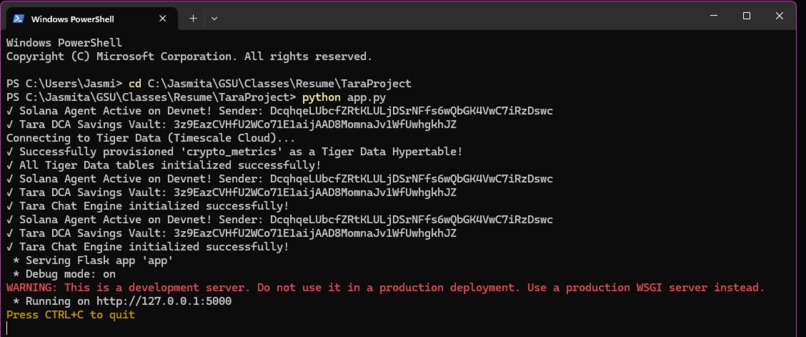
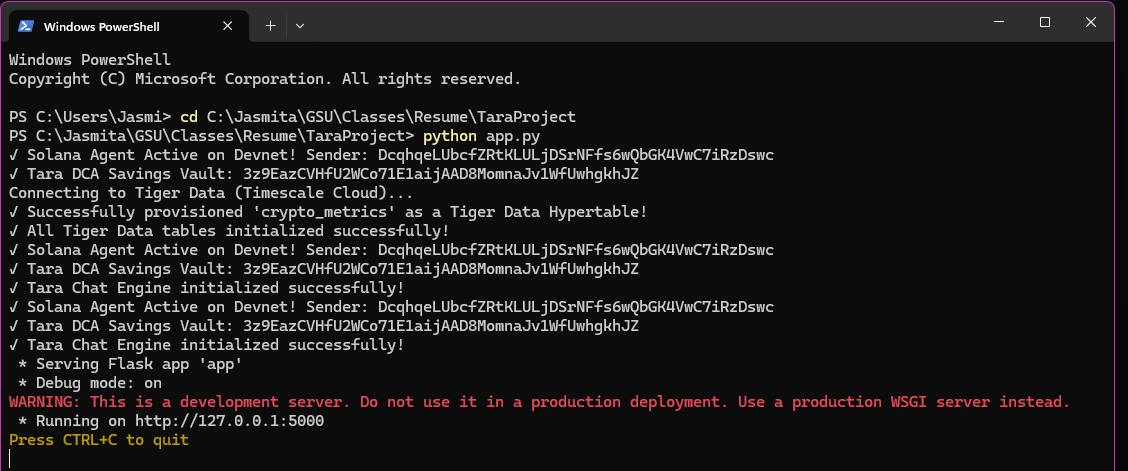
PowerShell
-
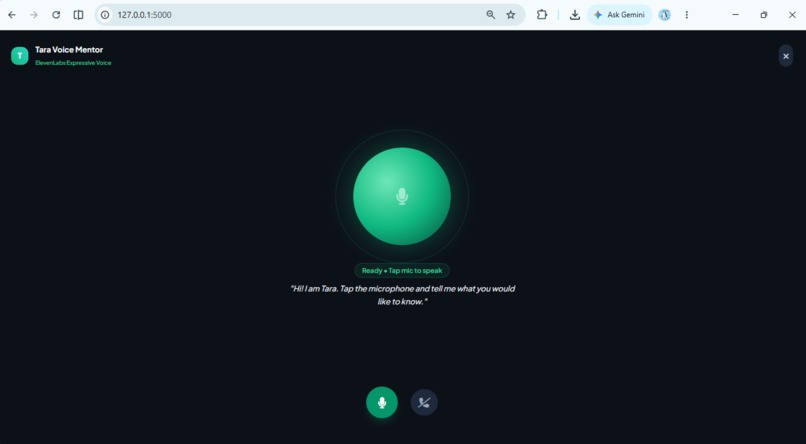
Conversational_AI
-
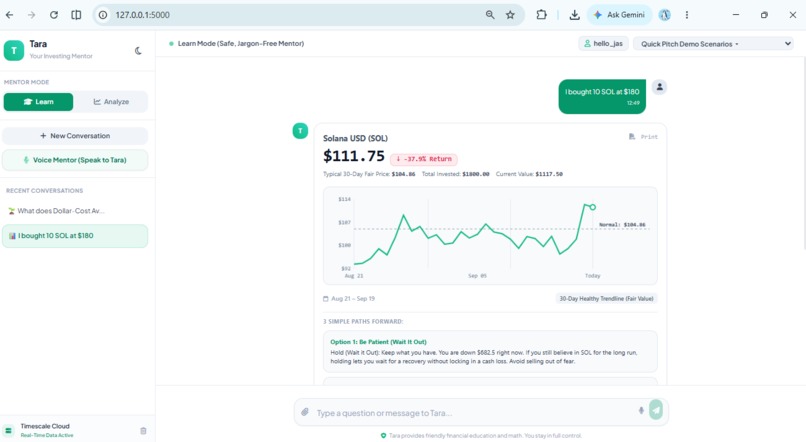
Analyze_Mode
-
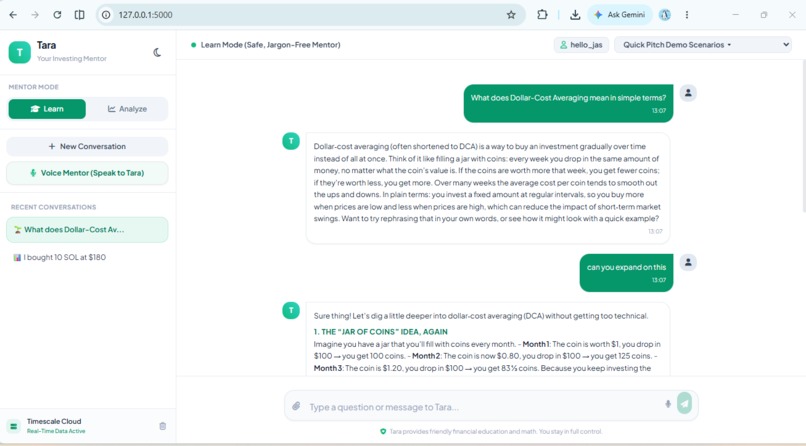
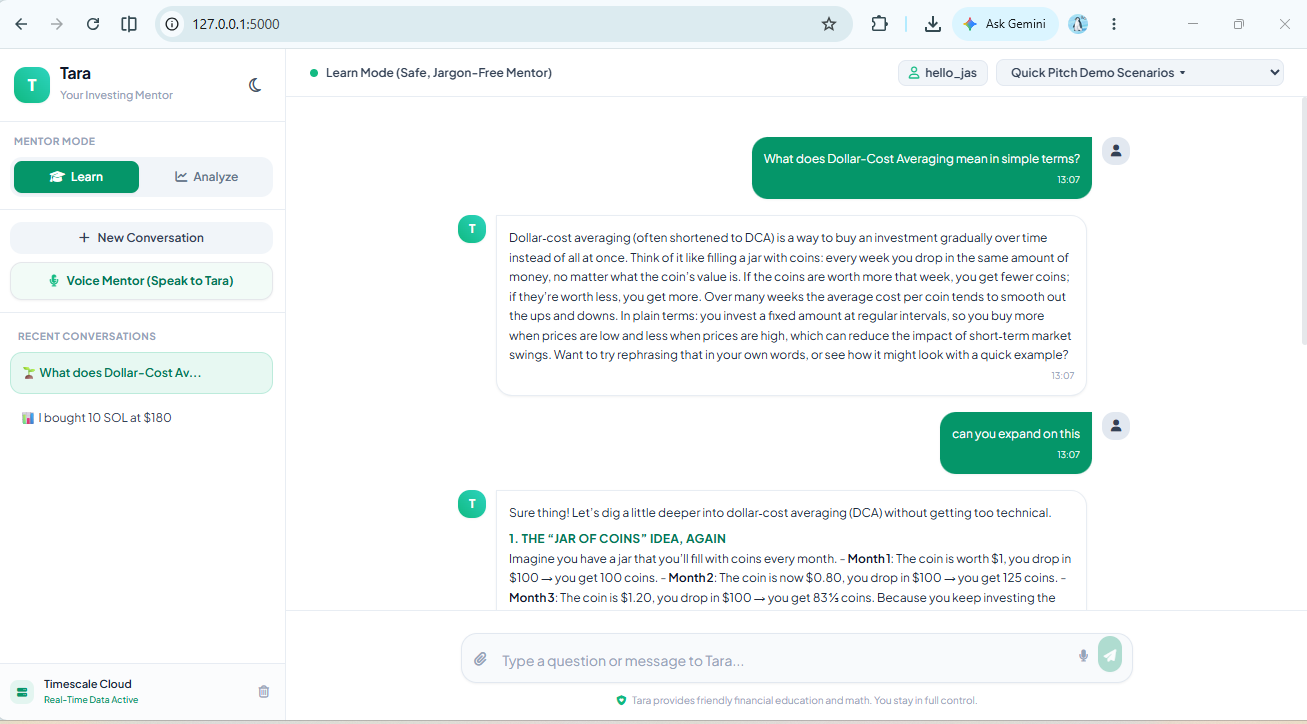
Learn_Mode
-
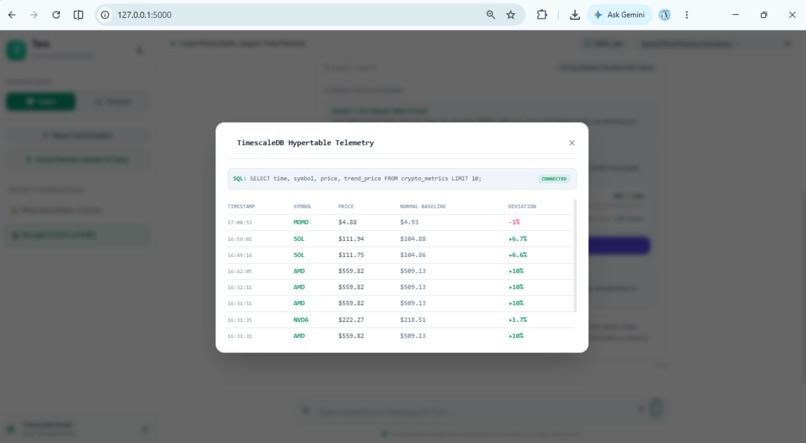
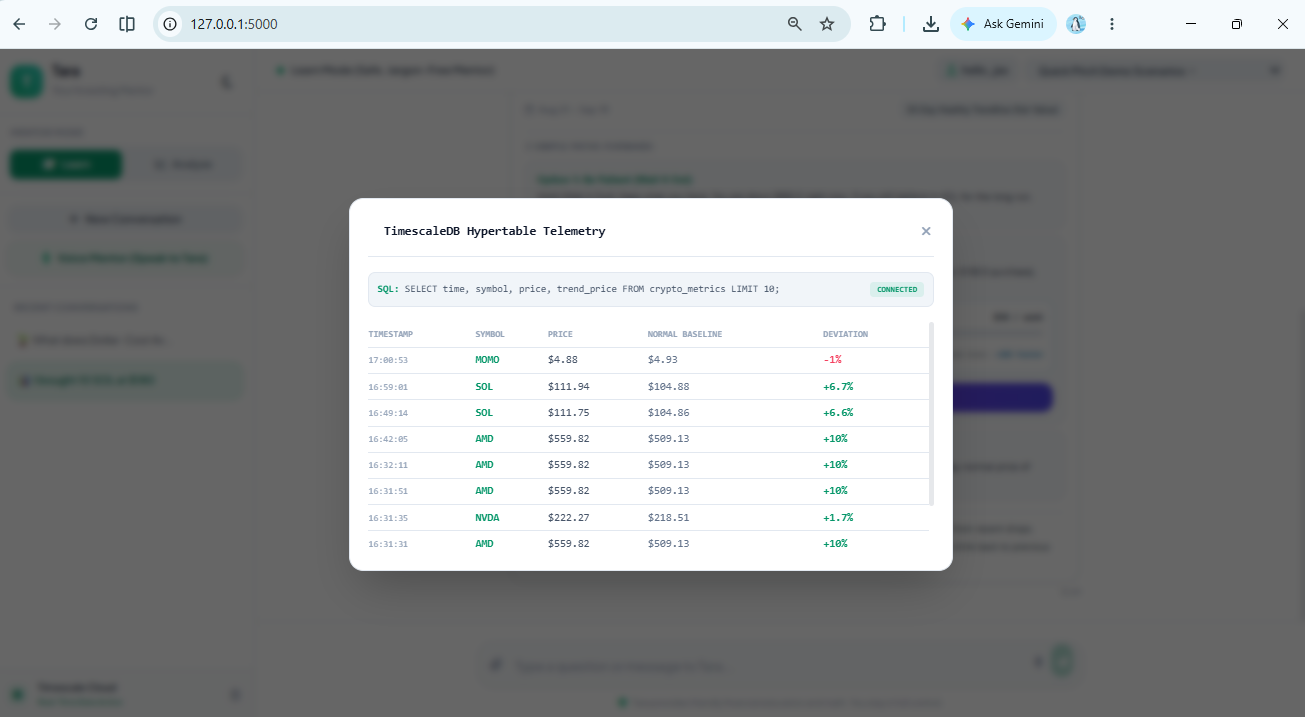
TimescaleDB_Hypertable_Telemetry
Inspiration
In ancient Sanskrit, Tara means "star" or "the one who guides across." Centuries ago, sailors used the stars to find their way across rough, unpredictable oceans. When you look at modern finance and crypto, it feels like that exact same stormy sea. Most trading apps throw flashing red-and-green screens, candlestick chaos, and confusing Wall Street jargon at you. It makes people feel like investing is just high-stress gambling, which scares away beginners, especially women. So many people are never taught the basics. Most think a 401(k) or an IRA is a stock, when really they're just tax-advantaged "baskets" that hold your investments. We built Tara to be a guiding star through that noise: a patient, calm voice who explains money without making you feel dumb, backs up advice with real math instead of hype, and helps you take safe, small steps forward.
What it does
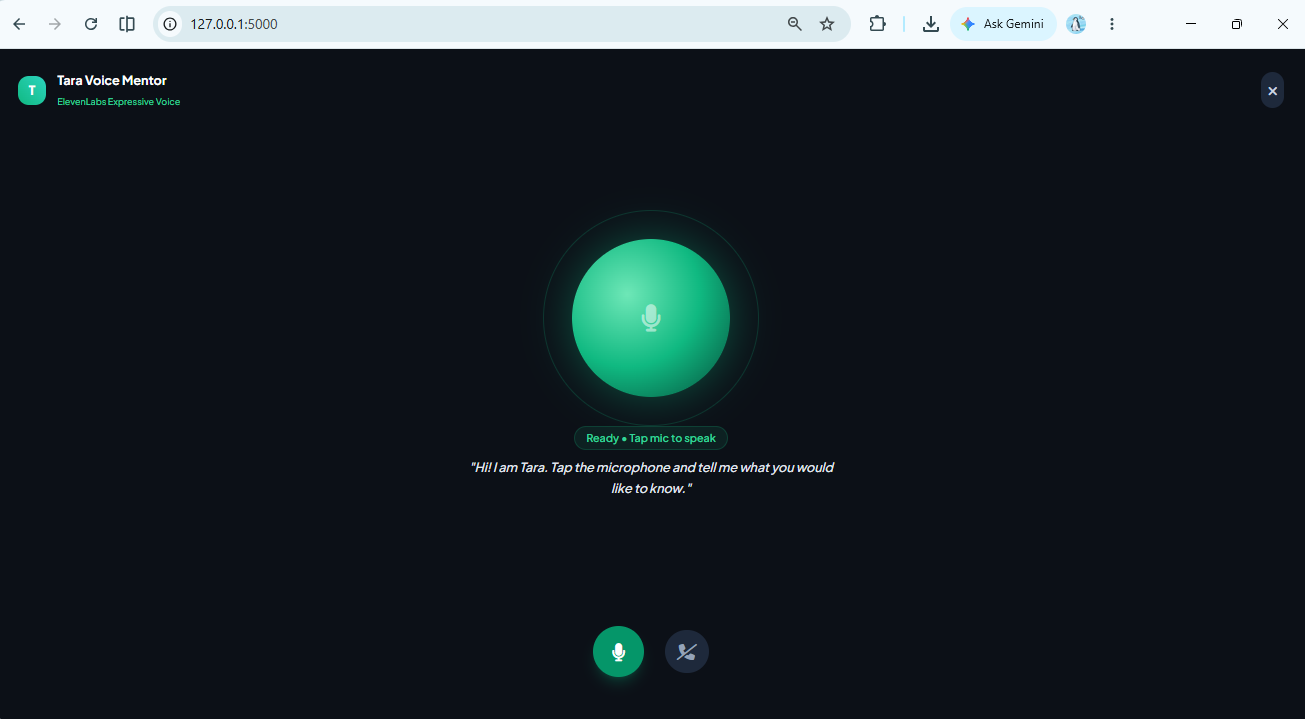
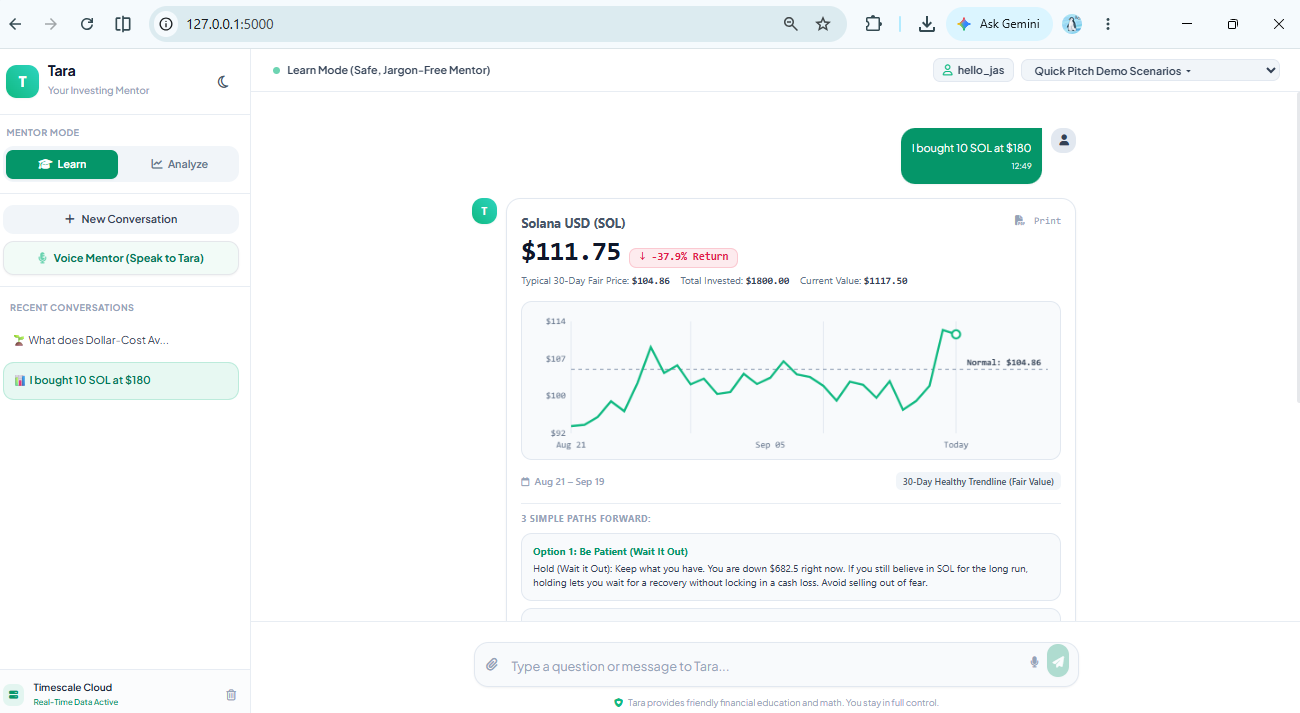
Tara is a voice-first financial mentor and automated on-chain helper: You talk to her naturally: You don't have to read boring articles. Tara speaks out loud with a warm, reassuring voice (powered by ElevenLabs), and the glowing orb on screen pulses directly to your voice in real time. No scary jargon, just clear math: When you ask about a stock or crypto like Solana, Tara doesn't guess the future. She runs a 30-day mathematical trendline that we call the "30-Day Healthy Trendline." It simply shows you if an asset is overpriced from hype or on sale at a healthy discount. Zero-stress login: Forgetting passwords is annoying. With Tara, you just type in a username handle, and she instantly pulls up your past chats, charts, and history from the cloud. Takes real action on Solana: If Tara sees a good price, you don't have to stress over how to buy. With one click, her autonomous agent will Dollar-Cost Average (DCA) a few cents of SOL on Solana Devnet, send it to a dedicated Tara Savings Vault, and write an on-chain note explaining why she made the move.
How we built it
The Front End: A clean web interface featuring custom charts that adapt to light/dark mode, plus an audio visualizer running at 60 FPS directly in your browser using the native Web Audio API. The Brain: A Flask backend running Groq (Llama 3) for near-instant responses, with an automatic backup to Google AI Studio so the chatbot never freezes or crashes. The Voice: ElevenLabs Turbo v2.5 (using the Sarah voice profile) with a custom text cleaner so she never awkwardly reads out formatting symbols like hashtags or asterisks. The Memory: TigerData on TimescaleDB (PostgreSQL) to store and instantly reload user chat sessions and trend calculations by username. The Web3 Agent: Python communicating with Solana Devnet via the Model Context Protocol (MCP) to sign real on-chain transactions and write SPL Memos.
Challenges we ran into
The Solana Read-Only Error: When we first tried to send test transactions on Solana, our transactions kept failing because we tried sending to a system address that wasn't allowed to hold balances. We had to write a script to generate a dedicated "Tara Savings Vault" keypair to safely hold the funds. The Word "Cost" Breaking Chat: Early on, whenever someone asked "What is Dollar-Cost Averaging?", our code saw the word "cost" and thought they wanted to place a trade right then! We had to rewrite the intent detection so educational questions stay in Learn Mode. Voice Stuttering on Markdown: When the AI formatted text with bolding or bullet points, the voice engine would literally say "asterisk asterisk" out loud. I wrote a regex filter to clean the text before sending it to the speaker. The Clock: My teammate put together the initial visual layout, and I spent the rest of the hackathon single-handedly wiring up the backend, the voice pipeline, the database, the math engine, and the Solana agent.
Accomplishments that we're proud of
Seeing a real, verified transaction hash pop up on the Solana Explorer that was autonomously signed by our agent with an on-chain note. Getting the glowing audio orb to dance smoothly to the microphone at 60 FPS with zero lag. Turning intimidating Wall Street math into a simple, calming green line that makes people say, "Oh, I actually understand this now."
What we learned
How to connect an AI brain to real-world execution tools using the Model Context Protocol (MCP). The ins and outs of Solana accounts, private keys, and on-chain memos. How much words matter: changing "30D Logarithmic Regression Baseline" to "30-Day Healthy Trendline" completely removes the anxiety beginners feel when looking at charts.
What's next for Tara AI
Phantom Wallet Support: Letting users connect their own personal browser wallets instead of just using our Devnet agent wallet. Portfolio Health Checks: Looking at a user's entire portfolio at once to warn them if they have all their eggs in one basket. Mainnet Launch: Moving from testnet to real Solana so beginners can start building real recurring micro-savings habits.
To try it out locally: Download and unzip the project folder, open PowerShell inside the folder, and run python app.py. Then open your browser to http://127.0.0.1:5000/ to interact with Tara!
Built With
- ai-agent
- css3
- data-science
- elevenlabs
- financial-literacy
- flask
- google-gemini
- groq
- html5
- javascript
- model-context-protocol
- postgresql
- python
- solana
- solders
- timescaledb
- web-audio-api
