-
-
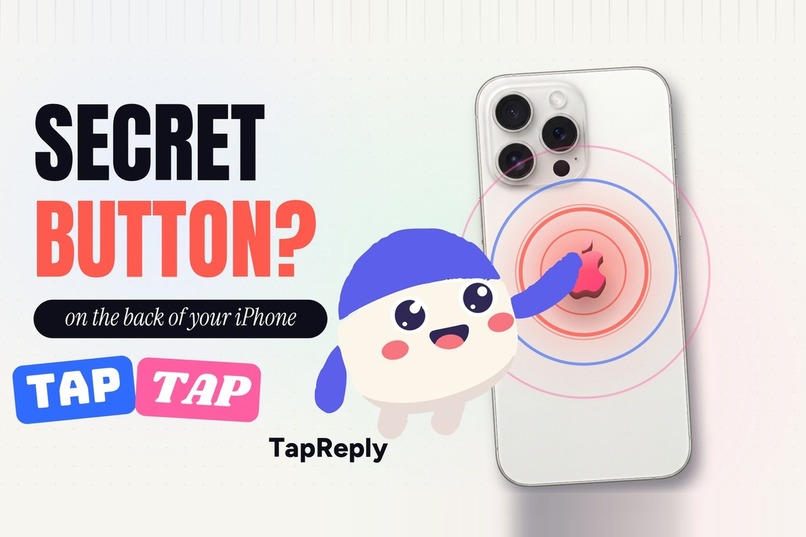
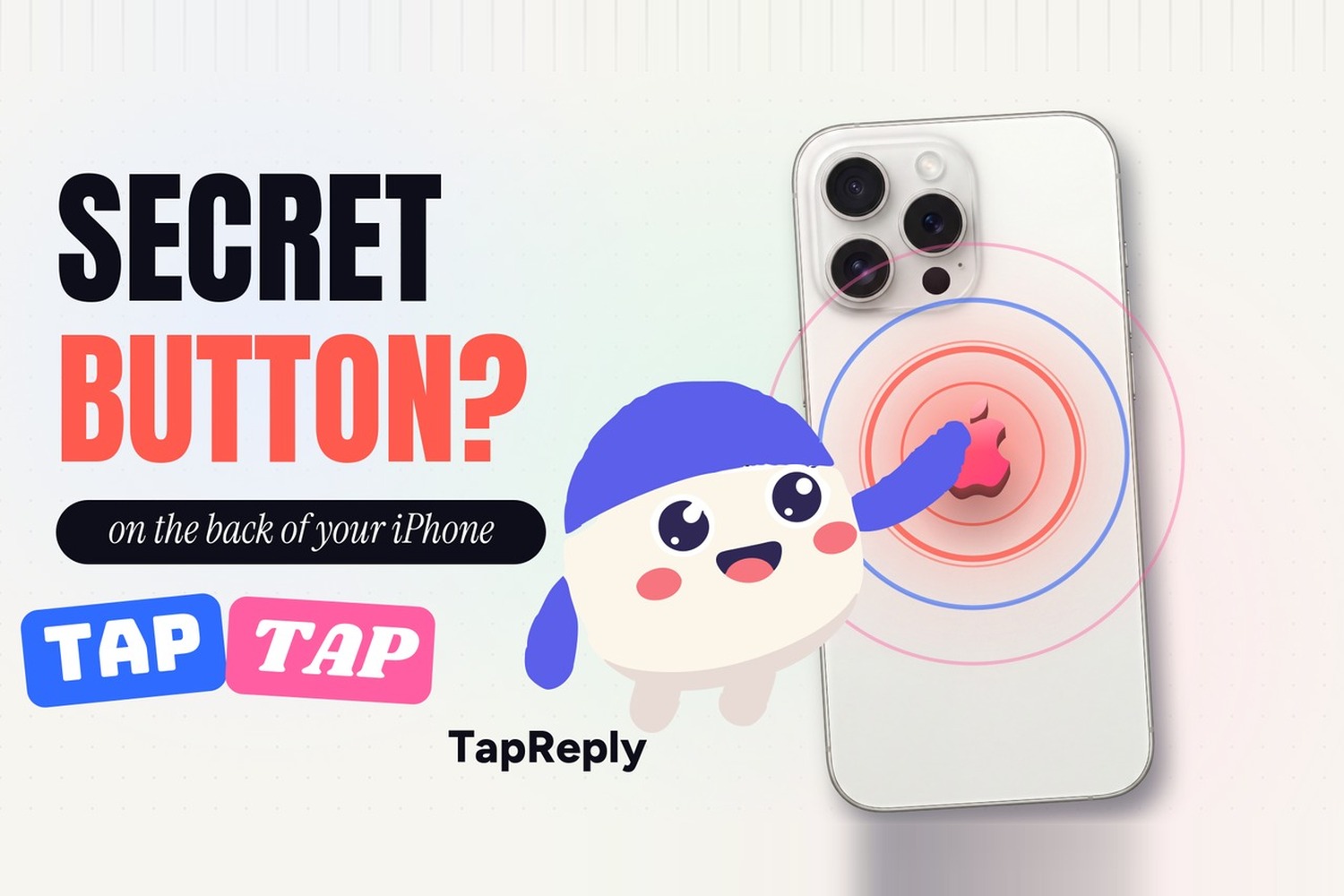
TapReply: double-tap the Apple logo on the back of your iPhone and get the right reply. Next Gen Award entry.
-
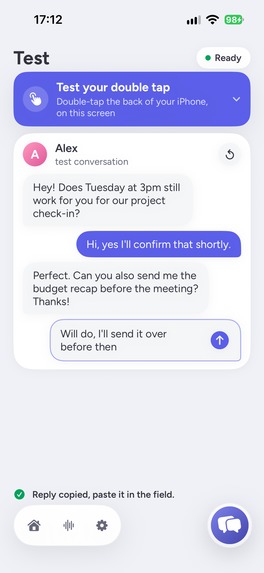
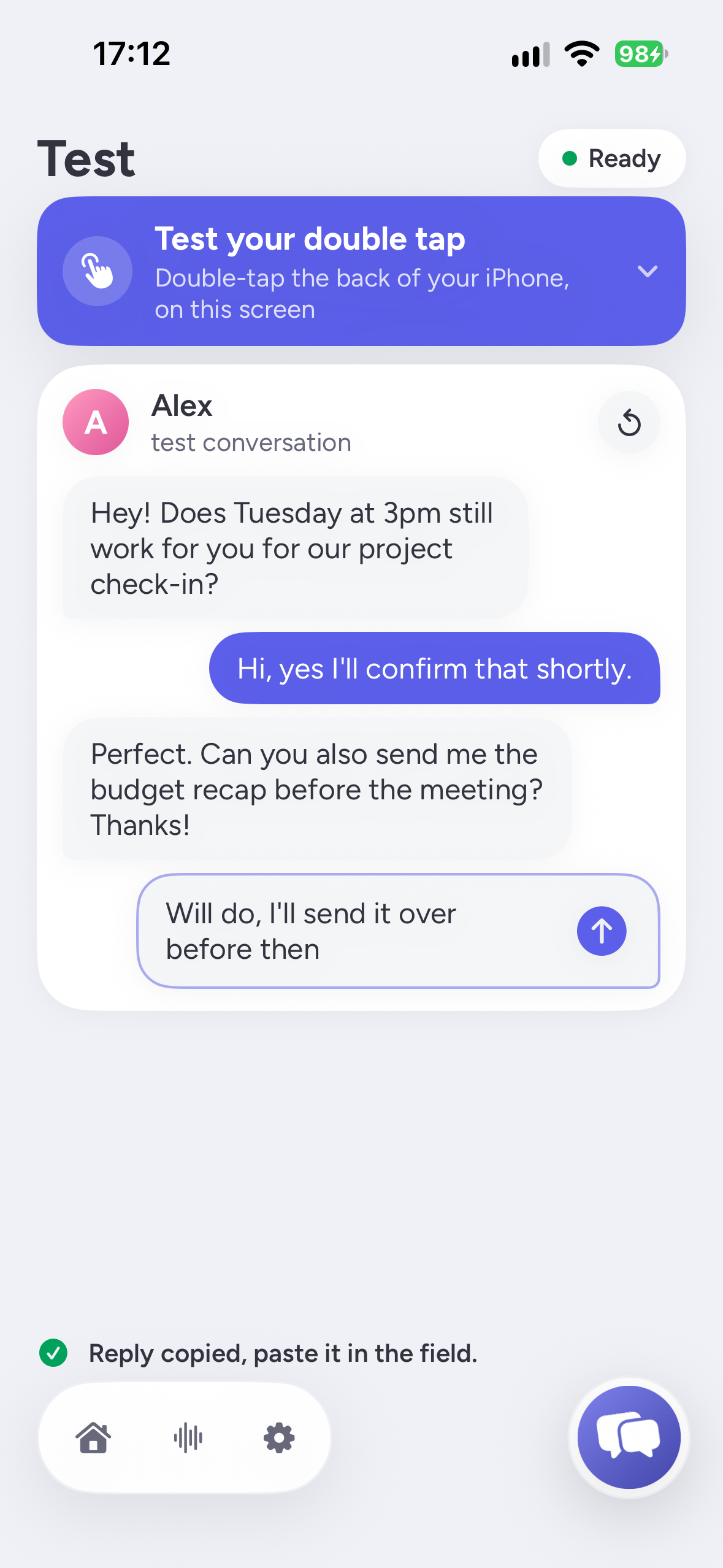
Test tab: double-tap the back of your iPhone on a sample chat, TapReply writes the reply and copies it for you.
-
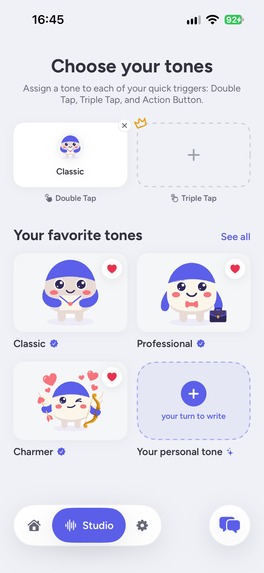
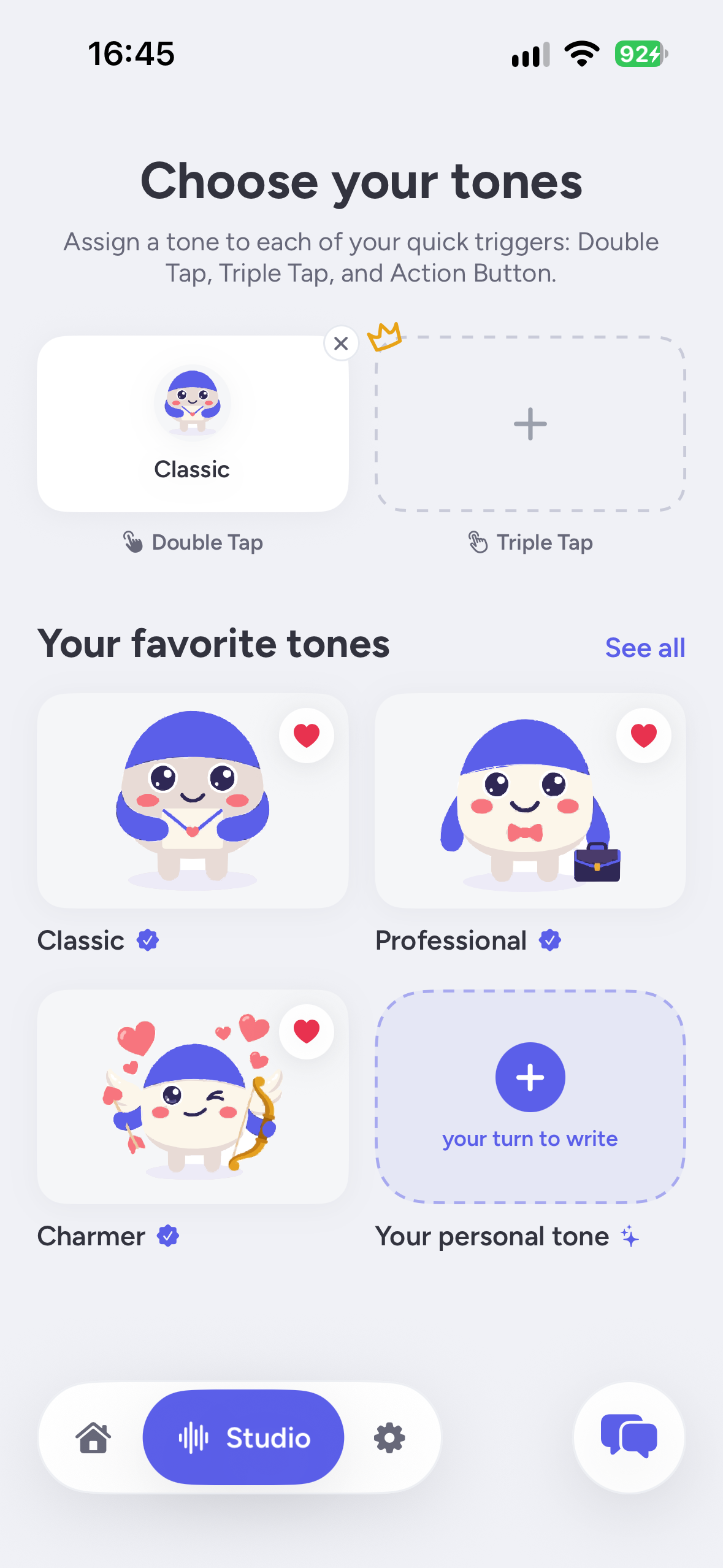
Studio: pick a tone (Professional, Charmer, Funny, Fact Check) or create your own.
-
TapReply app icon (1024 x 1024).
🎓 Entry: Next Gen Award (student)
I'm Pierre, a student at Audencia (France), and I designed and built TapReply on my own. TapReply is live on TestFlight (App Store review in progress), so this is a Next Gen Award entry with a public open-source repository and a demo video.
Inspiration
The Apple logo on the back of your iPhone is actually a button: tap it twice and iOS can run any action (Settings > Accessibility > Touch > Back Tap). Meanwhile, we all do the same tedious dance every day: screenshot a chat, open an AI app, paste it, ask for a reply, copy the answer, go back, paste. I wanted that hidden button to do all of it in one gesture.
What it does
TapReply writes your replies for you, from any conversation.
- Double-tap the back of your iPhone, in any chat.
- TapReply reads the conversation on your screen and writes the right reply.
- The reply is copied and shown in the Dynamic Island. You paste it and send it.
- Messy draft? Type "cant tmrw.. busy?? fri maybe", tap twice, and it becomes a clear, natural message that keeps your meaning.
- Tones: Classic, Professional (work emails), Charmer (dating apps), Funny (group chats), and Fact Check, which reads a claim on your screen and tells you if it's TRUE or FALSE.
- Create your own tones in the Studio: name, mascot color and instructions.
- Three shortcuts: Double Tap, Triple Tap and the Action Button, each with its own tone.
- Private history saved on the iPhone only, with favorites.
- A built-in Test tab to try the gesture safely. Available in 6 languages.
Privacy
- Screenshots never leave the iPhone: text is read on the device with Apple's Vision framework.
- Only the conversation text is sent, and only after explicit consent (you can turn it off anytime).
- Zero-data-retention AI providers only: the text is processed in real time and never stored.
- No account, no ads, no tracking.
How RevenueCat powers the business
- Free: 10 replies granted once by the server as RevenueCat Virtual Currency (RPLY), plus 1 custom tone.
- TapReply Pro (monthly or annual, 3-day free trial on annual): unlimited replies for personal use, extra tone shortcuts, unlimited custom tones, exclusive app icons.
- 50-reply pack: a one-time purchase for people who don't want a subscription.
- Credits can't be faked on the device: the server checks the entitlement and the balance with the RevenueCat REST API v2, debits one credit before calling the AI and refunds it automatically if the generation fails.
- When Pro ends, extra tones and Pro shortcuts lock gracefully with a clear explanation instead of disappearing.
How I built it
- iOS app: SwiftUI (iOS 18+), App Intents + a shared Shortcut triggered by Back Tap, Vision OCR with a custom parser (who said what, and the draft in the input field), ActivityKit Live Activities for the Dynamic Island, SwiftData, String Catalogs for 6 languages.
- TapTap, the mascot: a real-time vector animation engine I built for the app: 50+ animation clips in a compact custom format, decoded at runtime and recolored with the user's color.
- Backend: a Supabase Edge Function in TypeScript that verifies the anonymous RevenueCat identity, applies rate limits, manages credits through RevenueCat, and calls AI models through OpenRouter (Gemini, with Claude as fallback).
- Monetization: RevenueCat SDK, offerings, entitlements, virtual currency and REST API v2.
Challenges I ran into
- Reading a screenshot reliably: telling my messages from the other person's, ignoring timestamps and app chrome, and finding the draft in the input field.
- Making credits impossible to cheat without any user account, using only the anonymous RevenueCat ID and server-side debits.
- Getting privacy right: explicit consent, zero data retention, and App Store review rules for AI apps.
- Explaining a gesture most people have never used: that's why the onboarding is an animated, step-by-step story with TapTap.
Accomplishments that I'm proud of
- A complete product built solo as a student: onboarding, tones, custom tones, history, paywall, subscriptions, credits, privacy, 6 languages, now in App Store review.
- Replying to a message takes two taps instead of seven steps.
- Proof that students don't just learn to build apps: we ship them.
What I learned
Shipping is a different job from coding: review rules, privacy labels, pricing, trial terms, onboarding, and above all explaining a new habit in a few seconds.
What's next
- App Store release (review in progress).
- Retention offers with RevenueCat for people who cancel.
- More tones and smarter context for long conversations.
Links
- Source code (MIT): https://github.com/saphek95/tapreply-ios
- TestFlight: https://testflight.apple.com/join/nHXgMWuq
Built With
- activitykit
- app-intents
- claude
- deno
- gemini
- ios
- live-activities
- openrouter
- postgresql
- revenuecat
- supabase
- swift
- swiftdata
- swiftui
- typescript
- vision
- xcode


