Inspiration
The portable cassette recorder is dead technology. People still remember the feel of it: reels that sped up as the pack moved, piano keys that latched, needles that jumped when you spoke, a shelf of mixtapes with handwritten labels. We wanted those behaviours back on a phone, without the parts nobody misses — worn tape, no search, no privacy, a machine you cannot take into tomorrow. That is the Resurrection brief taken literally.
What it does
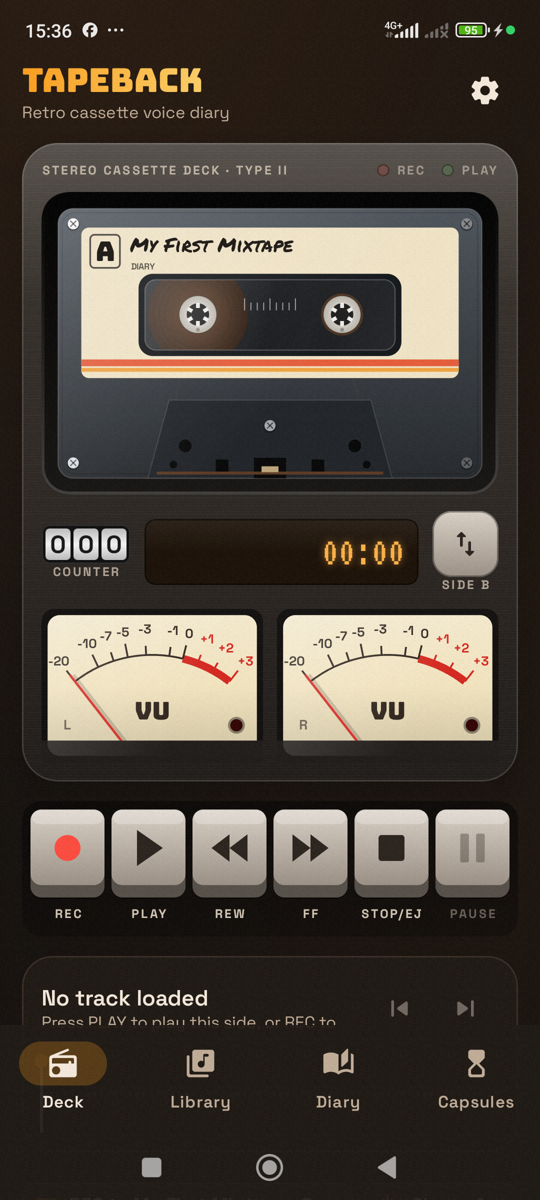
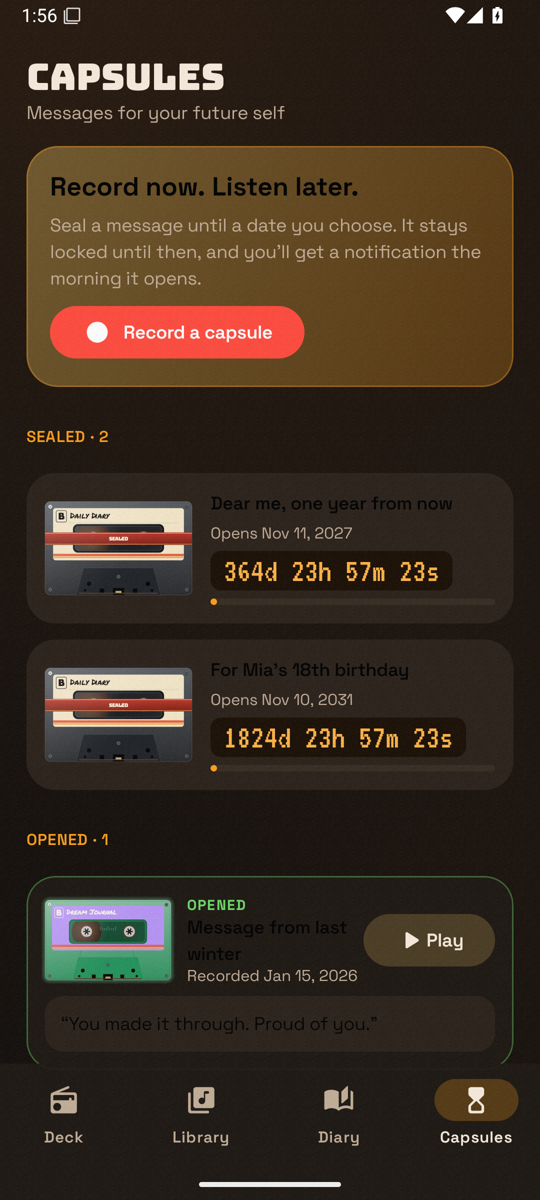
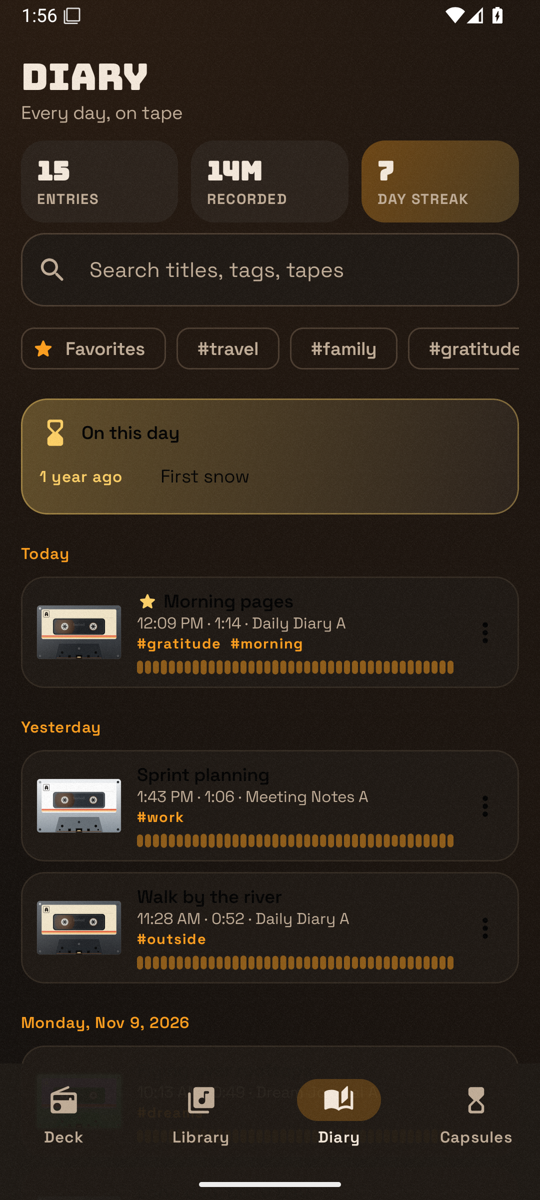
TapeBack turns an Android phone into a 1980s–1990s portable cassette recorder: you record voice notes onto virtual cassettes, play them on a deck with spinning reels and real VU meters, keep an audio diary, and seal messages for your future self.
Everything stays on the device. The app has no INTERNET permission, no account, no analytics and no cloud backup.
What we resurrected, and how it works today:
| Dead technology | How it works in TapeBack |
|---|---|
| Spinning reels that change speed as tape packs from one hub to the other | Angular velocity ω = v / r from the current tape-pack radius, with motor inertia |
| Needle VU meters | Spring-damper ballistics with ~300 ms integration and a 1 s peak LED, driven by the live input or output level |
| Chunky piano keys that latch | REC, PLAY, REW, FF, STOP/EJECT and PAUSE latch like a mechanical deck; STOP while stopped ejects |
| Tape sound | Real-time Media3 DSP: Vintage Cassette (wow and flutter, warmth, saturation), Lo-Fi, AM Radio, adjustable hiss, 0.5×–2× speed with optional tape-style pitch |
| Mechanical clicks and motor whirr | Synthesized in code (no audio assets) and never captured in a recording |
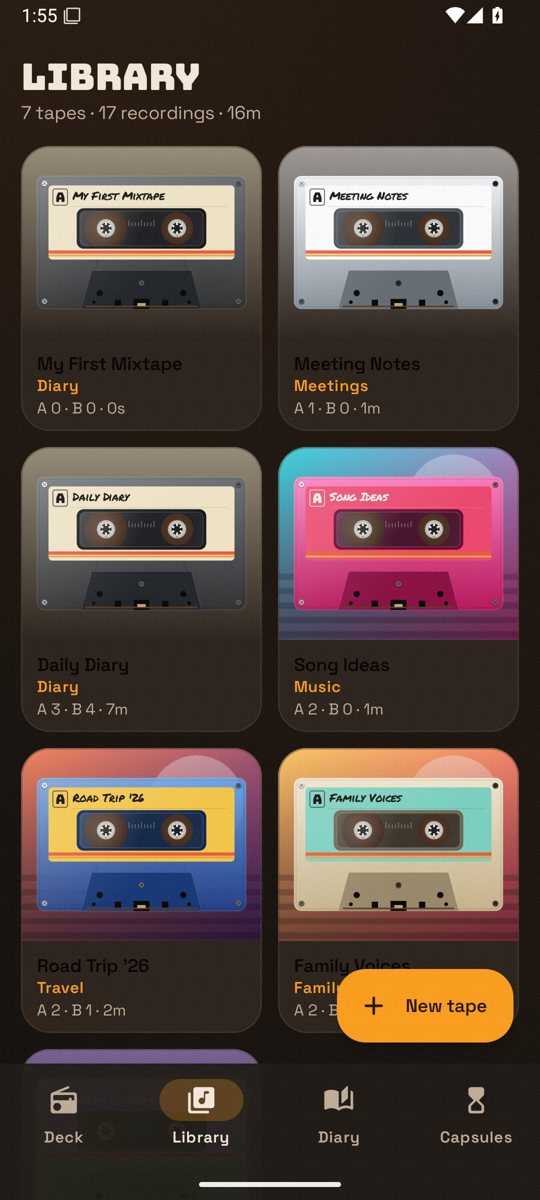
| A shelf of mixtapes | Cassettes with Side A/B, handwritten-style labels, seven shell skins, categories and cover art |
The modern half is what makes it trustworthy: AAC recording in a microphone foreground service that survives the screen turning off, background playback with a media notification, a searchable diary with streaks and "On this day", and time capsules unlocked by WorkManager notifications that survive reboots.
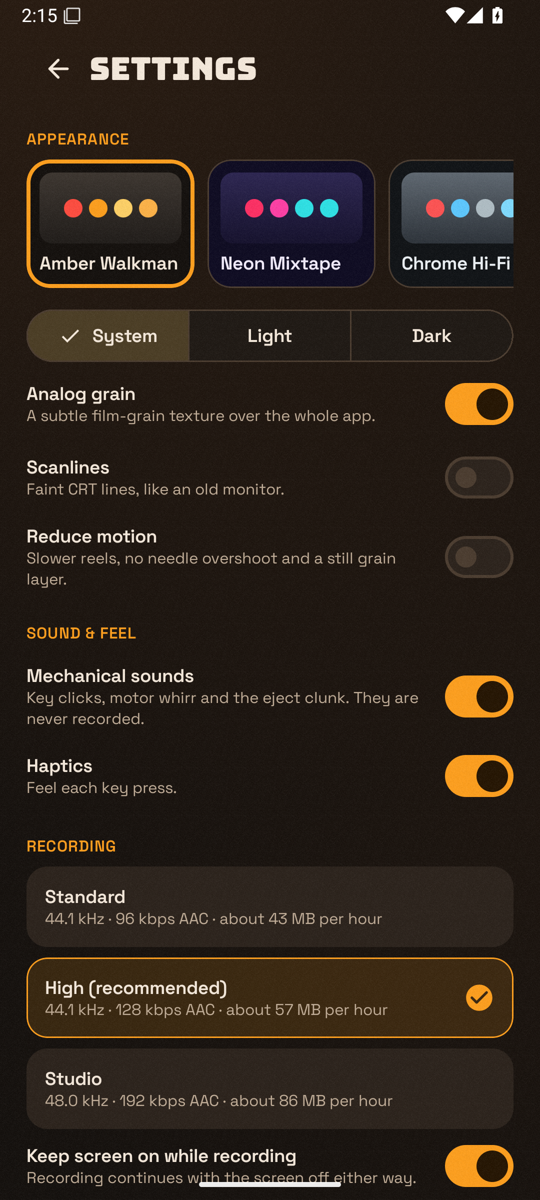
Other features: three AAC quality presets (Standard, High, Studio), pause/resume into the same file, waveform scrubbing, a 3-digit tape counter, side flip, lock-screen controls, audio focus and headphone-unplug handling, and five themes (Amber Walkman, Neon Mixtape, Chrome Hi-Fi, Kiroween, Beige Classic), each in light and dark, with optional grain, scanlines, Reduce motion and haptics. Phones get a bottom bar; tablets get a navigation rail and a two-pane deck.
How we built it
- Kotlin 2.1 + Jetpack Compose (Material 3) in a single :app module, minSdk 26, targetSdk 36, JDK 17, Android Gradle Plugin 8.11.
- Layered packages: domain (pure Kotlin policies: reel physics, VU ballistics, capsule rules, diary logic), data (Room, DataStore), audio (MediaRecorder foreground service, Media3 MediaSessionService, a pure-Kotlin DSP chain behind a Media3 AudioProcessor), capsule (WorkManager), ui (Canvas cassette, VU meters, keys, waveform), manual constructor injection.
- Privacy by construction: android.permission.INTERNET is removed in the manifest with tools:node="remove". Recordings, covers, the database and settings live in app-private storage and are excluded from cloud backup.
- Tests and release: 49 JVM unit tests (policies and DSP), instrumented Room and Compose semantics tests, a debug demo seeder, lint, and an R8-minified signed release build.
- PowerShell + adb for quality-gate scripts and a device QA loop (scripts/qa/).
How Kiro was used
TapeBack was developed spec-first with Kiro. Everything Kiro used lives in .kiro/ and scripts/kiro/.
- Spec-driven development (.kiro/specs/tapeback-voice-diary/): ten requirement groups in EARS notation (R1–R10), a design document covering the Room schema, pipelines, DSP, reel physics and VU formulas, and 28 tasks in six milestones, each task citing the requirements it satisfies. Compared with vibe coding, the spec kept recording, playback, the deck, the library, the diary and capsules coherent, and stopped the agent inventing network or speech-to-text features the product rules forbid.
- Steering docs (.kiro/steering/): product.md, tech.md and structure.md always load; coding, audio, UI and testing files load only for matching paths. Product pillars and audio-engineering rules are why every visible control does what it says, startForeground happens before MediaRecorder.start(), and mechanical clicks are never recorded.
- Agent hooks (.kiro/hooks/ + scripts/kiro/): session-start spec progress, PostFileSave guards for Kotlin standards, offline privacy and string resources, a PreToolUse git-safety confirm for destructive commands, unit tests on agent stop, and a full quality gate (guards, tests, lint, debug assemble) after each spec task.
- Real-device loop over adb: install, uiautomator taps, screenshots. That loop found an idle-deck ANR (grain was redrawing every 90 ms even when the tape was still), inexact speed labels, and VU scale labels that overflowed the meter face.
This project did not use MCP, custom agents, Kiro Crew, Kiro powers or property-based testing. The write-up stays on the specs, steering and hooks that actually drove the build. A longer account is in docs/KIRO.md.
Challenges we ran into
- Making a cassette deck feel mechanical without faking it: reel motion had to follow pack radius, VU needles had to follow real levels, and keys had to latch. That meant policy code and tests, not just animation.
- Keeping a continuously animated deck from burning the main thread. An emulator ANR showed the grain overlay compiling shaders and redrawing when idle. Grain now animates only while tape moves; an idle deck renders zero frames.
- Staying offline on a modern Android stack, where libraries quietly pull in INTERNET. A manifest removal plus a Kiro privacy hook makes that a failed check, not a missed review comment.
- Recording that still works when the user turns the screen off, without ever writing mechanical sound into the take.
Accomplishments that we're proud of
- A complete voice diary — record, play, library, search, streaks, time capsules — that still looks and behaves like a cassette machine.
- Real reel physics and VU ballistics, covered by unit tests, driving the UI.
- No INTERNET permission in the built APK, enforced by a hook, not just a README claim.
- A Kiro process that is visible in the repo: specs, seven steering files, seven hooks and a quality gate.
What we learned
Steering and hooks matter as much as the spec. Writing "no network, no fake controls, clicks are never recorded" once meant those rules held across later polish (onboarding, themes, settings). Device QA still caught things unit tests could not, especially idle rendering cost.
What's next for TapeBack
A Play Store release of the signed AAB, a pass over remaining device-QA findings, and optional extras that still fit the offline rule (for example richer cassette decoration). We will not add accounts, cloud sync or speech-to-text.
Known limits today (honest list): tasks.md still marks two documentation/QA checkboxes open even though README, Kiro docs and screenshots already exist.
Built With
- adb
- android
- datastore
- jetpack-compose
- kiro
- kotlin
- material3
- media3
- powershell
- room
- workmanager
