-
-

1024x1024 TabBack Icon
-
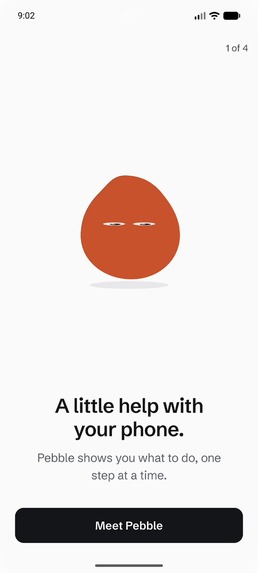
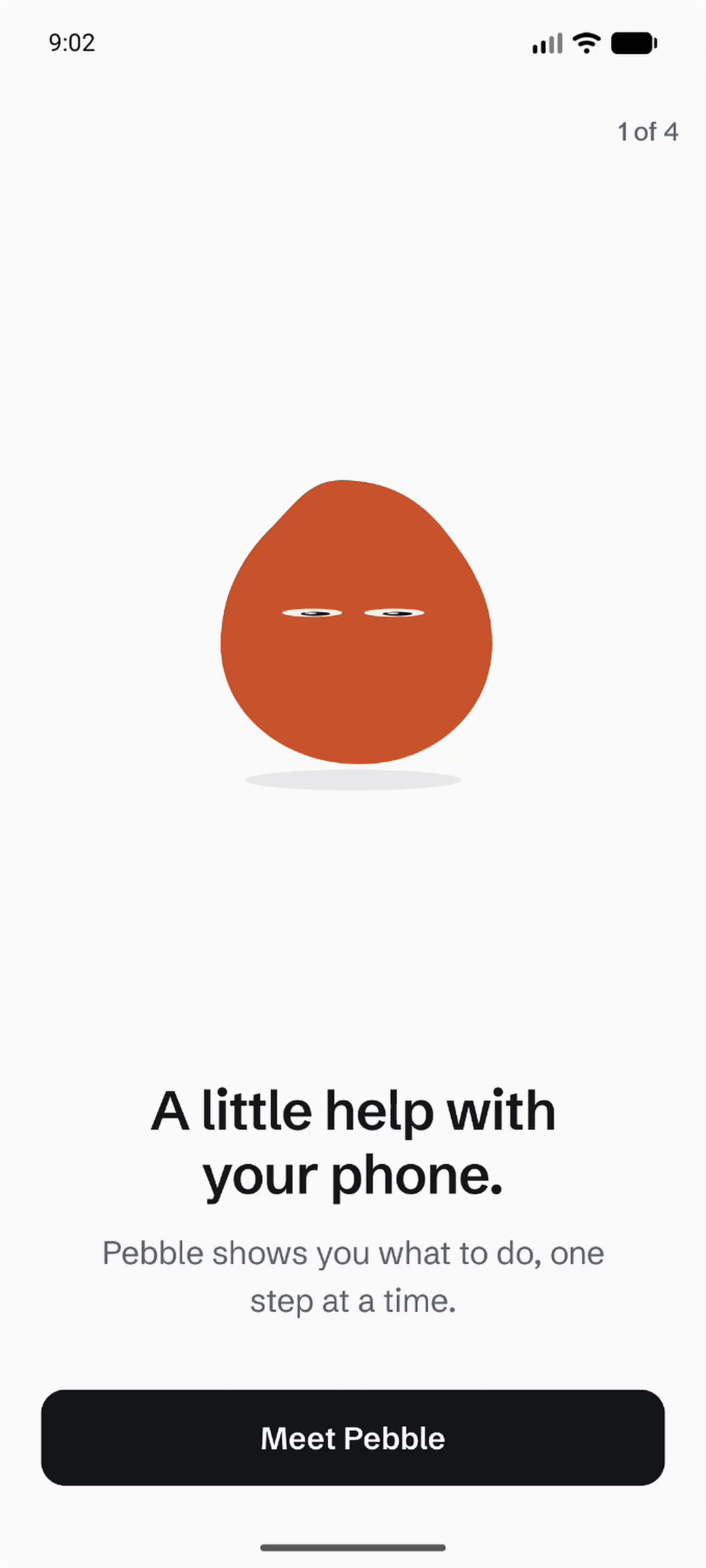
Meet Pebble, your guide to using your phone with more confidence, one step at a time.
-
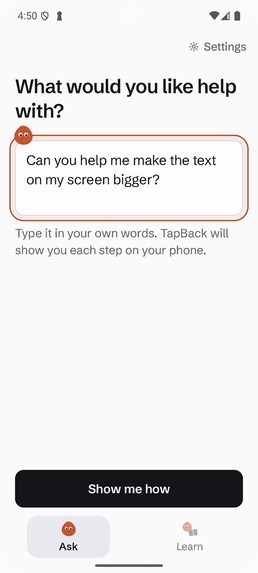
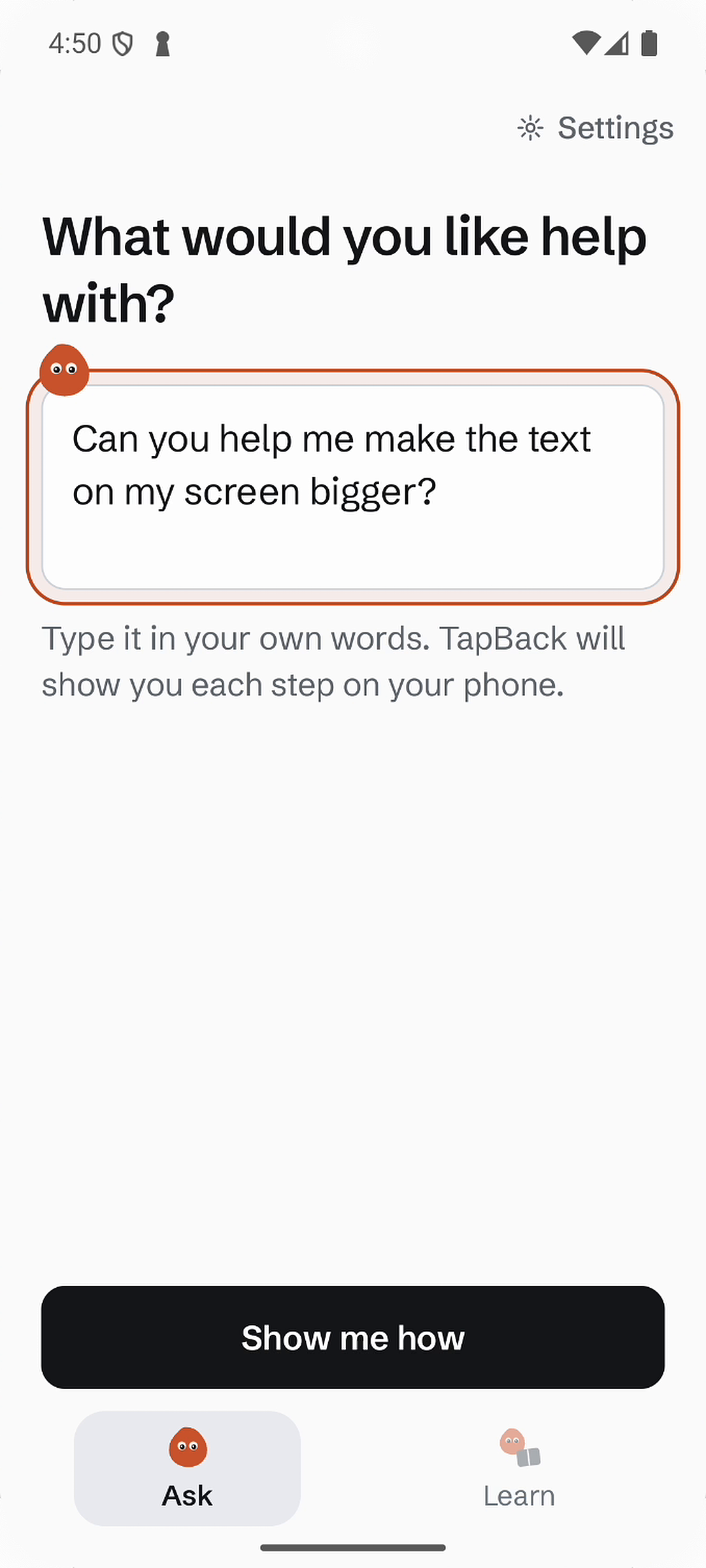
Ask in your own words. TapBack turns “Can you help me make the text bigger?” into guidance on your phone.
-
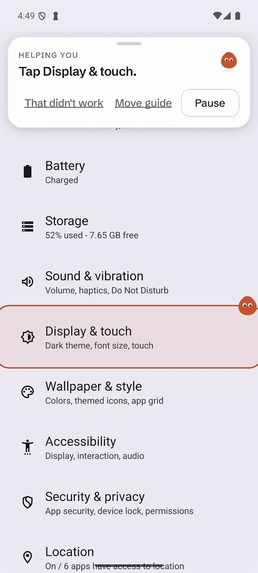
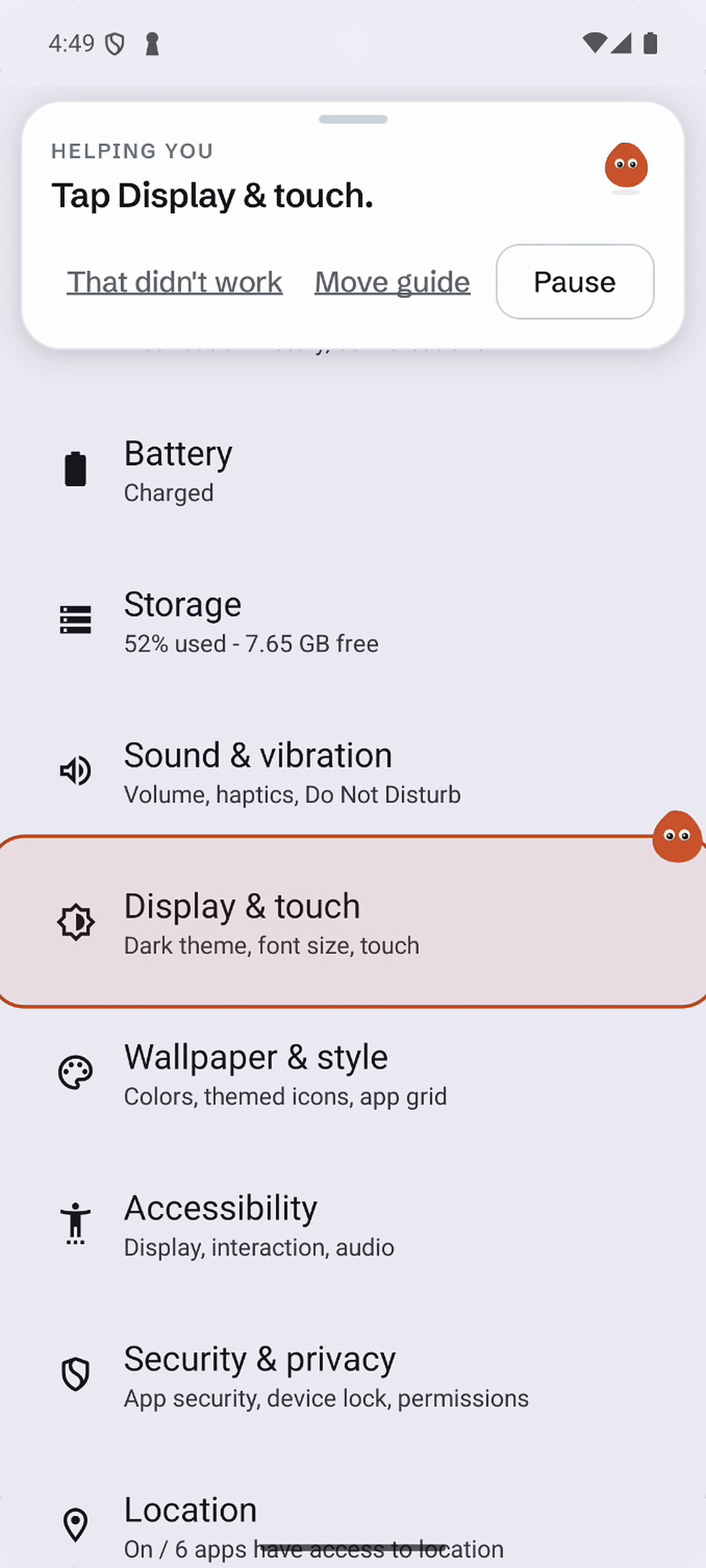
Pebble highlights the setting on your actual screen, so you can see exactly where to tap.
-
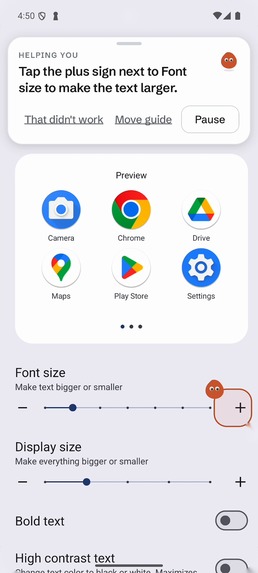
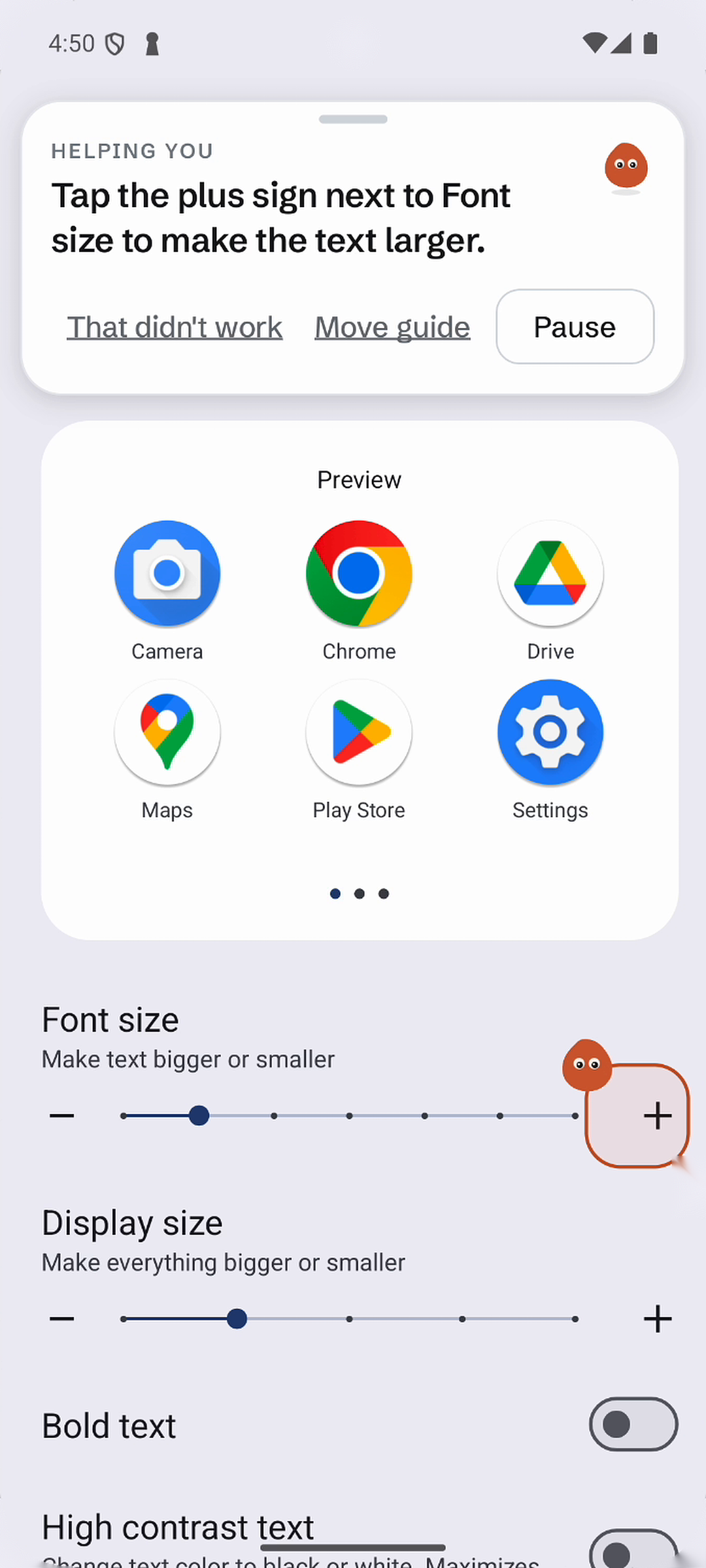
One clear instruction at a time: TapBack points to the control that makes your text larger.
-
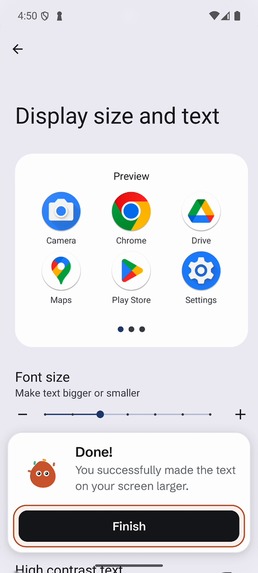
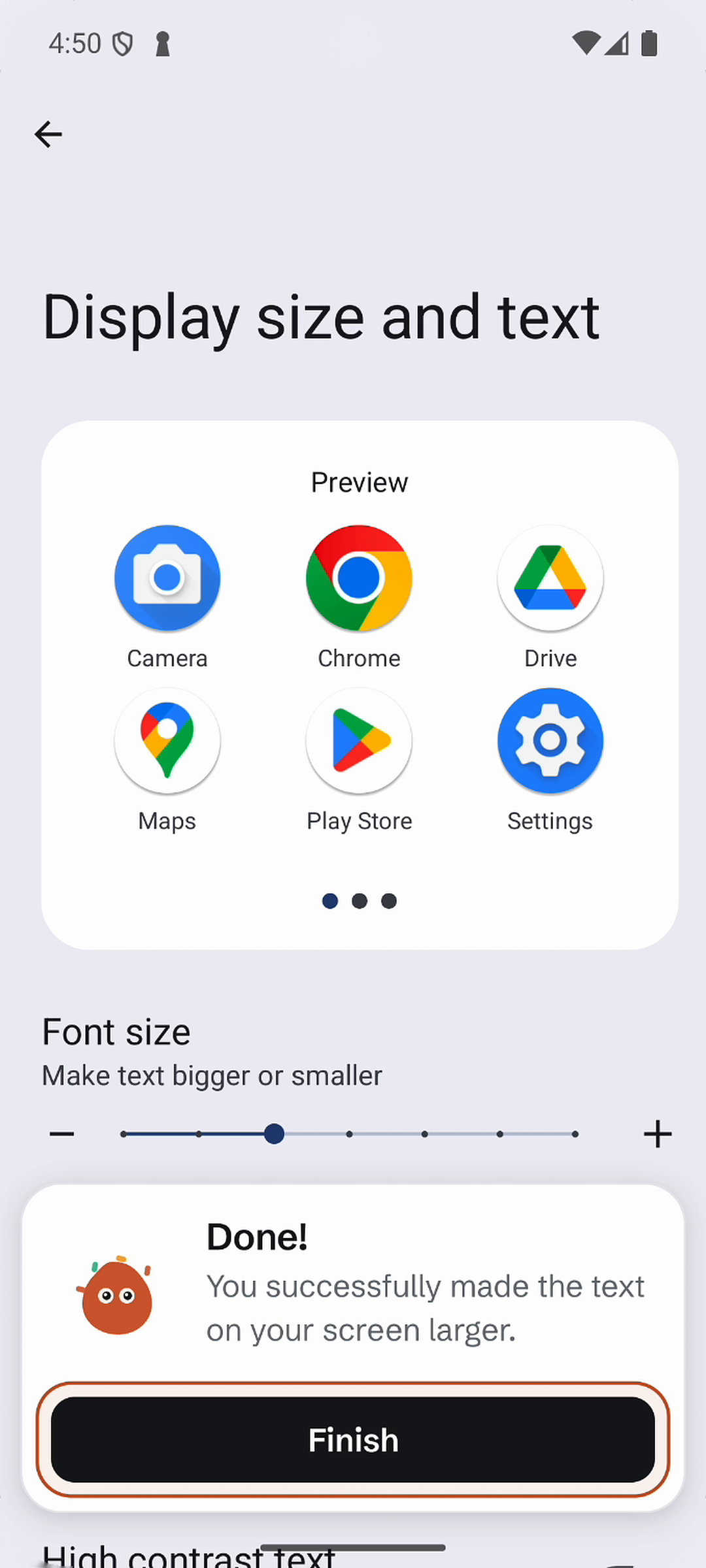
Larger text, task complete. The user makes the changes while TapBack guides each step.
-
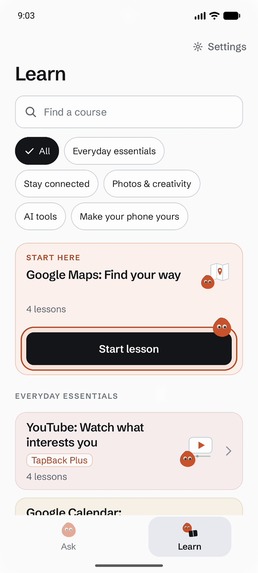
Learn helps you explore your phone through guided courses, from everyday essentials to unfamiliar tools.
-
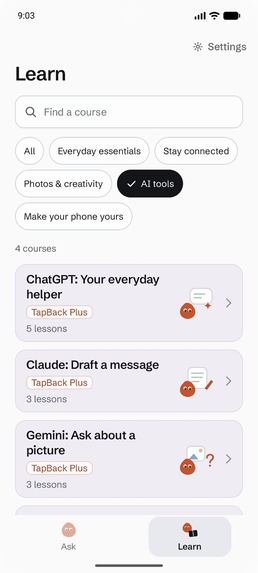
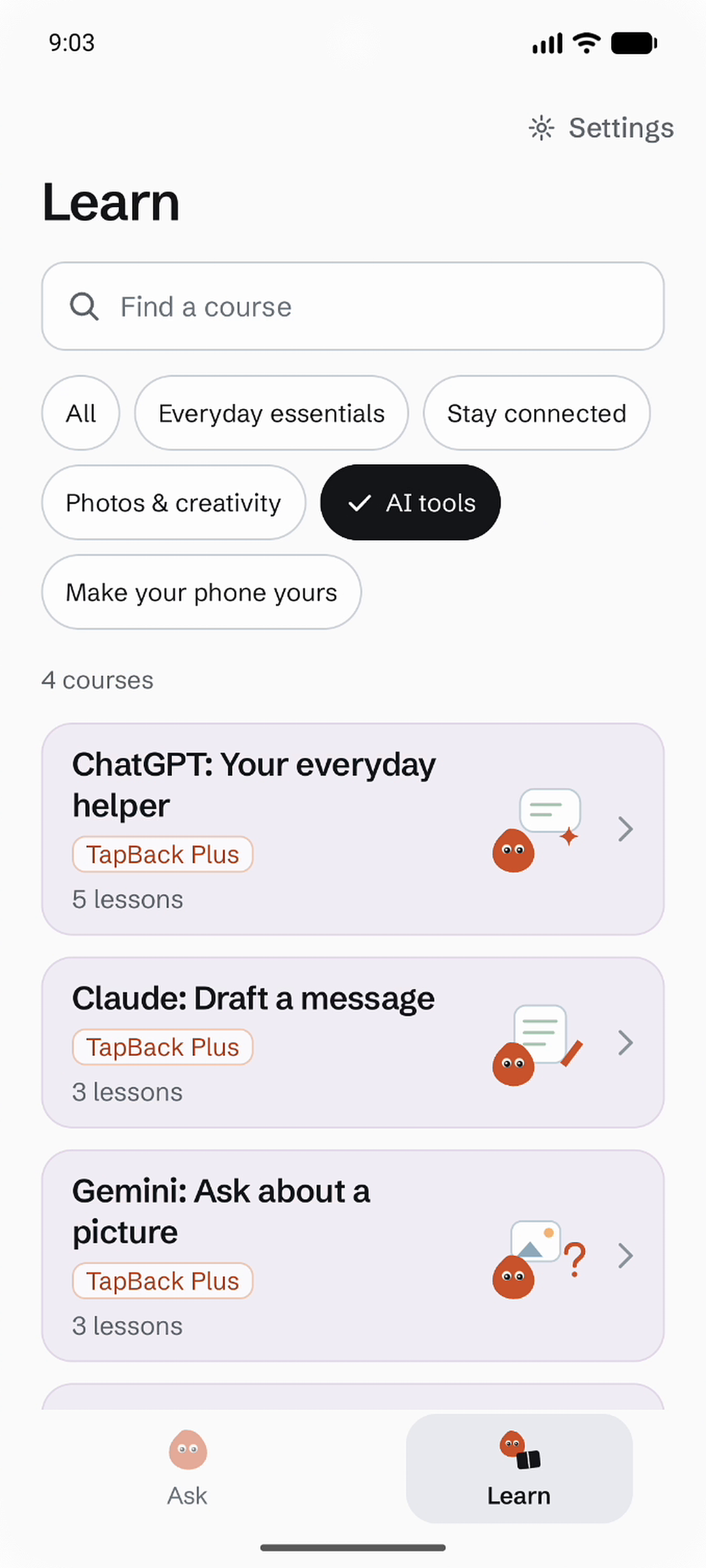
Discover tools you might never have known to ask about, with guided courses for ChatGPT, Claude, and Gemini.
-
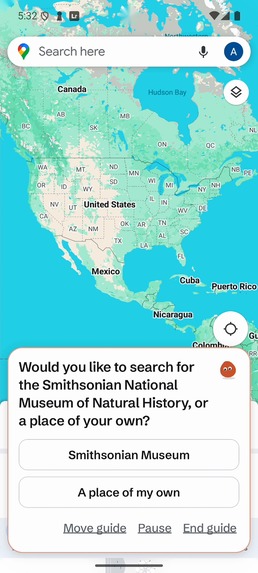
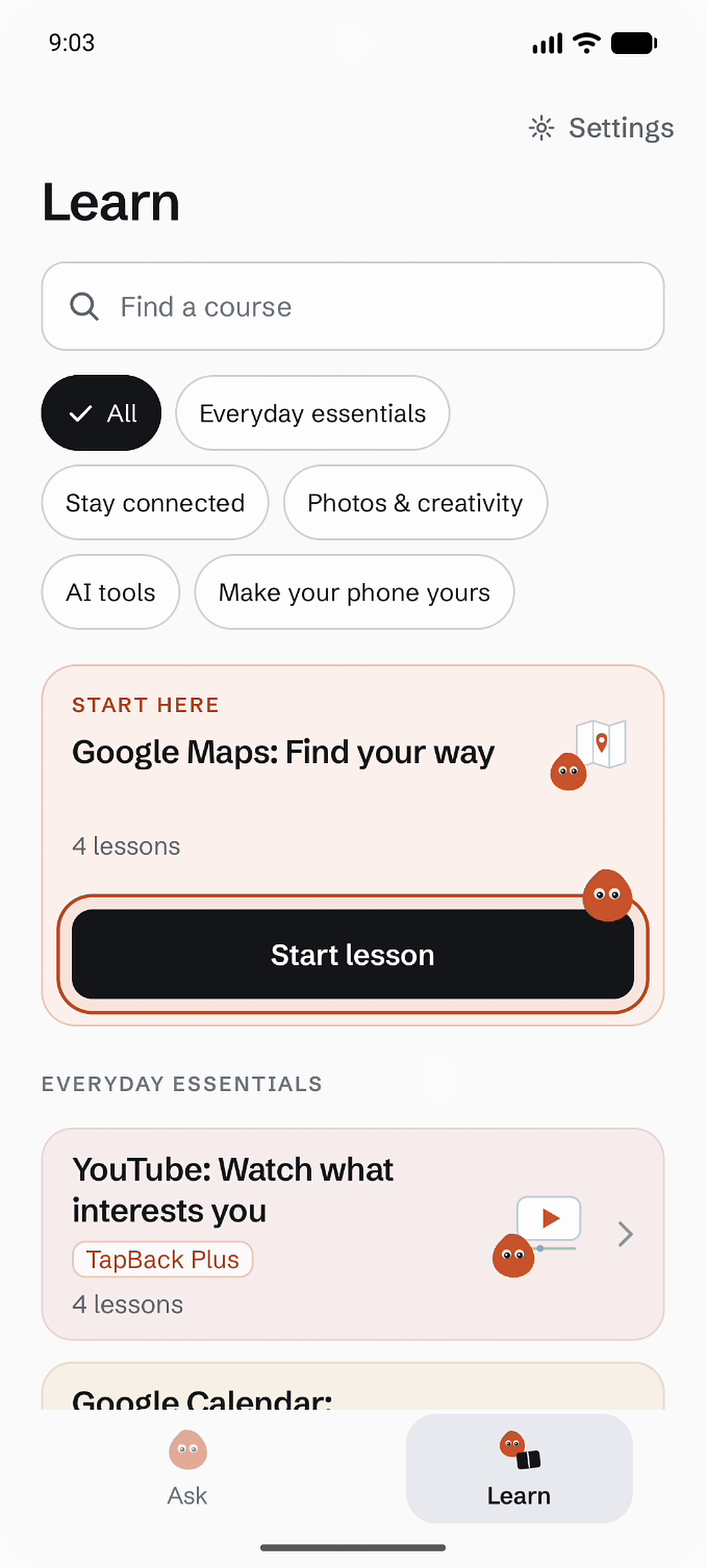
Practice with a suggested destination or choose your own. Google Maps lessons make room for what you want to learn.
-
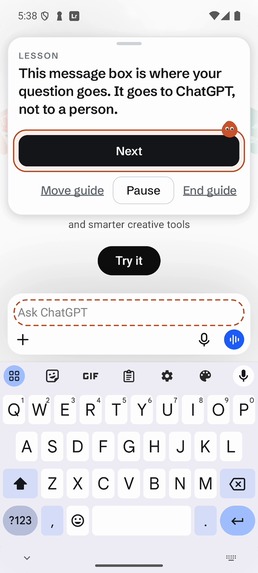
Learn inside the real app. Pebble explains ChatGPT’s message box and highlights where to enter a question.

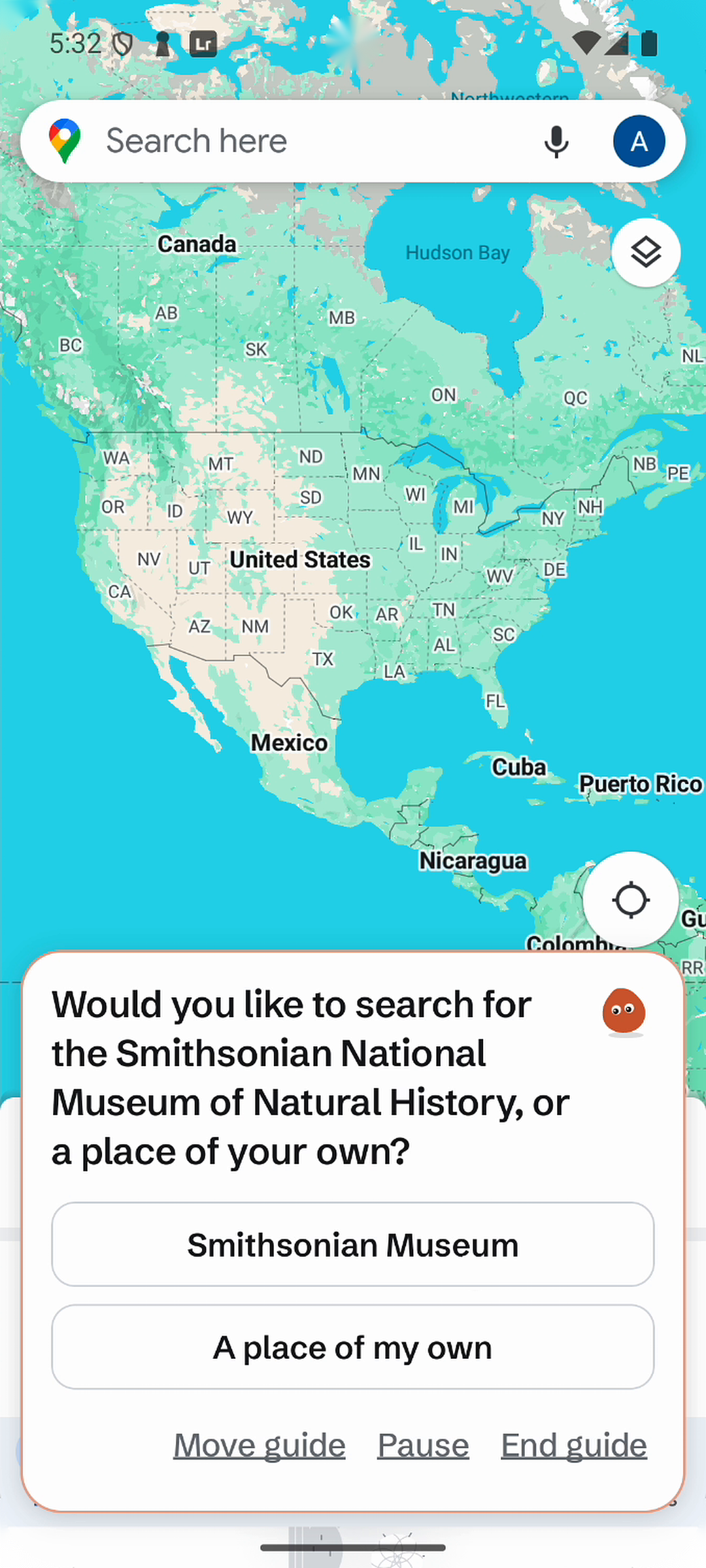
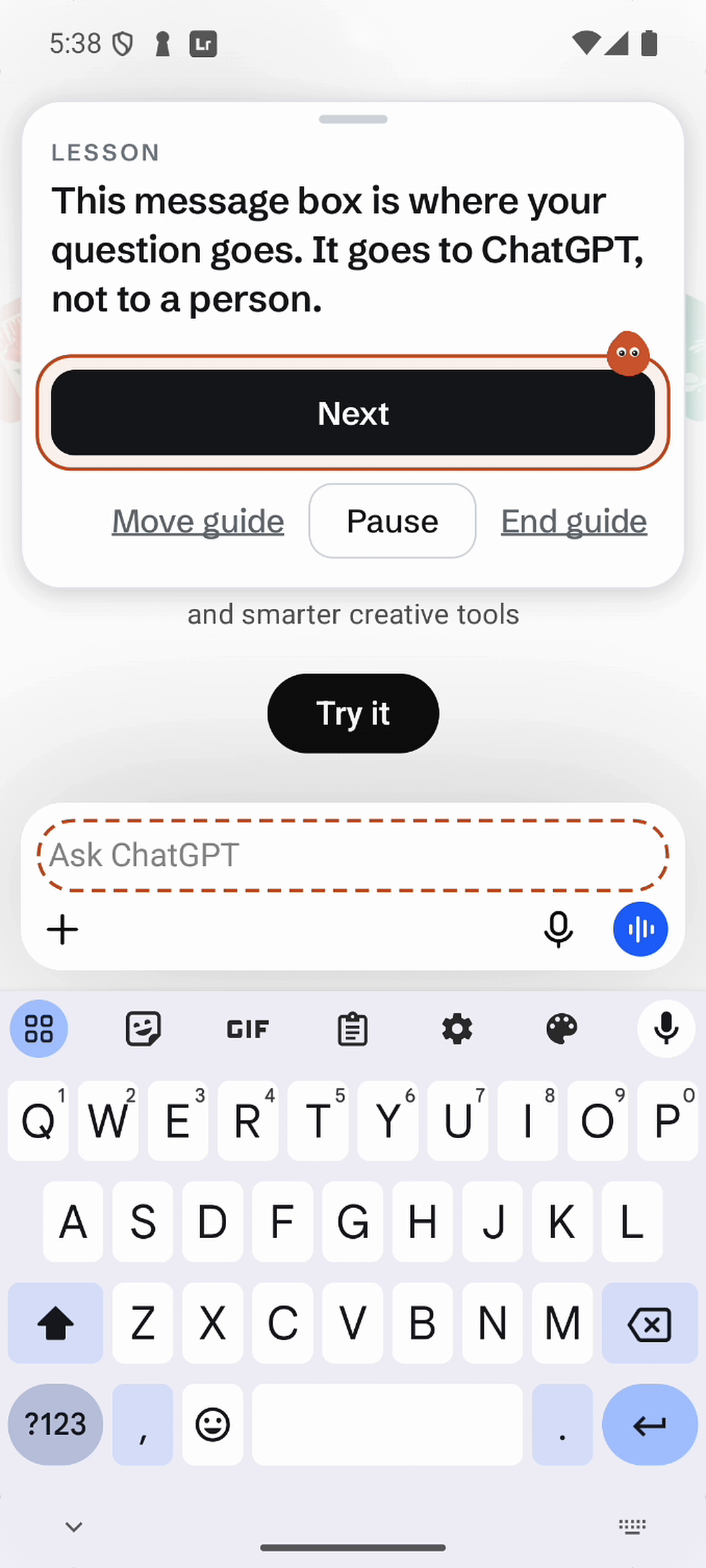
Inspiration
Whenever my grandfather visits from India, he brings a list of questions with him.
"How do I like a post?"
"Something is wrong with my calendar."
"How do I change this setting?"
When he came earlier this summer, it happened again. Over the months we had been apart, he had simply saved the things he could not figure out until I was there to help him.
None of his questions were especially complicated. The problem was that using a phone often assumes you already know where to look. A tutorial might tell you to open a certain menu or tap a certain button, but then you have to switch back to your phone, find it yourself, and repeat that process for every step. For someone who is less comfortable with technology, even a simple task can become frustrating.
I wanted to make that kind of help available even when I was not there. That became Ask. Instead of searching for a tutorial or waiting for someone else to help, a user can simply tell TapBack what they are trying to do and follow the guidance directly on their phone.
But there was another problem too. People can only ask about things they already know exist.
One day I showed my grandfather ChatGPT, and he was amazed by it. At the same time, even with apps he already used, there were entire features he had never explored.
That became Learn. Some lessons help people get more comfortable with things already on their phone, like mastering Google Maps or understanding file management. Others introduce newer tools like ChatGPT or Perplexity that they might otherwise never discover.
What started with the questions my grandfather saved for me became a broader idea: learning your phone should be able to happen directly on your phone.
Who it's for
TapBack is designed for people who want to feel more confident using their phones, especially older adults and people who are less comfortable with technology.
Sometimes they know exactly what they want to do but not how to do it. Other times, they simply want to discover what their phone, apps, and newer technology can do.
What TapBack does
TapBack helps people learn their phones in two ways.
Ask
A user can ask something as simple as "How do I make the text bigger?" or "How do I install ChatGPT?"
TapBack breaks the task into short steps and stays with the user as they move through Android. When there is something specific to tap, it can highlight that part of the screen instead of leaving the user to search for it themselves.
Learn
TapBack also includes more than 31 guided courses containin 118 lessons.
Some help users become more comfortable with apps and features they already have, from mastering Google Maps to understanding file management. Others introduce newer tools like ChatGPT or Perplexity that a user might otherwise never discover.
Throughout both experiences, Pebble is the user's guide. He keeps TapBack's instructions recognizable as the user moves between different apps and screens, so the guidance feels like it is traveling with them instead of pulling them back into another tutorial.
What makes TapBack different
Most smartphone help lives somewhere other than the task itself.
Videos and tutorials explain what to do from outside the app the user is trying to learn, while other approaches simplify or replace parts of the phone itself.
TapBack stays with the user on the phone they already have. I wanted to rethink where an app ends: its guidance extends beyond its own interface, following the user across Android and into other apps.
Once guidance begins, TapBack can leave its own interface and continue across Android and other apps. Instead of saying "tap Display" and leaving the user to find it, TapBack can show them where Display actually is on their screen.
That same cross-app guidance powers both open-ended help and complete lessons. TapBack can help someone with the problem they have right now while also teaching them things they never would have known to ask about.
How I built it
I built TapBack as a native Android app using Kotlin and Jetpack Compose.
The cross-app guidance is powered by an Android Accessibility Service, which lets TapBack follow what is happening as the user moves through Android and place guidance over the app they are currently using.
A FastAPI backend handles the AI planning. Gemini takes the user's goal and the current screen context and determines what the next useful step should be. TapBack then turns that into a short instruction and, when possible, a visual highlight showing the user exactly where to act.
The same guidance system powers the structured lessons, so learning Google Maps and getting help with an unfamiliar setting still feel like parts of the same product rather than two separate tutorial systems.
I also tried to keep TapBack itself as simple as possible. The harder work should happen behind the scenes, not in another complicated interface the user has to learn. Pebble became the visual anchor that keeps the experience familiar even as everything underneath him changes.
RevenueCat and business model
TapBack Plus costs $0.99 per week and includes 10 guided Ask tasks each week and access to every course. New users receive two free Ask tasks and the Google Maps course. Follow-up help within an existing task does not use another task credit.
I integrated RevenueCat’s Android SDK to manage purchases, restore purchases, and subscription entitlements. The backend verifies the user’s RevenueCat entitlement before granting premium access. I tested the purchase flow end to end using RevenueCat’s Test Store: a successful sandbox purchase activated Plus and unlocked a previously restricted course. Production Google Play billing is planned for the public release.
I also see a second revenue stream after launch through sponsored lessons.
A developer could pay to create a clearly labeled lesson teaching users how to use their app, with selected sponsored lessons featured within Learn. Instead of interrupting someone with a traditional advertisement, the promotion itself would have to teach the user something useful.
I like the combination because the subscription supports the guidance TapBack provides directly, while sponsored lessons could help fund a larger library of learning content.
Challenges and what I learned
One of the hardest parts was realizing that a correct instruction is not necessarily a useful instruction.
"Open Settings and tap Display" sounds simple until the user opens Settings and sees a screen full of unfamiliar options. I had to think less about how much information TapBack could provide and more about how little information someone needs to confidently make the next move.
That changed the way I thought about accessibility. It is not only about larger text or bigger buttons. Products also make assumptions about what their users already know.
TapBack became an exercise in removing as many of those assumptions as I could.
What's next
My next goal is a public Play Store release.
Before that, I want to make the experience as fast and polished as possible. One of my biggest technical priorities is reducing the one or two seconds TapBack can sometimes spend determining the next step so that the guidance feels as close to instantaneous as possible.
I also want to keep expanding the lesson library based on what people actually want to learn.


Log in or sign up for Devpost to join the conversation.