-
-
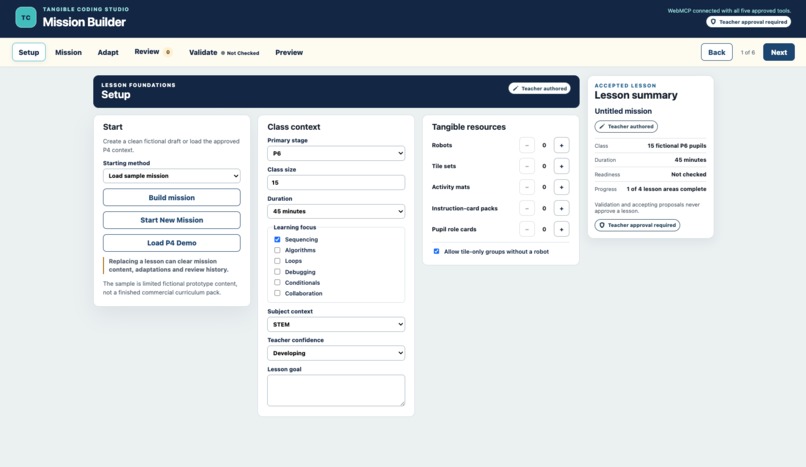
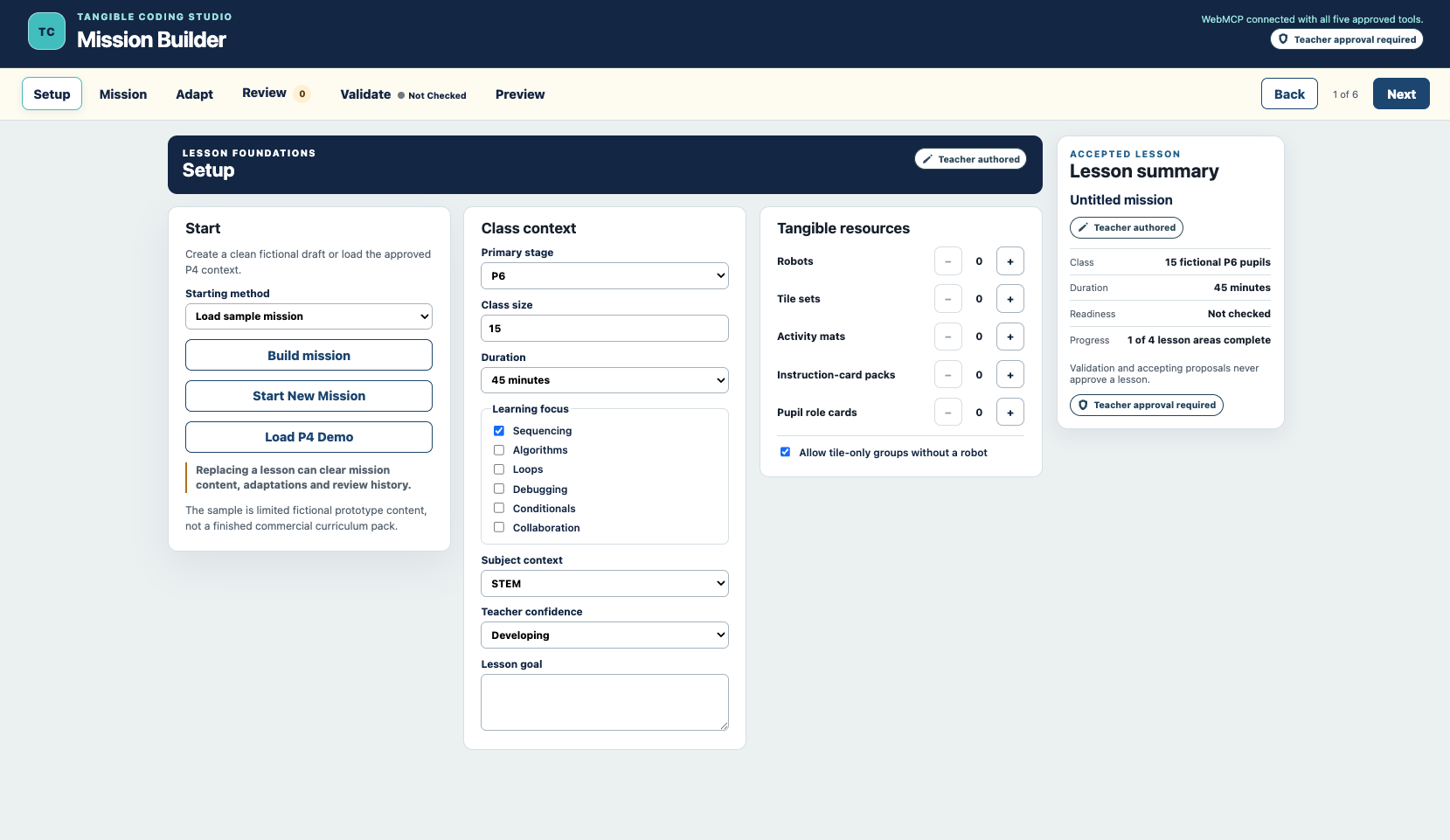
Teachers set the class context: stage, class size, lesson duration and computational-thinking focus.
-
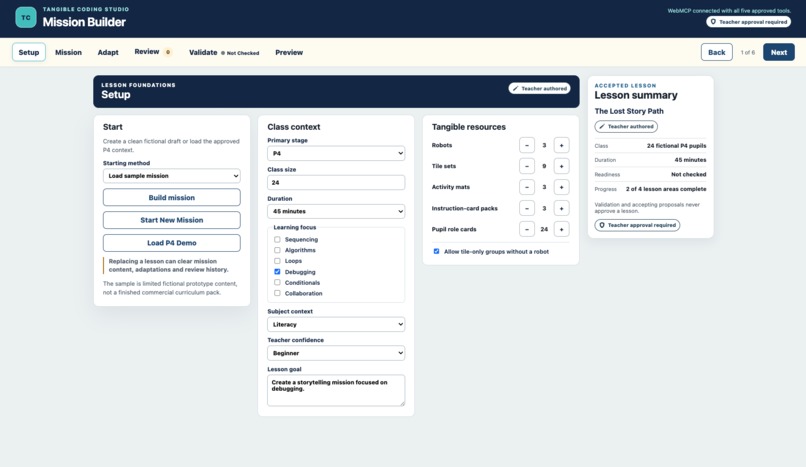
Available robots, tiles, mats and instruction packs determine grouping and rotation.
-
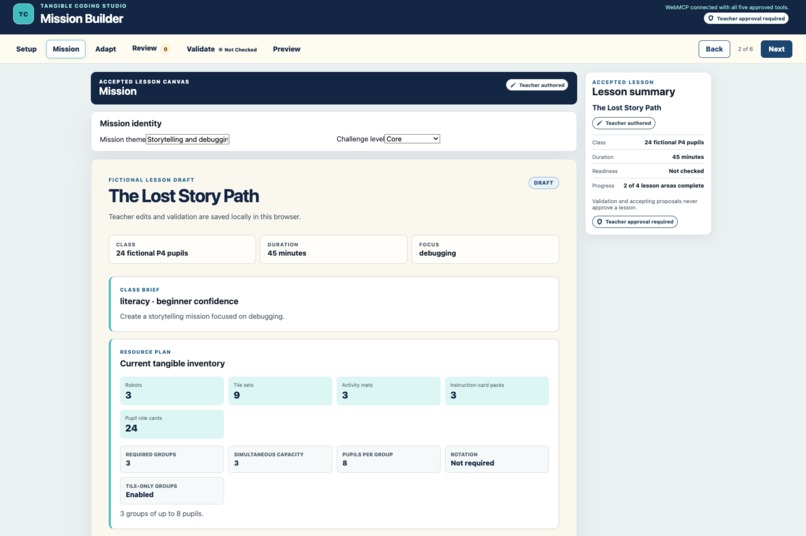
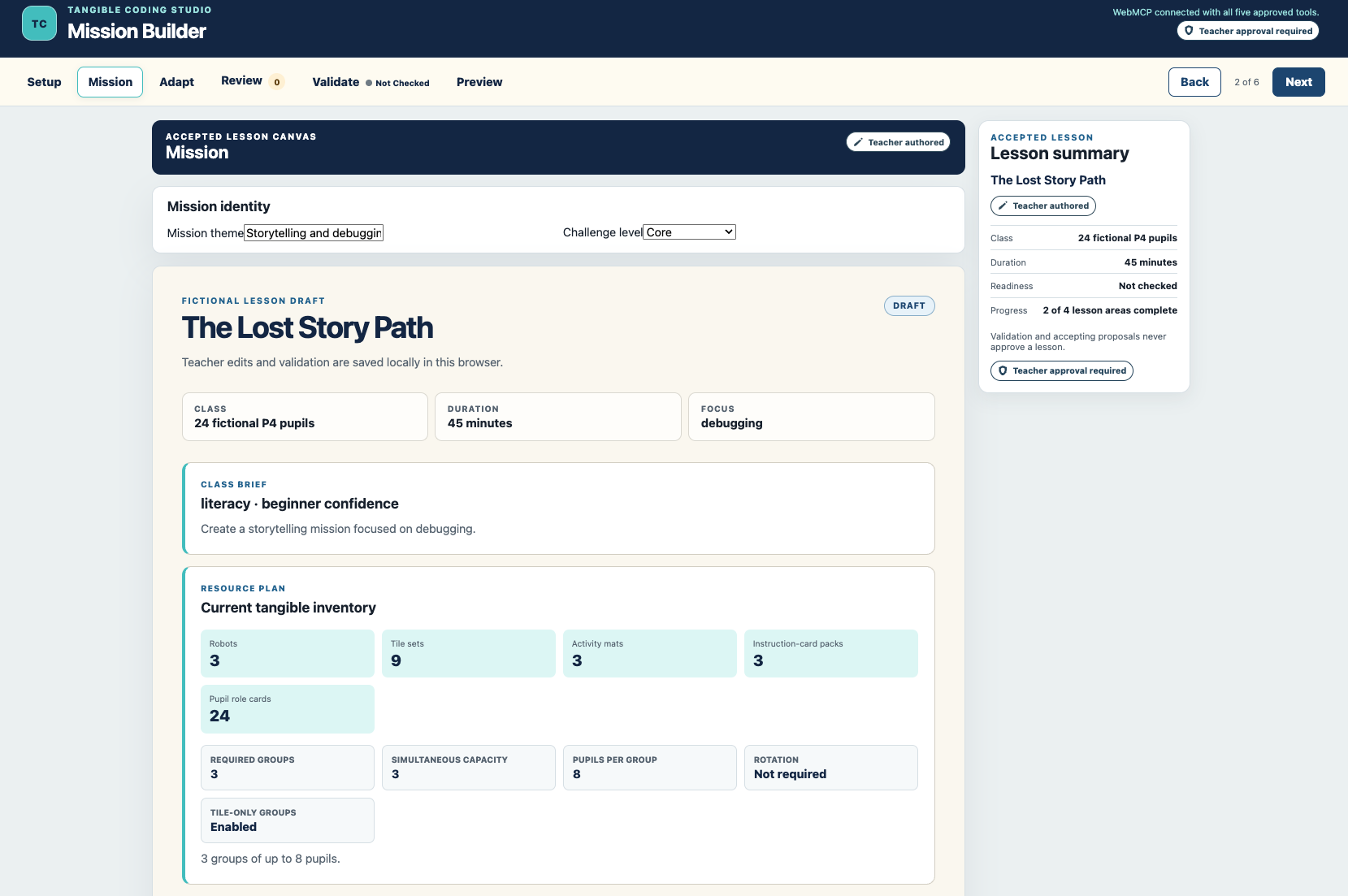
The shared canvas turns accepted context into a structured mission across all four learning-cycle stages.
-
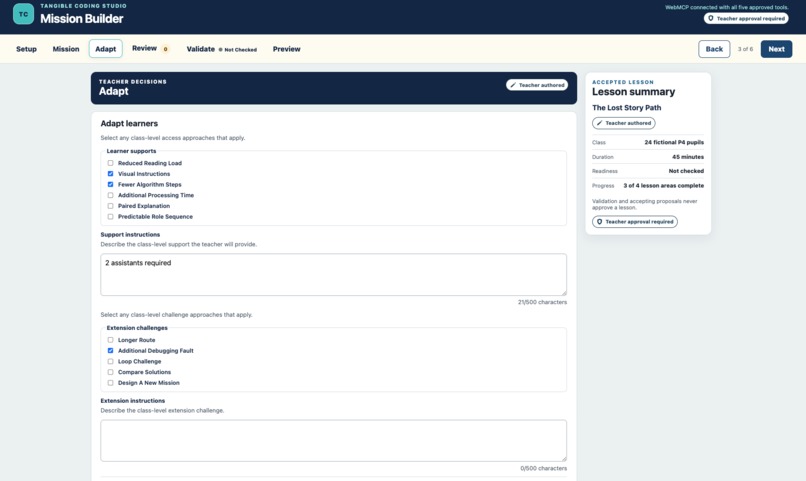
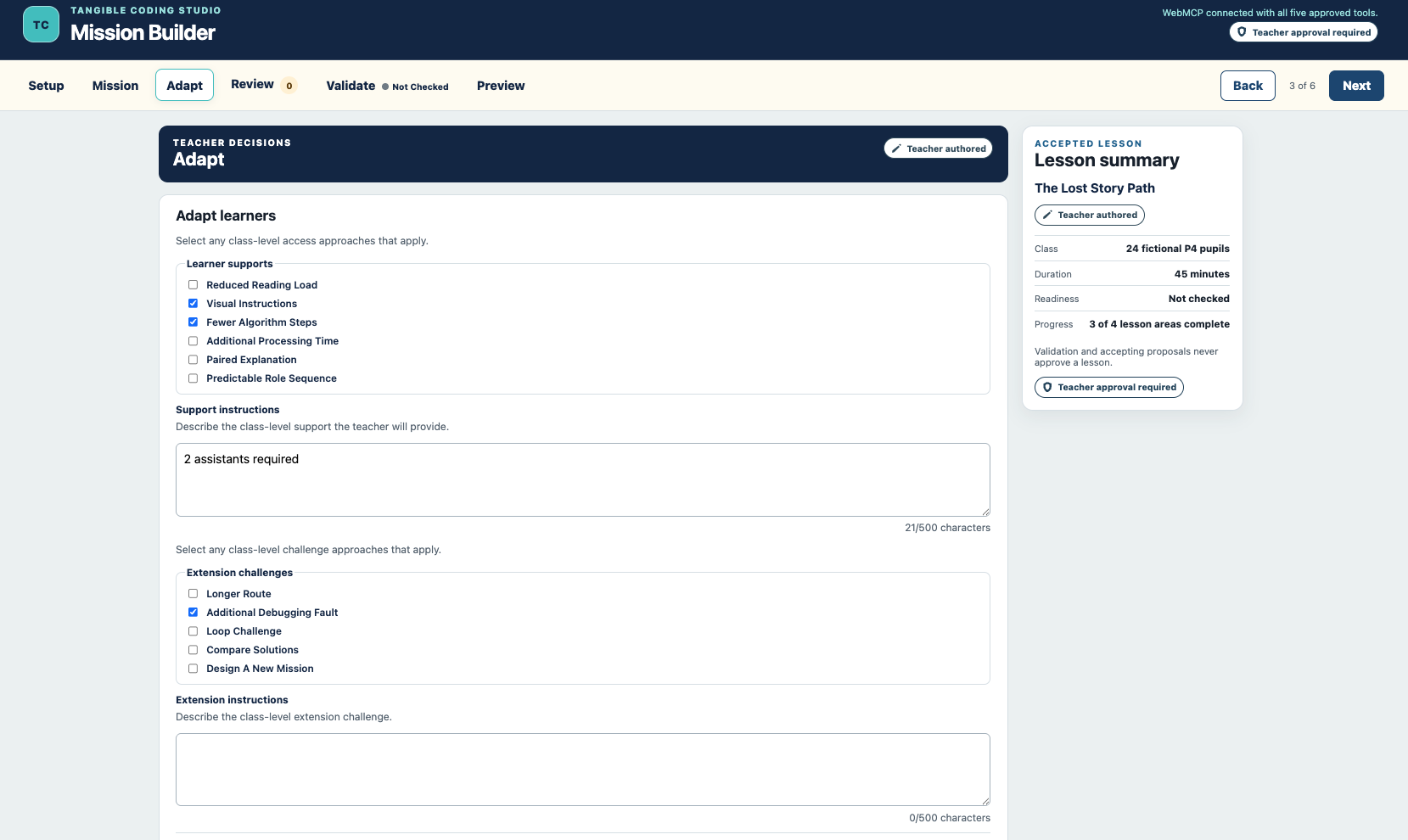
Learner supports and extension challenges are reviewed separately from the core mission.
-
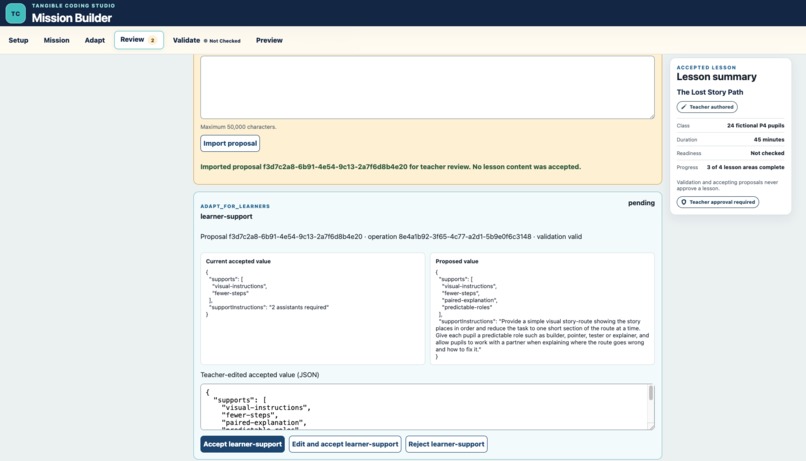
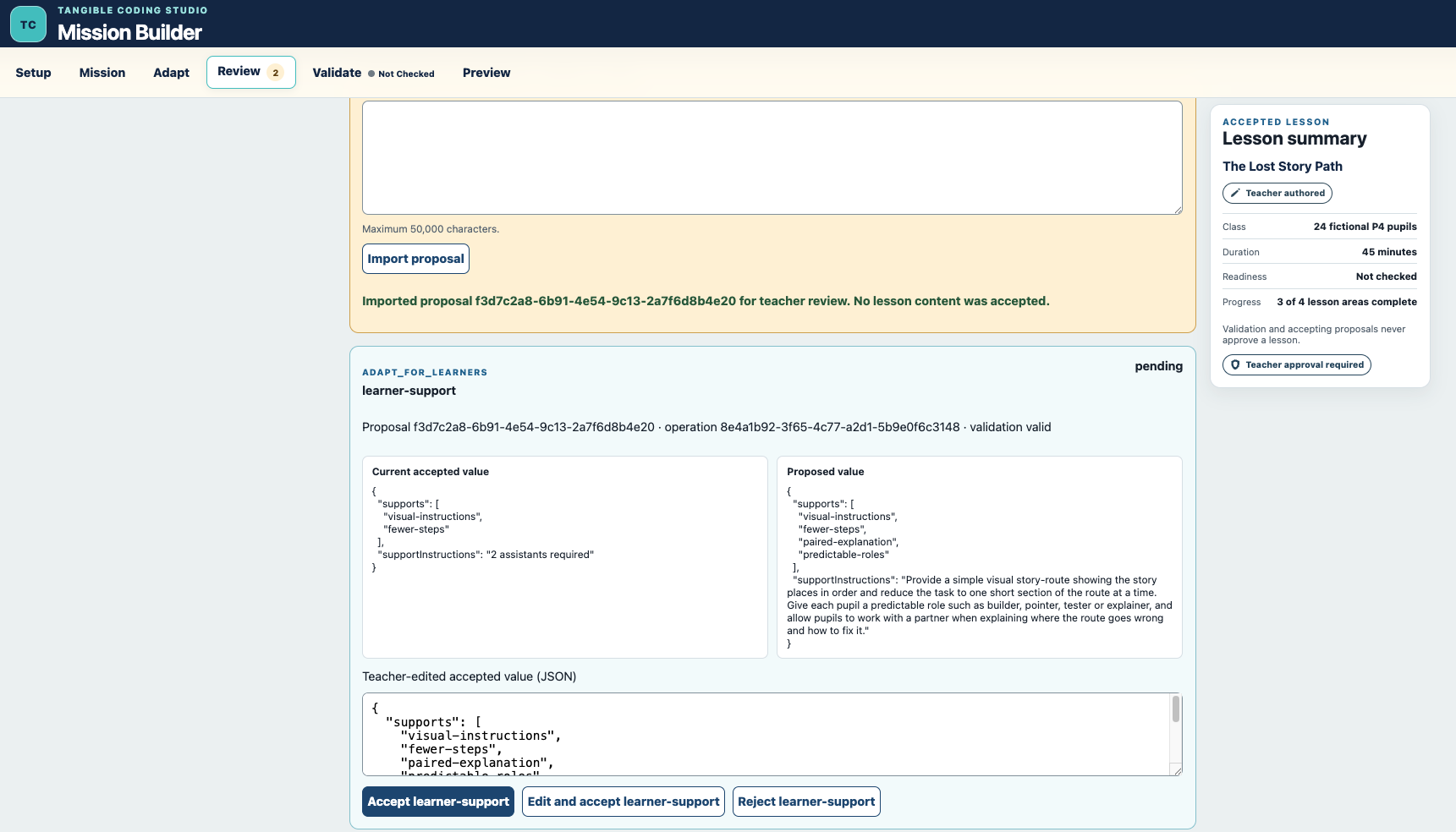
WebMCP proposals stay pending until the teacher accepts, edits or rejects each operation.
-
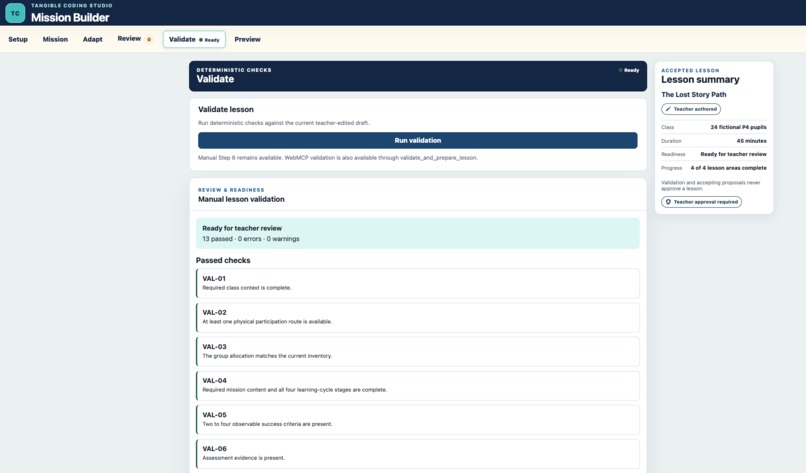
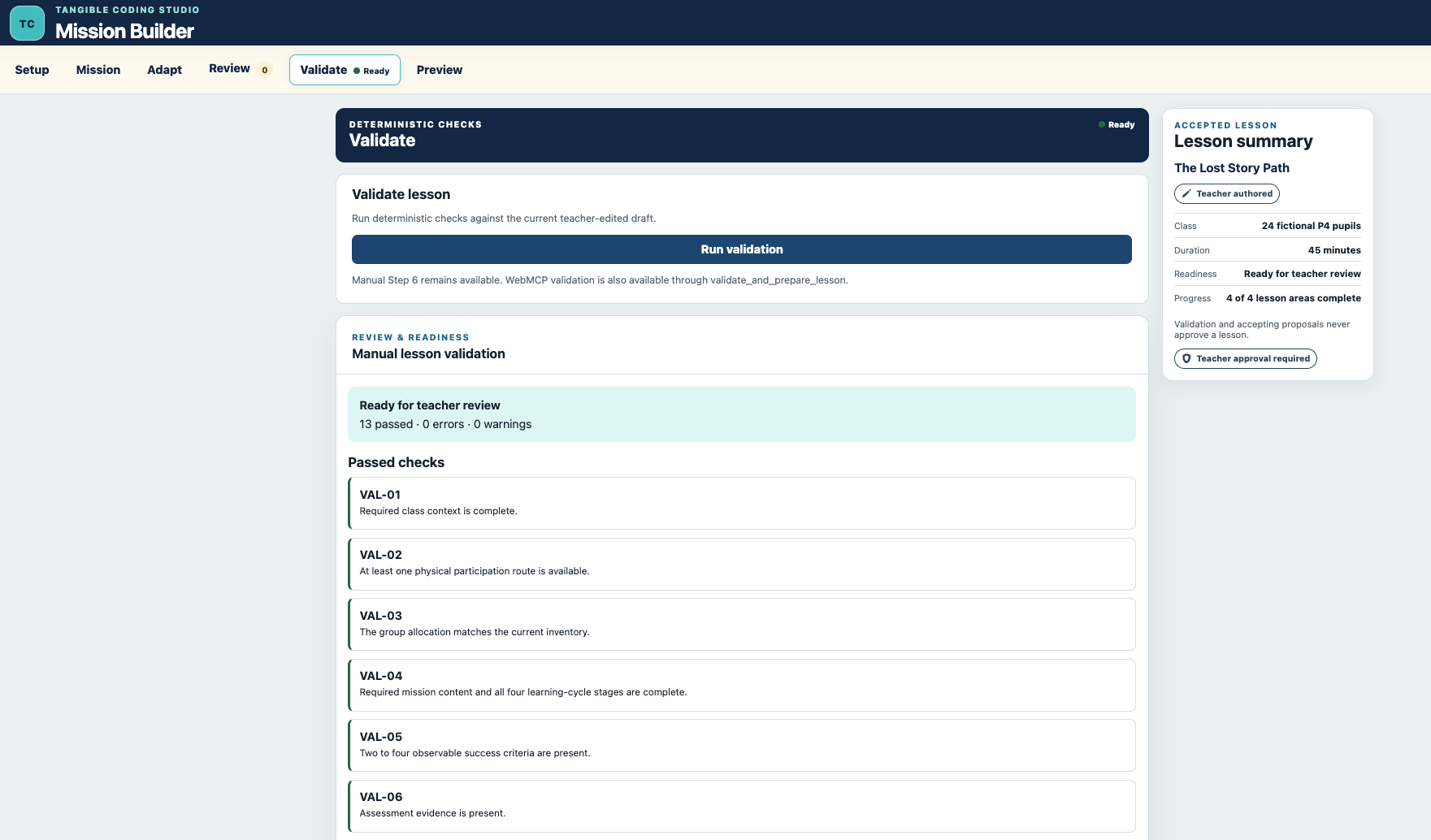
Deterministic validation reports 13 checks. Ready for teacher review is not approval.
-
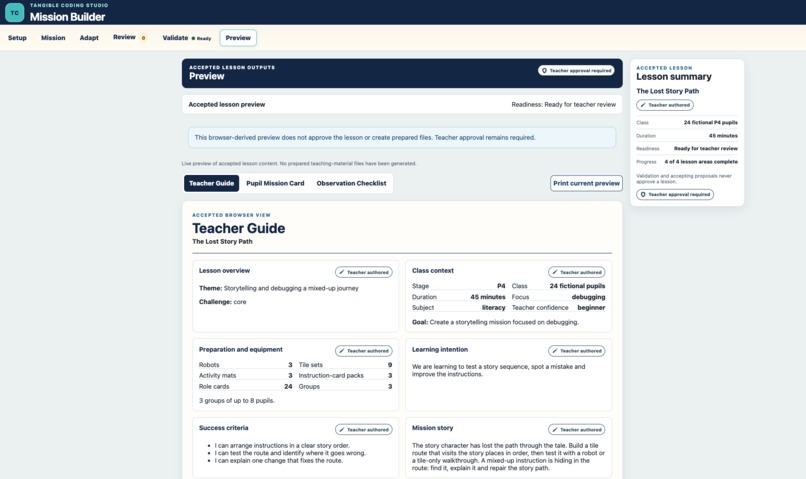
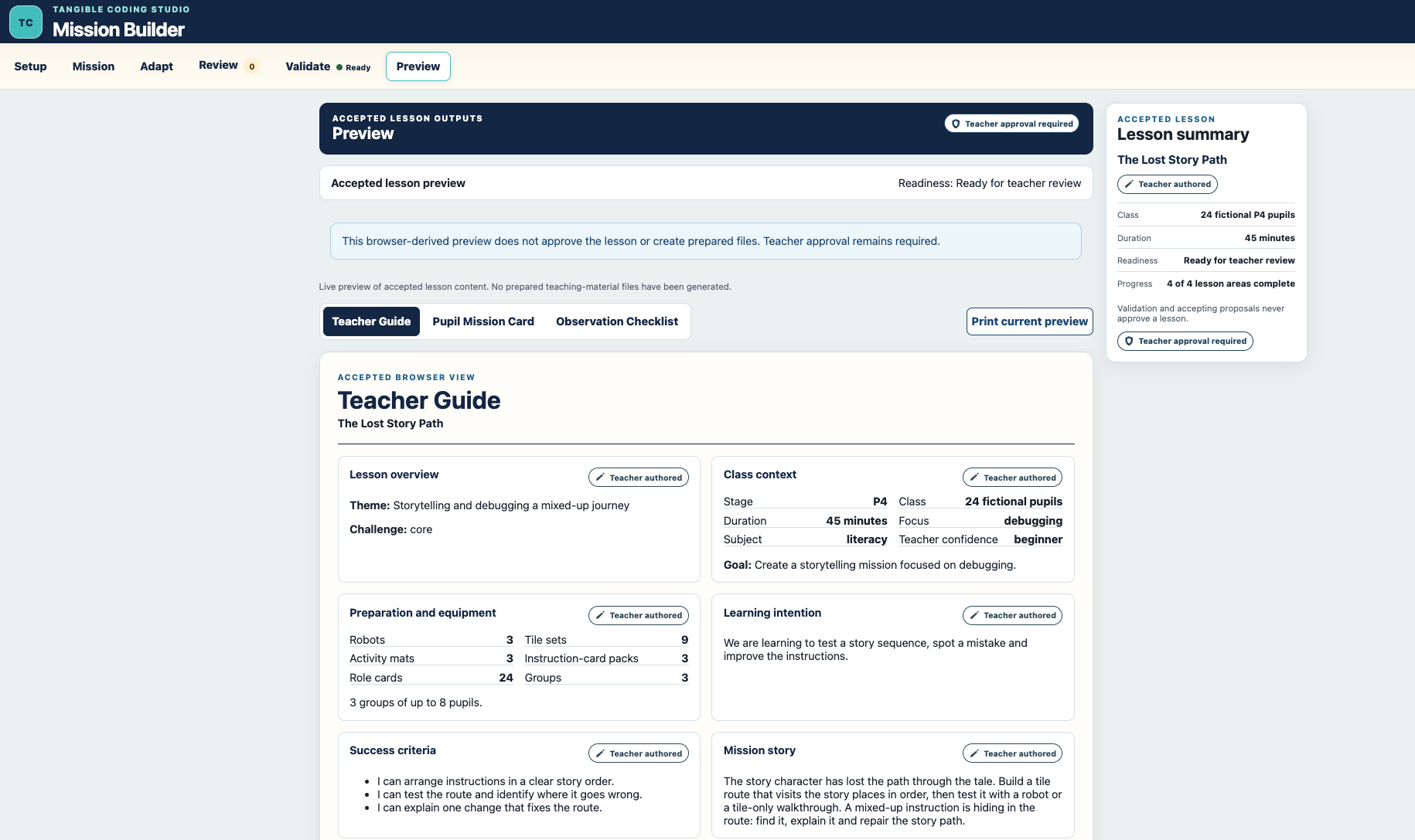
Accepted lesson content becomes a printable Teacher Guide preview.
-
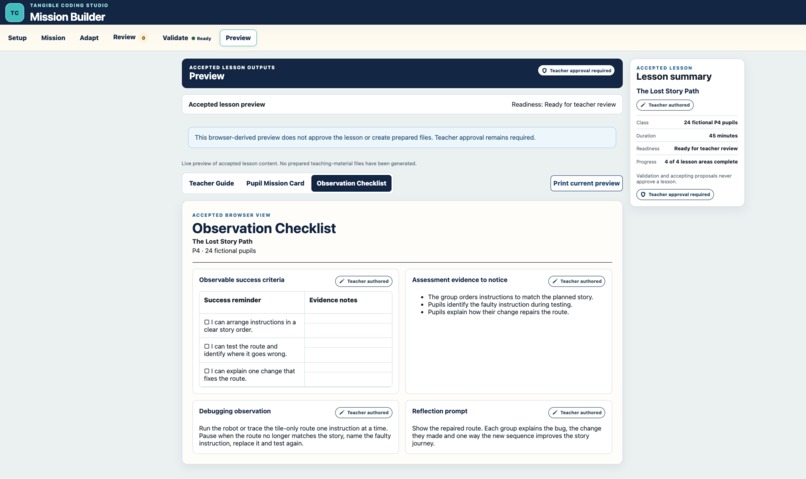
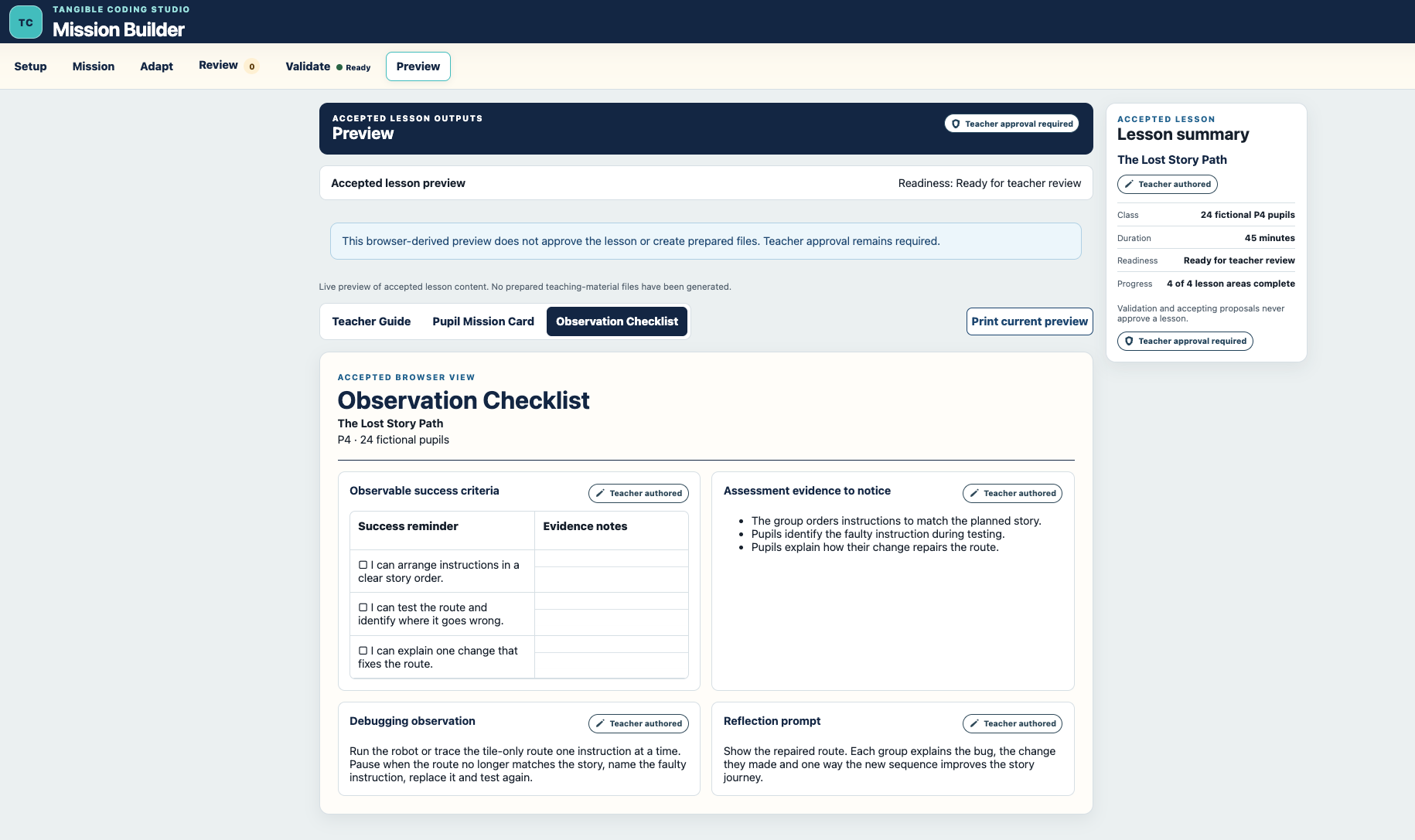
The printable Observation Checklist supports observation without inventing evidence.

Inspiration
Primary teachers who want to teach computational thinking through physical, screen-light activities face a complicated planning task. A usable lesson has to connect the curriculum goal, class size, lesson duration, available robots and tiles, learner differences, group participation and observable assessment evidence.
A conventional AI chatbot can generate a lesson plan, but it normally works outside the teacher’s planning interface. It does not automatically share the application’s accepted class context, may rewrite too much when only one section needs changing, can overlook physical equipment limits, or present generated text without a clear human review boundary.
We created Tangible Coding Studio: Mission Builder to explore a different relationship: a primary teacher and an AI agent working on the same structured lesson canvas through WebMCP. The agent can understand the available actions and propose precise changes, while the teacher remains the authority over every accepted lesson decision.
What it does
Mission Builder supports a seven-step teacher workflow covering:
- Class context
- Tangible resources and grouping
- Mission design
- Learner support and extension
- The tangible learning cycle
- Proposal review
- Deterministic validation
The production application registers exactly five WebMCP tools:
set_class_contextselect_tangible_resourcesbuild_tangible_missionadapt_for_learnersvalidate_and_prepare_lesson
The first four tools do not directly overwrite accepted lesson content. They create section-scoped pending proposals. The teacher can inspect each operation and then accept it, edit and accept it, or reject it.
The fifth tool runs the same deterministic validator available in the visible interface. Validation can mark a lesson Ready for teacher review, but it cannot approve the lesson. Teacher approval and prepared-file generation are intentionally not implemented in this challenge prototype.
The Preview workspace derives three browser views from currently accepted content only:
- Teacher Guide
- Pupil Mission Card
- Observation Checklist
Pending and rejected proposal content is excluded. Native printing can print the currently selected browser preview, but no PDF-generation or prepared-output service is claimed.
Why WebMCP fits this use case
WebMCP changes the collaboration from “copy text out of a chatbot” into structured work on a live web application. The key shift is that the agent moves from outside the teacher’s workflow to operating through typed tools against the same structured lesson state.
The browser exposes a small, purpose-built set of tools with typed schemas and meaningful descriptions. The agent can select the correct action, return a portable structured proposal and operate against the lesson’s current accepted context. The teacher can see exactly what is proposed inside the product before anything becomes authoritative.
This makes several things possible together that are difficult in an ordinary chatbot workflow:
- The agent works with the application’s real class, equipment and lesson structure.
- Changes are section-scoped rather than uncontrolled full-document rewrites.
- Accepted content and proposed content remain separate.
- Context fingerprints detect stale downstream proposals.
- Every accepted contribution retains teacher/AI provenance.
- Validation checks the accepted lesson rather than the agent’s unreviewed draft.
- The manual workflow remains usable when WebMCP is unavailable.
WebMCP is therefore not an add-on chat box. It is the collaboration boundary between a browser agent and a teacher-controlled lesson state.
Demonstration scenario
For our public demonstration, we use The Lost Story Path, a fictional P4 literacy lesson designed for 24 pupils and a 45-minute session.
The class has three robots, nine tile sets, three activity mats, three instruction-card packs and 24 role cards. Working in groups, pupils plan a route through a story, arrange the instructions in sequence and test their route using either a robot or a tile-only walkthrough. When they find the mixed-up instruction, they explain what went wrong and how their change repairs the story.
Through WebMCP, an AI agent can suggest learner supports and extension activities using the lesson’s actual class context and resources. These suggestions never enter the lesson automatically: the teacher reviews each proposed change and decides whether to accept, edit or reject it.
Once the accepted lesson is complete, it passes all 13 validation checks with no errors or warnings. Its status becomes Ready for teacher review, and the teacher can preview a Teacher Guide, Pupil Mission Card and Observation Checklist based only on accepted content.
How we built it
The application is a browser-local Vite, React and TypeScript prototype. Zod validates WebMCP inputs and portable proposal packages. The accepted lesson, proposal history, validation result and provenance are stored in browser localStorage for the exact origin.
The proposal model supports operation-level review and atomic acceptance. Downstream proposal packages can bind to a SHA-256 fingerprint of copied accepted context so stale packages are rejected instead of silently applied to a changed lesson.
The same domain validation logic is used by both the visible Validate workspace and the WebMCP validation tool. The Preview workspace reads accepted lesson state only and does not create a second output state.
The public application is deployed on Vercel and the complete challenge source is available in a public MIT-licensed GitHub repository. Tangible Coding Ltd’s trademarks, commercial curriculum, hardware designs and other excluded commercial materials are outside the challenge repository’s licence scope.
Challenges we faced
Preserving human authority
The hardest design decision was ensuring that a successful agent call never meant that lesson content had already been accepted. Tool execution may create pending proposal state, but only an explicit teacher action can move a proposed operation into accepted lesson content.
Moving context safely between agent and teacher browsers
Browser-local storage is intentionally origin- and profile-specific. We created portable proposal packages and accepted-context packages so the teacher controls what moves between contexts. Versioned packages, structural “before” values and context fingerprints protect against stale imports.
Recovering a lesson without bypassing review
During testing we restored a lesson from portable proposal evidence. The mission operations and learner adaptations were imported as pending changes and accepted individually. This demonstrated that recovery could preserve the teacher-review boundary instead of importing an authoritative lesson snapshot.
Keeping readiness separate from approval
The validator can determine that required planning information is present, durations match and resource/grouping conditions are feasible. It still reports Ready for teacher review rather than “approved.” This distinction is visible across Validate, Preview and the WebMCP result.
Verified production result
On 31 August 2026, we tested the complete workflow in production using a WebMCP-capable browser agent.
The agent discovered and successfully used all five registered WebMCP tools. Across the session, the teacher reviewed and individually accepted 13 proposed changes. The completed lesson then passed all 13 validation checks with no errors or warnings, and all three accepted-content previews rendered correctly.
We also refreshed the application to confirm that the lesson, resources, proposal history, authorship information and validation result were retained.
The lesson remained Ready for teacher review, not approved. This is an important part of the design: the agent can help create and improve the lesson, but the teacher remains responsible for every accepted decision.
What we learned
The strongest lesson was that useful AI collaboration does not require giving an agent authority over the final state. A narrow tool catalogue, explicit proposal objects, visible review and deterministic validation can make the agent more capable while keeping the human decision boundary clearer.
We also learned that “browser local” is not the same as “portable.” A safe collaboration workflow needs an explicit way to move untrusted proposals and accepted context between browser environments without pretending they are automatically synchronised.
What’s next
This submission is a challenge prototype, not the finished commercial Tangible Coding Studio.
Future work may include teacher-tested curriculum packs, a separately governed commercial platform, school accounts, controlled storage, fuller safeguarding review, material preparation and carefully designed teacher approval. Those capabilities will require their own privacy, security, licensing and classroom-evidence decisions; they are not claimed in the current build.
Our immediate next step after the challenge is to test the planning model with primary teachers and examine whether the structured human–agent workflow reduces planning friction while preserving teacher judgement.
Built With
- accessibility
- computational-thinking
- css3
- edtech
- education
- html5
- json
- localstorage
- open-source
- react
- tangible-coding
- typescript
- vercel
- vite
- webmcp
- zod

Log in or sign up for Devpost to join the conversation.