-
-
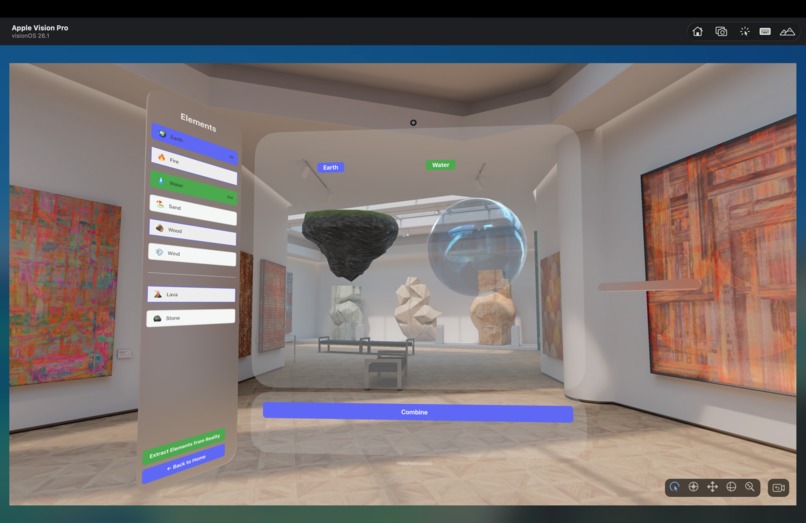
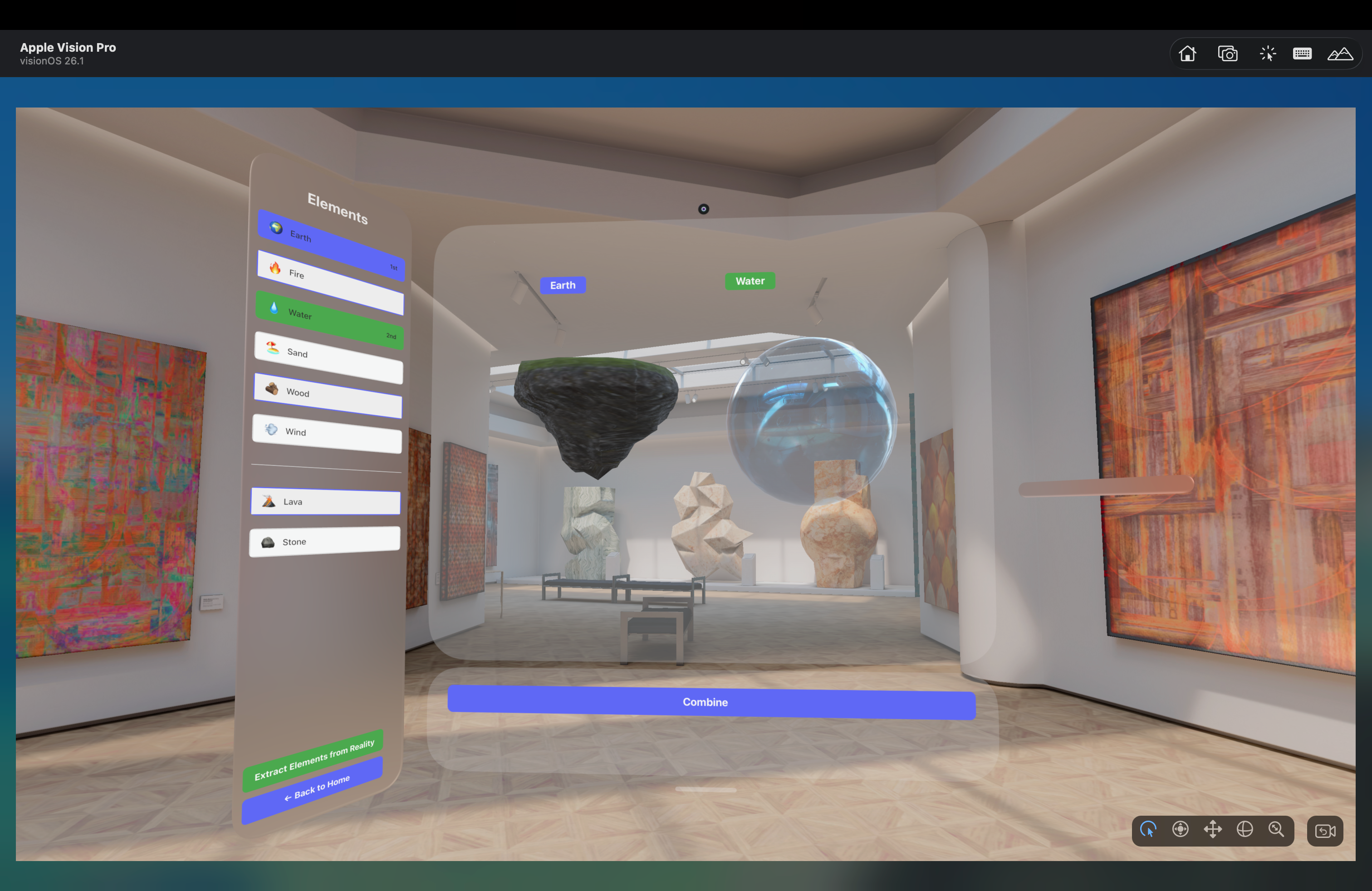
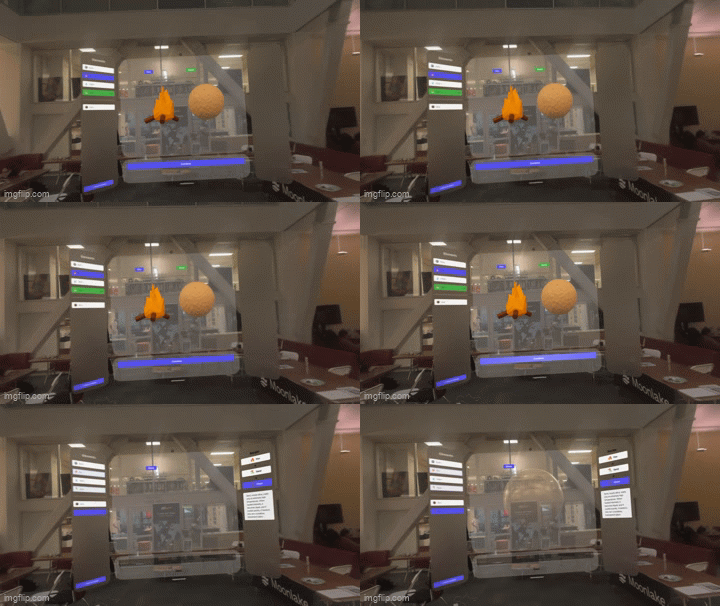
Genesis XR's experimental workspace holds earth and water.
-
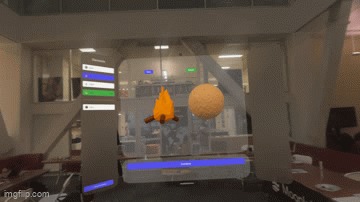 GIF
GIF
Fire and sand are combined to form glass, and a scientific explanation is given.
-
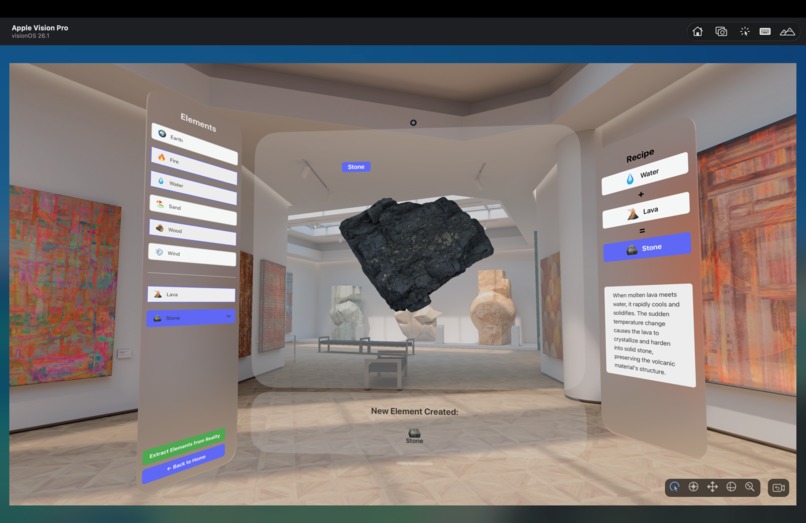
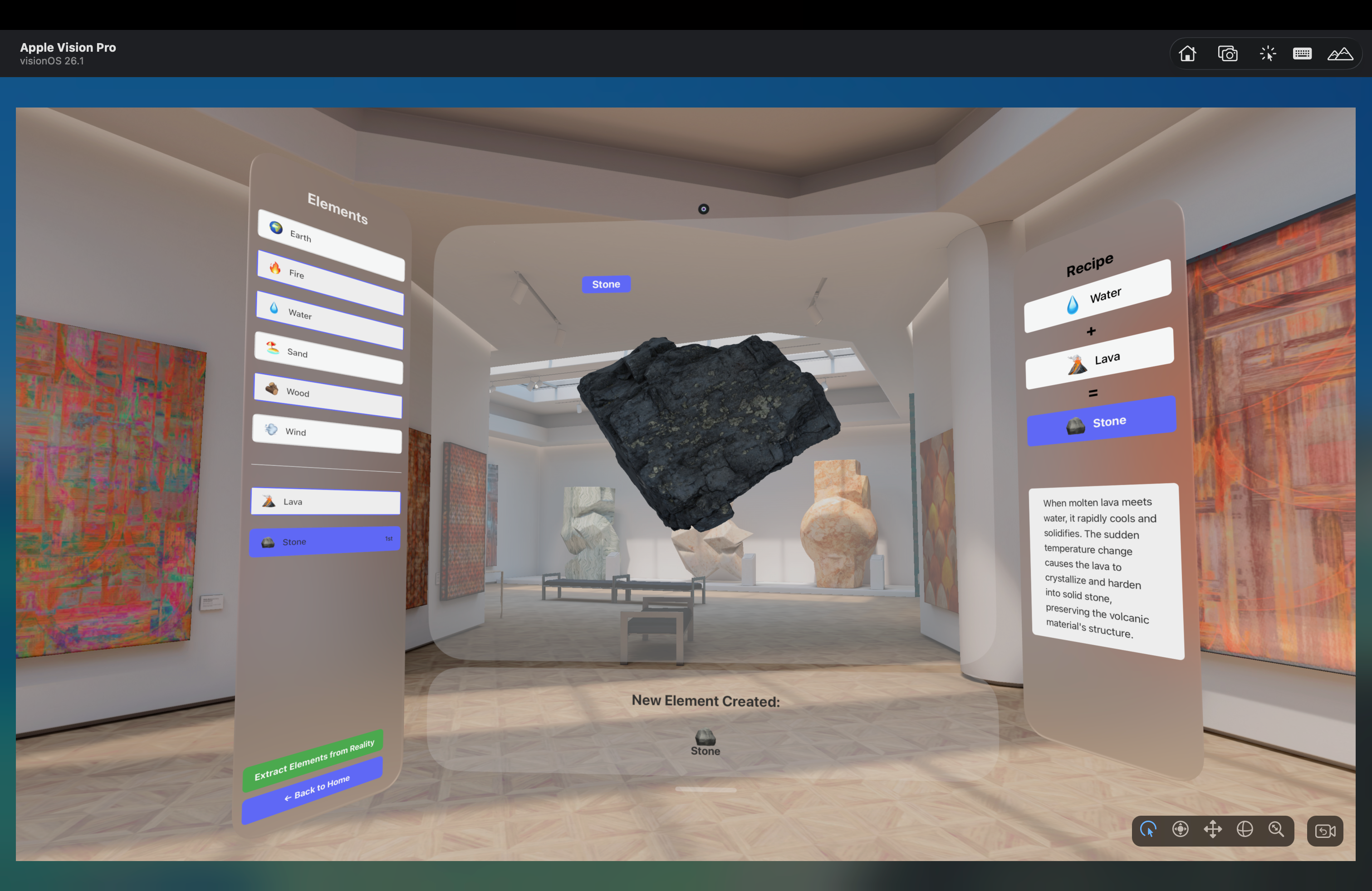
A stone is generated by combining water and lava, and a scientific explanation is provided.
-
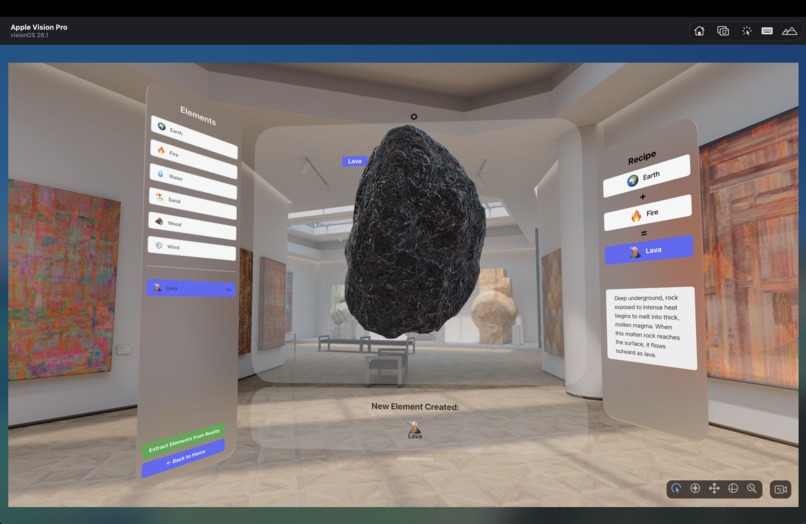
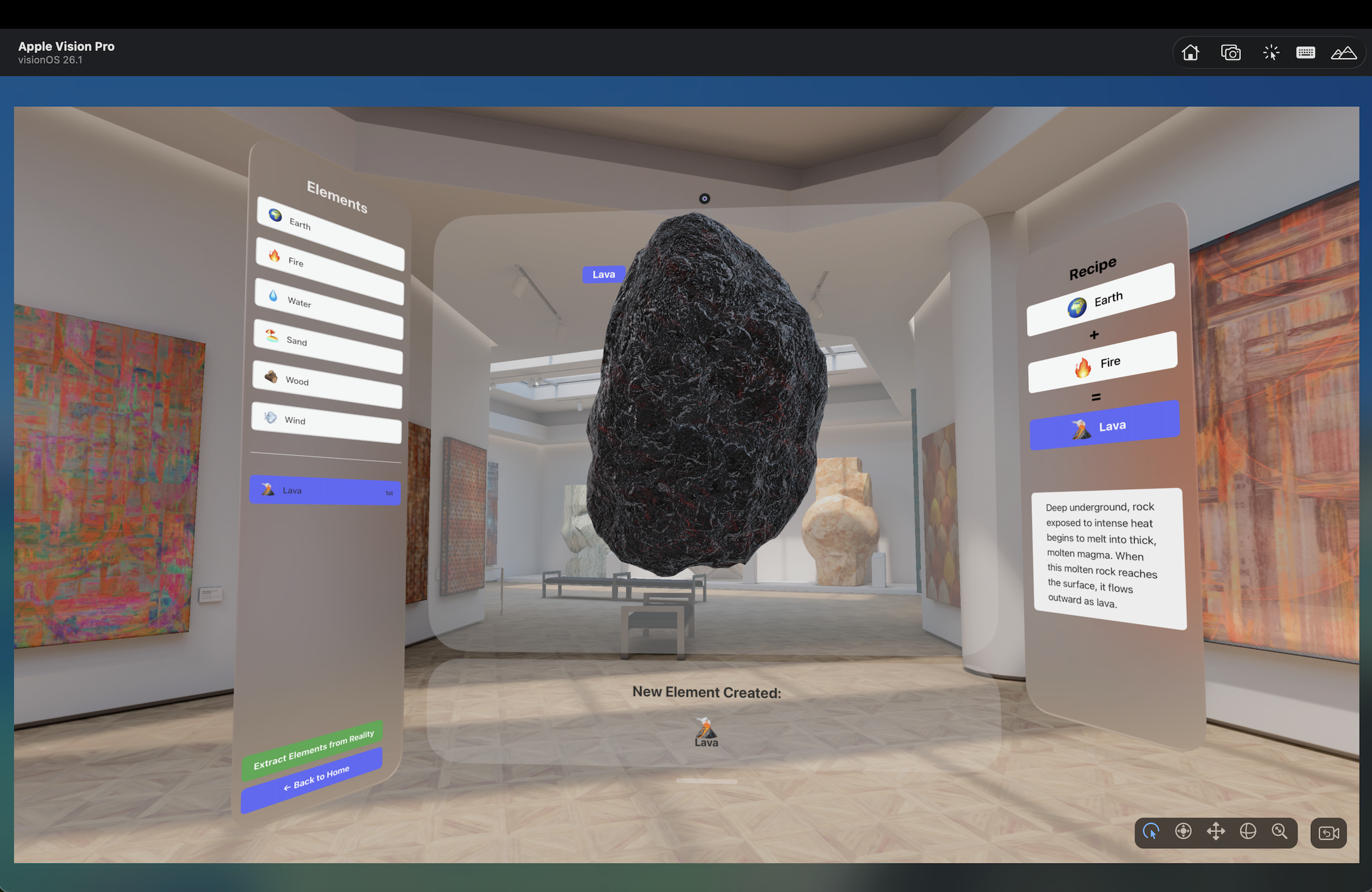
Lava is generated by combining earth and fire, and a scientific explanation is provided.
-
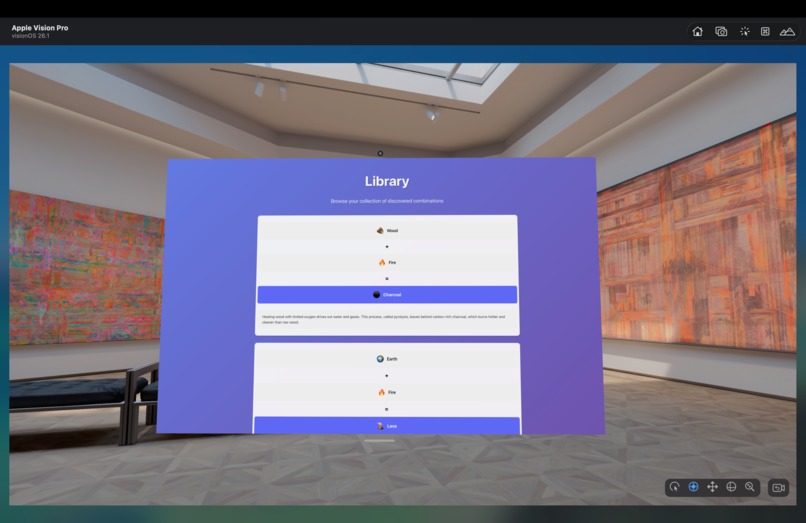
The library feature allows for a database of all of the past combinations and scientific explanations to be stored for future reference.
-
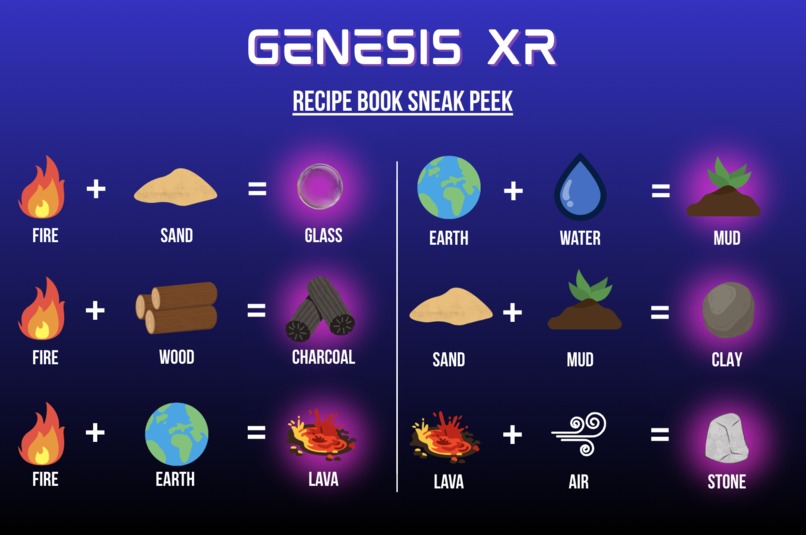
A sneak peak into our extensive catalog of combinations.
-
Please visit our website at tinyurl.com/genesisXR2025.


Inspiration
Our project grew out of a simple realization we all shared: a lot of the things we think we learned from school, we actually learned from the games we played growing up. When we compared our experiences, we kept naming the same examples of Minecraft, Little Alchemy, PBS Kids -- games that inherently taught us how the world works. Many of us learned how glass is made (sand + heat!) from Minecraft, for example, but no class ever covered this content.
These games work because they make curiosity feel natural and easy to follow. They make the “real-world” mechanics behind everyday things approachable, playful, and worth exploring. But as we talked more, we noticed a gap: younger students today have even more digital tools than we did, yet the divide in who gets access to hands-on, immersive learning is getting bigger. Access to real learning driven by experimentation and trial-and-error isn’t evenly distributed, especially in large, overwhelmed public schools. We began to think about how we could work to help solve this equity issue.
We noticed that this is a very common problem in elementary schools. Classes often start at such a high or niche level that the fundamentals, some of which are seen as irrelevant, get lost. Many kids are expected to know facts without ever learning about or understanding the basic processes behind them. We decided to create a focus on the fundamentals of the interaction between materials as an education source for those who may not get this information elsewhere.
We built Genesis XR because we wanted to bring that sense of discovery back, and to do it in a way that actually broadens access. XR lets us create immersive learning experiences that don’t depend on expensive lab setups, specialized equipment, or perfect classroom environments. With Genesis XR, foundational knowledge becomes something anyone can explore from anywhere, allowing students to peel back the layers and actually see the mechanics behind the world they’re learning about.
What it does
Genesis XR is an extended-reality platform that lets learners experiment with the building blocks of the world, entirely through extended realities. Inside the headset, users can select virtual objects from the left panel, view them together in the center, and see what they form. When two items are combined, the system generates the resulting material and then explains the real scientific process happening beneath the surface.
Some people may know sand and heat come together to form glass, but do they know that sand is largely made of silica, which becomes liquid at high temperatures and hardens into glass when cooled back down? Do they know that pyrolysis, or heating wood with limited oxygen, drives out water and gases, forming a carbon-rich charcoal that burns hotter than wood? The platform shows clear cut formulas and explanations that makes these interactions clear and easy to remember. There is also a built-in library feature that keeps track of your discoveries so that you can refresh on how you put together different combinations and how the science behind them works.
The platform benefits the user because they can manipulate the pieces themself, meaning they are more likely to remember what they learn than just watching or listening to someone else. Instead of generic explanations, our platform provides a concise and detailed explanation of the scientific mechanisms and phenomena behind materials.
Because everything lives in an XR environment, Genesis XR doesn’t require labs, equipment, or high-resource classrooms. It levels the playing field for students, regardless of socioeconomic background or access to resources, offering a way to explore foundational scientific ideas interactively, intuitively, and at their own pace. As virtual reality becomes more and more economical, widespread, and democratized, Genesis XR will make deep understanding more accessible and more equitable, allowing students to quench their curiosity.
How we built it
We built Genesis XR using xcode and Vite. First we created a product requirements document that listed out exactly what we needed to implement within our program, from the models to the code and logic between which elements map to what. We used webspatial to create a translucent scene with 3 main panels: one for the element bank, one for the combination workplace, and one for the informative science explanation. The majority of our code was in TypeScript and CSS due to the web interface on the window scenes. In one of these scenes, we represented each element with a textbox connected to a hyperlink. These hyperlinks, when clicked, spawn a 3D volume into the middle window scene. When two models are selected and the combine button is clicked, the respective resulting material will appear as well as its name, a summary of what materials you combined to get that material, and a scientific explanation behind why that material forms that way. We created the library using local storage paired with a timestamp. The library page then loads these records and displays each combination in a recipe format with the respective description.
Challenges we ran into
Once we learned to set up a scene in WebSpatial, we found it difficult to work with 3D models. At first, we created a volume scene to hold the .usdz models, but the visuals of the models would never appear, so our team had to build off what did work. We went back to the Pico demo, which had a working 3D model of a globe. We tried manipulating the demo file to emulate our original build with different imported models, but the models still weren’t appearing, so we dug deeper into our original file to see what was wrong. We found out that the models were in a different location than was being read, so once we moved the files into the correct file, we got the proper visual effect. We also struggled with coming up with a way to manually combine two elements. At first we wanted to have the user ability to drag and drop the elements together and for the resulting material to automatically appear. However, this was difficult to implement in such a short time span, so we decided to opt for a more straightforward system in which a user can select the two materials on the side and click a combine button to see the resulting material. We also found that this interface is much easier to use because it allows the user to quickly select and deselect options without having to excessively drag materials back and forth. We decided to use different hyperlink buttons to spawn the two selected elements, which makes implementation easier than just having many models existing in the world.
Accomplishments that we're proud of
Looking back at the work we have done the last 36 hours, we are proud of learning how to code for an entirely new platform. Coming in, none of our team members had any experience in extended reality development. We went from having to download xcode and the Apple Vision Pro simulator to getting 3D models visualized. We are also proud of being able to balance challenging ourselves with the design of our prototype without having to sacrifice functionality. We opted for 3D rather than 2D models, even though we knew that this would be much harder to implement, but the work paid off. The visuals of the program far exceed what we thought we were capable of putting together. We are also proud of putting this information in such an organized fashion. With a very easy user interface, our program lets the user select/deselect elements, take note of new recipes, and learn about the science behind different interactions. We are also proud of working through the bugs with 3d models, which was a large time sink. This made the hacking process much more difficult, since most of our product revolved around combining 3D elements, but we were able to figure out how to reconfigure our program to show even more complex models with minimal time delays.
What we learned
Over the course of the hackathon, we began to appreciate more and more the intricacy of XR platforms. We learned just how much you can do on VR headsets, both using controllers and just using your hands. We also found out just how much you can learn in 24 hours through throwing yourself into a new subject. We learned how to program for the Pico platform and simulate the testing on our laptops using Apple Vision Pro simulator. We also learned how to create different window and volume scenes for the information menus and models respectively. In addition to this, we learned how to use Meshy to generate new .usdz files and how to adjust the size of these files to create uniformly sized meshes within the program. One skill that we, as a team, developed, was becoming creative in our solutions to buggy problems and current software limitations. Un-uniformly sized 3D assets (absolutely nuisances) were trapped in HTML containers with 100% fill. In general, there were many times where our 3D models appeared or combining feature appeared not to work, but we learned through debugging and occasional pivots in logistics, it is possible to get a working product relatively quickly.
What's next for Genesis XR
Although we made a significant amount of progress within the past 36 hours, we have a lot of plans for the future of Genesis XR. As we were building, we developed a slew of new ideas that we couldn’t implement given the time constraints imposed by the hackathon. However, we hope to have the opportunity to continue building on the Pico platform to introduce more innovations into our software, including: Refactoring our code in Unity so that users can use the AI object classification features built into SecureMR. We’ll do this to allow users to interact with objects around them and extract “elements” that they can explore and interact with in our virtual alchemy lab. More robust and user engaging VR functionality, including support for animated elements (e.g. rippling wind and flowing water) as well as animations for combining elements by overlaying them. Incorporating a larger database of experimental “elements/products” that allow for a more comprehensive understanding of the world.
Our team already has plans to continue working on improving the breadth of our element offerings and implementing these features. We are very grateful for this hackathon for catalyzing our interests in extended reality, an arena we’d never stepped into before.


Log in or sign up for Devpost to join the conversation.