-
-
Logo
-
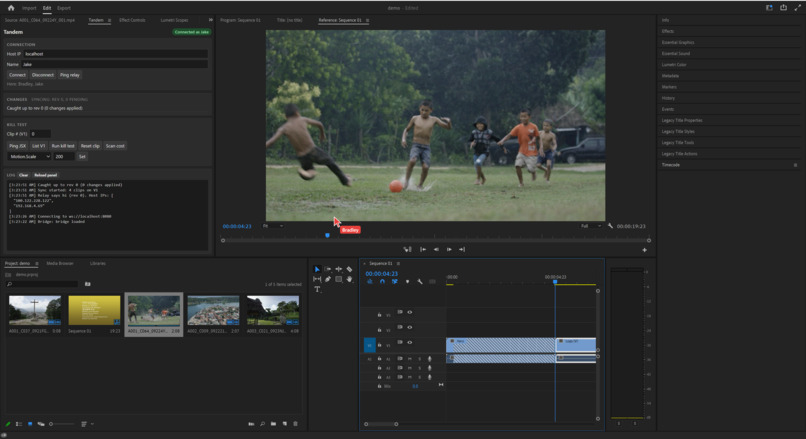
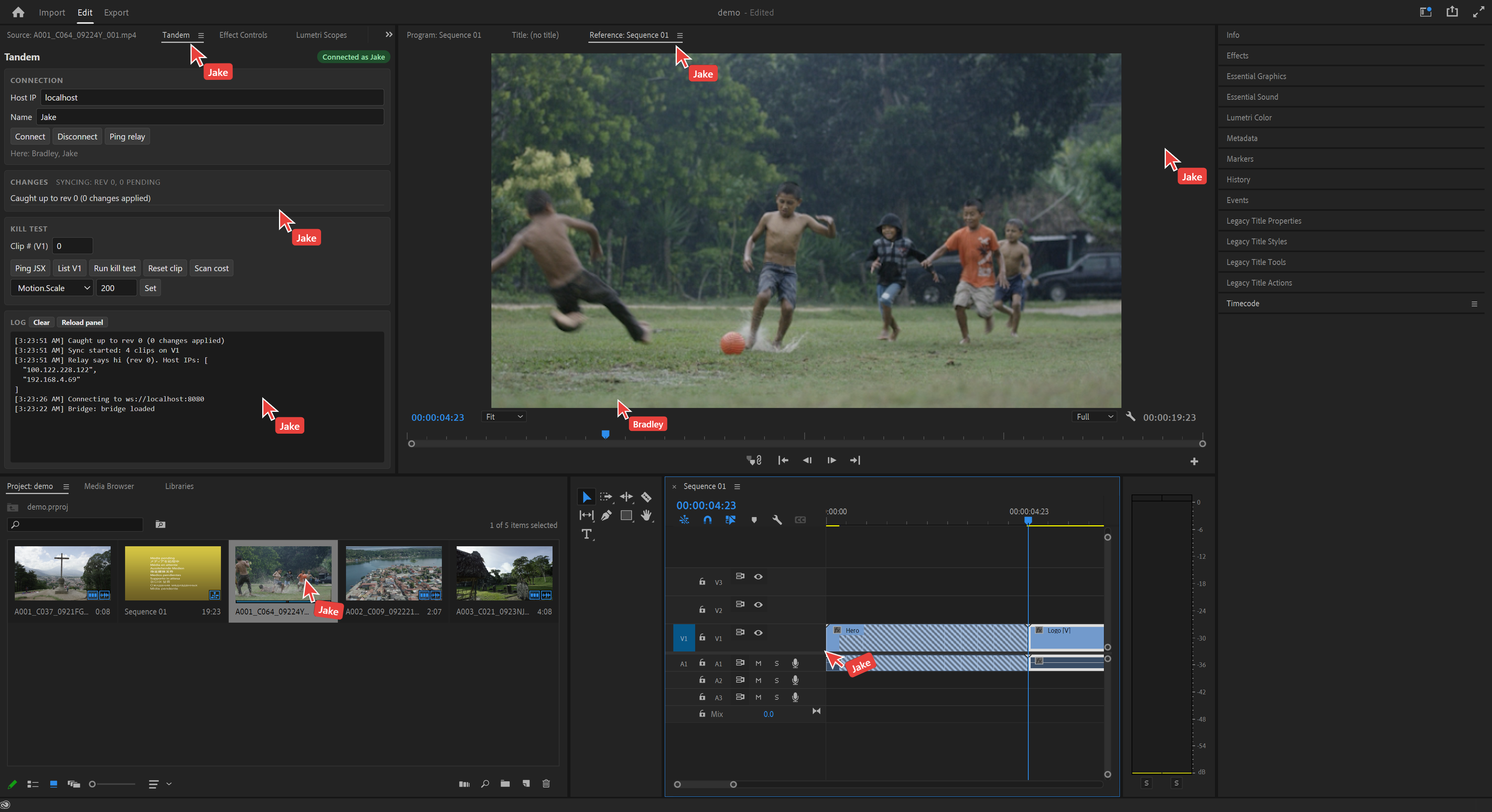
Example of what working with Tandem looks like.
-
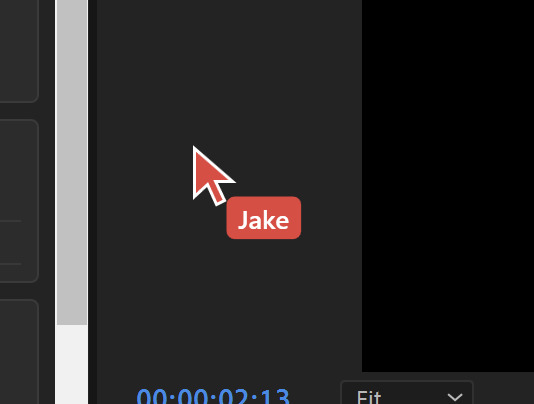
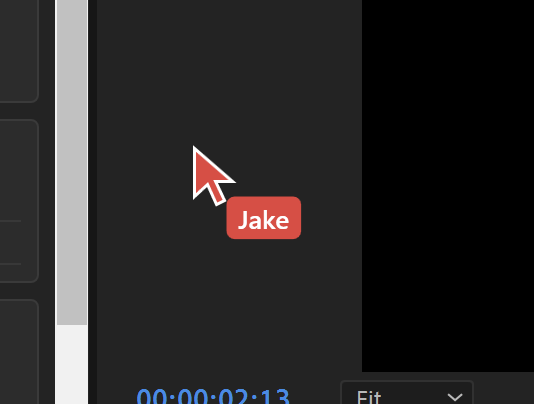
A close up of a teammates cursor.
-
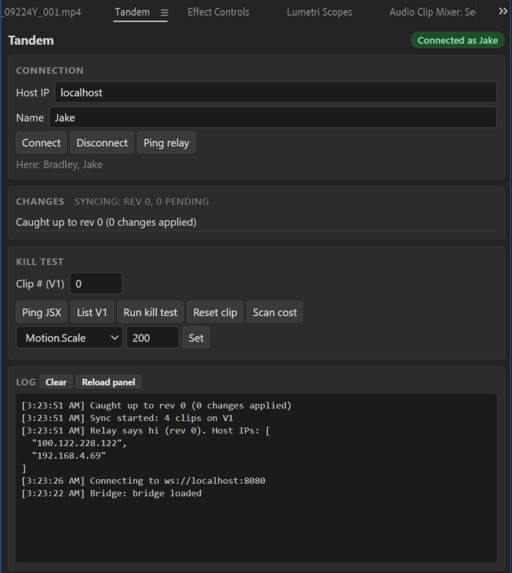
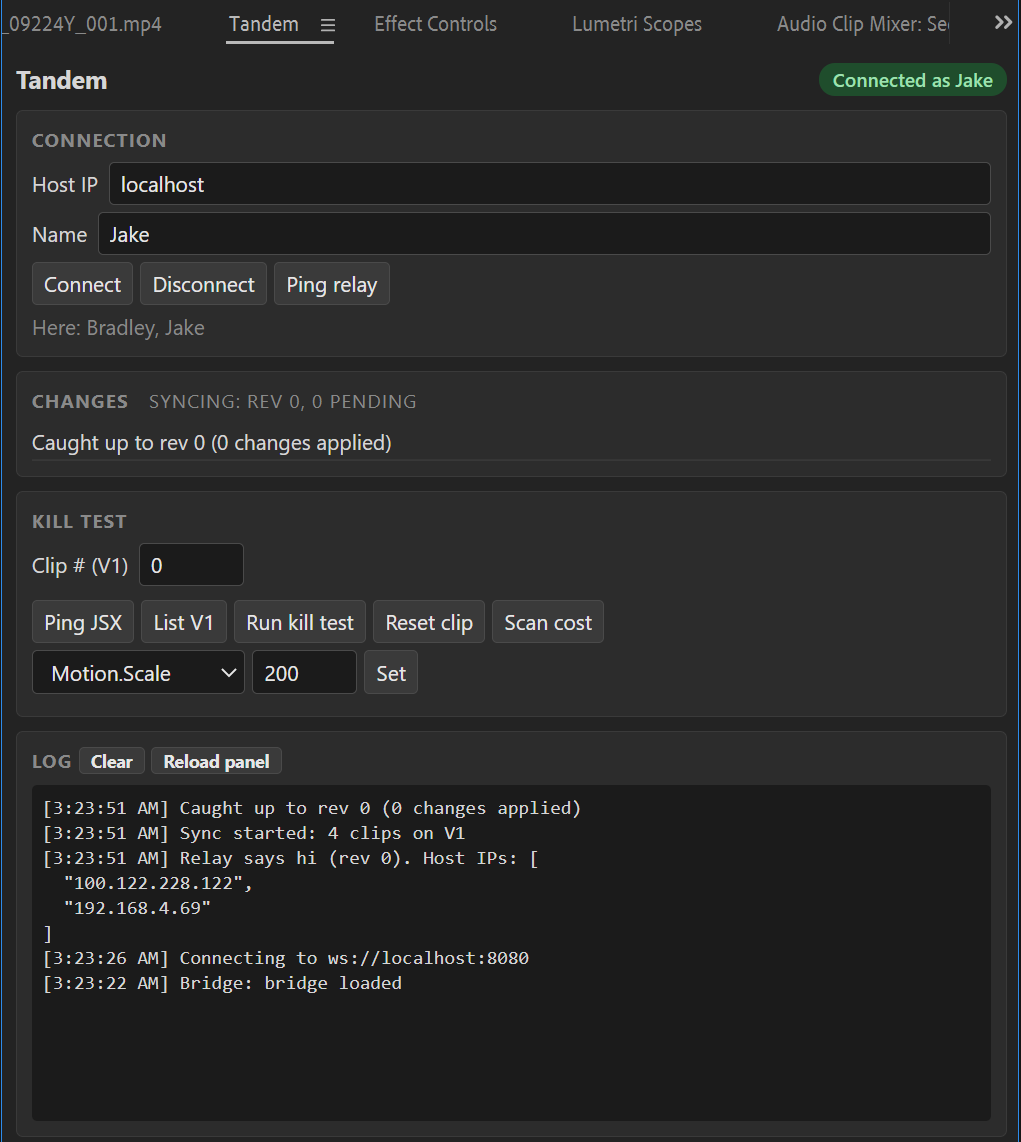
Close up of plugin panel.
-
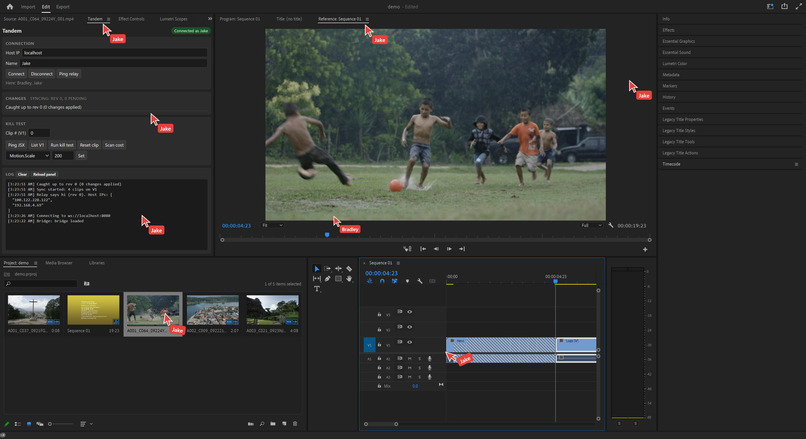
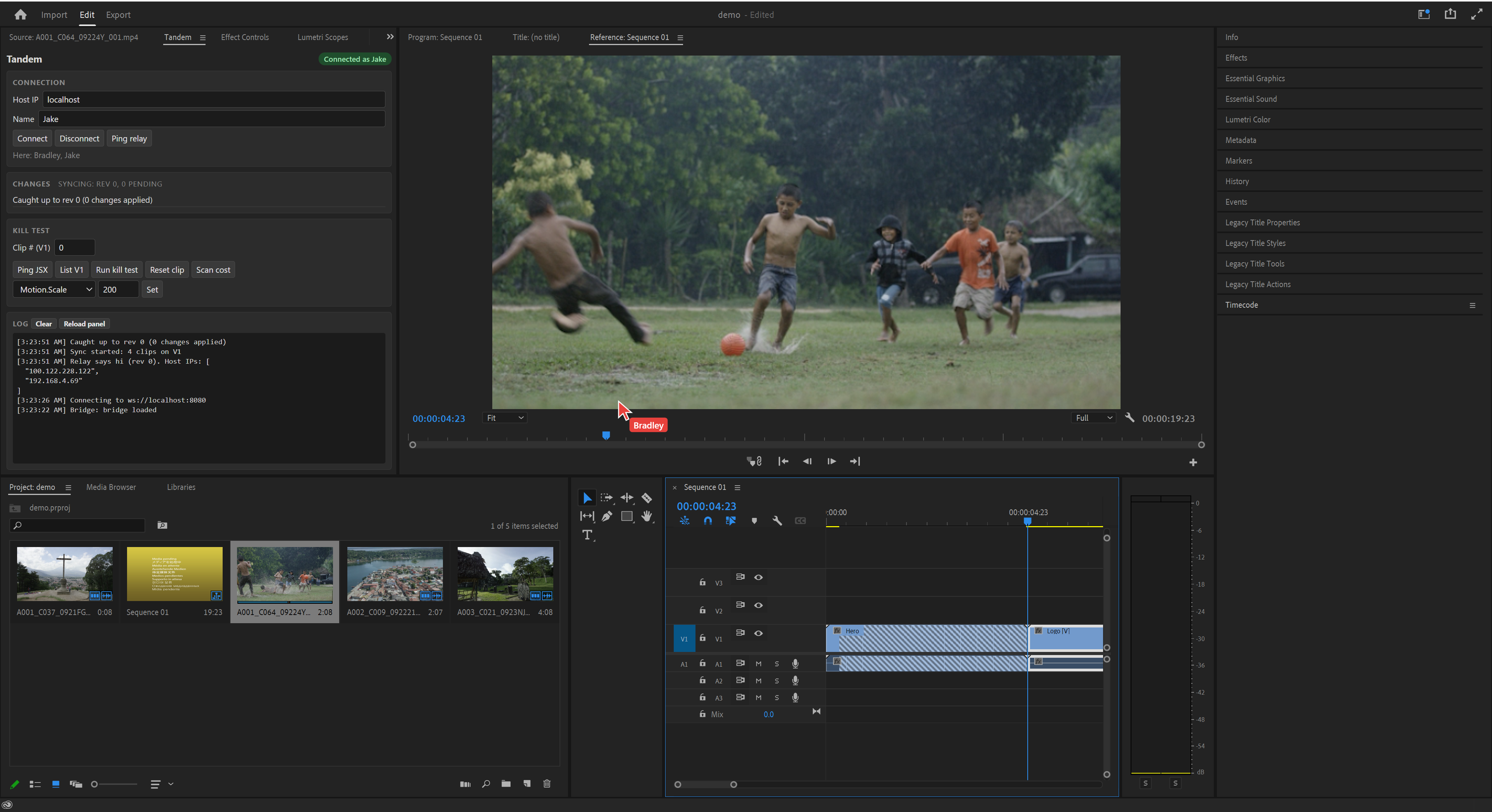
What working with multiple editors looks like.
-
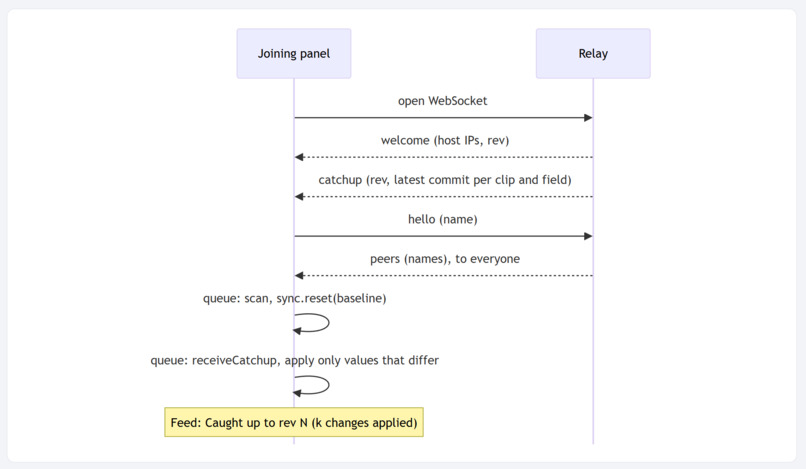
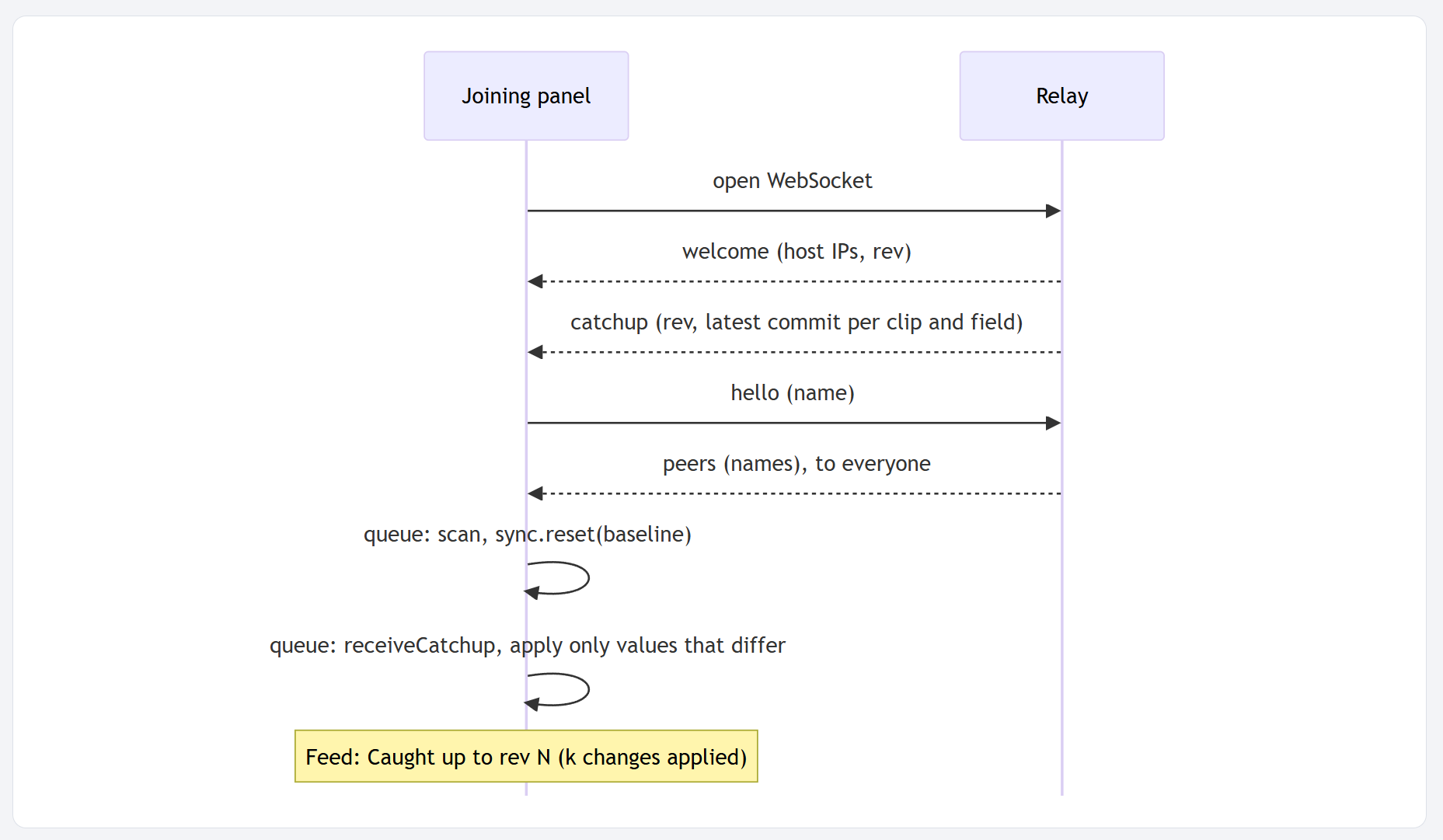
Sequence Diagram - Joining a session
-
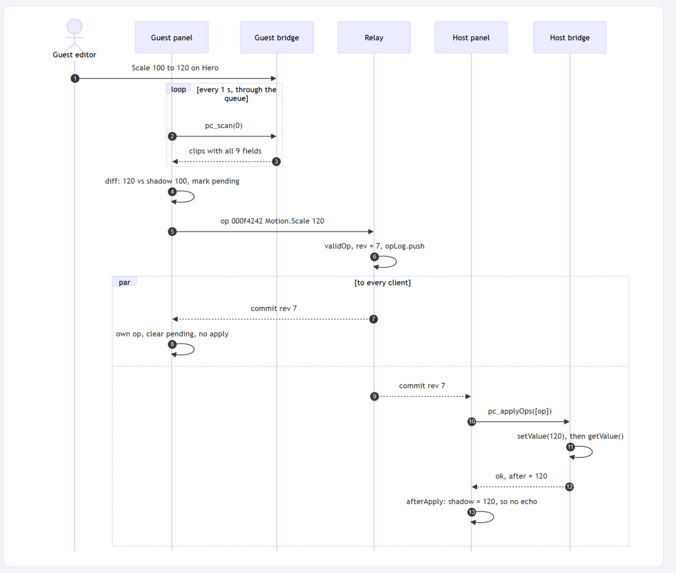
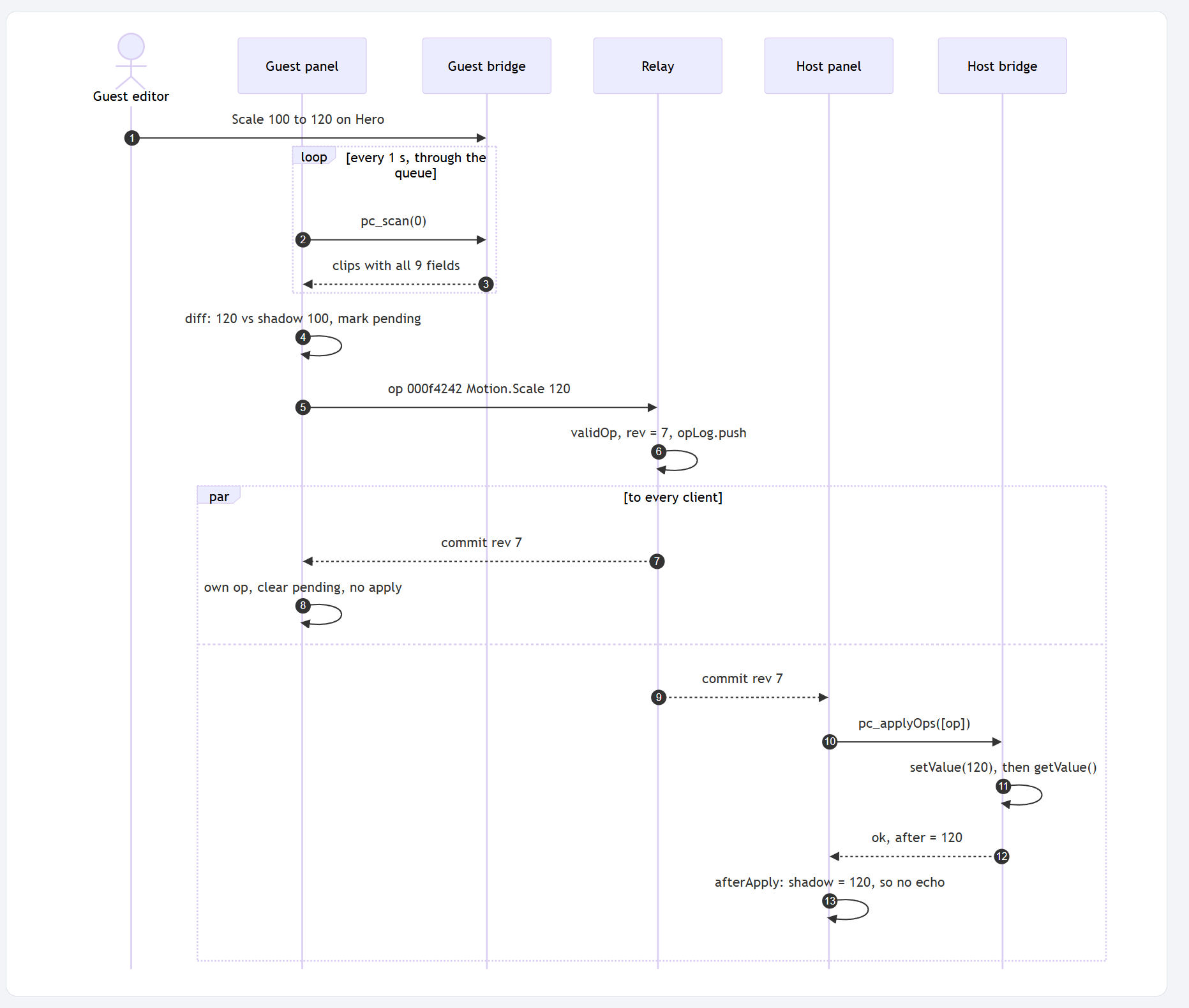
Sequence Diagram - End to end
-
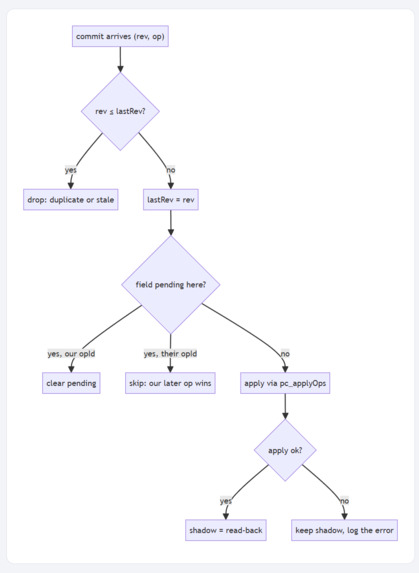
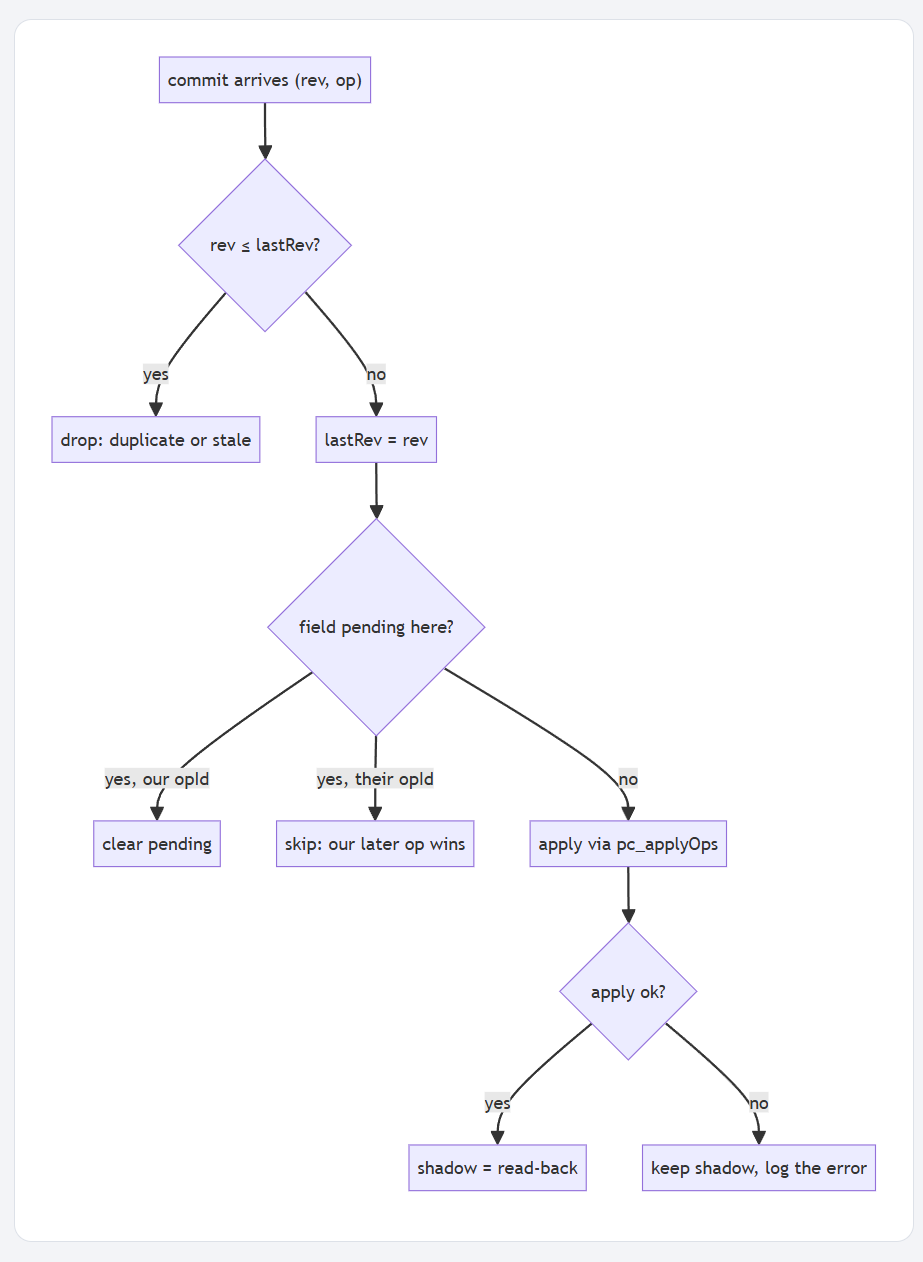
Flow Graph - Conflict resolution
Tandem
Live collaboration for Adobe Premiere Pro. Edit the same timeline, at the same time, from different computers.
Built for the Hacklanta hackathon, Creative track (sponsored by Adobe).
Tandem is a Premiere Pro panel. One editor hosts a session and the others join it. Everyone sees the others' edits, a live named cursor over Premiere, and a feed of who changed what. It is like Google Docs for your timeline.
- What it does
- Inspiration
- How we built it
- Challenges we ran into
- Accomplishments that we're proud of
- What we learned
- What's next for Tandem
What it does
Tandem makes Premiere Pro multiplayer. Multiple editors on multiple computers open one live session and edit the same timeline together. Nobody locks, nobody waits, nobody merges.
| Feature | What you get |
|---|---|
| Join in seconds | The host starts a session. The guest types the host's address and a name, then clicks Connect. The guest's timeline changes to match the host's, and both editors now work on one cut. |
| Every movement control, live | Position, Scale, Rotation, Anchor Point, and Opacity sync in about one second, in both directions. When your partner moves a title, it moves in your Program monitor. |
| The timeline itself, live | Rename, trim, and move clips. Your partner's timeline follows each change. |
| See where your partner works | Your partner's mouse pointer and name are drawn live over your own Premiere window. You can point at a clip and say "this one", the same as sitting side by side. |
| Know who changed what | A change feed lists each edit with its author, for example Bradley set Hero Rotation to 90 (rev 7). |
| No broken timelines | If both editors change the same value at the same moment, both machines settle on the same result. Nothing is overwritten without a trace, and nobody has to merge. |
What this means for an editing team
- An assistant editor trims and cleans up clips while the lead editor works on motion, in the same sequence, at the same time.
- A director in another city watches the cut change live and gives notes as you work, instead of after an export.
- Multiple editors on a deadline split the work and never wait for a lock.
Inspiration
The situation. Almost no film is cut by one person. An editor works with an assistant editor, a second editor, a director, a producer. More and more of these teams work from different cities. But every professional editing tool still treats the timeline as a one-person space.
The problem. Multiple editors cannot change the same timeline at the same time.
- In 2017, an editor asked Adobe how two editors could work on one timeline at once. Adobe staff answered: "It's not currently possible for more than one editor to make changes on the same timeline."
- Nine years later, that is still true.
- Everyone else gets read-only access, and waits.
What that costs. Editors share work the old way: save the project file, send it, wait.
- Every handoff is manual: save, zip, upload, message, download, relink the media, open.
- Only one person can work at a time. The other waits for the file to come back.
- If two people save their own copy of the project, someone has to merge the changes by hand, clip by clip. Or the last version sent wins and the other person's work is gone.
- A director cannot say "move that title up a little" and see it happen on their own screen. They write a note, wait for a new project file, and review again.
- On a deadline, these hours add up to days. Feedback loops that could take seconds take a full round trip.
Writers got Google Docs more than 15 years ago. Designers got Figma. Developers got live pair programming. Film editors are still waiting for their turn. Editors have asked for this for years. We built Tandem to give it to them.
How we built it
Tandem has four parts.
 Editor A's laptop (host)                         Editor B's laptop
┌──────────────────────────┐                     ┌──────────────────────────┐
│ Premiere Pro             │                     │ Premiere Pro             │
│  └─ Tandem panel         │                     │  └─ Tandem panel         │
│      ├─ sync.js          │                     │      ├─ sync.js          │
│      └─ bridge.jsx       │                     │      └─ bridge.jsx       │
│ Cursor overlay (PS)      │                     │ Cursor overlay (PS)      │
│ Relay (Node + ws) ◄──────┼──── Tailscale ──────┼──► WebSocket             │
└──────────────────────────┘                     └──────────────────────────┘
Premiere panel (CEP 11 + ExtendScript). The panel lives inside Premiere. Each second it reads the clips on the timeline, finds what changed, and sends those changes out. It also applies changes from your partner through Premiere's scripting API.
Sync engine (
sync.js). Plain JavaScript with no Premiere calls, so we test it on its own withnode --test. It keeps a copy of the last known value of every field. Changes that came from your partner match that copy, so they are never sent back as new edits.Relay (Node.js +
ws). The relay runs on the host laptop. It gives every edit a revision number and sends it to both editors. When two edits touch the same field, the one with the higher number wins. The relay also keeps a log of every edit, so an editor who joins late catches up.Live cursor (PowerShell). A Premiere panel cannot draw outside its own window. So a small helper on each laptop draws a clear, click-through layer on top of Premiere and shows your partner's pointer and name.
The laptops connect with Tailscale, which works on any network with internet access.
Tech stack
| Layer | Technology |
|---|---|
| Panel UI and sync host | CEP 11, plain HTML/CSS/JS (no build step) |
| Timeline read/write | ExtendScript (ES3) |
| Transport | Native browser WebSocket to a Node.js ws relay |
| Conflict handling | Host-ordered revision numbers, latest edit wins per field |
| Cursor overlay | PowerShell |
| Networking | Tailscale |
| Tests | node --test |
Challenges we ran into
- Keeping track of the right clip. At first we identified clips by their place on the track. That broke as soon as a clip moved. We changed to Premiere's internal clip ID, which stays the same when a clip moves.
- Edits that echoed forever. Premiere rounds some values when we write them. The rounded value looked like a new edit, so it went back to the partner, who sent it back again. We fixed this by storing the value that Premiere actually reports and comparing against that.
- Audio left behind. When our script moved or trimmed a video clip, its linked audio stayed in place. We now apply the same change to the audio track.
- Old edits coming back. When an editor reconnected, the relay replayed an old trim and shrank a clip to 8 frames. We now restart the relay before each session to clear the log.
- Venue Wi-Fi. Many public networks stop laptops from connecting to each other. We moved to Tailscale, so the laptops connect through the internet instead.
Accomplishments that we're proud of
- Multiple editors change one Premiere timeline at the same time, in both directions, on real laptops over the internet.
- A live, named cursor over Premiere, which Premiere's panel system was never designed to allow.
- We went from research to a working multi-laptop session in one hackathon.
What we learned
- Multiple editors do not need a complex sync system. A numbered log of edits and "the latest edit wins" keeps both machines the same.
- Test on two real machines early. One machine hides network problems and sync bugs.
- Editors do not want a new editing app. They want their own tool, with a partner inside it.
What's next for Tandem
After Effects. Motion designers have the same problem as editors, often worse. We will bring live editing to After Effects compositions: layers, transforms, and effects.
More functionality in Premiere:
- Keyframes, more effects, and audio.
- Add and remove clips, and move clips between tracks.
- Show your partner's selection and playhead.
- A hosted relay, so no laptop has to be the host and any network works.
Every editing team works together. With Tandem, their timeline can too.
Built With
- adobe-cep
- css
- html
- javascript
- node.js
- powershell
- spec-driven-development
- tailscale
- websockets

Log in or sign up for Devpost to join the conversation.