-
-
-
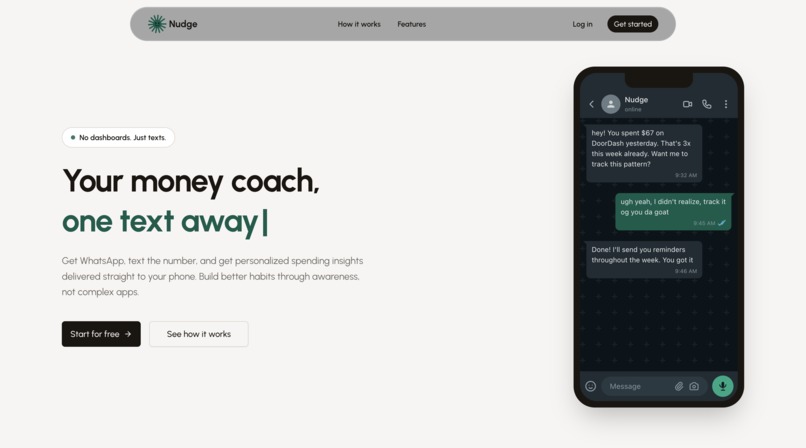
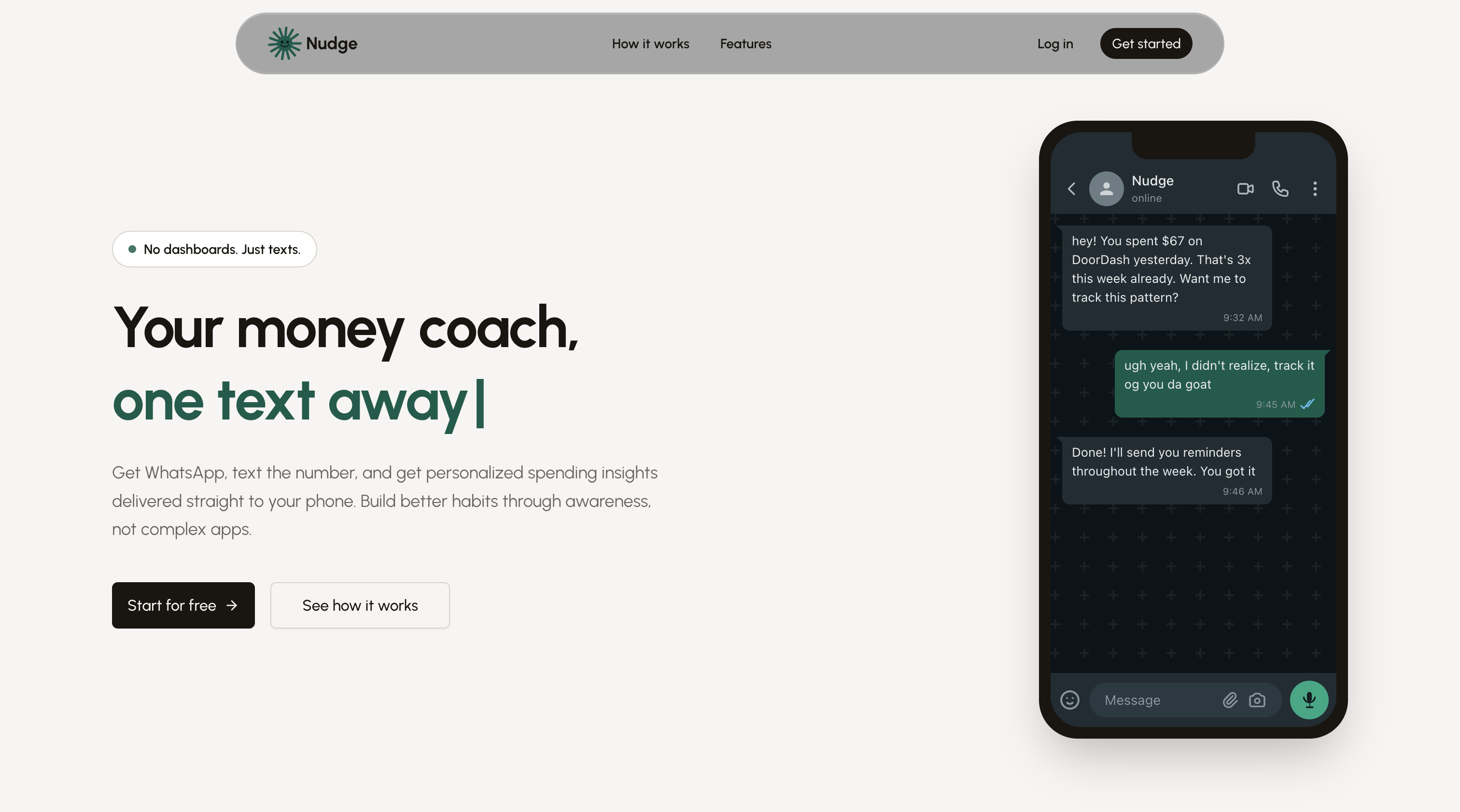
Welcome page
-
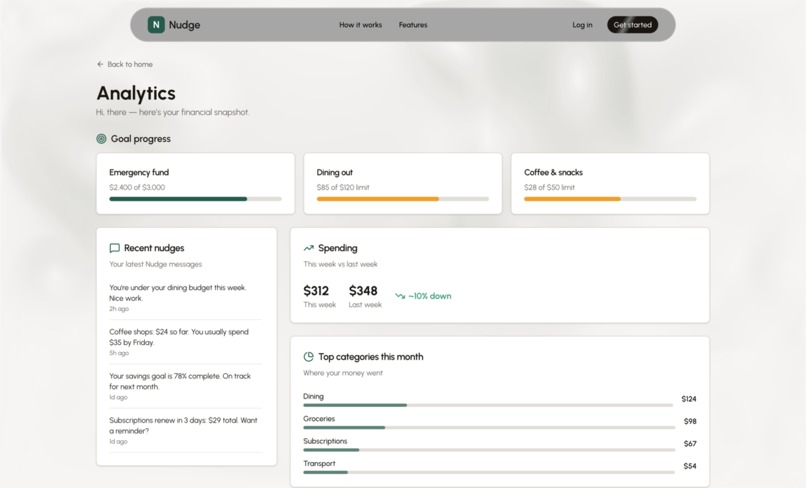
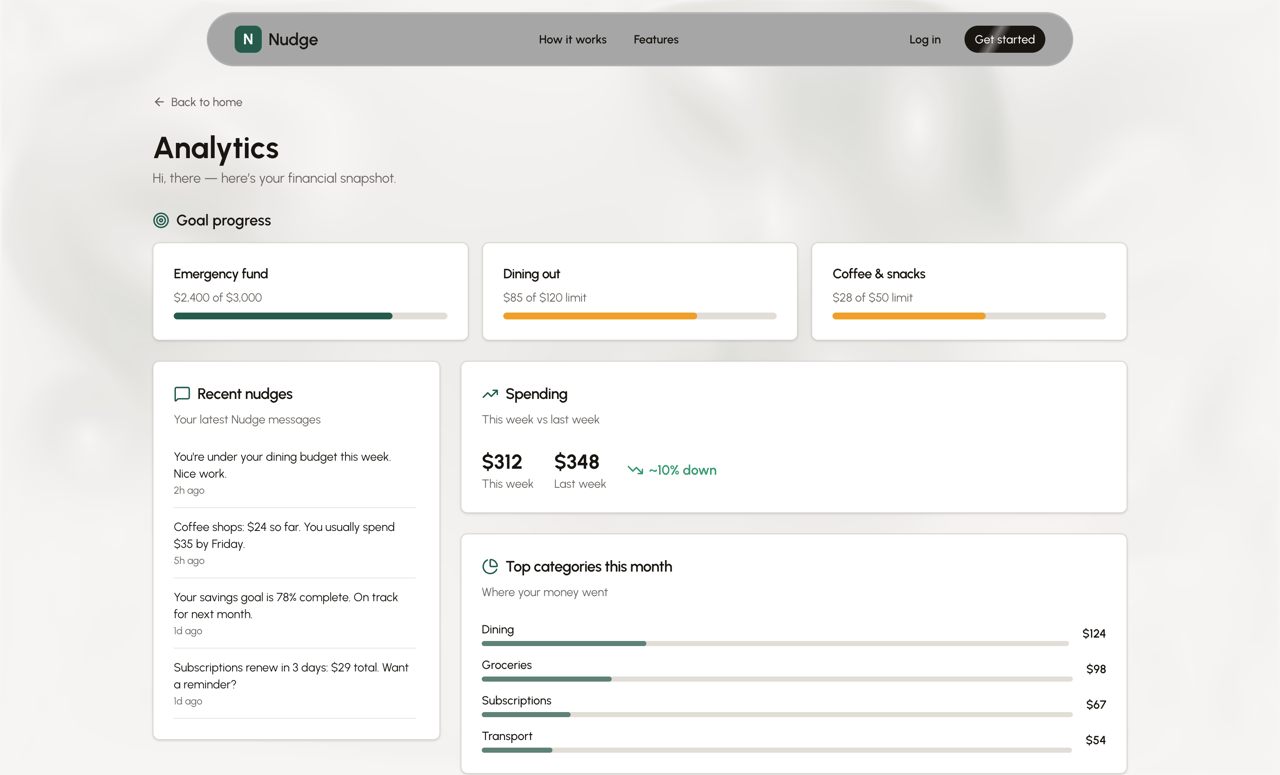
Analytics Dashboard
-
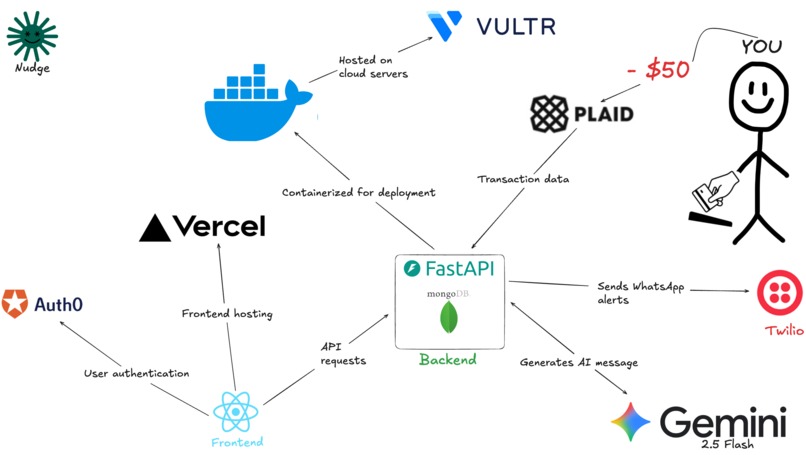
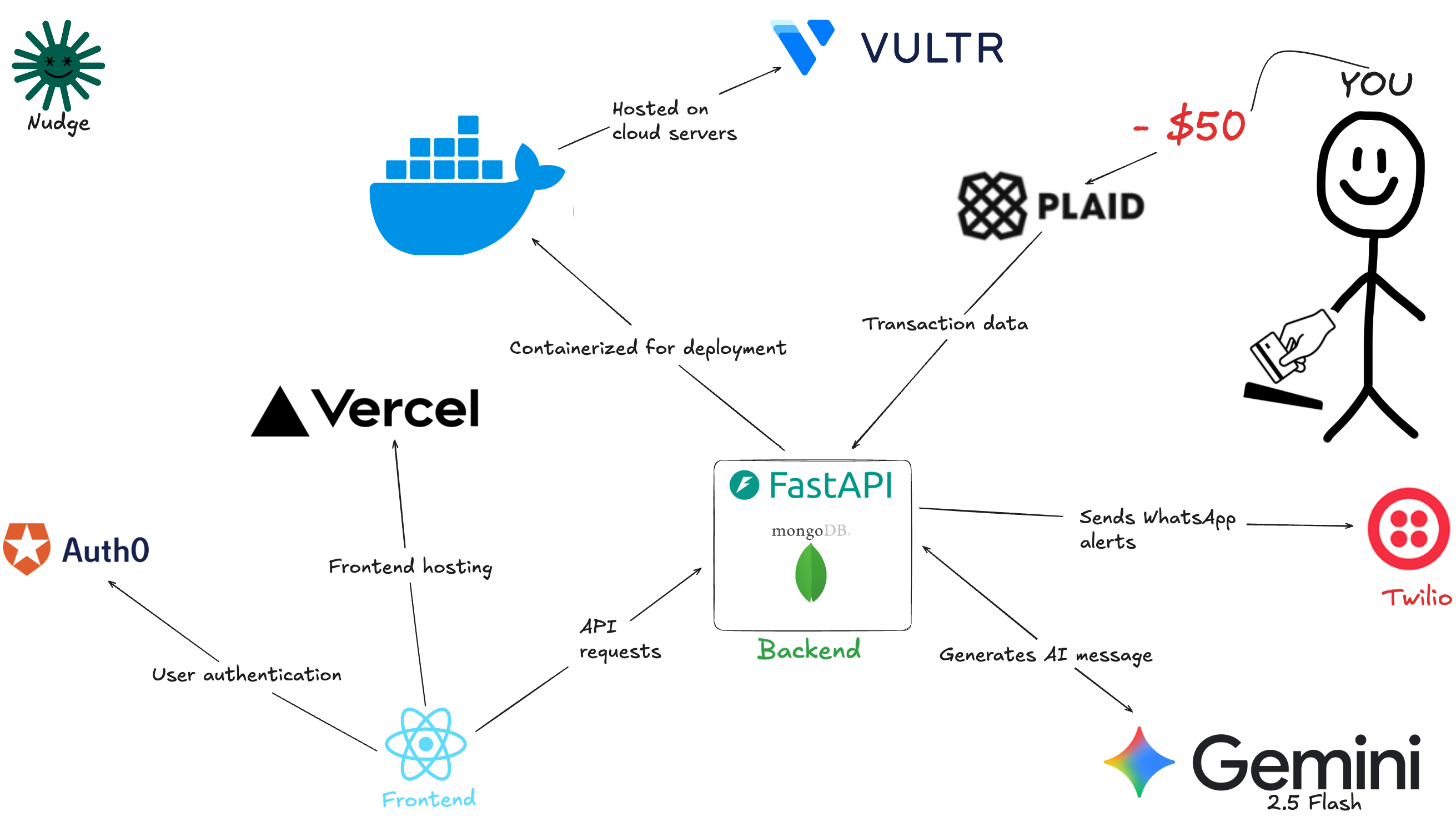
Our techstack!
Inspiration
College is expensive, and it’s way too easy to lose track of spending—especially when your purchases are spread across different places and apps. For TAMU Hack 26, we wanted to build something that makes budgeting feel less like spreadsheets and guilt, and more like a real-time assistant that actually helps you make smarter choices as you spend.
That’s what inspired us to build an AI-powered budgeting companion: something secure, simple, and smart enough to explain your spending in a human way.
What it does
Our app helps users track and understand their spending with a clean dashboard and an AI assistant.
Users can:
- Log in securely using Auth0 (with support for Multi-Factor Authentication)
- Store their information safely in MongoDB Atlas
- Get AI-powered budgeting insights and responses through the Google Gemini API
- Use a modern, responsive React frontend designed for a smooth user experience
The goal is to give users quick, personalized feedback so they can stay on top of their budget without having to manually analyze transactions themselves.
How we built it
We built the project with a full-stack architecture:
Frontend
- React 18
- React Router
- Auth0 React SDK
- Axios
- CSS3 for styling (ready to match future Figma designs)
Backend
- Node.js + Express
- Mongoose (MongoDB ODM)
express-oauth2-jwt-bearerfor validating Auth0 JWTs@google/generative-aifor Gemini API calls
Integrations
- Google Gemini API for AI-powered responses
- MongoDB Atlas for cloud database storage
- Auth0 for authentication + MFA security
Dev Tools
- Figma (UI/UX planning)
- nodemon
- dotenv
Challenges we ran into
- Auth + API security: Getting Auth0 fully integrated with the frontend and ensuring the backend properly validated JWTs securely took careful setup.
- AI prompting + responses: Gemini responses needed prompt tuning so outputs were helpful, consistent, and aligned with budgeting advice.
- Connecting the stack: Debugging CORS, request headers, and environment variables across the frontend/backend split was a constant challenge under hackathon time pressure.
- Deployment + config issues: Default platform configs (like Vultr email settings showing a default contributor) created some confusing project metadata that we had to clarify.
Accomplishments that we're proud of
- Building a working full-stack app with authentication, database storage, and AI integration
- Implementing Auth0 with Multi-Factor Authentication for real security, not just a demo login
- Creating a clean React UI that feels modern and usable
- Successfully integrating Google Gemini into a real backend workflow (not just a static chatbot)
- Clear team collaboration with defined frontend/backend ownership
What we learned
- How important it is to design authentication early so it doesn’t break later integrations
- Best practices for structuring a scalable React + Express + MongoDB project
- How AI APIs like Gemini become much more useful when paired with structured context and good prompts
- The value of separating responsibilities (frontend/backend) while still syncing frequently as a team
What's next for tamuhack
Next, we want to expand this into a complete budgeting assistant by adding:
- Plaid integration for live transaction syncing
- SMS / WhatsApp alerts for overspending and daily budget reminders
- More AI features like:
- spending pattern breakdowns
- weekly “where your money went” recaps
- personalized financial goals and challenges
- Stronger UI design polish using full Figma mockups
- Budget competitions / accountability groups for students


Log in or sign up for Devpost to join the conversation.