-
-
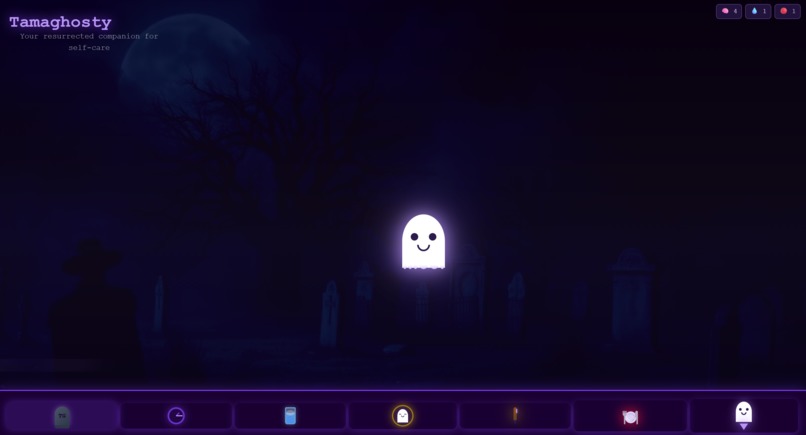
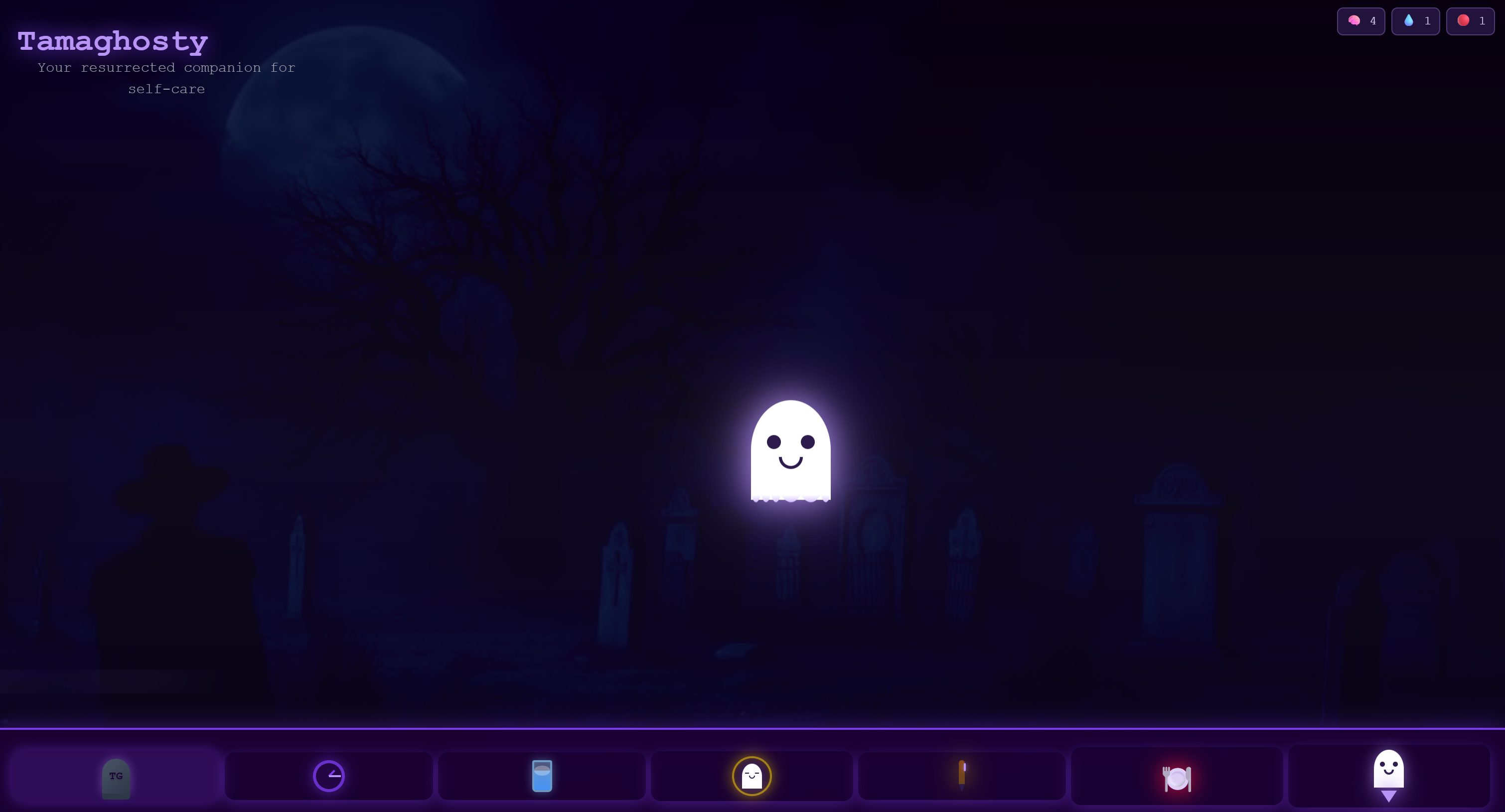
Tamaghosty home screen
-
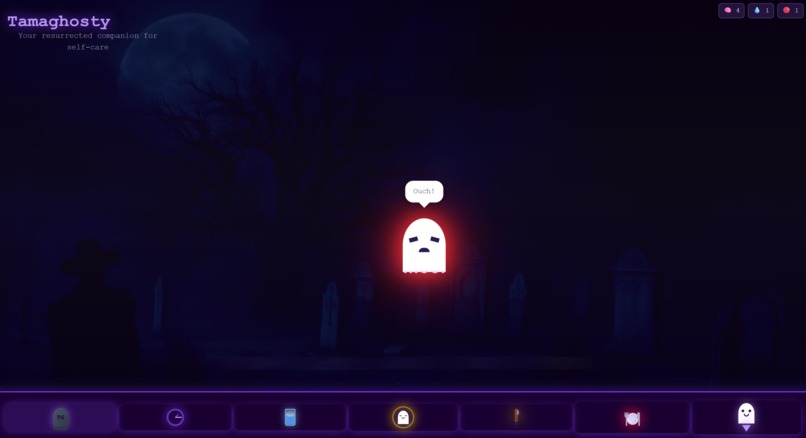
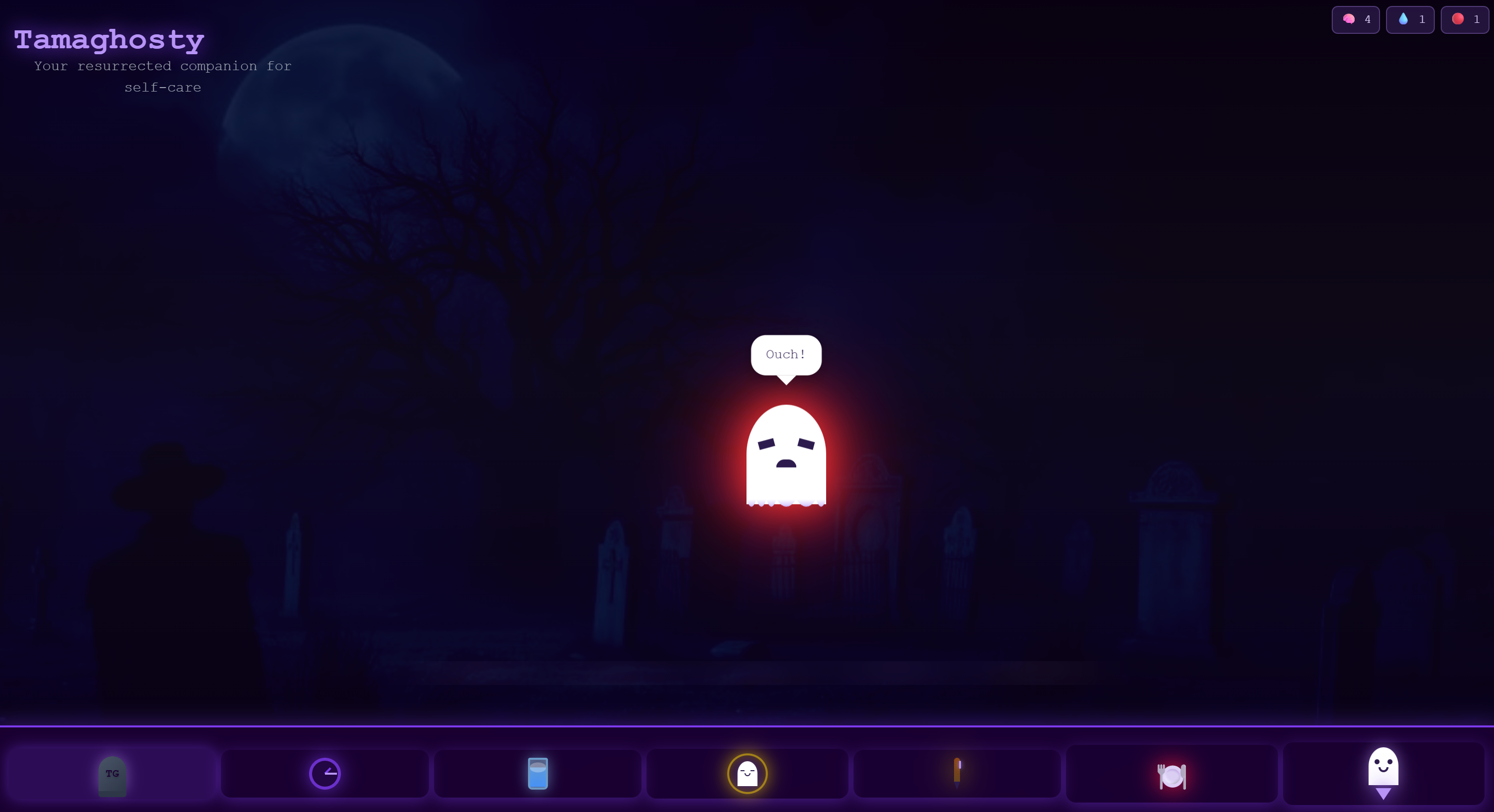
Tamaghosty Angry reaction
-
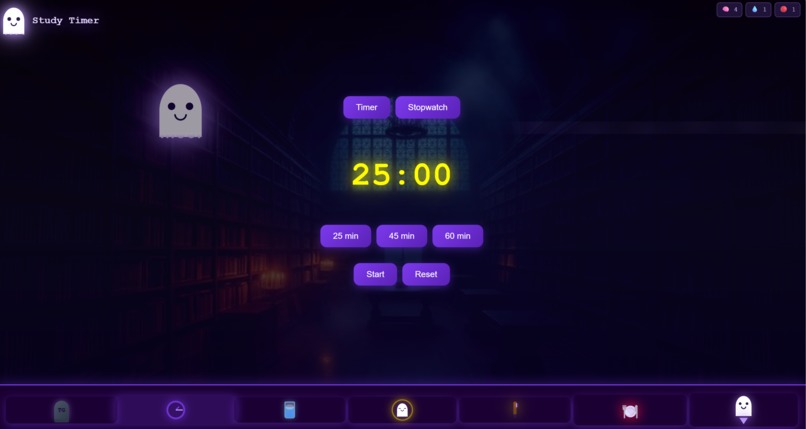
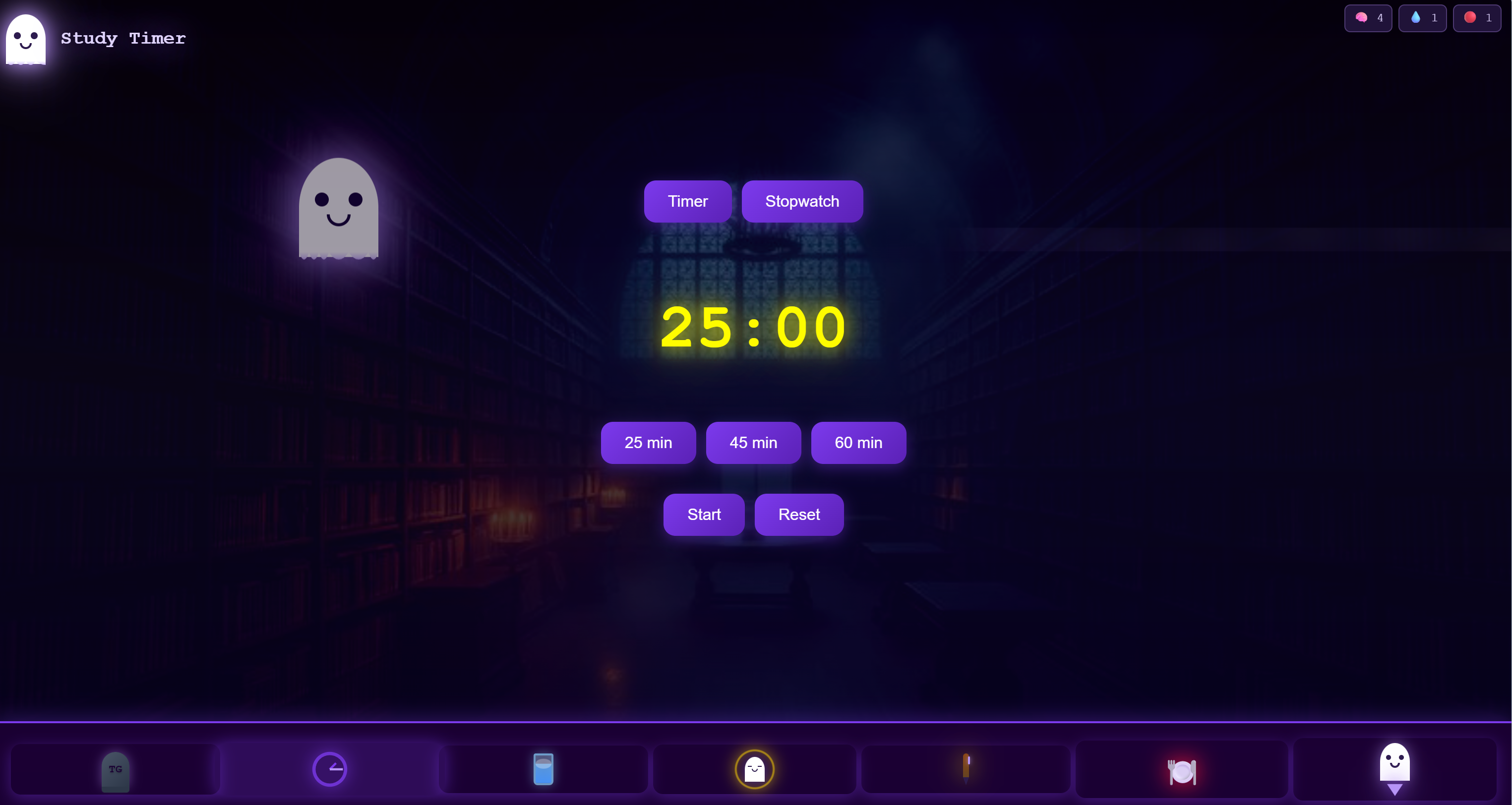
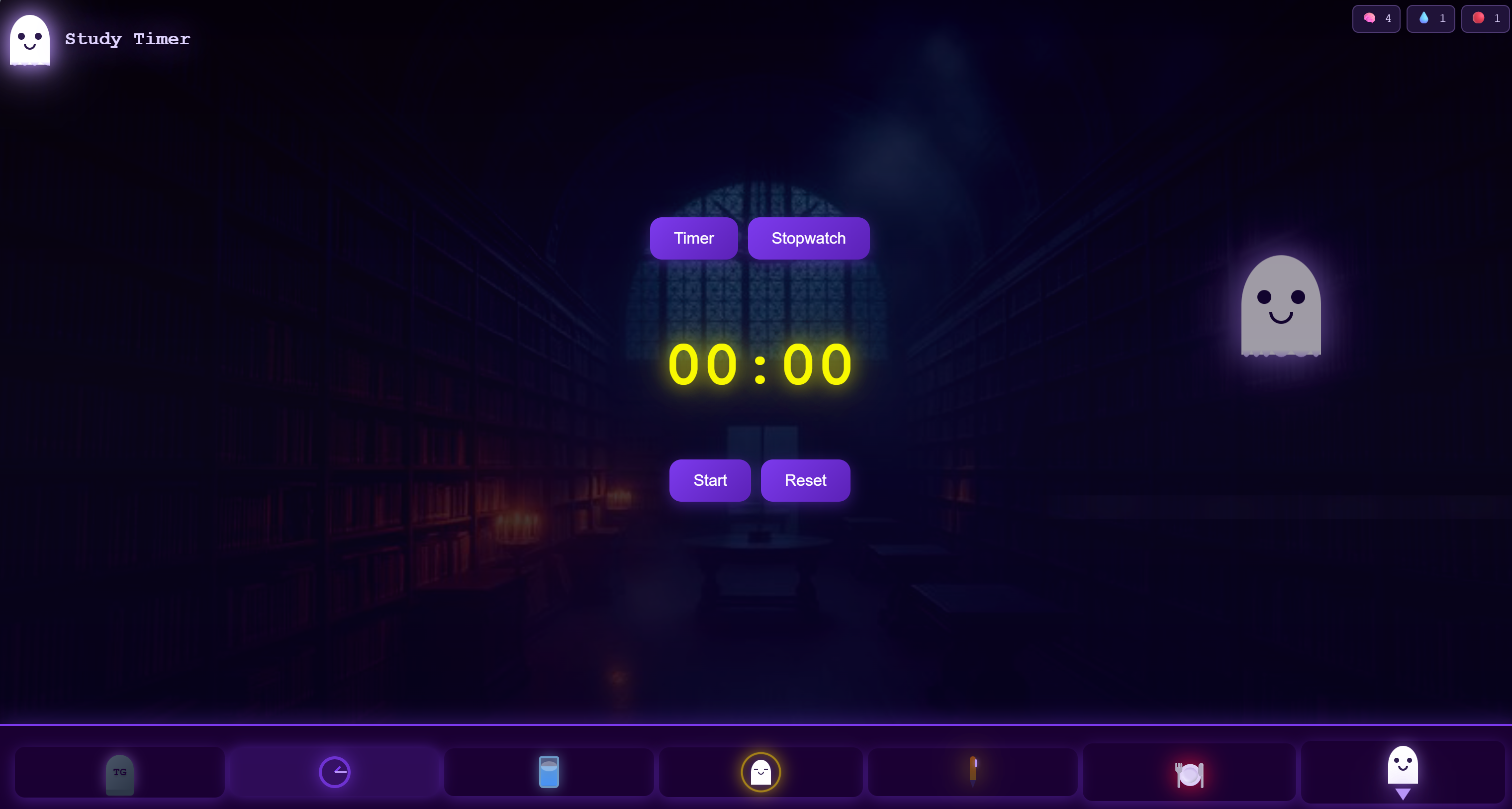
Study Timer Off
-
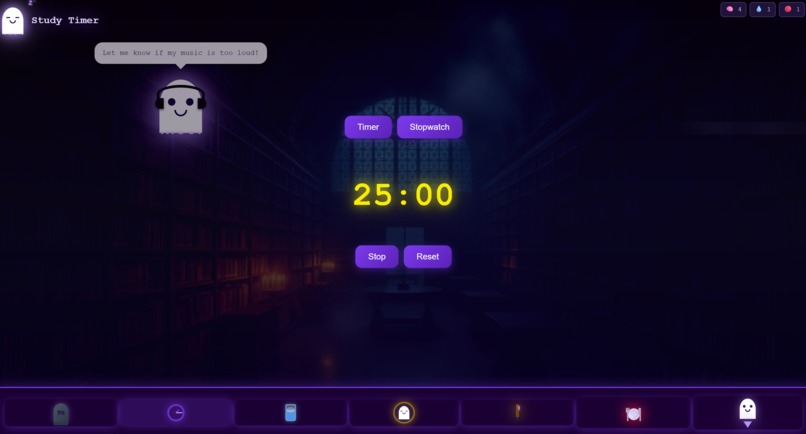
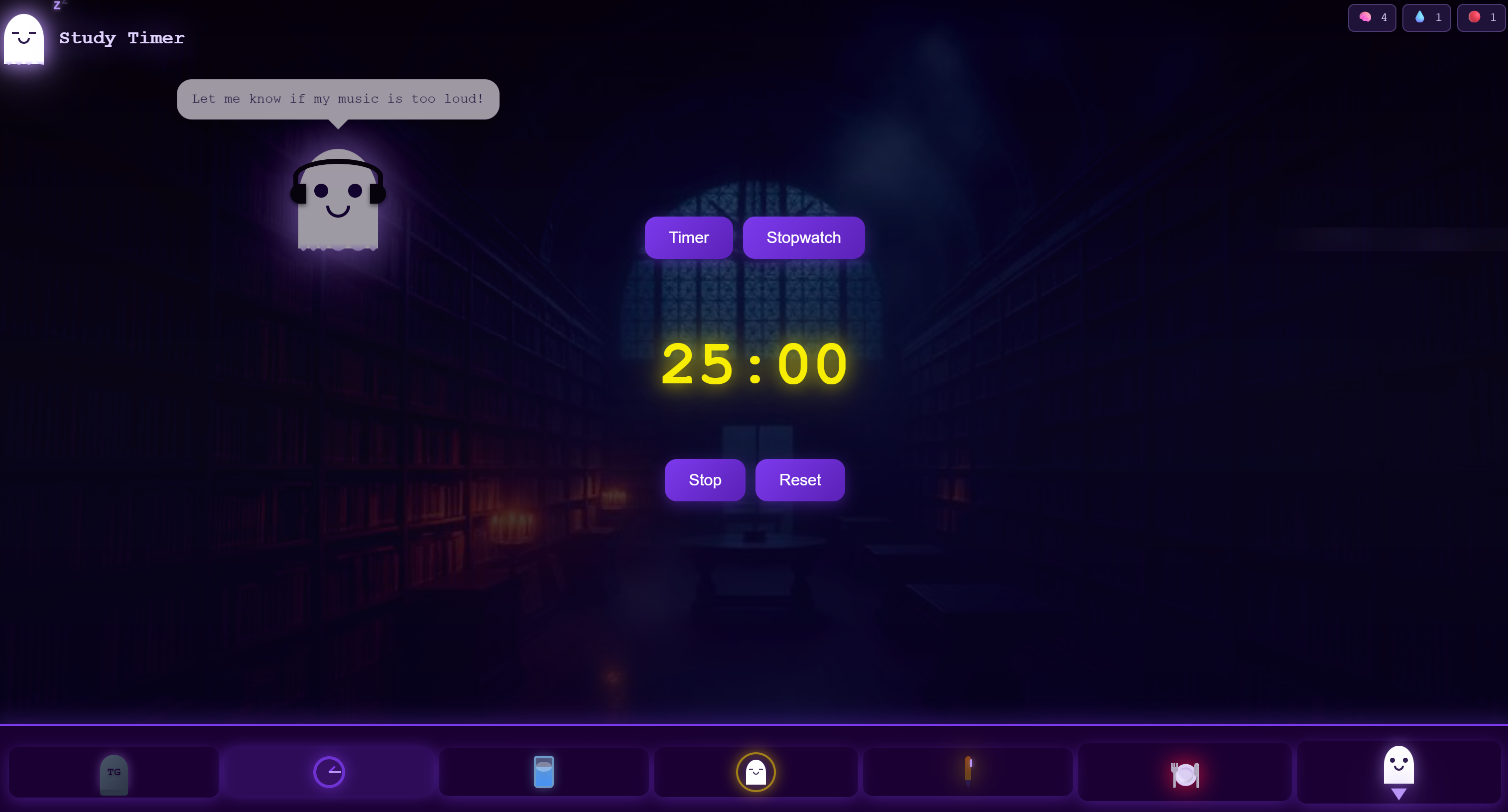
Study Timer On
-
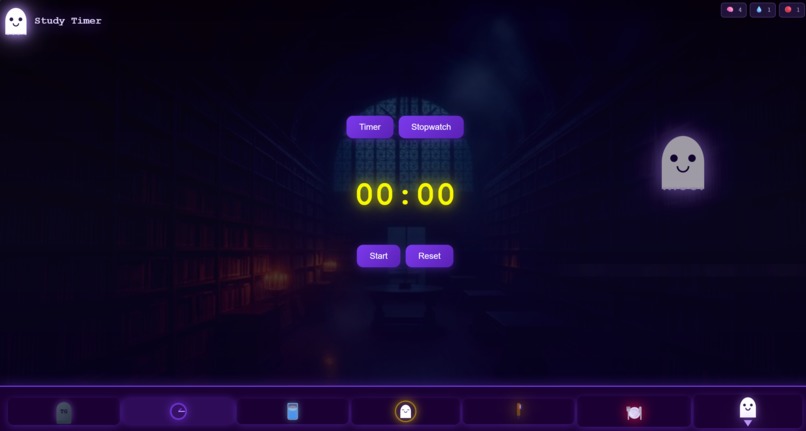
Stopwatch Off
-
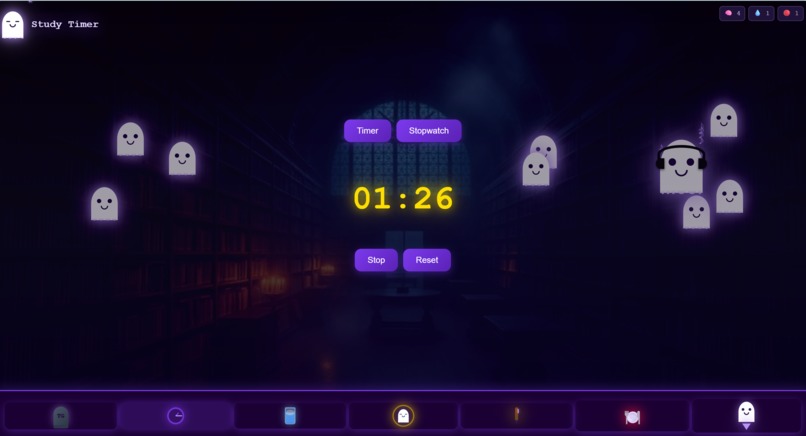
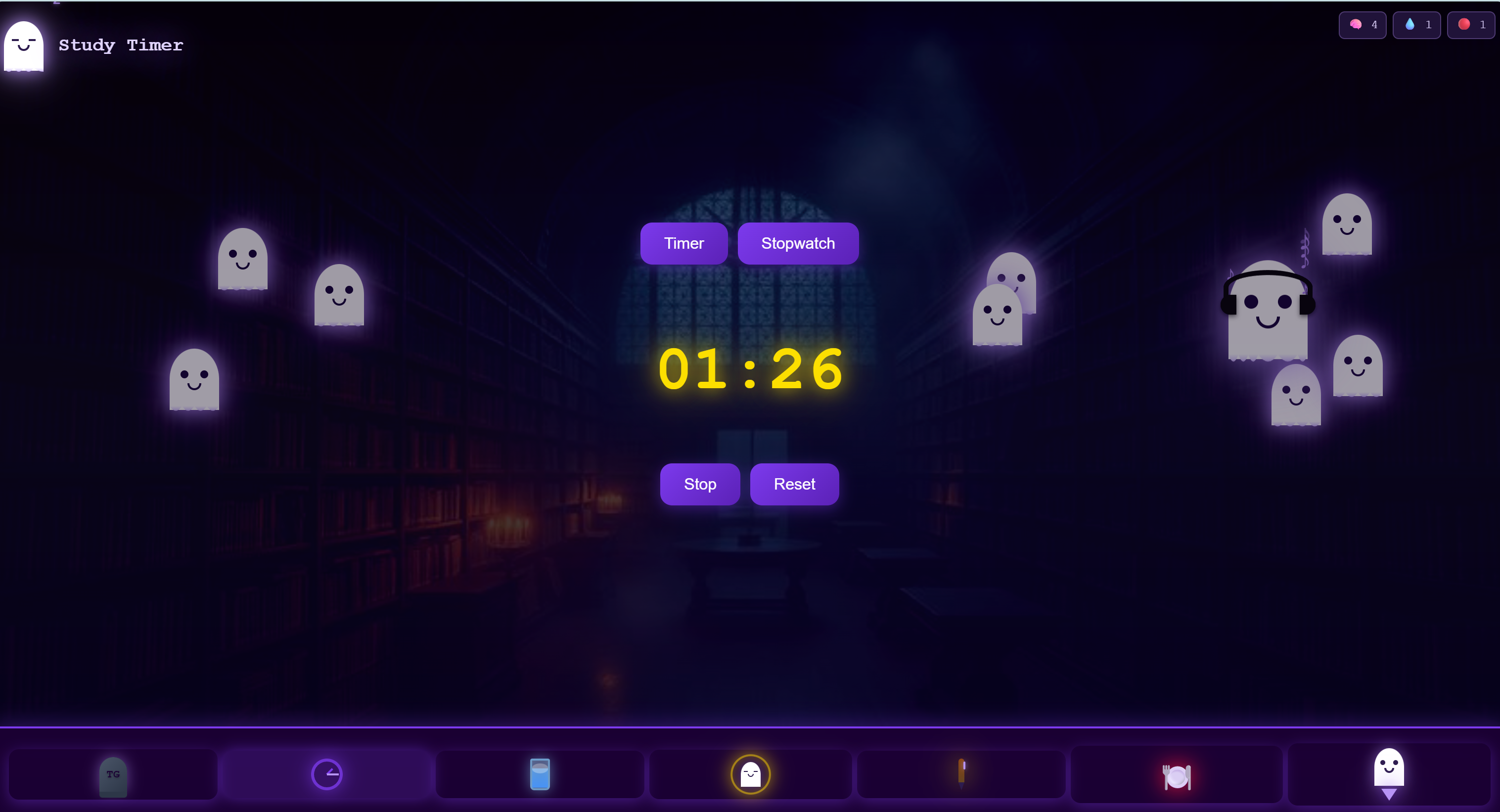
Stopwatch On (spawn set to 10 seconds for demo)
-
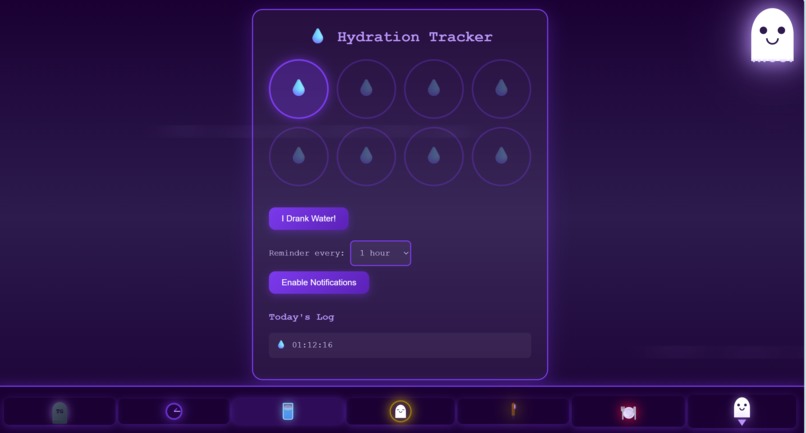
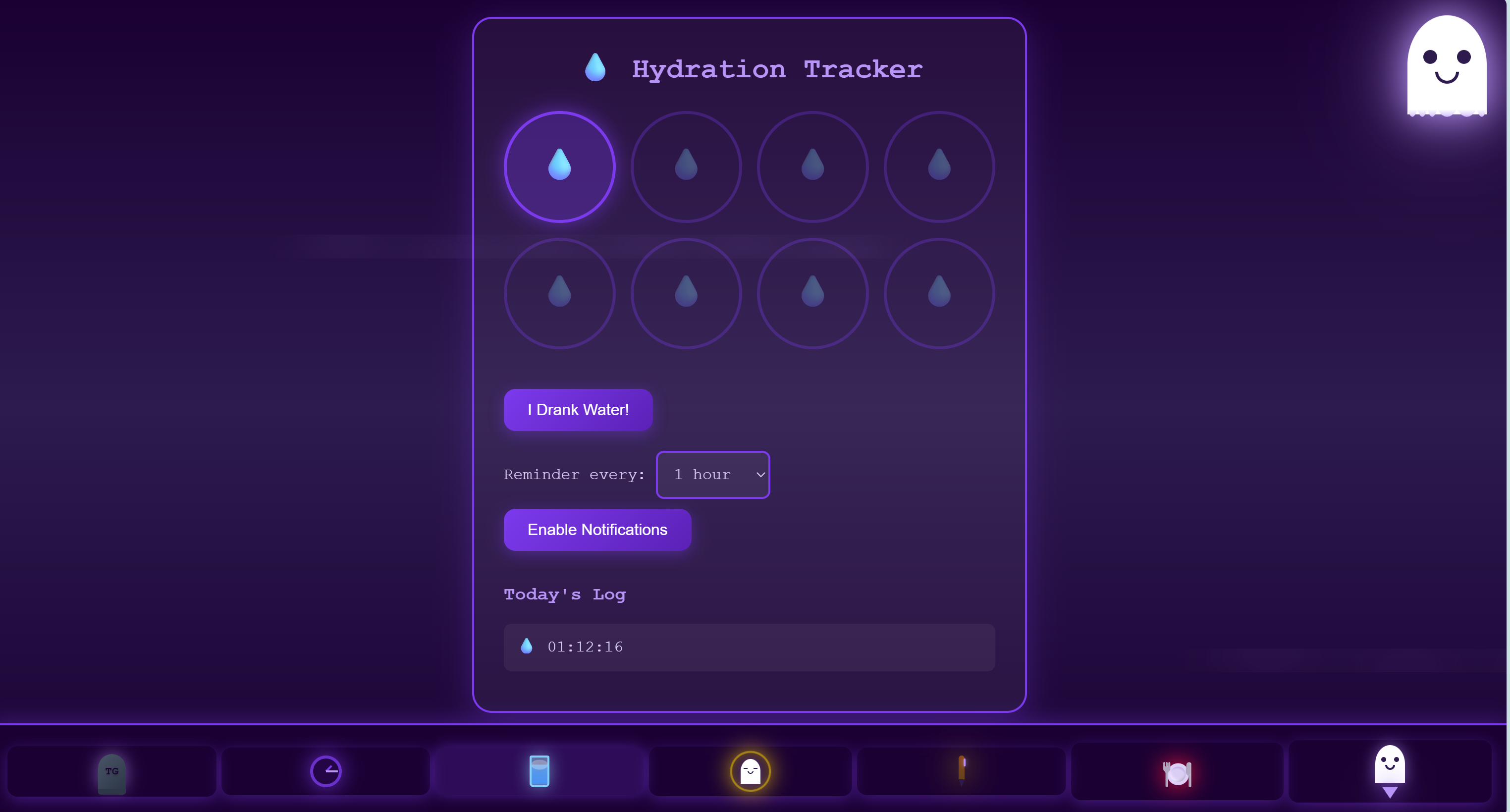
Hydration Tracker
-
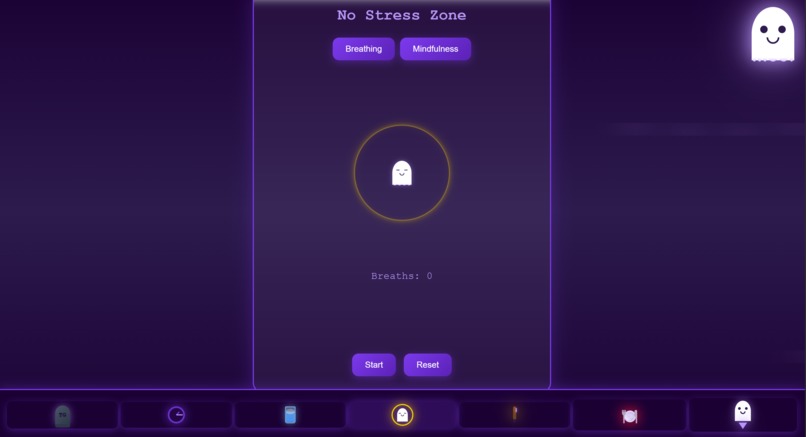
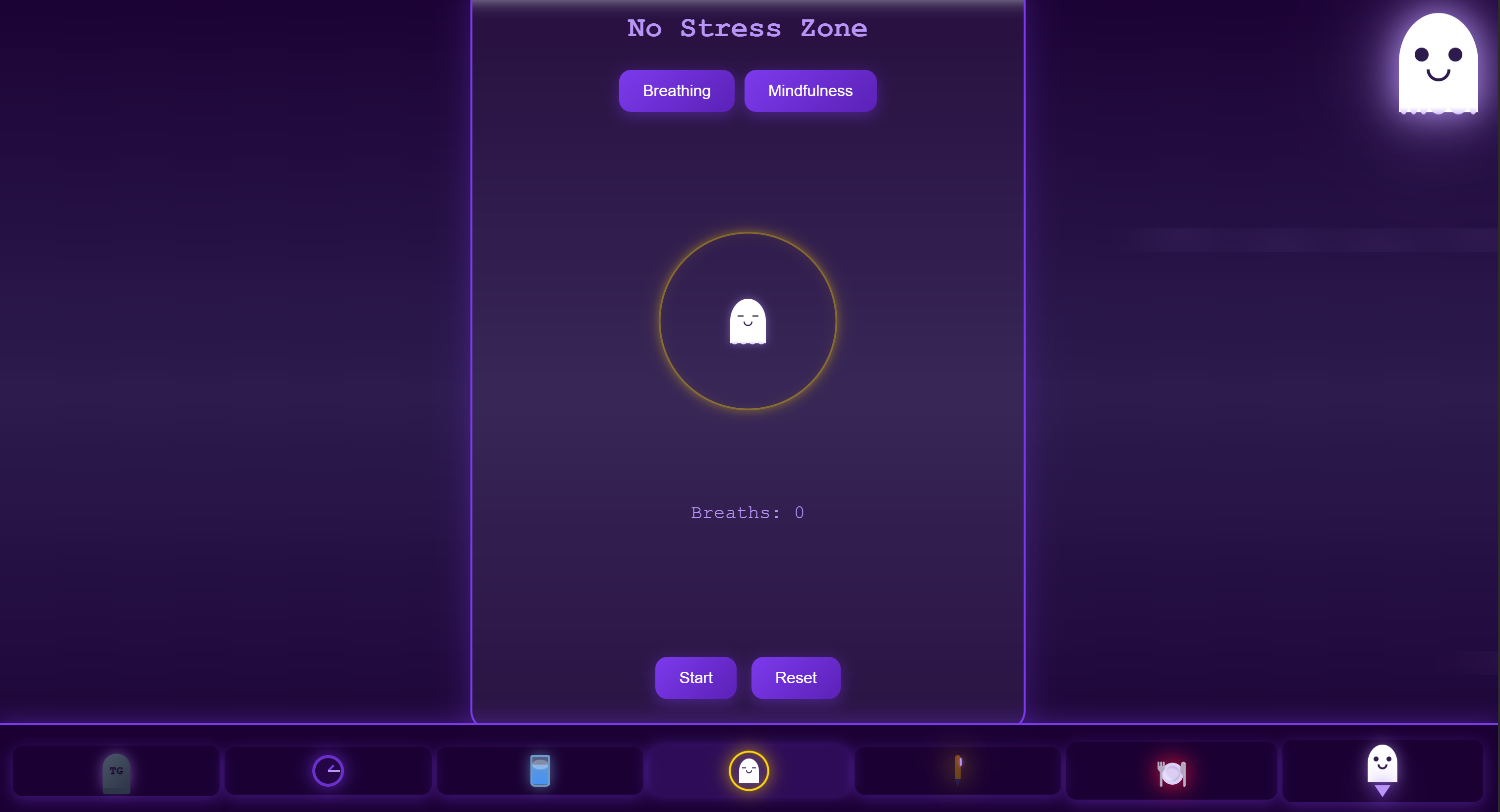
Breathing Exercises Off
-
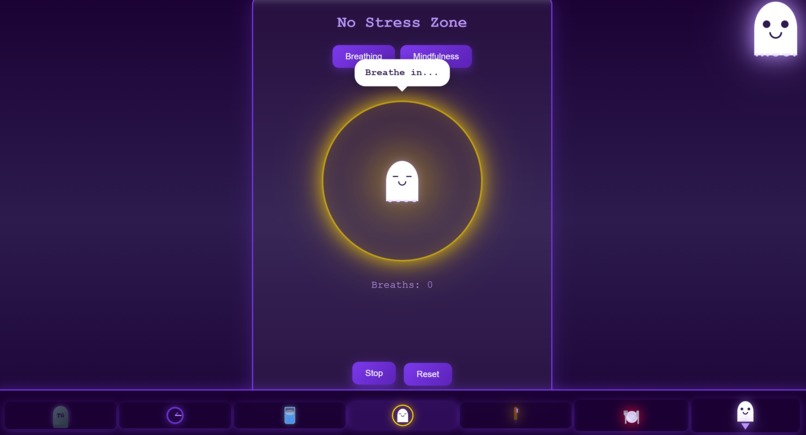
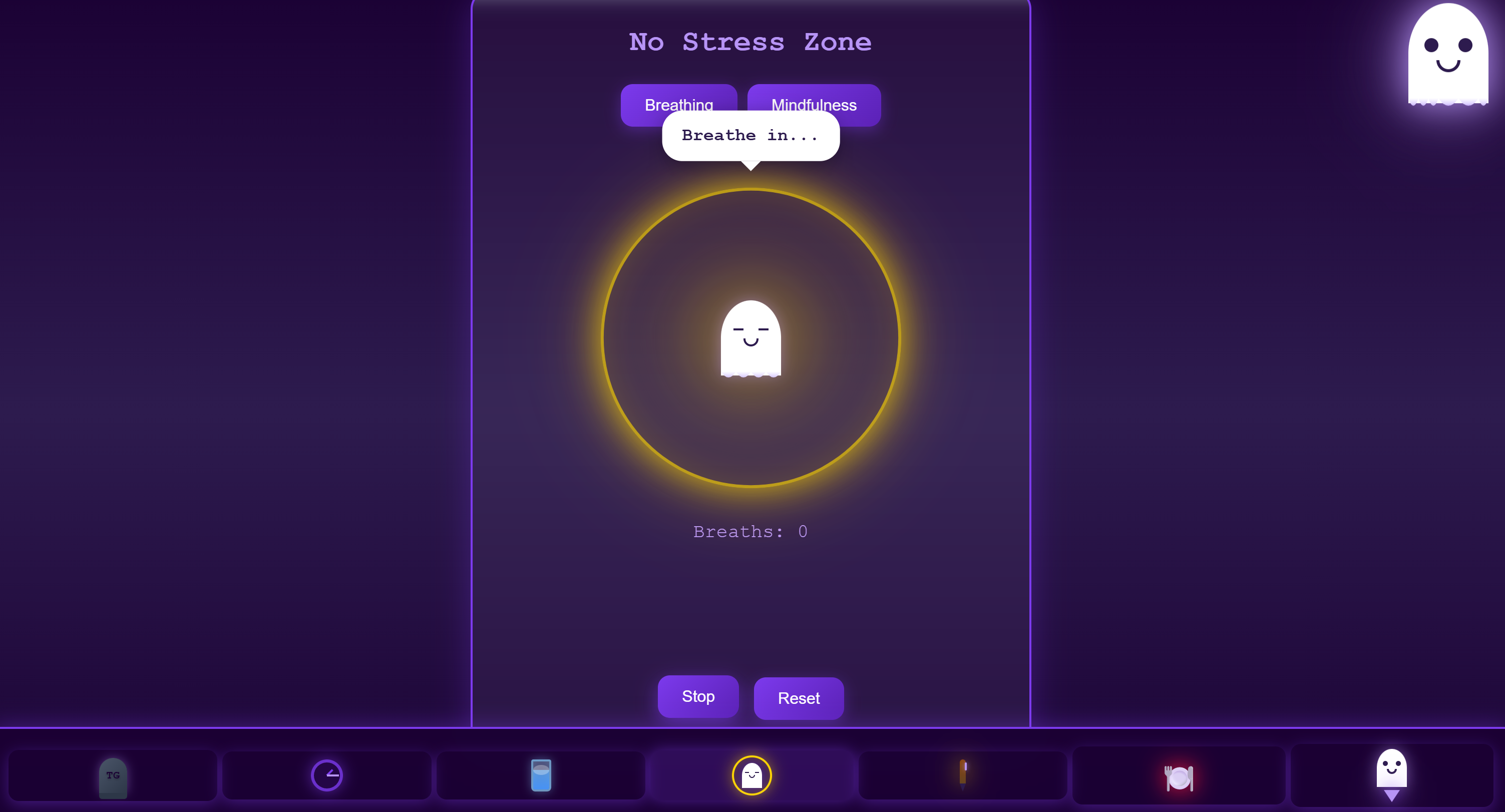
Breathing Exercises On
-
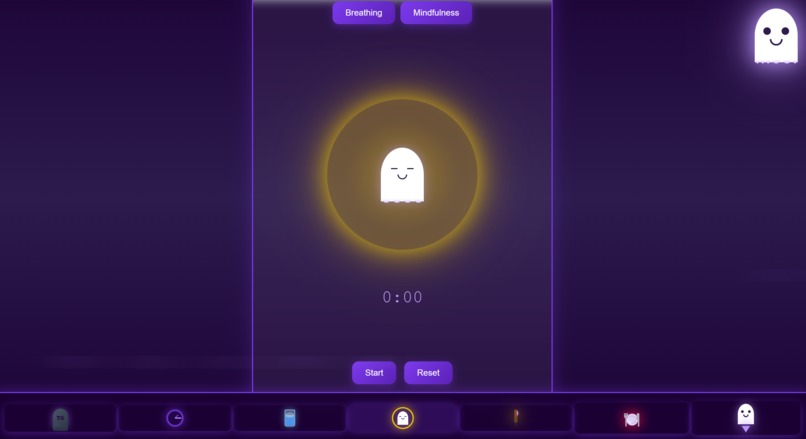
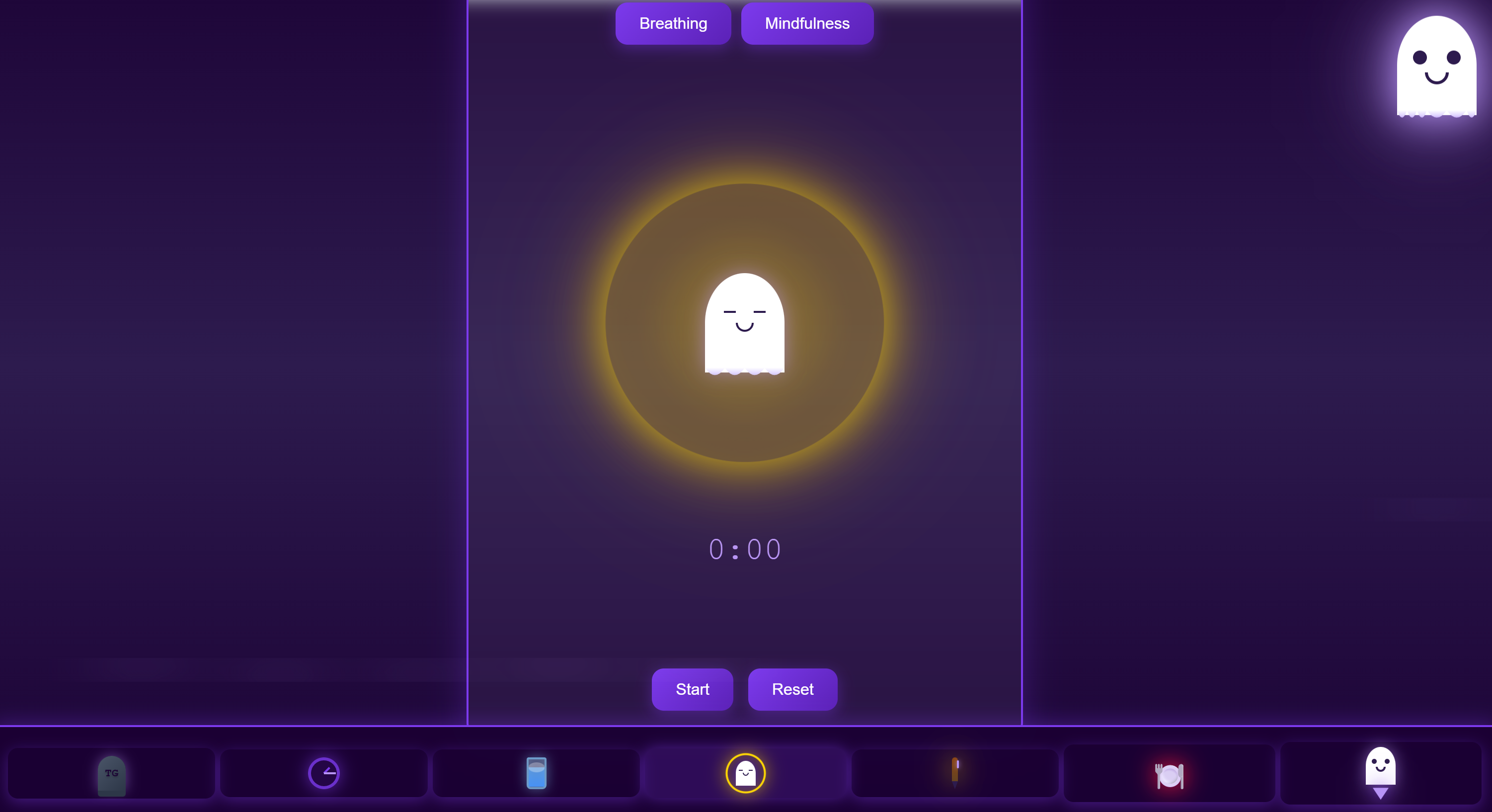
Guided Mindfulness Off
-
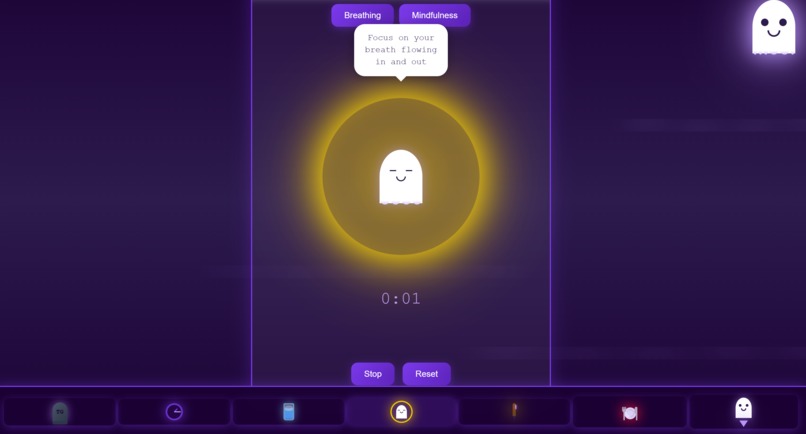
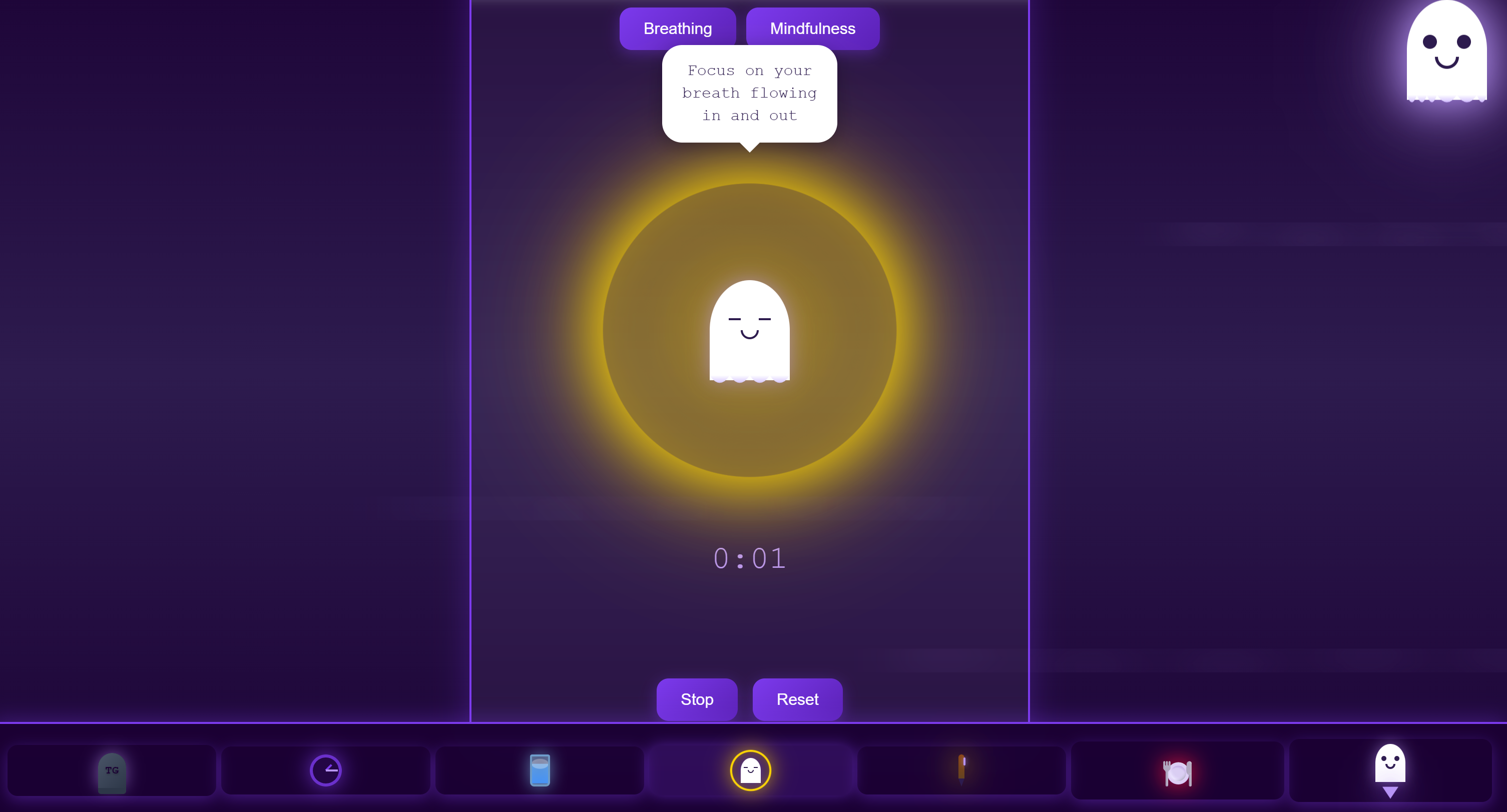
Guided Mindfulness On
-
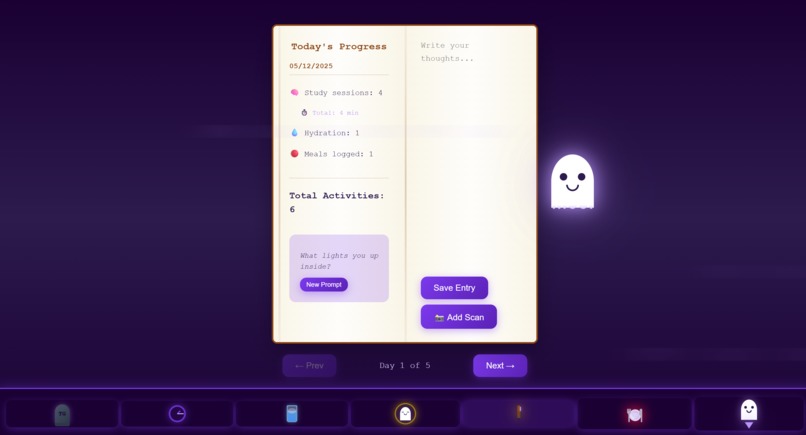
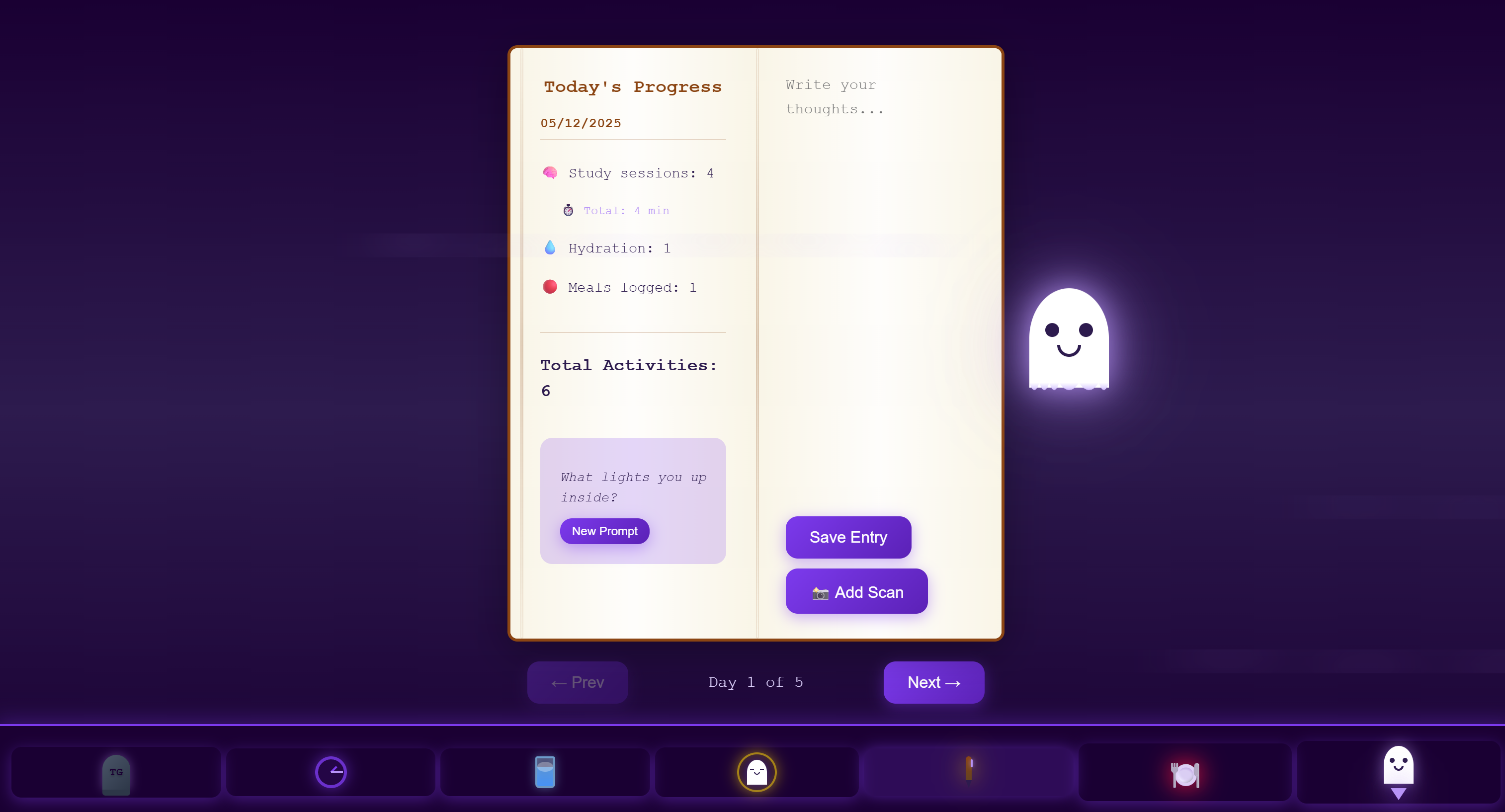
Journal
-
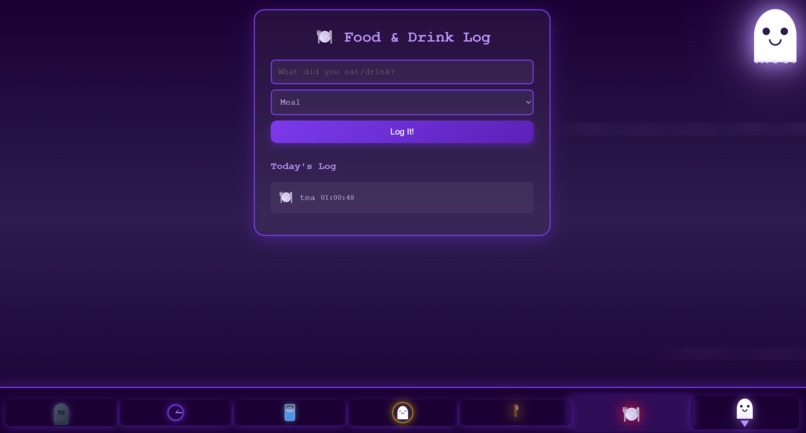
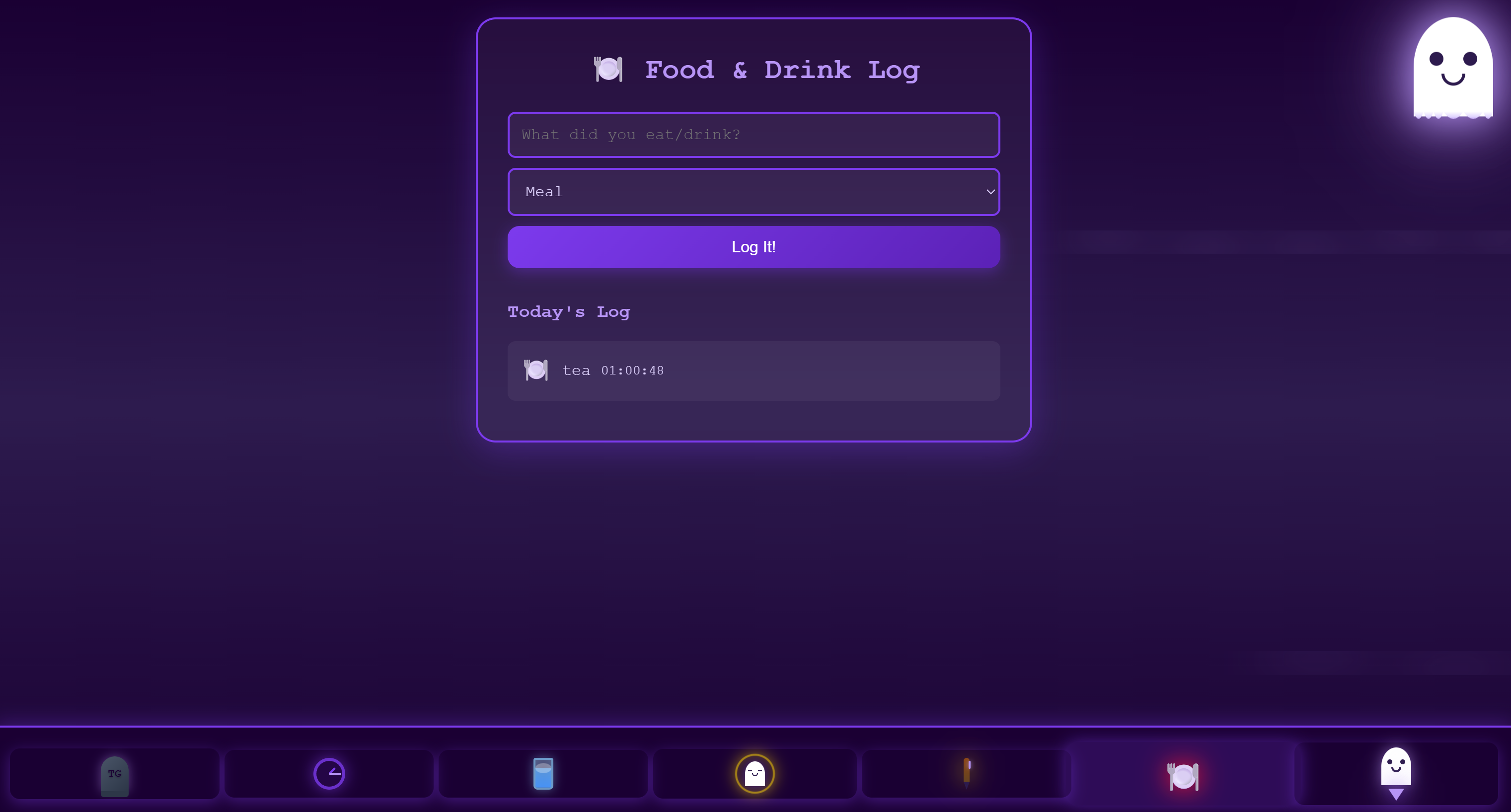
Meal Tracker
Inspiration:
I was inspired to create this project after reading through the Kiroween Hackathon Submission guidelines. As this was my first Hackathon (and first solo Hackathon) I wanted to make sure that I fully understood the entry and judging criteria.
I decided rather arbitrarily that the Resurrection and Costume Contest categories would be the most enjoyable for me, and then spent about a week agonising over what to choose. Originally I had the idea to recreate Flappy Bird but with a more spooky theme, however as I'll be attending The HackSussex GameJam soon, I decided to steer clear of anything video game related.
Why I beleive Tamaghosty fits into three categories:
- 1) Resurrection: This is a more obvious category to argue, as Tamaghosty is simply a re-imagining of Tamagotchi (but with real-world applications relevant to student life).
- 2) Costume Contest: I spent a lot of time on the aesthetics of this app. I love horror movies due to how much detail and how many easter eggs they add into the backgrounds of scenes, and I wanted to emulate this in the Tamaghosty home screen (watch out for strange movements).
- 3) Frankenstein: The idea of re-imagining also plays into the Frankenstein category. Whilst Tamaghosty (the Tamagotchi re-imagining) is still interactive, I joined it with the idea of a self-care and study app as this is generally a combination I don't seem to find. I'm a student, so in my opinion self-care and studying should go hand-in hand. This app combines a re-imagined Tamagotchi (Tamaghosty), a study timer, a hydration tracker, a meal tracker, guided mindfulness and breathing exercises, and a journal with journalling promts.
App Features:
- Home Screen:
- Icon = Tamaghosty grave stone (TG)
- Health bar in the corner that refreshes at 12am
- AI generated art that appears as if it's moving!
- Trails of mist...
- Eyes in the darkness
- Wait, is the Scarecrow moving?
- CSS flying creatures
- Tamaghosty Home Screen Features:
- Tamaghosty glows different colours depending in Health status (1-2 activities = no glow, 3-4 activities = purple glow, 5+ activities = yellow glow)
- Tamaghosty will glow red when annoyed
- Tamaghosty can fall asleep! Tap to wake them up!
- Hitting is a feature I have retained from Tamagotchi (as so many people found it funny), so you can hit Tamaghosty and make them angry (glows red)
- Tamaghosty wants to eat your cursor! (They're just so hungry!)
- Tamaghosty will follow your cursor with hungry eyes (tap screen to stop eye tracking, then tap a second time to re-initiate)
- Tamaghosty Blinks!
- Tamaghosty speaks when interacted with
- Study Zone:
- Icon = glowing CSS clock
- 25, 45 and 60 minute Timers and Stopwatch mode options
- Health bar in the corner that refreshes at 12am
- A cute little Tamaghosty that winks!
- The stopwatch mode records time spent studying, and Tamaghosty tells you how long this was (they're the ultimate cheerleader)
- After stop watch/timer finishes, confetti explodes and you are congratulated!
- Number of study sessions is logged in the journal
- Total time spent studying per day is logged in the journal
- Tamaghosty Features in Stopwatch/Timer mode:
- Tamaghosty listens to music while you study (the best body-double!)
- Mini-tamaghosty falls asleep whilst you study (so they can't distract you)
- Tamaghosty is fed brains after a successful study session (to keep them full)
- Tamaghosty chews on the brains you feed them
- In stopwatch mode you can grow more mini-tamaghosty friends and feed Tamaghosty more brains!
- Hydration Zone:
- Icon = glowing CSS cup of water
- A simple hydration tracker with eight circles to symbolise eight cups of water per day
- The option to set hydration reminders
- Accurate hydration tracking down to the second!
- Hydration is logged in the journal
- For each glass of water logged Tamaghosty gets a drink too!
- No Stress Zone:
- Icon = CSS Mindful Tamaghosty in a glowing yellow circle
- Guided breathing exercises with Tamaghosty (8 deep breaths in total)
- Guided breathing exercises are easy to follow:
- The circle expands and fills with light as Tamaghosty tells you to breathe in
- The circle shrinks and darkens as Tamaghosty tells you to exhale
- This repeats eight times and can be re-played as many times as you want
- Guided minfulness sessions with tamaghosty (as long as you need)
- Guided mindfulness is easy to follow:
- Tamaghosty is sat in a glowing orb of light
- Mindfulness prompts refresh every minute
- The minfulness session can be reset to start fresh
- If the device supports vibration, there will be a gentle buzz as the prompts change (which can be switched off on the device)
- The Journal Zone:
- Icon = glowing CSS pen
- Journal opens to the page with todays date
- Journal sessions are saved from previous days, and a new page is created at 12am
- Journal contents:
- Tracker for number of Study Sessions
- Tracker for total minutes spent studying per day
- Tracker for Hydration
- Tracker for Meals
- Journal prompts
- Journalling area
- Option to upload scans of written journalling instead
- Tamaghosty tells you where to find your uploads in the Journal
- Meal Tracking Zone:
- Icon = glowing emoji plate (sometimes you can't beat a good old emoji)
- A simple meal tracker where The meal can be typed in and number of meals is tracked
- Meal information is saved in the journal
- For each meal tracked Tamaghosty gets fed too!
- Tamaghosty chews when you feed them
- App Download Zone:
- Icon = CSS mini Tamaghosty and download arrow
- Area to download Tamaghosty as a PWA so that your data is saved
Tamaghosty Value:
As a student, I have used my fair share of Study Apps. My current favourites are Forest (growing trees) and Gizmo (a gameified flashcard app). I like that in Forest there is a reward for working (a new tree), that you can look back on all the trees you have planted, and there are sound packages you can 'buy' with coins earnt in the game. With Gizmo I like that it is gameified, as it is interactive and gives extra incentive to keep learning (unlike Quizlet and Anki, which tend to be very basic in design). Popular self-care or mindfulness apps tend to primarily exist behind subscription pay walls (such as Calm), and can be inaccessible on a student budget. The combination of a Self-Care app meets Study tool allows basic student needs to be met in one place. This combined with the nostalgia of a childhood toy will keep you coming back for more!
The Development Process, What Worked and What Did Not:
What I learnt through development:
So, I've never worked with CSS, Javascript or React before (the closest I've come is pretending that Java is the same as Javascript, to wind people up). I'm a Biology Student who's interested in tech, so originally I thought that coding in R, Python and a bit of C++ would be good enough. I realised the error of my ways very quickly. Getting familiar with Javascript was a steep learning curve, as visually it looks so different to R, Python and C++. However, this project and using Kiro for explanations has really helped me to understand how Javascript is implemented.
As most people Hackathon newbies, I planned my initial design poorly and I was far too ambitious. After a few minutes of struggle I took myself back to the drawing board (literally) and laid out my initial ideas on paper before summarising them on my laptop. I then broke down each section of the app and decided which aspects to prioritise, before taking my ideas to Kiro.
What worked:
Kiro was great for getting the initial ball rolling. I was able to lay out my ideas and time frame, and Kiro was able to suggest feasible alternatives.
- Initial Vibe coding: I was blown away by how fast Kiro was able to create the project skeleton (which made me regret not chosing the Skeleton Code Category), whilst many aspects of the App did not yet function, the basic UI was there.
- Kiro Hooks that were super helpful:
- On file create (helpful for boilerplate code)
- Manual triggers:
- Explain how this element functions
- Explain why this code block is important
- Add comments for each file so that I can learn better
- Update Development notes
- Also helpful for debugging and explaining bugs
- Steering: Initially I forgot to create steering docs, Kiro kept changing my code without permission, and I kept getting frustrated. Then, I remembered why these were so important (typical newbie error) and implemented steering. After steering was implemented I was in complete control again, and didn't need to take frequent breaks to decompress (ironic for a self-care App).
- MCPs: Again, like with steering this was something I did not fully utilise until part way through (although for a different reason). Initially I thought I had configured the MCP servers, I later found out this was either not the case or they had been de-configured. This was most helpful with fixing the cursor tracking element of Tamaghosty, as I ran into a lot of errors that Kiro could not explain nor fix. (Thank you Josh Comeau for your helpful explanations of mouse tracking with visual elements.) ### What did not work:
- I gave up on my idea of generating CSS backgrounds that could be interacted with by both the users and Tamaghosty. In my head the idea of Tamaghosty flying around the library and interacting with books sounded great, in practice this would have had to be an animation sequence that I simply did not have time for.
- I also gave up on my idea of Tamaghosty being a 3D sprite. I really wanted to create tamaghosty in CSS (and avoid Blender), however I struggled to make tamaghosty into the 3D character I had envisioned. In the end I ended up altering the 2D Tamaghosty manually, because Kiro appeared to struggle with enacting exact changes in visual elements.
- Initially I wanted Tamaghosty to physically follow the cursor around on the home page, however I preferred the eagerness of just their eyes following the cursor instead, so I removed this element from my plan.
- Facilitating the growing Tamaghosty idea in stopwatch mode was a struggle, as initially they would stack on top of each other and not appear until the stopwatch had finished.
### What I would do differently next time:
Practice is key. This was my first time using these languages, so I struggled to check through code that Kiro could not fix. I ended up looking up a lot of the problems I had and feeding them back for Kiro to explain (which often didn't help if Kiro could not find the error), and when this failed I resorted to asking GitHub copilot. Having a more functional knowledge of the language would have been beneficial, and I definitely have a far greater knowledge of Javascript than I did before I started making Tamaghosty.
Next time I would make more use of MCPs and implement steering earlier, to avoid set-backs.
There are so many more things I could add to this project which I cannot due to time constraints, such as:
- Sound effects (for Tamaghosty, page flicking in the journal, etc) and music (creepy background music, music options for studying and mindfulness, etc)
- Music options for the Study Zone (rain sounds, thunder, cafe ambiance, jazz, etc)
- A flash card and spaced repitition area within the Study Zone
- A calendar in the Study Zone to track what subjects/topics you have studied and when
- Meditation and mindfulness music for the No Stress Zone
- Movement of Tamaghosty in the library
- Increased security
- Account creation
- Leaderboard stats
- Hydration tracking by taking a picture of your water (requires an ML model)
- Better Tamaghosty eating graphics
- Including the poo pick-up element from the original Tamagotchi (which I definitely enjoyed when I was younger) on the App home screen
How I used Kiro to create Tamaghosty:
Conversation structure:
- I structured conversations through short in-depth commands/questions
- I found that Kiro would often say "Understood" and then not actually respond, which required repetitive requests until Kiro responded.
- The generation of a new conversation (after conversation grew too long), would often happen mid way through a response, and lead to the build up of incomplete or repeated code-blocks. This is an issue that should be solved in Kiro (i.e. Kiro should finish a response before starting a new conversation, or not commit to a response until a new conversation has started)
- Steering docs help in a very limited capacity in an overall project.
- Check points were helpful to immediately remove a fix that did not work, but appear somewhat inaccessible for individuals who may be visually impaired (too small, not labelled by the change made, colour too similar to the background)
### Agent hooks:
- Described above in the "What worked" section ### Spec-driven development:
- I did not implement this enough in the beginning, however creating a logical decision point workflow was helpful and I would implement this more if I were to expand on this project further.
### Steering docs:
- Described above in the "What worked" section ### MCP:
- Described above in the "What worked" section
Built With
- and-then-spent-about-a-week-agonising-over-what-to-choose.-originally-i-had-the-idea-to-recreate-flappy-bird-but-with-a-more-spooky-theme
- css
- however-as-i'll-be-attending-the-hacksussex-gamejam-soon
- javascript
- kiro
- react


Log in or sign up for Devpost to join the conversation.