-
-
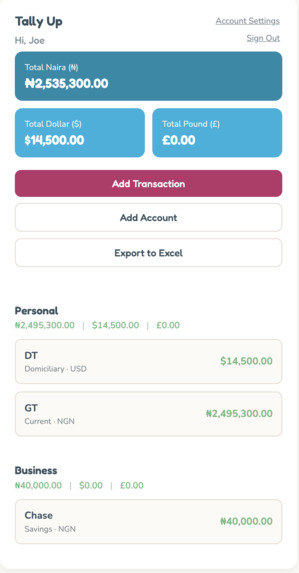
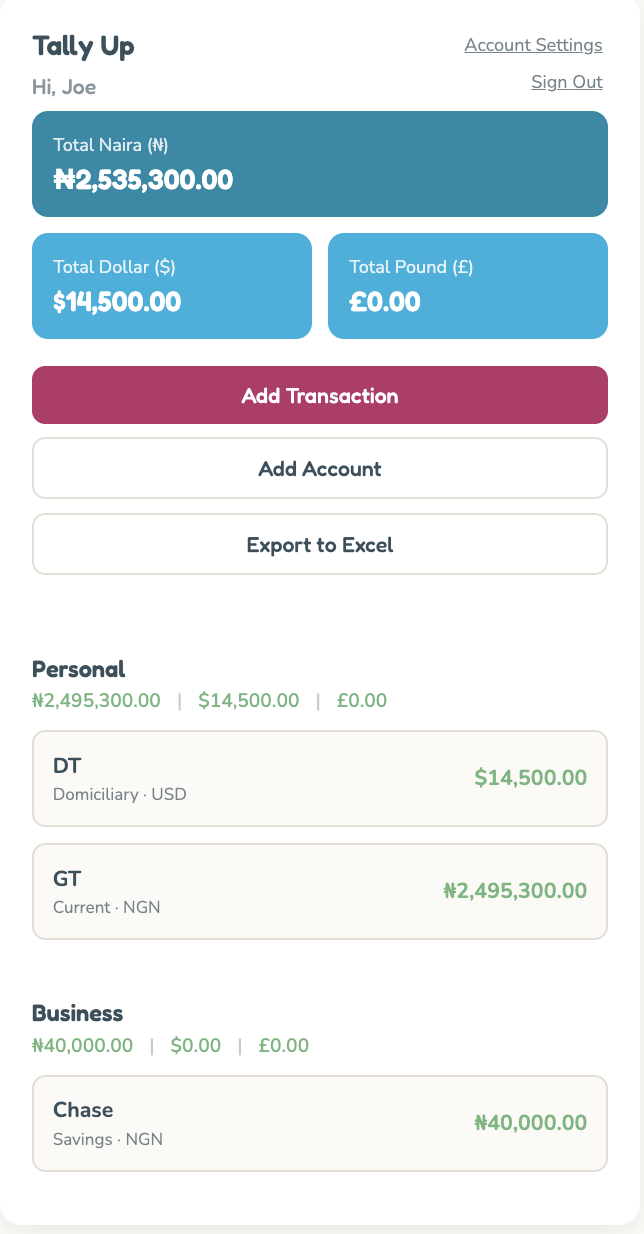
Tally Up Dashboard/Home
-
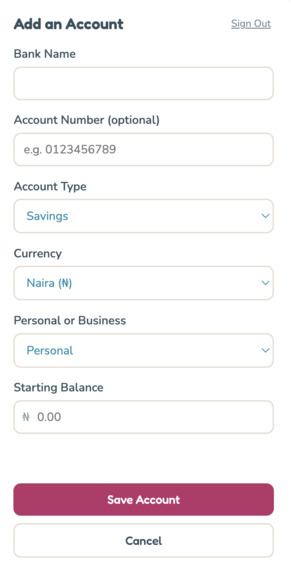
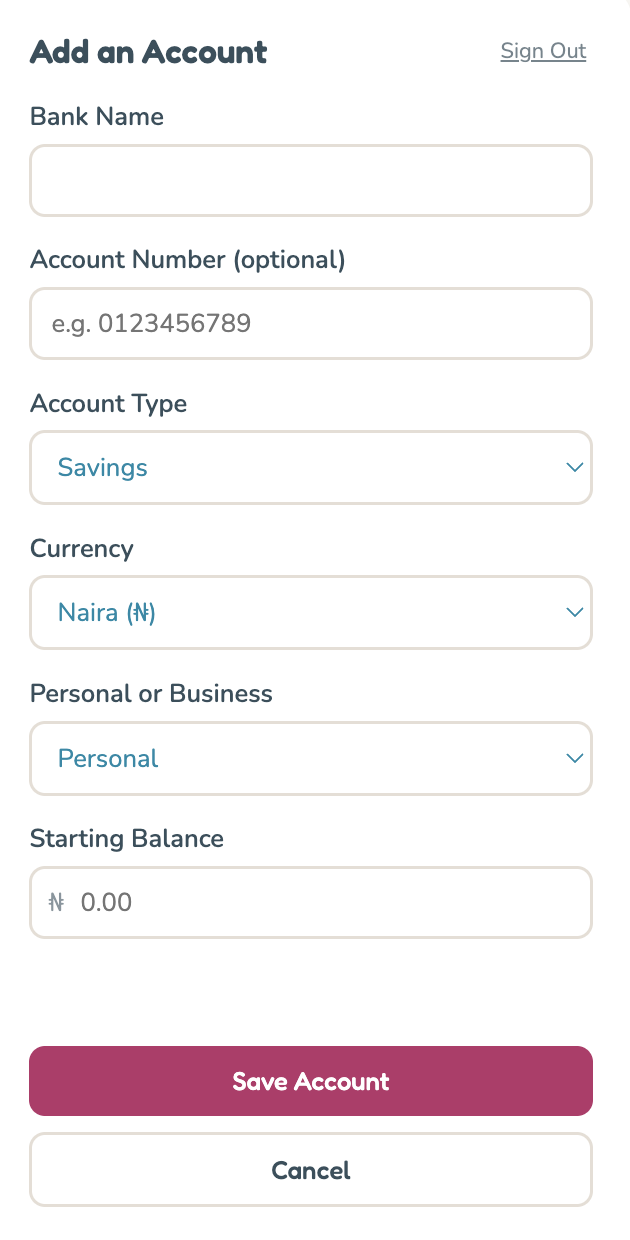
Adding a bank account in Tally Up
-
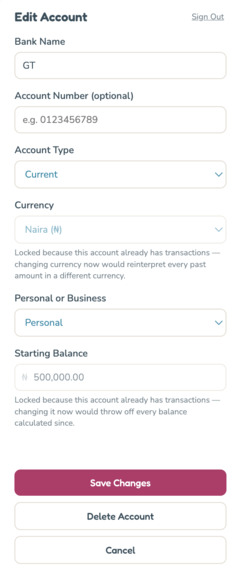
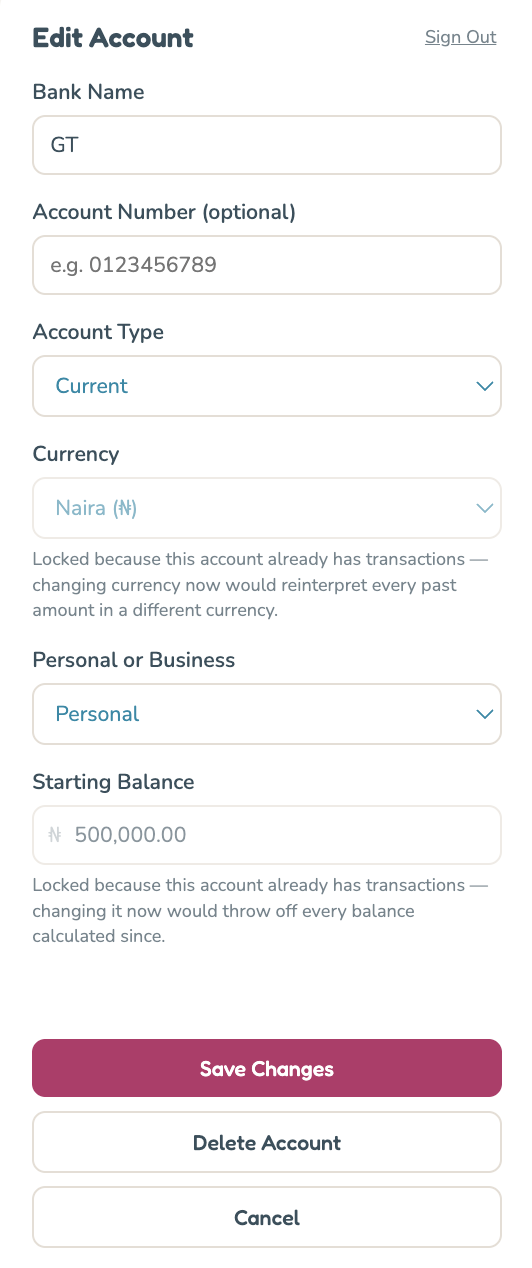
Editing bank account details in Tally Up
-
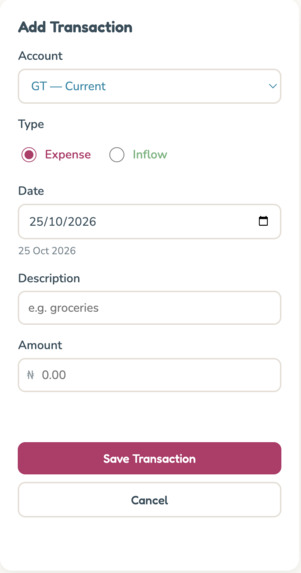
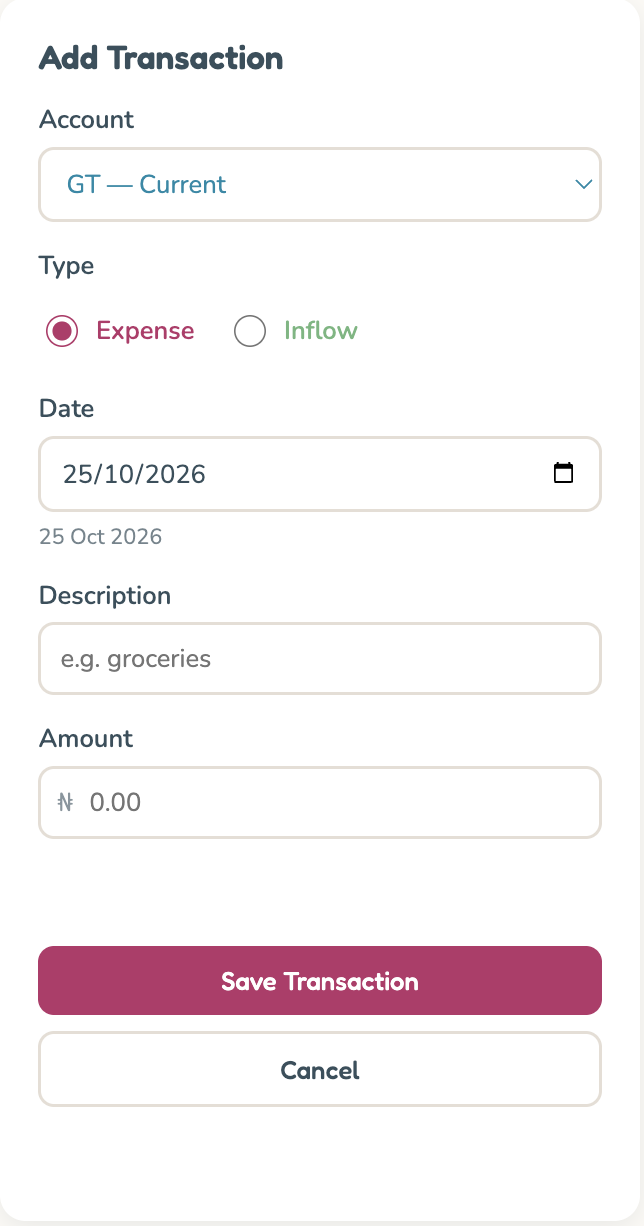
Adding an expense or inflow in Tally Up
-
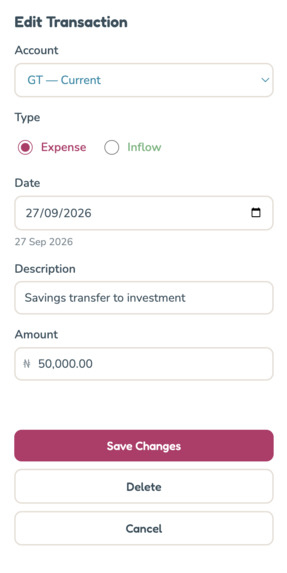
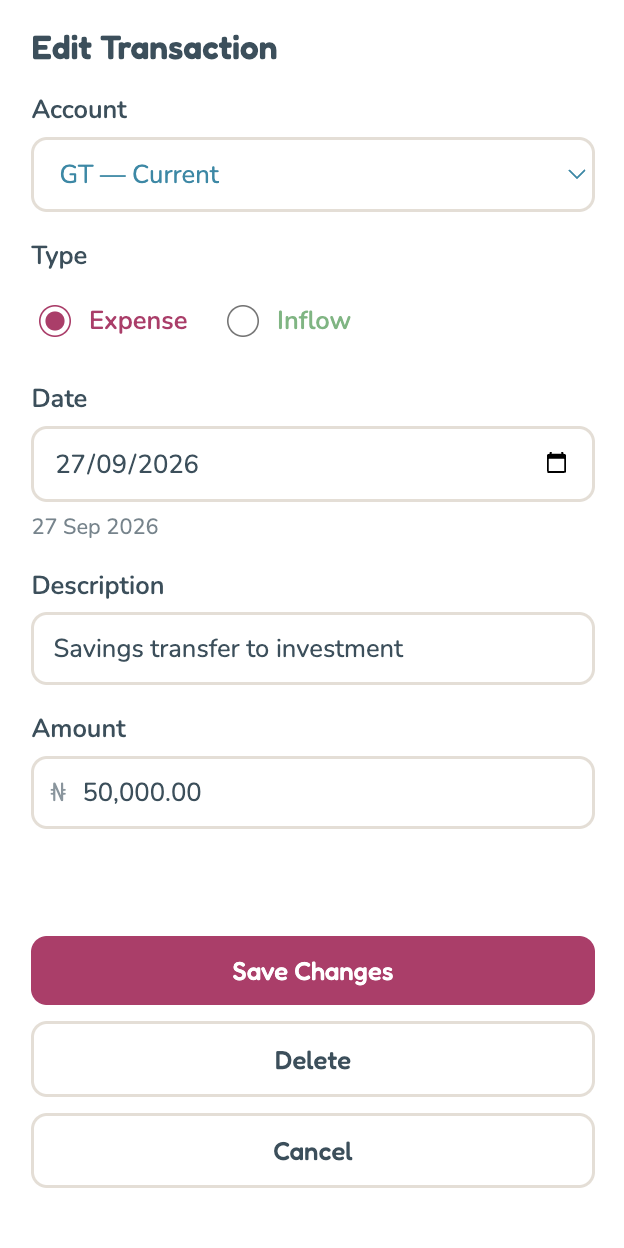
Editing/Amending transactions details in Tally Up
-
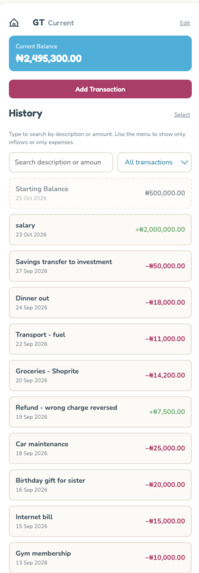
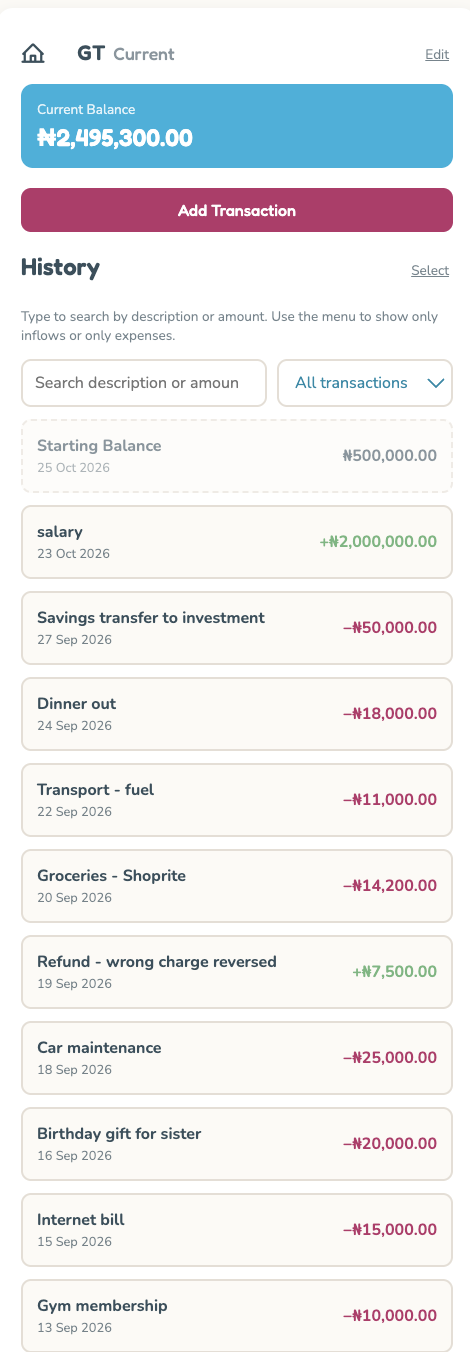
viewing transactions of a bank account (inflows and expenses)
Inspiration
For over 20 years I have been tracking my expenses with excel workbooks. It is something that gives me peace of mind. I enjoy tallying up/balancing my accounts and matching my tally with what is actually in my bank account.
However I always had to do this on my laptop and if I missed a day or a few days, I would end up with a backlog which was just so frustrating! I just wanted a simple way to achieve making the entries quickly and simply on my phone
I tried using a Google sheets. I tried creating shortcuts to a sheet in Numbers there was just too much friction.
I knew I needed some sort of app, but all the apps I tried were too complicated. I didn’t need categories, graphs, or any of those extra features. I just needed something simple that would allow me to enter my expenses on the go, directly from my mobile phone, with no fluff, no mess, and no fuss.
What it does
Tally Up enables the user to simply track personal (and or business) expenses on the go from their mobile phone. It give a running tally of all accounts totals on dashboard in different currencies where applicable.
How I Built the Project
Using the provided skills, we (Claude Code and I) started with planning and scoping. I knew I wanted a web app, I wanted it to be very simple, and I wanted to be able to edit it without having to rely on Claude Code for every change.
We then worked on the technical architecture. The idea was to have a database to store all the information and use simple HTML for the interface.
The app runs in the browser, where the account balances are calculated, while the data is stored in a Supabase database. Supabase handles the users, bank accounts, and transactions.
The balances are recalculated whenever a user logs in, so they remain consistent with the underlying transaction data and do not go out of sync.
Once we had the basic structure in place, we moved on to testing and refining the app. This involved improving the design, addressing technical issues, and adding features that made the app easier to navigate and use.
The process was iterative. We would build something, test it, identify what was missing or broken, and then make the necessary changes.
Challenges I Faced
1. Design and User Interface
I am not good at designe so one of my major challenges was deciding how the app should look. I had to think about typography, colour schemes, and design palettes. I wanted something simple and functional, but it also had to look good and be easy to use.
Testing also revealed that some important user interface elements were missing. I needed to a menu, a home icon/ back button, a way to sign in and sign out, and a way to greet the user etc
2. User and Database Management
I had to figure out how to create users, delete users, and ensure that when a user was deleted, all their associated data was also deleted.
This required thinking through how user information and related records were stored and managed in Supabase, as well as ensuring that the deletion process worked as intended.
3. Exporting Data to Excel
I am still attached to Excel, so I wanted to be able to export my transactions into a spreadsheet. I also wanted to be able to import existing (historical) transactions so I am not starting from scratch.
However, I ran into issues with date conversion for the import template and for the export. When I exported the data, the date format was not correct, which affected how I could sort and search the records in the excel spreadsheet
We had to figure out what was causing the problem and establish a rule to ensure the dates were formatted correctly.
4. Handling Different Account Types
I also had to create specific behaviours in the app. For example, when a particular type of account was selected, certain options needed to be greyed out.
These were some of the details I had not considered at the beginning but that became apparent during testing.
5. Testing and Usability
The more I tested the app, the more things I discovered that needed to be fixed or improved. It was like a slippery slope to scope creep!!
I had to keep asking myself: Is this intuitive? Is it user-friendly? Can someone navigate it without getting confused?
Testing helped me identify missing features, unexpected behaviour, and areas where the user experience could be improved.
What I Learnt
One of the biggest things I learnt during this Hackathon project was that when building apps with AI, you have to be detailed and have a process. It’s not just about telling the AI what to do and expecting it to work.
The flipped interaction was a game changer. Having Claude code ask me questions made me think more deeply about what I actually needed and wanted. How simple did I want the app to be? What features were necessary? How complicated did I want it to get?
That process helped me flesh out my initial idea because, before then, I had not fully thought through all the details.
I also learnt that building with AI involves much more than prompting. You need to plan, scope, test, and refine. You have to think through the requirements, make decisions, and understand what you are trying to build.
Another important lesson was that testing reveals things you might never have considered during the planning stage. And that you must plan and batch your GitHub commits else you will run out of Netlify free credits!!!!
My biggest takeaway was that you no plan survives the first encounter with the enemy lol and it is not possible to plan for everything. Sometimes, you only realise what is missing when you start using what you have built.
Accomplishments that we're proud of
I was able to get from just an idea to a working product that I can use and I learnt a lot along the way
What's next for Tally Up
To delete all the demo data and start using it for myself! Also to work on the additional features that were beyond the scope of the hackathon

Log in or sign up for Devpost to join the conversation.