-
Example
-
Example2
Inspiration
I built Tally because personal budgeting often feels more complicated than the spending problem it is supposed to solve.
Many budget apps ask for bank logins, accounts, syncing, categories, charts, alerts, and dashboards before they answer the one question people actually open the app for: how much can I still spend this month?
Tally starts from that question. It is designed for people who want a calm, private, and direct way to understand their money without connecting a bank account or learning a full finance system. The product idea is simple: give every spending category its own envelope, let the user log expenses quickly, and keep the remaining amount visible at all times.
The goal was to make budgeting feel less like surveillance and more like clarity.
What Tally does
Tally is a local first envelope budgeting app that helps users know exactly where their money goes.
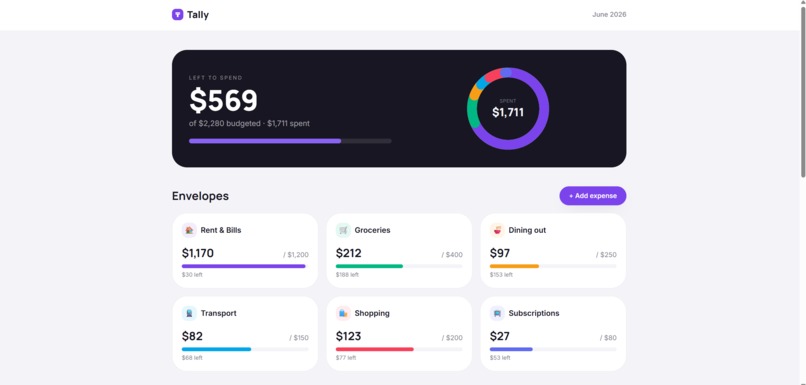
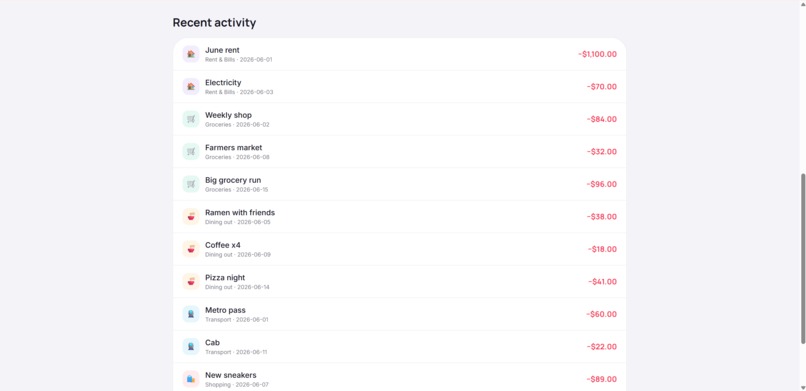
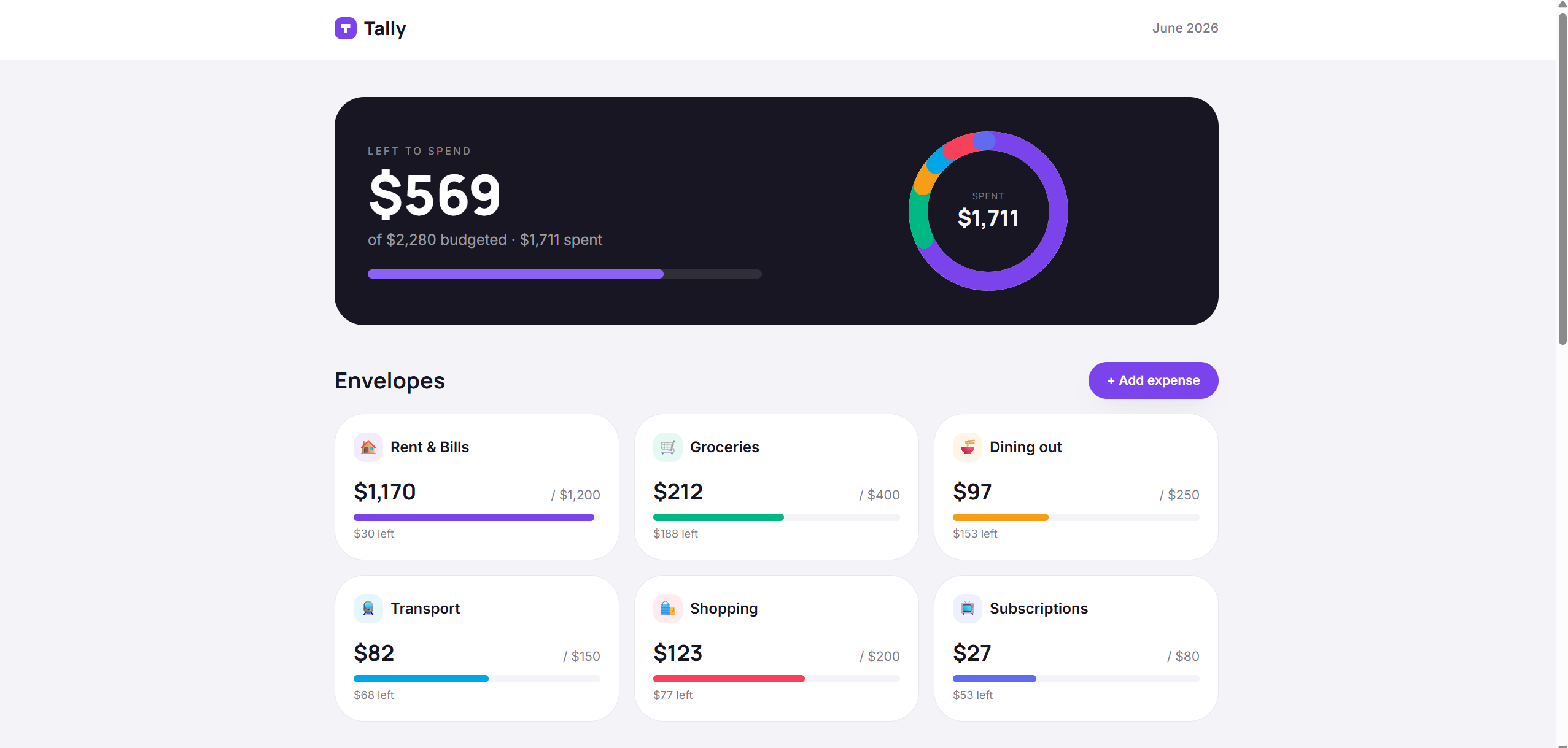
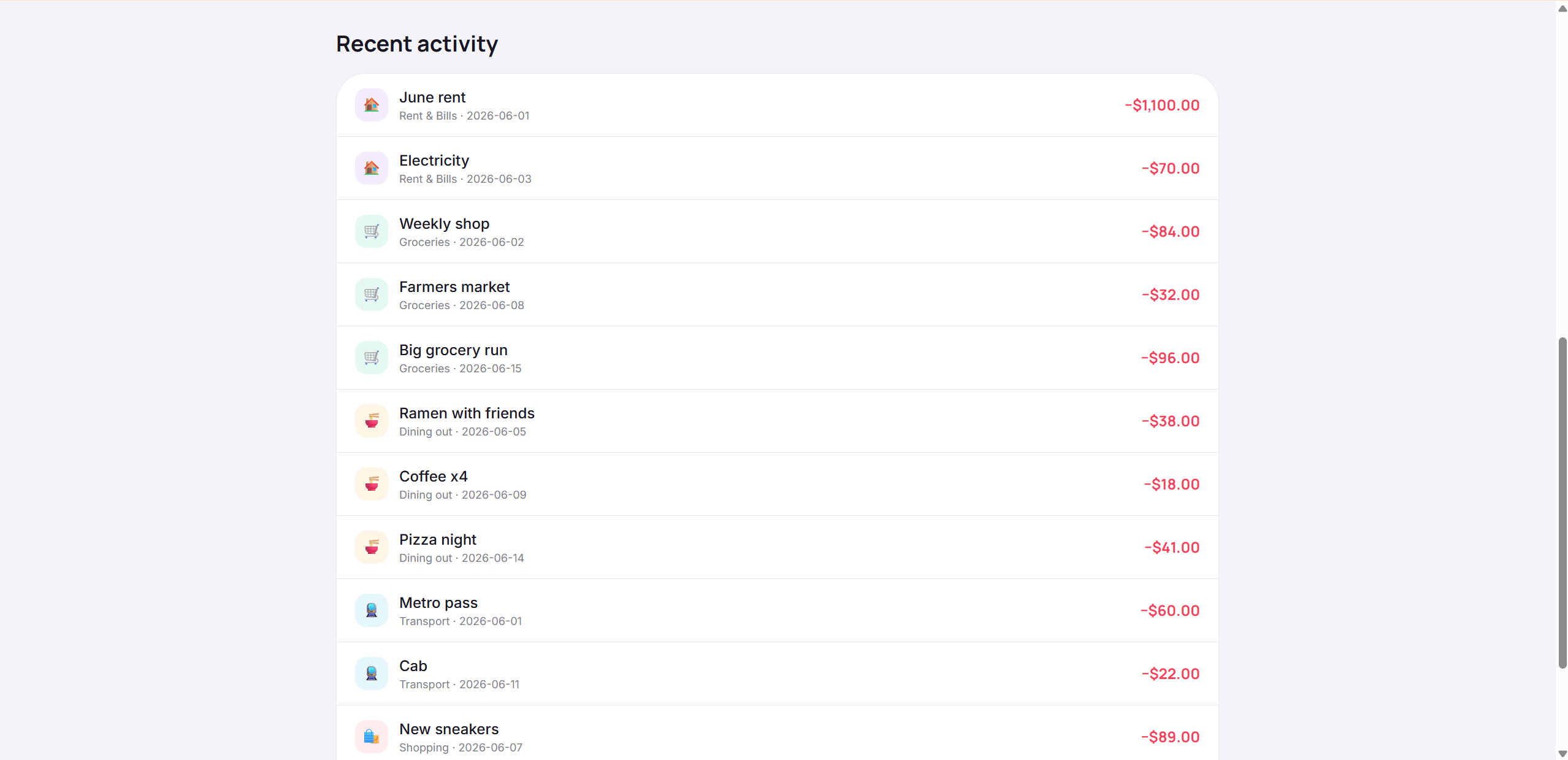
Users set monthly budgets for envelopes such as rent, groceries, dining, transport, shopping, and subscriptions. When they add an expense, Tally updates the dashboard instantly. The main screen shows the amount left to spend, the total budget, the total spent, a live spending donut, recent activity, and a progress bar for each envelope.
Each envelope acts like a small financial boundary. As the user spends, Tally compares actual spending with the budget for that category. When a category goes over budget, the progress indicator turns red and the app shows the overage clearly. This gives the user immediate feedback without requiring any external financial data.
The core product promise is direct: open the app, add what you spent, and know what is still safe to spend.
How it works
Under the interface, Tally uses a small client side budgeting engine.
The app stores two main types of data in the browser: budget envelopes and transactions. Each envelope has a budget, label, icon, and color. Each transaction has an amount, description, category, date, and generated id.
When a user adds an expense, Tally saves the transaction locally, groups spending by category, recalculates total spending, and updates every visible metric.
The main budget logic can be described as:
$$ remaining = \sum budget_i - \sum expense_j $$
For each envelope, the app calculates:
$$ spent_i = \sum_{t \in category_i} amount_t $$
Then the category progress is computed as:
$$ progress_i = \frac{spent_i}{budget_i} $$
This simple model makes the product feel instant. A new transaction flows through the local store, the category aggregation, the remaining balance, the warning state, and the donut chart in one interaction.
The spending donut is also built manually with SVG. Instead of relying on a charting library, Tally converts each category share into a circular segment. That gave me more control over the visual design and kept the app lightweight.
How I built it
Tally was built as a static React web app.
I used React for the interface, Vite for fast development and production builds, Tailwind CSS for styling, and localStorage for private browser persistence. The app does not need a backend, a database server, or a login system. Everything runs on the client.
The architecture is intentionally small and clear:
User adds an expense. The app creates a transaction record. The state is saved into localStorage. The spending engine groups expenses by envelope. The totals engine recalculates budget, spent, and remaining. The UI renders the left to spend hero, envelope progress bars, recent activity, and SVG donut.
This structure makes Tally feel like a real product while keeping it simple enough to trust.
Challenges
The biggest challenge was making a finance tool feel calm.
Budgeting apps can easily become intimidating. Too many charts and alerts make users feel like they are being judged. I wanted Tally to show only the signals that matter: what was budgeted, what was spent, what is left, and where the money went.
Another challenge was getting the derived calculations right. A budget app is only useful when the numbers feel reliable. Every new expense has to update the total spent, remaining balance, category progress, over budget state, donut chart, and recent activity at the same time.
The SVG donut also required careful thinking. Each category needs to become a proportional slice, and each slice needs a correct stroke length and offset. It was a small visual detail, but it made the dashboard feel more polished and more alive.
The last challenge was privacy. I wanted Tally to work without asking for sensitive financial access. That meant designing the app around local browser storage and making the product valuable without bank integration.
What I learned
Building Tally taught me that strong product design often comes from removing friction.
A budget tracker does not need to start with bank connections. It can start with a clear mental model, a fast input flow, and a reliable calculation engine. Once the user can see the money left to spend, the app already creates value.
I also learned how important derived state is in a data driven interface. The raw input is just a list of transactions. The real product comes from the calculations built on top of that list: category spending, remaining balance, progress ratios, warning states, and visual summaries.
On the engineering side, I learned how to keep a React app lightweight while still making it feel complete. Local persistence, SVG visualization, state derived metrics, and a polished interface can go a long way when they are designed around one focused user problem.
What is next
The next version of Tally could add editable envelopes, recurring expenses, monthly reset logic, CSV export, income tracking, spending trends, budget templates, mobile PWA support, and optional encrypted sync across devices.
The long term vision is to make Tally a calm personal finance tool for people who want clarity without giving up privacy. The product should stay lightweight, fast, and honest: no bank login required, no hidden data collection, just a clean answer to the question that matters most this month.
Built With
- css
- github
- html
- javascript
- localstorage
- manrope
- react-19
- svg
- tailwind-css-3
- vite-8

Log in or sign up for Devpost to join the conversation.