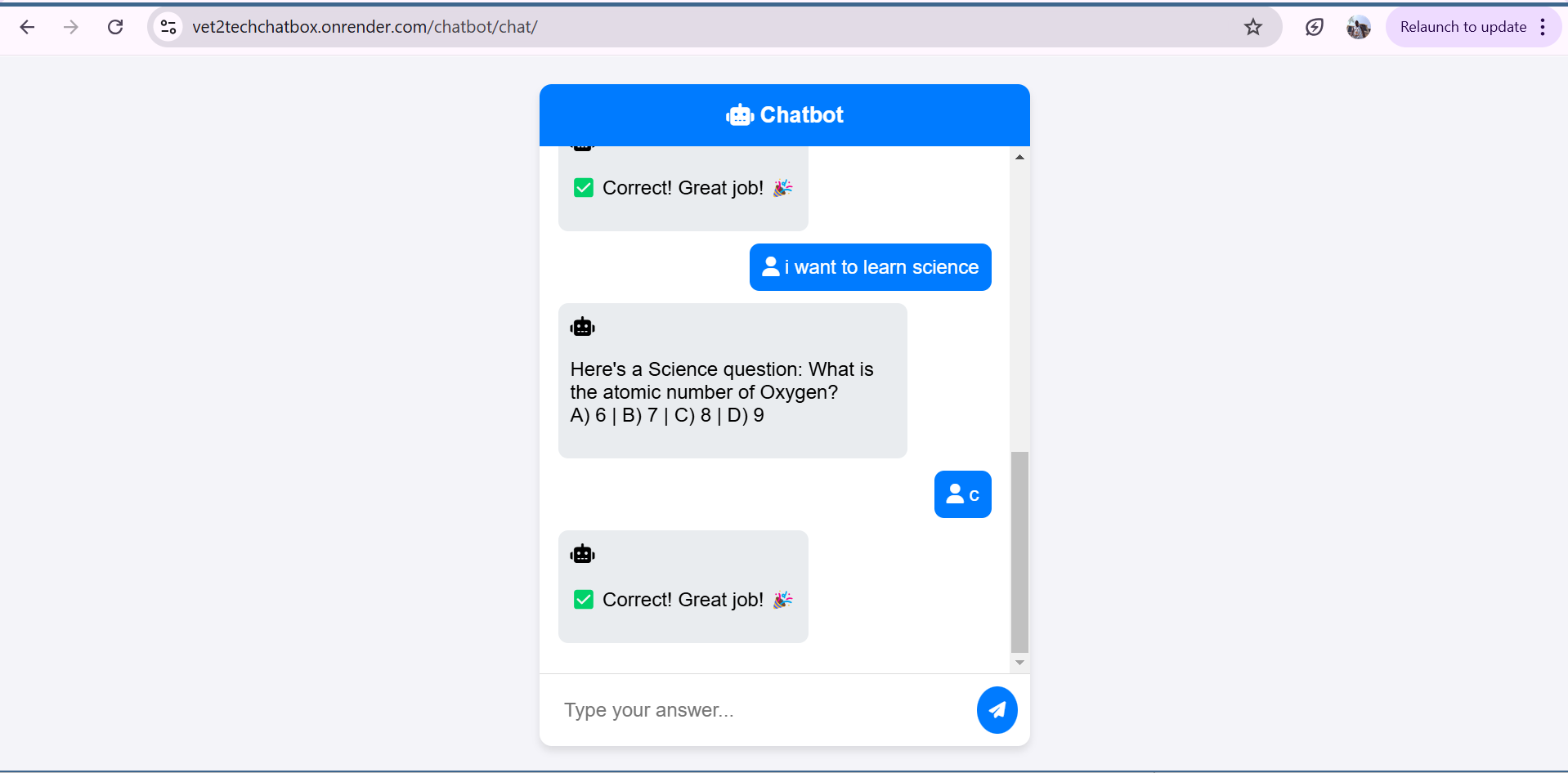
Vet2Tech Chatbot
Inspiration
Often in healthcare and veterinary services, professionals need quick access to information but may struggle with navigating complex systems. We saw a need for an AI-powered chatbot to assist users in finding relevant resources, answering common queries, and streamlining workflows. Thus, the Vet2Tech Chatbot was born.
What It Does
Vet2Tech Chatbot provides real-time assistance by answering user queries related to veterinary and technical topics. The chatbot leverages natural language processing (NLP) to understand user intent and respond accordingly. Key features include:
- Answering FAQs about veterinary procedures and technologies
- Providing quick access to medical guidelines
- Directing users to relevant resources
- Supporting conversational interactions with an intuitive UI
How We Built It
Vet2Tech Chatbot is powered by a Django backend with a Google Firebase integration for data storage. We use Gunicorn to serve the application and deploy it on Render.com. Key technologies:
- Python & Django: Backend API and chatbot logic
- Google Firebase: Real-time database for storing queries
- Gunicorn: WSGI server for deployment
- BetterDoctor API: Provides external healthcare-related information
Challenges We Ran Into
- Setting up Django with Gunicorn and deployment on Render
- Configuring URL routing to avoid 404 errors
- Ensuring real-time chatbot responses with low latency
Accomplishments We're Proud Of
- Successfully deploying a fully functional chatbot on Render
- Implementing an intuitive user experience
- Handling real-time queries efficiently
What We Learned
- Setting up Django applications for production
- Managing API calls and database interactions
- Deploying a scalable web service
Future Plans
We plan to enhance Vet2Tech Chatbot by:
- Integrating machine learning models for better response accuracy
- Supporting multiple languages
- Adding voice command support
Built With
- Django & Python
- Google Firebase
- Gunicorn
- BetterDoctor API
- Render.com


Log in or sign up for Devpost to join the conversation.