-
-
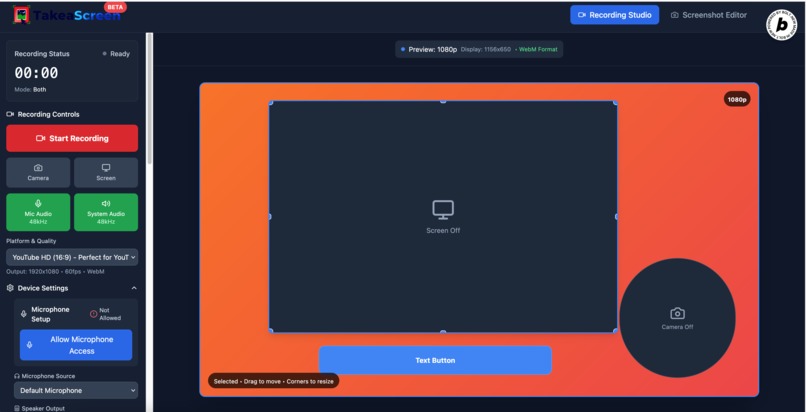
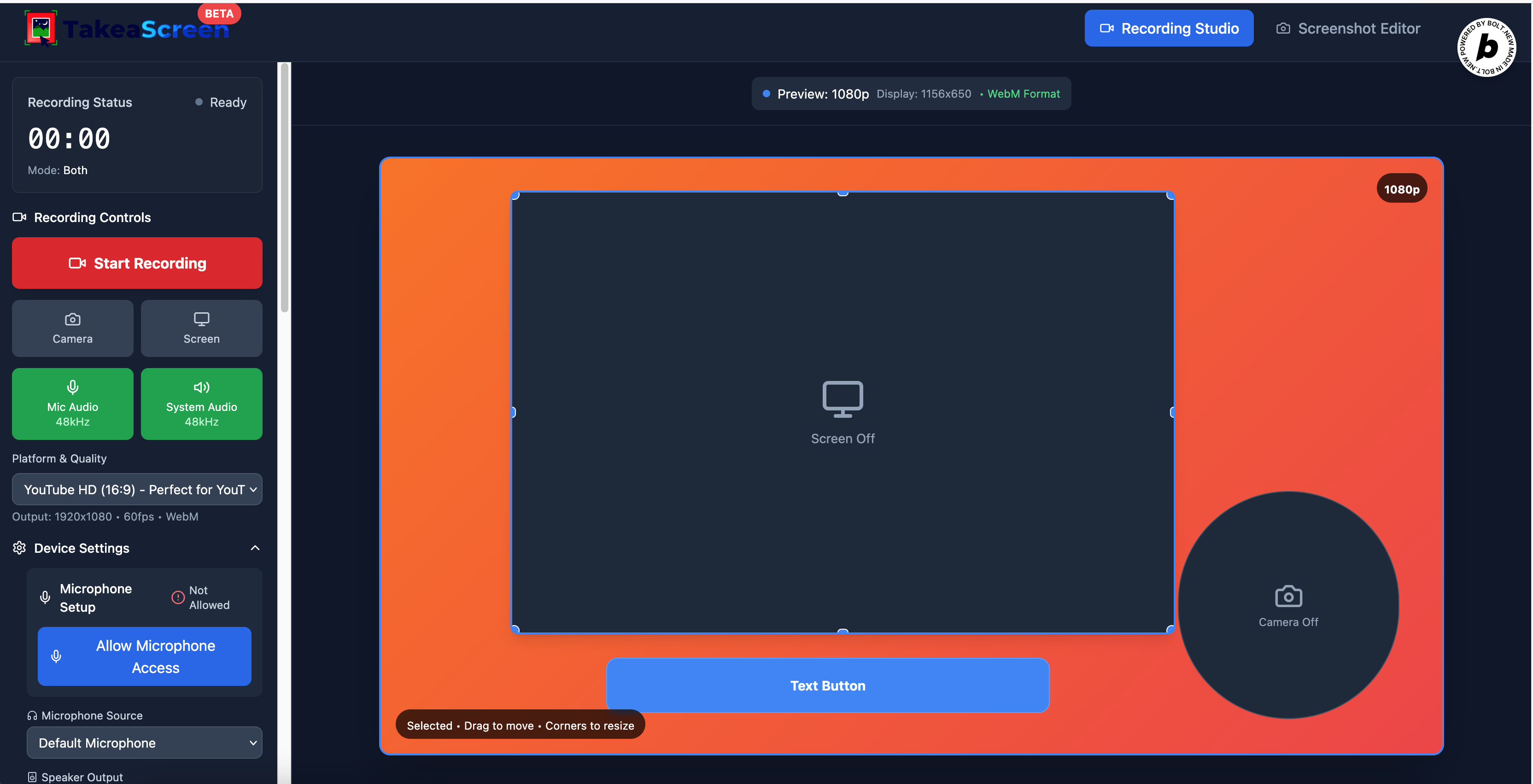
controll your video canva :)
-
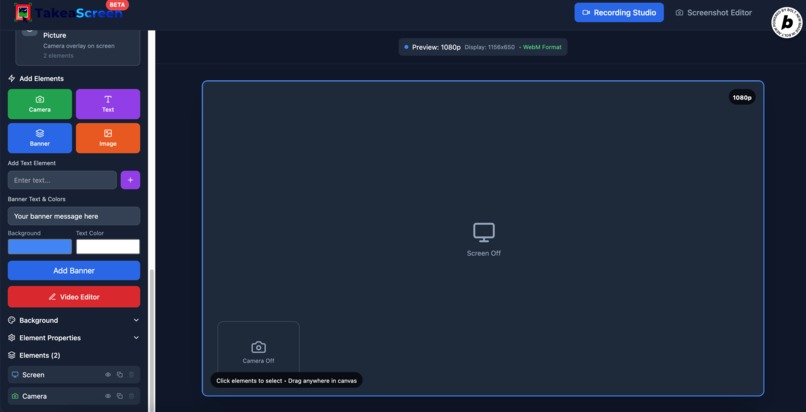
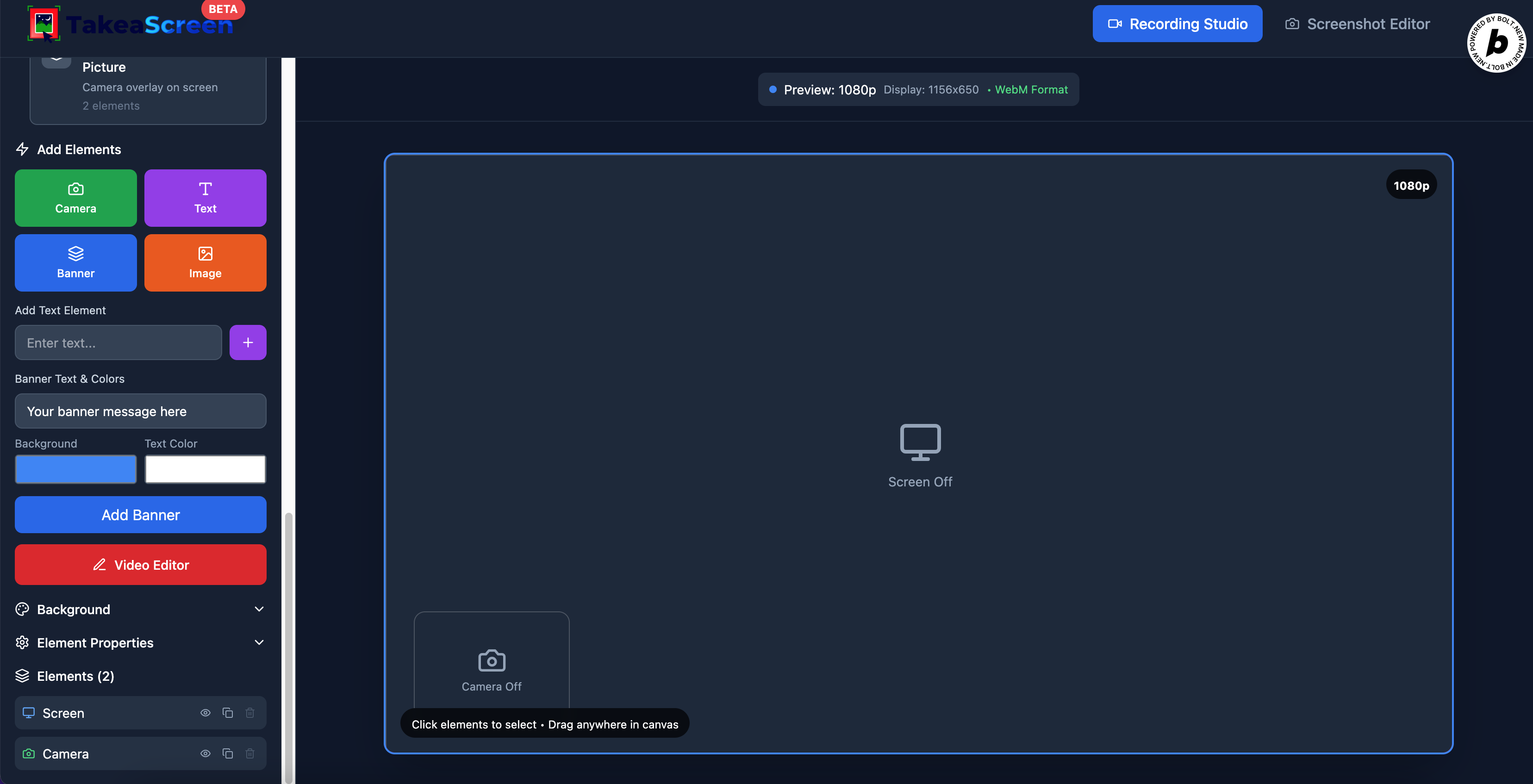
Multi layouts
-
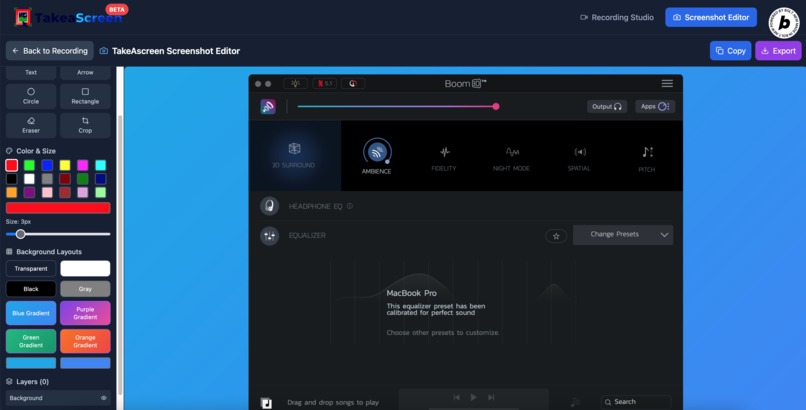
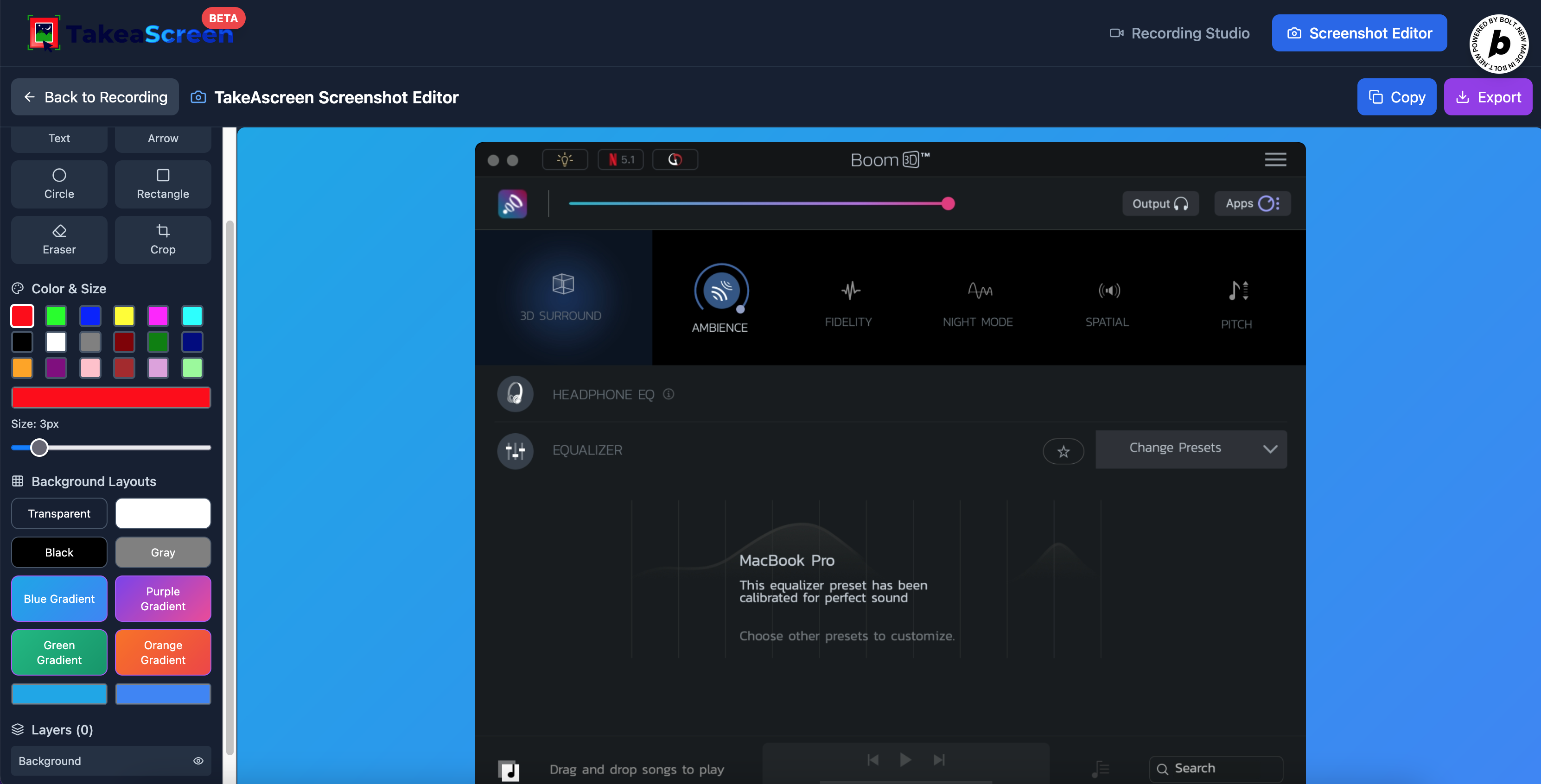
multi background etc
-
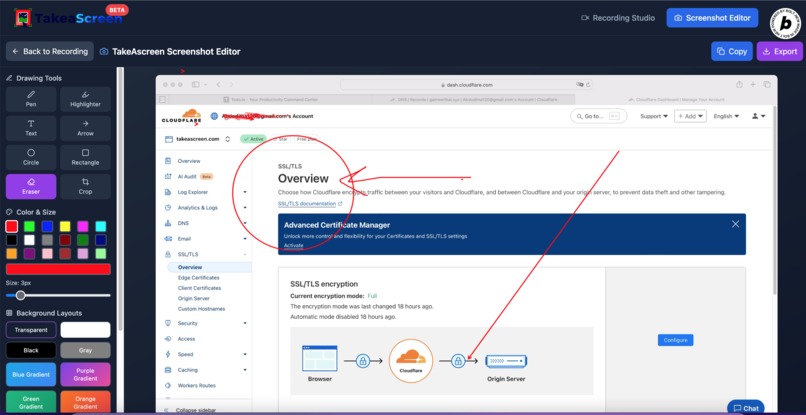
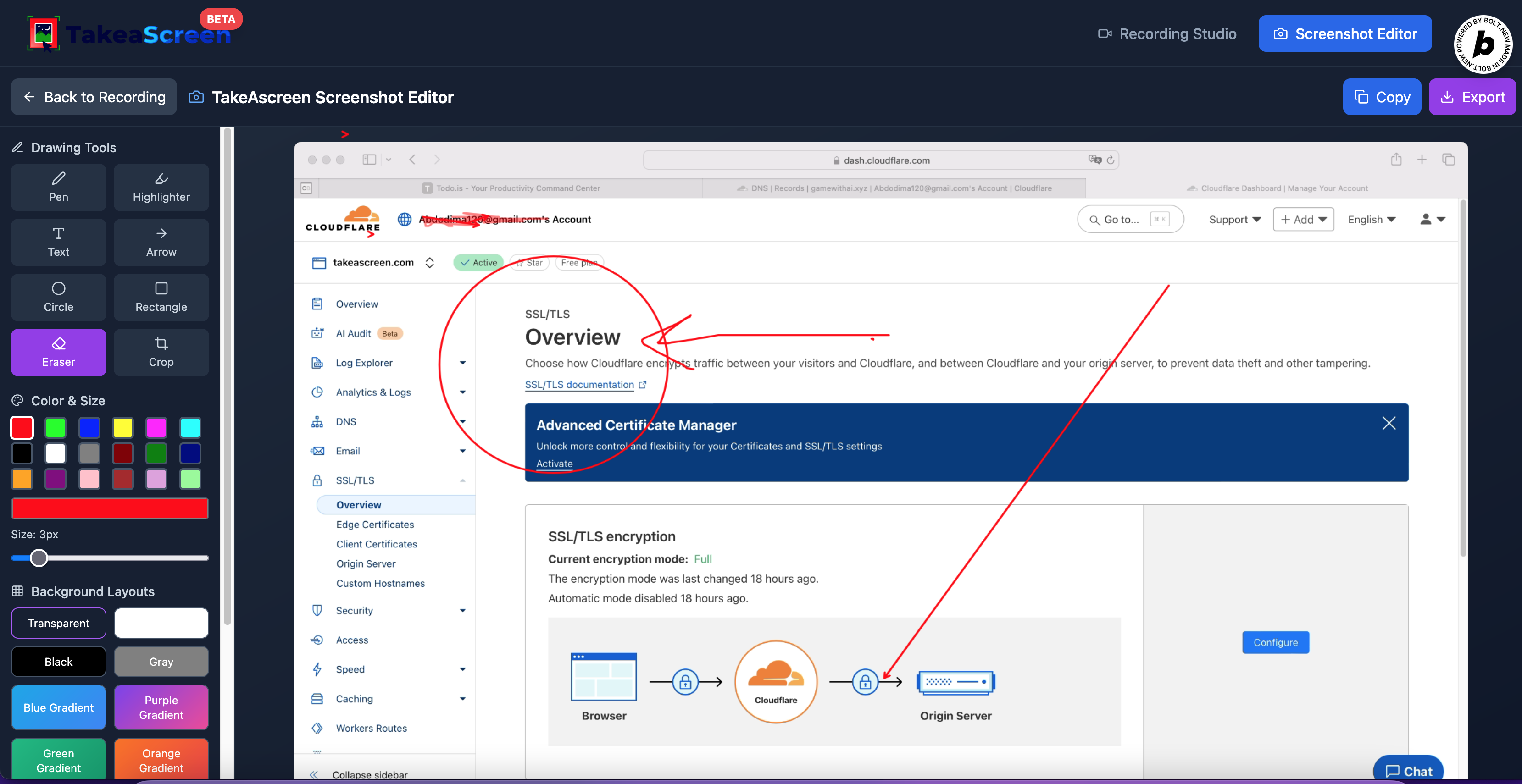
screenshot annotation
Inspiration
The inspiration for TakeAscreen stemmed from the growing need for a versatile, all-in-one screen recording and content creation tool that lives directly in the browser. Existing solutions often felt either too simplistic, lacking advanced editing capabilities, or too complex, requiring heavy desktop installations. We envisioned a tool that could seamlessly capture screen and camera, allow for intuitive real-time composition, and provide robust post-production features like annotation and video trimming, all while being accessible from any modern web browser. The goal was to empower users to create professional-quality video tutorials, presentations, and annotated screenshots with unparalleled ease and flexibility.
What it does
TakeAscreen is a comprehensive web-based application for screen and camera recording, screenshot capture, and media editing. It allows users to:
- Record Screen and Camera: Capture both screen activity and webcam feed simultaneously, with options to record only screen, only camera, or both.
- Real-time Canvas Composition: Arrange and resize screen, camera, text, images, and banners on a dynamic canvas in real-time before and during recording.
- Advanced Audio Control: Independently enable/disable microphone and system audio, select specific audio input/output devices, and test microphone levels with visual feedback.
- High-Quality Output: Record in various resolutions (up to 4K) and frame rates (up to 60fps) with adjustable bitrates, exporting to WebM format.
- Screenshot Editor: Capture high-resolution screenshots, then annotate them with a suite of tools including pens, text, shapes, arrows, and highlights. Users can also apply custom backgrounds and manage annotations as layers.
- Video Editor: Trim recorded videos, apply cuts, and manage segments on an interactive timeline.
- Intuitive UI: A clean, modern interface with clear controls and visual indicators for recording status, audio levels, and element properties.
How we built it
TakeAscreen was built as a single-page application using React and TypeScript for a robust and scalable frontend. Tailwind CSS was utilized for rapid and consistent UI development, ensuring a modern and responsive design. The core media functionalities rely heavily on modern browser APIs:
WebRTC (MediaDevices API): For requesting and managing access to the user's screen, camera, and microphone streams (getUserMedia, getDisplayMedia).
Web Audio API: Crucial for mixing multiple audio sources (microphone and system audio) into a single stream, and for real-time microphone level analysis.
HTML Canvas API: The heart of the real-time composition and recording. All visual elements (screen, camera, text, images) are drawn onto a hidden canvas, which is then captured as a video stream (captureStream). This also powers the screenshot annotation features.
MediaRecorder API: Used to record the combined video and audio streams from the canvas into a WebM file.
- React Context API: For global state management, particularly for recording state (RecordingContext) and user settings (SettingsContext), ensuring data consistency across components.
Lucide React: For a consistent and professional icon set throughout the application. The development followed an iterative process, focusing on core recording functionality first, then layering on advanced features like real-time element manipulation, comprehensive audio controls, and dedicated editing suites for screenshots and videos.
Challenges we ran into
Developing a browser-based media application presented several significant challenges:
Media Stream Synchronization: Ensuring that video (from screen and camera) and audio (from microphone and system) streams were perfectly synchronized during recording was complex, especially when mixing multiple sources. This required careful management of MediaRecorder settings and Web Audio API routing.
Cross-Browser Compatibility: While modern APIs are widely supported, subtle differences in their implementation across browsers (e.g., MediaRecorder codecs, getDisplayMedia audio capture) required extensive testing and fallback strategies.
Performance Optimization: Real-time rendering of multiple video streams onto a canvas at 60fps, combined with dynamic element manipulation, demanded careful optimization to prevent frame drops and maintain a smooth user experience. Efficient canvas drawing and minimizing re-renders were key. User Permissions: Handling browser permissions for camera, microphone, and screen sharing gracefully, including providing clear feedback and guidance to the user when permissions are denied. Robust Error Handling: Media APIs can be prone to errors (e.g., device not found, stream interrupted). Implementing comprehensive error handling and user-friendly messages was essential for a production-ready application.
Audio Recording Reliability: Initially, ensuring audio was consistently captured and included in the final video was a major hurdle. This involved deep dives into Web Audio API for proper stream mixing and MediaRecorder configurations to ensure audio tracks were correctly encoded. The microphone test feature was added to help diagnose and confirm audio input.
Accomplishments that we're proud of
Seamless Real-time Composition: The ability to dynamically arrange and resize elements on the recording canvas in real-time is a powerful and intuitive feature.
Comprehensive Audio Control: Successfully integrating and mixing multiple audio sources (microphone and system audio) with individual controls and a real-time microphone test.
Robust Screenshot Editor: Providing a full-fledged annotation suite for screenshots, allowing users to enhance their captured images directly within the application.
Intuitive User Experience: Designing a clean and functional UI that makes complex recording and editing tasks accessible to a broad audience.
Pure Browser-Based Solution: Delivering a powerful media tool without requiring any software installations, making it highly accessible and convenient.
What we learned
This project provided invaluable experience in:
Deep WebRTC and MediaRecorder Knowledge: Gaining a thorough understanding of how to capture, manipulate, and record media streams in the browser, including advanced topics like audio context management and codec selection.
Canvas API Mastery: Learning to leverage the HTML Canvas for complex real-time rendering, image manipulation, and stream capture.
State Management for Complex Applications: Reinforcing the importance of well-structured state management (React Context) for applications with many interconnected components and dynamic data. User Permission Best Practices: Understanding the nuances of requesting and managing browser permissions for sensitive features like camera and microphone access.
Debugging Media Streams: Developing strategies for debugging issues related to media streams, which often involve asynchronous operations and browser-specific behaviors.
What's next for TakeAscreen
TakeAscreen has a strong foundation, and the next steps will focus on expanding its capabilities and user experience:
- User Authentication and Registration: Implementing a secure user registration and login system to personalize user experience and enable cloud features.
- Cloud Storage Integration: Allowing users to save their recorded videos and screenshots directly to cloud storage (e.g., Supabase Storage, AWS S3) instead of just local downloads.
- Shareable Links: Generating unique, shareable links for recorded content, enabling easy collaboration and distribution.
- Advanced Video Editing Features: Adding more sophisticated video editing capabilities such as multi-track editing, transitions, effects, and background music integration.
- Collaboration Features: Enabling multiple users to collaborate on recordings and edits in real-time.
- AI-Powered Enhancements: Exploring AI features like automatic transcription, smart cropping, or content summarization. Customizable Branding: Allowing users to add their own logos and branding to recordings.


Log in or sign up for Devpost to join the conversation.