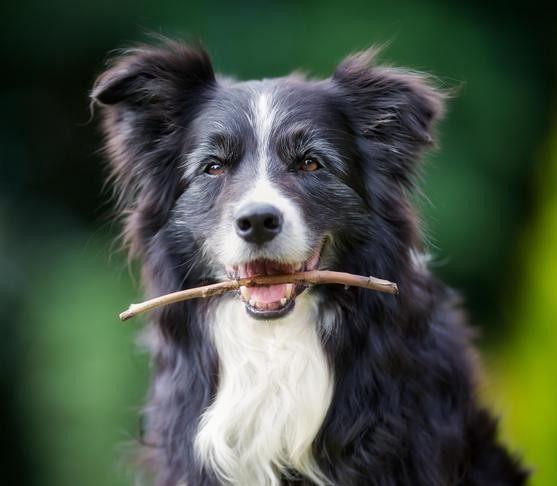
TailTeller - AI Dog Breed Identifier
A Data Science and Machine Learning project developed as part of a specialized pathway in Predictive Analytics.
It utilizes Artificial Intelligence and its primary goal is to tell the dog breed based on image data.
This application is developed using a Streamlit Dashboard, providing users (such as veterinarians, dog breeders and groomers) with the capability to upload images of dogs and receive instant predictions regarding their breed.
Visit the live project here.
Table of Contents
- ### Dataset Content
- ### Business Requirements
- ### Hypothesis
- ### Business Case
- ### Model Development
- ### Dashboard Design
- ### Kanban Board
- ### Unfixed bugs
- ### Deployment
- ### Issues
- ### Testing
- ### References
Dataset Content
- ### The dataset is a competition challenge from Kaggle.
Its contents include:
- A training directory with 10,222 pictures of dogs:
- a labels.csv metadata.
The training directory was split into a training and testing directories, both with 5,111 images.
The metadata has 2 columns. A column 'id' corresponding to the image files in the training directory and 'breed' corresponding to the label of the dog breed. There are 120 unique breeds.
This dataset aids in training the machine learning model to accurately identify and differentiate between breeds.
Business Requirements
- The client would like to have a study of the dataset collected.
- The client requires a machine learning model developed to accurately identify dog breeds from images.
The project aims to assist people like veterinarians, breeders, groomers and dog enthusiasts by providing:
- Accuracy: High accuracy in predicting dog breeds to aid in better breed-specific care.
- Interpretation: Clear explanations of prediction results, helping users interpret the data.
- Speed: Exhaustive optimization for minimal CPU and RAM usage impact to offer results as fast as possible..
Privacy: Ensuring that all user data is handled with strict confidentiality and security measures.
Back to top
Hypothesis
Problem Statement
This project develops a machine learning model to accurately identify the breed of a dog from its image. This is challenging due to the fine-grained variations and similarities across different dog breeds.
Expected Model Behavior
The model is expected to make deep learning techniques, specifically convolutional neural networks (CNNs), to capture complex features of dog breeds from images. The hypothesis is that using an ensemble of pre-trained models like Inception V3, Xception, NASNetLarge, and InceptionResNet V2, it will allow for a rich feature extraction and breed classification.
Assumptions
- The dataset contains high-quality images of 120 dog breeds.
- The breeds are represented with different sample numbers so it's possible more breeds will have higher accuracy than others, however an overall high accuracy is expected.
Basis of Hypothesis
Based on prior successes with CNNs in image recognition tasks and their ability to learn hierarchical feature representations, these models are well-suited for detailed and nuanced image-based classification tasks like dog breed identification.
Implications of Hypothesis Validation
Validation of this hypothesis would confirm the suitability of using multi-model CNN ensembles for breed classification. If the hypothesis is validated, it would lead to further development and potentially real-world application of the model. If invalidated, it would necessitate a reevaluation of the model architecture or training process.
Business Case
### Project Overview:
- The client aims to accurately identify the breed of a dog from a given image. This business goal will be achieved through the
development and deployment of a TensorFlow-based deep learning pipeline. The pipeline will utilize a dataset of images classified by dog breeds.
### Technical Approach:
- The deep learning pipeline will utilize a convolutional neural network (CNN), a model highly effective at recognizing patterns in image data.
### Objective:
- The primary objective of this machine learning pipeline is to create a multi-class classification model. The desired outcome is a model that can successfully categorize dog breeds.
### Model Output:
- The model will output a classification label that indicates the breed of the dog, based on the probabilities calculated by the model.
### Application of Results: The images might be used by veterinary health care, training or grooming.
### Performance Metrics:
- The success of this model will be evaluated based on overall accuracy and the F1 score for each breed. Given the varying sample sizes per breed, particular attention will be paid to minimize the risk of misclassification.
### Accuracy and Reliability:
The client sets a high bar for accuracy given the potential for the model to influence decisions about dog care and management. Initial targets might aim for an F1 score of above 0.90, accuracy and reliability are key.
Back to top
Model Development
Model Development Diagram
### Technical Setup Pre-Trained Models used in the Pipeline:
- Inception V3: Known for its efficiency and ability to detect features.
- Xception: Utilizes convolutions to provide a more efficient modeling.
- NASNetLarge: Offers a scalable architecture for image recognition.
- InceptionResNet V2: Combines the connections for faster training.
These models are put together in one to ensuring robust breed classification.
### Image Preprocessing
- To standardize inputs and enhance model performance, images are resized to 299x299 pixels with three color channels (RGB). This resizing matches the input requirements of the models (as seen in Keras documentation), this helps with consistency.
### Feature Extraction with the Pre-Trained Models
- Each model processes the input images to extract vital features, which are then concatenated to form a comprehensive and rich feature set. This multi-model approach improves the accuracy of classification, and enhances the model's ability to identify unseen data reducing overfitting and improving predictions.
### Feature Concatenation:
- Combines outputs from multiple pre-trained models to create a robust representation of the images.
### Sequential Deep Learning:
- Sequential is a subset of deep learning techniques where the model processes data in a sequence.
- A sequential model for a CNN is a common and effective approach for image classification tasks, in this case I'm initializing the model with "Sequential" to add the layers "Dropout" and "Dense" in a sequence. ### Dropout Layer:
- The Dropout layer is a regularization technique used in CNNs to prevent overfitting in a neural network model. It specifies the dropout rate at which nodes (neurons) are randomly dropped during training, in this case it's 0.7 (70%). By dropping 70% of the neurons randomly, the network becomes less sensitive to the specific weights of neurons, this will reduce the risk of overfitting in the training data. ### Dense Layer:
- The softmax activation function is called within the Dense layer and it's essential for converting raw network outputs into a probability distribution, making it suitable for multi-class classification tasks. ### Adam Optimizer:
- The Adam optimizer is a powerful and flexible optimization algorithm that includes bias correction to counteract the bias introduced during the initial stages of training.
Using the Model to Predict Images
This diagram shows the back-end process when the end-user uploads an image for prediction in the Streamlit website.
Dashboard Design
The Streamlit Dashboard serves as the user interface, allowing for easy interaction and access to the model’s capabilities. It has 5 pages:
1st Page - Project SummaryThis page offers a summary of the project, what to expect going to the next pages and presents the 2 business requirements:
2st Page - Data Visualizer
This page shows the type of data that will be worked on:
3st Page - Model Performance
This page goes into the details of the model's performance, like accuracy percentage:
4st Page - Dog Breed Identifier
This page allows users to upload pictures and make live predictions:
5st Page - Hypothesis and Inaccuracies
This page elaborates about the hypothesis of the project and also points out some things to take into consideration when using this A.I model:
Kanban Board
### User Stories The kanban board has user stories and dealines associated with them. This project was designed with the following user stories in mind, guiding the development and ensuring the final product meets the end objective:
- Interactive Dashboard Navigation:
As a client, I can easily navigate through an interactive dashboard to visualize and comprehend the presented data.
This ensures that users can effectively interact with the application, making intuitive data analysis. - Data Verification:
As a client, I can see the data collected so I can verify its accuracy.
Transparency in data handling is crucial for trust and reliability, allowing users to confirm the data's integrity themselves. - Model Accuracy Demonstration:
As a client, I want to see a complete and clear demonstration of the model's accuracy with technical details.
This allows users to understand the effectiveness of the model in practical terms, backed by detailed technical information. - Model Testing by Uploading Pictures:
As a client, I want to be able to upload pictures to test the model.
This functionality is the Apex of this project and it allows users to interact directly with the model, testing its capabilities using their own data inputs. Understanding Technical Processes: As a client, I want to understand the technical processes and requirements involved in building the model, so that I can assess its complexity and the expertise needed for potential adjustments or further development.
This story goes to the users who want a technical understanding of what happens in the backend of a machine learning model development.Project Status
- As of the last update, all the above user stories have been successfully implemented and the project is considered complete.
Back to top
Unfixed Bugs
- There aren't known unfixed bugs.
Deployment
- ### Local Cloning
Click here to expand
1. Log in to GitHub and locate GitHub Repository home-cooked-harmony.
2. Click on the green code button, select clone with HTTPS, SSH or GitHub CLI and copy the link shown.
3. Open the terminal in your IDE and change the current working directory to the location you want to use for the cloned directory.
4. Change the current working directory to the location where you want the cloned directory to be created.
5. Type
and then paste The URL copied in step 2.git clone
6. Set up a virtual environment navigating into your project with
and running the commandcd path/to/project
replace the second "venv" with any name you want. Activate your virtual environment with: (in Linux OS)python3 -m venv venvsource venv/bin/activate
7. Install dependencies with
Your local clone has been created.pip3 install -r requirements.txt - ### Forking the Github Repository
Click here to expand
1. Log in to GitHub and locate GitHub Repository home-cooked-harmony.
2. At the top of the Repository, under the main navigation, Click "Fork" button. Your fork has been created. You can locate it in your repositories section. Docker
- Install Docker: Ensure Docker is installed on local machine. Download it from Docker's official website.
- Ensure the Heroku Command Line Interface (CLI) is installed. The installation instructions is on the Heroku website.
Create a Dockerfile in the root directory of the application. This file defines the Docker image and specifies all the commands needed to run the app. This is an example of a dockerfile:
# Use an official Python runtime as a base image
FROM python:3.9.19

# Set the working directory in the container
WORKDIR /app

# Install system libraries required by numpy
RUN apt-get update && apt-get install -y \
    build-essential \
    libatlas-base-dev

# Copy the local directory files to the container's workspace
COPY . /app

# Install the necessary packages specified in requirements.txt
RUN pip install --no-cache-dir numpy==1.26.4 \
                                 pandas==2.2.2 \
                                 matplotlib==3.3.1 \
                                 seaborn==0.11.0 \
                                 plotly==5.22.0 \
                                 streamlit==1.34.0 \
                                 scikit-learn==1.4.2 \
                                 tensorflow-cpu==2.16.1 \
                                 protobuf==3.20.3 \
                                 altair==4.1.0 \
                                 click==8.0.0

  EXPOSE 8501

  # Run the Streamlit application command
  CMD streamlit run --server.port $PORT app.py
- Install Docker: Ensure Docker is installed on local machine. Download it from Docker's official website.
4. Log in to Heroku CLI:
```
heroku login
```
5. Log in to container:
```
heroku container:login
```
6. Create a Heroku App
```
heroku create your-app-name
```
7. Build the Docker image:
```
heroku container:push web -a your-app-name
```
8. Release the image:
```
heroku container:release web -a your-app-name
```
9. To see the logs for debugging:
```
heroku logs --tail -a your-app-name
```
Issues
- My biggest challenge this project was managing large files with github and heroku, heroku has a limit slug size of 500mb but my build was over this amount even though my repo was 18mb at the time, I was using .gitignore and .slugignore to skip/hide any big files, images folders included. I decided to use Docker and leave heroku deployments because it took a large amount of my time, I found out online this is a very common occurence with data scientists. Docker fixed all that for me.
Testing
### Manual Testing
- As a client I can easily navigate through an interactive dashboard so that I can visualize and comprehend the presented data.
| Feature | Action | Expected Result | Actual Result |
|---|---|---|---|
| Sidebar | Clicking the buttons | Routed to selected page displayed | Works as expected |
- As a client I can see the data collected so I can verify its accuracy.
| Feature | Action | Expected Result | Actual Result |
|---|---|---|---|
| Count per dog breed checkbox | clicking the checkbox | image is rendered | Works as expected |
| Let's look at two examples in our data checkbox | clicking the checkbox | image is rendered | Works as expected |
| Number of images per folder: "train" and "test" checkbox | clicking the checkbox | image is rendered | Works as expected |
- As a client I want to see a complete and clear demonstration on the accuracy of the model with technical details.
| Feature | Action | Expected Result | Actual Result |
|---|---|---|---|
| Train and Validation results checkbox | clicking the checkbox | image is rendered | Works as expected |
| F1-Score | clicking the checkbox | image is rendered | Works as expected |
- As a client I want to be able to upload pictures to test the model.
| Feature | Action | Expected Result | Actual Result |
|---|---|---|---|
| File uploader | Uploads image | Outputs the current uploaded image, a DataFrame with the results and one plot | Works as expected |
- As a client, I want to understand the technical processes and requirements involved in building the model, so that I can assess its complexity and the expertise needed for potential adjustments or further development.
| Feature | Action | Expected Result | Actual Result |
|---|---|---|---|
| See Hypothesis | Clicking the Hypothesis Statement sidebar page | View page | Works as expected |
References
- ### Documentation
- Python 3.9.19 documentation - Official Python documentation, used for language syntax and library reference.
- Keras - Keras is a Python Library that runs in TensorFLow. Keras documentation was crucial to develop this project.
- Streamlit 1.34.0 documentation - Comprehensive guide for the Streamlit Library used to make the dashboard IDE for the end user.
- Scikit-learn 1.4.2 documentation - A Machine Learning python library for classification algorithms.
- Tensorflow 2.16.1 - A library developed by Google for Machine Learning and neural networks.
- Numpy 1.19.3 - Python library that helps making multi-dimenstional arrays.
- Pandas 2.2.2 - A Python Library used to make DataFrames and other tools.
- Matplotlib 3.3.1 -A Python Library that provides an object-oriented API for embedding plots.
- Seaborn 0.11.0 - A Python library for data science statistical visualization.
- Plotly 5.22.0 - A Python Library used to represent complex data in interactive graphical visualizations.
- Docker - Docker is a platform that automates deployment, I couldn't have deployed a real-time model prediction without it, for a Machine Learning project it can be very challenging to deal with a 500mb slug size from Heroku. Something that facilitates Docker is making a bash deploy.sh file, with a single command in the CLI the whole project is pushed directly to Heroku in seconds.
- ### Inspirational Resources
- I went through many inspirational projects in predictive analytics from GitHub by the search bar.
- freeCodeCamp mini course in Machine Learning - This video was helpful to understand Classification using Tensorflow.
- Build a Deep CNN Image Classifier - Great video to understand the nitty gritty of passing Deep Learning (Sequential from Keras) in Jupyter Notebooks and everything that goes with it in the context of a classification problem.
- Machine Learning on Reddit - Engaging with this forum community has helped me answer questions and issues I had with development.
- Code Institute's "Churnometer" walkthrough project - Provided a foundational understanding for deploying an A.I system.
- ### Tools
- Brave search engine - Primary search engine used for research and troubleshooting.
- ### Content
- Code written by Jaaziel do Vale.
Acknowledgements
- Special thanks to mentors and collaborators who provided insight and expertise.

Log in or sign up for Devpost to join the conversation.