-

Launch in 5 minutes
-
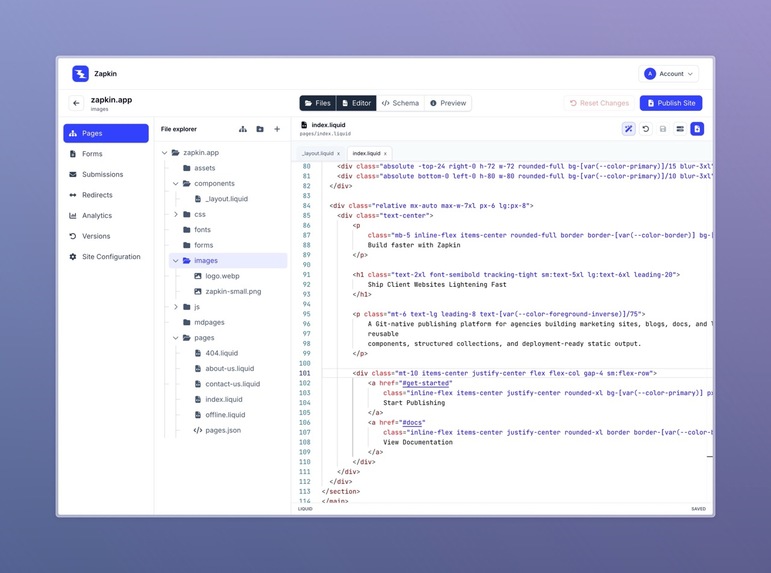
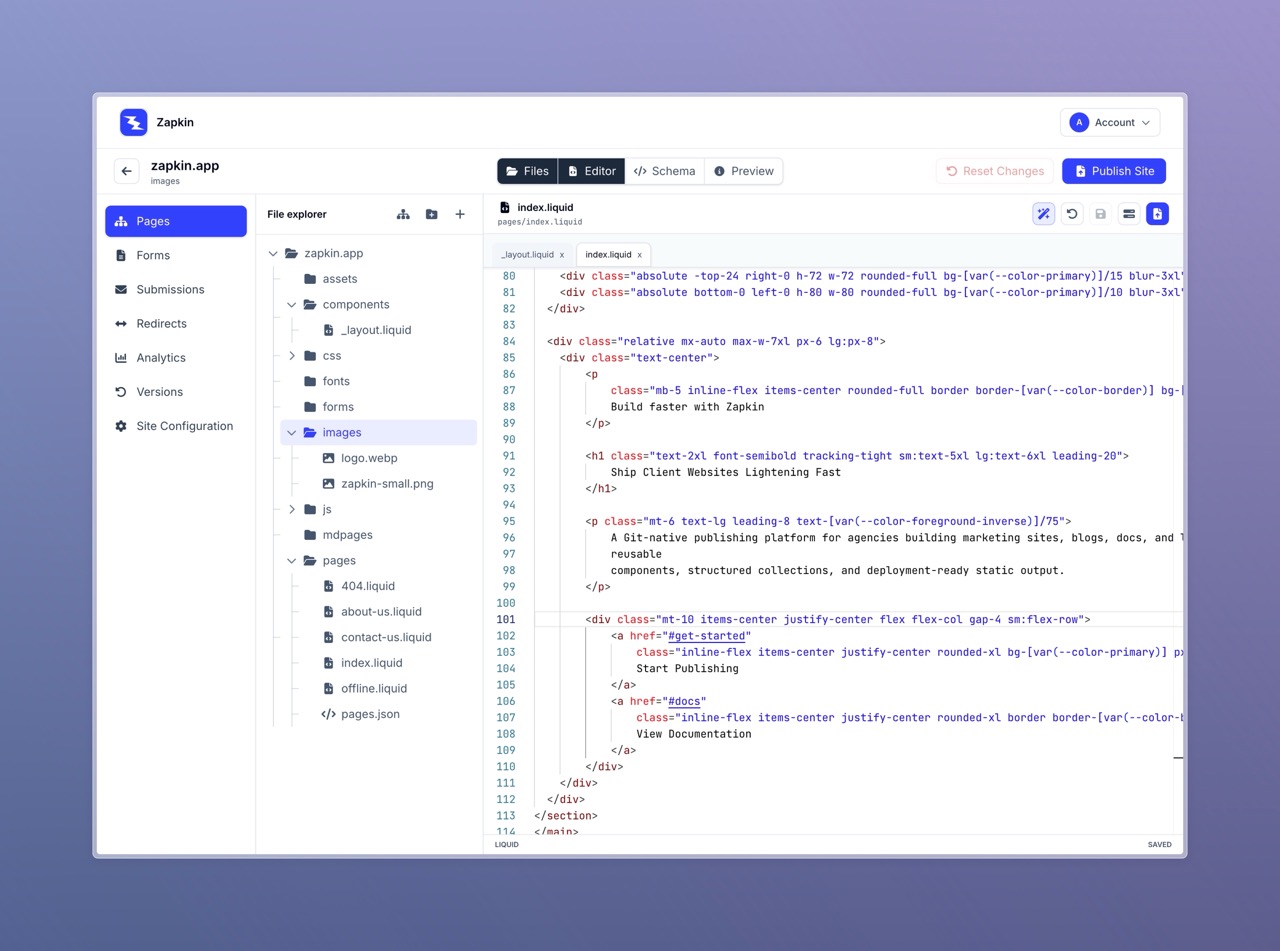
Site Editor Screen
Inspiration
I built TailStatic because creating and publishing simple static websites often requires too much setup. Even for a small Tailwind site, developers usually need to configure packages, templates, content structure, build scripts, deployment steps, and hosting workflows before they can actually start publishing.
I wanted a simpler workflow for people who already understand HTML and Tailwind CSS, but do not want to assemble the same publishing setup again and again.
What it does
TailStatic is a self-hosted, low-code publishing tool for Tailwind-powered static websites.
You write HTML, style it with Tailwind CSS, and TailStatic handles the rest. It provides a ready-made workflow for managing pages, content, templates, assets, and publishing static output.
It is designed for developers, designers, freelancers, and small teams who want the control of HTML and Tailwind without the repeated setup work usually required for static site projects.
How I built it
TailStatic is built as a self-hosted application with Docker-based setup, so users can run it on their own server quickly.
The publishing workflow is built around simple HTML, Tailwind CSS, structured content, and reusable templates. The goal was to keep the system practical and predictable instead of hiding everything behind a heavy framework or complex visual builder.
I focused on making the workflow familiar for people who already know markup, while reducing the repetitive work around project setup, page management, and publishing.
Challenges I ran into
The biggest challenge was balancing simplicity with control.
A completely visual builder can become restrictive, while a fully developer-driven static site setup can become repetitive and time-consuming. TailStatic needed to sit somewhere in the middle: low-code enough to speed up publishing, but still familiar and flexible for people who want control over their HTML and Tailwind.
Another challenge was positioning. TailStatic is not trying to be another generic CMS or website builder. It is intentionally focused on Tailwind-based static publishing, which meant keeping the product niche and avoiding unnecessary features.
Accomplishments that I'm proud of
I am proud that TailStatic has a clear, focused purpose: helping people publish Tailwind static sites without extra setup.
I am also proud of keeping the product self-hosted. Users can run it on their own server, control their output, and avoid lock-in.
Most importantly, I am proud that the workflow stays simple: write HTML, style it with Tailwind, manage your content, and publish.
What I learned
I learned that reducing setup work can be just as valuable as adding new features.
Many tools focus on giving users more options, but TailStatic focuses on removing repeated work from the publishing process. I also learned that niche positioning can be a strength. By focusing specifically on Tailwind static publishing, the product becomes easier to explain and easier to improve.
What's next for TailStatic
Next, I want to improve the onboarding experience, add more starter templates, expand documentation, and make the publishing workflow even smoother.
I also plan to add more examples for common use cases like landing pages, documentation sites, blogs, company websites, and portfolio sites.
The long-term goal is to make TailStatic the simplest self-hosted way to build and publish Tailwind static websites.

Log in or sign up for Devpost to join the conversation.