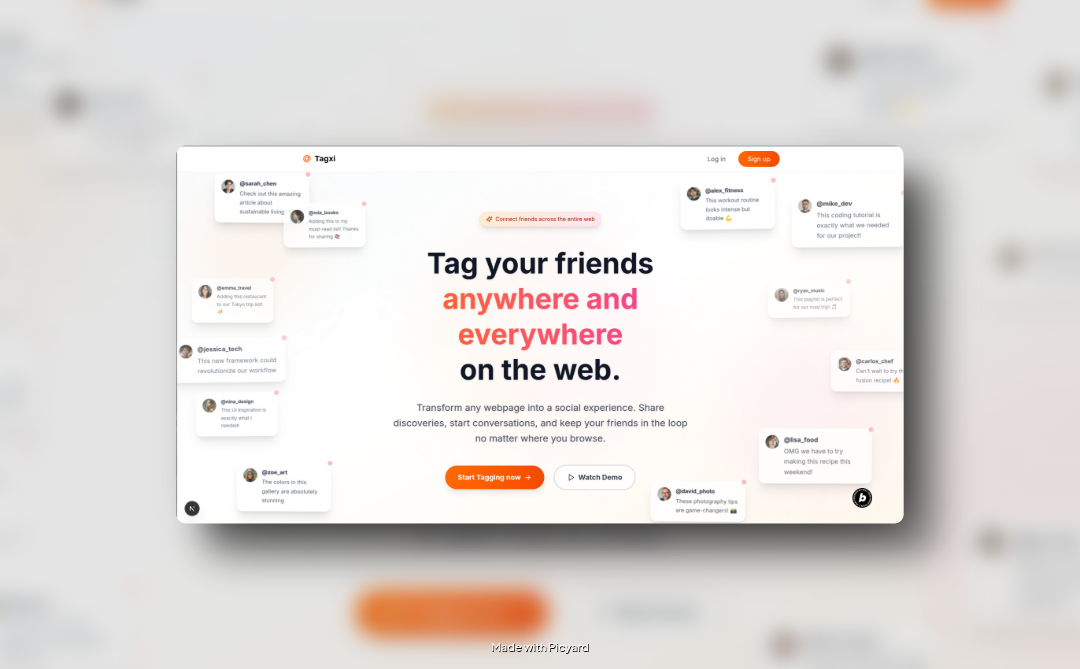
Inspiration
While brainstorming ideas post-Bolt Hackathon, we realized link sharing while collaborating is still a hassle. Too many chats, too much context lost. Then it hit us — Twitter’s @ tagging changed conversations forever. Why not bring that to the entire web? Let people tag friends anywhere on any page. Simple, seamless, no friction.
What it does
- Tag friends on any webpage at any text, image, or element using @username.
- AI inside your browser auto-detects interesting lines or snippets worth tagging.
- A companion site to view all your tags, memories, and friends' tags.
- A lightweight social layer on your browsing.
How we built it
- Chrome extension built using Plasmo + Tailwind + React
- In-browser AI scanner using Hugging Face Xenova models
- Companion web app for tag feed and profile
- IndexedDB caching for offline tag memory
- Clean, isolated DOM injection without messing up page styles
Challenges we ran into
- Tagging on arbitrary pages is hard — because you don’t control the DOM structure. We had to carefully figure out how to inject tags, store their positions, and reliably find them again.
- Making sure we didn’t mess up the existing page styling or functionality while injecting tags was tricky — we used isolated web components and shadow DOM where needed.
- Keeping it privacy-friendly — tags are visible only to those tagged, and stored securely.
- Building a clean, low-resistance UX. We wanted people to just use it naturally without onboarding friction.
- Running AI models in-browser without killing the performance was a fun challenge too.
Accomplishments that we're proud of
- It just works — select, @name, done.
- Integrated AI tagging in-browser with zero server calls.
- One login on the site auto-syncs your extension session.
- Made it privacy-respecting, lightweight, and frictionless.
- Learned isolated web components, IndexedDB, extension security, and running LLMs in-browser.
What we learned
- How to properly build and package Chrome extensions
- Injecting isolated UI components into arbitrary pages without breaking native page styles
- Leveraging monorepos for cross-project dev flow
- IndexedDB storage and syncing strategies
- A deeper understanding of web security models like Same-Origin Policy and content script permissions
- How to run transformer models inside the browser environment without melting it down
What's next for Tagxi
- Build a personal archive hub where your tags live even if pages go down.
- Turn tags into a personal memory graph — helping you track, rediscover, and make sense of your daily information flow.
- Layer an LLM-powered insights system on top to connect your tagged content in smarter, contextual ways.
- Make it more fun with leaderboard and streak system
Built With
- neon
- netlify
- nextjs
- plasmo
- postgresql
- react
- trpc

Log in or sign up for Devpost to join the conversation.