-
-
Thumbnail / Mini Explanation
Inspiration
In three and a half years at ASU, one of us realized there had never been a visually impaired student in any of our classes. That stuck with us, and we started asking why. The answer we kept coming back to is that a lecture is far less accessible than it looks.
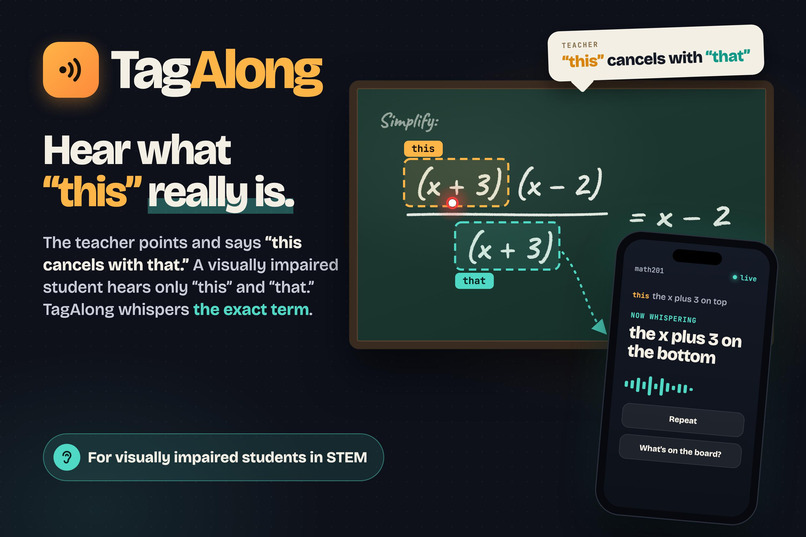
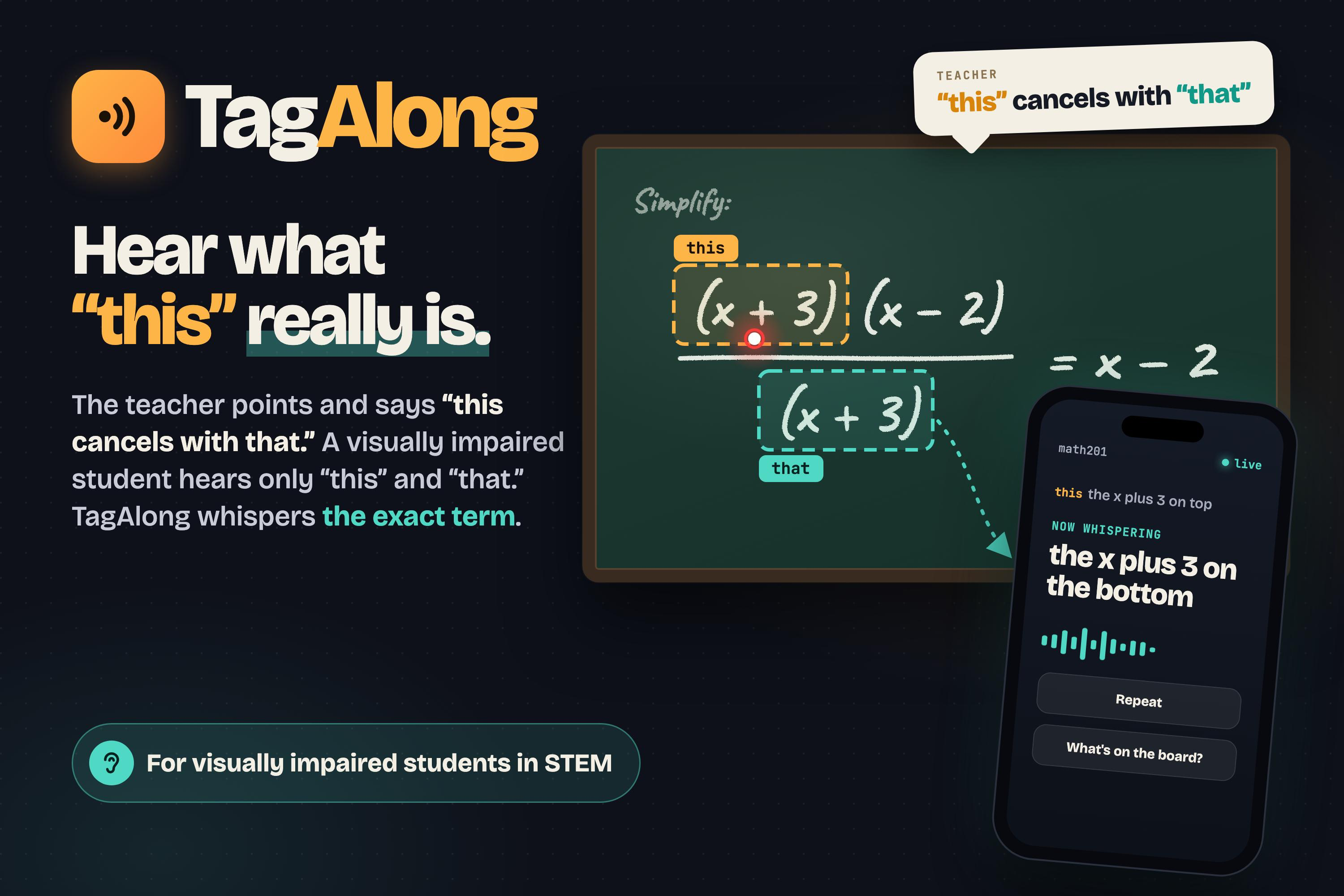
Math class is the clearest example. A professor writes \( \frac{2x(x+3)}{2x} \) on the board, points, and says "this cancels with that." A sighted student follows the finger. A visually impaired student hears only "this" and "that," and the lesson is gone. We wanted to give those two words their meaning back.
What it does
TagAlong puts one camera at the front of the room. It watches the board and the professor's hand. When the professor points and says "this," the student hears the exact term on their own phone, for example "2x, top of the fraction."
- It reads the board. Claude reads the writing whenever the board changes and returns every term with its position.
- It follows the pointer. A fingertip, a pointer stick, a laser dot, or an open hand over a whole equation.
- It listens for pointer words. "This," "that," "here," "these," and "those." Words like "top," "bottom," or "whole thing" pick a larger part of the math.
- It whispers. The term is spoken in a natural voice, from the left or the right to match where it sits on the board.
- It stays silent when it should. If the professor says "this" without pointing, or the aim falls between two terms, the student hears nothing instead of a guess.
- It works for a whole class. Students scan a QR code once and listen on their own phones. Up to 50 phones can follow one camera, and each phrase is voiced once and shared.
After class, the student also gets a "Said vs. Meant" transcript and plain-language notes, and the professor gets a report card on how clear their pointing was.
How we built it
The key design choice is that no AI runs at the moment of pointing. AI reads the board ahead of time. Matching a finger to a term is plain geometry in the browser, so the whisper arrives right away.
- Board reading: Claude reads a photo of the board and streams back one term per line, so boxes appear on screen one by one as they are read. Every half second the browser compares a tiny 64 by 36 copy of the frame against the last one, and only asks for a new read when the writing has changed and held still.
- Pointing: MediaPipe hand tracking runs in the browser. The laser and stick detectors are image processing we wrote ourselves, with no model.
- Speech: Amazon Transcribe gives us the time of each word, so we can look at where the finger was at the instant "this" was said. The browser's own speech recognition is the backup.
- Voice: ElevenLabs speaks, with Amazon Polly and the browser voice as fallbacks. Audio for every term on the board is prepared in advance.
- Classroom relay: a one-way WebSocket hub sends each whisper from the camera device to every student phone. The phone page installs as a home-screen app and works with VoiceOver.
- Stack: React, TypeScript, and Vite on the front end; Node and Express on the server; hosted on Railway.
We backed all of this with 1,230 automated tests, most of them on the pointing logic.
Challenges we ran into
The professor's hand hid the board. We pause board reads while a hand is in front of the writing, because a photo with an arm across it gives wrong boxes. In our first version, that meant a professor standing at the board silenced everything. We changed it so pointing is answered from what has already been read. Now it does not matter if the professor covers a part of the board they are not talking about. If they point at ink too new to have been read, the word is held and whispered the moment its box arrives.
Accuracy against speed. A wrong term is worse than no term, so we needed the most accurate reader we could get, and that was Claude. It was also too slow at first: about 5.5 seconds to the first term. We turned on Anthropic's fast mode, which writes the reply much faster at a higher price, lowered the reasoning effort, and cut the reply down to one short line per term. The first term now arrives in about 1 second.
A robotic voice. We started with Amazon Polly. It worked, but a student would be listening to it for a full lecture, and it sounded like a machine. We moved to ElevenLabs for a natural voice and kept Polly as the automatic backup.
Knowing when not to speak. A hand passing by is not pointing. We require the pointer to rest near the word for a moment, and we stay silent when two terms are equally close.
Accomplishments that we're proud of
We built something a real student could use on Monday, not a demo that only works on stage. It runs on a laptop and a phone, with no special hardware.
The professor does not have to change anything. They teach the way that is natural to them, and the student hears the same lecture in a form they can follow.
We are also proud of how we worked as a team of three: 109 commits in 36 hours, each of us owning one part (speed, pointing, and the classroom experience), and all of it coming together.
What we learned
Most of our time went into planning and design, not code. With AI agents, writing the code was rarely the hard part.
We came in thinking Claude could carry us through every problem. It could not. Every decision that made TagAlong work was a design choice we had to make ourselves: when to read the board, when to stay silent, what a student should hear first. We leave with much better judgment about design, scope, and time, and those skills will matter in our classes and our careers.
What's next for TagAlong
- Pilot it in real ASU classrooms with visually impaired students and the university's accessibility office, and let their feedback set the roadmap.
- Go beyond equations to graphs, diagrams, and slides.
- Support more languages and more subjects, starting with chemistry and physics.
- Send output to braille displays.
- Build a native phone app that works with spotty Wi-Fi.
This was a 36-hour project. Built out properly, we believe it can make any lecture hall a place where a visually impaired student can follow along.
Built With
- amazon-bedrock
- amazon-polly
- amazon-web-services
- anthropic
- claude
- elevenlabs
- express.js
- javascript
- mediapipe
- node.js
- railway
- react
- typescript
- vite
- vitest


