-
-
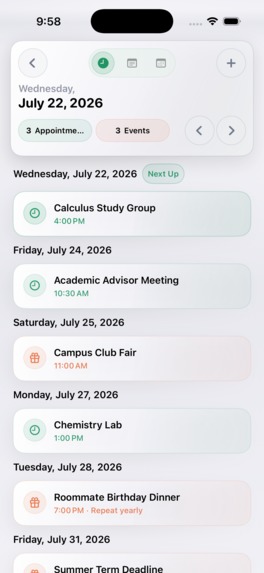
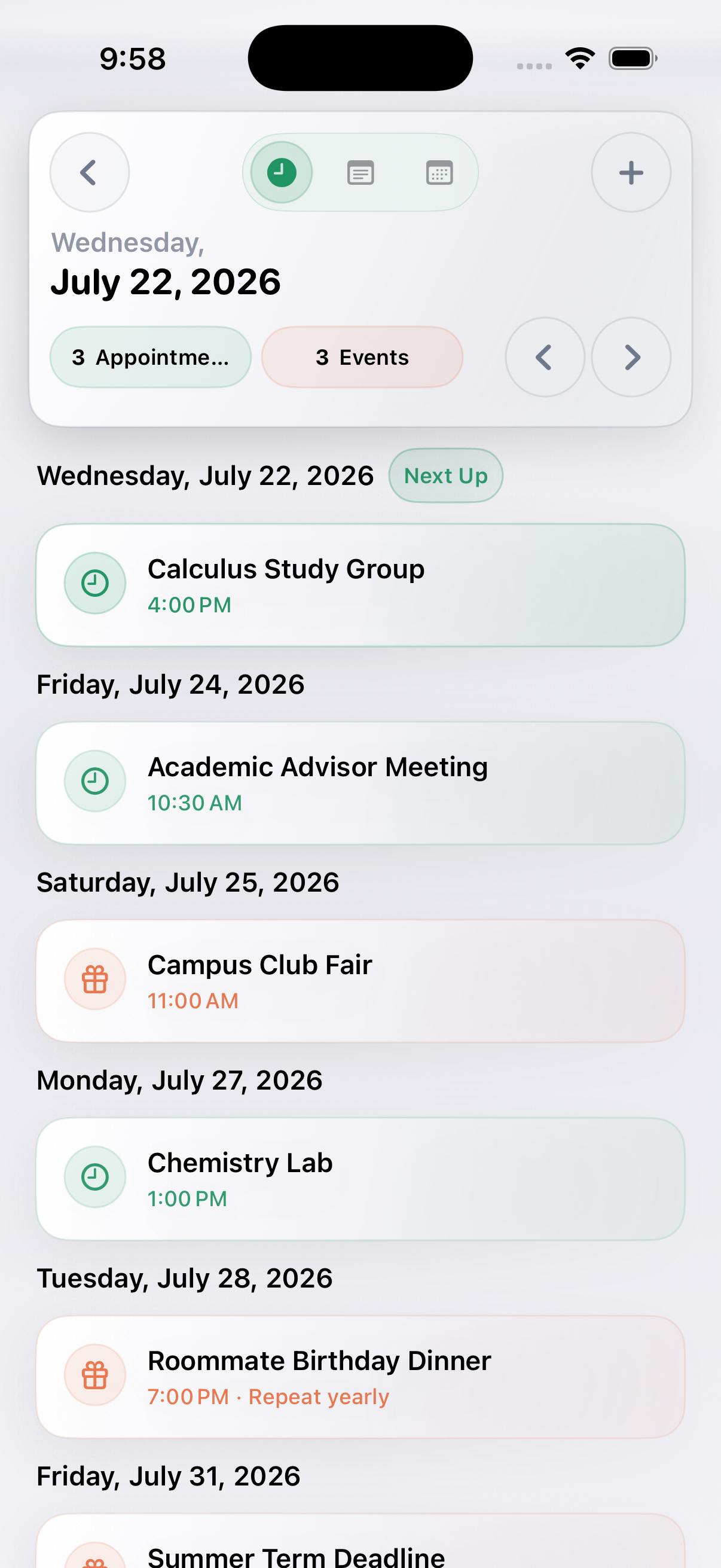
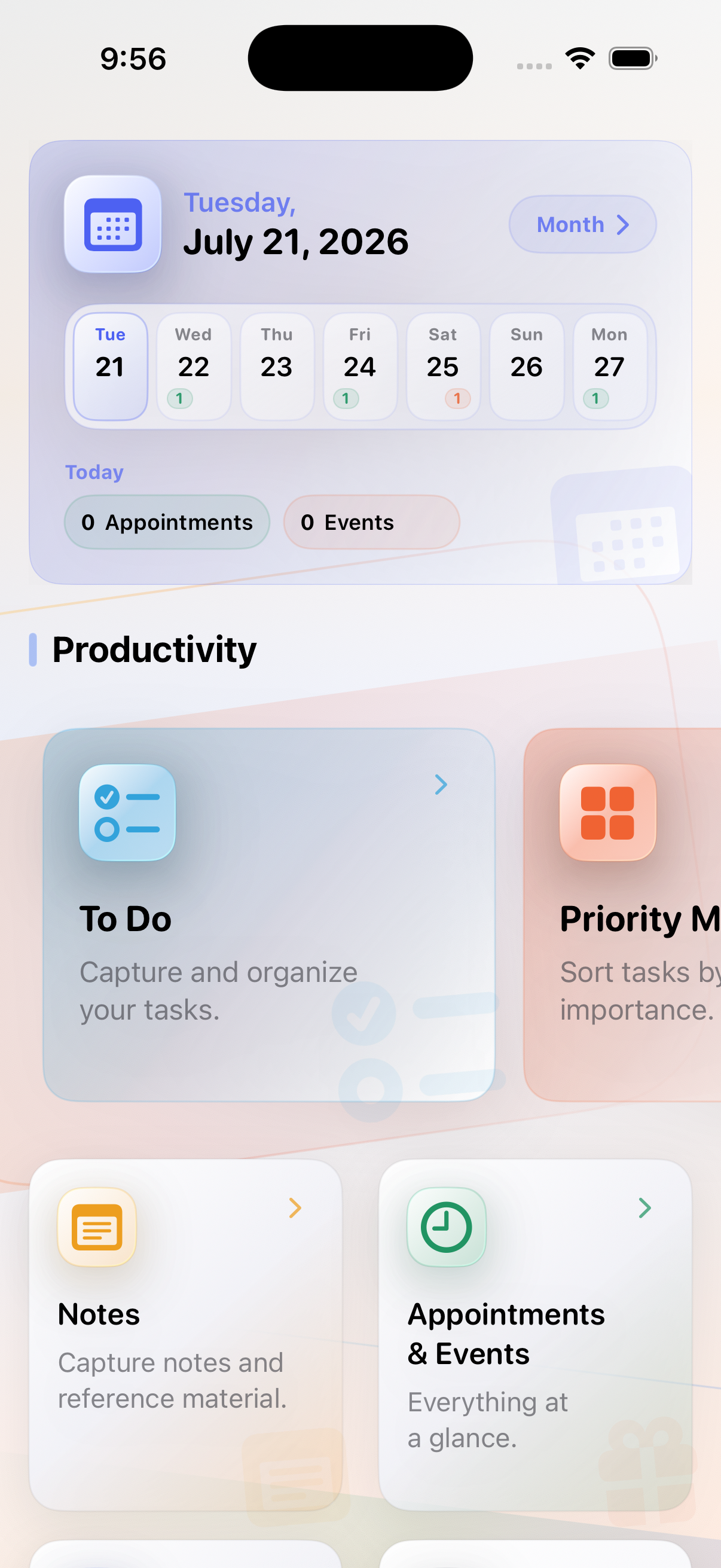
Appointments and events come together in one modern Calendar and upcoming view.
-
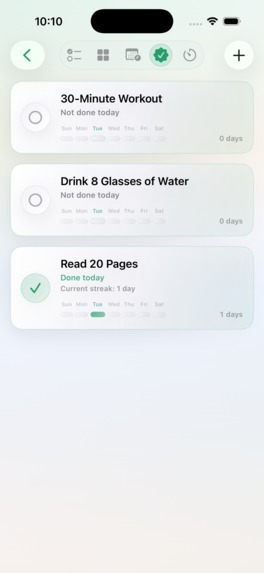
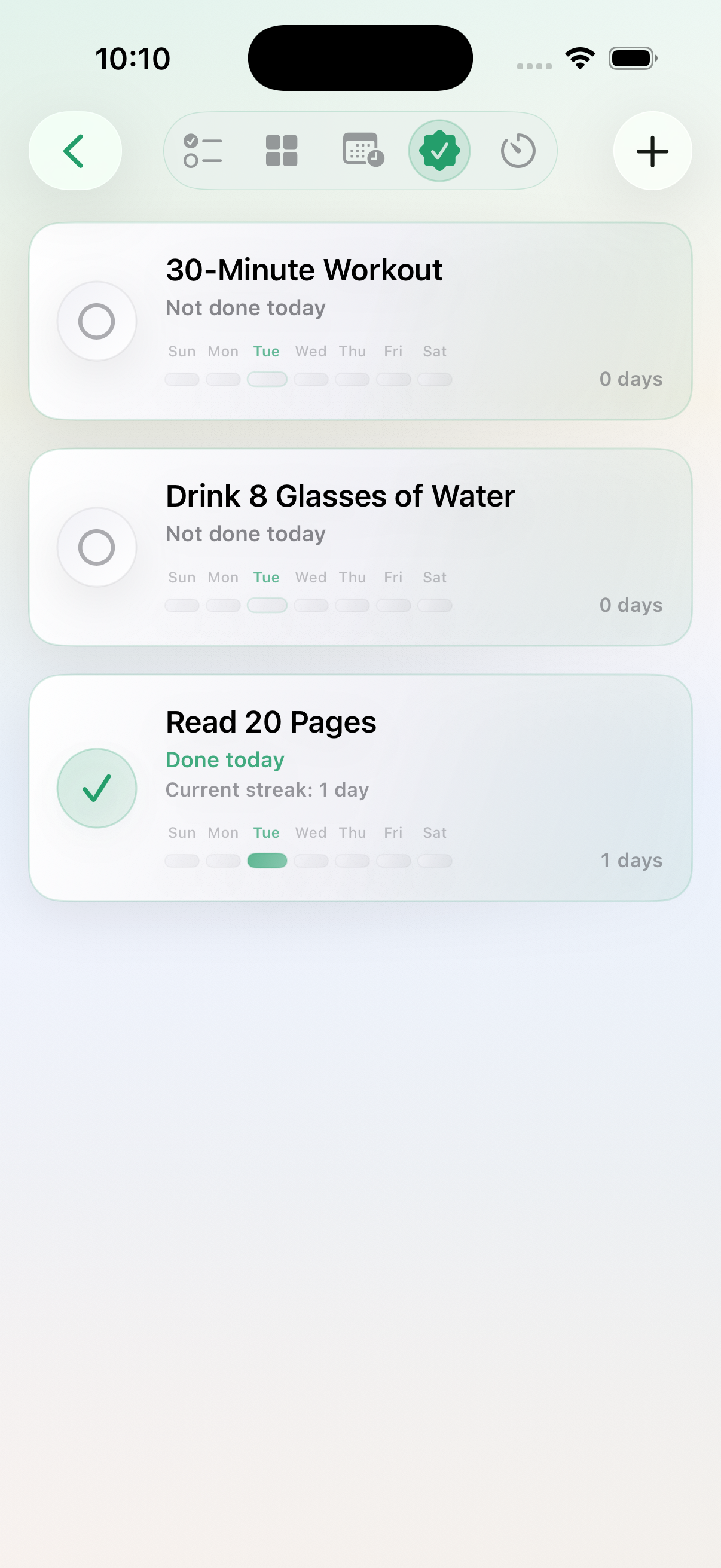
Habit Tracker makes daily progress and streaks visible at a glance.
-
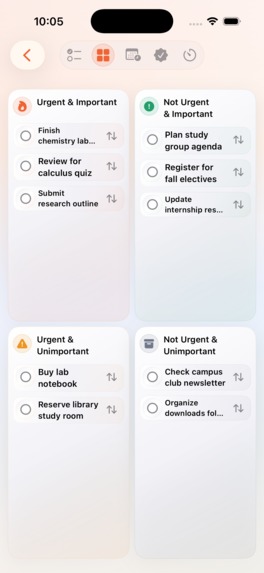
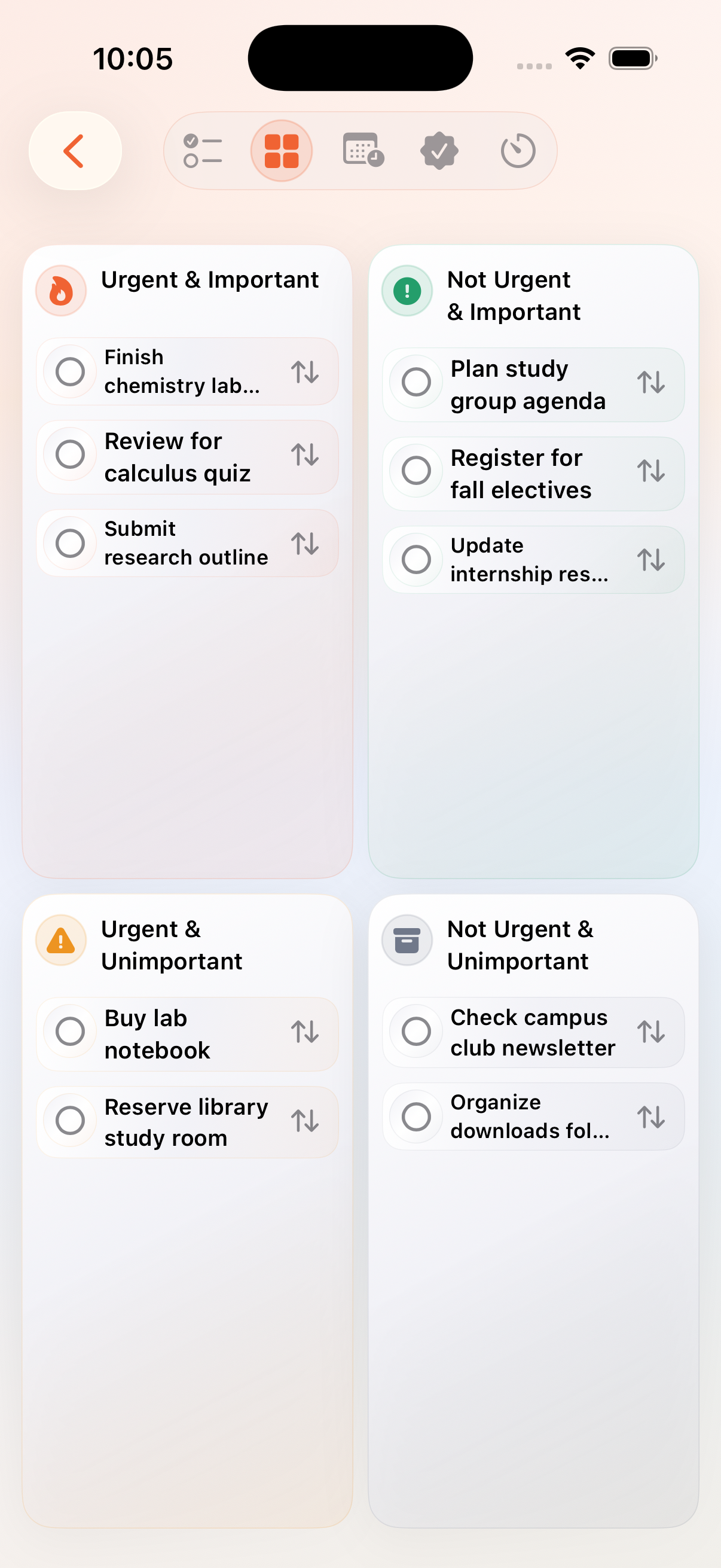
The Priority Matrix organizes tasks by urgency and importance.
-
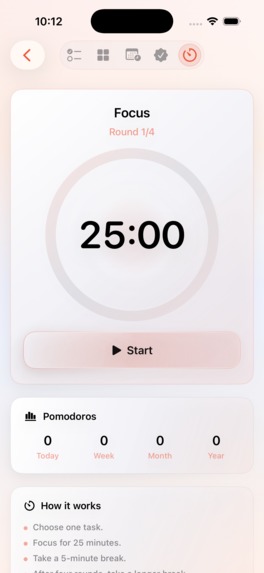
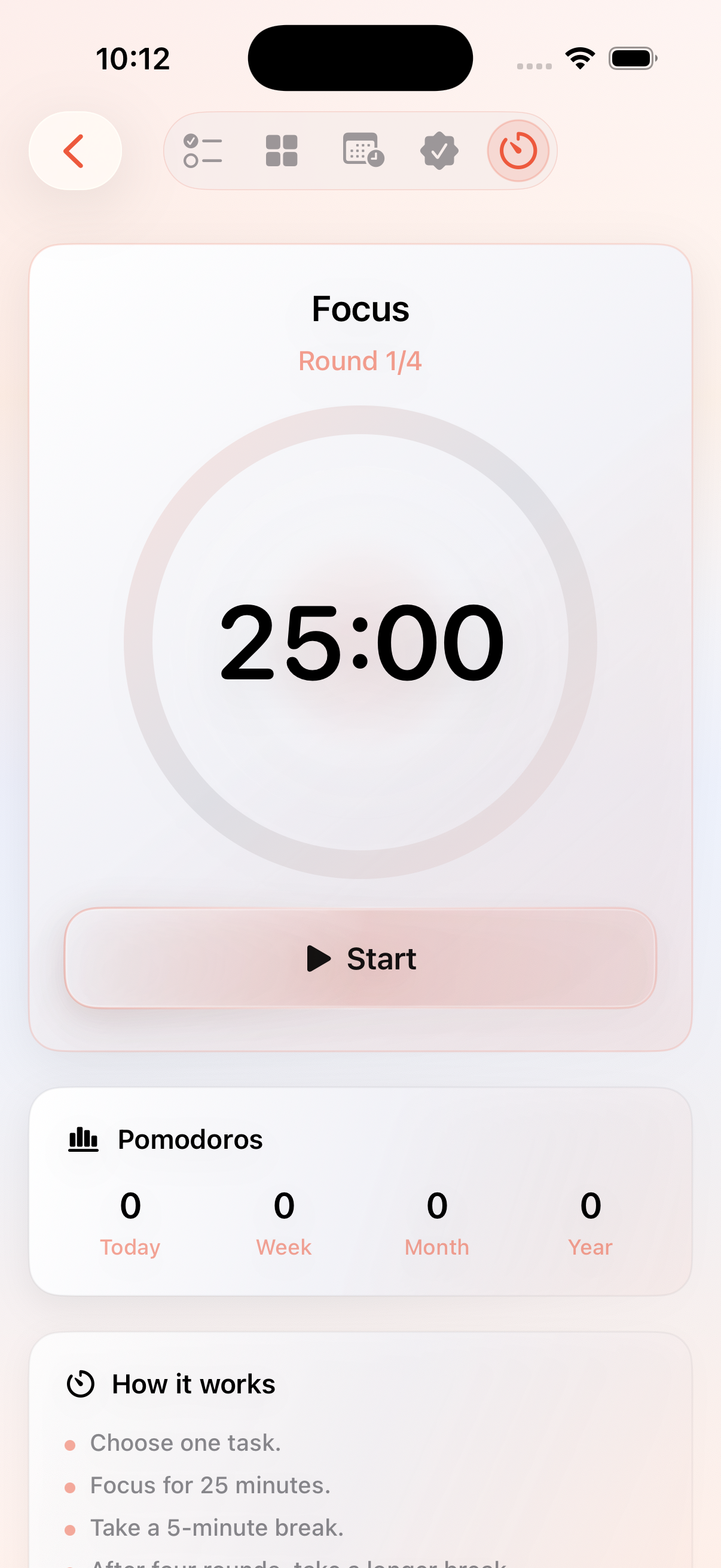
Pomodoro provides a simple 25-minute focus workflow with progress tracking.
-
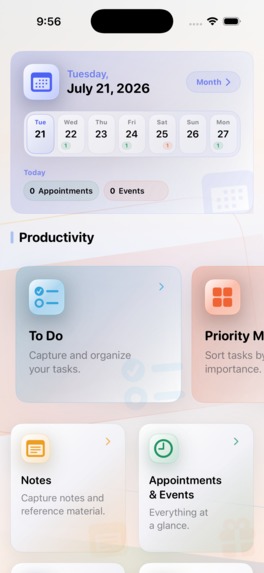
TadaDay brings Calendar and personal productivity into one calm daily workspace.
Inspiration TadaDay did not begin as a hackathon idea. It began at home. One evening, my wife and I were trying to plan the next day using several apps, a paper planner, notes, reminders, and a calendar. Our older son looked at the whole situation and said something simple: “You need one place for all of this. If the existing apps do not work for you, why don’t you build your own?” That question became TadaDay. Planning has followed me through many stages of life: education, accounting and management work in Kazakhstan, moving to Germany, learning a new language, military service, university, and family life. I had tried many digital productivity tools, but they often felt fragmented or unnecessarily complicated. I wanted one calm place where a person could understand the day, decide what matters, and begin without constantly moving between different apps. The first version of TadaDay was published on the App Store earlier in 2026. My family became its first testing team, followed by real users with different needs and backgrounds. Their feedback helped shape the next generation of the product. During OpenAI Build Week, I was not creating a one-week prototype. I was evolving a real application that people were already using. What TadaDay does TadaDay brings personal planning tools together in one iPhone app: appointments and events; a monthly Calendar and Day Detail; To Do lists; a Priority Matrix; Habit Tracker; Pomodoro focus sessions; countdowns and reminders; notes and personal planning tools. The goal is not to force every user into the same system. TadaDay is designed as a modular workspace that can grow with the person using it. The new Calendar brings appointments and events into one modern monthly overview. A user can move from the Dashboard to a date, understand the full day, create or edit either type of entry, and return without losing context. What I built during Build Week My main focus was the most difficult and sensitive part of the product: modernizing the Calendar without putting existing user data at risk. During Build Week, I completed: a unified Calendar flow for appointments and events; a modern, account-aware Calendar ownership model; a verified one-time import from the legacy architecture; local-first behavior while cloud synchronization is still completing; independent reminder times for appointments and events; reconciliation between saved reminder data and scheduled notifications; active Calendar refresh after changes arrive from another device; regional date and time handling; a consistent localization resource contract across 46 supported languages; right-to-left layouts and real Arabic and Hebrew text input; Dynamic Type and accessibility layout improvements; accessible touch targets in important user flows; focused automated regression tests. The multi-device scenarios were validated using Development CloudKit. I am intentionally not presenting this development build as Production CloudKit, TestFlight, or App Store ready. How I built it with GPT-5.6 and Codex GPT-5.6 and Codex changed the way I work. For the next-generation development shown in this project, the coding process became almost entirely prompt-driven. Instead of manually editing source files, I described the product goal, constraints, risks, and acceptance criteria. Codex then worked directly with the real Swift and SwiftUI repository. GPT-5.6 helped me think through architecture, migration risks, product logic, implementation options, and technical tradeoffs. It was especially valuable when a problem had several possible solutions and I needed to understand not only what could work, but which approach would be safer for an existing application. Codex inspected dependencies, implemented bounded changes, generated focused tests, diagnosed Simulator and Core Data failures, performed localization and accessibility audits, and repaired issues it found. I did not ask for one giant rewrite. I worked through small, controlled checkpoints: audit → define the boundary → implement → test → review in Simulator → validate on a physical iPhone → inspect the Git diff → commit This also allowed me to work in parallel. While Codex handled repository-level tasks, I could focus on product design, UX, physical-device testing, and the Build Week submission. The process remained human-led. I defined the product direction, shaped the interface, made the tradeoffs, reviewed the results, and made every final decision. AI did not replace my work. It amplified it. Challenges The hardest challenge was migrating Calendar ownership without losing, duplicating, or repeatedly importing existing data. The app also needed to remain useful when cloud state was still loading or temporarily unavailable. Reminder edits had to stay consistent with both stored data and scheduled notifications. Active Calendar screens needed to react correctly when changes arrived from another device. Localization was another large challenge. Supporting 46 languages required much more than translating visible text. It required consistent resource keys, correct formatting arguments and plural forms, regional dates, right-to-left interfaces, Arabic and Hebrew keyboard input, and layouts that continued to work with large accessibility text sizes. I also had to distinguish real application defects from instability in Simulator and CoreSimulator. A failed development environment is not automatically a failed product test, and a successful build is not automatically proof that the user experience works. Accomplishments that I’m proud of I am proud that Build Week improved both what users see and what the application is built on. The result is a working next-generation TadaDay development build with: a clearer and more consistent Calendar experience; safer migration of legacy data; more reliable reminders; better multi-device behavior; localization support across 46 languages; validated right-to-left input and layouts; improved Dynamic Type and accessibility support; focused regression coverage for critical behaviors. I am also proud of the development process itself. Complex repository work could continue while I concentrated on design, validation, and product decisions. As an independent developer, that changed what I could realistically accomplish in a short period of time. What I learned The biggest lesson was that AI-assisted development works best when the work has clear boundaries and produces evidence. Codex was most reliable when each task had a defined scope, safety constraints, acceptance criteria, and a required final report. Human judgment was still essential for product direction, interface quality, risk decisions, and final validation on real devices. Build Week showed me that Codex can contribute far beyond isolated code generation. It can participate in architecture, implementation, testing, debugging, localization, accessibility, and repository discipline — while the developer remains in control. What’s next The next steps are to complete broader localization review, including review by native speakers, and to extend the modern architecture to additional TadaDay modules. After that, I plan to adapt the complete experience for iPad, build responsive widgets for iPhone and iPad, and deepen integration with Apple platforms through features such as widgets, Siri, and App Intents. Future intelligent features will remain carefully scoped and will be evaluated against Apple’s current expectations for design, privacy, accessibility, and App Store quality. TadaDay began with a simple family question. Now it is becoming the productivity system I once wished I could find.

Log in or sign up for Devpost to join the conversation.