Inspiration
We built Tactus because we saw a real gap in the tools blind users depend on every day. White canes are incredibly useful for navigation and safety, but they are mainly designed to help someone move through a space, not read the information in it. That means a user might be able to get through a hallway safely but still not be able to read a sign, identify a label, or access printed information on their own.
At the same time, a lot of accessibility tools lean heavily on audio. Screen readers are important, but they are not always practical in noisy places like restaurants, busy hallways, bus stops, or crowded waiting rooms. In those situations, audio can be slower, harder to follow, and less private. Braille, on the other hand, is one of the most direct and private ways to access information, but refreshable Braille devices are often bulky and inconvenient to carry around.
That combination of limitations led us to Tactus. We wanted to build something wearable, tactile, and practical that could help blind users do more than avoid obstacles. We wanted a device that could help them read the physical world itself, things like pill bottles, menus, signs, labels, and nearby objects, through touch and in real time, without depending entirely on sound.
What it does
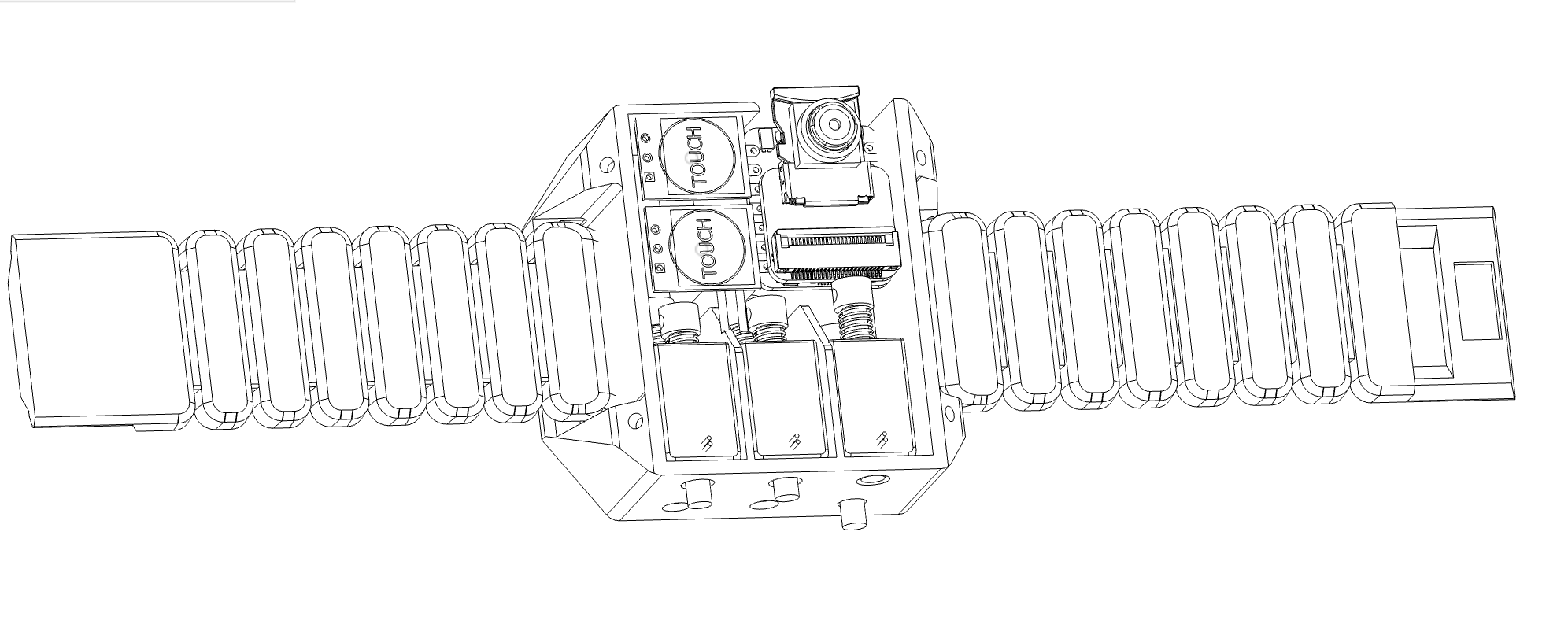
Tactus is a wearable, motorized Braille translator that helps blind users read and interact with the world through tactile feedback. It combines a camera, onboard processing, and a Braille style actuator array to turn visual input from the environment into physical output on the user’s wrist.
It works in two modes: text understanding and environment understanding. In text mode, the camera captures printed text from nearby objects like menus, pill bottles, signs, or labels. The system then uses computer vision and OCR to detect the text, isolate the relevant region, and convert it into Braille output that the user can feel directly on their skin.
Tactus also includes intelligent guidance during the reading process. If the camera is too close, too far, or not centered on the object, the device can give directional feedback like move right or zoom out so the text is framed correctly. In environment mode, it helps with local awareness by identifying nearby objects or directions, making it a practical companion to existing mobility tools rather than a replacement for them.
How we built it
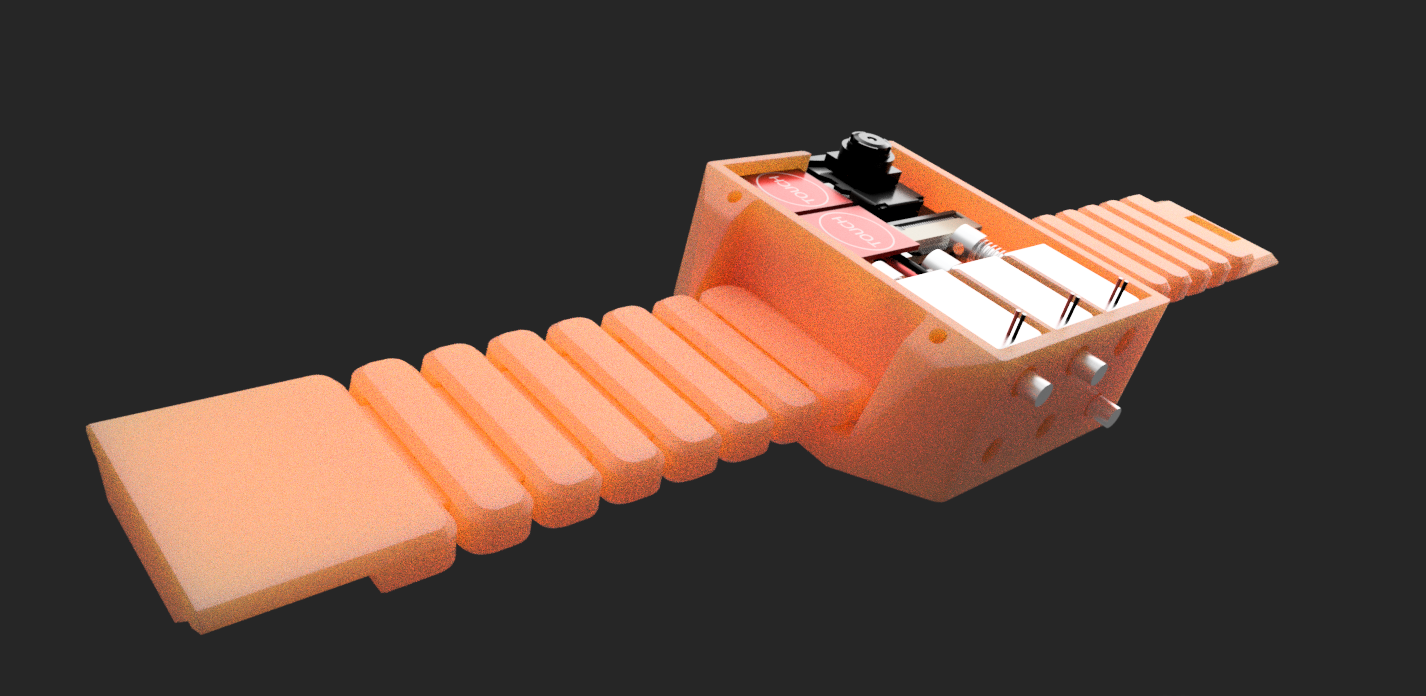
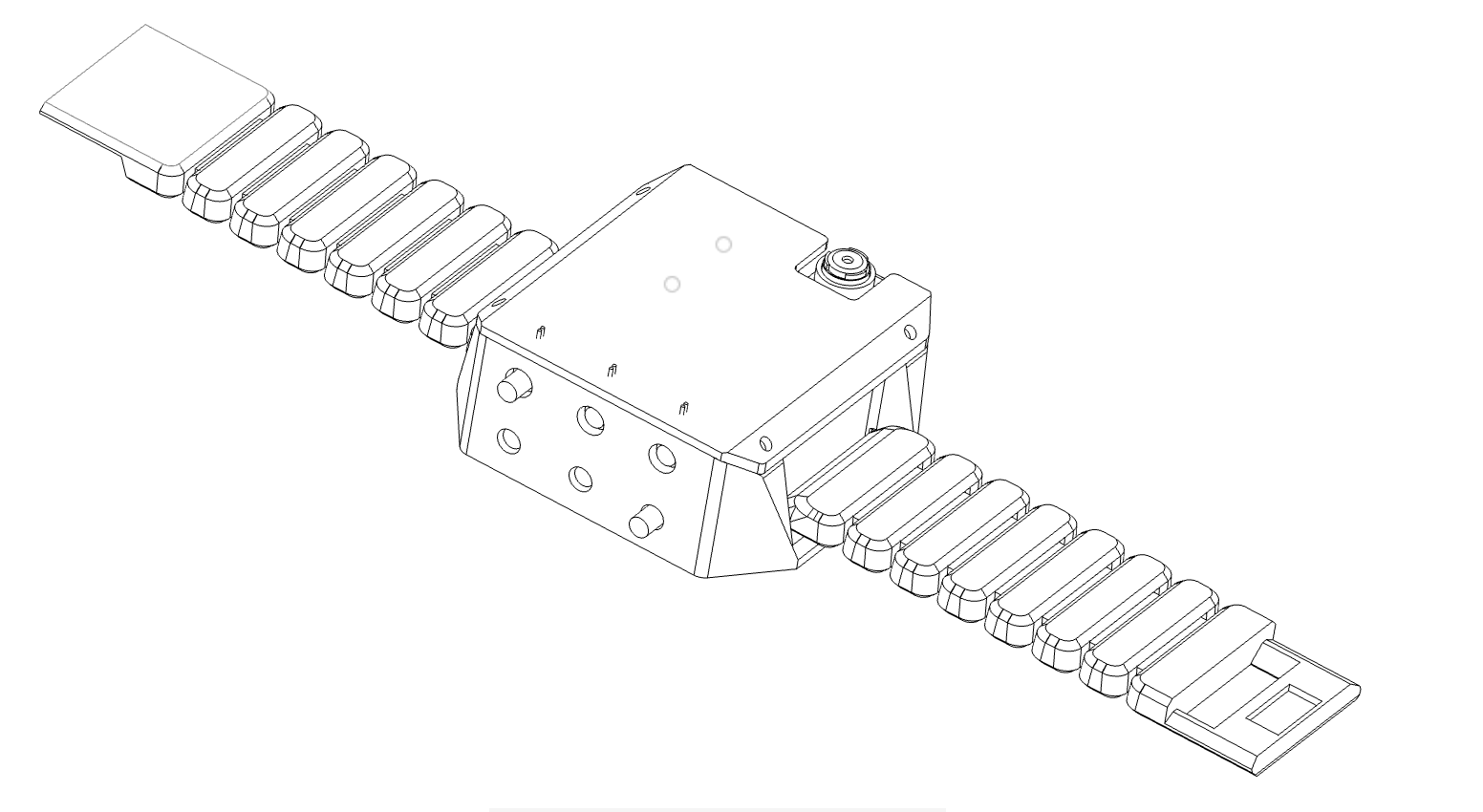
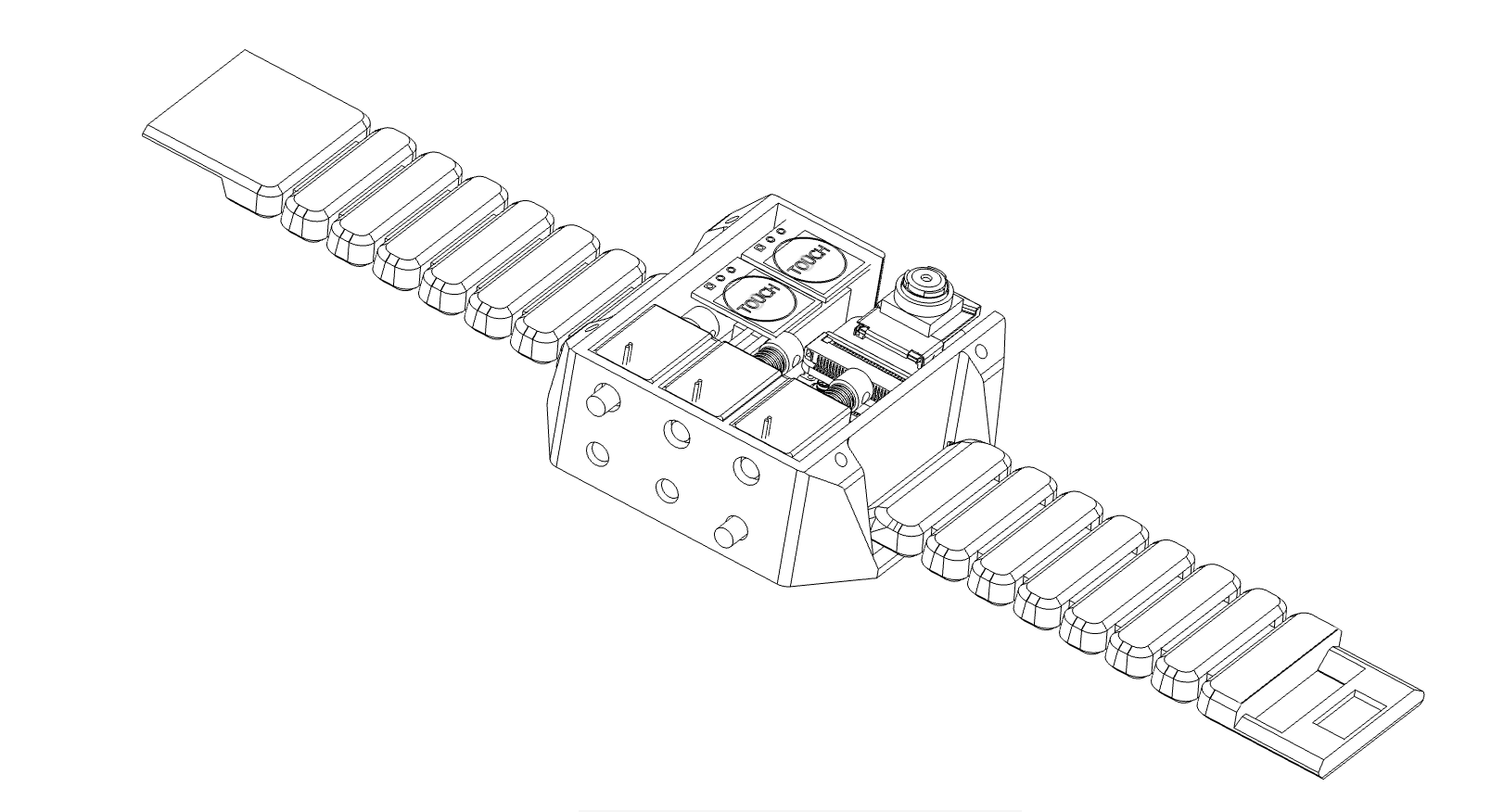
We built Tactus with a 3D printed watch style enclosure designed in Fusion 360, with a rigid body, lid, and compliant strap for comfort. Inside the device are six solenoids, each controlling one pin to create the different Braille outputs. The solenoids are driven by an ESP32 through transistors and powered by two LiPo batteries in series, stepped up through a boost converter to provide 12 volts for actuation.
On the software side, we built a Python FastAPI server that acts as the brain of the device. When the ESP32 button is activated, a camera bridge script grabs a frame from the ESP32 camera stream and sends it to the backend. The frame is processed through one of three computer vision backends: local Ollama and Tesseract for offline use, Azure AI Vision for cloud OCR, or Google Gemini Vision when internet is available. The output is then translated into UEB Grade 2 Braille using our custom translator, which handles the full alphabet, numbers, punctuation, and contractions like wordsigns. That Braille is converted into a comma separated binary string and sent back to the ESP32, which drives the motors. We also added camera framing guidance that detects when text is cut off, too close, or off center, and returns that guidance as Braille instead of the text itself.
Challenges we ran into
One of the biggest challenges was fitting all the hardware into a wearable form factor while still keeping the actuator motion reliable and readable. We also had to balance detection accuracy, latency, and user feedback so the system could work smoothly in a live demo.
Accomplishments that we're proud of
We’re proud that we turned a difficult accessibility idea into a working hardware-software item. We were able to combine computer vision, embedded systems, and mechanical actuation into one cohesive demo that shows a clear use case for blind users.
What we learned
We learned how important human-centered design is for assistive technology. Beyond the technical build, we also learned that accessibility products need to be private, intuitive, and practical in everyday situations.
What's next for Tactus
Next, we want to miniaturize the hardware, improve actuator precision, and make the device more comfortable for long-term use. We also want to expand the software to handle more complex reading and navigation tasks, plus test it with real users for feedback.

Log in or sign up for Devpost to join the conversation.