-
-
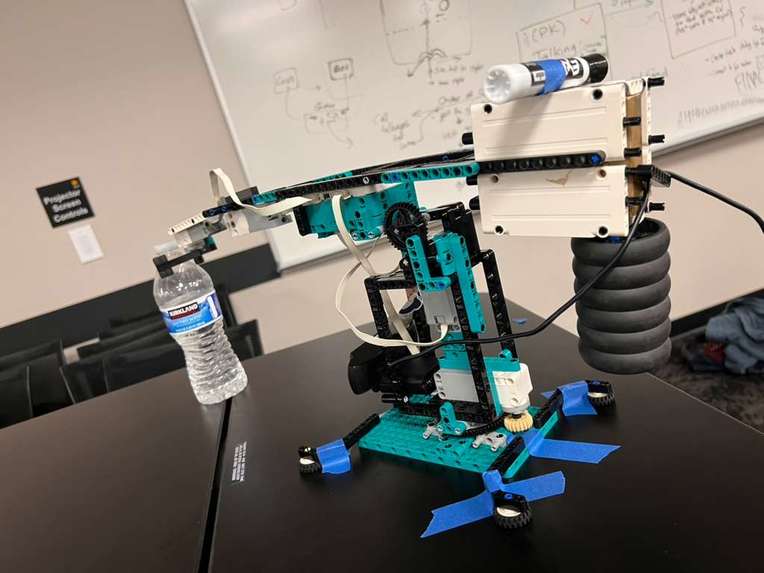
robot
-
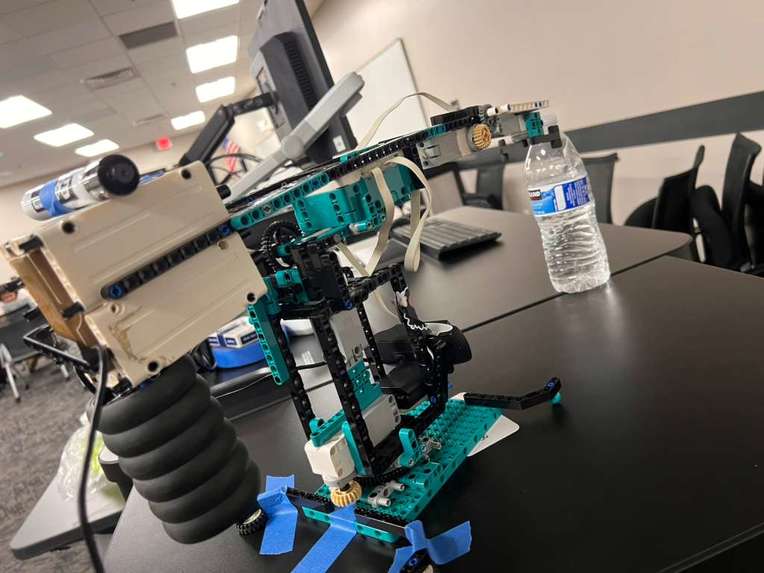
back of it
-
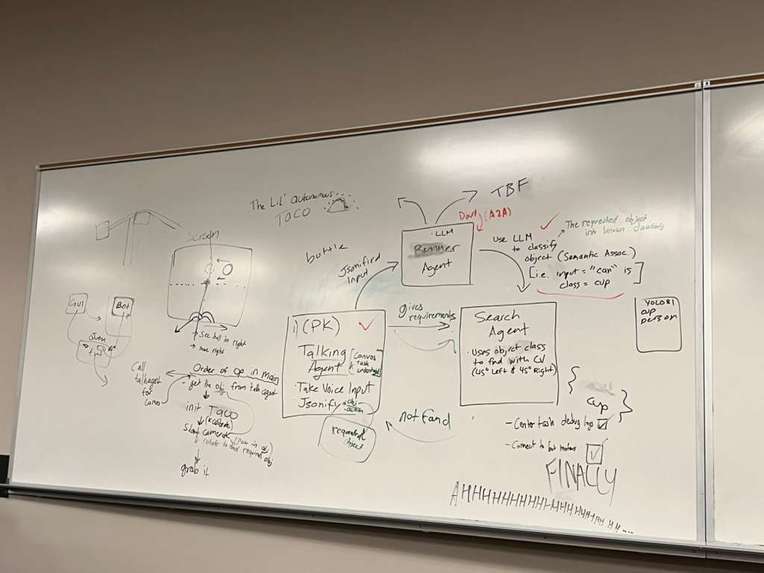
The Mind Map used for our challenges


Inspiration
The idea behind this project came from our own desire to start experimenting with basic robotics. As our first time exploring this field of technology, we realized early on that dealing with hardware had its own challenges (mainly budgetary and pre-assembly), and hence we decided to use what we had available to build a project that normally would have costed thousands of dollars. Despite, our project not being as strong or completely functional as a real industry grade arm, we are happy to have been able to implement a completely autonomous robotic arm. Unlike traditional application design, running our scripts and programs required us to understand and design our own physical device, showing us the importance of fully grasping a project's soft/hardware compatibility, integration, and implementation. That so, with our limited budget in mind, we decided to take a jab at building our own "budgetary bot" that did simple tasks while maintaining affordability and practicality while learning about how far we can push ourselves beyond our comfort zone.
What it does
TACO (Technically Autonomous Coordinated Organizer) is a robotic arm that take in a voice input (i.e. "Move the Red Ball to the right") and executes a command to pick up and search, move, and place and object somewhere else as specified by the user. It was mostly our own experiment trying to utilize LEGO Mindstorm's EV Processor to execute our own scripts while merging it with modern Artificial Intelligence concepts like Computer Vision and Agent to Agent Interaction.
How we built it
With our familiarity with architecture construction using LEGO's, we decided to try to build our own budget-friendly robotic structure with components from many of these kits (mostly from the Robot Inventor set). For the software portion, we utilized python scripts with variety of different libraries and frameworks such as PyBricks, CV2, Flask, Google GenerativeAI, etc.
Challenges we ran into
There were times when we wanted to give up, quit or when we lost hope due to certain parts of the bot not working. Nevertheless, we got back and tried to fix it as much as we can with complete all nighters and all our four mind trying to solve the problems we came across. Compatibility and integration. The biggest problem for us wasn't designing the software, but somehow making it fully readable and executable by the arm. Though we managed to make a variety of agents for to pipeline the process, and we got basic motion from the arm, merging them together in a way that allowed the EV processor to actively read and execute them was quite the challenge. Especially with TACO's brain using micropython to run its commands, we were required to find ways to get different commands we wanted to execute in real-time. We faced a lot of connectivity issue from the hardware aspects, such as Bluetooth from PC to EV and even executed commands from Terminal to EV.
Accomplishments that we're proud of
We made it move! Even if it was for a short spurts, we were able to get actual movement from the robot from our own scripts. We also managed to get the camera feed up and running with CV2 and utilize YOLO81 CV model to map out and classify objects in a given view space as well as utilize ElevenLabs voice model API to take in an audio input from the user and JSON-ify and return a classified object type.
Research and Improvements
We reviewed “The VoiceBot: A Voice Controlled Robot Arm”, which demonstrated a fully speech-controlled robotic arm for accessibility and human–robot interaction. The study highlighted key benefits of hands-free control but also revealed several technical challenges. From drawbacks of this study were there was no controlled testing: It worked mainly in lab conditions, not in realistic settings. Also, the latency: There was a delay between voice input and robotic action. We solved these issues by optimizing command pipeline by running speech processing locally as well as testing in real-world conditions (ambient noise, multiple users) to evaluate robustness.
We examined “Design and Development of a Robotic Arm” by Kruthika K, Kiran Kumar B.M, and Dr. Sanjay Lakshminarayanan, which presented a 5-DOF robotic arm designed to assist elderly or physically challenged individuals. Their work focused on kinematic modeling in MATLAB and basic control using an Arduino Mega 2560 through a GUI.
The drawbacks of this study were that the no AI/vision integration: Required manual control with no autonomy. Also ,there was limited real-world testing: Most results were simulation-based.
We fixed this drawback by adding a lightweight computer vision system (e.g., camera + object detection) for semi-autonomous operation and target recognition. We built and tested a fully physical prototype for real-world validation under multiple conditions.
What we learned
This experience certainly taught us a great deal about software development, particularly when it comes to deploying it within custom physical device configurations and components. We learned the importance of testing component compatibility and performance, particularly with interfaces like PyBricks for the EV processor. Even if we didn't implement it, we also learned some of the fundamentals of Agent to Agent Development. More importantly, despite the many struggles, we learned to stick together as a team and never give up on our vision to make this work!
What's next for TACO
Despite the many setbacks we had with this project, we persevered and, more importantly, managed to learn a great deal about designing and implementing programs with physical components. Our team all agreed that we had a lot of fun with this project as we "tried something new" that we weren't used to expecting from a hackathon. With a better understanding of robotic development from this experience, we will use what we have learned to continue developing TACO and or improve our approach to any upcoming projects and future hackathons! We look forward to researching more efficient methods and implementations of soft/hardware components to bring our ideas to life!


Log in or sign up for Devpost to join the conversation.