Inspiration
We wanted reminders to feel more tangible than another notification or an endless to-do list. A small desk companion seemed like a more encouraging way to keep a few important tasks in view—and a pixel-art cat made the idea more fun.
What it does
Taccy puts four reminders into fixed slots, each paired with a control on a desk-board layout. You can add and edit reminders, set urgency, mark tasks complete, and undo completion. A pixel-art cat celebrates progress.
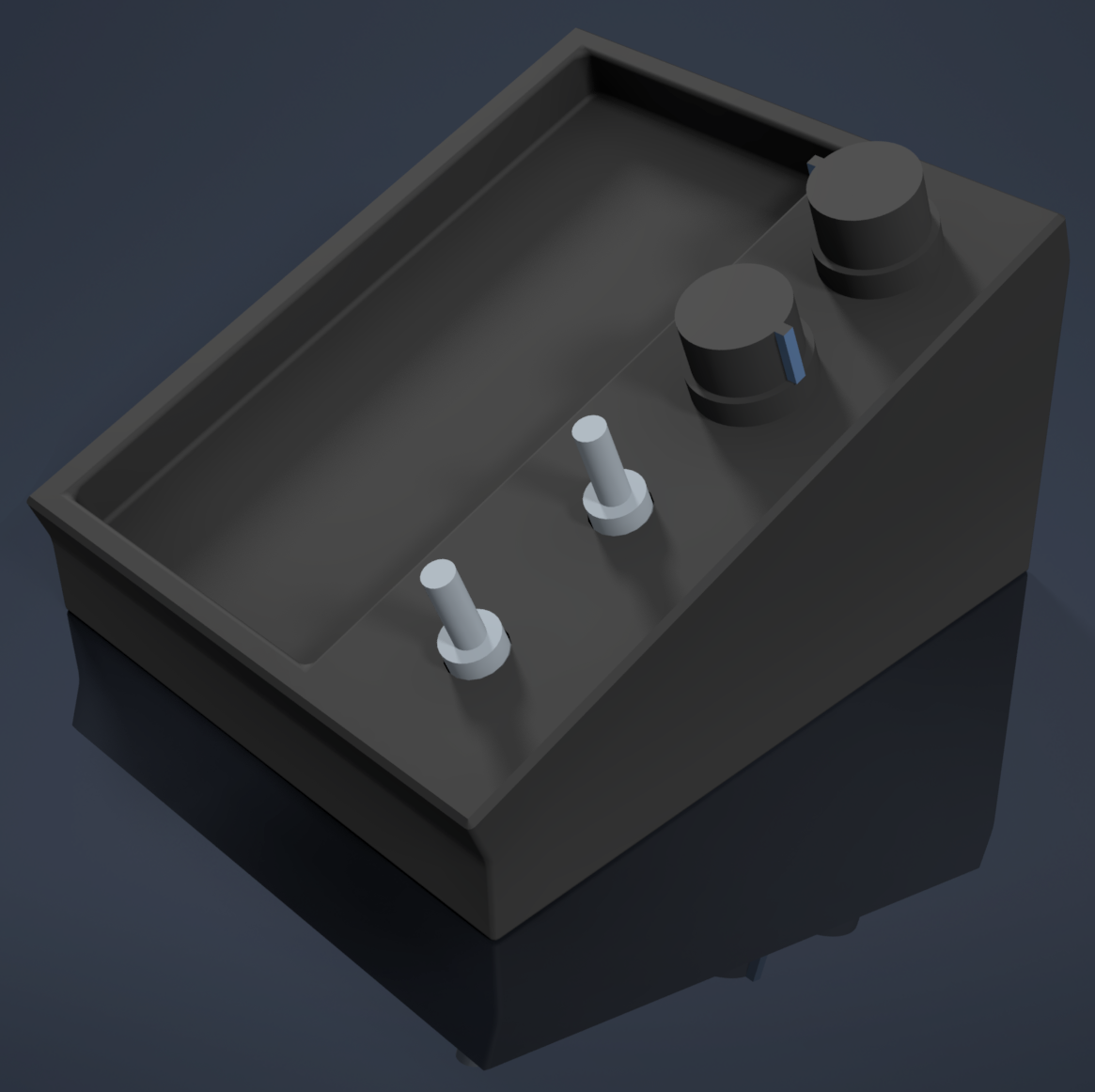
The app can import eligible tasks due today from Google Tasks using read-only access. Changes in Taccy do not update Google Tasks. The printed dials and switches are not electronically connected; the demo mirrors their actions in the app.
How we built it
We built a mobile-first web app with React, TypeScript, Vite, CSS, and browser local storage. The interface pairs four fixed reminder slots with two dials and two switches in a 3D-printed enclosure. Google Tasks import uses Google Identity Services and the Google Tasks API. The cat is a pixel-art companion in the app.
Challenges we ran into
We had to keep each reminder aligned with its control while making the board usable on a phone-sized screen. We also worked through saving edits safely, handling reloads, and making the cat feel encouraging without covering the reminders. Google sign-in and real account import require configuration and testing.
Accomplishments that we're proud of
We built a working reminder app and a physical enclosure concept in a short time. The app includes fixed task-to-control mappings, saved reminders, urgency states, completion and undo, a companion, and a Google Tasks importer. We’re proud that the demo brings the physical and digital parts together while being clear about which hardware actions are simulated.
What we learned
We learned that small interaction details matter: what happens when a task is already complete, how edits survive reloads, and how an interface behaves on a phone can shape the whole experience. We also learned to make imports explicit and read-only, and to distinguish a visual accessibility feature from actual tactile output.
What's next for Taccy
We’d like to test Taccy with people who may benefit from more tangible routines, improve the mobile experience, and explore safely connecting the physical controls to the app. We also want to validate the visual Braille mode with accessibility experts and investigate real tactile output.
Built With
- 3d-printing
- css
- google-identity-services
- google-tasks-api
- localstorage
- pixel
- react
- typescript
- vite

Log in or sign up for Devpost to join the conversation.