-
-

Thumbnail
-
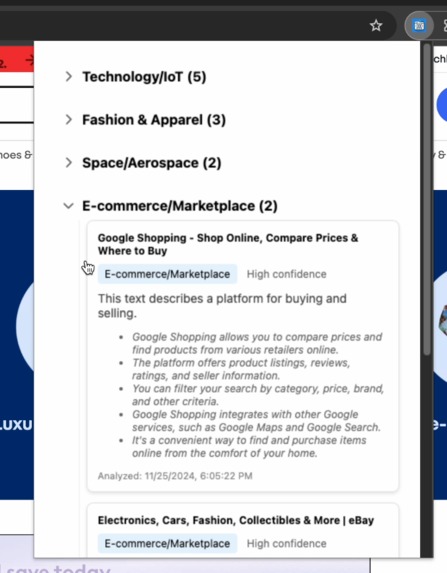
app
-

logo

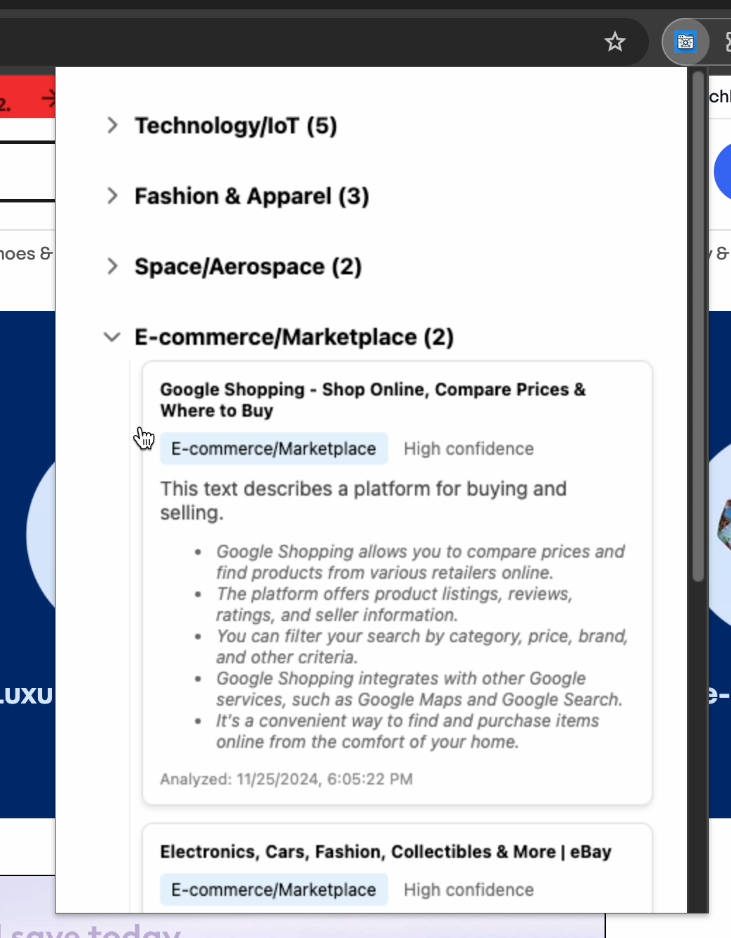

Inspiration
Have you ever walked away from your computer, come back later, and stared at a sea of open tabs, trying to remember why you opened them in the first place? That’s exactly the frustration I wanted to solve. Tabs for research, shopping, or entertainment all start to blur together after a while, making it hard to stay organized and productive.
I wanted a solution that could help me quickly identify the purpose of each tab and summarize its content at a glance—all without compromising privacy or relying on internet-based AI services. This led to the creation of Tabwise, a browser extension that uses local AI models to make tab management smarter and simpler.
What it does
Tabwise is a browser extension designed to bring order to the chaos of tab overload. Here’s what it can do:
Categorizes Your Tabs: Automatically sorts tabs into common categories like e-commerce, social, research, sports, and more, so you know the purpose of each tab at a glance.
Generates Summaries: Provides concise summaries of the content in your tabs, saving you the time and effort of revisiting and skimming through pages.
Runs Locally: All AI-powered features run entirely on your computer, ensuring your privacy and delivering fast performance without relying on external servers.
How I built it
I started with an idea of auto organizing the tabs. Once the tab has been categorized then it gets a summary of what that tab is about.
Then I got set up with gemini nano making sure it runs with basic console log
I then researched different small models like phi, tinyllama, and others. I tried to quantize some of the models so they were small enough to run on my laptop without slowing it down. Tinyllama was small enough to run on my machine to not slow it down.
I then built a flask server to run the local tinyllama and customized it to output a category given an input text.
When I had the server working with tinyllama and gemini I then used HTML & CSS to build the extensions frontend interface that would display the categories and summaries. I didn't want to use any frameworks like React or bootstrap for styling. I wanted to try and keep it simple.
Once I had the server and frontend working together I also needed a image for the project so I asked an AI to generate an image and after a few generations I got the image I used.
Challenges I ran into
- Running models locally was a challenge because my laptop isn't a beast.
- Learning about the different models and how to set them up. I had only one class in school about AI so this was a real learning experience about llms
- Getting a model to run on mac with ctransformers
Accomplishments that I am proud of
- One accomplishment is really just getting the tinyllama to run and give categories was a task after trying a few models. ## What I learned
- I learned that a lot more things go into making a chrome extension then I thought.
- I also learned about quantized models and how different variations of a model can be created by reducing their size or optimizing them for specific use cases. ## What's next for Tabwise chrome extension
- Tabwise could get internationalized
- It could have a function where users could add there own categories or modify existing ones.
- It could have a search function for categories or tabs

Log in or sign up for Devpost to join the conversation.