-
-
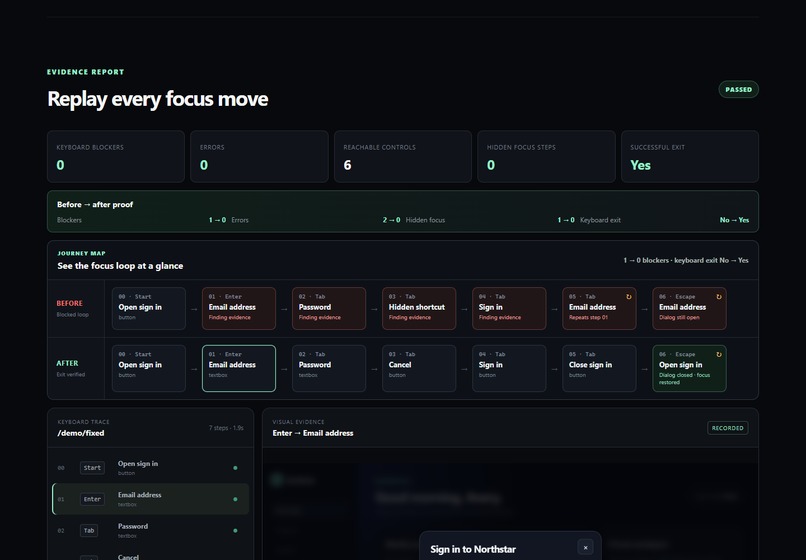
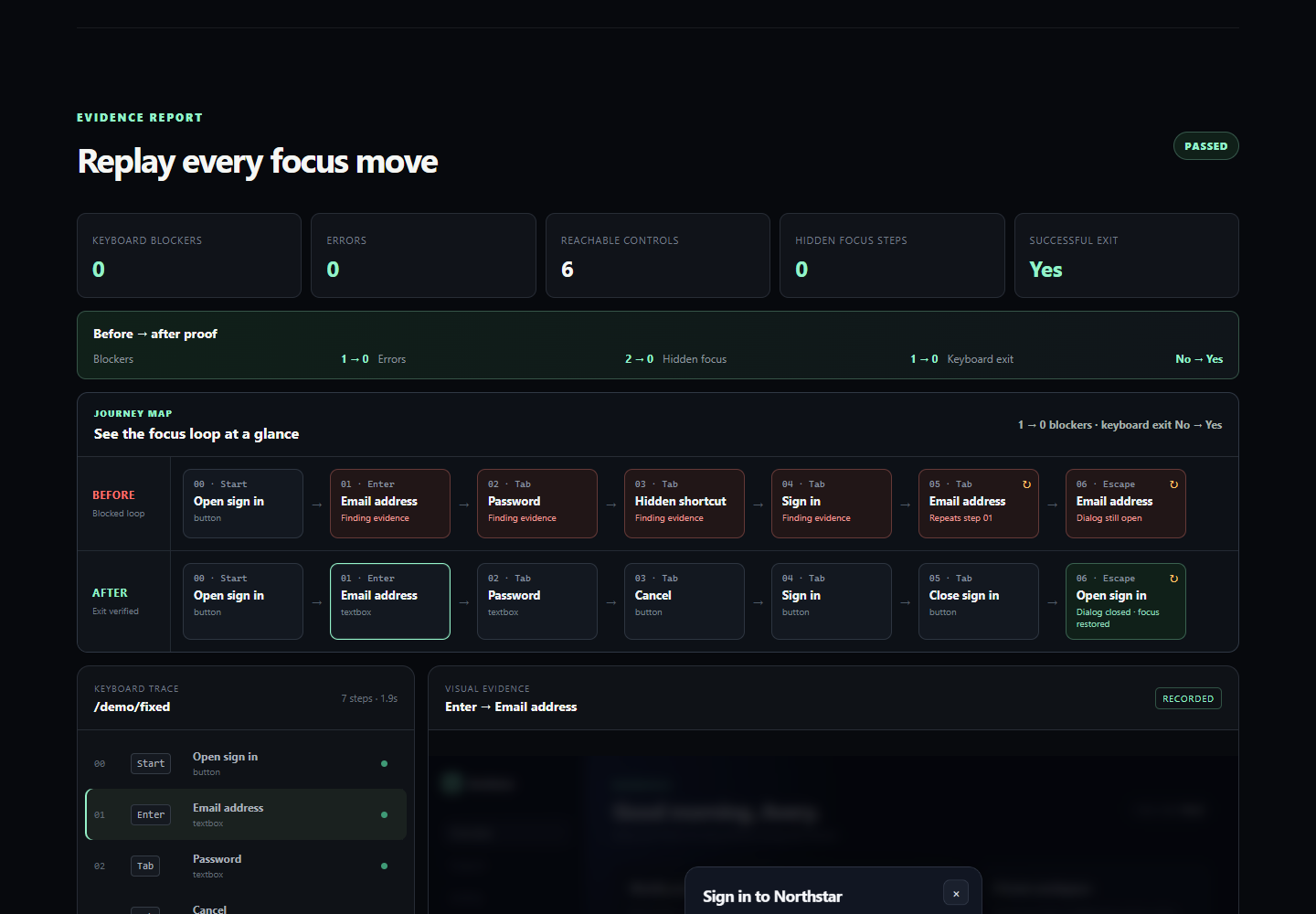
Verified repair: blockers fall from 1 to 0, Escape succeeds, and focus returns to the trigger.
-
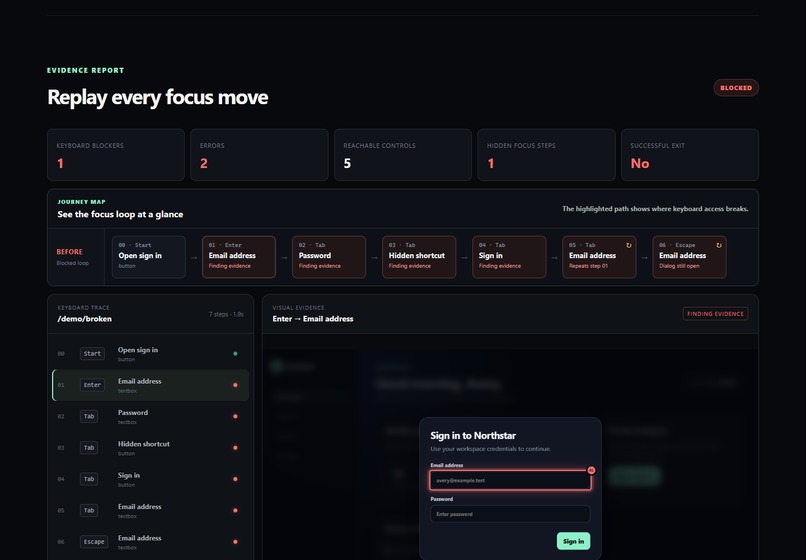
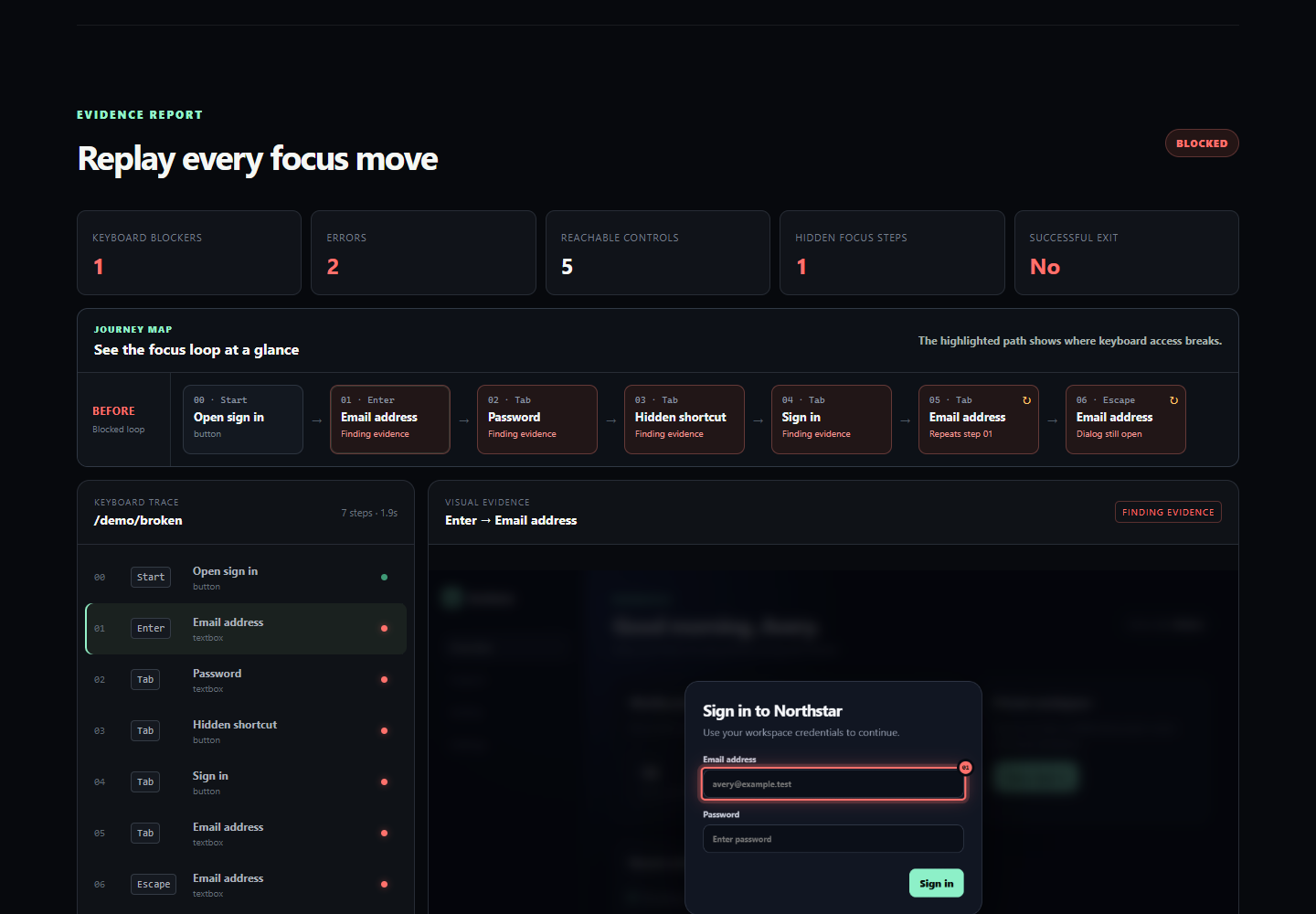
Broken journey: the recorded focus loop exposes hidden focus and a failed keyboard exit with visual evidence.
Inspiration
Static accessibility scanners can identify many DOM-level problems, but keyboard barriers are often journeys rather than isolated elements. A user opens an interface, moves through several focus states, and may become unable to exit or understand where focus went.
I wanted to make those journeys visible, reproducible, and useful to developers without pretending that automation can certify complete WCAG compliance.
What it does
TabTrace is a visual flight recorder for keyboard accessibility.
A developer selects a page, a focusable starting control, and a constrained keyboard sequence. TabTrace then:
- launches a real Chromium browser
- replays the keyboard interaction
- records every focus transition and dialog state
- captures marked screenshots for each step
- detects evidence-backed keyboard blockers
- visualizes the complete focus journey
- generates portable JSON
- creates a Playwright regression test
- produces a precise Codex fix briefing
The deterministic jury mode runs a broken and repaired interface sequentially using the same keyboard input. It then displays both paths and proves whether the blocker disappeared, Escape succeeded, and focus was restored.
How we built it
TabTrace uses Node.js, Playwright Core, browser-native accessibility and layout data, and a dependency-light local HTTP server. The interface is built with HTML, CSS, and JavaScript.
A portable trace JSON document is the shared source of truth for the visual timeline, findings, screenshots, summary, generated regression test, and Codex briefing.
The included release runs locally without an account, cloud service, API key, or build step.
How we used Codex and GPT-5.6
TabTrace was developed during OpenAI Build Week in a primary Codex thread using GPT-5.6 Sol at extra-high reasoning.
I used Codex and GPT-5.6 to:
- compare product ideas against the judging criteria
- validate the modal-dialog model against accessibility guidance
- design and implement the scanner and visual report
- write evidence-derived generators and automated tests
- diagnose failures against a real browser
- inspect captured screenshots
- improve the interaction design and submission video
- challenge assumptions that could produce misleading accessibility claims
One important engineering decision came from this verification loop: a fragile dashboard overlay was replaced with a capture-time focus marker, keeping exported screenshot evidence accurate at every display size.
I kept the MVP narrow, rejected unnecessary architecture, and made sure heuristic findings were not presented as automatic WCAG violations.
Challenges we ran into
The hardest problem was distinguishing expected modal focus containment from a genuine keyboard blocker. Cycling through controls inside an open modal is normal; it becomes a blocker when the user cannot exit or focus is not restored correctly.
Other challenges included:
- connecting every finding to exact evidence steps
- keeping screenshot annotations pixel-accurate
- generating assertions without inventing application behavior
- making the complete workflow deterministic and locally testable
Accomplishments that we're proud of
- A real broken-to-fixed browser proof runs from one button.
- The broken demo produces an exact blocker with visual evidence.
- The repaired demo closes with Escape and restores focus.
- Every focus transition can be replayed from the report.
- The generated regression test is derived from recorded evidence.
- The same trace powers the UI, JSON, test, and Codex briefing.
- The complete judging path works without accounts or paid services.
- The project includes a tested, installable Windows release.
What we learned
Accessibility automation is most credible when it exposes both its evidence and its uncertainty.
A repeated focus loop alone does not prove a defect. The surrounding dialog state, keyboard exit, visibility, and focus restoration determine whether the interaction is genuinely blocked. Making that distinction explicit made TabTrace more accurate and more useful.
What's next
- reusable trace templates for menus, drawers, and multi-step forms
- optional Axe integration for complementary static checks
- cross-browser recording
- shareable static trace bundles
- direct import of TabTrace briefings into Codex workflows
Built With
- accessibility
- chrome
- codex
- css3
- gpt-5.6
- html5
- javascript
- node.js
- playwright
- wai-aria

Log in or sign up for Devpost to join the conversation.