-
-
home_page
-
how_it_works
-
live_testing
-
barrier_detected
-
fix_reviews
-
code_diff
-
journey_passed
-
before_after_evidence
-
offline_replay
-
restaurant_journey
-
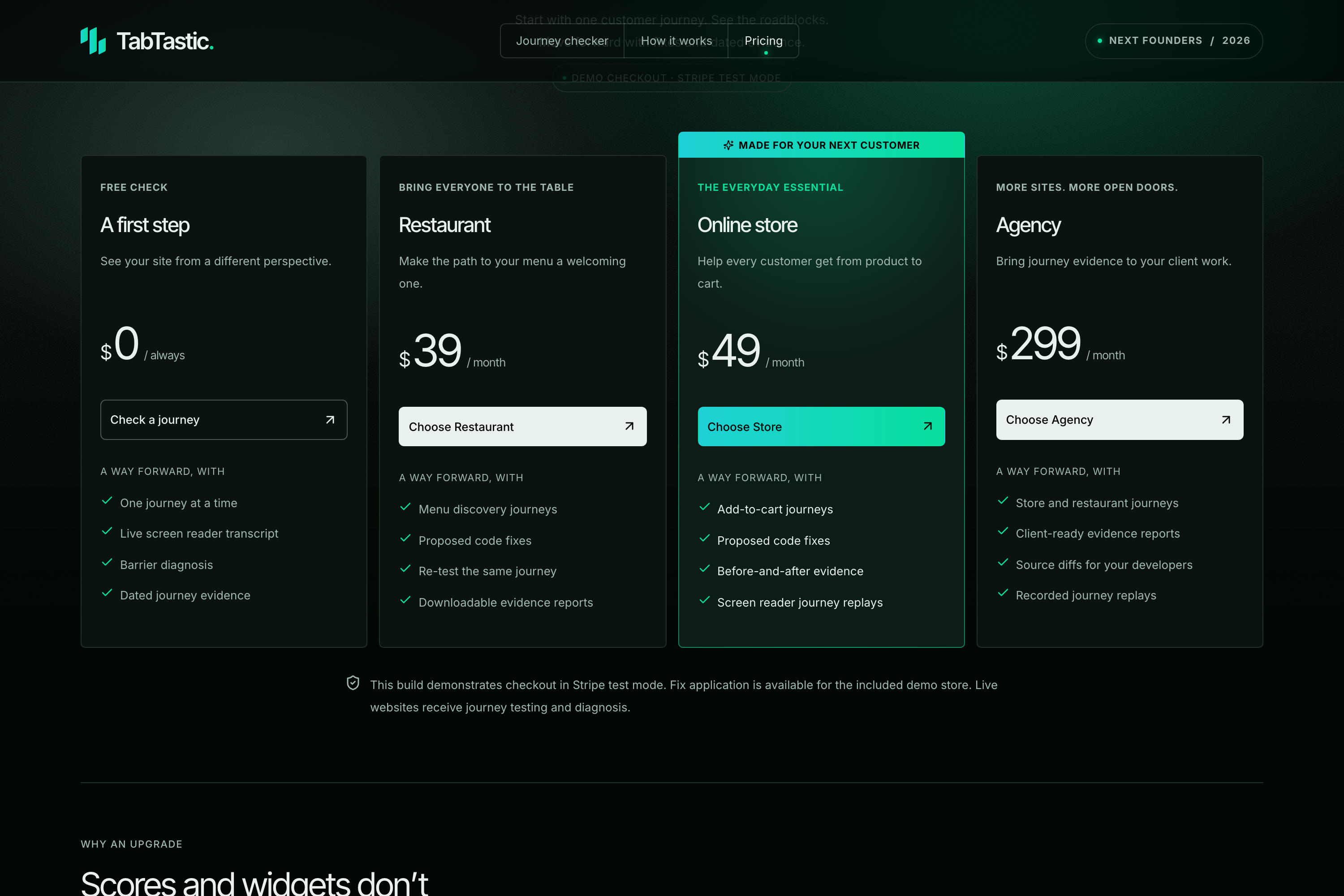
pricing_page
-
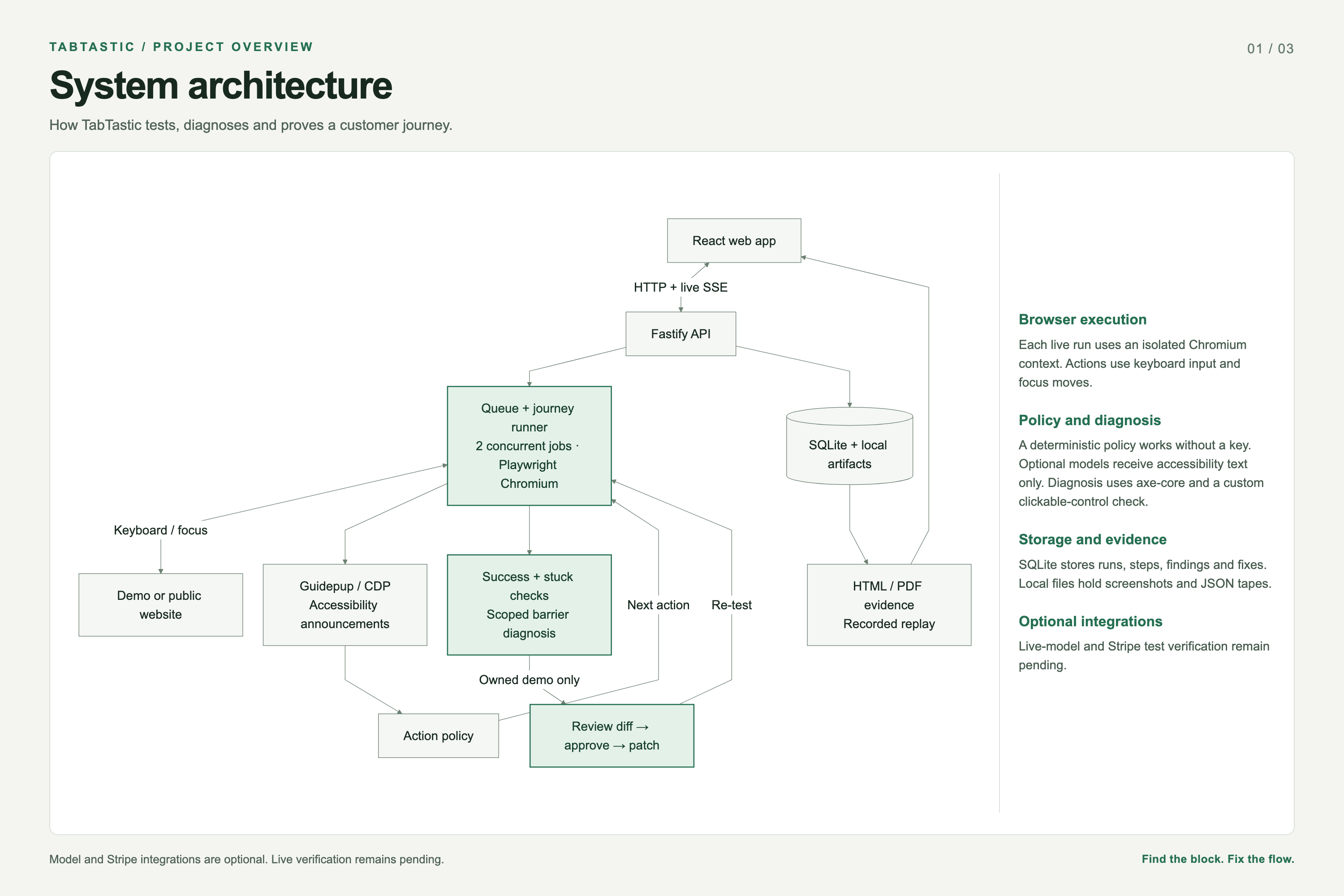
system_architecture
-
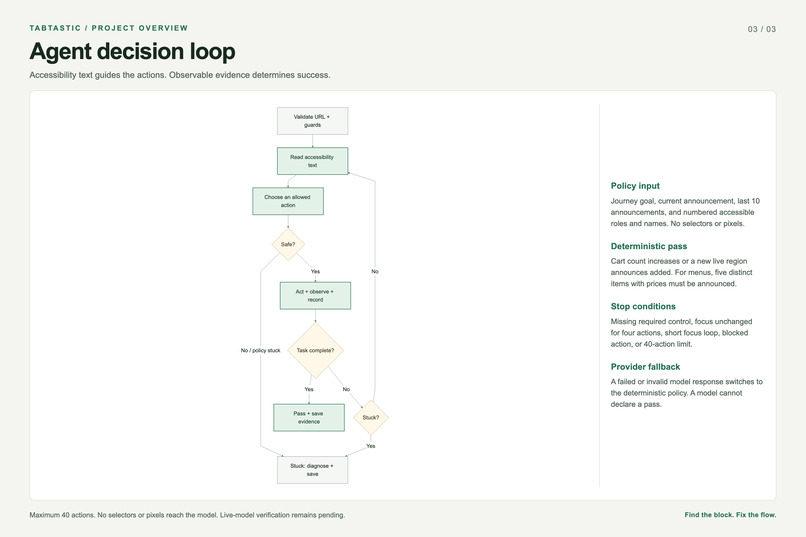
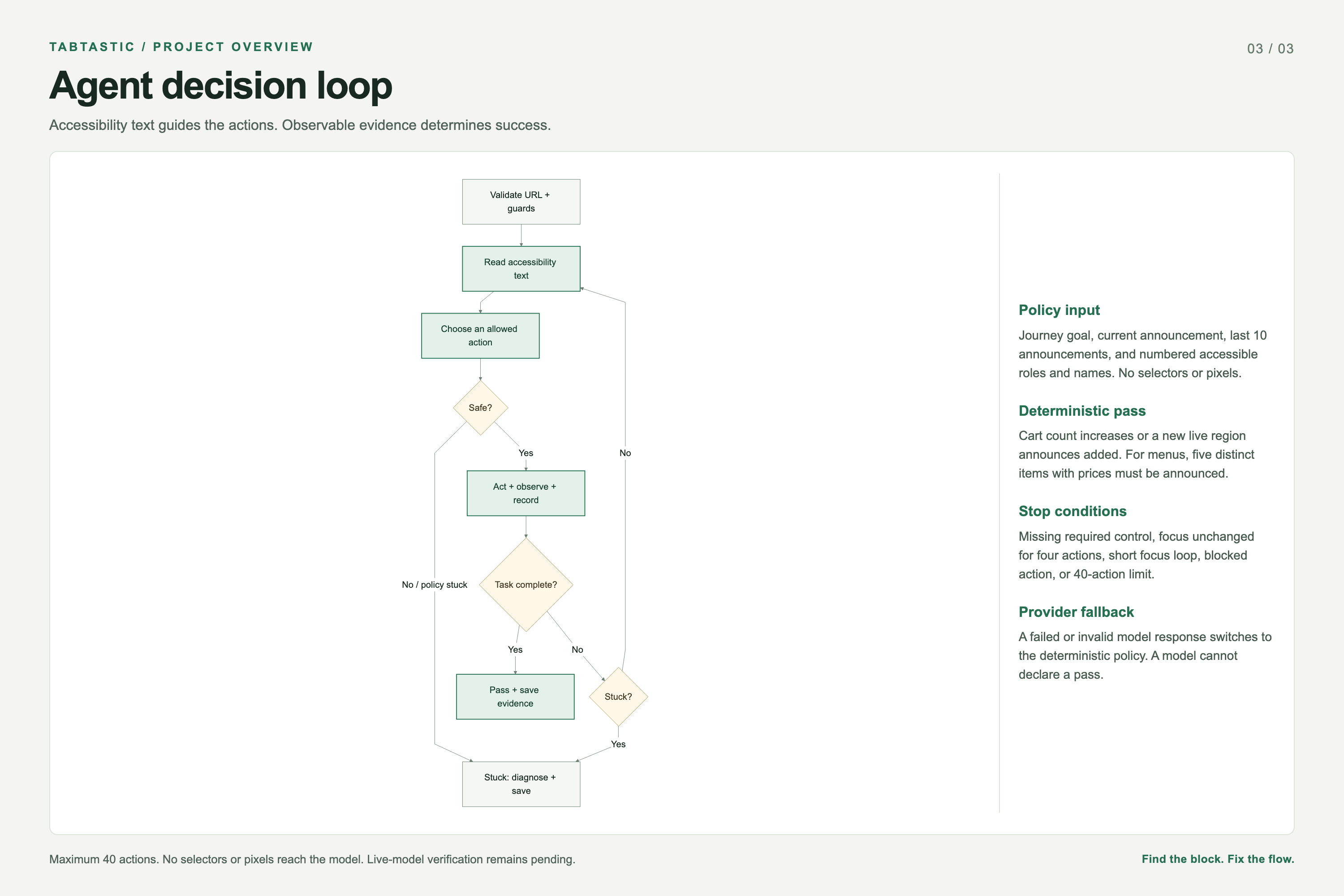
agent_decision_loop
-
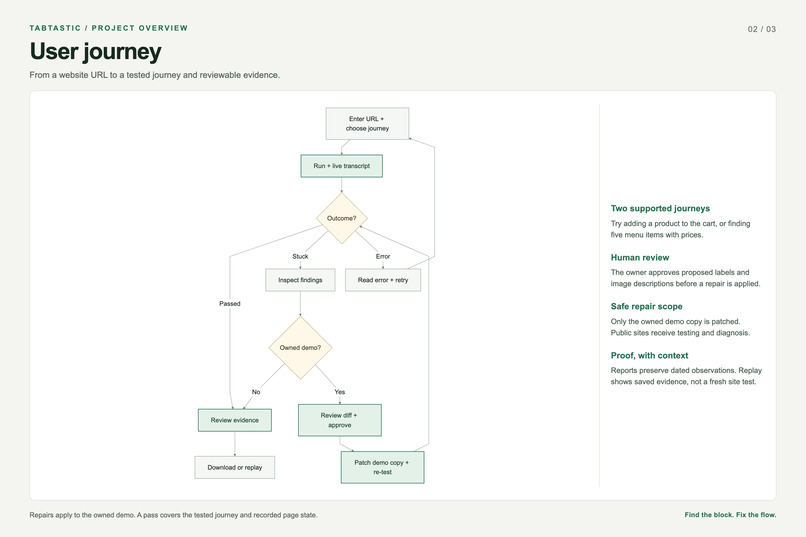
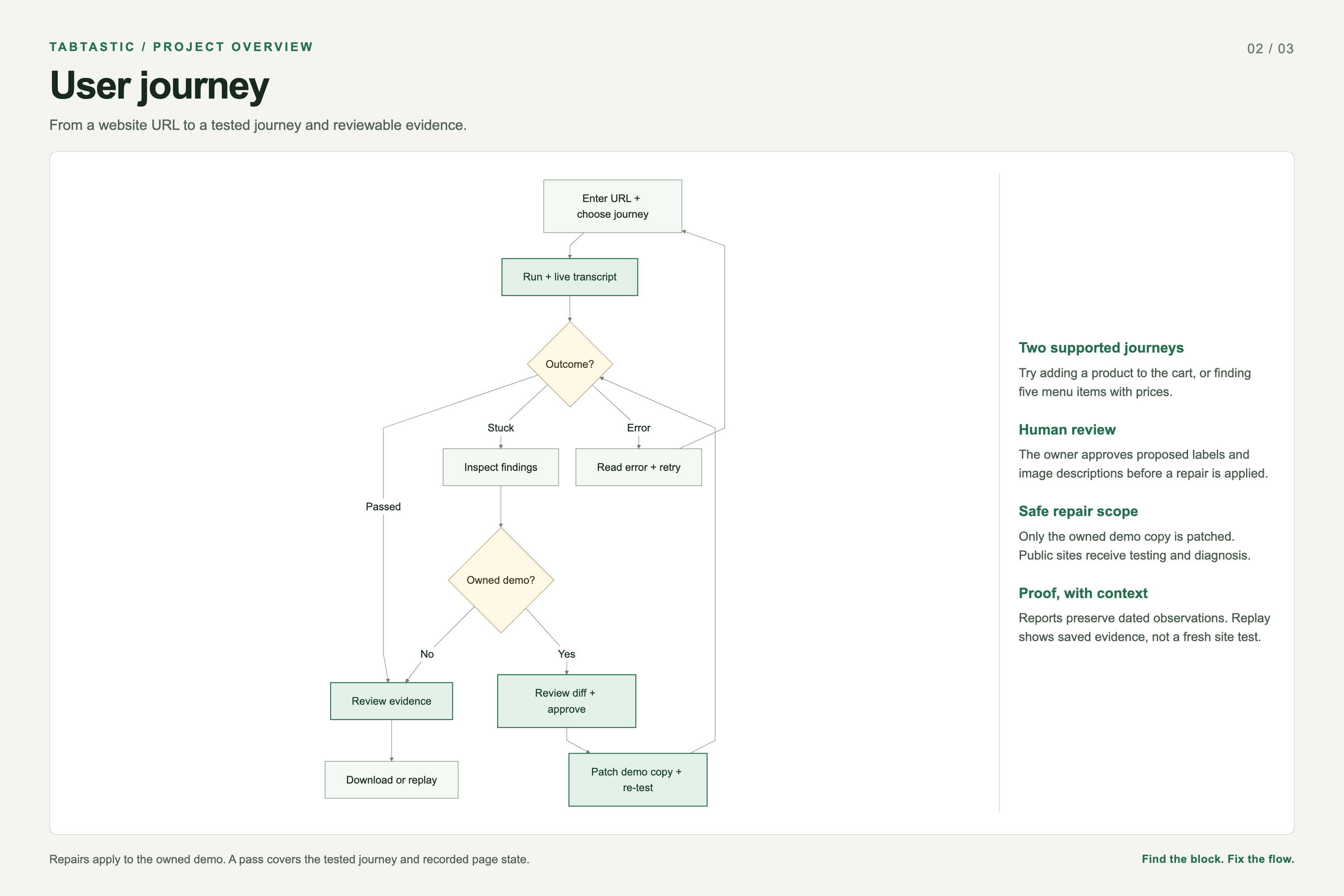
user_journey
Inspiration
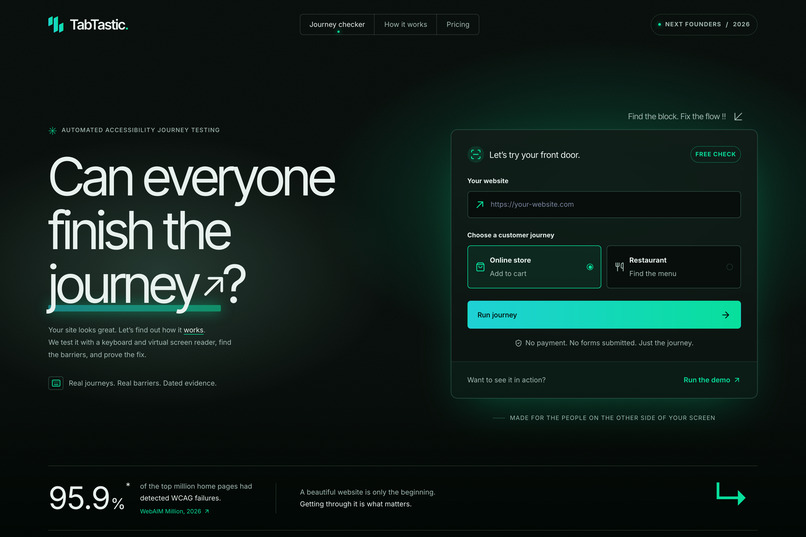
A website can look great and still stop someone from completing a simple task with a keyboard. Accessibility scans can flag technical issues, but they do not always explain whether a customer can actually use the site.
We built TabTastic around one question: can someone complete the journey, and if they cannot, can we show exactly what stopped them?
What it does
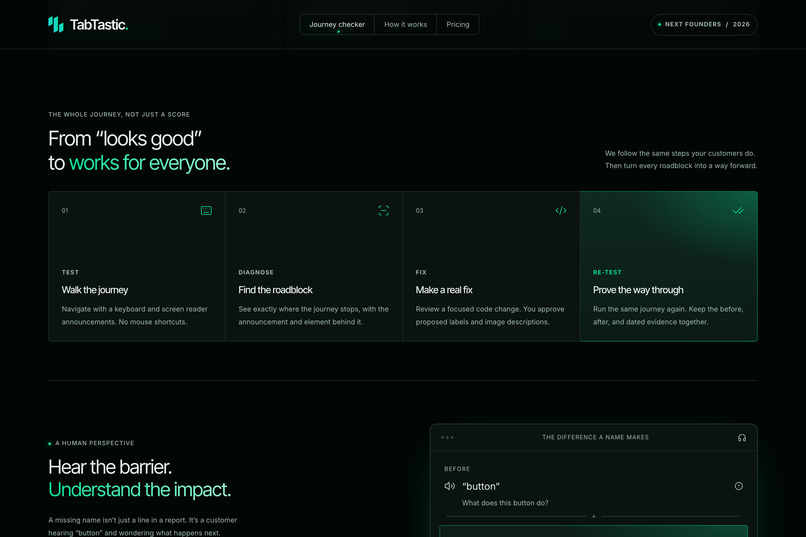
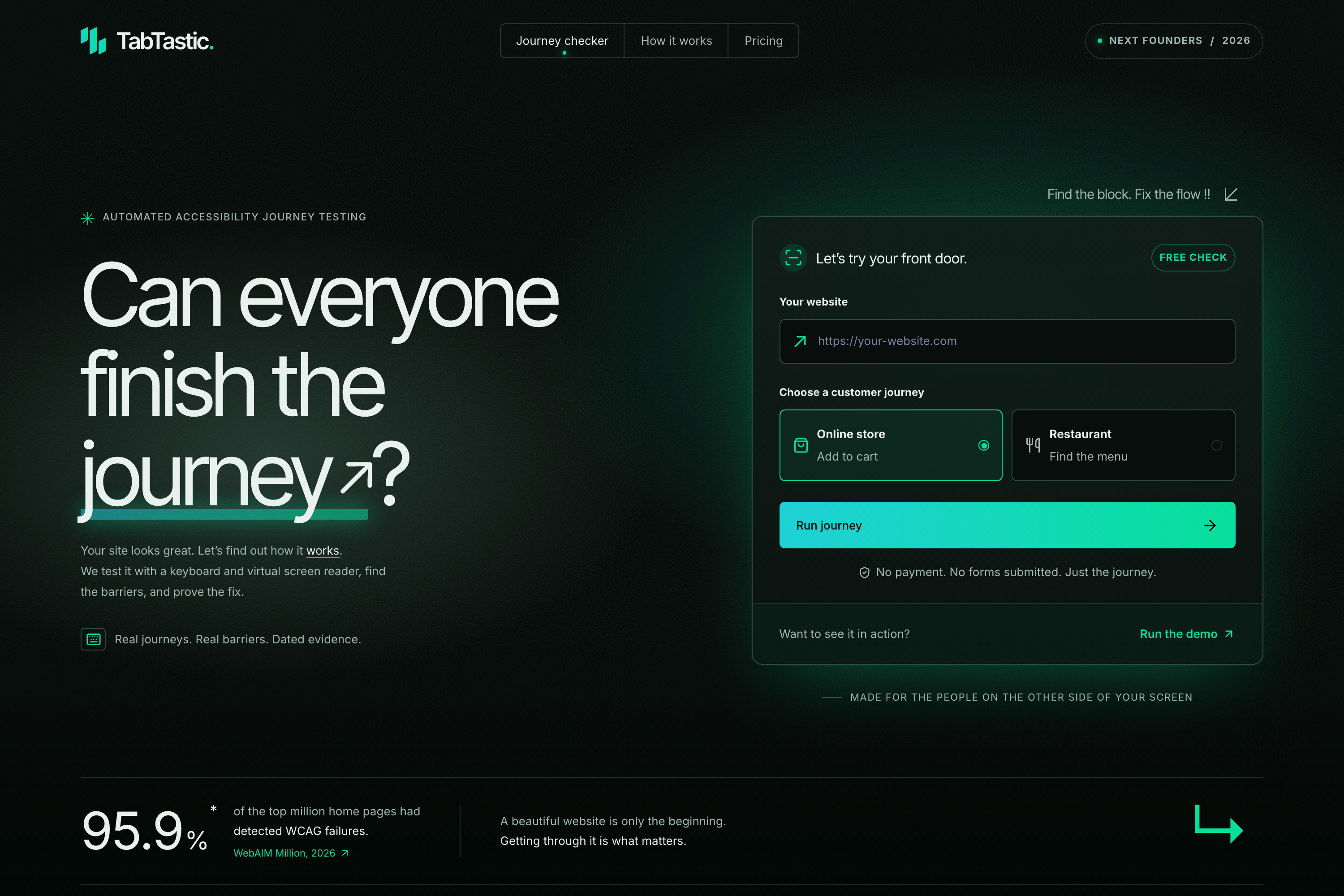
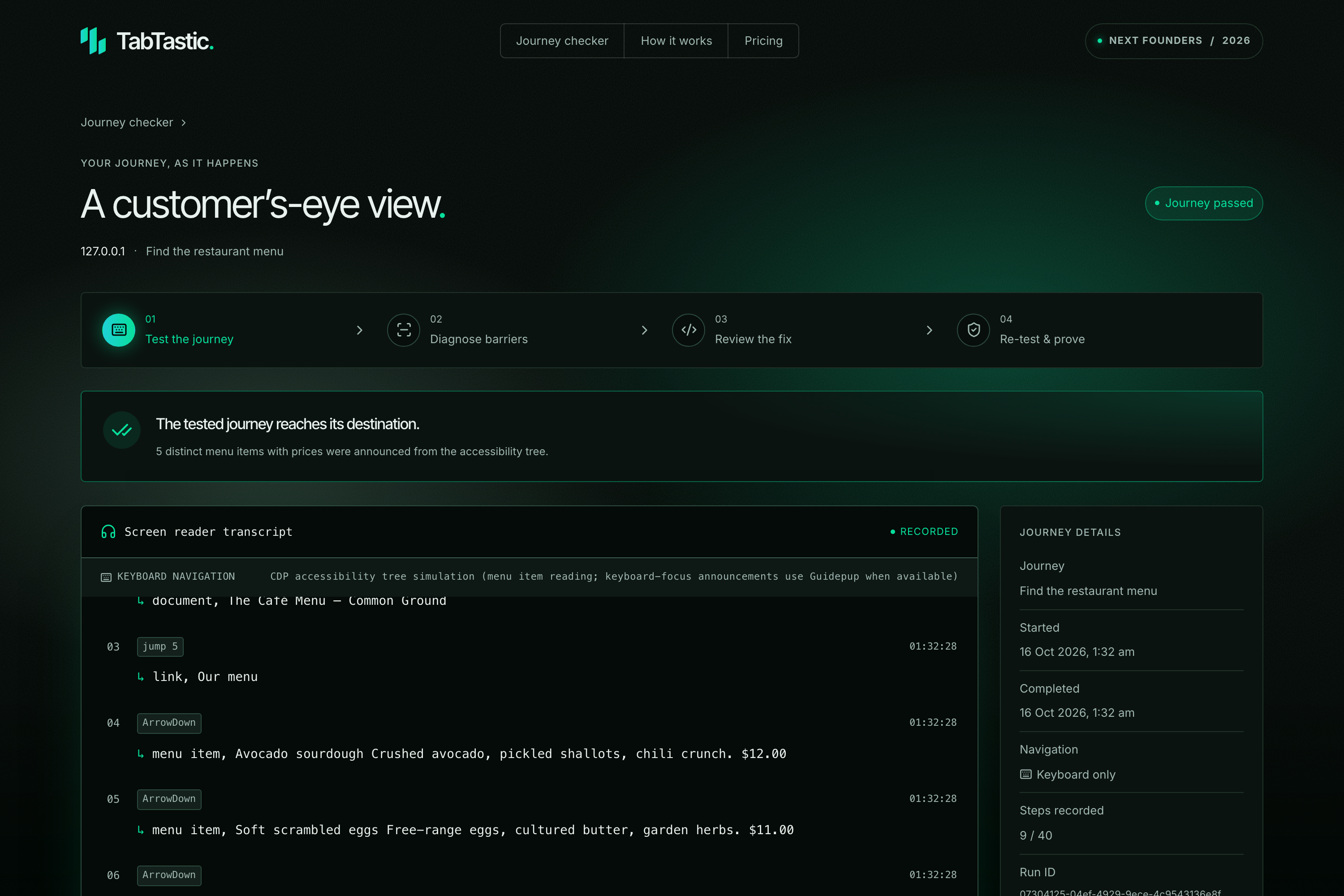
TabTastic tests common website tasks using keyboard navigation and accessibility information. Our prototype supports two journeys: adding a product to a cart and finding a restaurant menu.
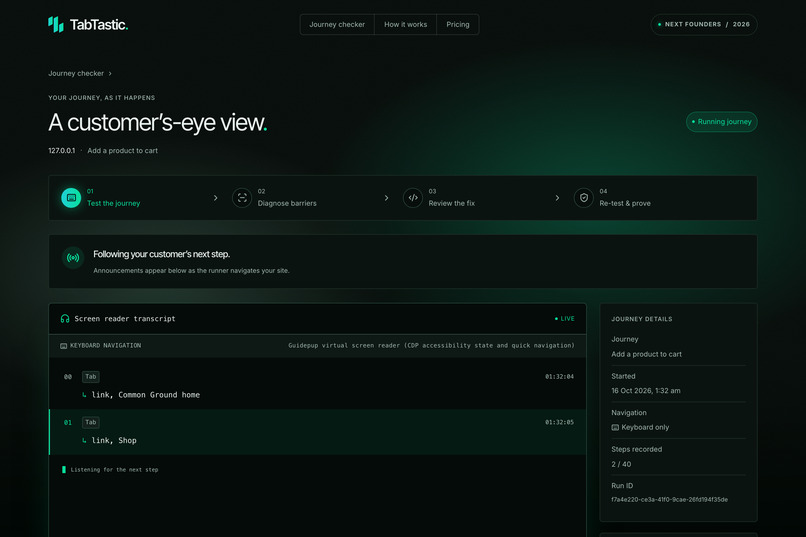
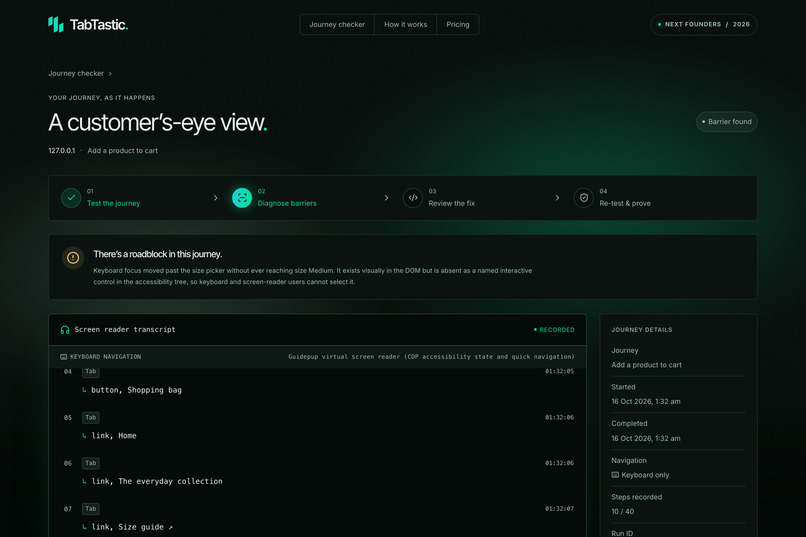
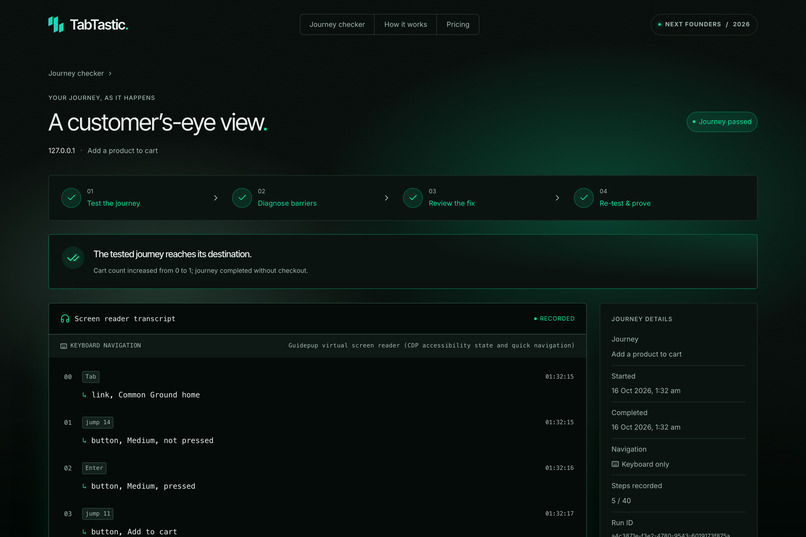
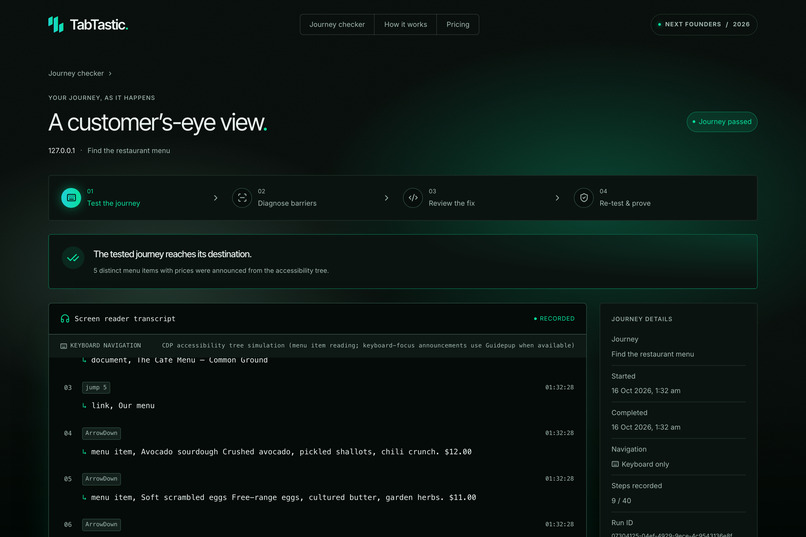
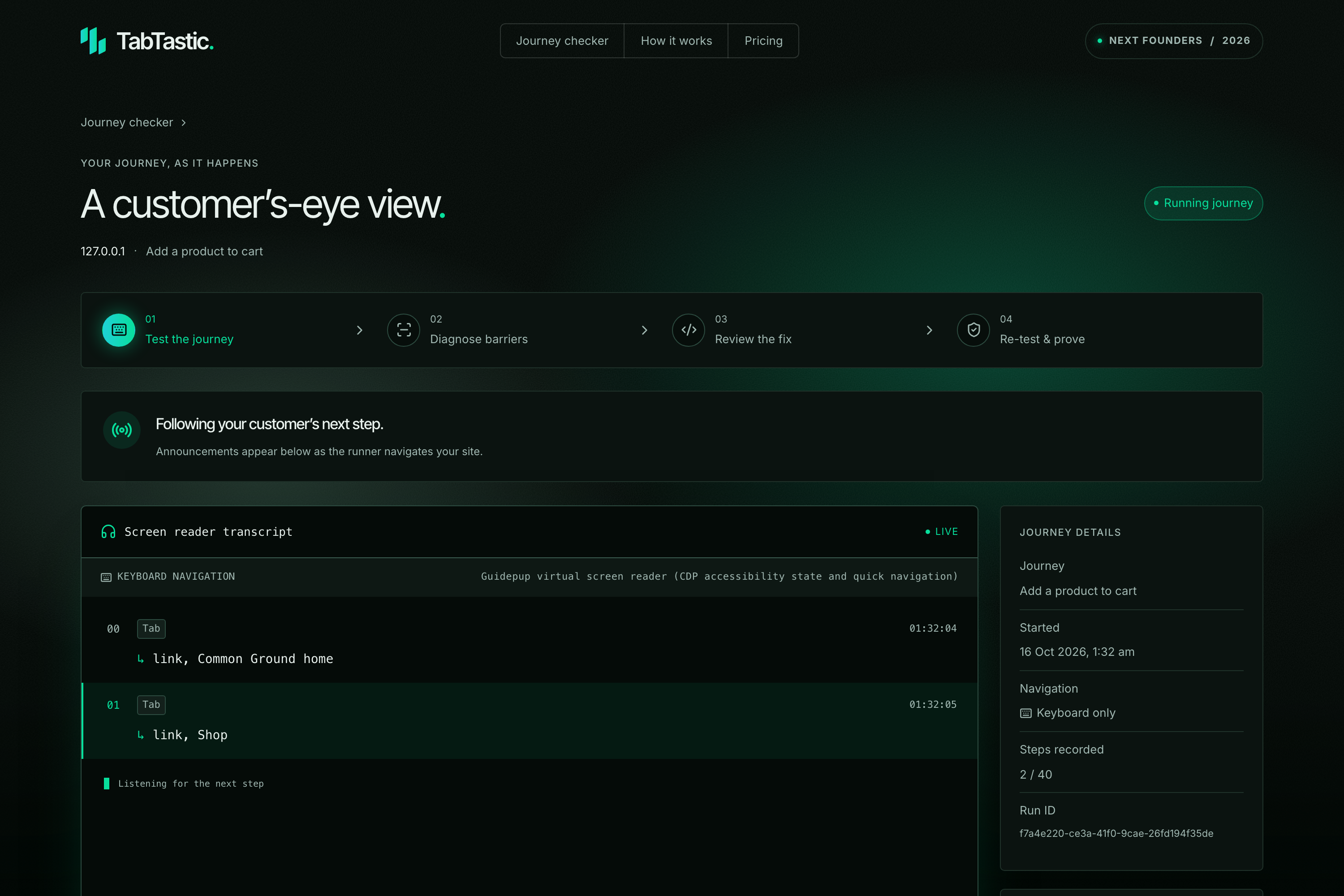
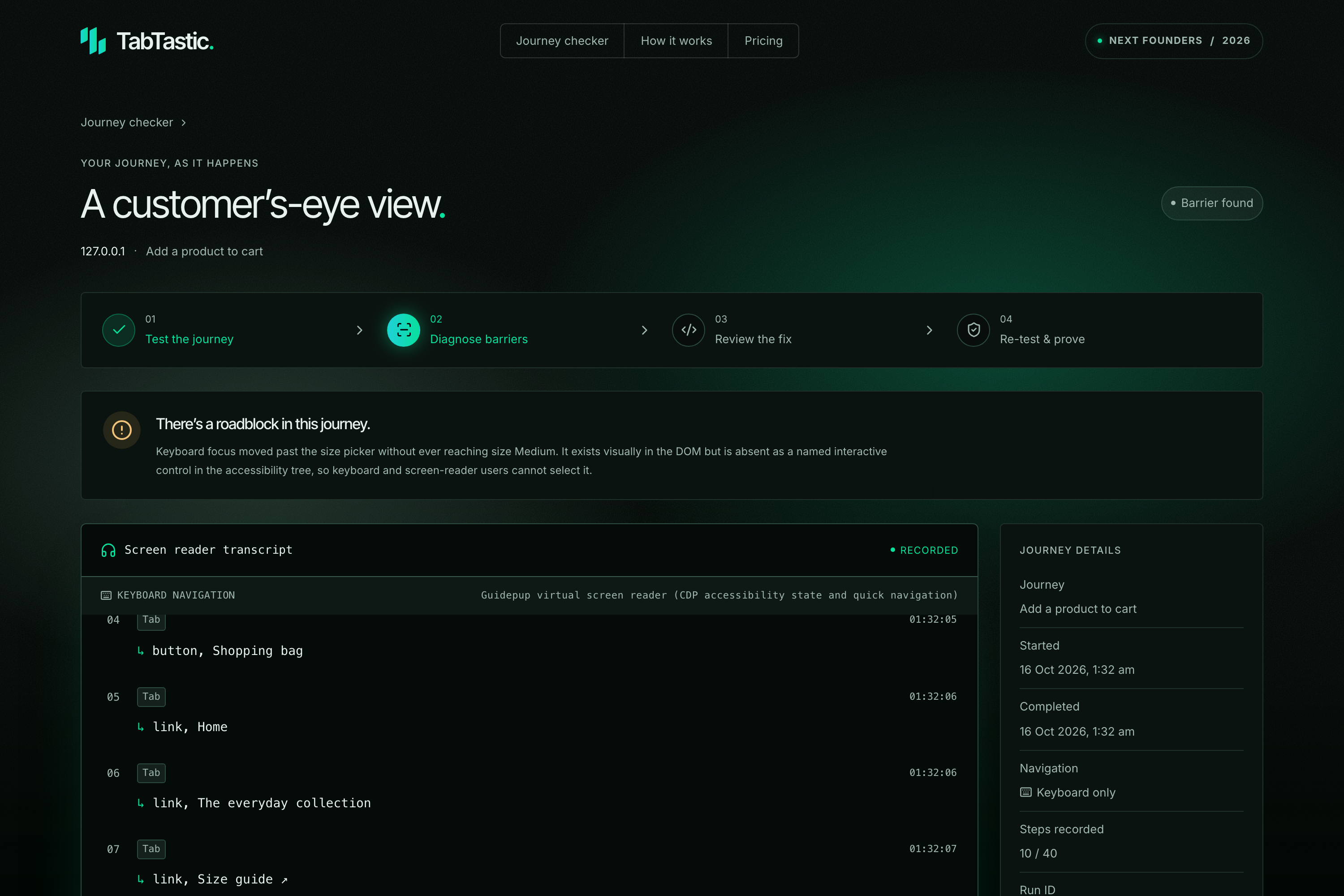
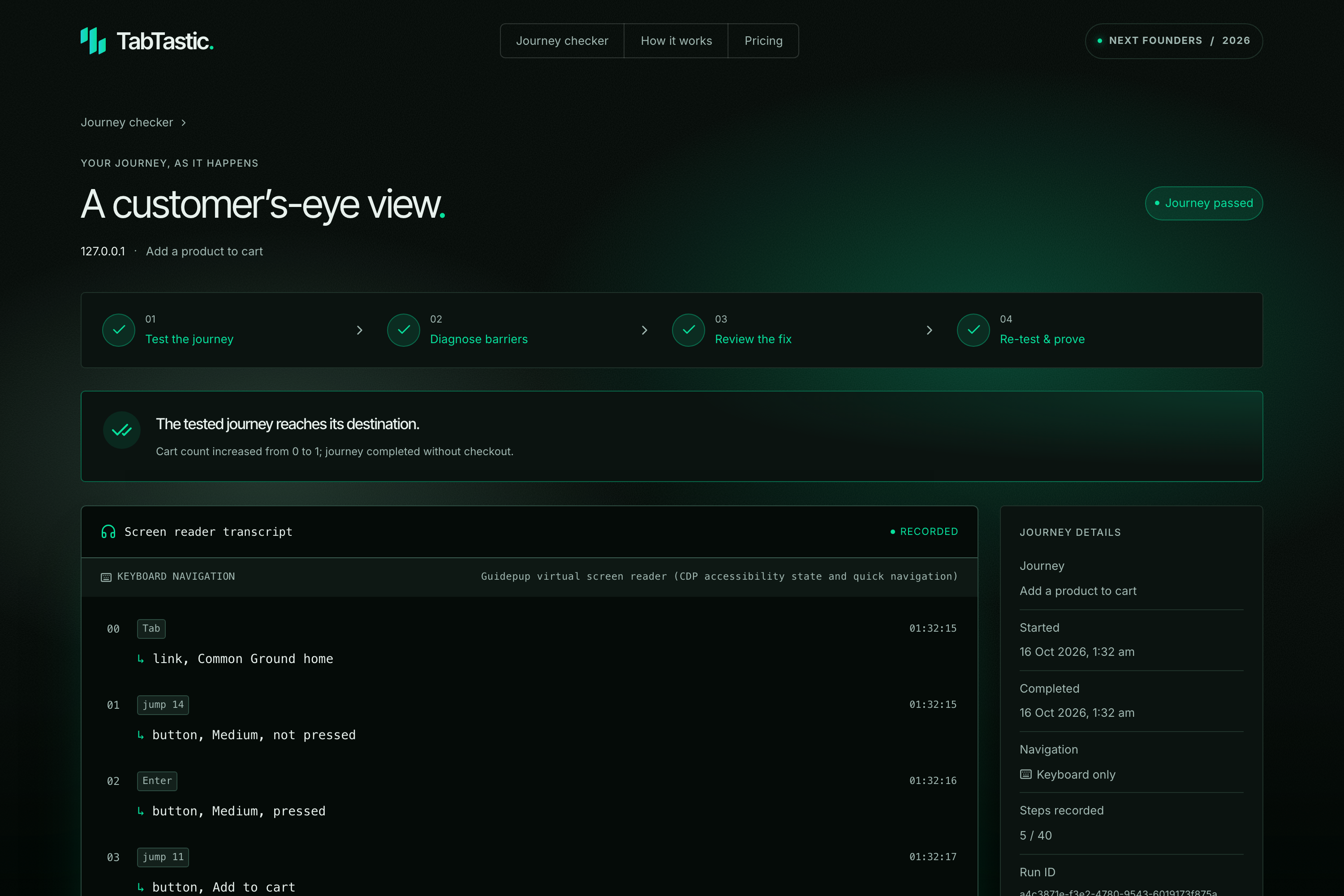
It shows a live transcript of the actions taken and the accessibility announcements at each step. When a journey gets stuck, it identifies potential barriers and explains what happened.
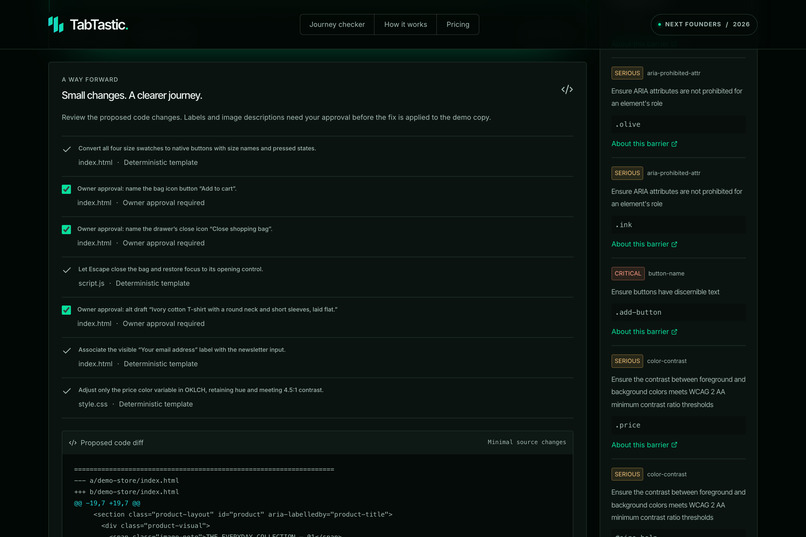
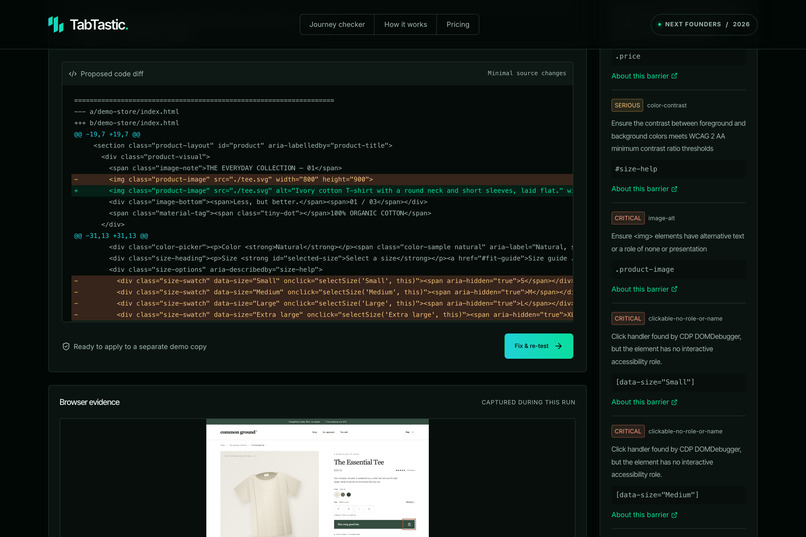
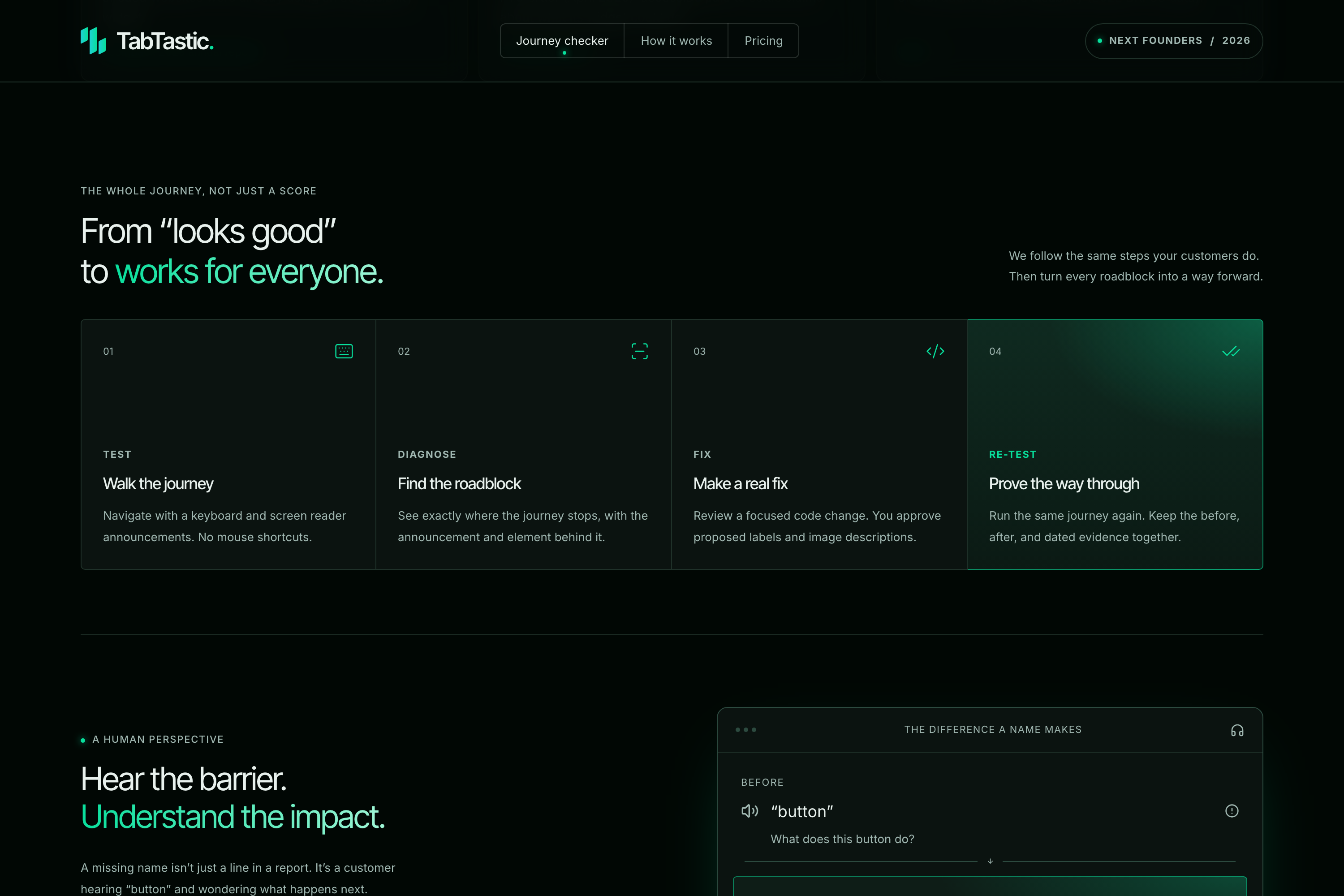
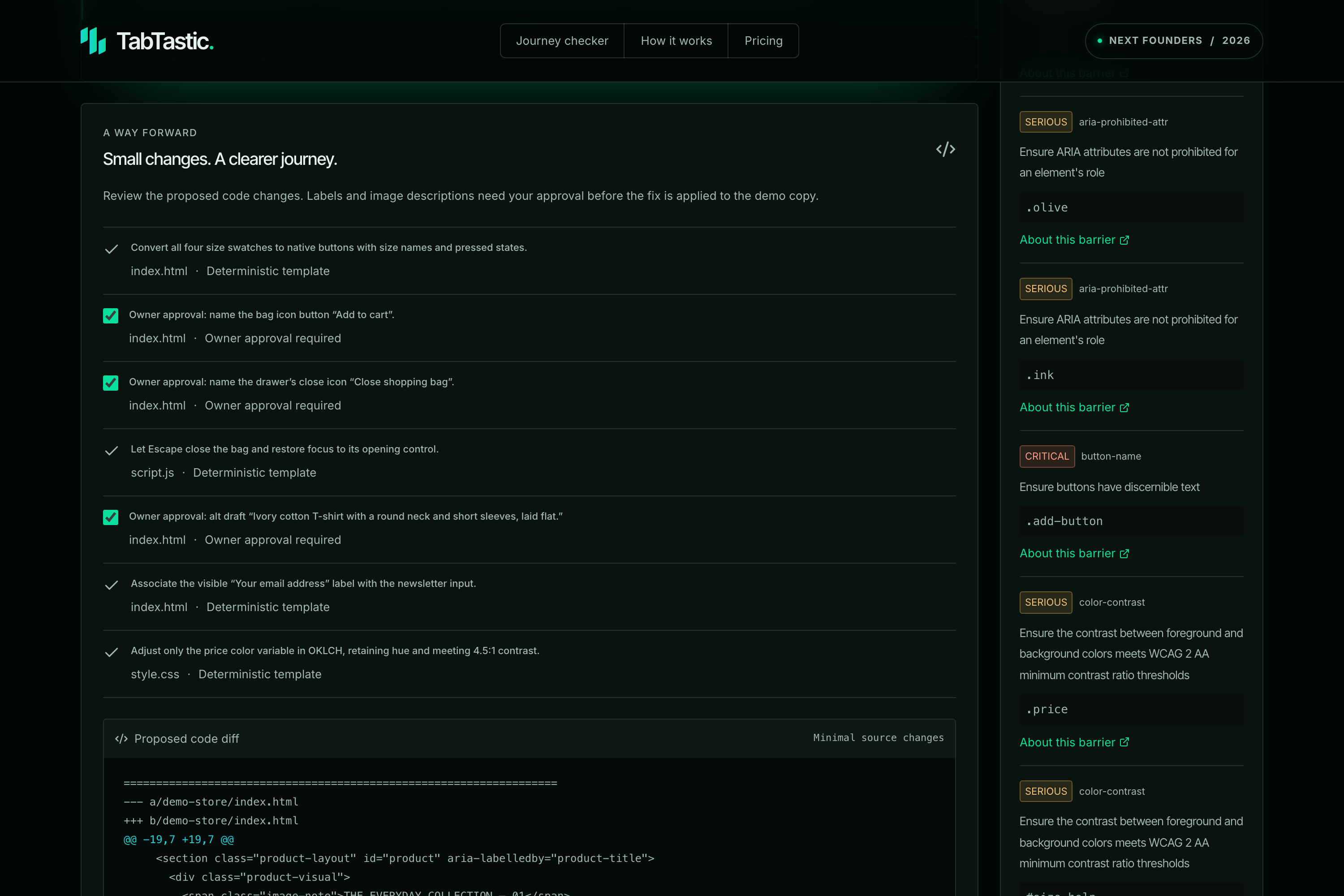
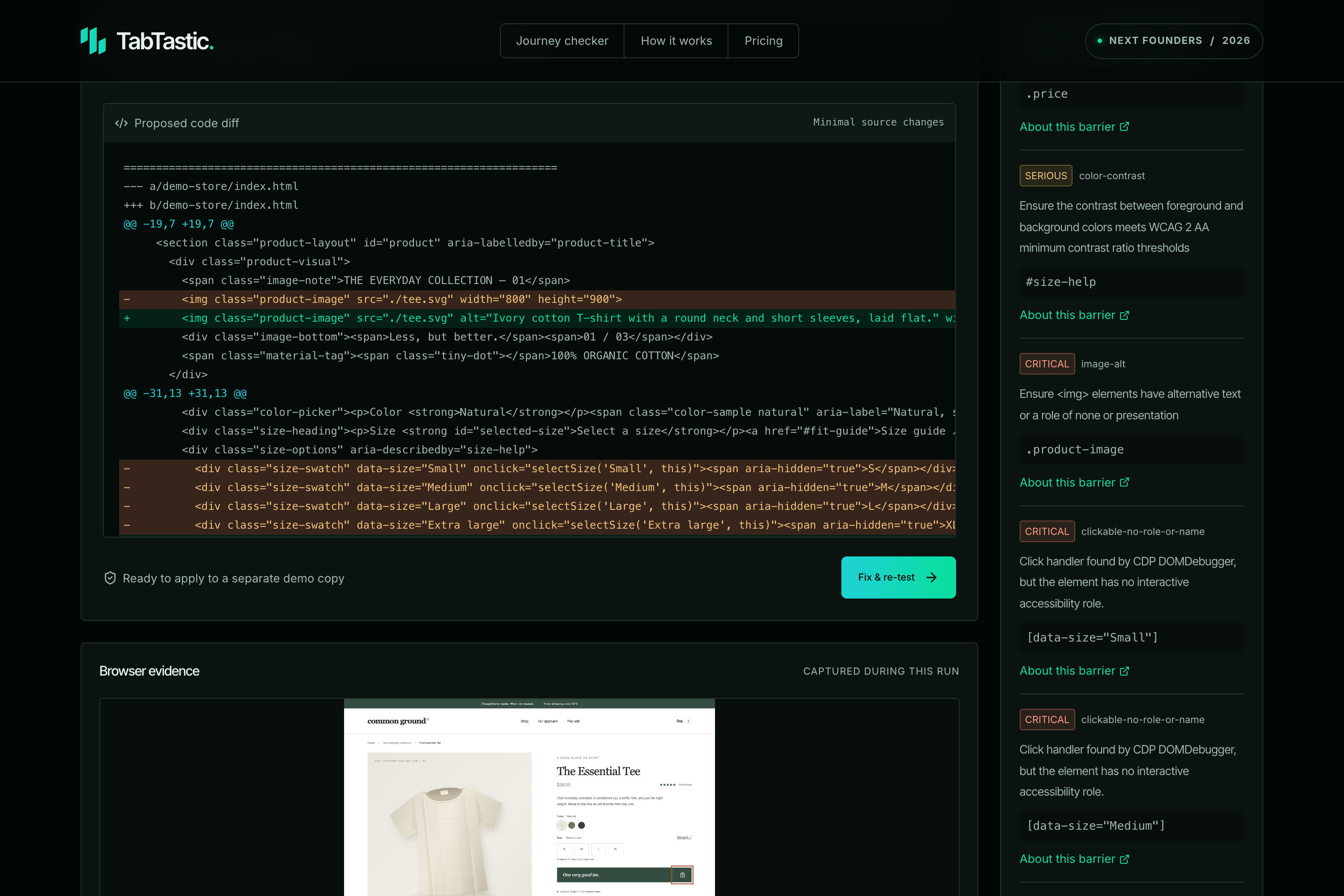
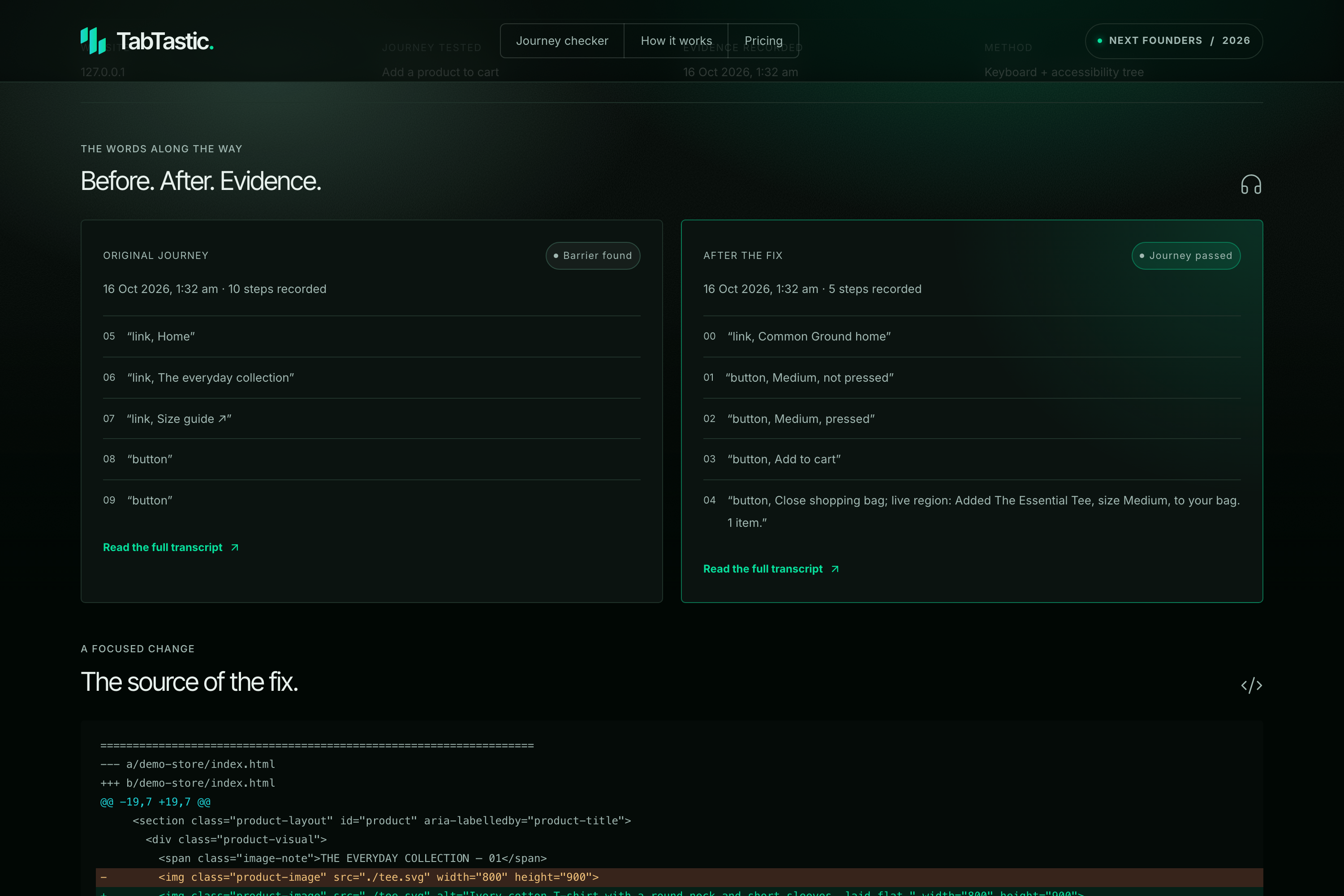
For our demo store, TabTastic also proposes source-code fixes. The owner reviews the changes and approves suggested labels and image descriptions before applying them. TabTastic then runs the same journey again to check whether the fix worked.
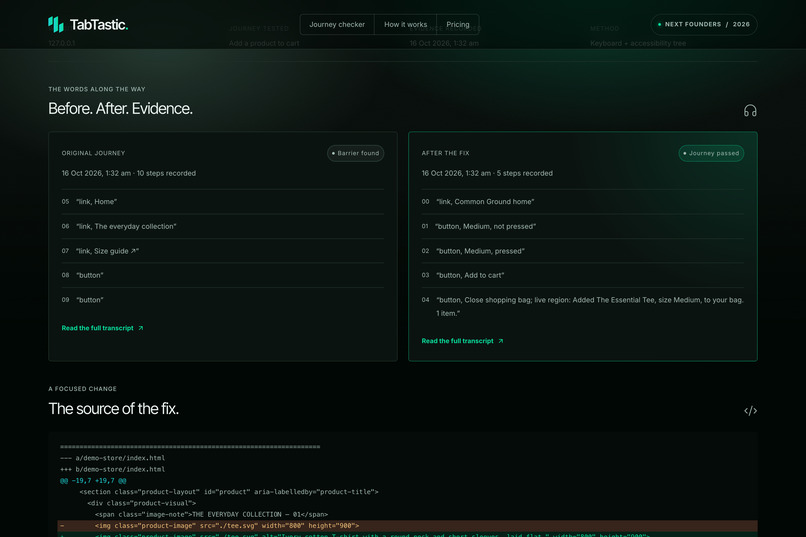
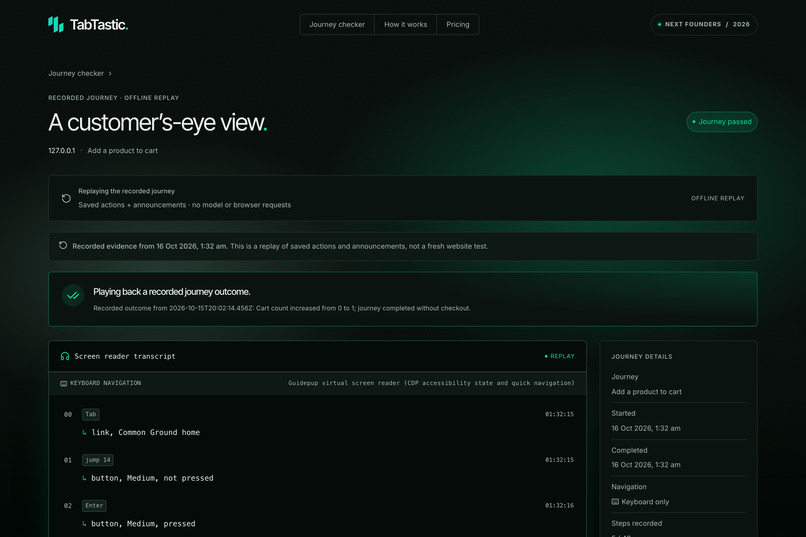
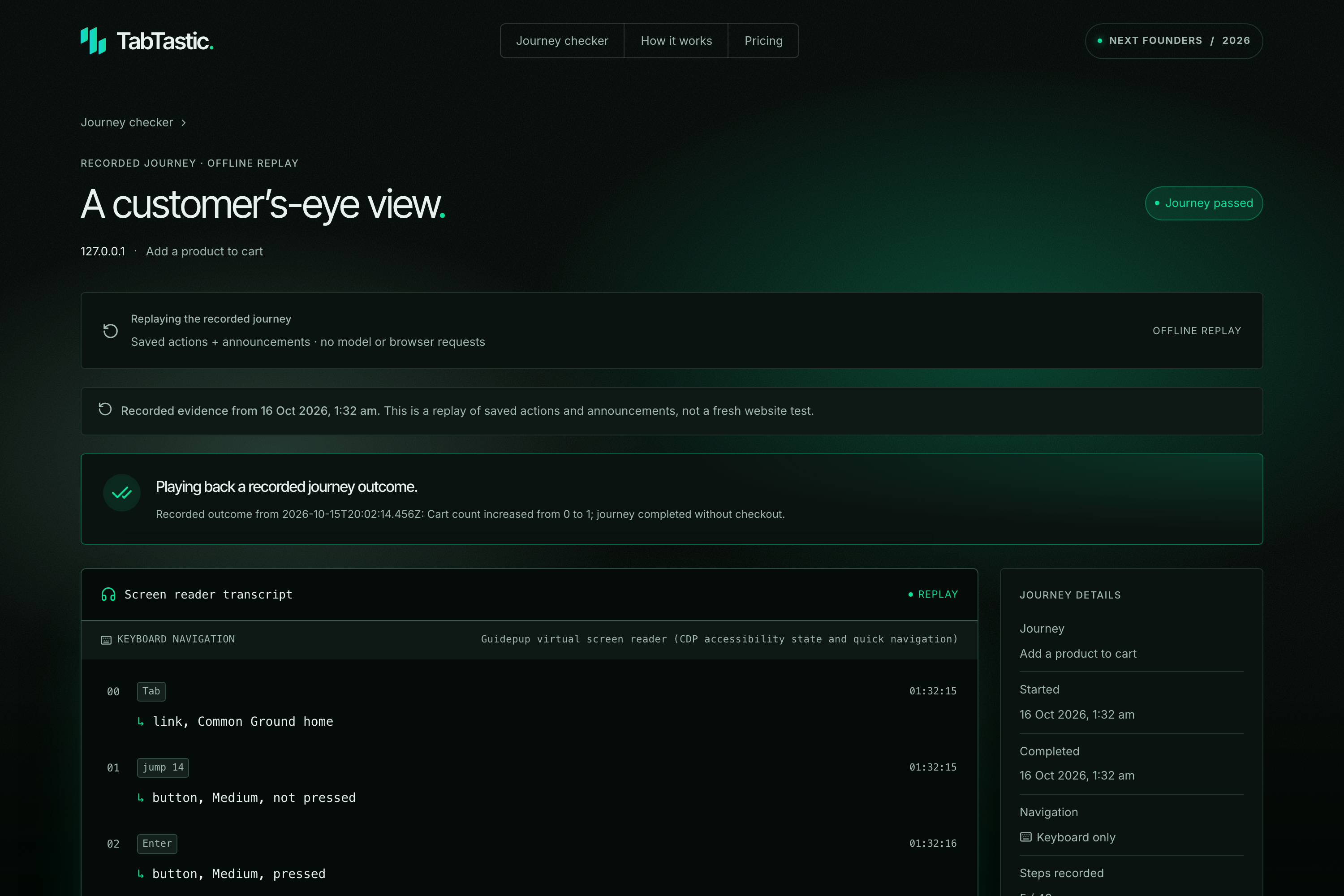
The result is a dated evidence report with before-and-after announcements, screenshots, and the code changes. Saved runs can also be replayed without another model call.
How we built it
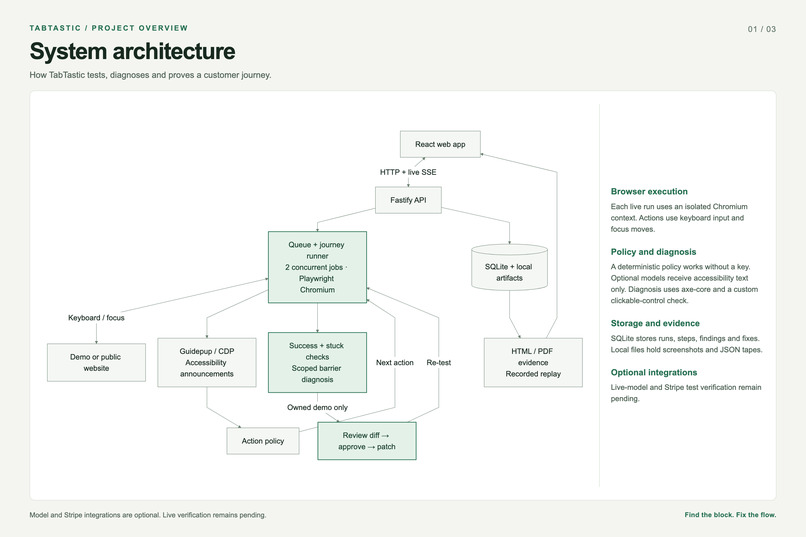
We built TabTastic with TypeScript, React, and a Fastify backend. Playwright runs the browser, while Guidepup and the browser’s accessibility tree provide simulated screen reader announcements.
We use axe-core alongside custom checks to investigate barriers. SQLite stores runs, steps, findings, and fixes. Server-Sent Events stream updates to the interface as the test runs.
The demo uses a deterministic keyboard policy and works without an AI key. We also built optional model integrations that receive accessibility text rather than screenshots or page selectors.
Challenges we ran into
The hardest part was deciding what counts as success. An agent saying “done” is not enough. We needed observable evidence, such as an increased cart count or five menu items with prices being announced.
We also had to distinguish between normal navigation and a journey that was genuinely stuck. That meant detecting repeated focus loops, missing controls, and actions that made no progress.
Making repairs reviewable was another challenge. We kept changes small, preserved the original demo, and required approval for text that affects what users hear.
Accomplishments that we're proud of
Our strongest result is the complete repair loop. The broken demo stops at inaccessible size controls. TabTastic shows the barrier, presents the changes, applies the approved fixes, and proves that the cart journey now completes.
We also built evidence that people can inspect and replay. The outcome is more useful when someone can see what happened and why.
What we learned
Accessibility testing needs both technical checks and real task outcomes. Finding an issue and understanding its effect are different problems.
We also learned that clear limits build trust. A passing journey is evidence about that journey at that time, rather than a guarantee about the whole website.
What's next for TabTastic
Our next steps are to complete live-model and Stripe test verification, expand the supported journeys, and test with more websites.
We also want to work with keyboard and screen reader users to compare our simulated tests with their experiences.
From there, we plan to add team accounts, scheduled checks, and reviewed source integrations so businesses can catch broken journeys before their customers do.
Built With
- axe-core
- fastify
- guidepup
- node.js
- playwright
- react
- sqlite
- typescript
- vite

Log in or sign up for Devpost to join the conversation.