Inspiration
We were inspired to create this project through our collective struggle of managing our browser tabs. We are too lazy and busy to close tabs we no longer need before opening new ones, so the unused tabs cause unnecessary clutter, which causes us to be overwhelmed and our computers to slow down.\
What it does
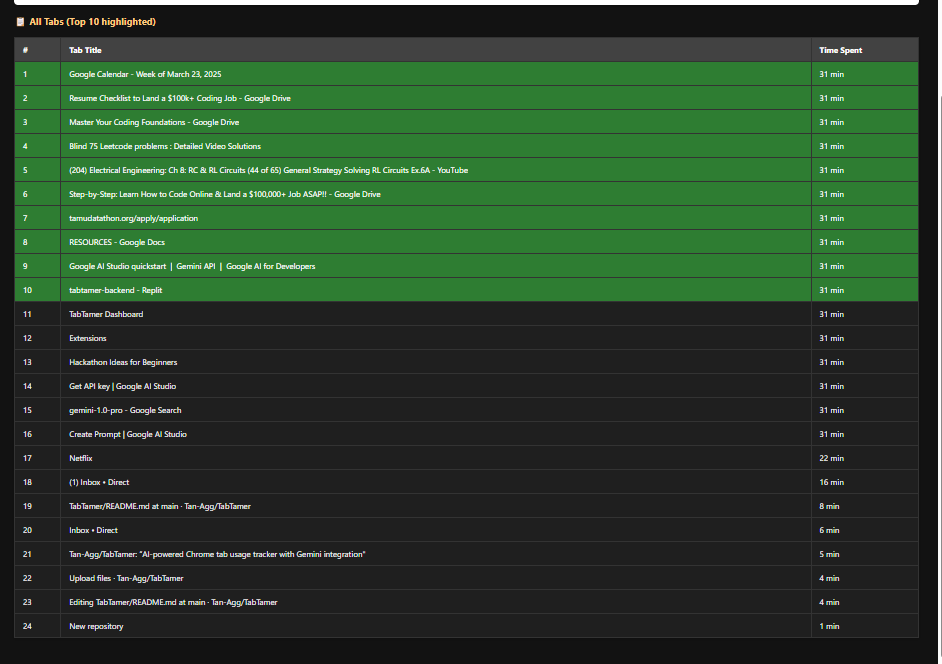
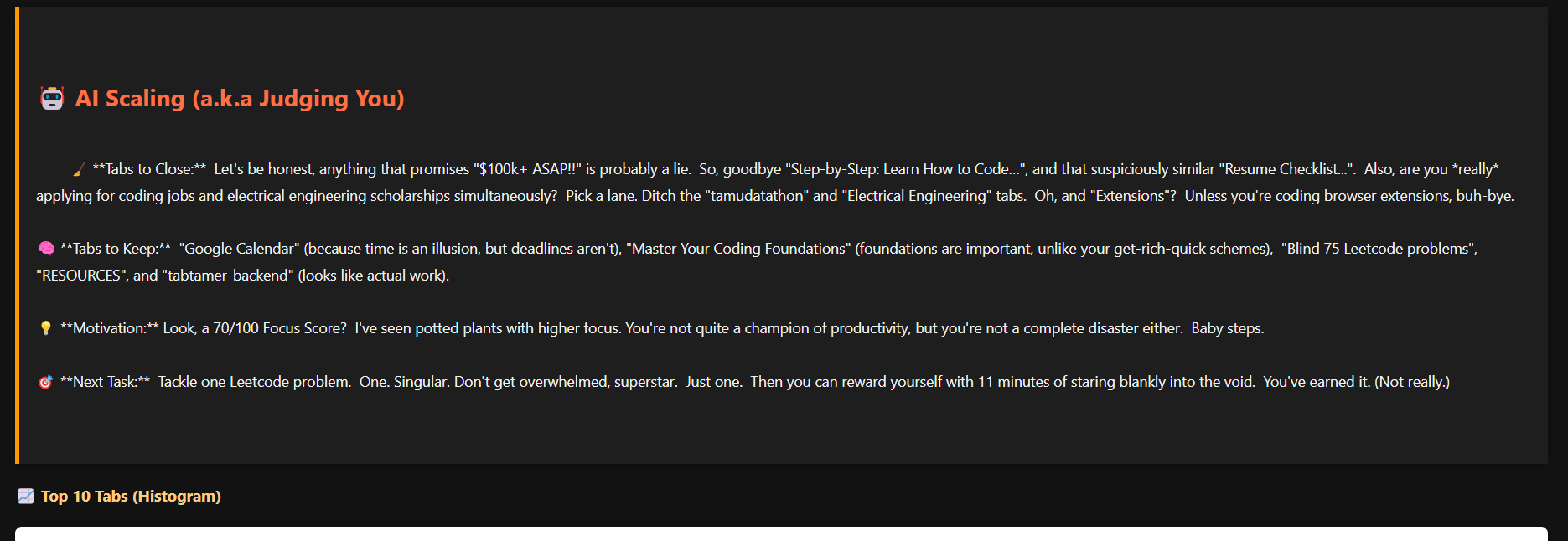
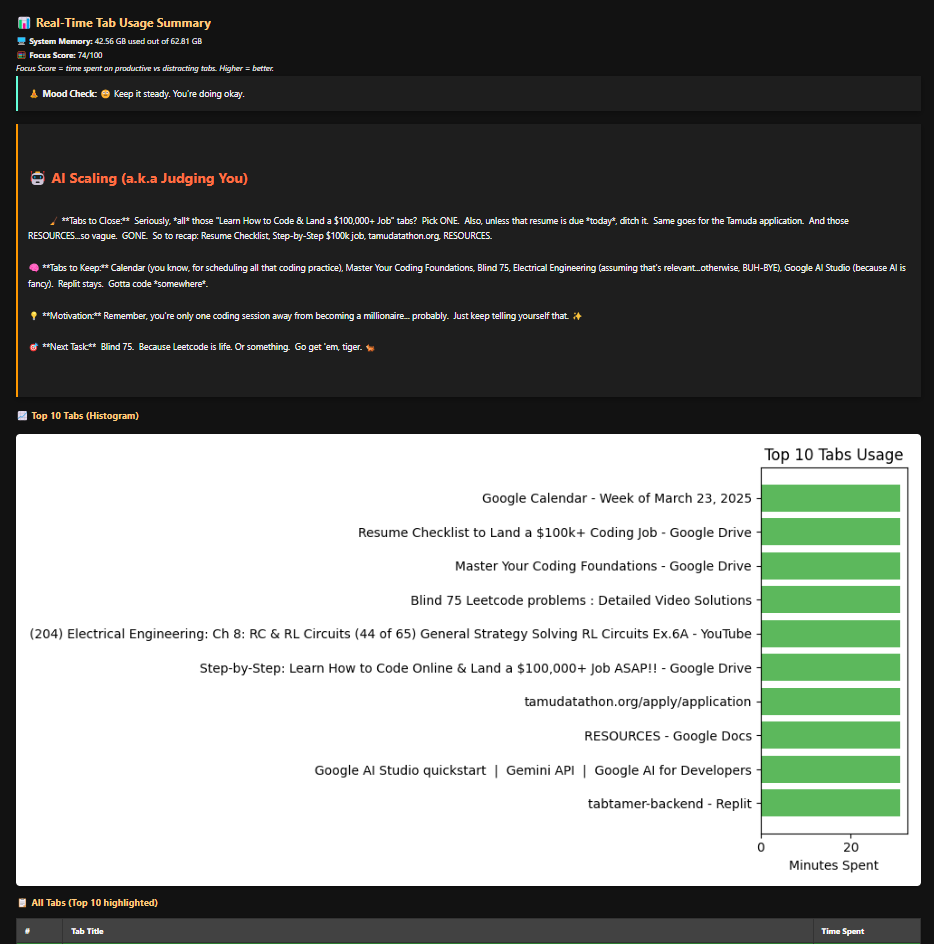
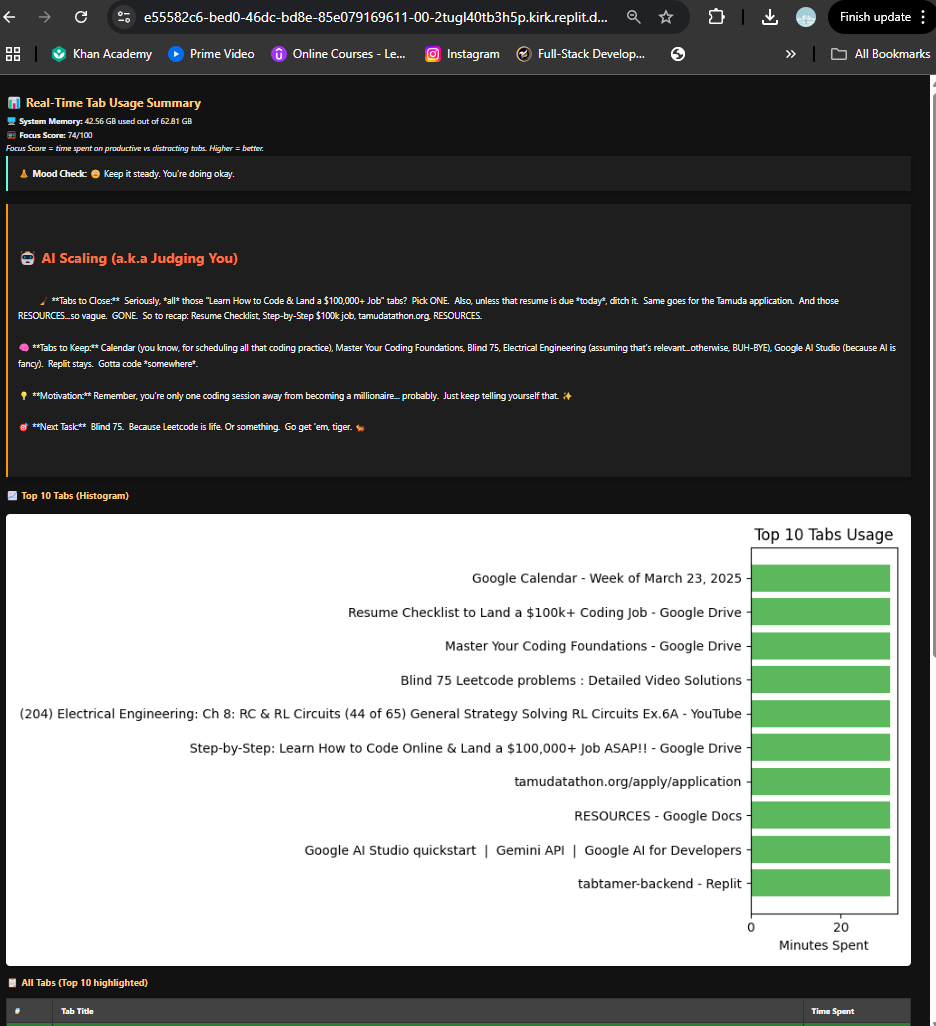
TabTamer takes the titles of the tabs and the time each tab has been opened to prioritize important tabs while closing unnecessary ones. The AI feature gives the project a humorous element by poking fun at the user while giving them helpful information about what tabs are needed and what tabs can be discarded.
How we built it
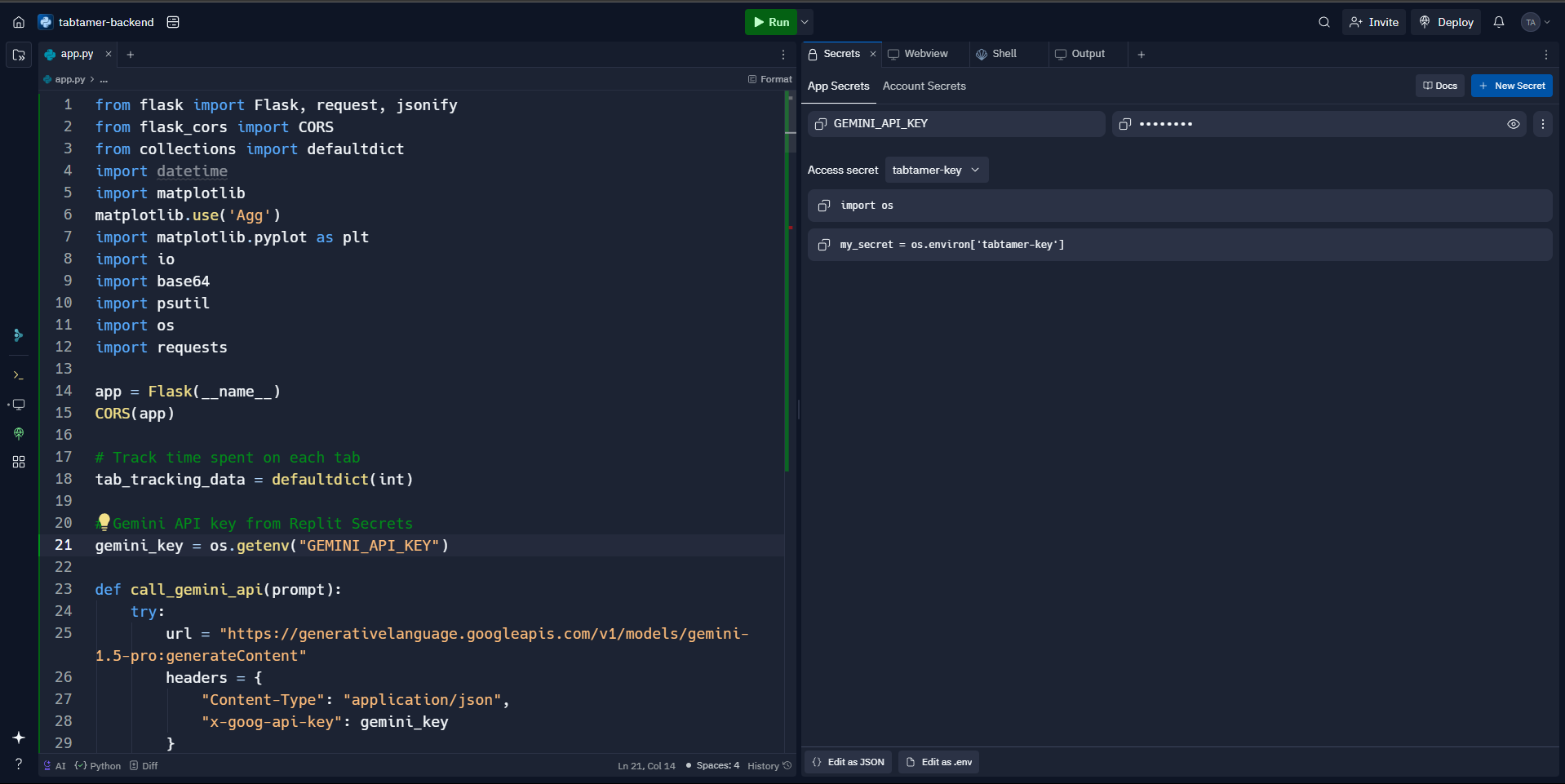
We built TabTamer using a simple yet powerful tech stack: JavaScript for the Chrome Extension that tracks tab usage and sends data to our backend Python Flask for the backend server, where we process and store the data Google Gemini API for AI-driven feedback, offering users productivity tips psutil to track system memory usage and monitor overall browser health Matplotlib for creating visually engaging histograms of tab usage
Challenges we ran into
API Integration: Faced issues with OpenAI and Gemini API, including 404 errors for unsupported models and rate limit restrictions, which disrupted AI content generation.
CORS Issues: Encountered difficulties with Cross-Origin Resource Sharing (CORS) when the Chrome Extension communicated with the Flask backend, requiring proper header configuration to allow requests from the extension.
Real-Time Tab Data: Managed background tasks for real-time tab tracking without overloading resources. Ensured that background scripts in the extension were efficient, especially while collecting tab data every minute.
Memory Management: Optimizing system memory usage was crucial, especially when tracking tabs and generating dynamic histograms. Avoided memory leaks and ensured the backend handled large datasets smoothly.
Backend Performance: Ensured data persistence and optimized backend performance for handling tab usage data without overloading the server, using default dictionaries for tracking.
UI/UX: Balancing complex data visualization (like histograms) with a user-friendly interface to avoid overwhelming the user.
Accomplishments that we're proud of
First project! While we aren't sure if we did everything perfectly, we're incredibly proud of bringing this simple yet impactful idea into the real world.
Seeing everything run smoothly on our system, and having a tool that we can actually use to declutter our own digital space, is a huge win!
The AI feedback: It's cheeky, sarcastic, and genuinely fun to interact with — and that was a great accomplishment on its own!
What we learned
We learned so much during this project:
How to build a full-stack app from scratch, including the development of a Chrome extension.
Working with APIs: From using Google Gemini AI for productivity feedback to integrating psutil for system health, we gained hands-on experience.
How to make a simple idea grow into a working product that can solve a real-world problem.
What's next for TabTamer
We’re excited about the future of TabTamer:
Wider Deployment: We plan to deploy this so others can use it too. We’ll get it hosted properly and accessible for everyone!
Feature Expansion:
Alerts for excessive tab usage: Like, “Netflix exceeded 3 hours today” — a fun reminder of how much time we waste.
Weekly reports: Giving users insights into their weekly tab habits.
Interactive features: Making TabTamer more engaging by adding more personalized feedback, and increasing the AI’s recommendations and guidance.
TabTamer is just the beginning, and we’re looking forward to making it smarter and more useful for all users.

Log in or sign up for Devpost to join the conversation.