-
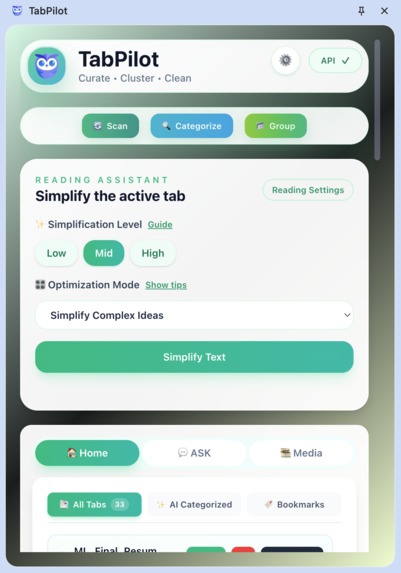
Extension
-
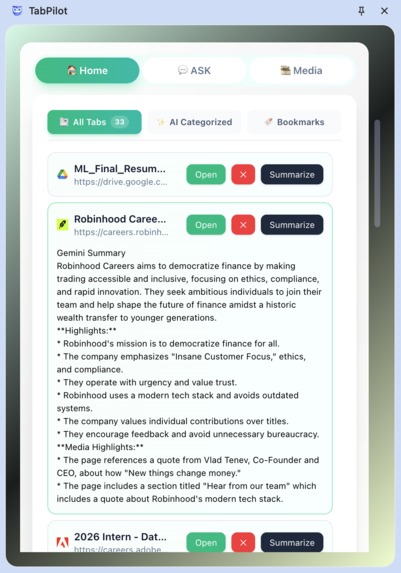
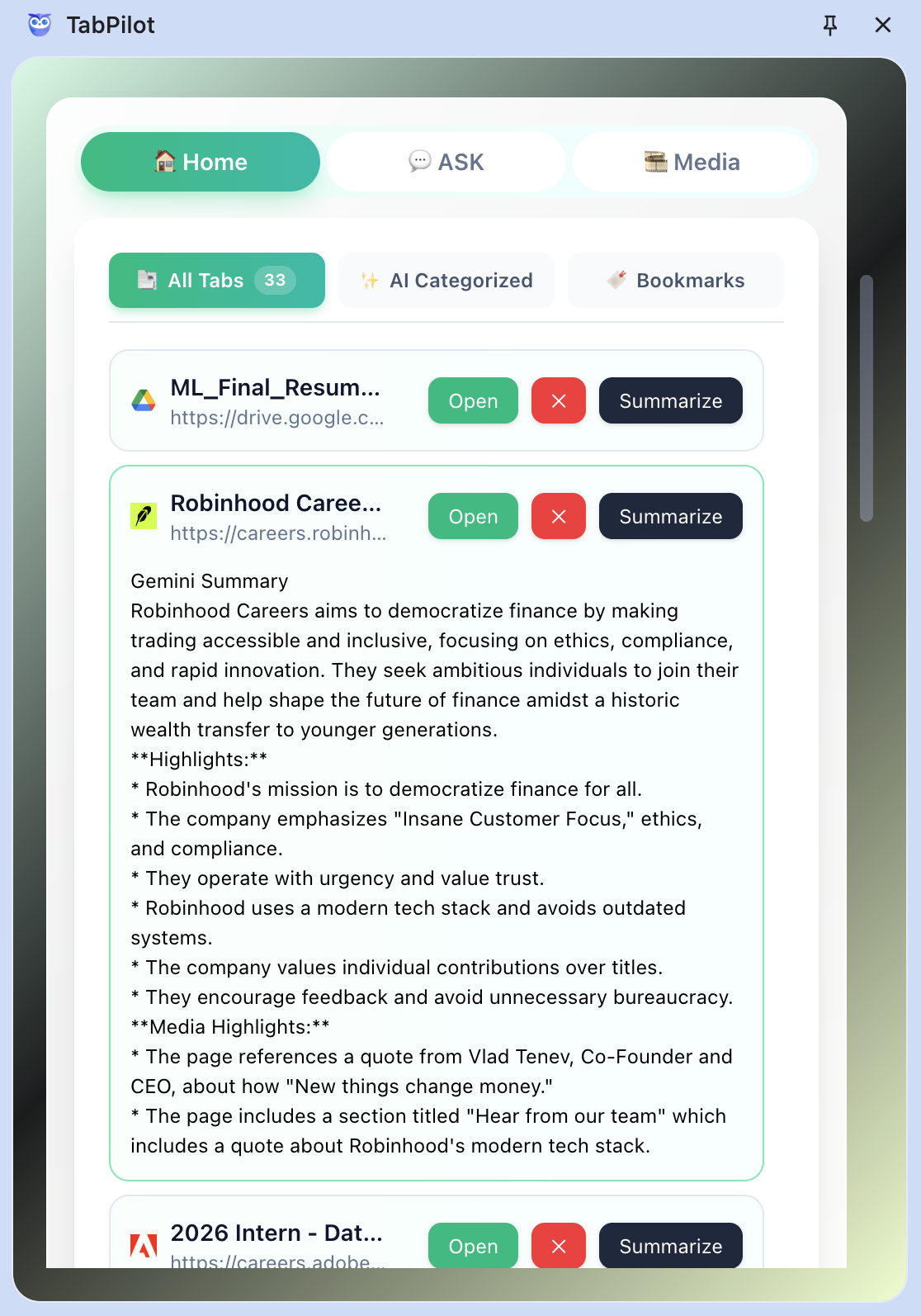
Quick summary of the tabs open
-
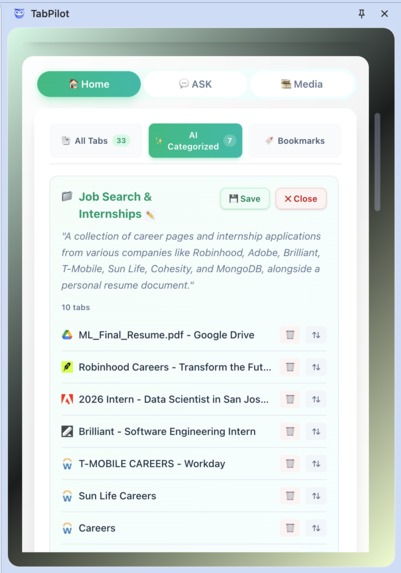
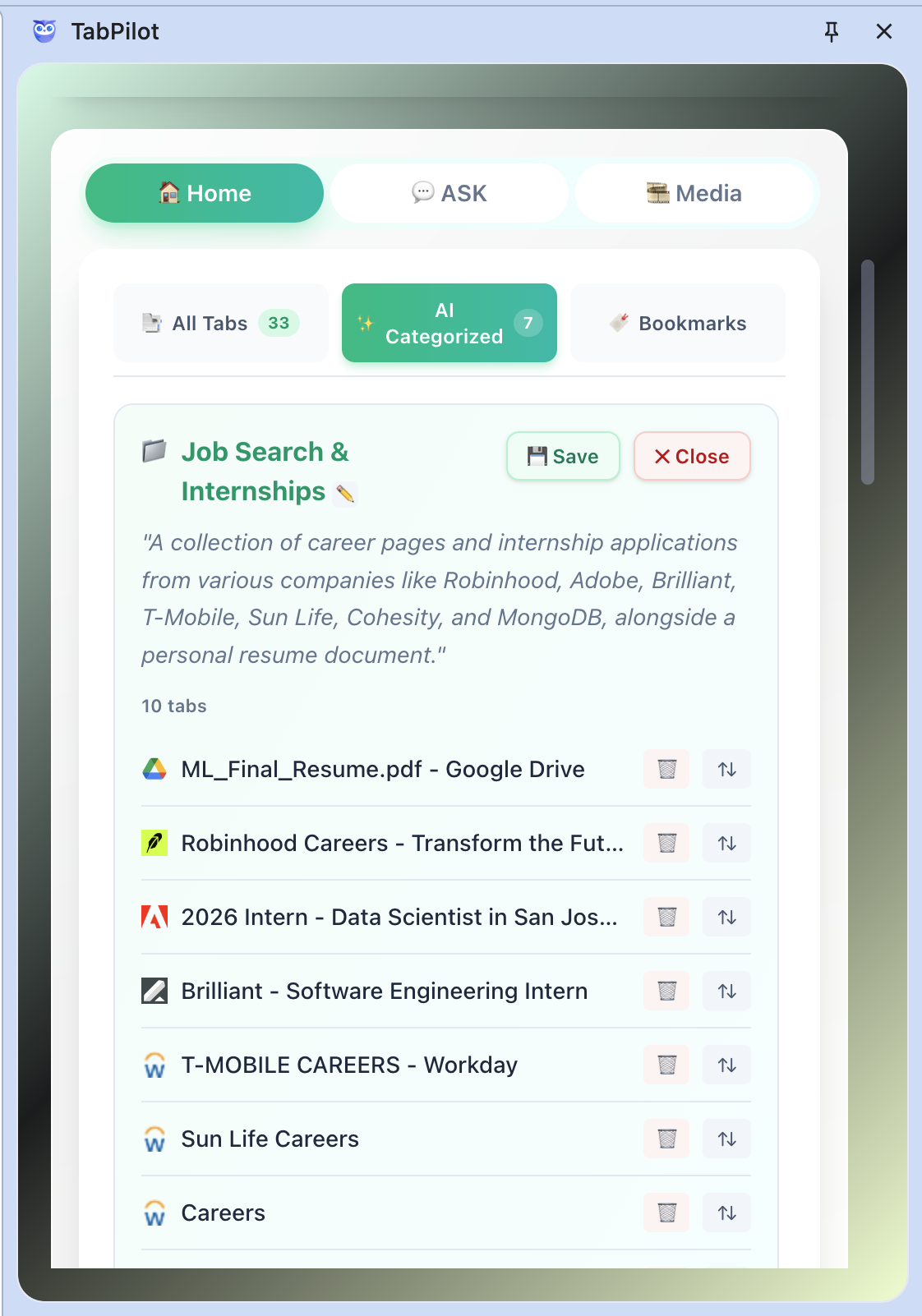
Grouping of tabs based on the content present
-
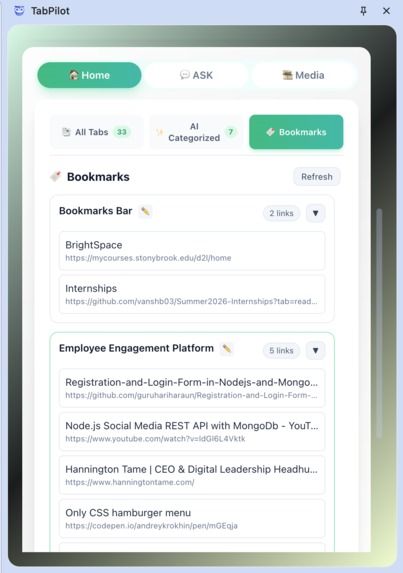
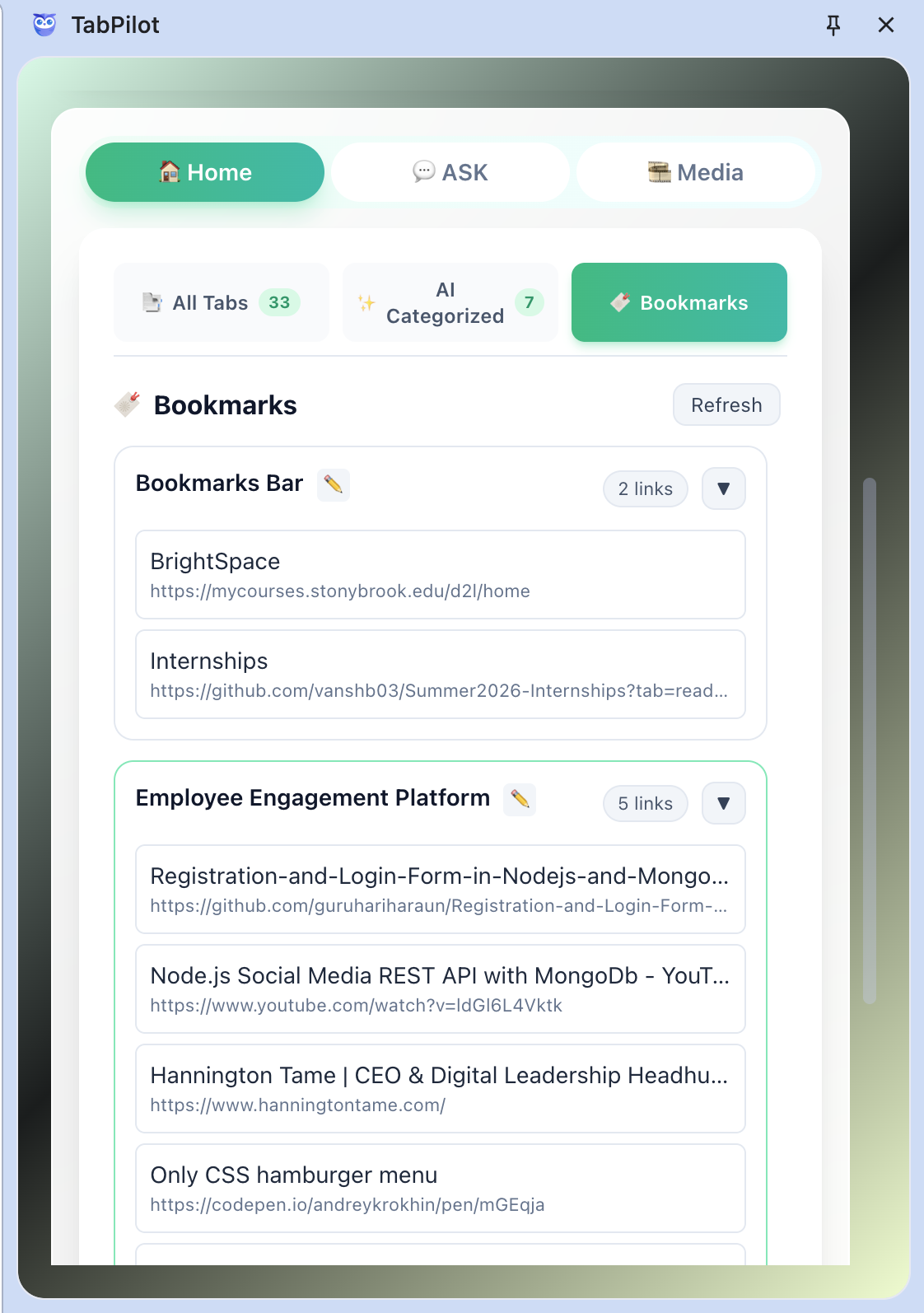
Bookmarked Tabs
-
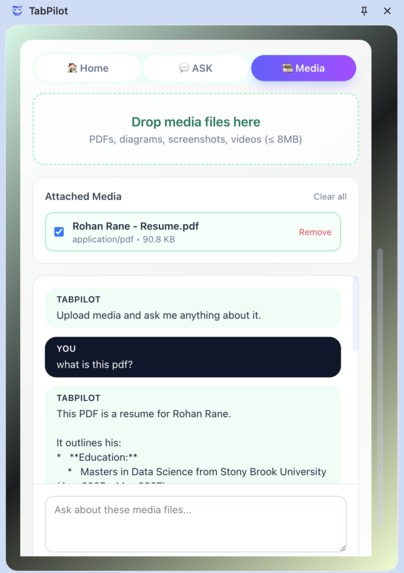
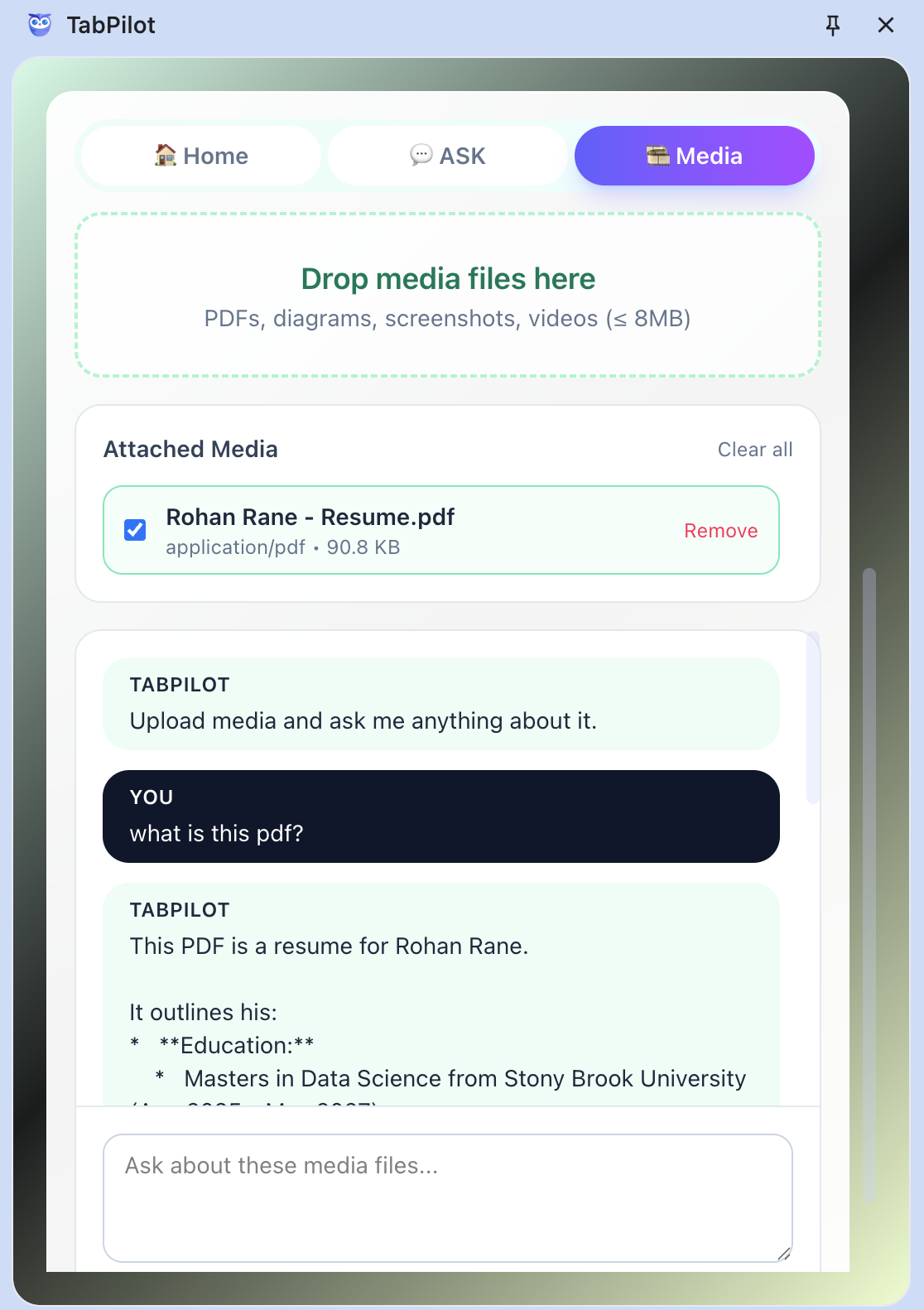
Chat with TabPilot for any media provided
-
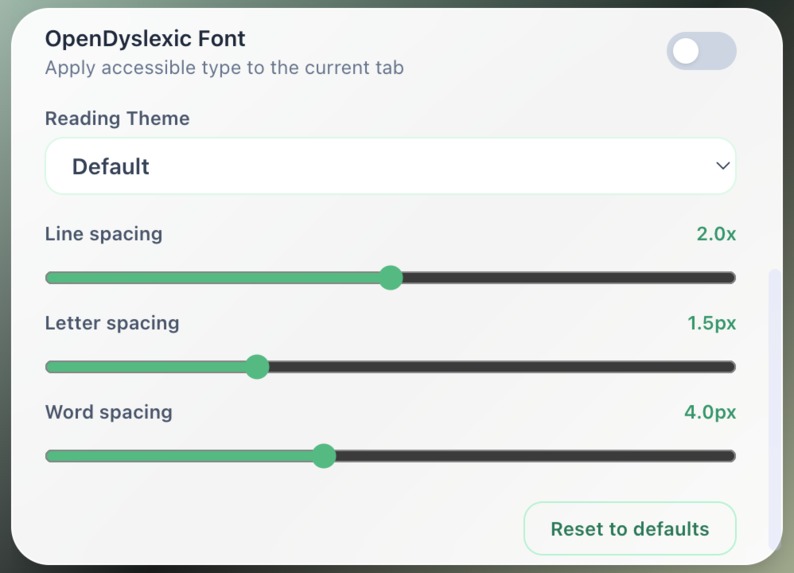
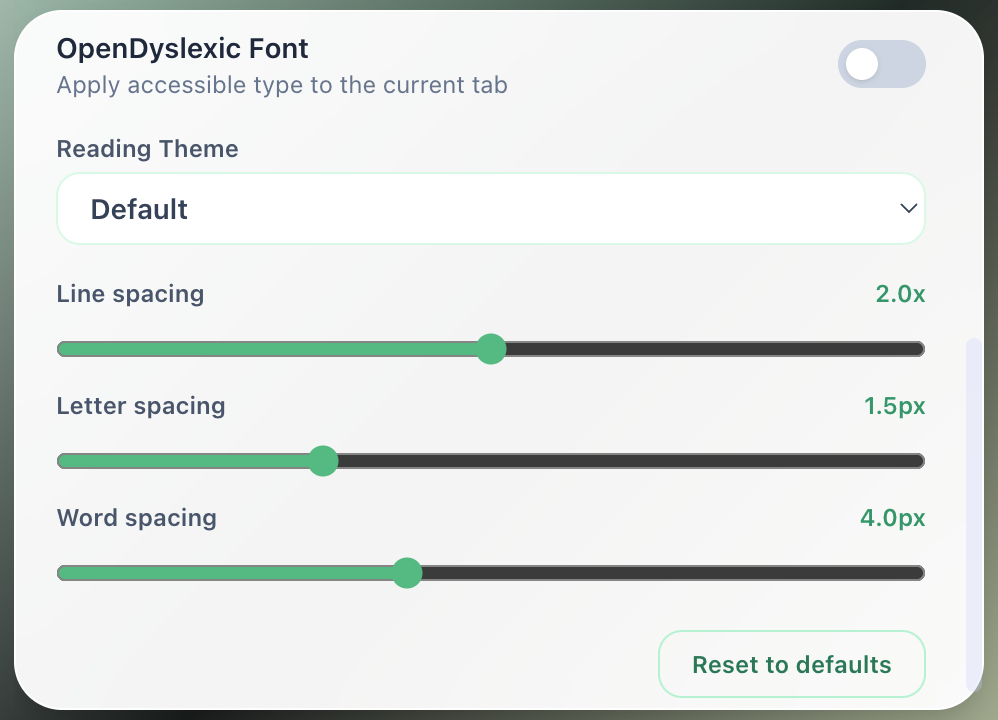
Additional Reading Settings
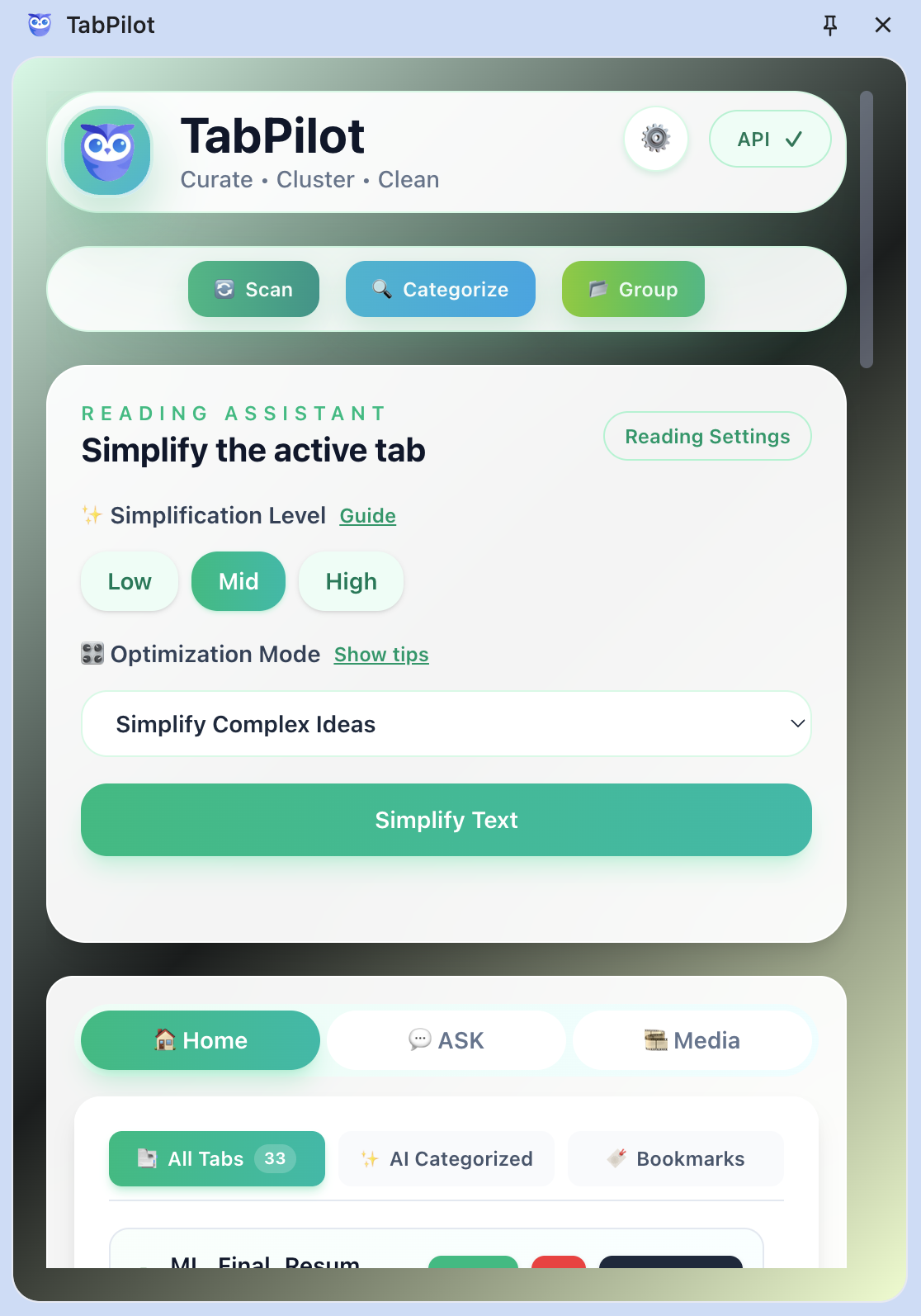
What inspired us to build TabPilot?
We’ve all lived through it. The browser starts innocent—just a few tabs for research. Then it spirals. Fifteen tabs turn into fifty. By the end of the day, your screen is a wall of favicons and half-finished thoughts. You tell yourself you’ll clean it up later, but later never comes. Each tab holds something you might need: a paper, a video, a tool, a thought. Together, they form chaos disguised as productivity. The browser was meant to help you think; instead, it’s where focus goes to die.
It hits hardest when you’re applying for internships, researching companies, or exploring new projects. One moment you’re scouting opportunities, the next you’re drowning in job portals, company blogs, tutorials, and research papers. Every tab feels essential—until your browser collapses under the weight of your own curiosity. That chaos inspired TabPilot.
We wanted to build something that restores command—a cockpit for your browser that brings clarity back to your digital workspace.
What does TabPilot do?
TabPilot is your command center for a chaotic browser. In one click, it scans every open tab, extracts the real content (not just titles), and sends it to Gemini for deep analysis. It identifies duplicates, clusters related workstreams, and summarizes even complex pages hiding videos, PDFs, or diagrams.
The All Tabs View is your control dashboard—it highlights near-duplicates, lets you close clutter instantly, and generates AI summaries so you know exactly what each tab contains without switching context.
For deep reading, the Simplifier Panel turns dense web pages into focused reading environments with clean themes, adjustable spacing, and an OpenDyslexic font. It’s built for comprehension, not distraction.
Your bookmarks and research sets aren’t forgotten—TabPilot rebuilds them as smart tab groups, letting you reopen entire research kits in seconds. When you need answers, the Ask View acts as conversational memory—query anything you’ve opened, and Gemini references your full browsing dataset.
And for external clutter—PDFs, screenshots, videos—the Media Lab lets you drop files directly into TabPilot and chat with Gemini for instant insights.
How we built it
We engineered TabPilot as a modern, AI-augmented Chrome extension with a hybrid local-cloud architecture.
- Frontend: React + Vite with Tailwind-style utility classes (plus custom CSS) to power the side-panel UI and Simplifier controls.
- State & Data Flow: Redux Toolkit manages tab data, AI results, and UI state locally inside the extension; no external backend is required.
- Chrome APIs: Reliant on
chrome.tabs,chrome.scripting,chrome.bookmarks,chrome.storage, andchrome.runtimefor scanning tabs, injecting scripts, syncing settings, and listening to browser events. - AI Layer: The Gemini API (via the
@google/genaiSDK and custom REST calls) handles categorization, multimodal summaries, and the media chatbot. All calls originate from the extension, mixing local preprocessing with cloud inference. - Background/Content Scripts: MV3 service worker coordinates messaging; content scripts extract page text and media metadata through
chrome.scripting.executeScript. - Storage: User preferences and cached metadata stay in
chrome.storage.sync/local; there’s currently no Firebase/Firestore backend.
Challenges we ran into
- Text Extraction Reliability: Web pages differ wildly in structure—cleanly parsing readable text without breaking layouts required deep testing.
- Embedding Latency: Sending multiple tab contents to Gemini introduced delays; batching and caching embeddings locally solved part of the issue.
Accomplishments we’re proud of
We turned browser chaos into clarity. We built a system that not only organizes tabs but understands them—semantic clustering, memory recall, and AI summaries all within a browser interface. Seeing students use it to manage internship research and track projects validated the core idea: focus is a function of structure.
What we learned
We learned that attention isn’t lost—it’s fragmented. The right architecture can reassemble it. We discovered how to build an AI workflow that feels human, not mechanical. Integrating Gemini taught us to think in embeddings, not just endpoints. Most of all, we learned that productivity tools shouldn’t demand attention—they should return it.
What’s next for TabPilot
Next, we’re extending TabPilot beyond Chrome—bringing cross-device sync, offline summarization, and deeper Gemini integration. We’re building Workstreams, a feature that converts tab clusters into structured projects automatically.
Built With
- chrome.apis
- css
- google/genai
- javascript
- node.js
- react
- tailwind

Log in or sign up for Devpost to join the conversation.